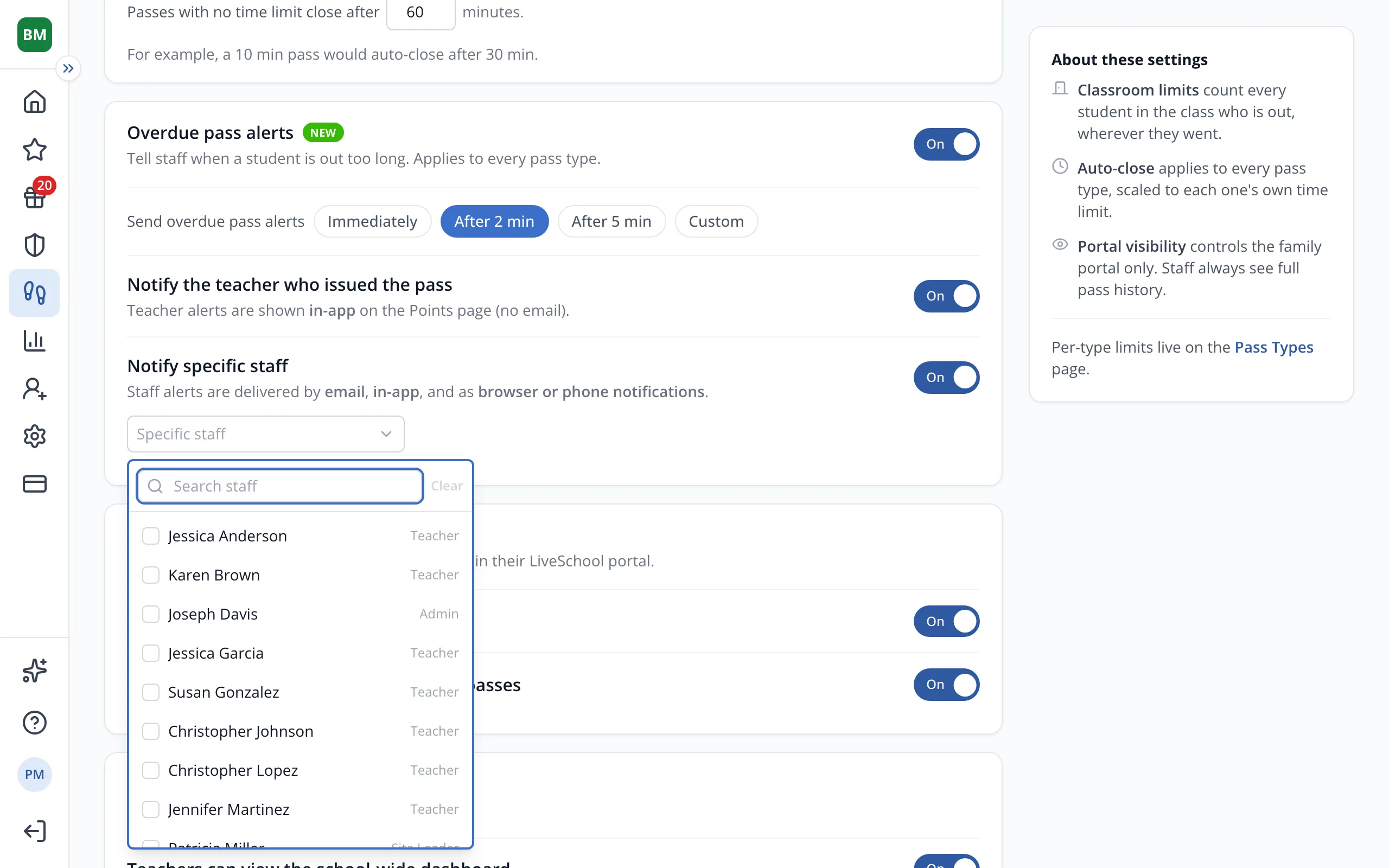
Get alerted when a pass runs overdue
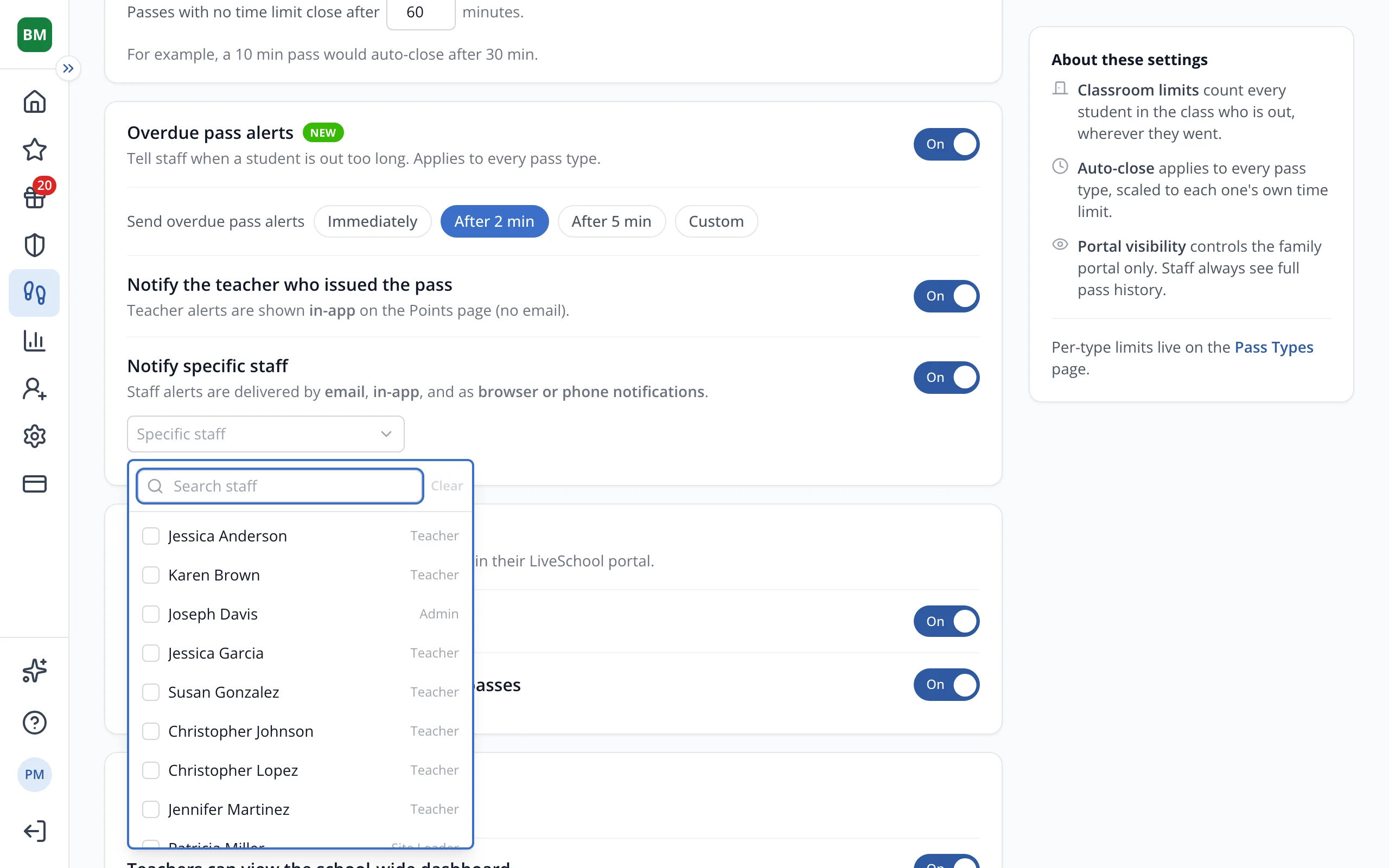
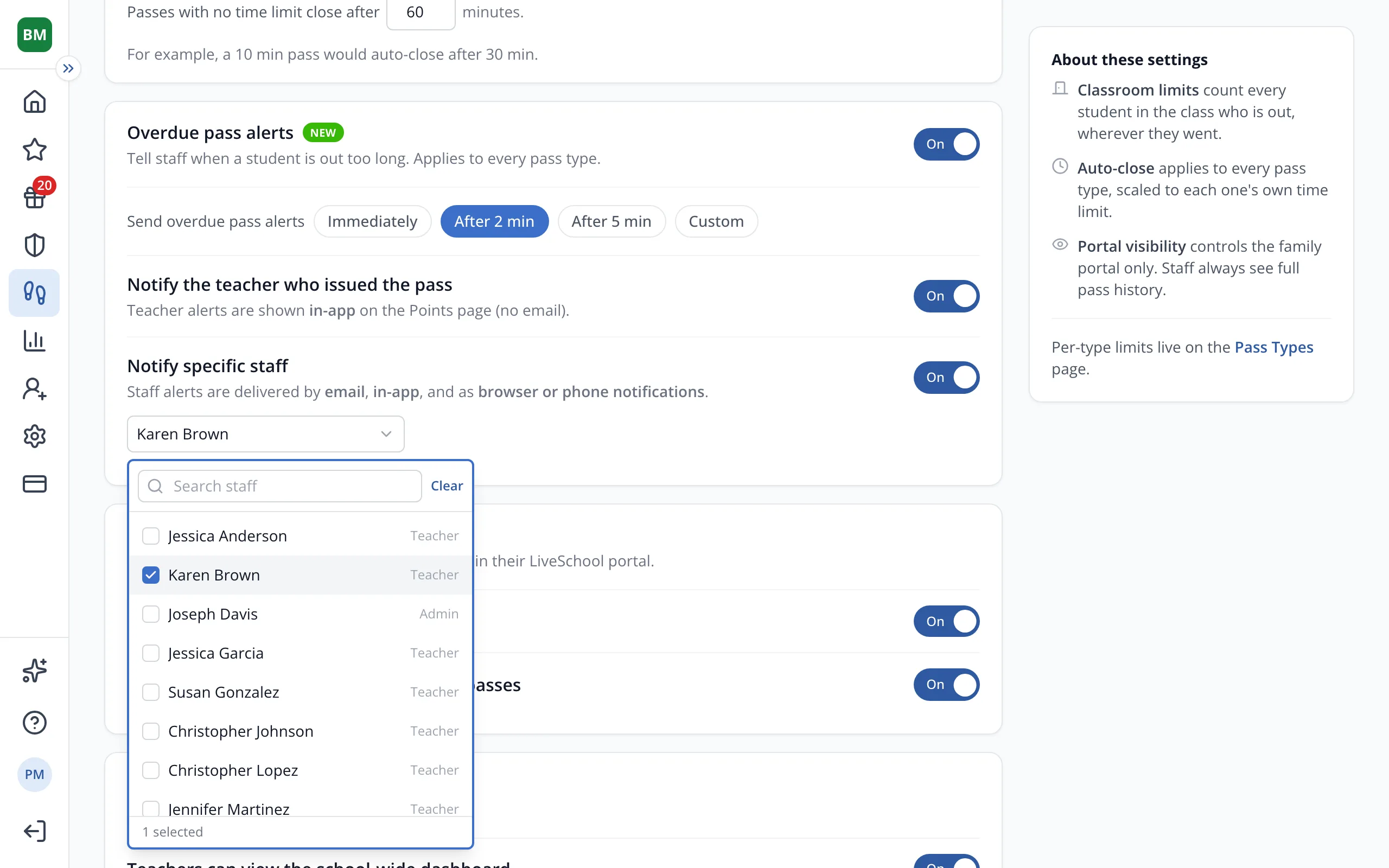
Along with the teacher who issued the pass, the staff you pick will also get an email and a notification indicating that a pass is overdue.
AdminSite Leader
Use the Left and Right arrow keys to move between steps, and Space to play or pause.
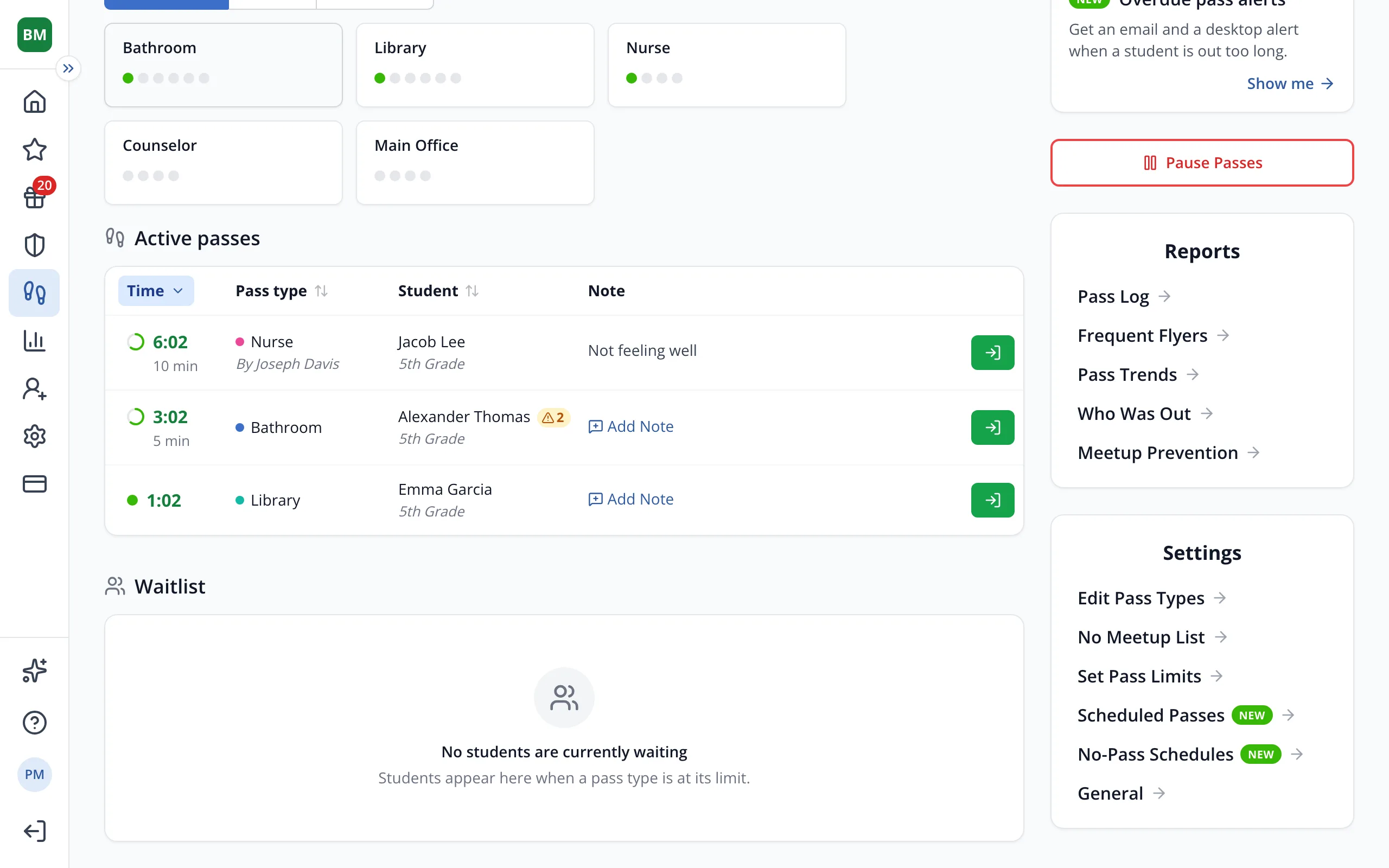
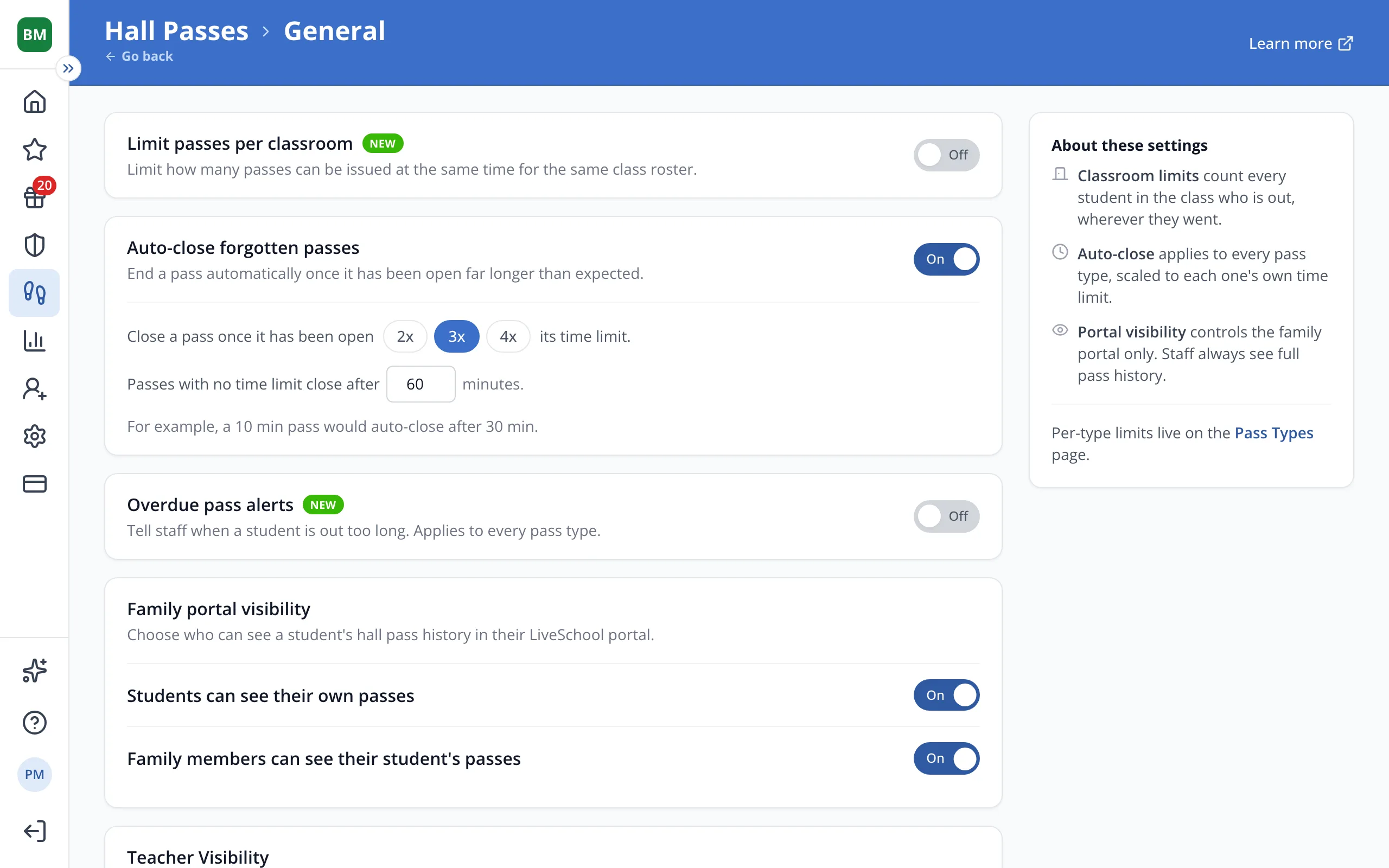
1.On the Hall Passes page, under Settings, click General.
Did you know? On a smaller screen, click More to find these links.
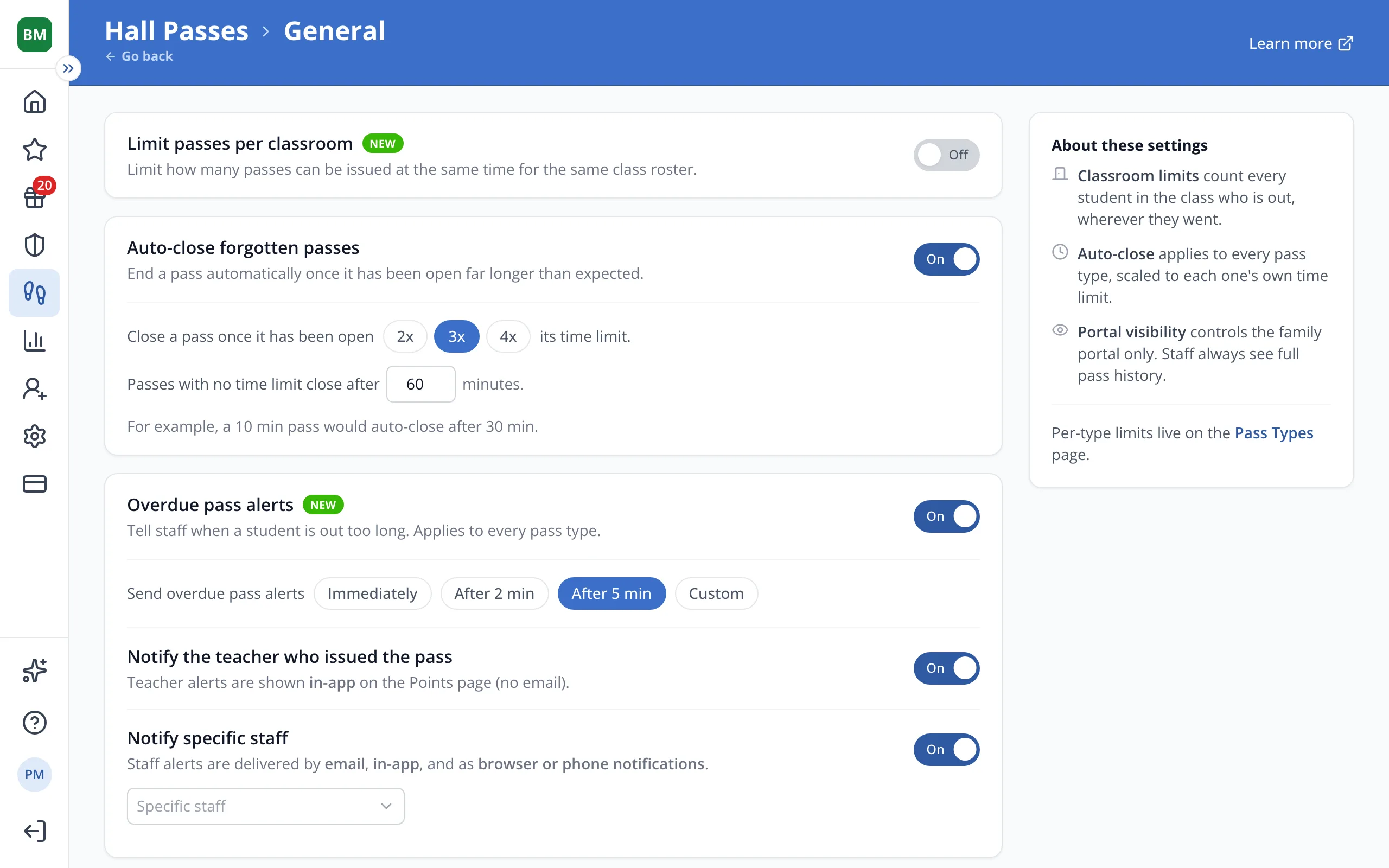
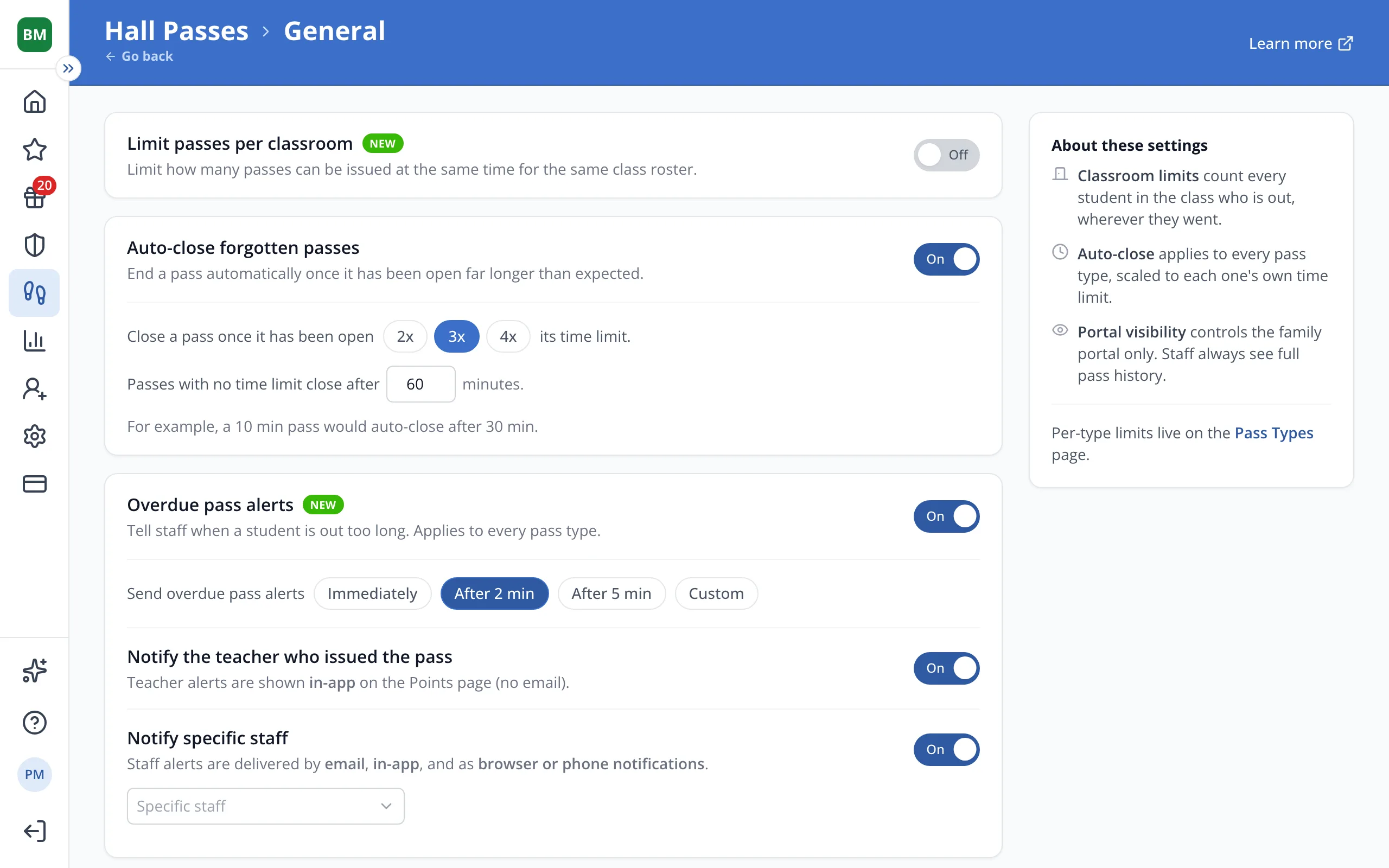
2.Turn on Overdue pass alerts.
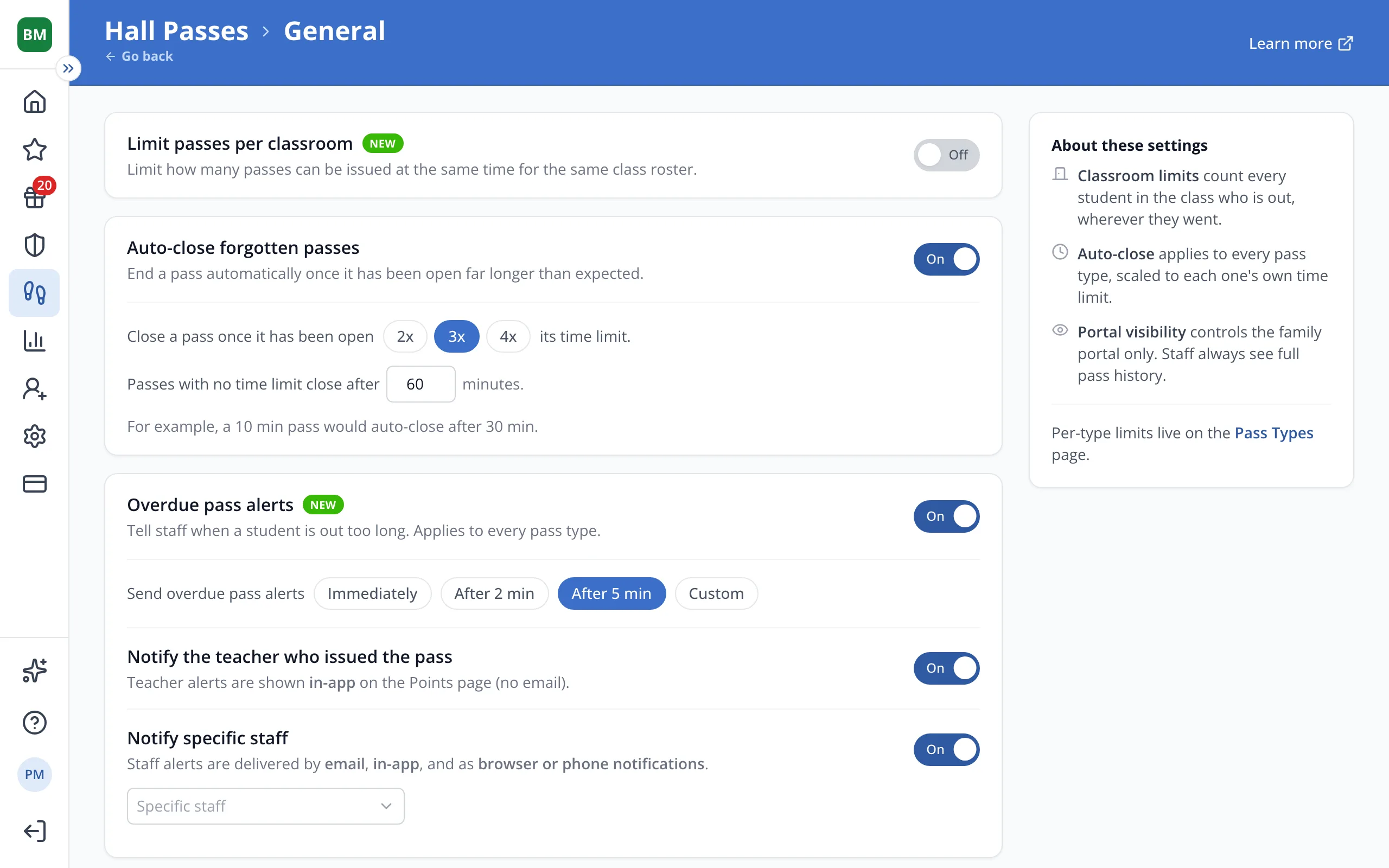
3.Choose how soon after a pass runs over its time limit to send the alert.
4.Under Notify specific staff, click the staff box.
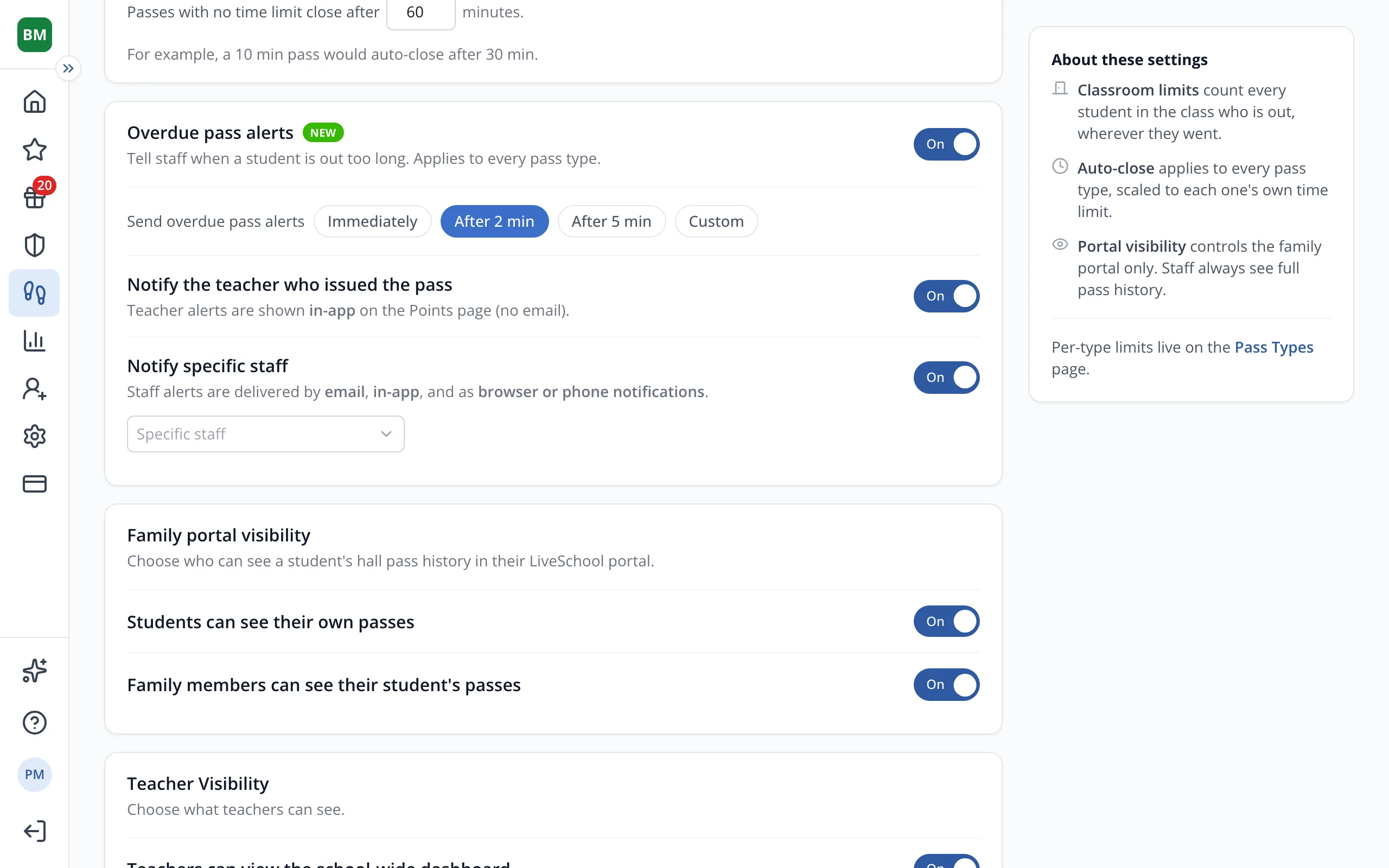
5.Click the staff who should be told.