Let students start their own passes
Self-start is set for each pass type, so students can take a pass like Bathroom without asking first.
AdminSite Leader
Use the Left and Right arrow keys to move between steps, and Space to play or pause.
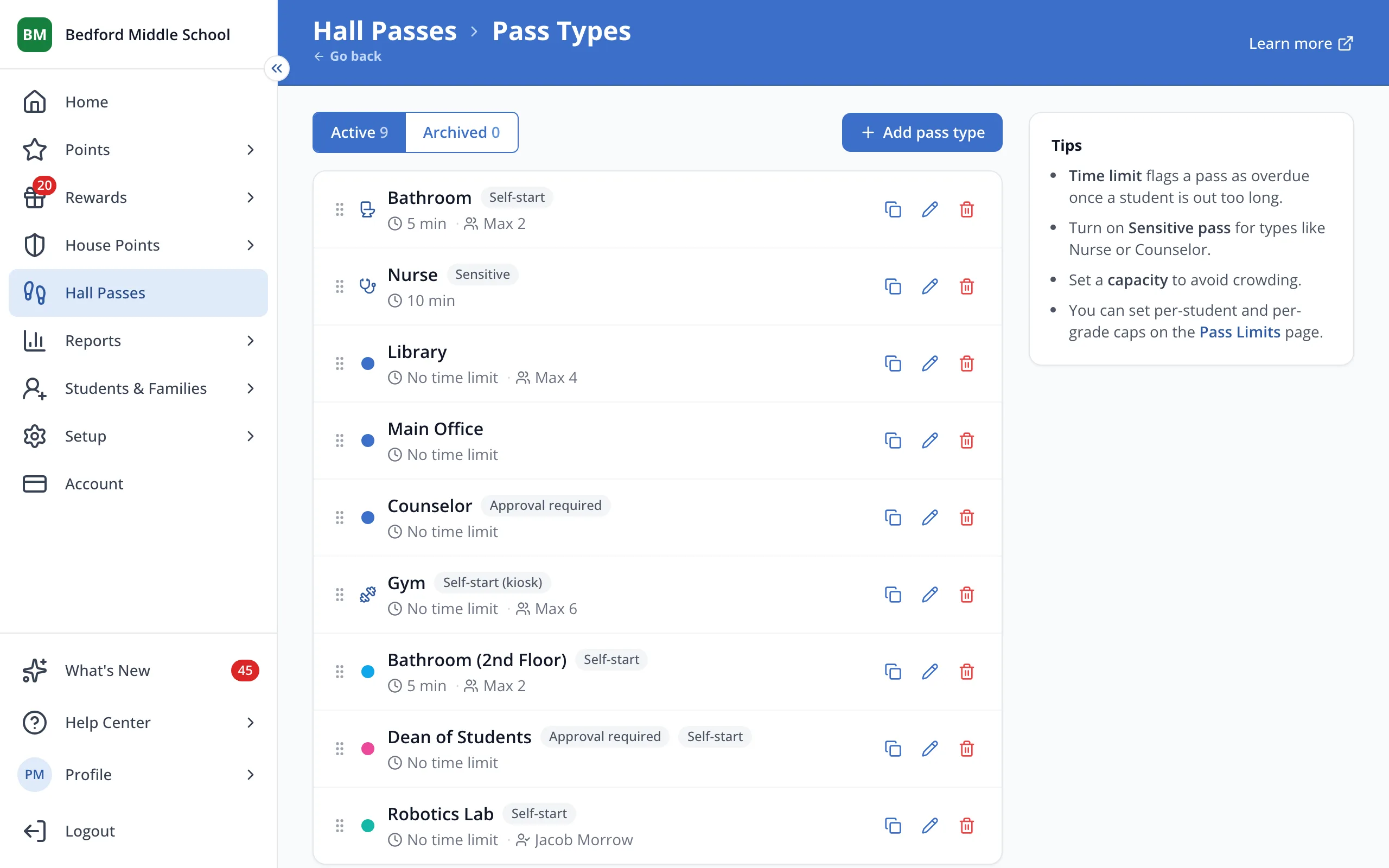
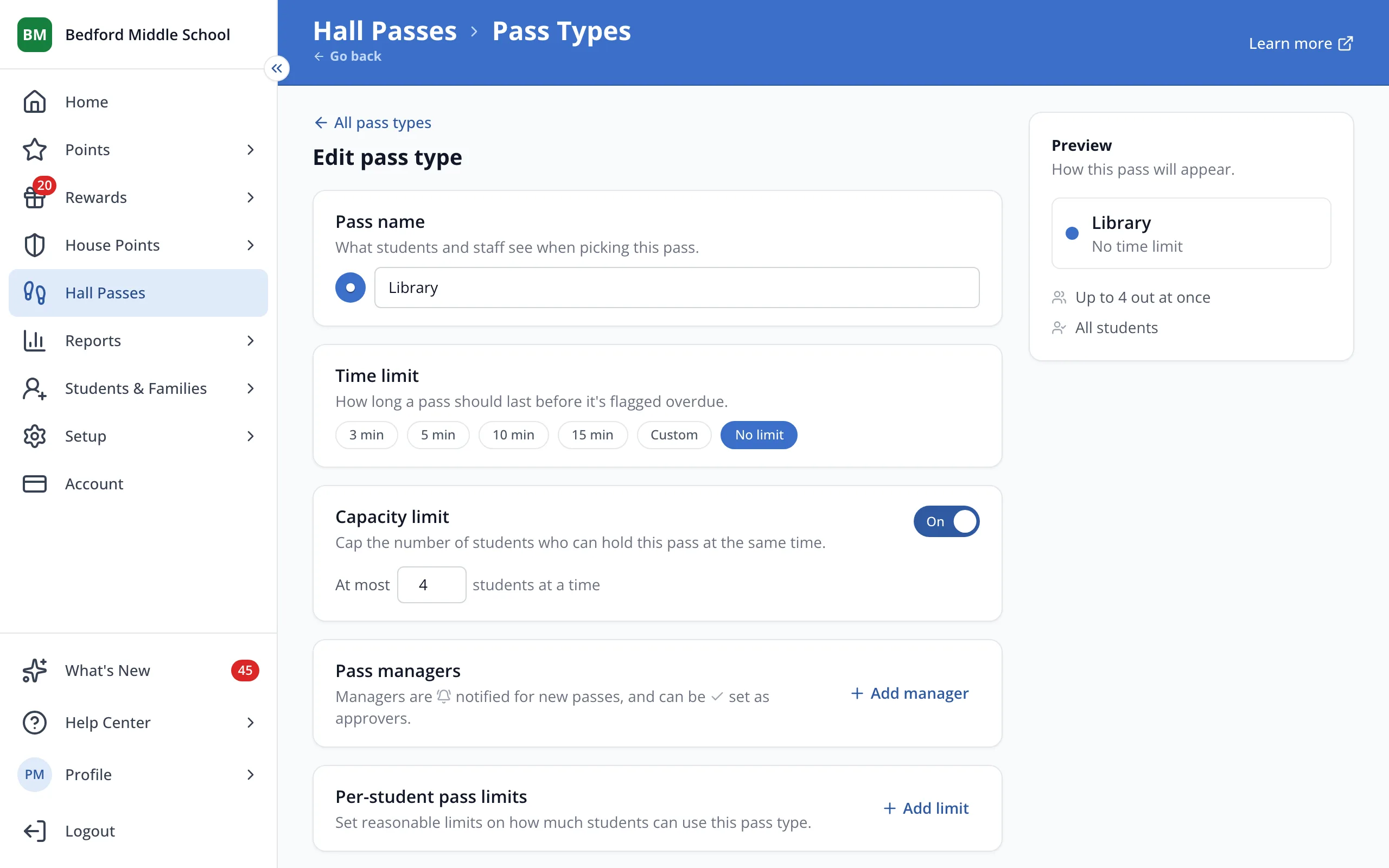
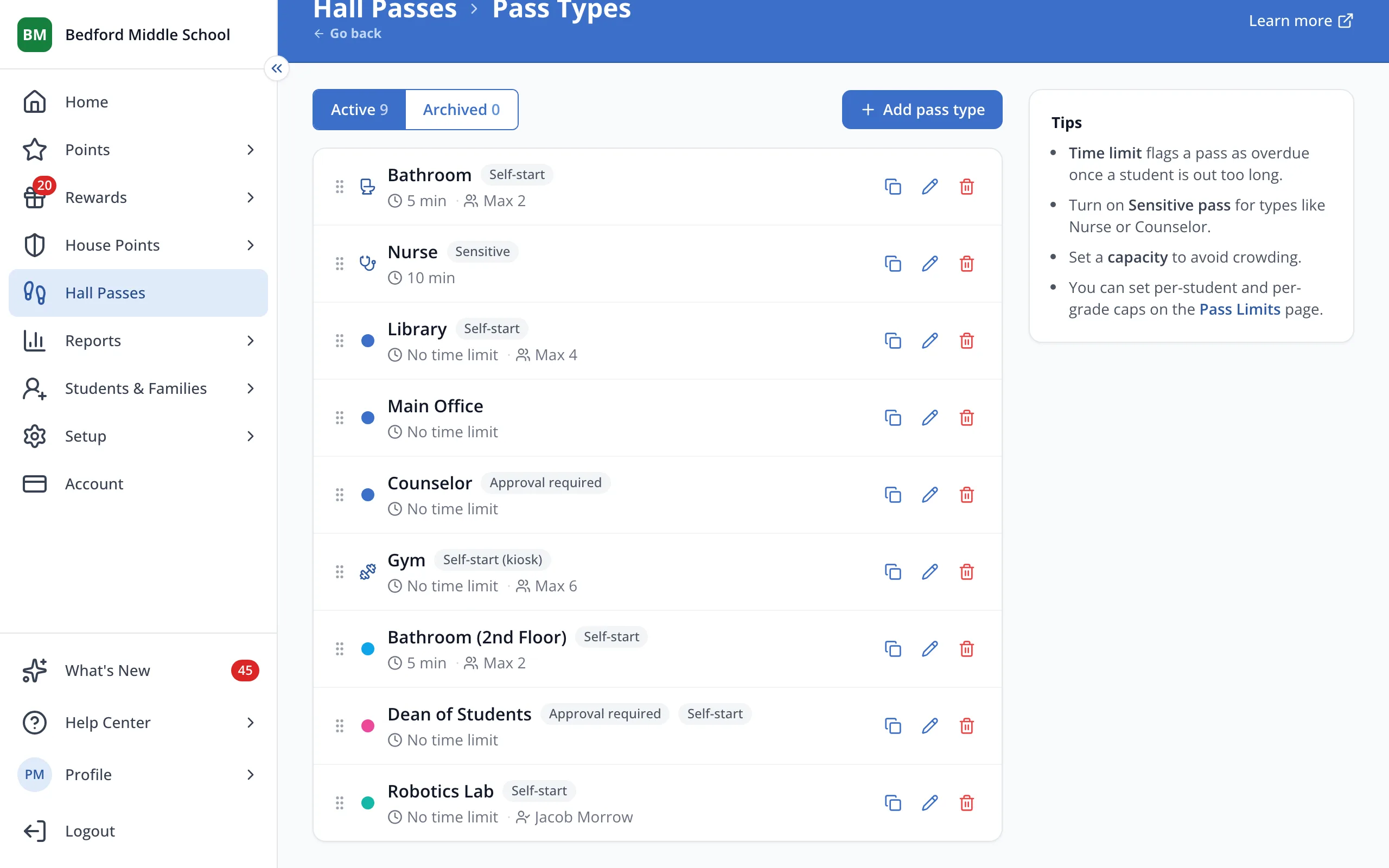
1.On the Pass Types page, click the pencil next to the pass type you'd like to change.
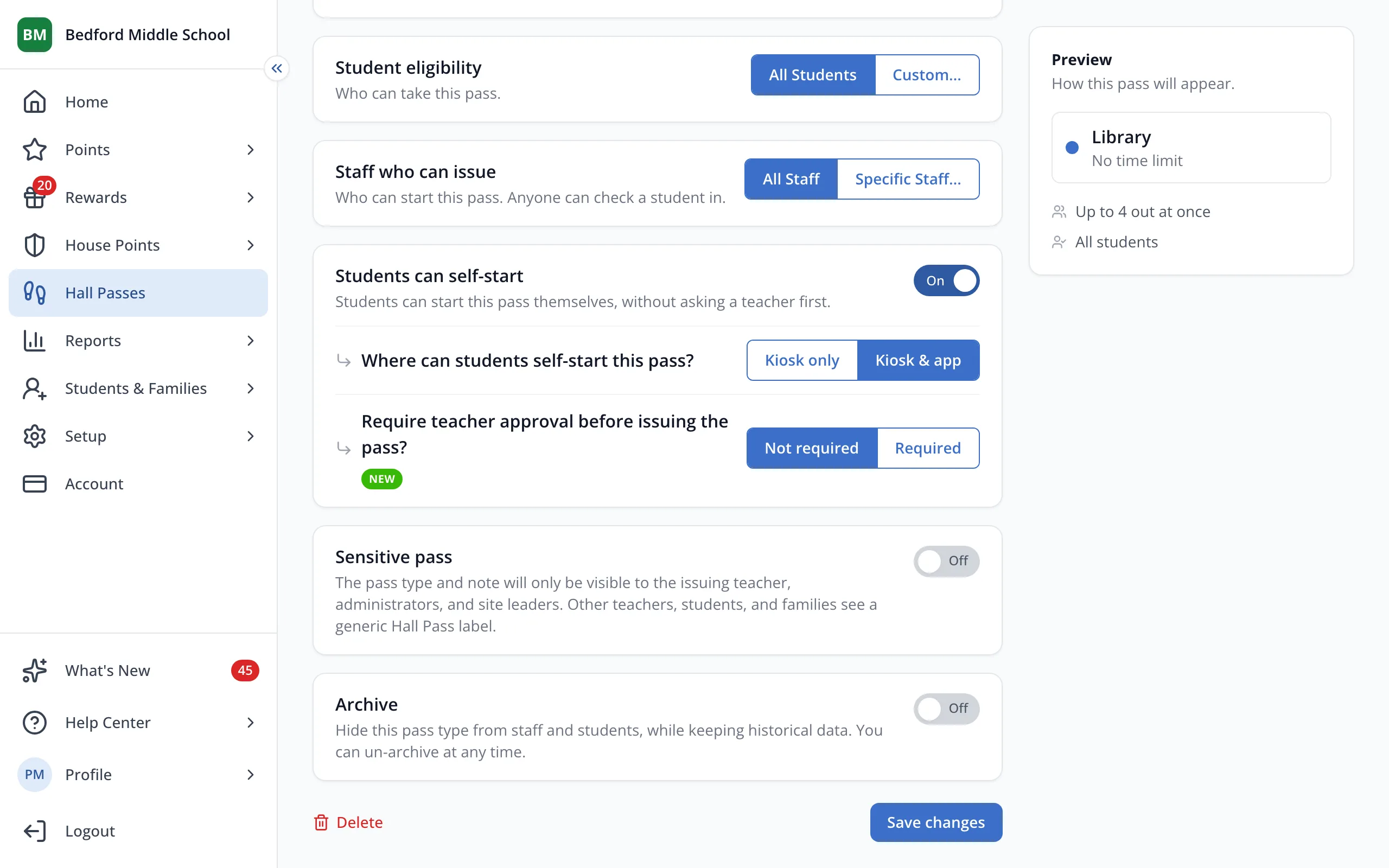
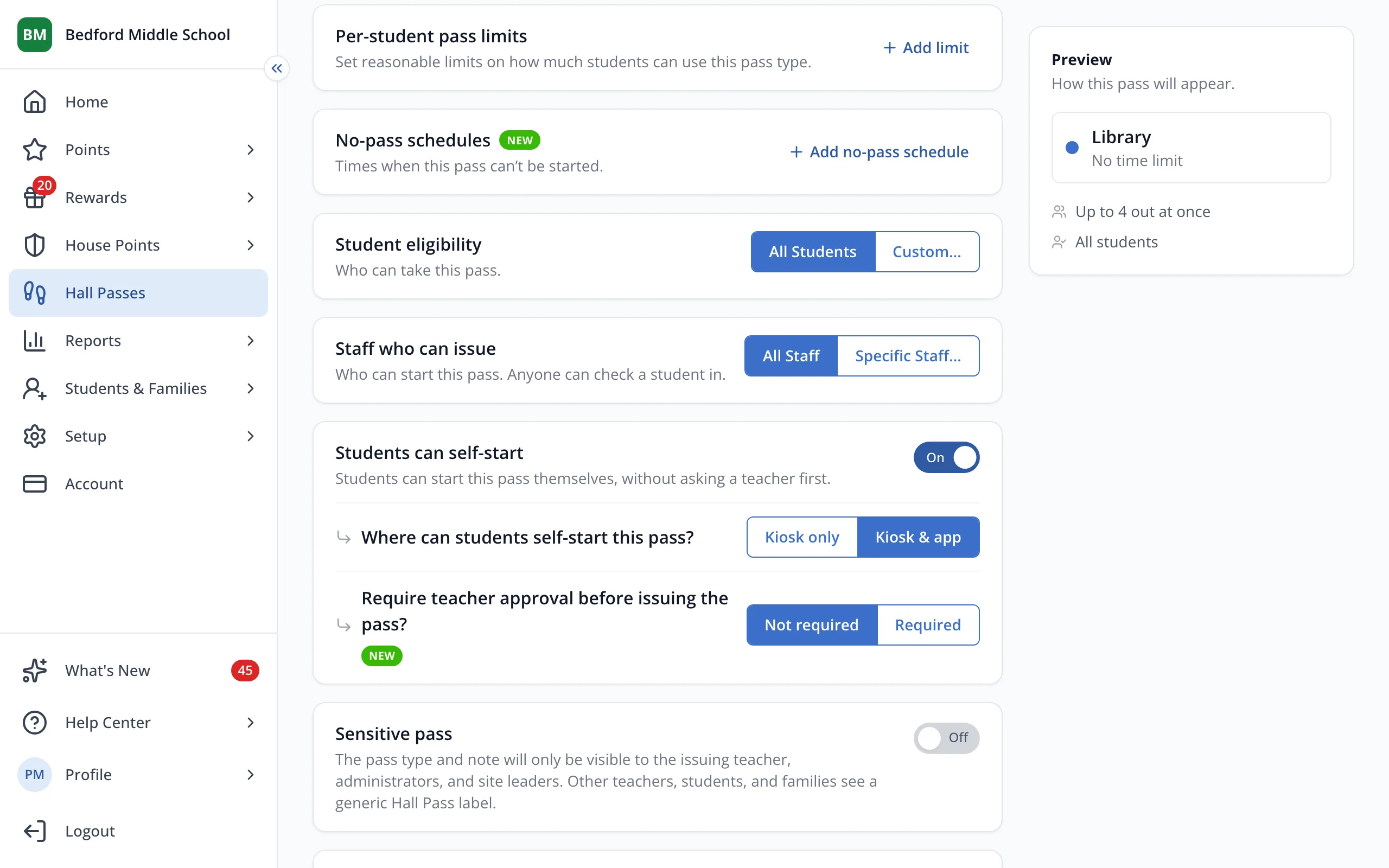
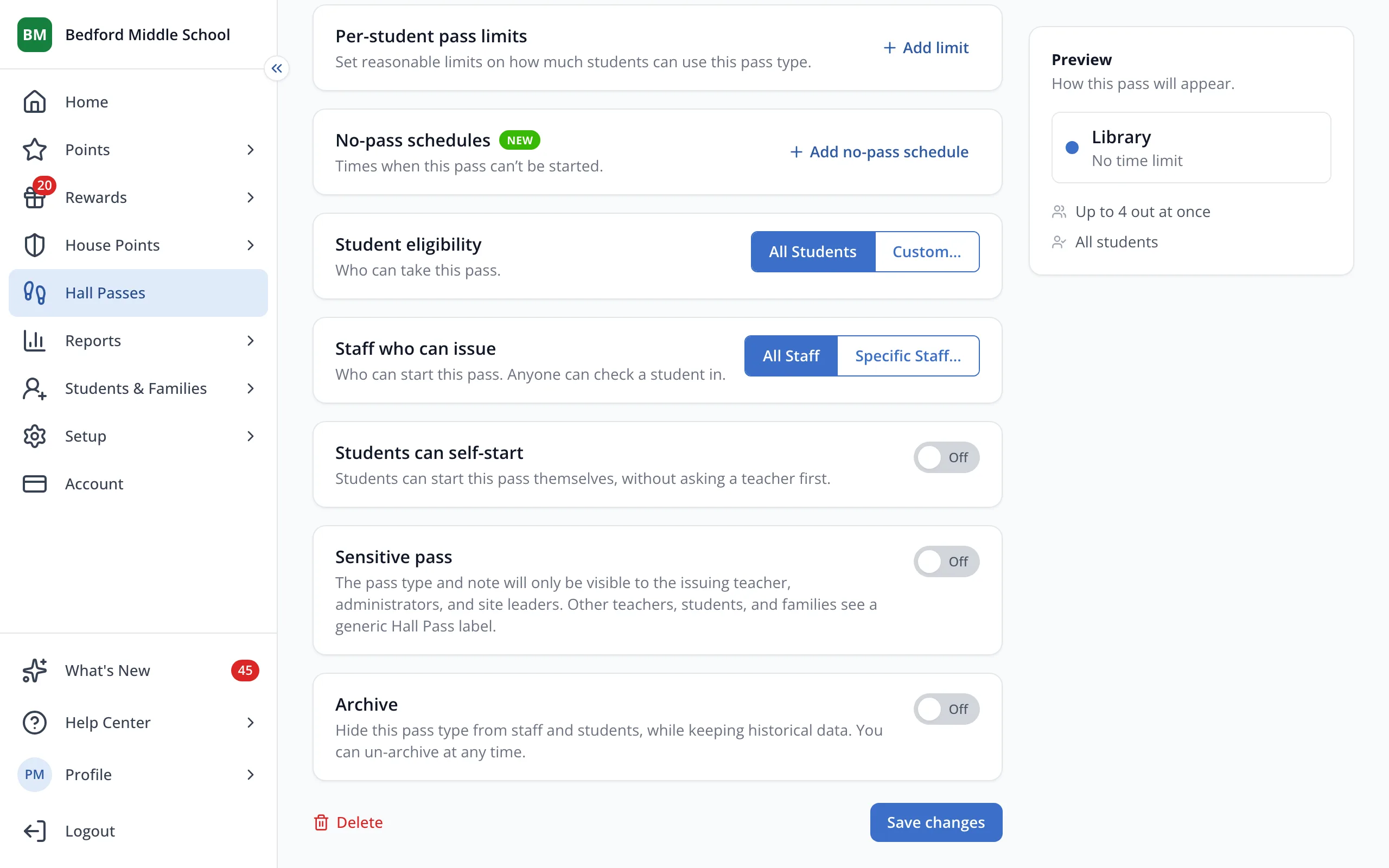
2.Turn on Students can self-start.
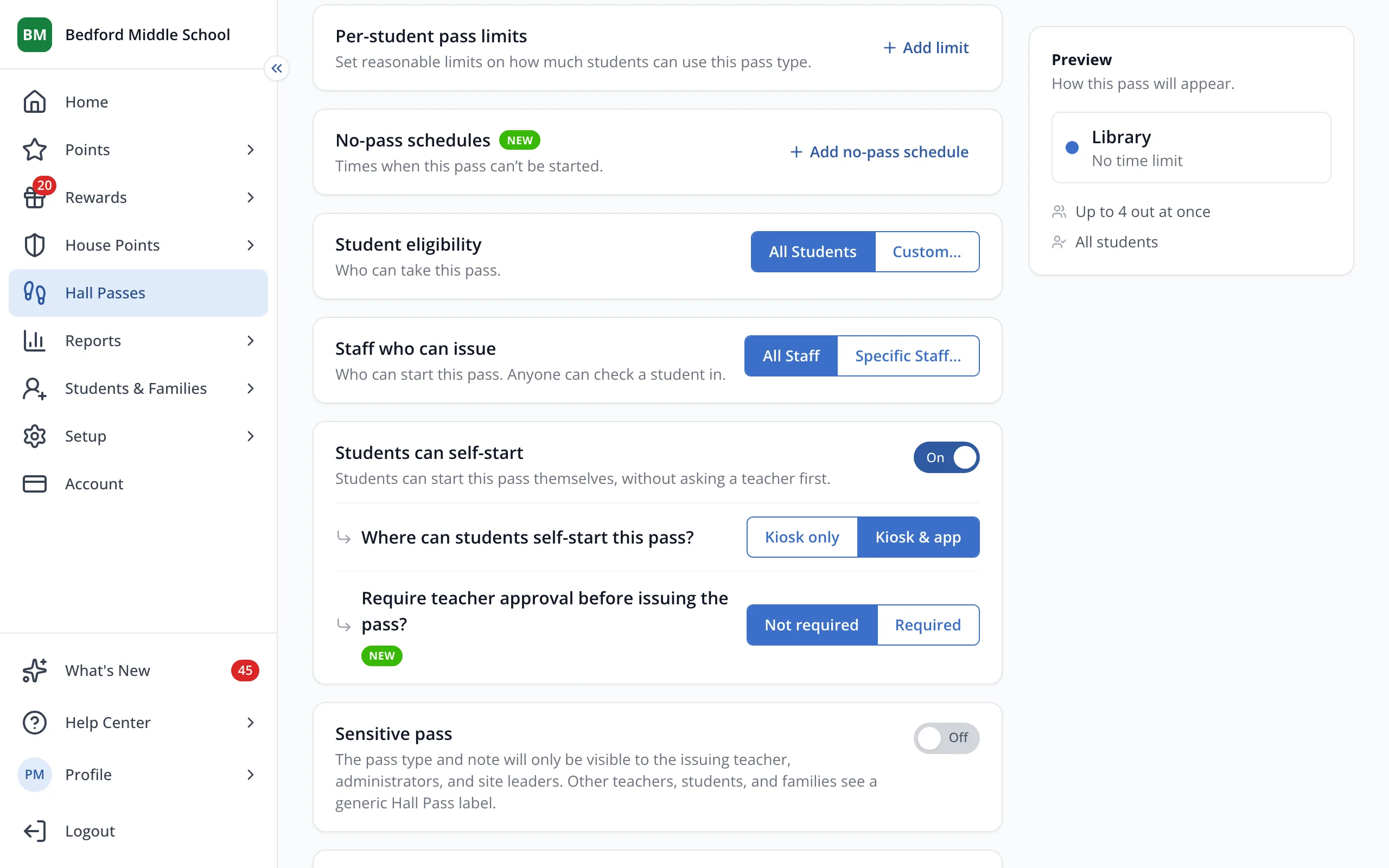
3.Choose Kiosk only, or Kiosk & app to also let students start it from the student portal.
4.Click Save changes.