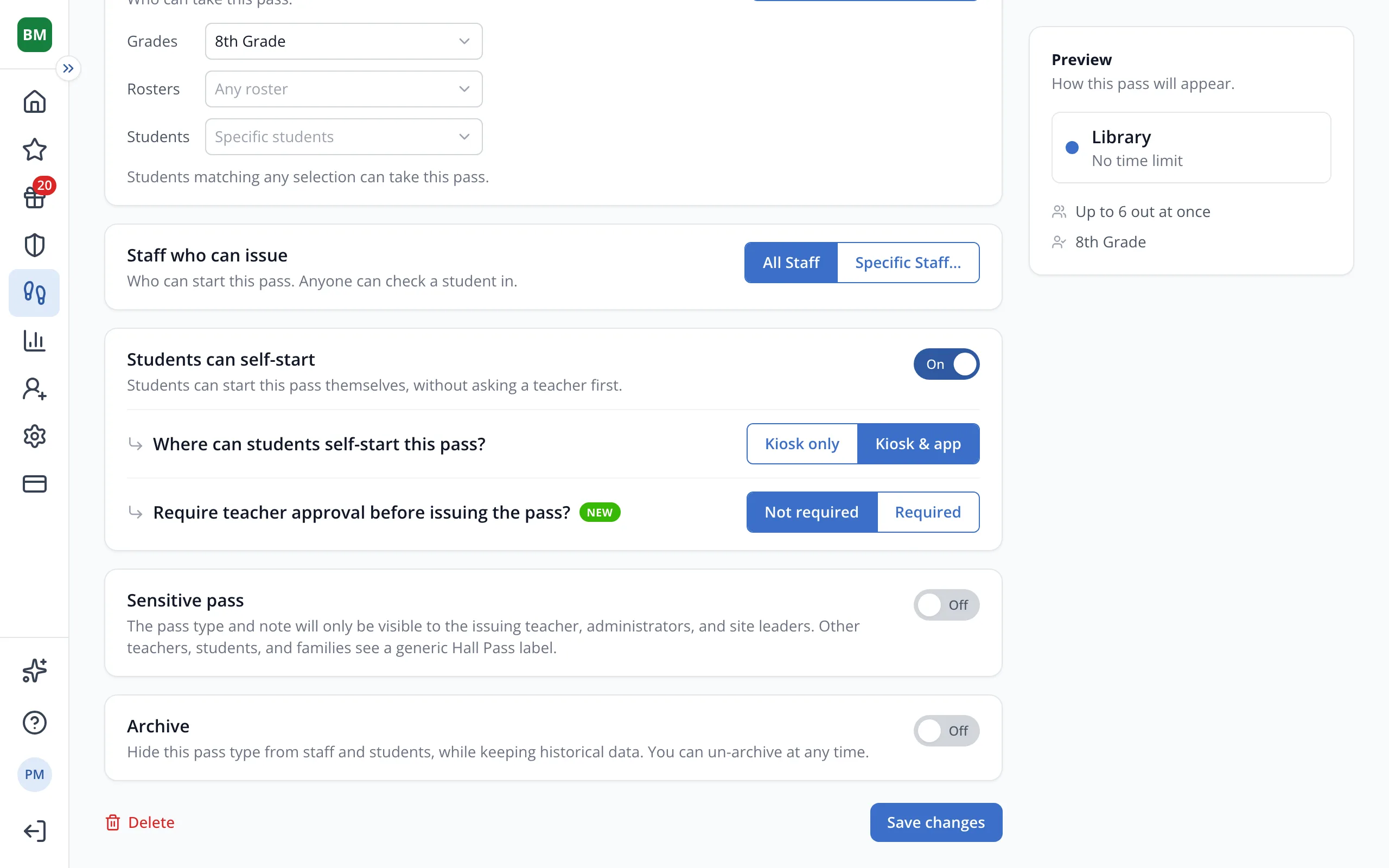
Limit a pass type to certain grades or rosters
Students outside the grades, rosters or students you pick won't be offered this pass.
AdminSite Leader
Use the Left and Right arrow keys to move between steps, and Space to play or pause.
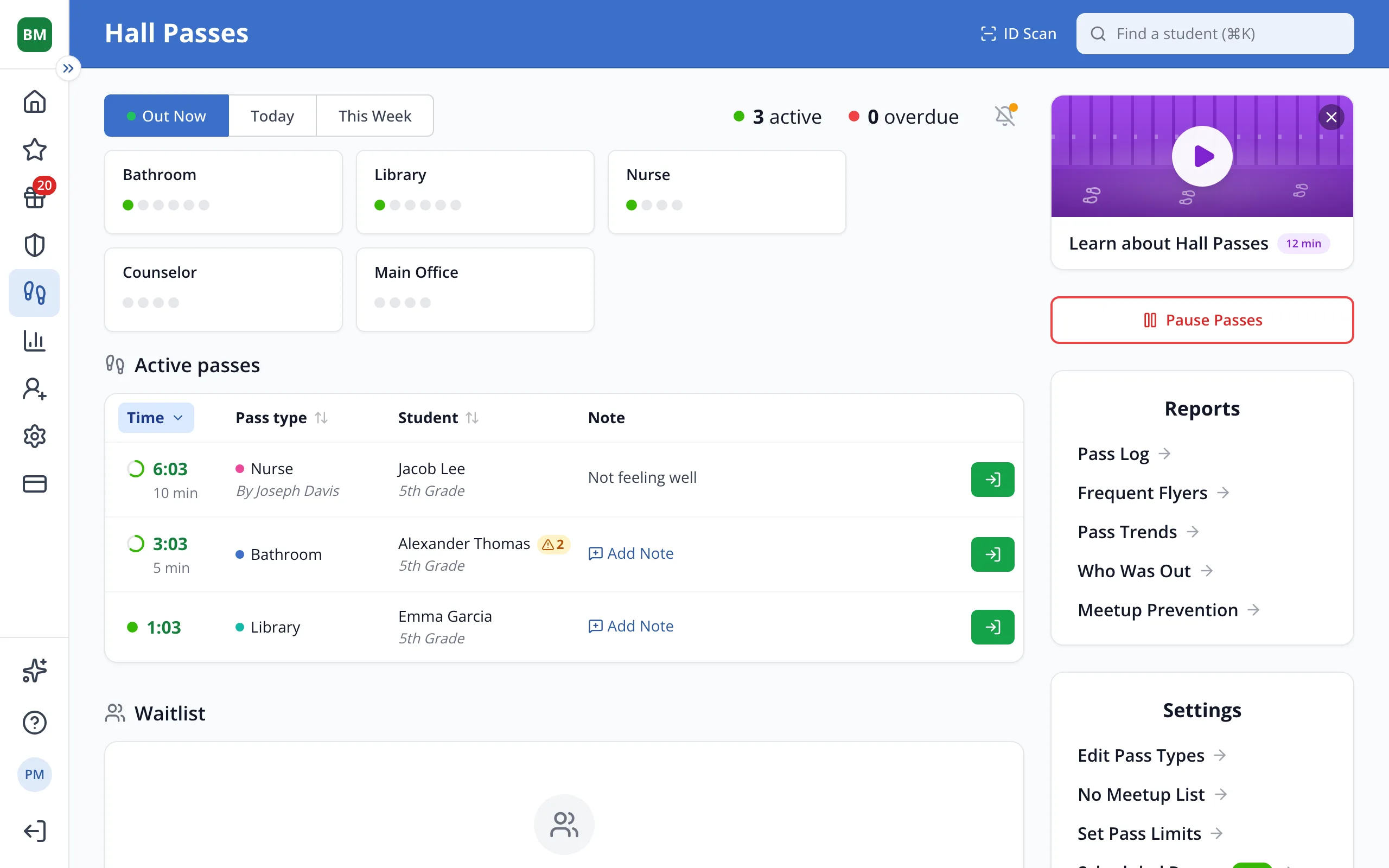
1.On the Hall Passes page, under Settings, click Edit Pass Types.
Did you know? On a smaller screen, click More to find these links.
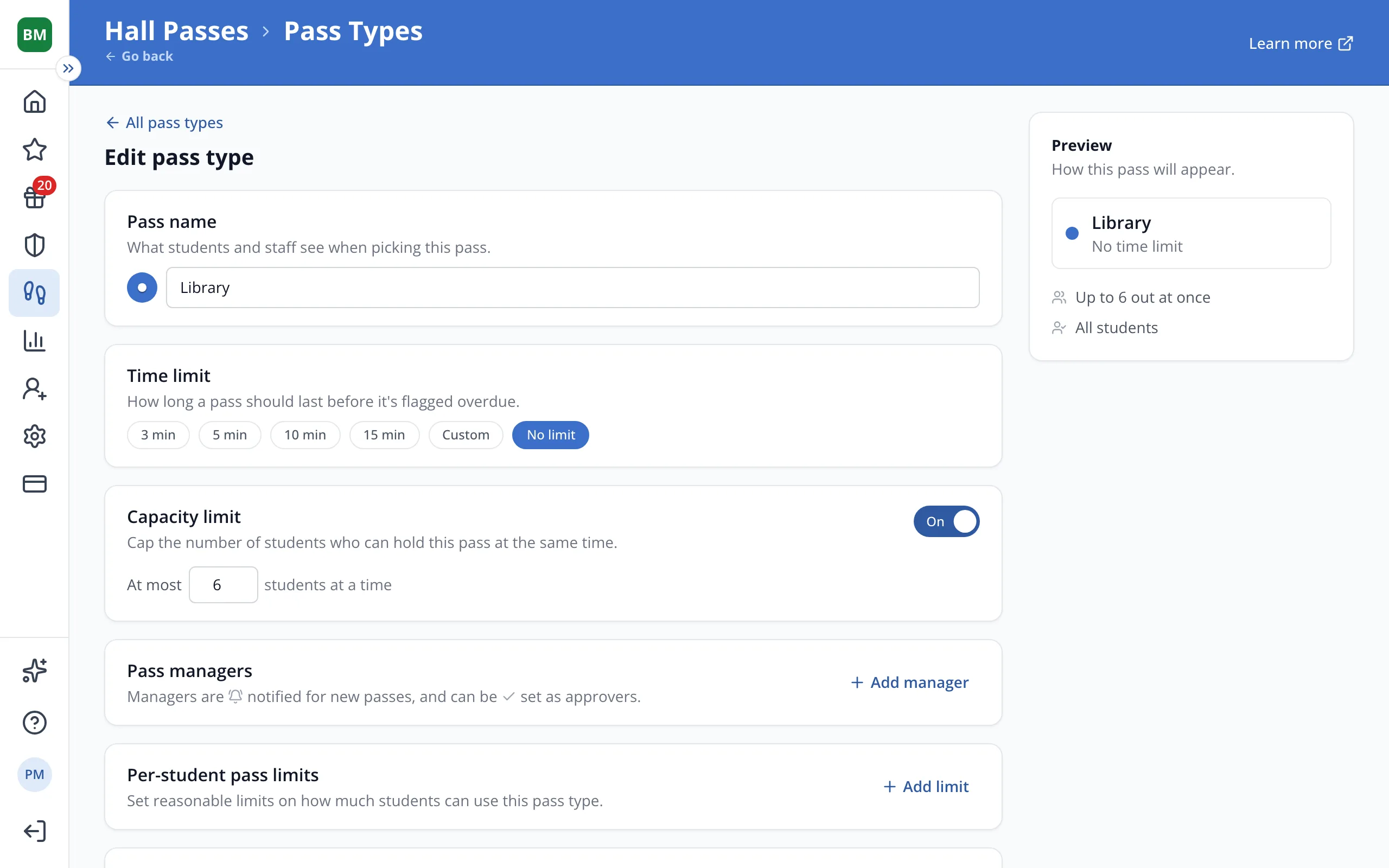
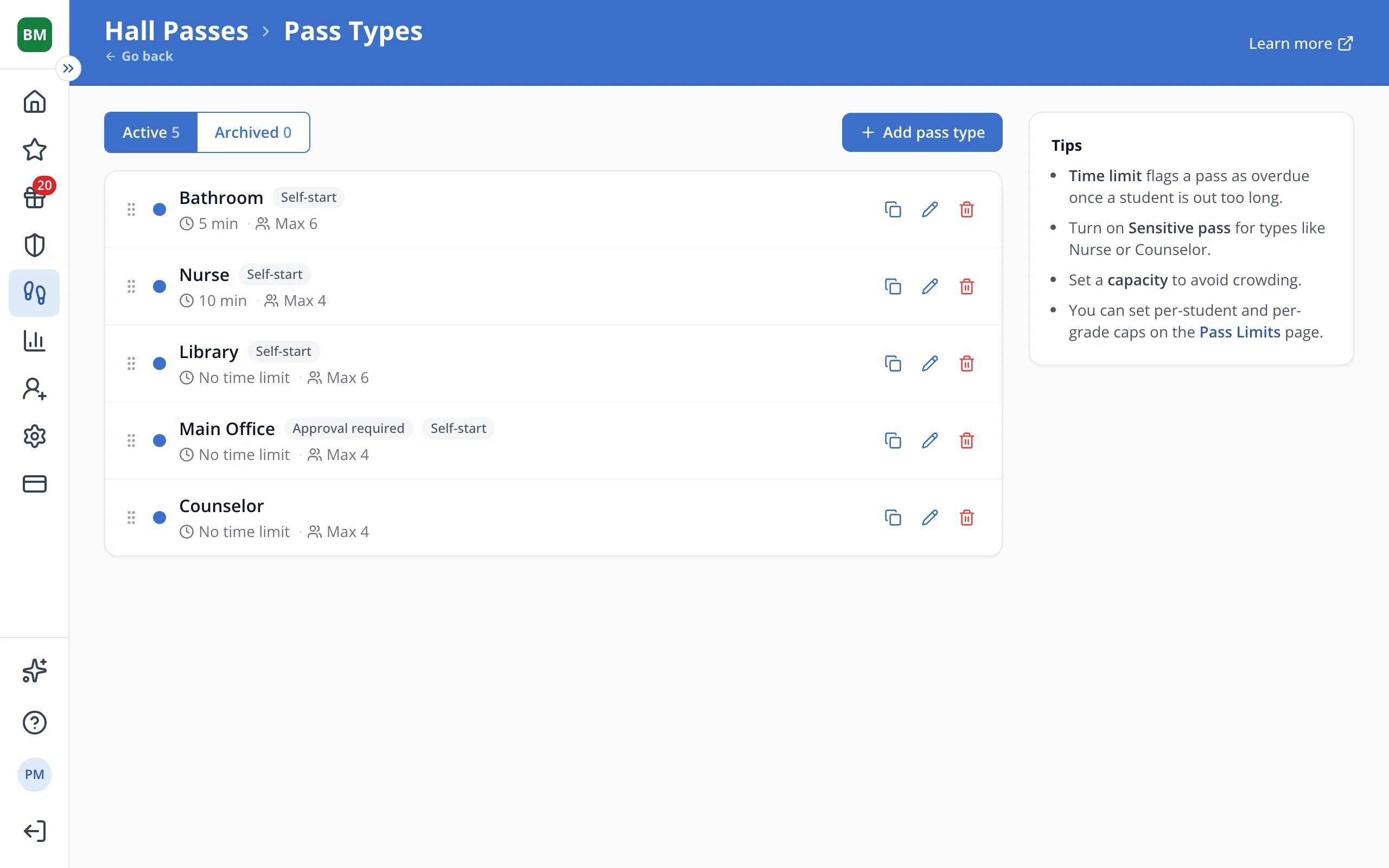
2.Click the pencil next to the pass type you'd like to change.
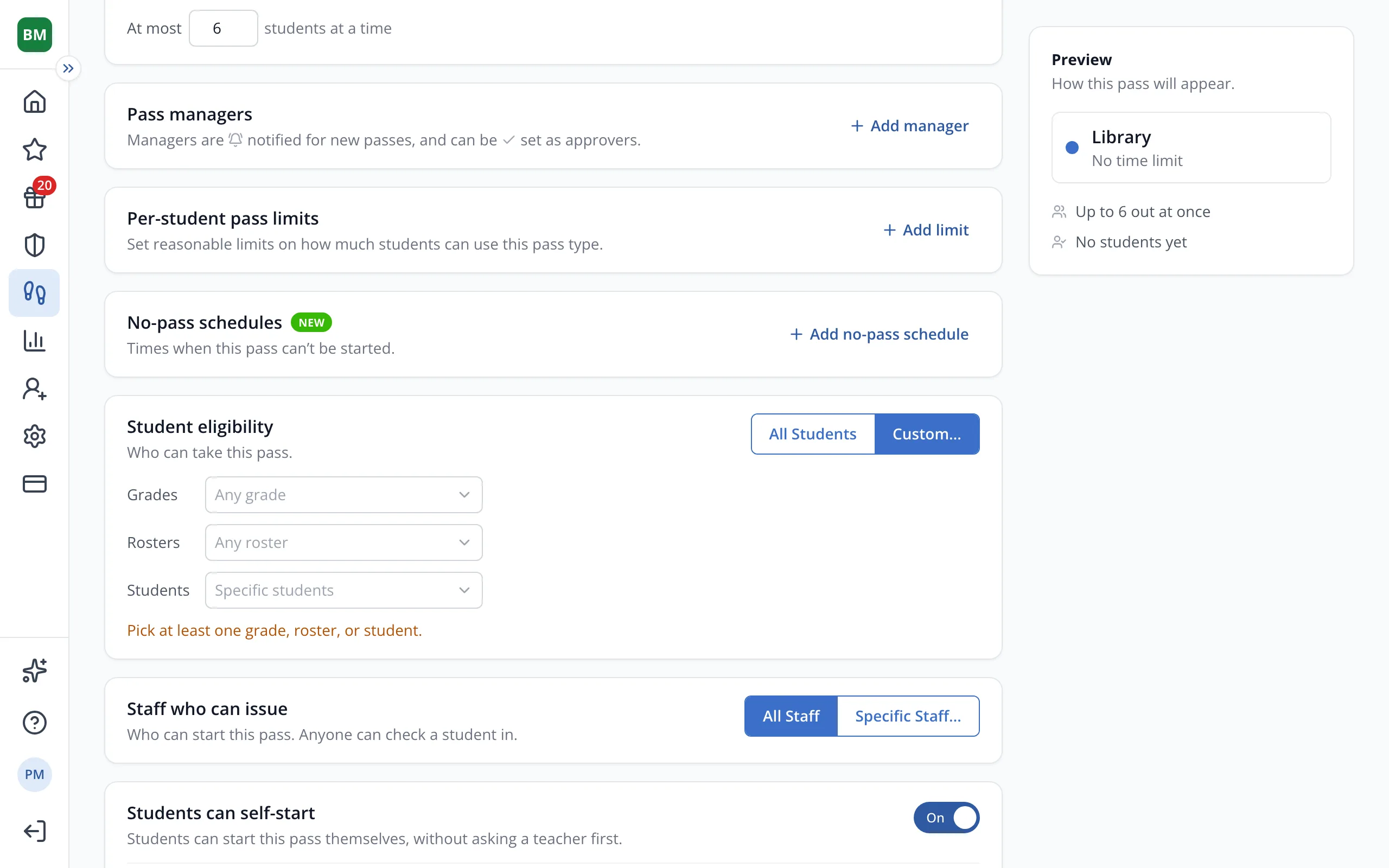
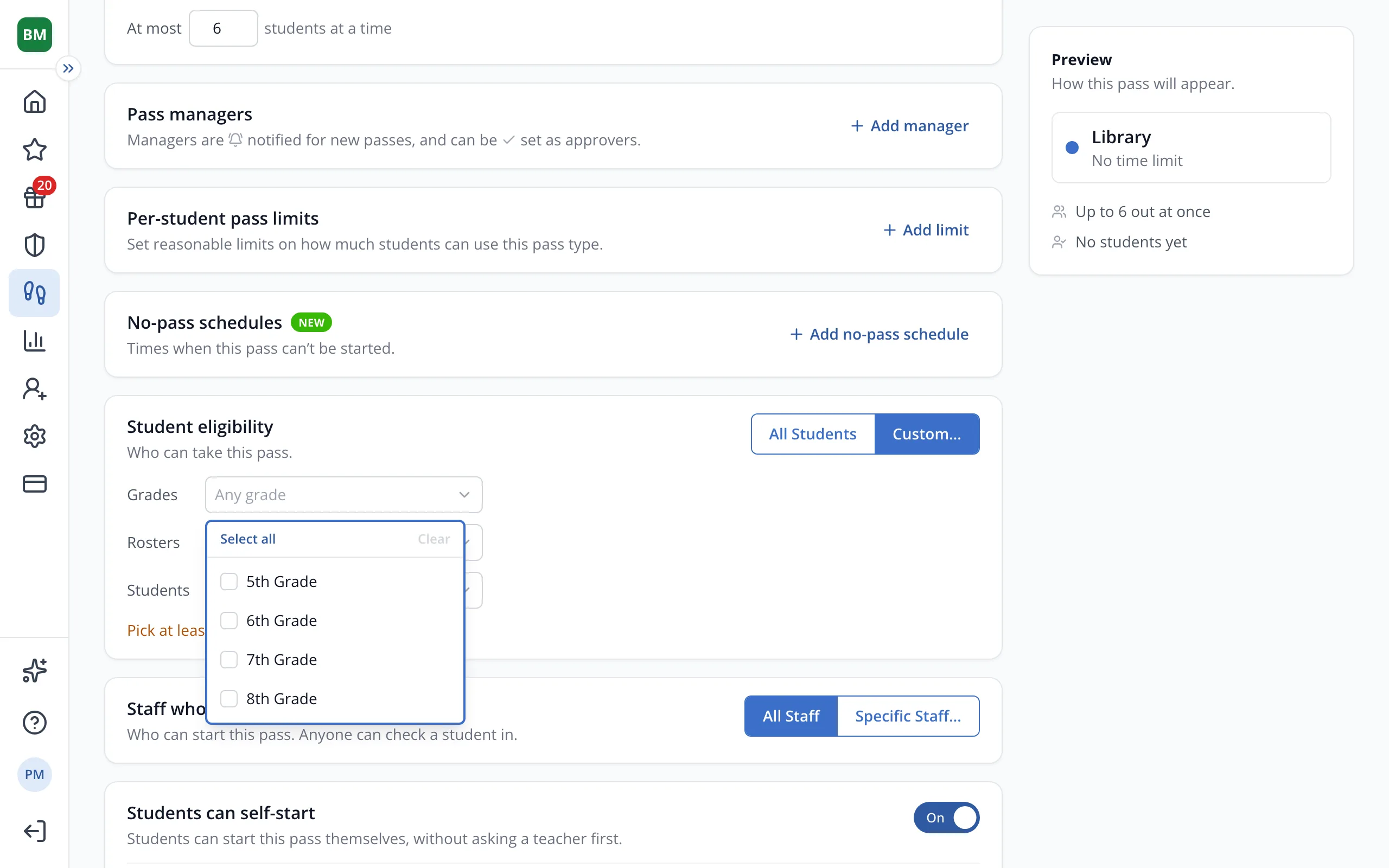
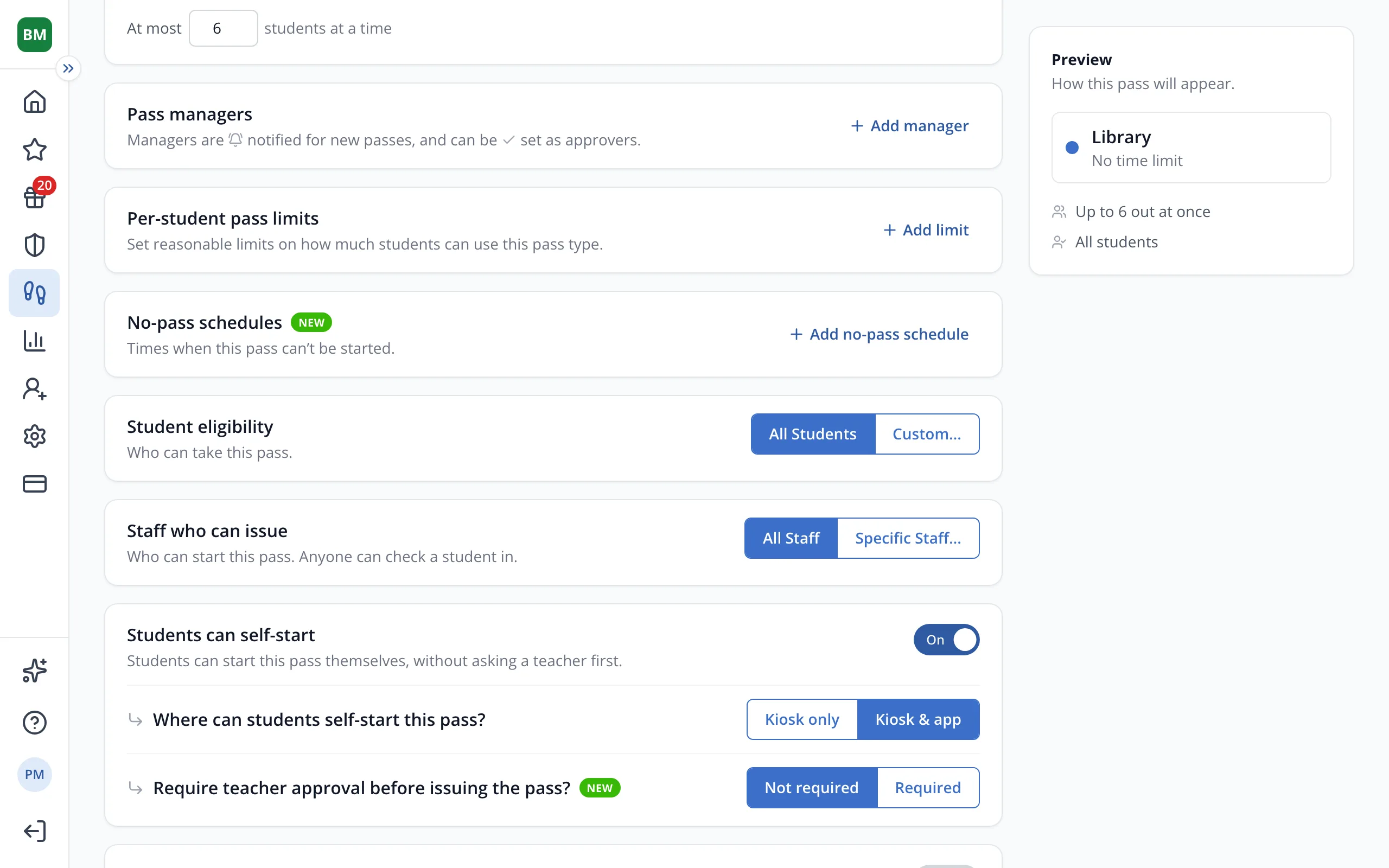
3.Under Student eligibility, click Custom….
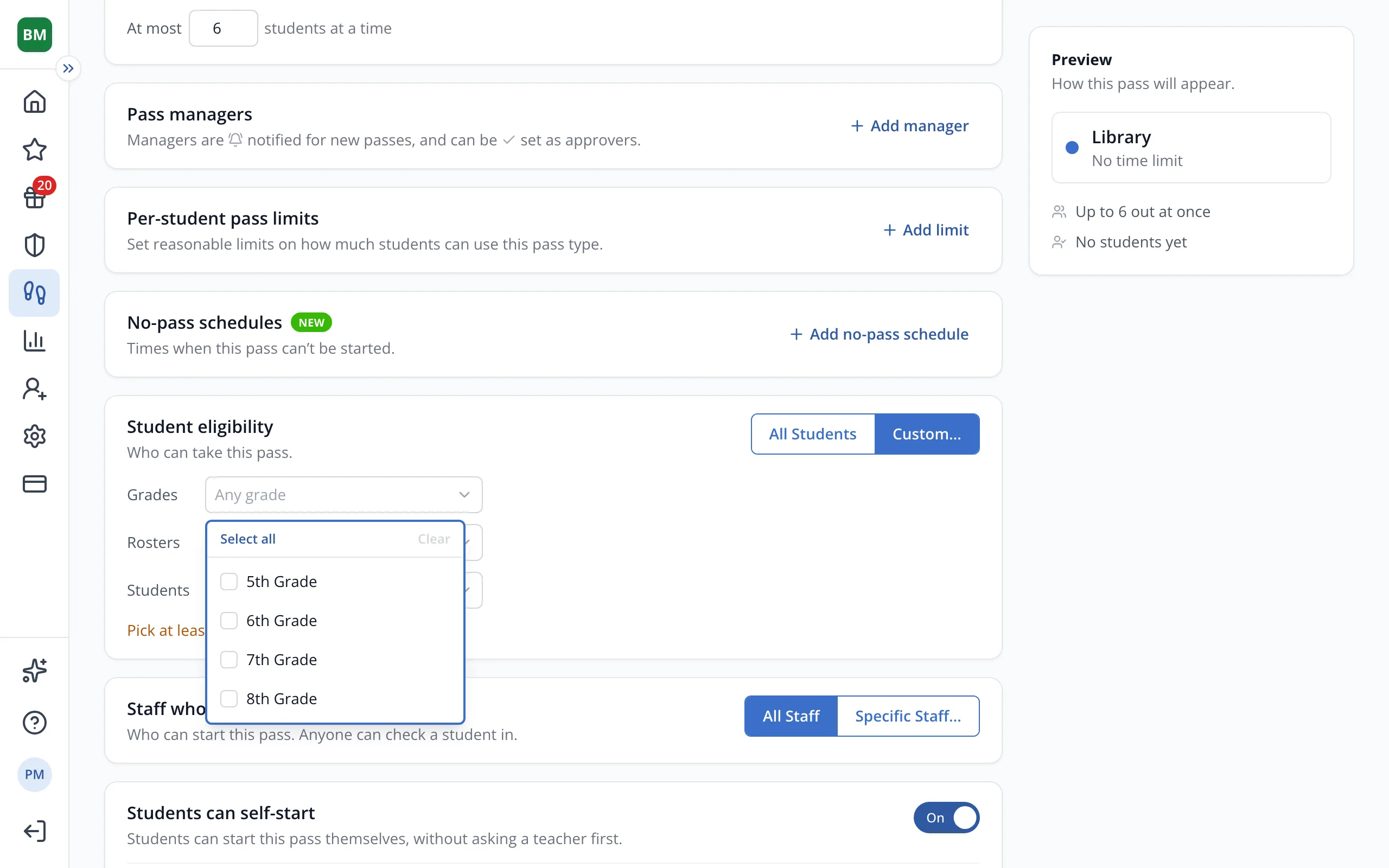
4.Click the Grades box. You can also pick rosters or students below it.
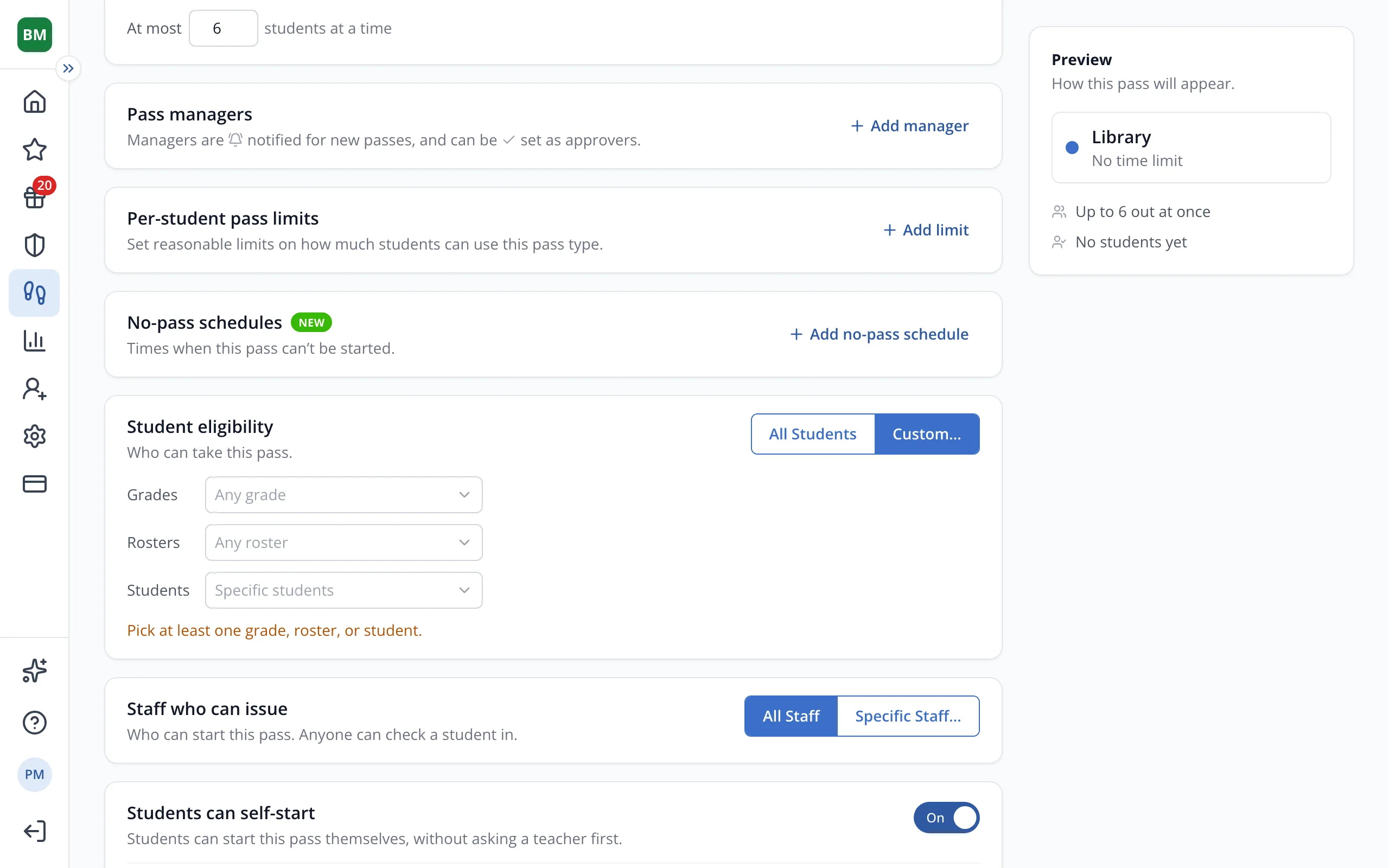
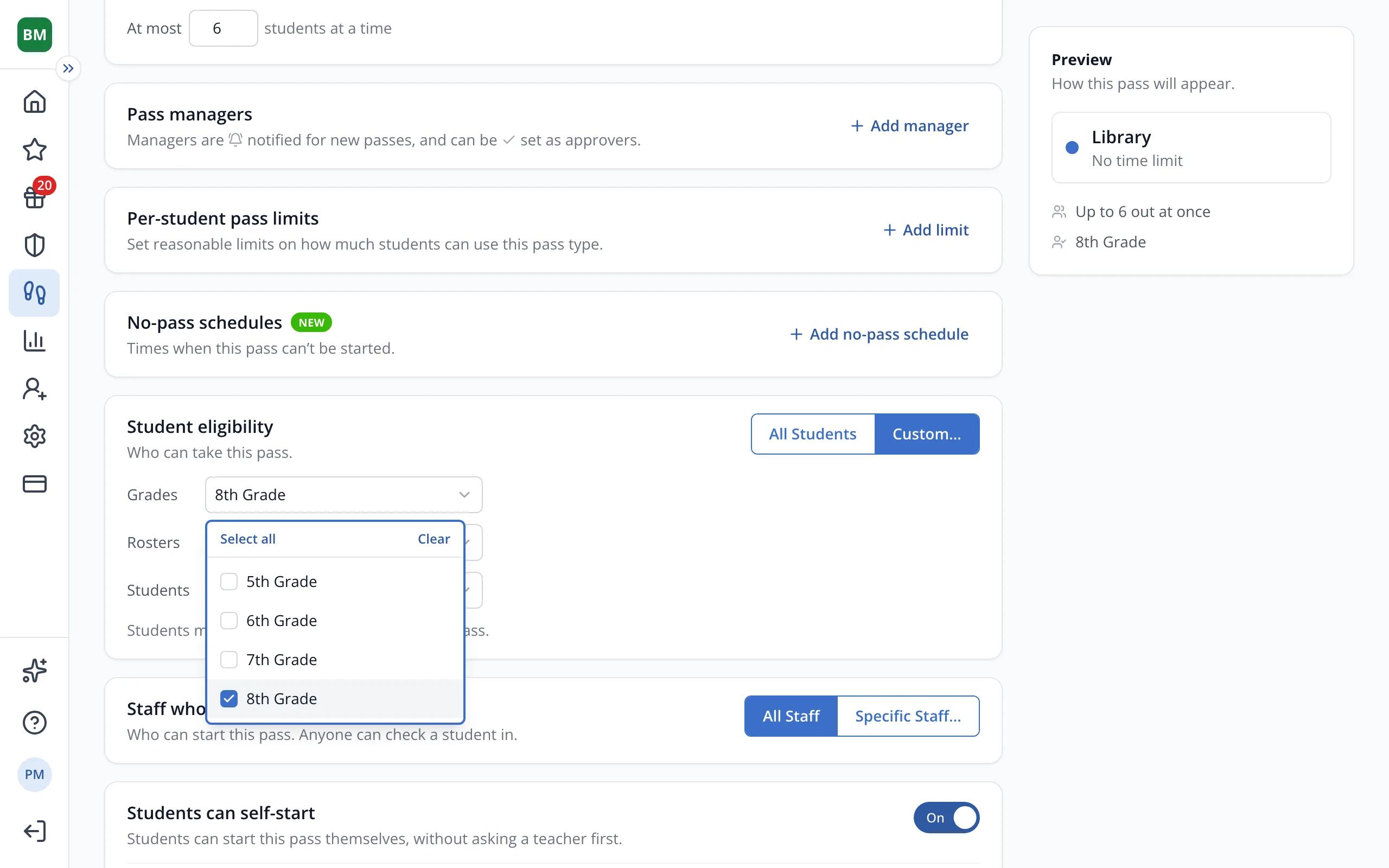
5.Click each grade that can take this pass.
6.Click Save changes.