
Preview the store as a student sees it
Open a student's portal in a new tab to see the store exactly as they do.
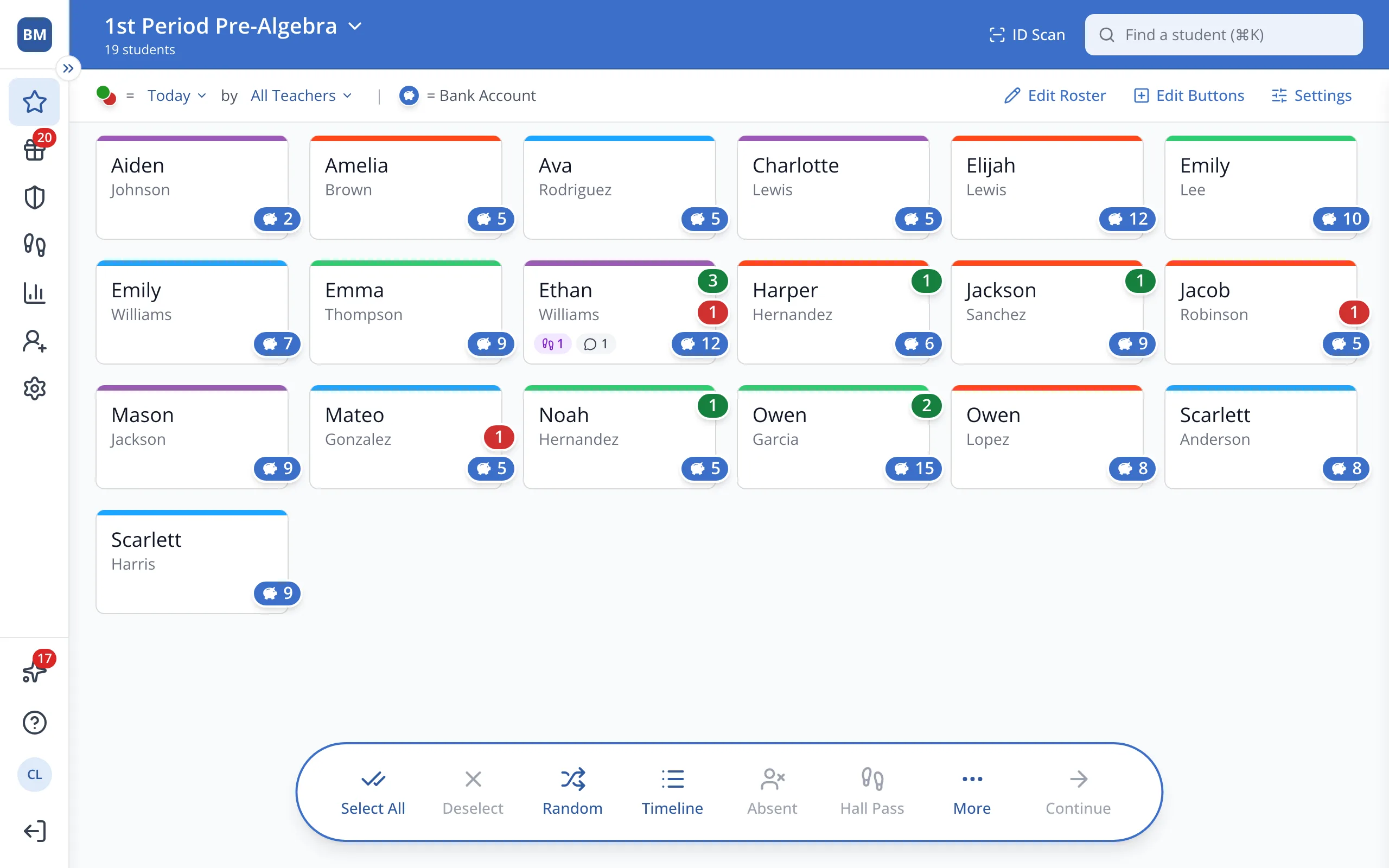
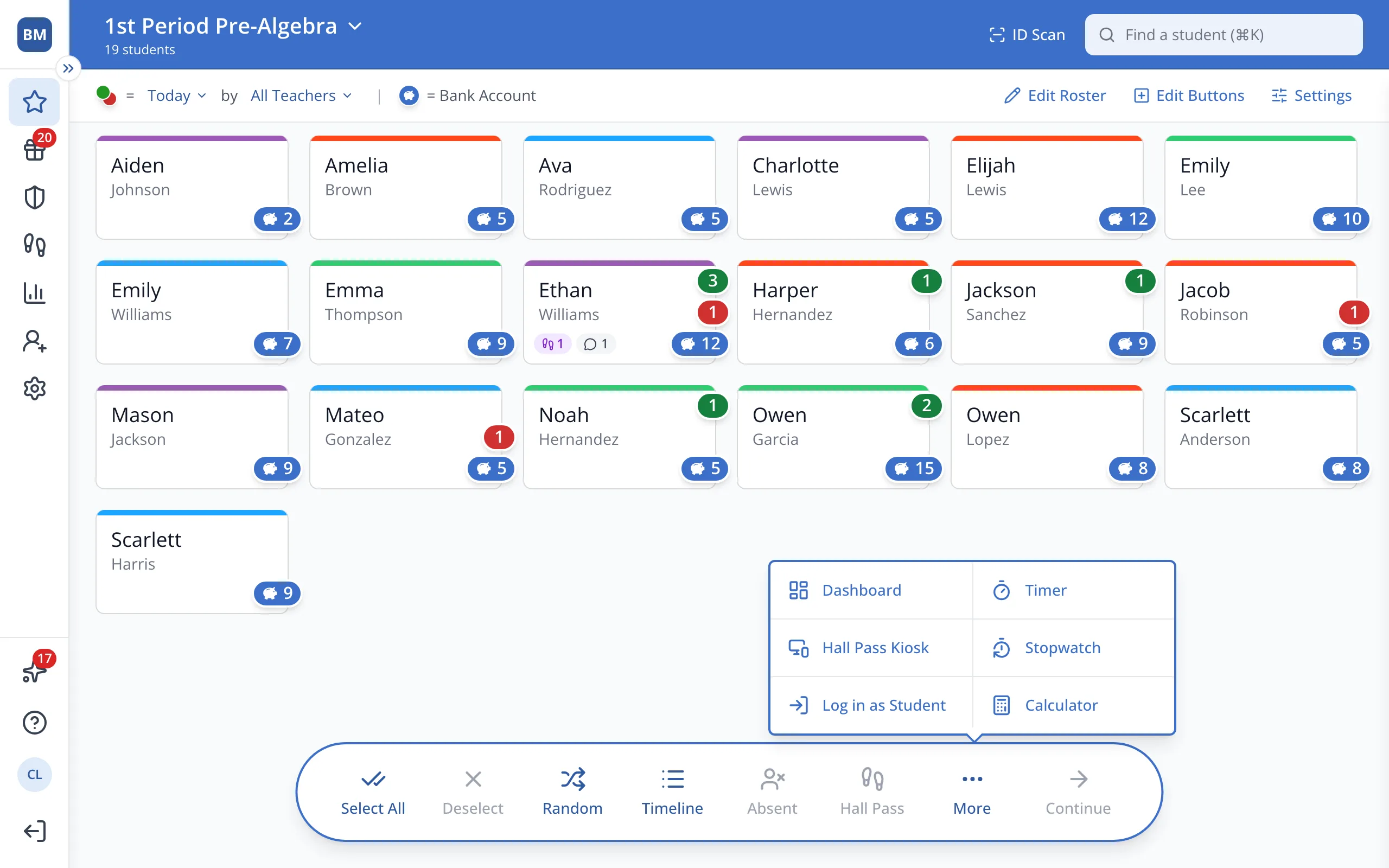
1 / 3In the bar at the bottom of the Points page, click More.
1.In the bar at the bottom of the Points page, click More.
2.Click Log in as Student.
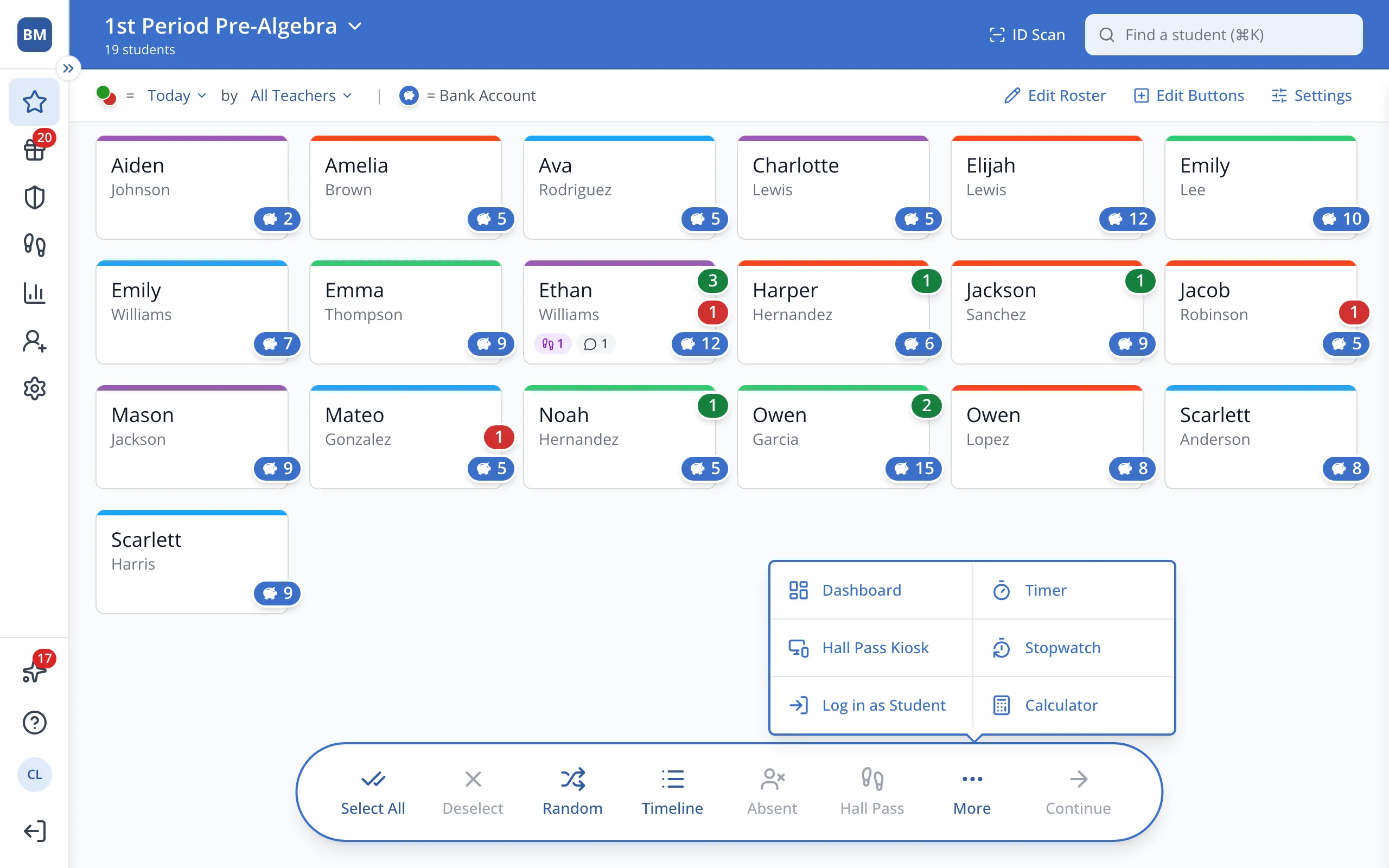
3.Click a student. Their portal opens in a new tab, where you can open the Store.
Was this helpful?