
Add a new behavior category to your rubric
Categories group behaviors on the Points page, so teachers find the right one fast.
AdminSite Leader
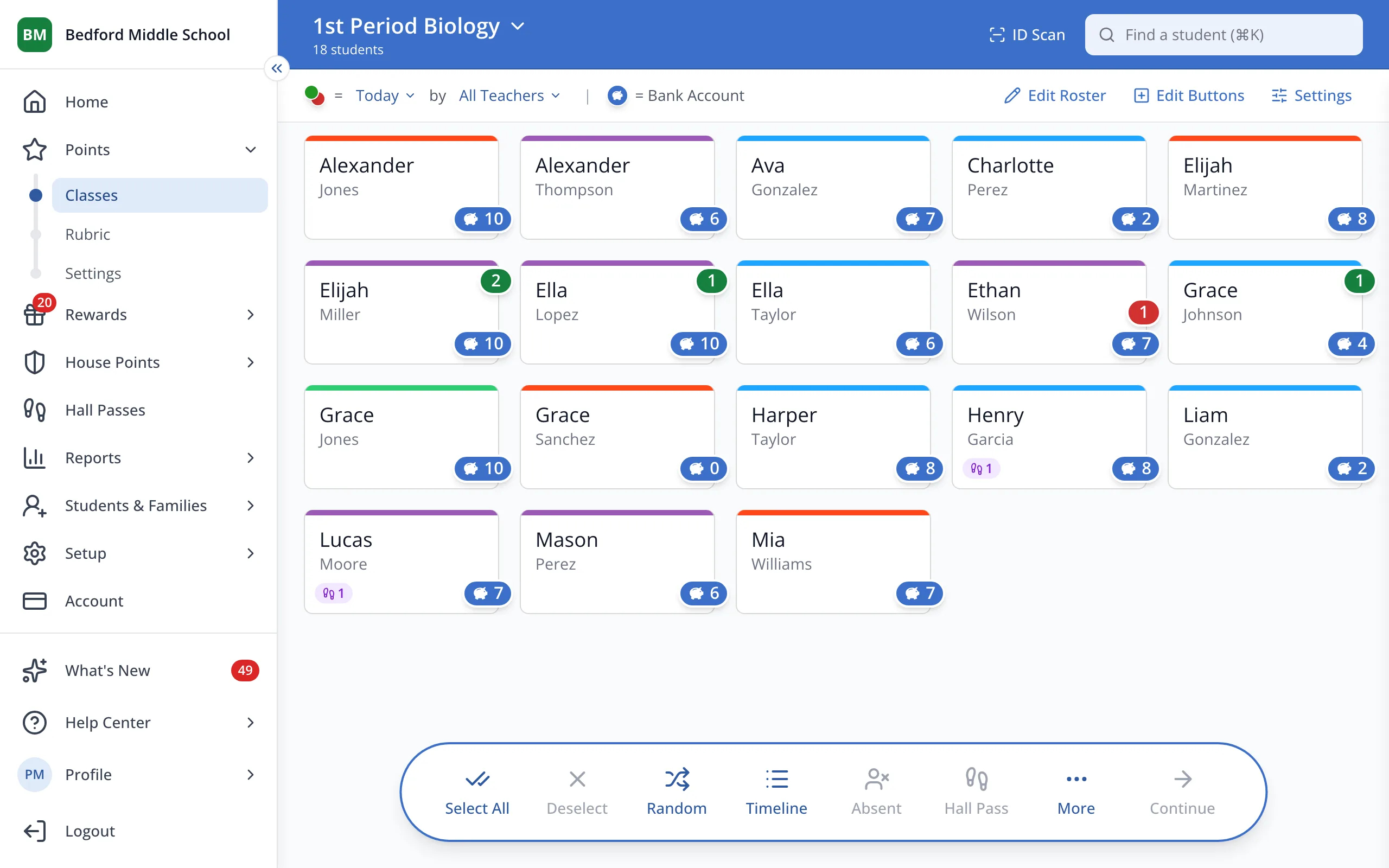
1 / 4In the sidebar, under Points, click Rubric.
1.In the sidebar, under Points, click Rubric.
2.Click New Category.
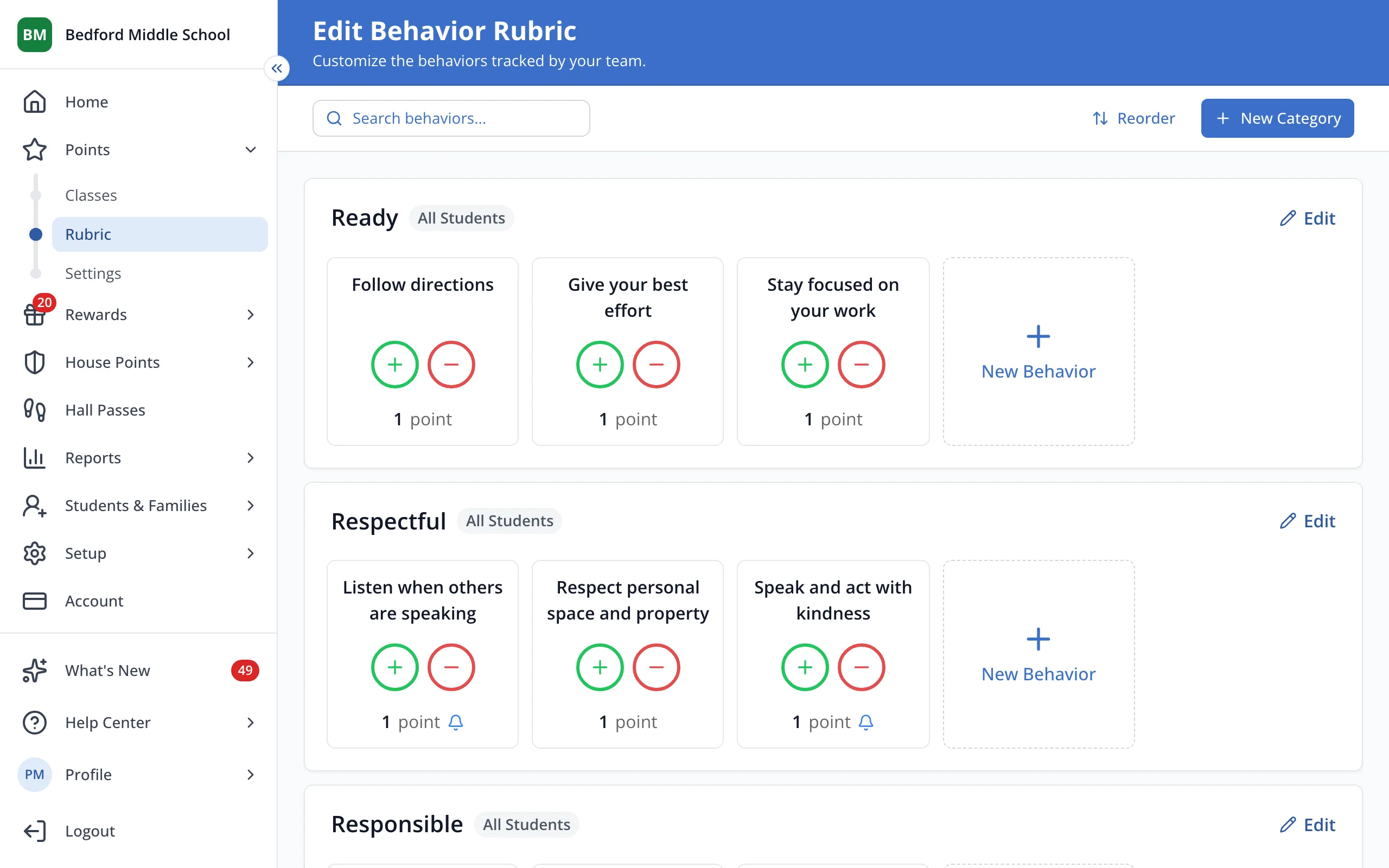
3.Type the category's name.
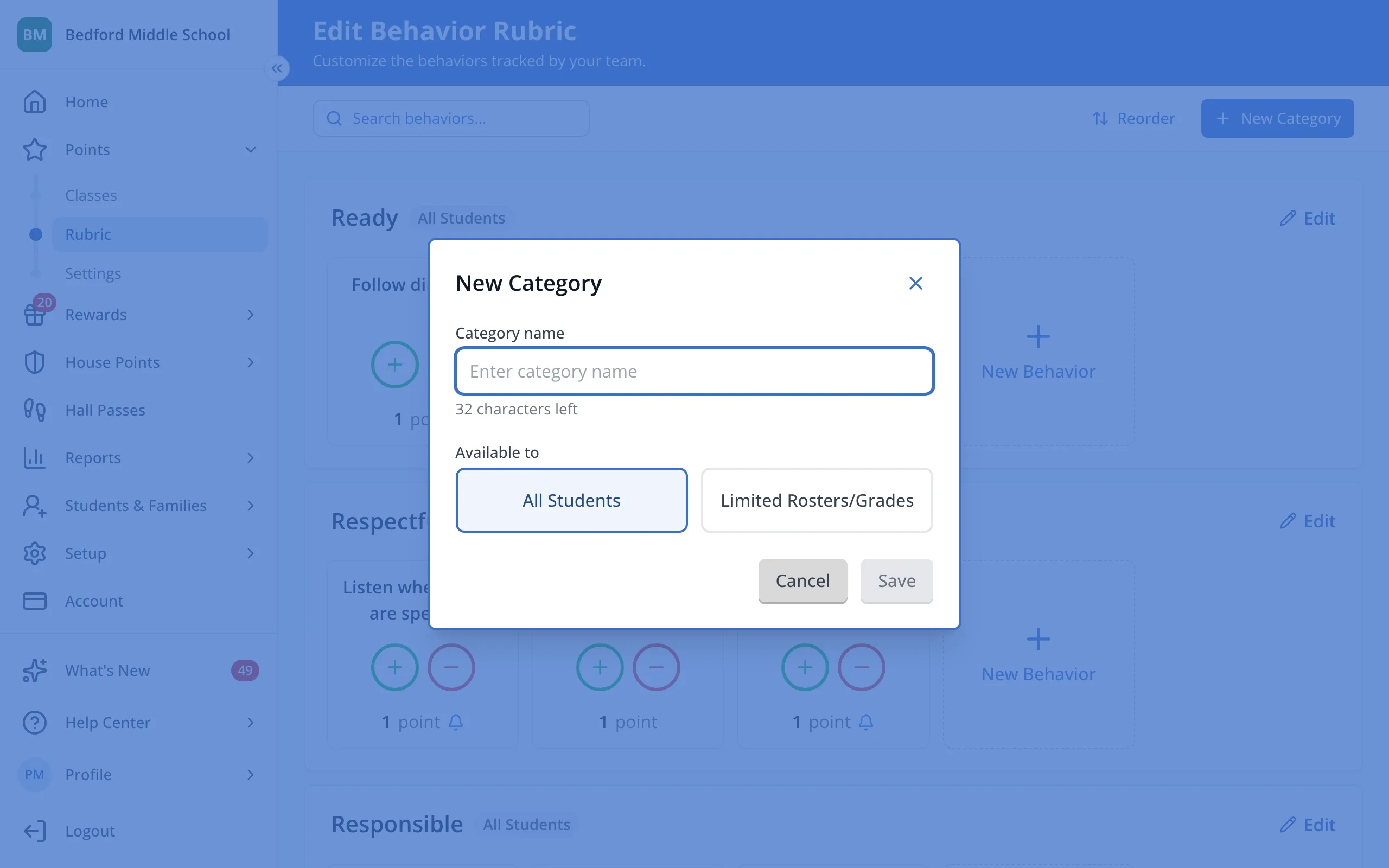
4.Click Save.
Was this helpful?