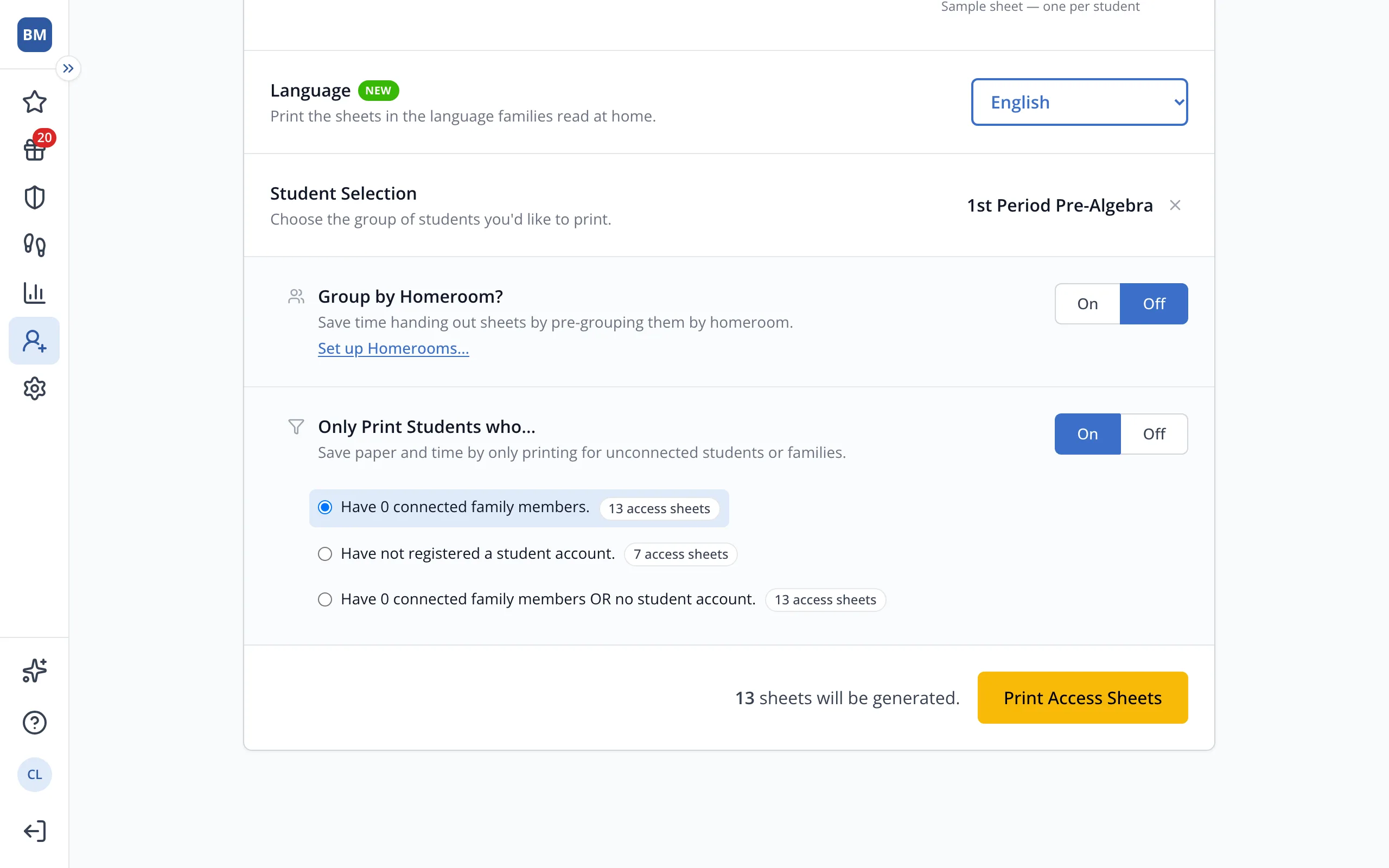
Print access sheets
Each student gets one page with their own signup code for families to scan. You can also print for the whole school at once.
Open in LiveSchool
Already signed in? Open this guide inside LiveSchool.
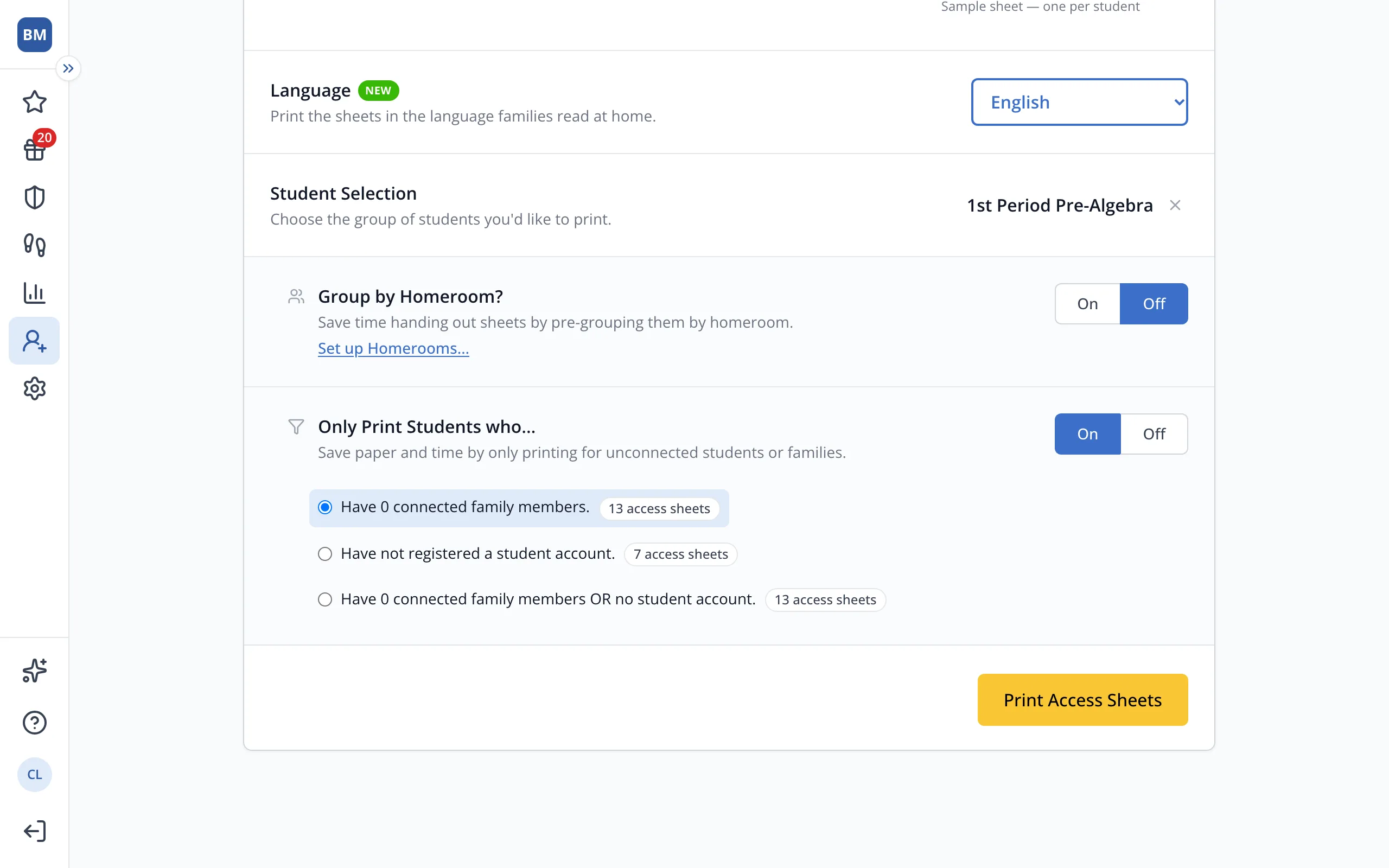
Use the Left and Right arrow keys to move between steps, and Space to play or pause.
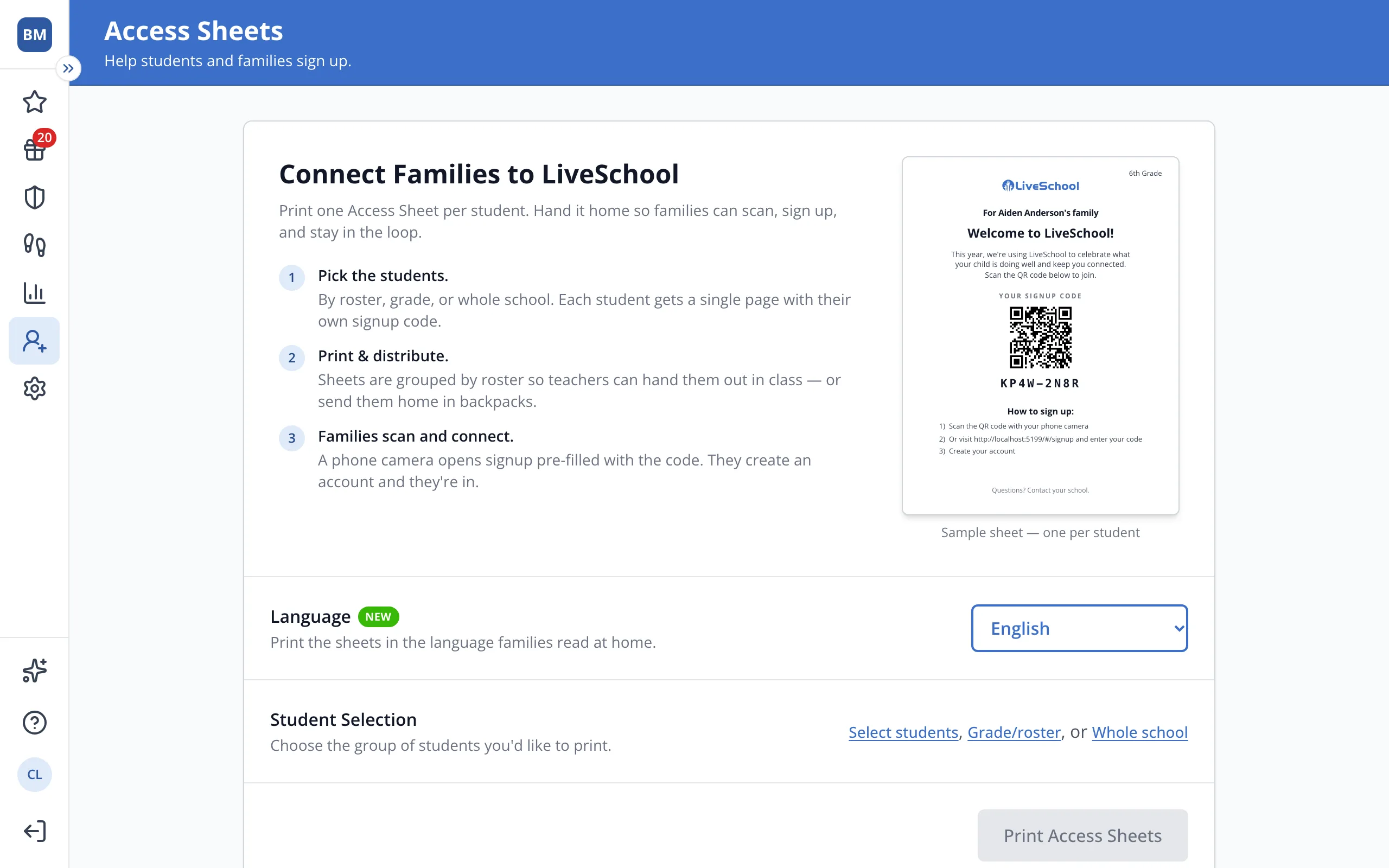
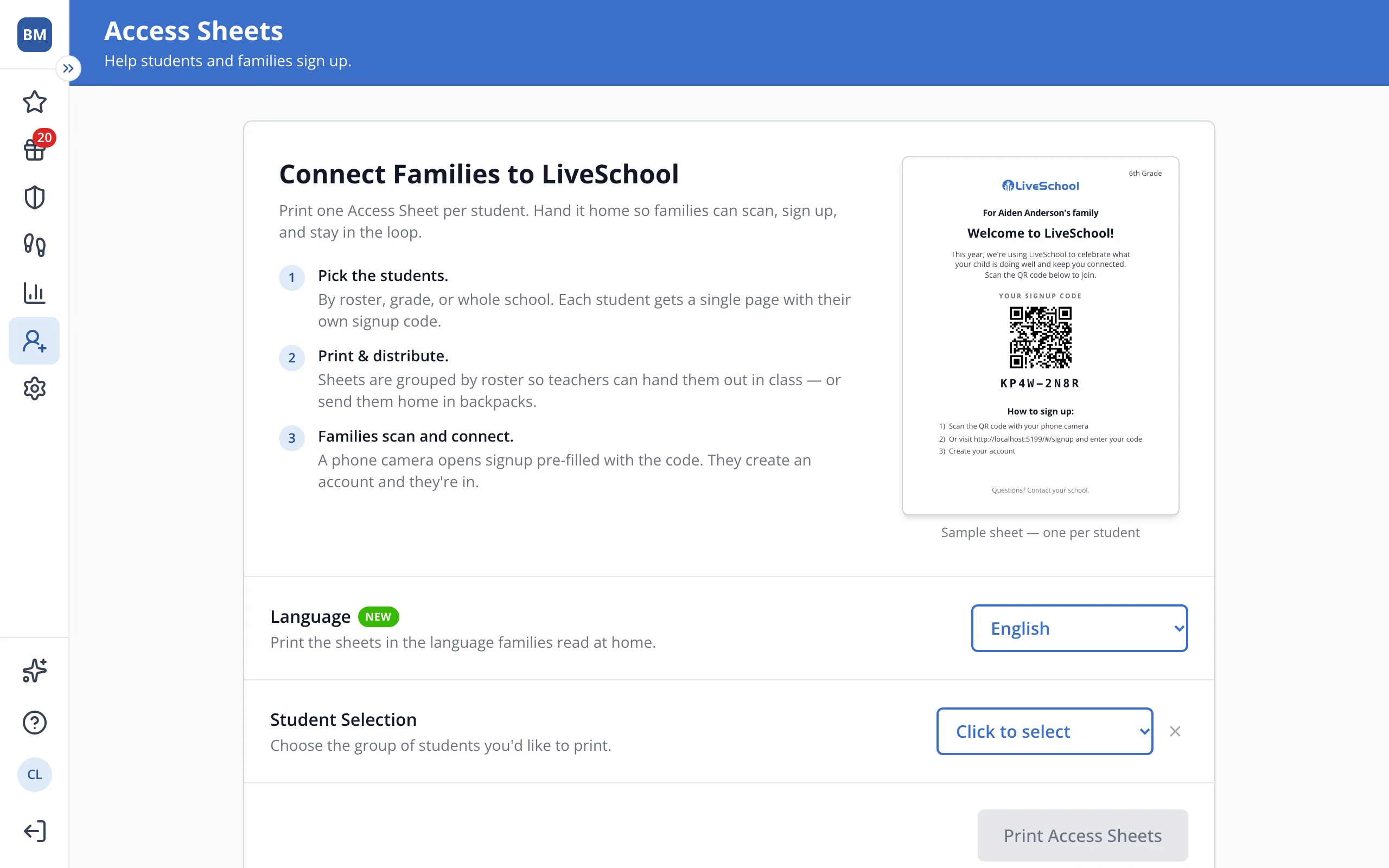
1.On the Access Sheets page under Students & Families, click Grade/roster.
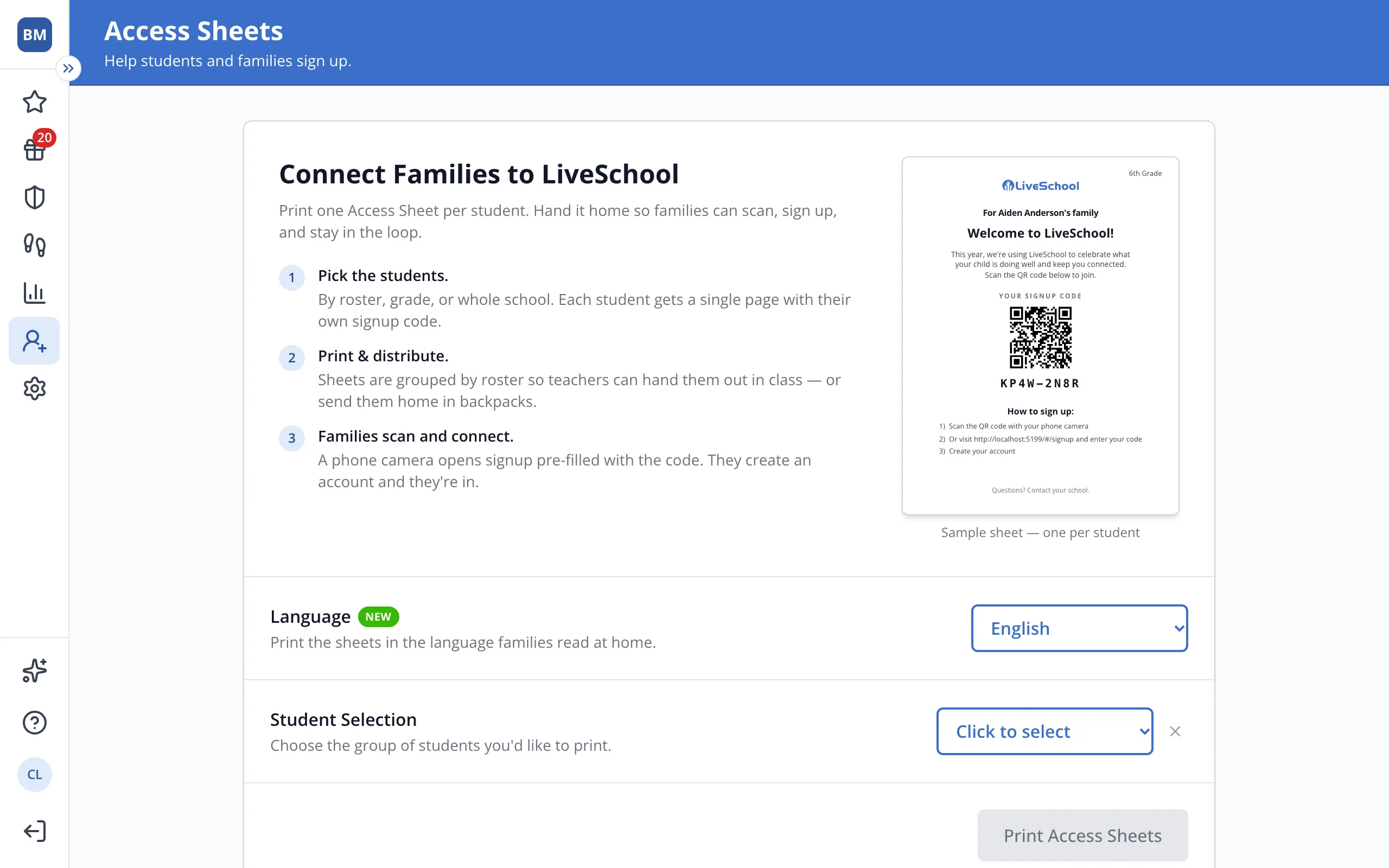
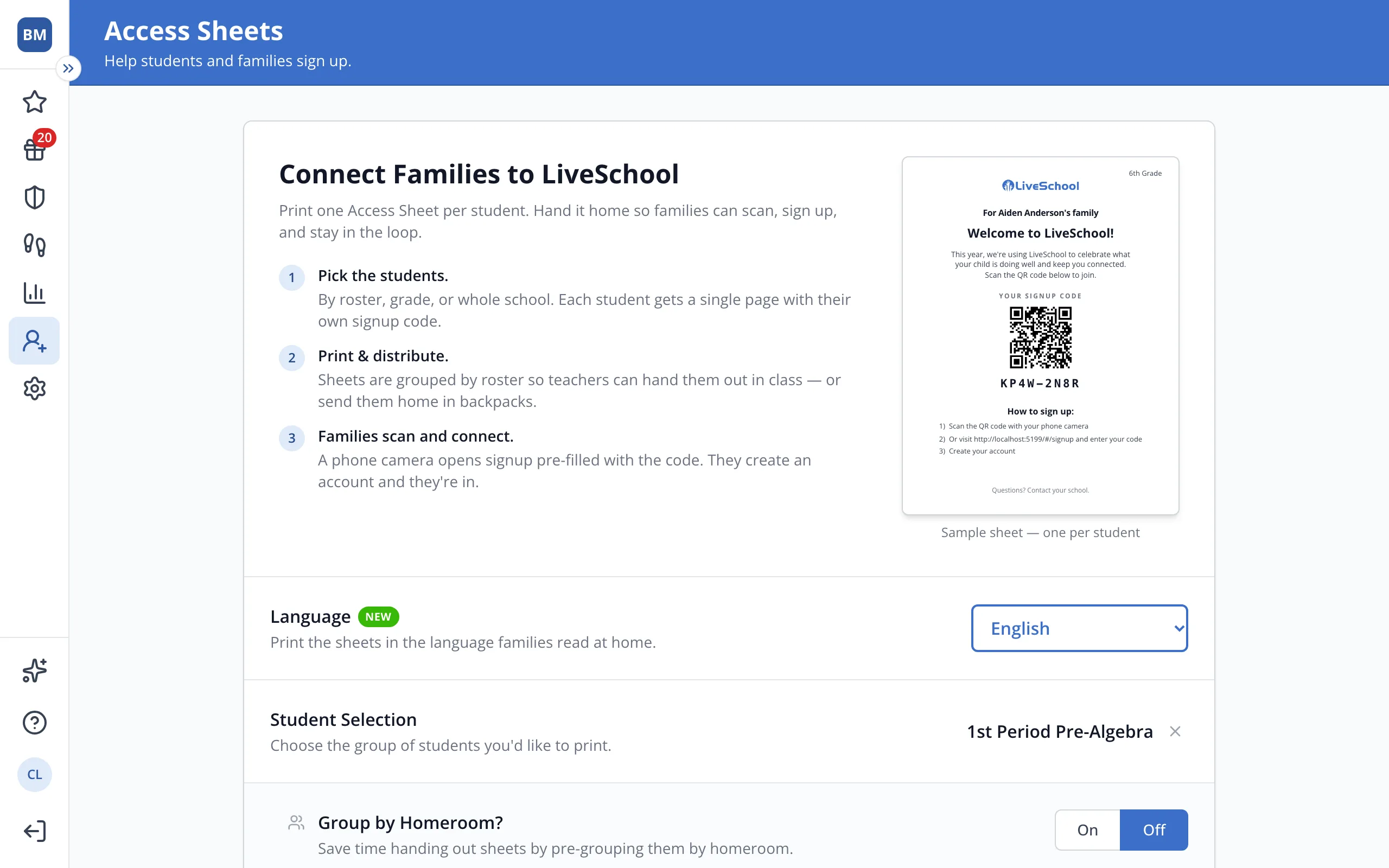
2.Pick the grade or roster you'd like to print.
3.Only students whose families haven't connected get a sheet. Click Off to print one for every student.
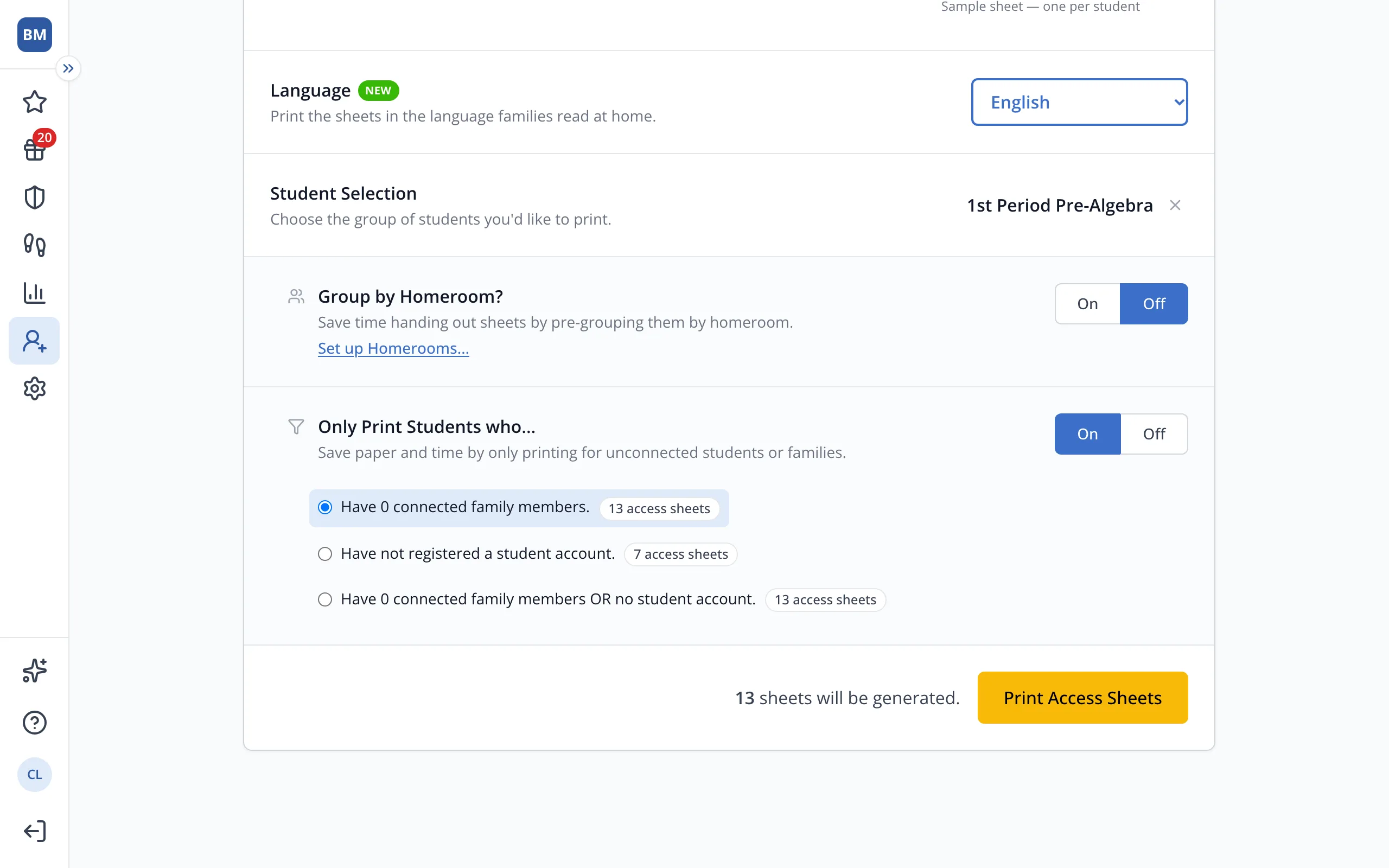
4.Click Print Access Sheets. A PDF downloads, ready to print.