
Set up a self check-in kiosk for attendance
Students scan their own badge at the door to earn a point. A daily limit counts each student once, even across devices.
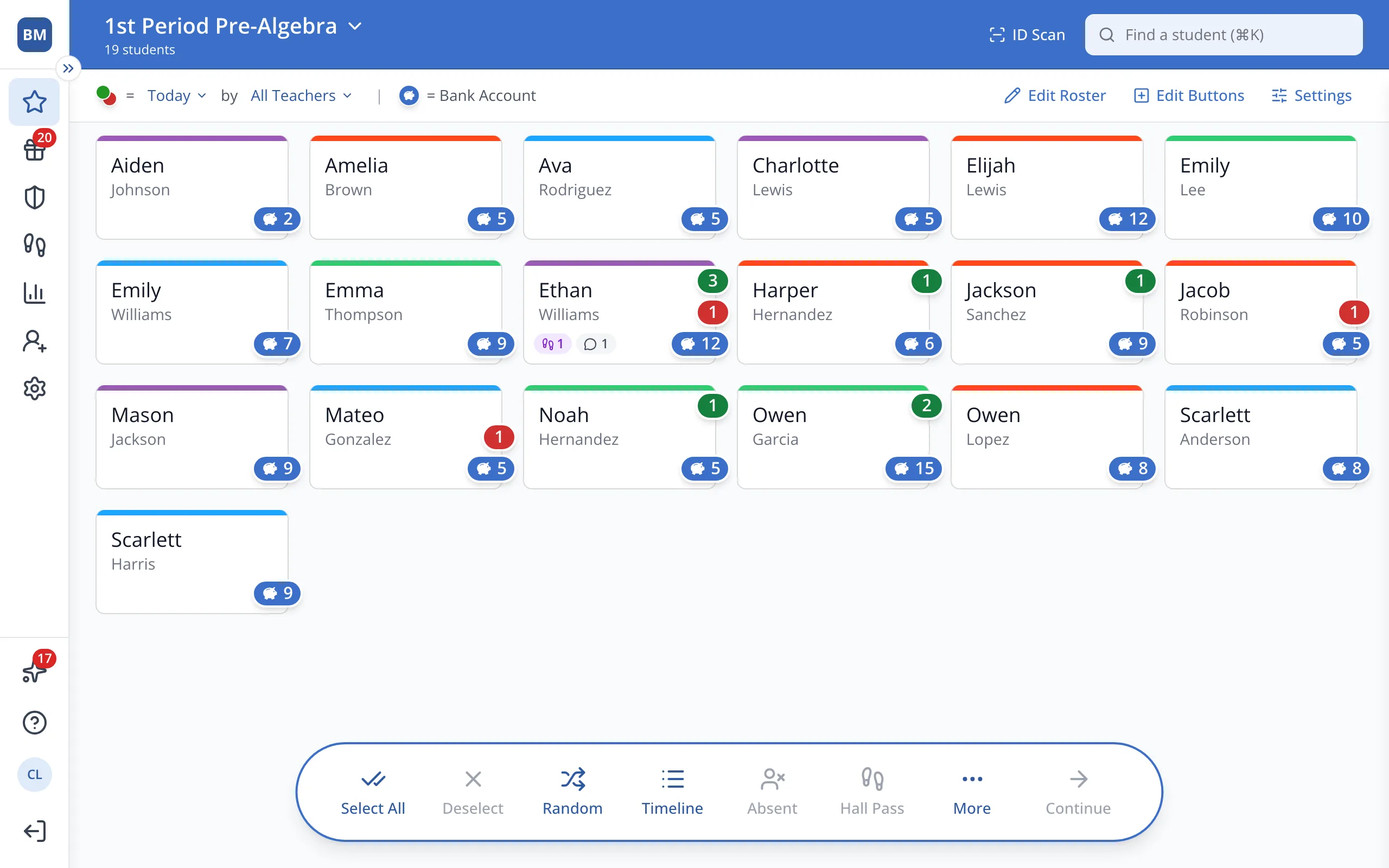
1 / 7At the top of the Points page, click ID Scan.
1.At the top of the Points page, click ID Scan.
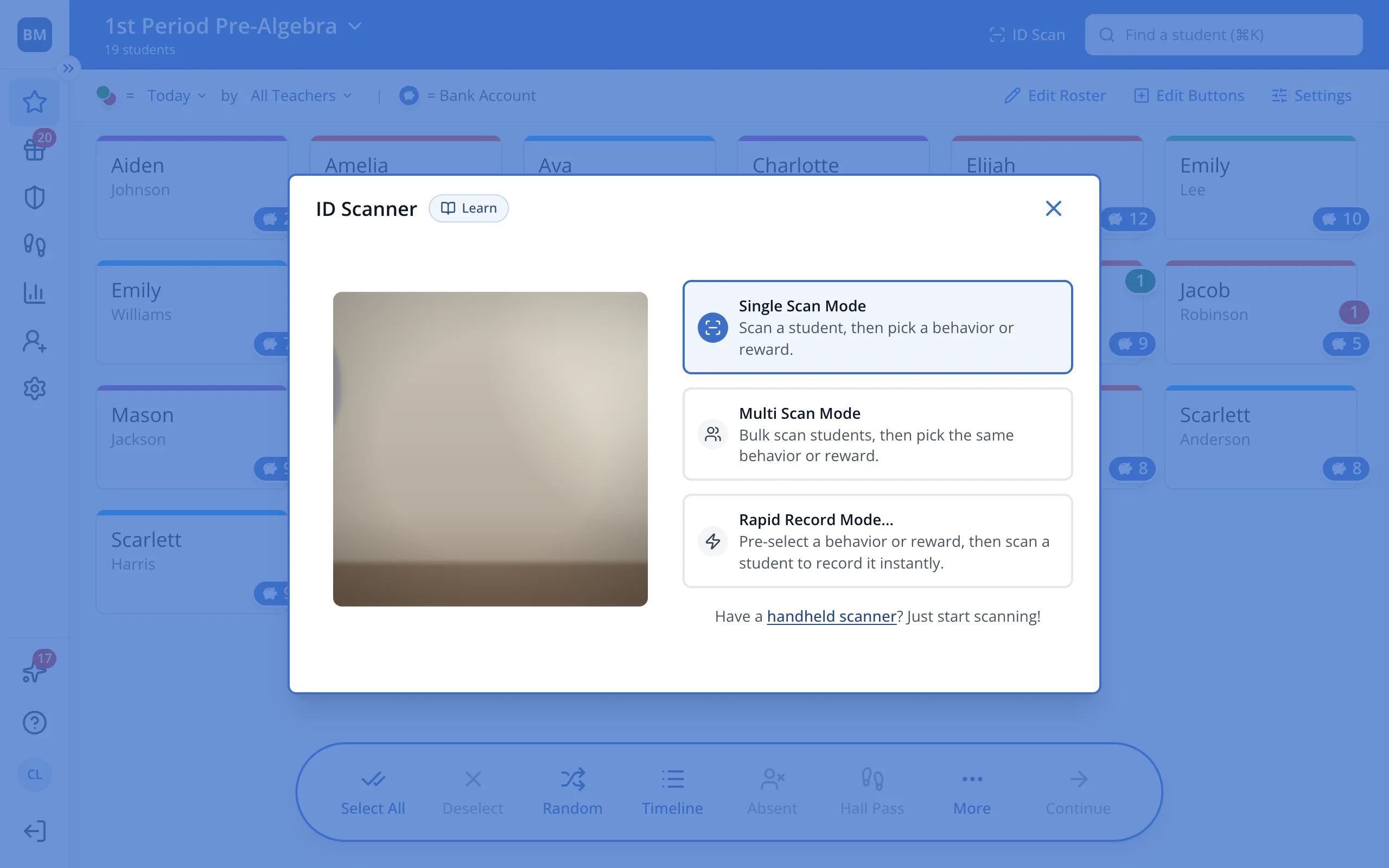
2.Click Rapid Record Mode.
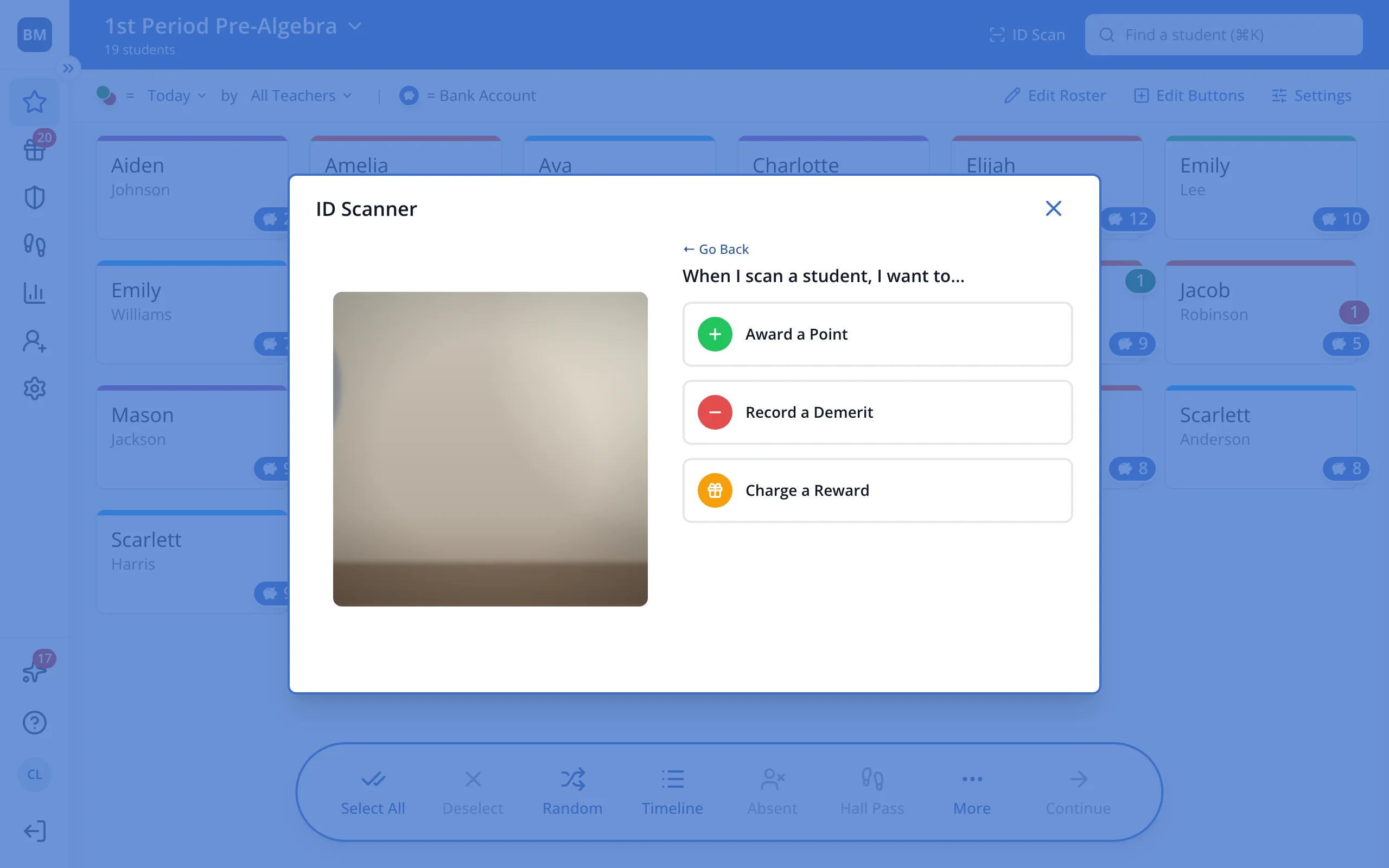
3.Click Award a Point.
4.Click the behavior to give, like an on-time behavior.
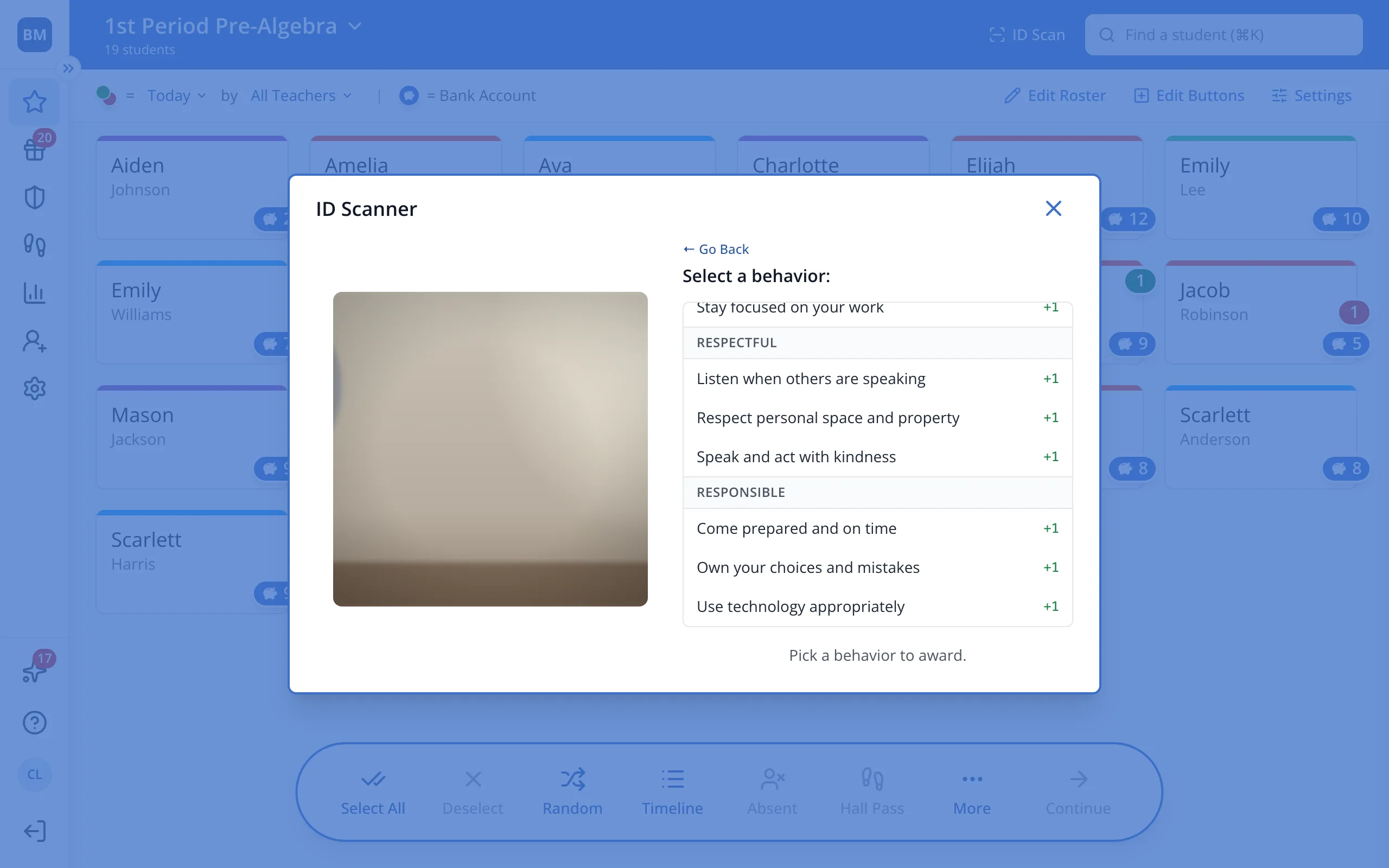
Tip: Your Administrators set a school-wide behavior rubric. If you'd like to use this feature with a behavior that isn't listed, contact an Administrator to see if they can add it.
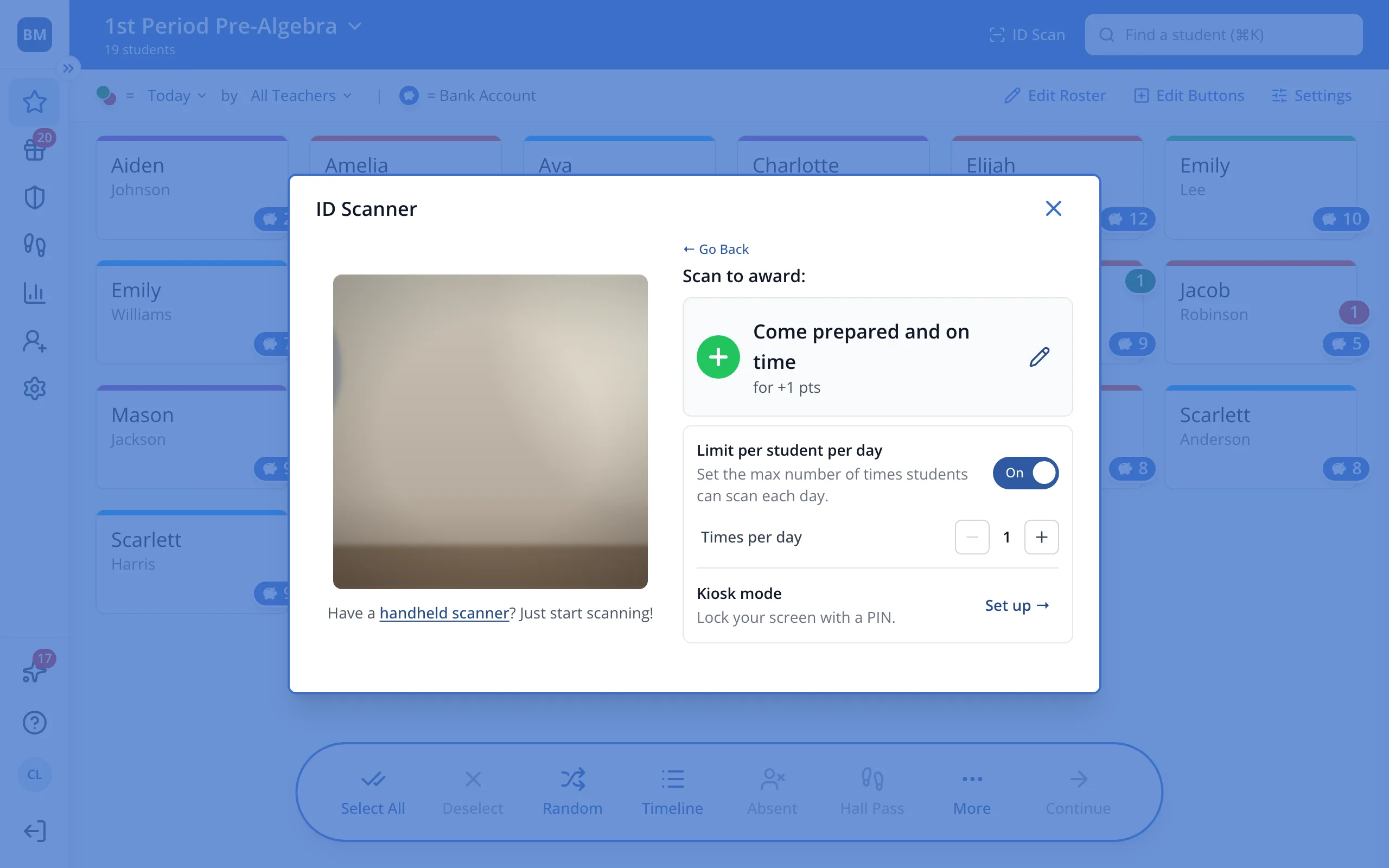
5.Turn on Limit per student per day so each student counts once a day.
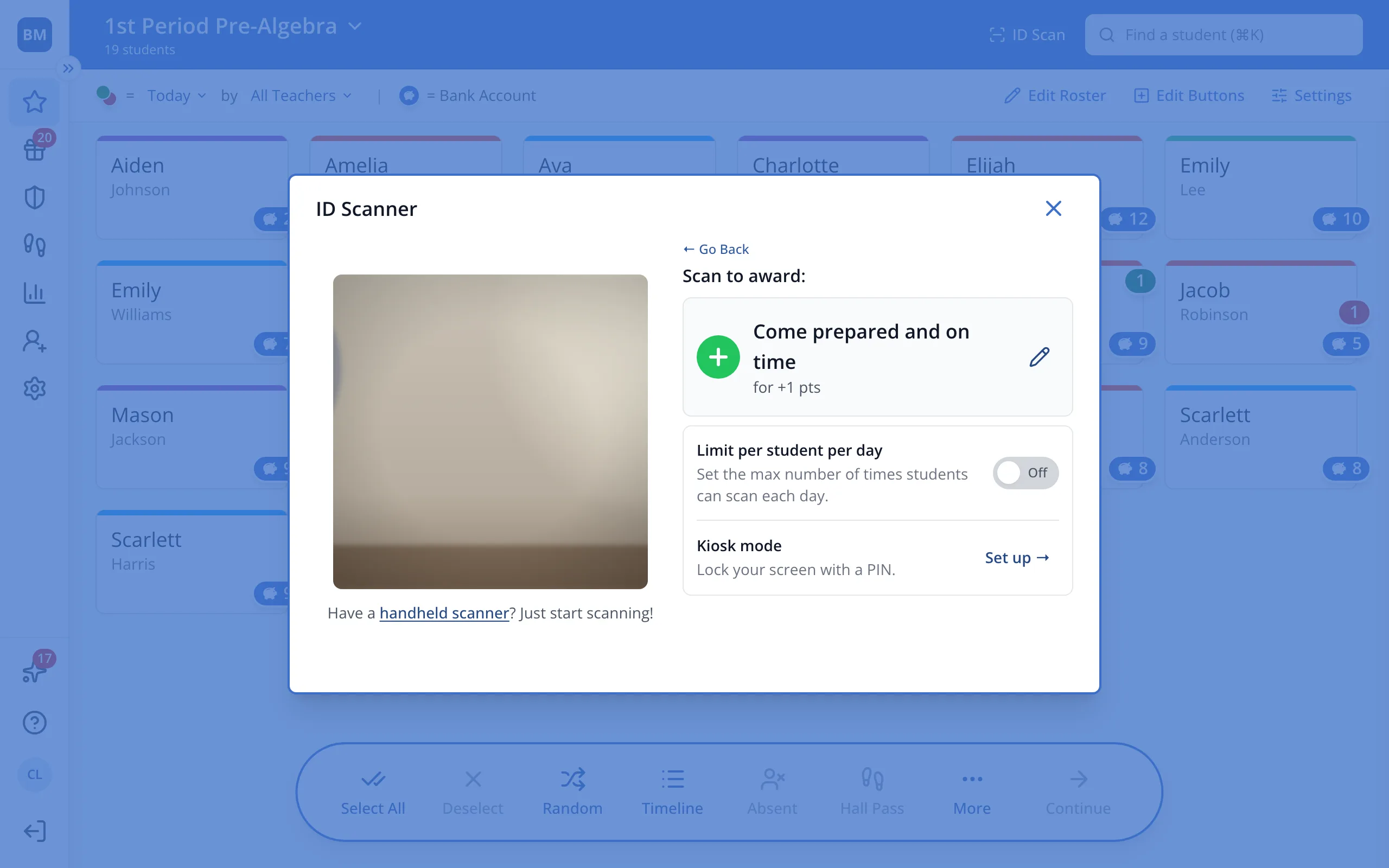
6.Next to Kiosk mode, click Set up.
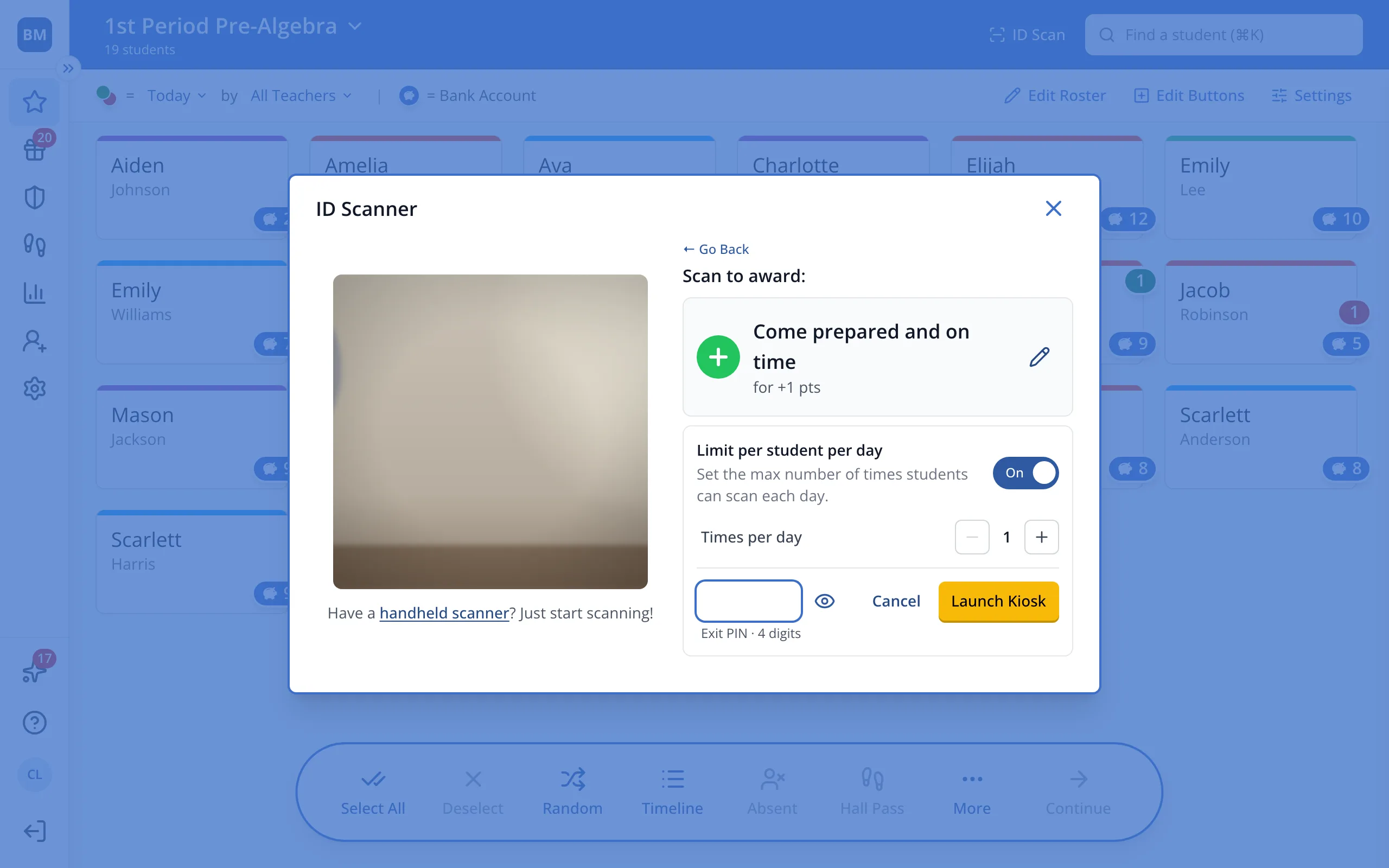
7.Type a 4-digit exit PIN, then click Launch Kiosk.
Was this helpful?