
Change the time period the totals count
The blue Bank Account bubble doesn't follow the time period. It always shows what students can spend.
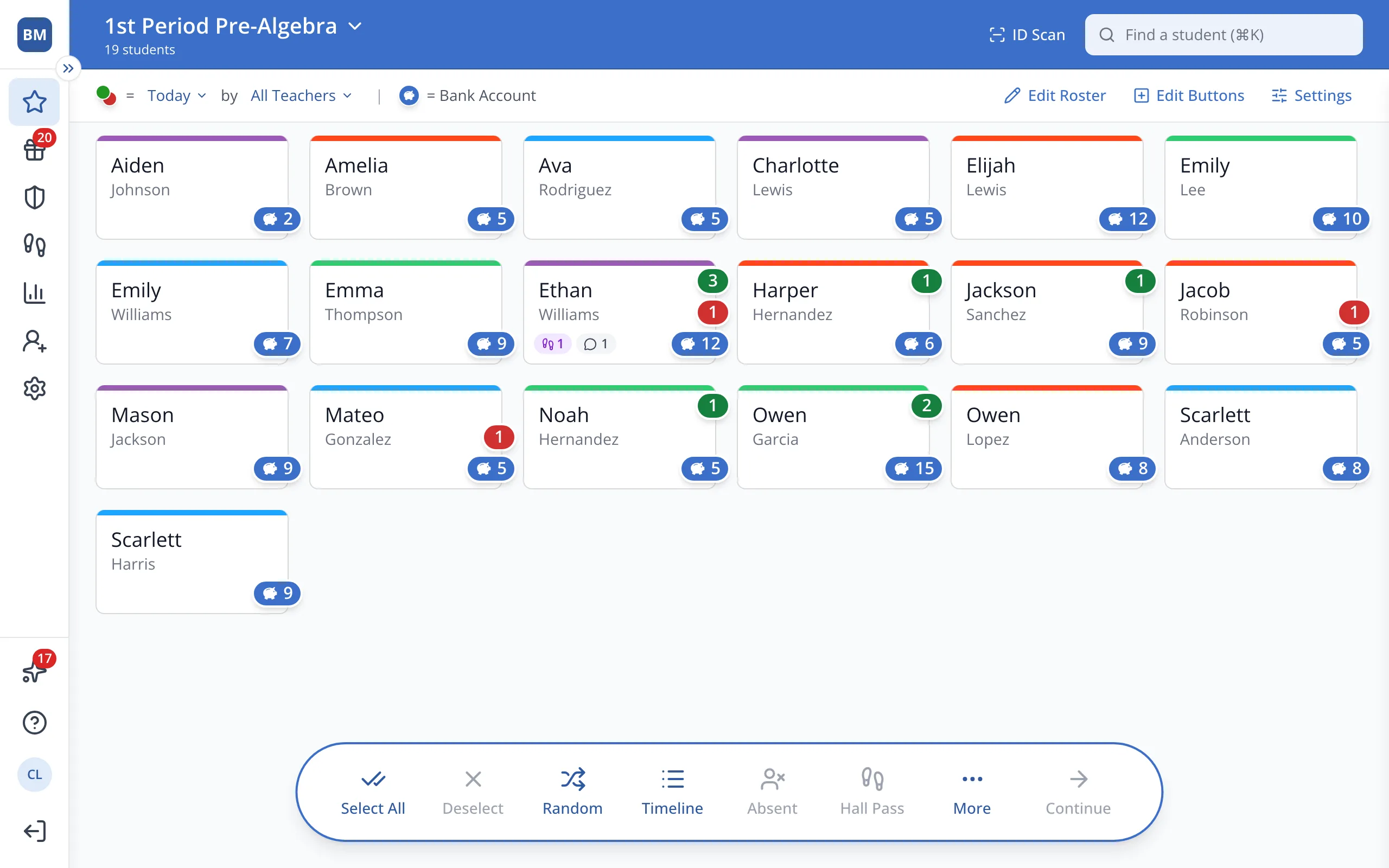
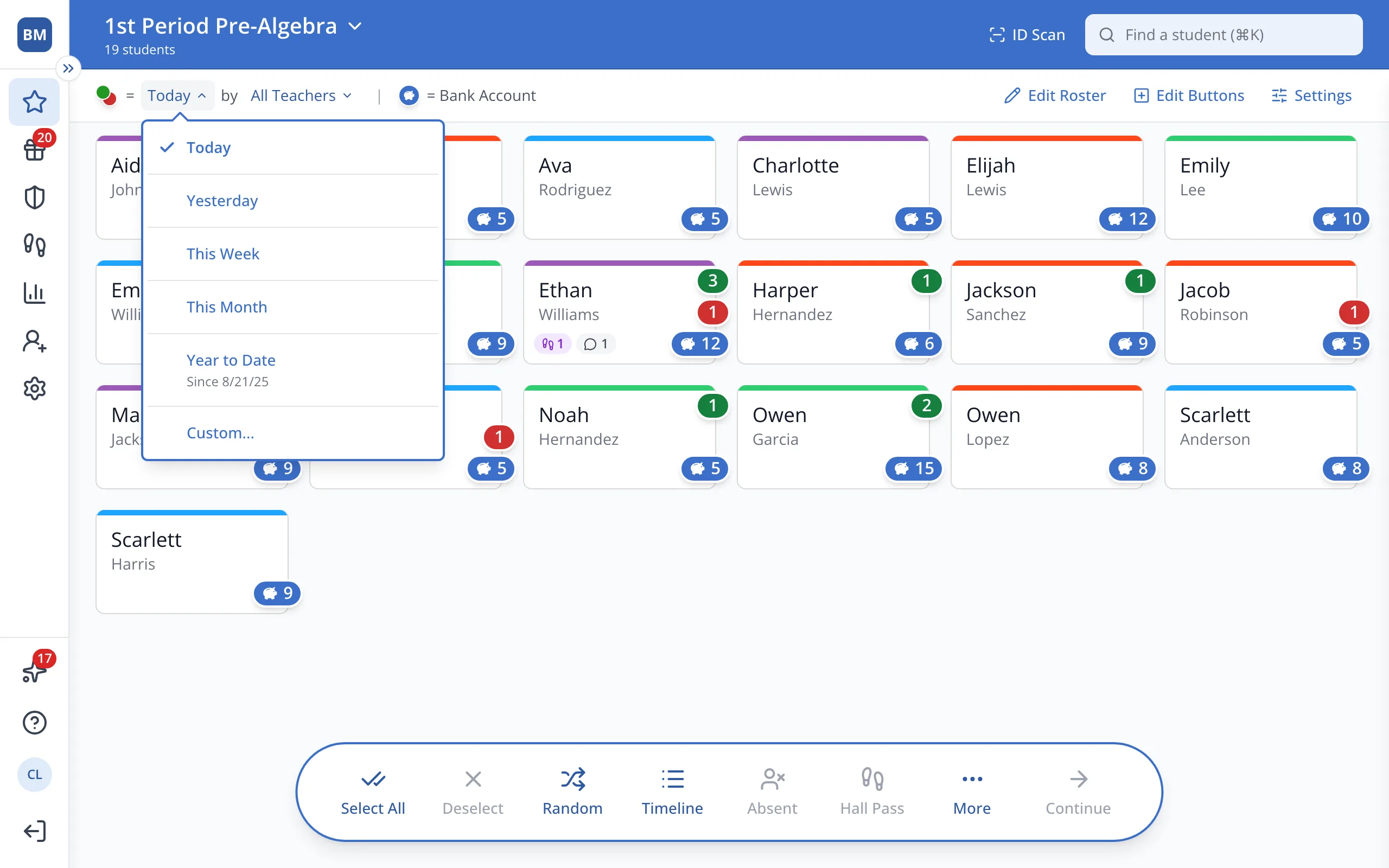
1 / 4On the Points page, click the time period at the top, next to the green and red bubble key.
1.On the Points page, click the time period at the top, next to the green and red bubble key.
2.Click the period you'd like the bubbles to count, like This Week.
Was this helpful?