
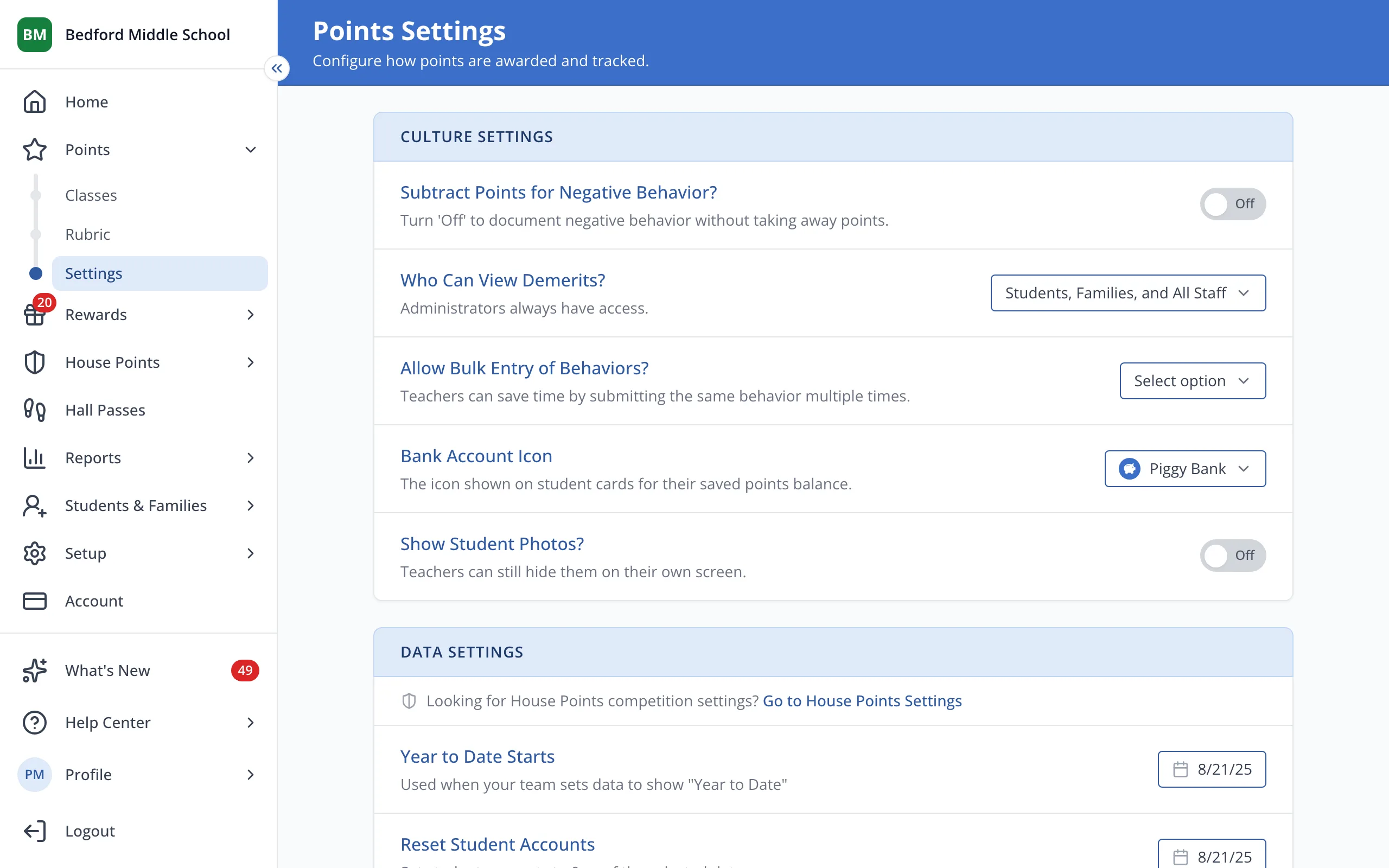
Choose whether or not to subtract points for negative behaviors
Turn it off to record demerits without taking points away from students' totals or Bank Accounts.
AdminSite Leader
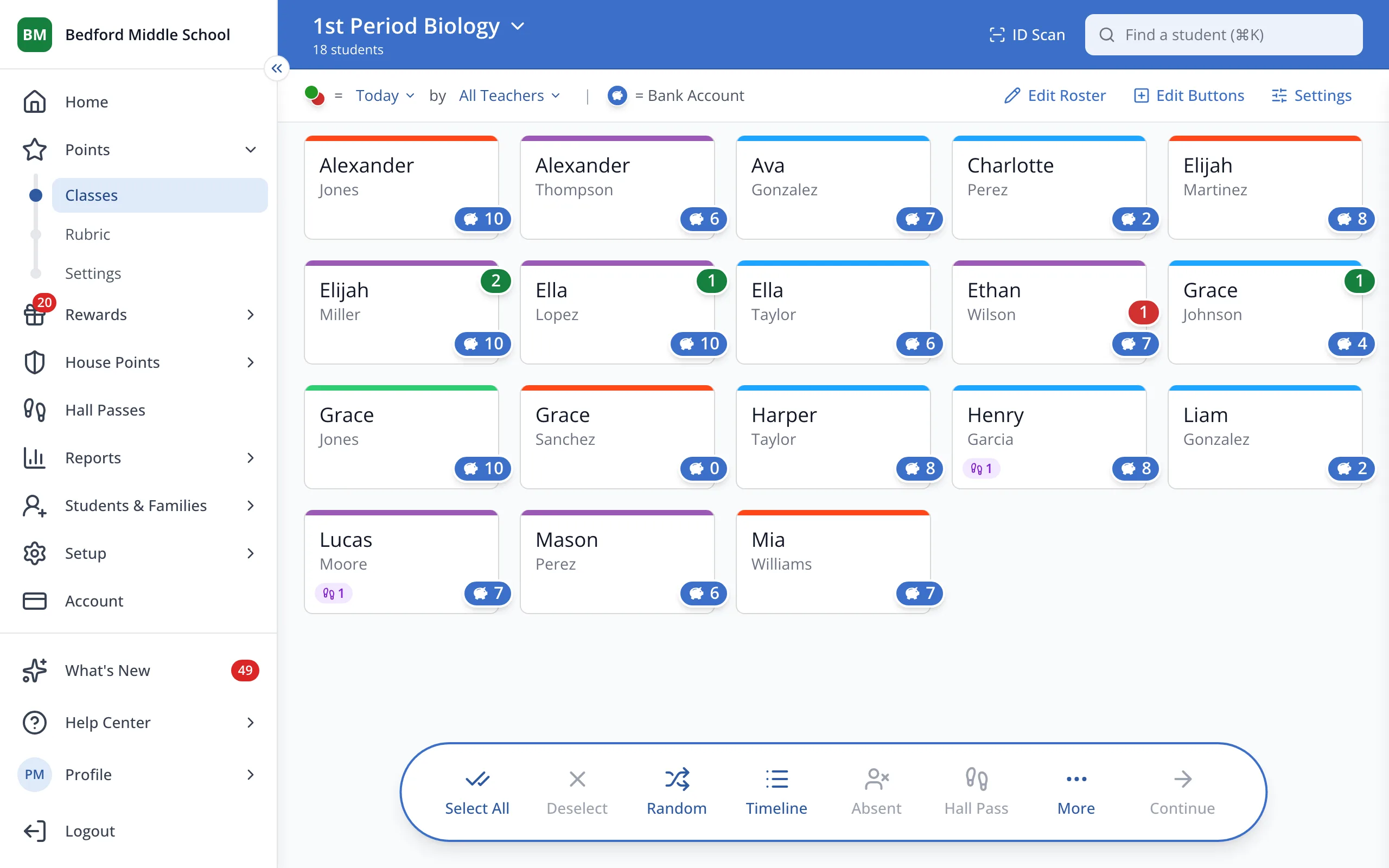
1 / 2In the sidebar, under Points, click Settings.
1.In the sidebar, under Points, click Settings.
2.Turn Subtract points for negative behavior on or off.
Tip: Demerits can still be awarded and tracked, they just don't subtract from points already earned.
Was this helpful?