
Edit or delete a comment on a point
Teachers can change comments only on points they gave. Admins and site leaders can change any.
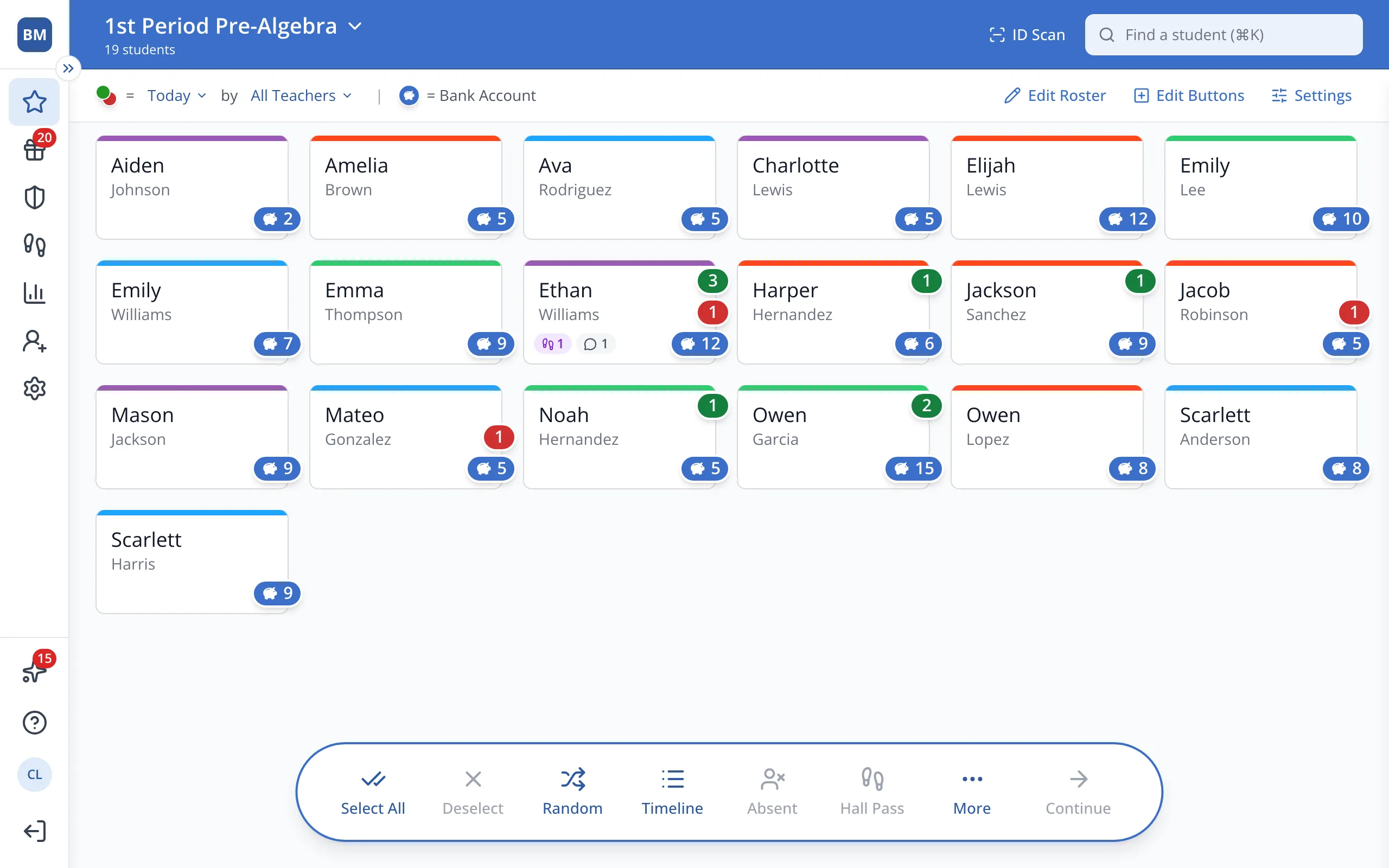
1 / 5On the Points page, with no students selected, click Timeline in the bar at the bottom.
1.On the Points page, with no students selected, click Timeline in the bar at the bottom.
2.Find the point with the comment and click the pencil next to it.
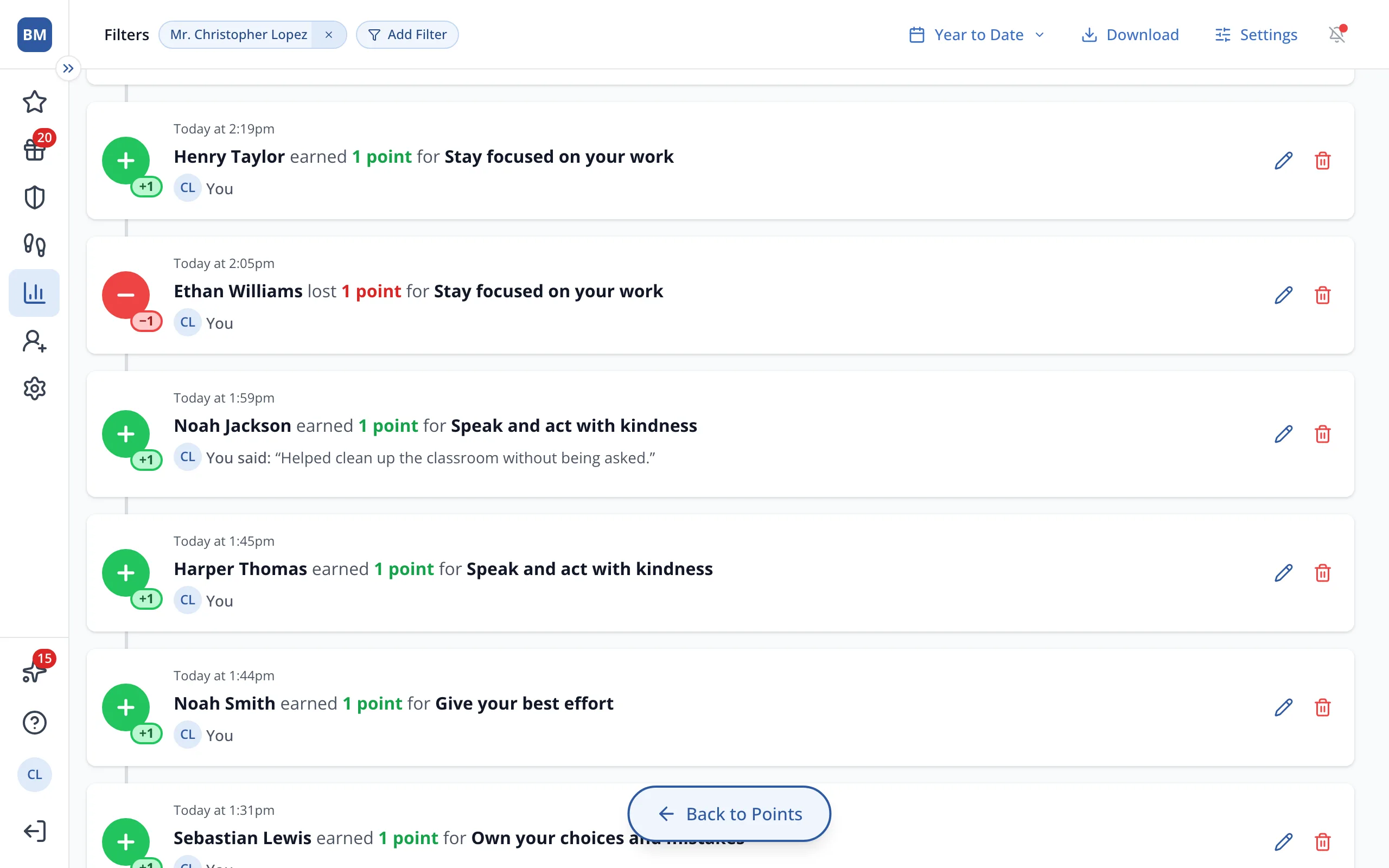
3.Under Comment, change the text.
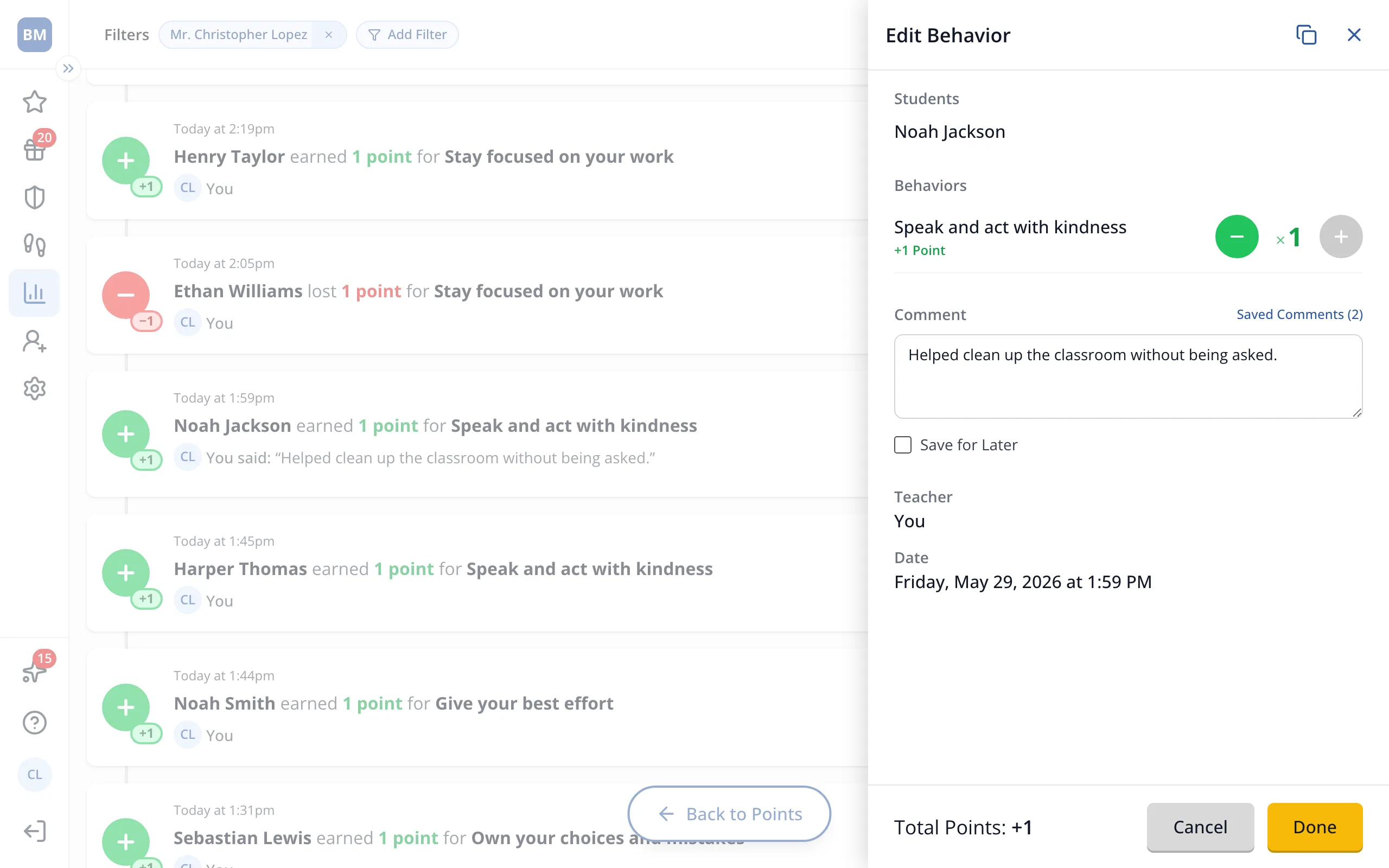
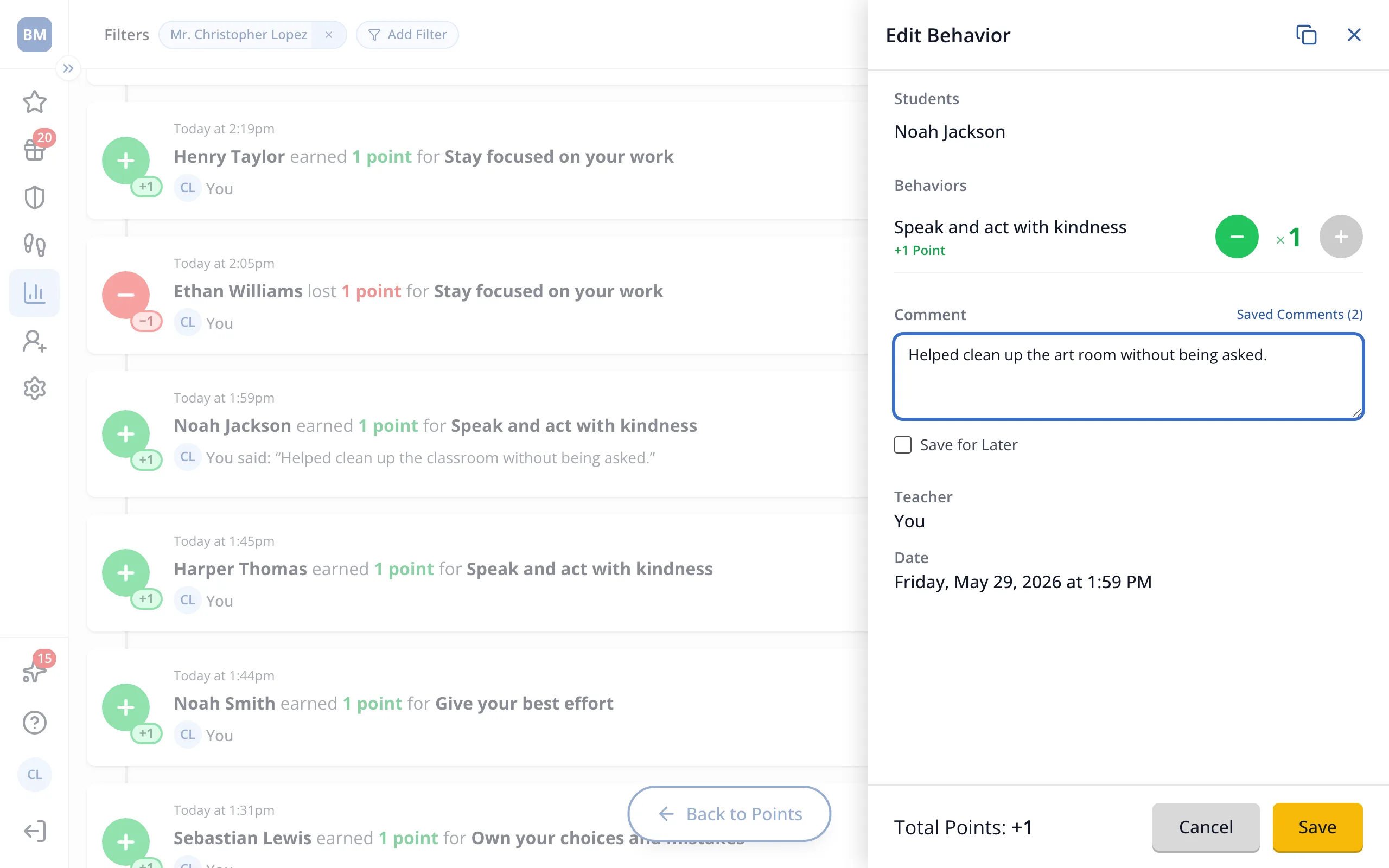
Tip: To delete the comment, clear the box.
4.Click Save.
Was this helpful?