
Change or delete a behavior on the rubric as an admin or site leader
Changes apply to new points from now on. Points already given keep the behavior they were given for.
AdminSite Leader
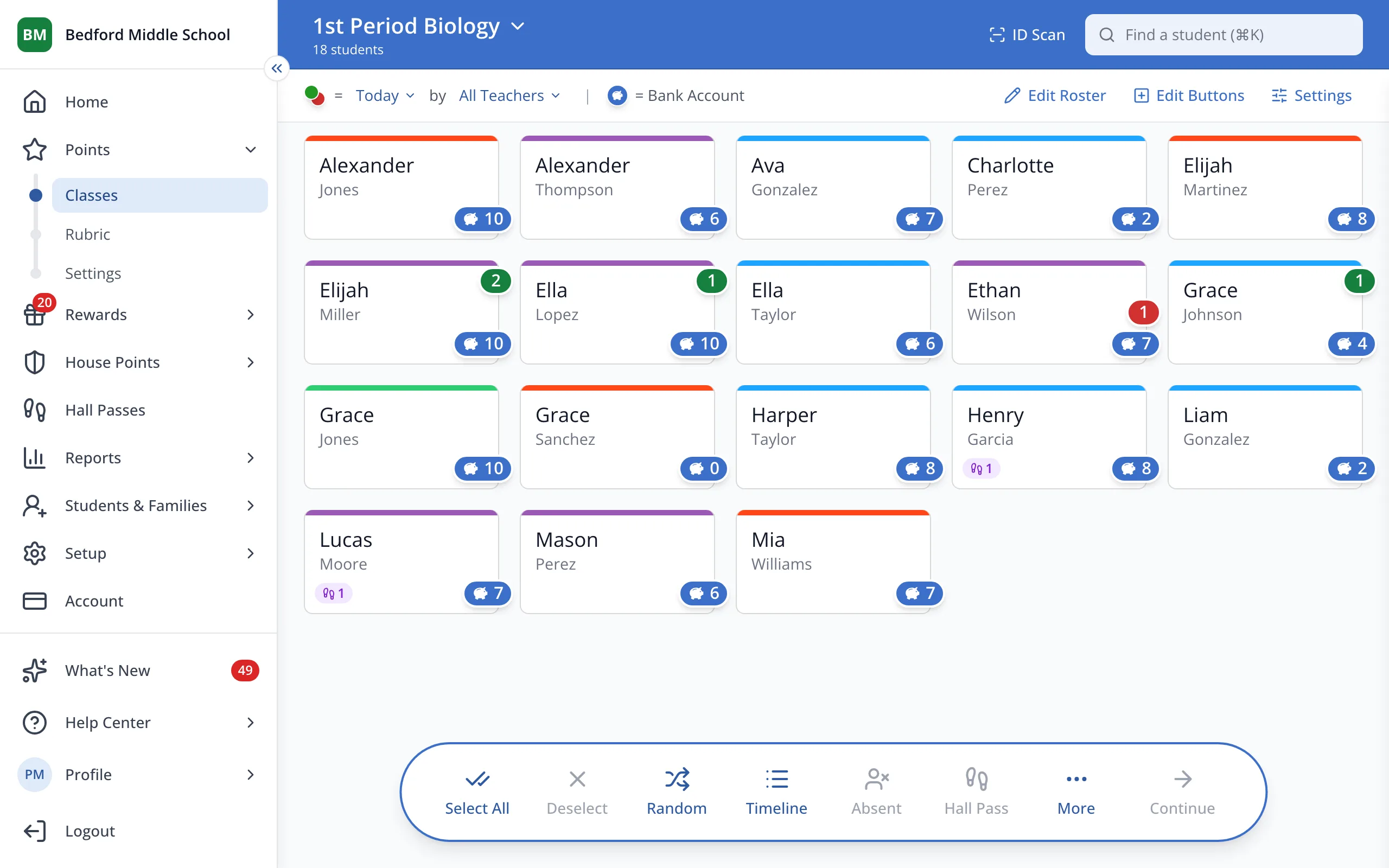
1 / 4In the sidebar, under Points, click Rubric.
1.In the sidebar, under Points, click Rubric.
2.Click the behavior you'd like to change.
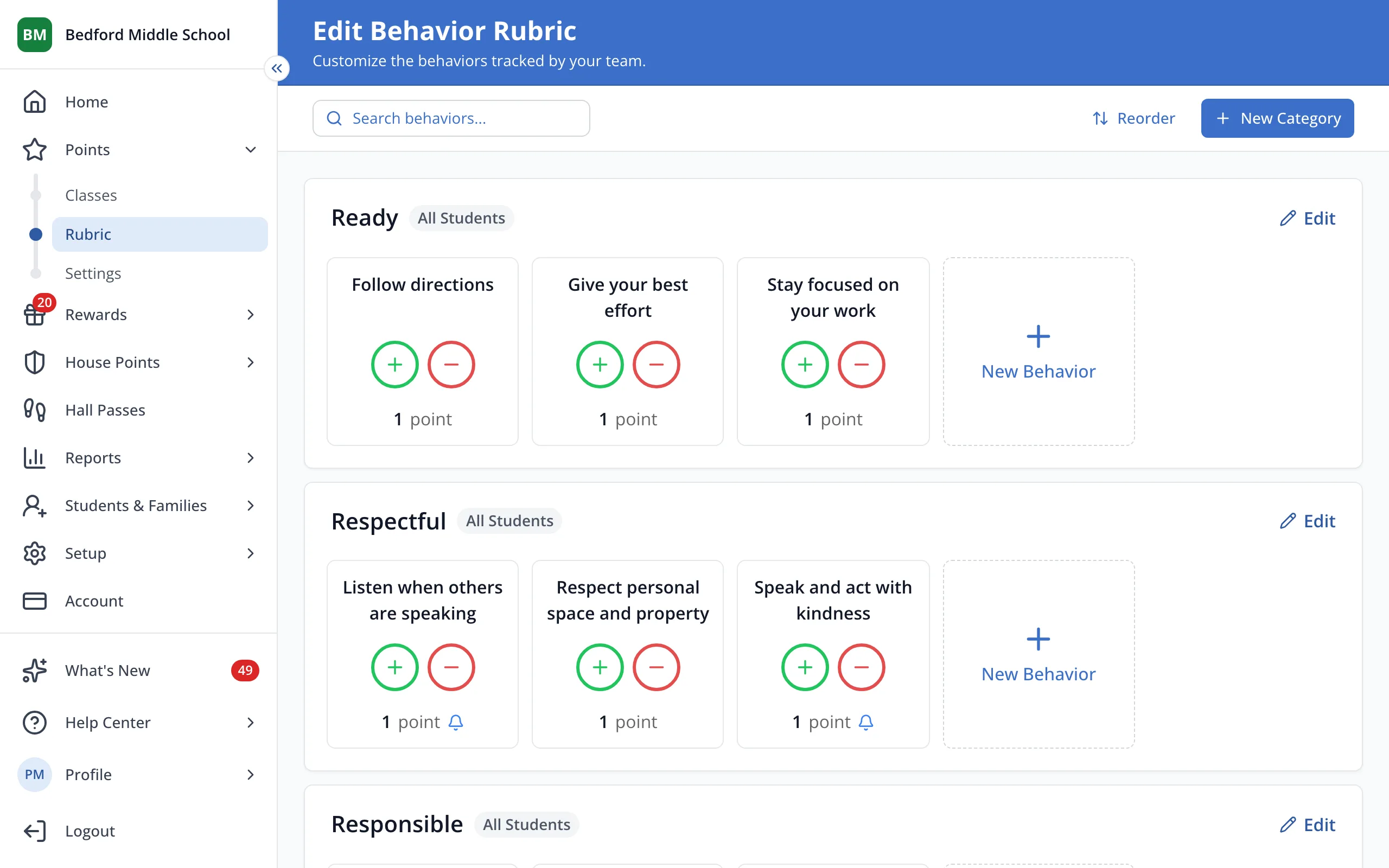
Tip: To delete a behavior, click the trash can on it instead.
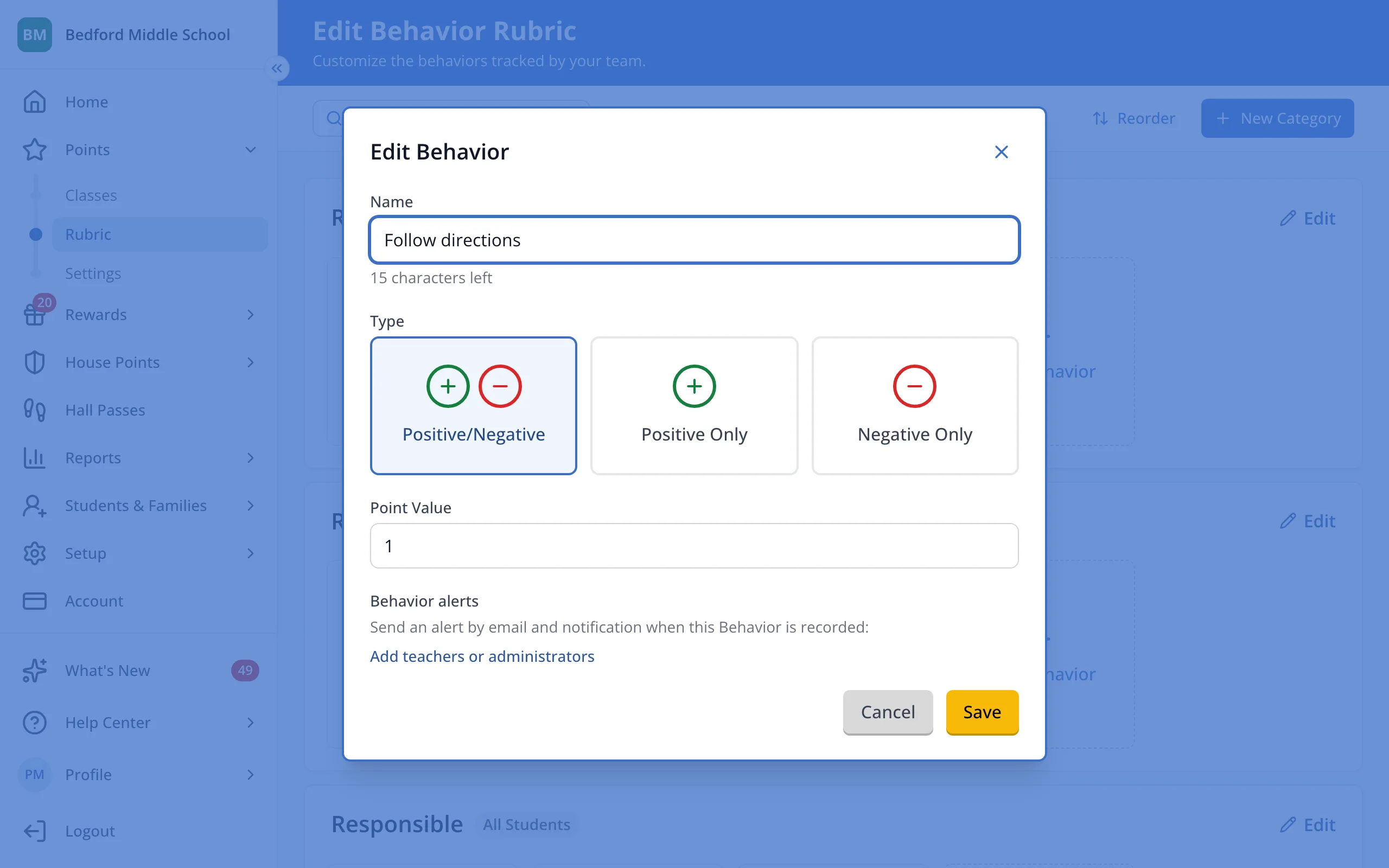
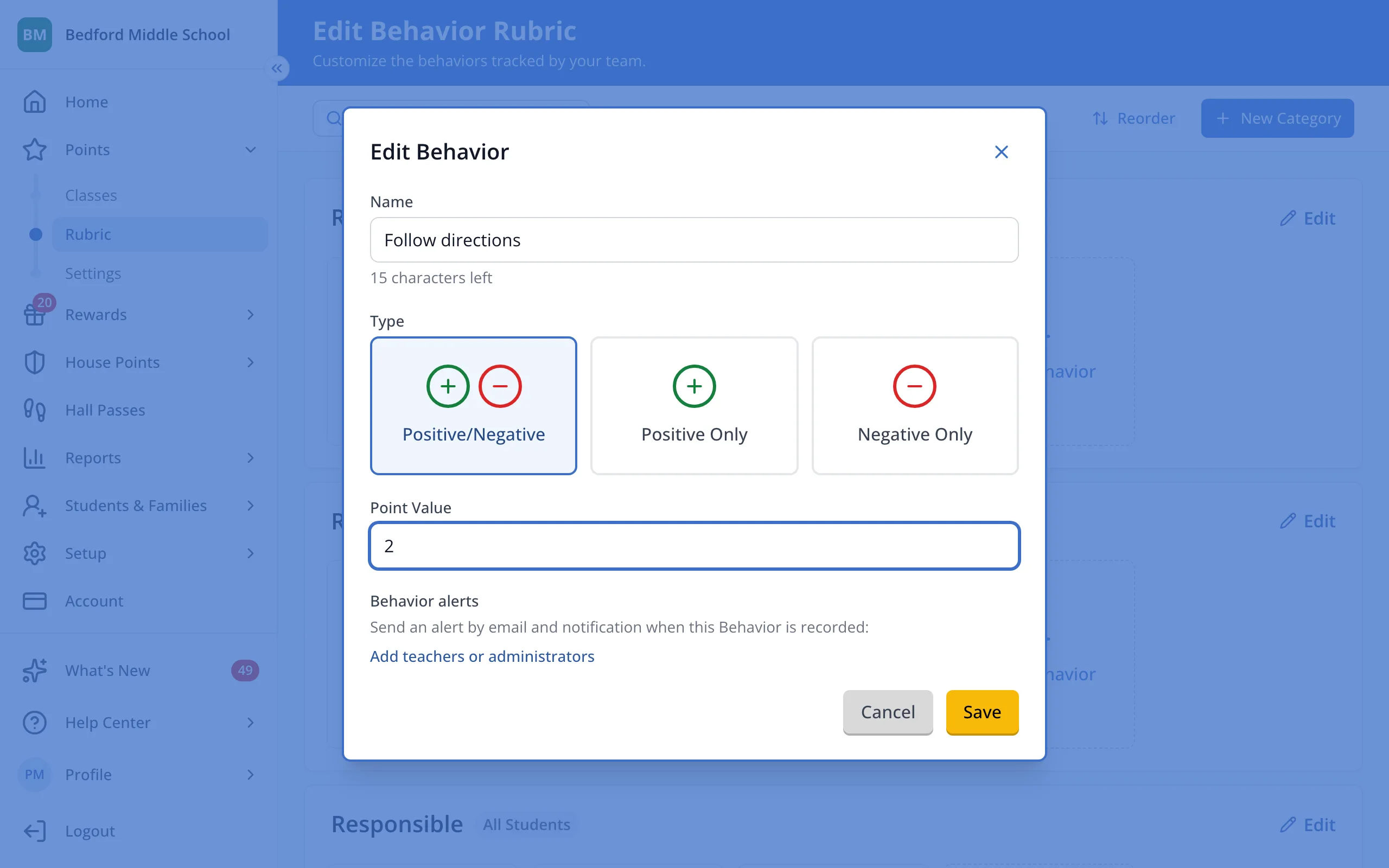
3.Change its name, type or point value.
4.Click Save.
Was this helpful?