
Make a kickoff banner for your school's social media
Ready-made posters with your school's name and values, ready to post when you launch LiveSchool.
AdminSite Leader
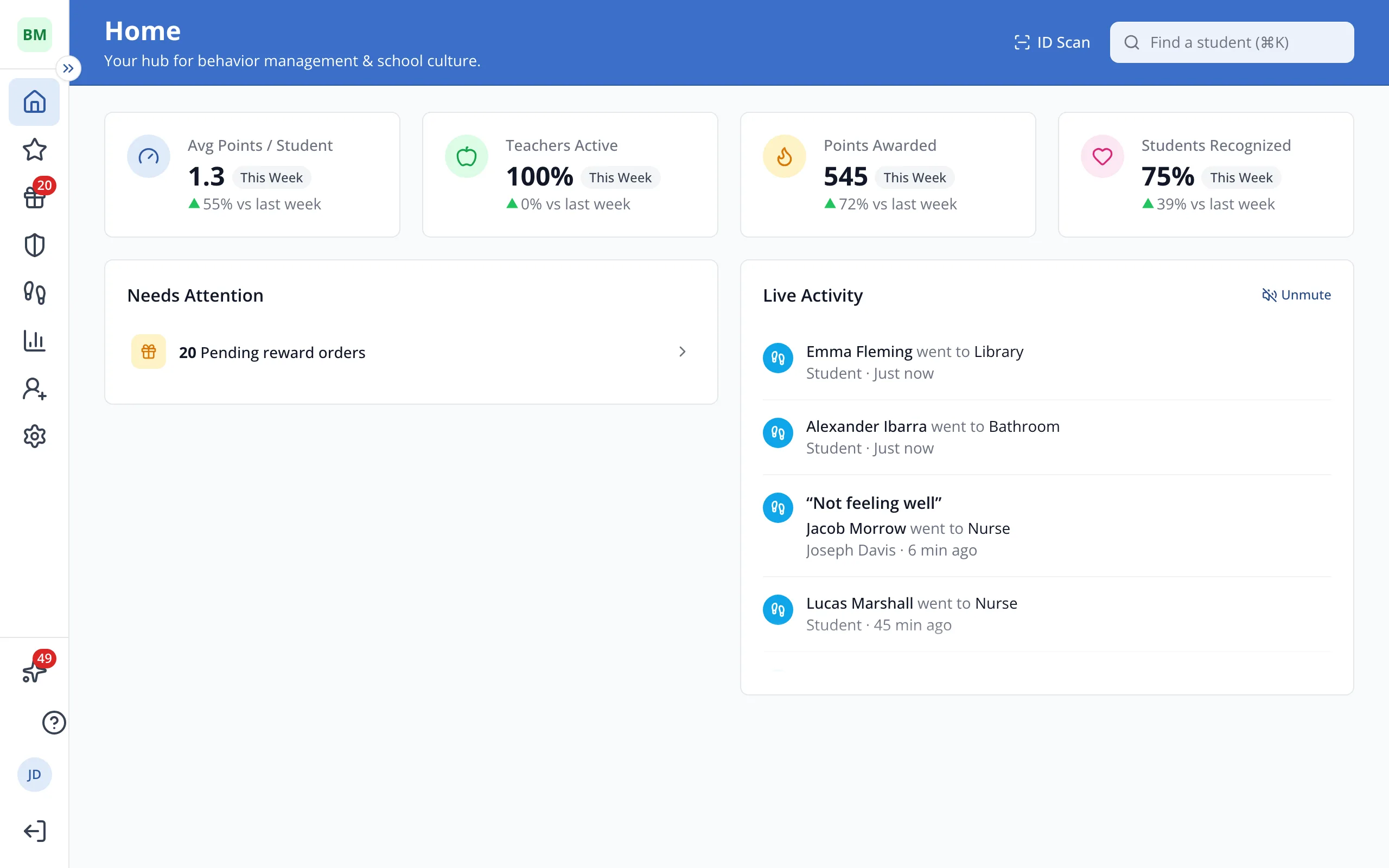
1 / 5In the sidebar, click Help Center.
1.In the sidebar, click Help Center.
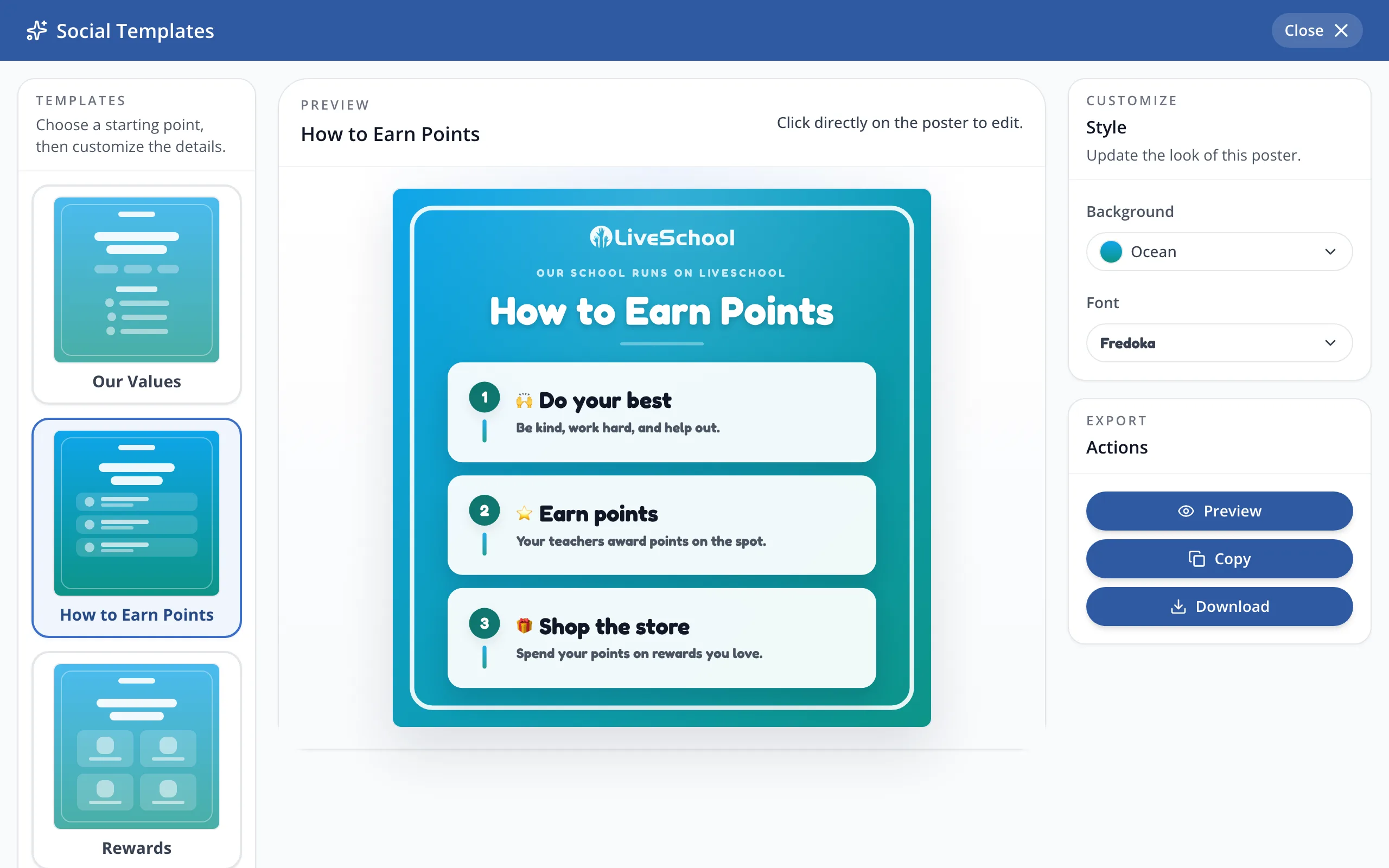
2.Under Resources, click Social Templates.
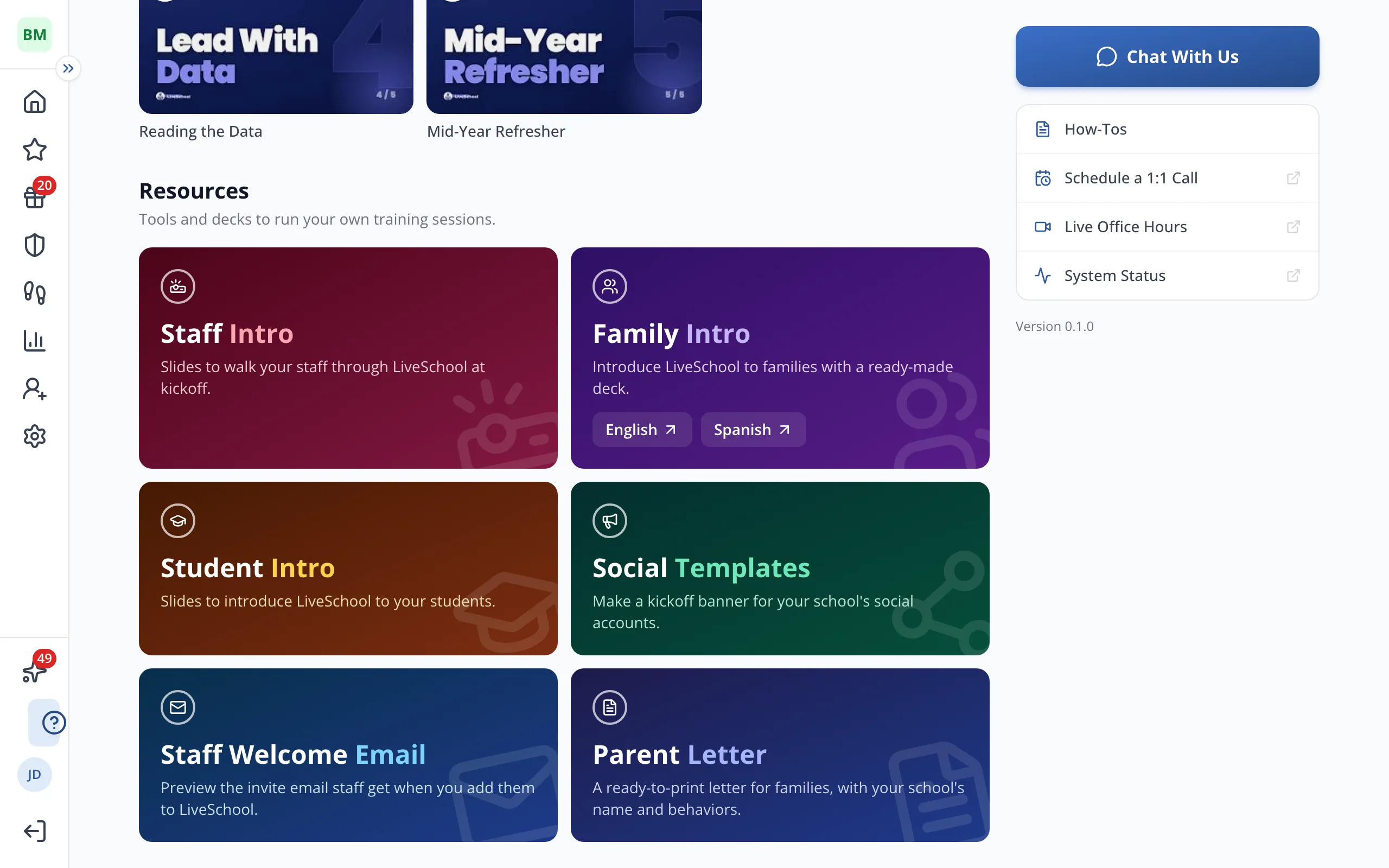
3.Under Templates, click the poster you'd like to start from, like How to Earn Points.
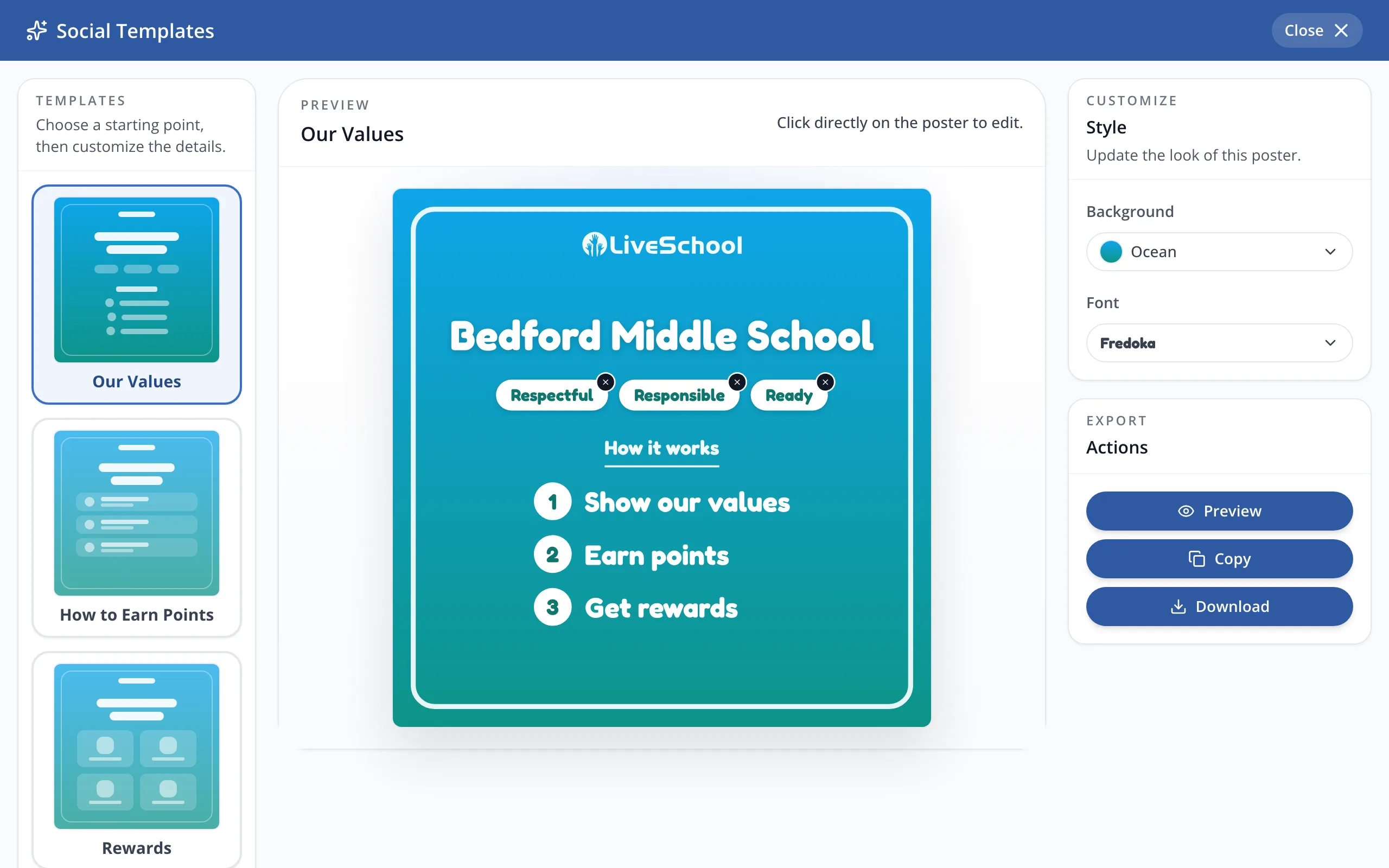
Tip: Click any text on the poster to change it.
4.Use Background and Font to change the look.
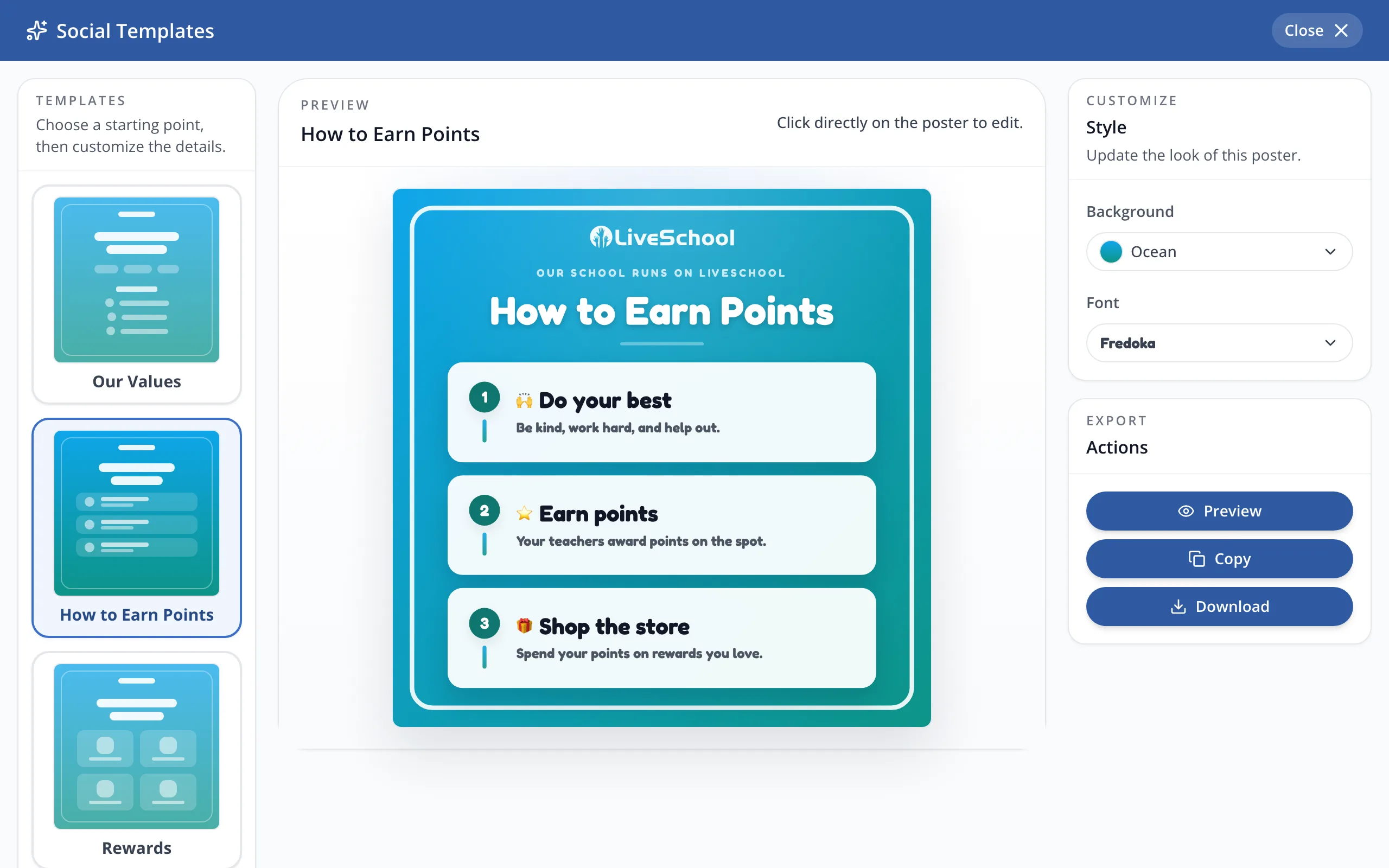
5.Click Download to save the banner as an image you can post.
Was this helpful?