
Check a student back in
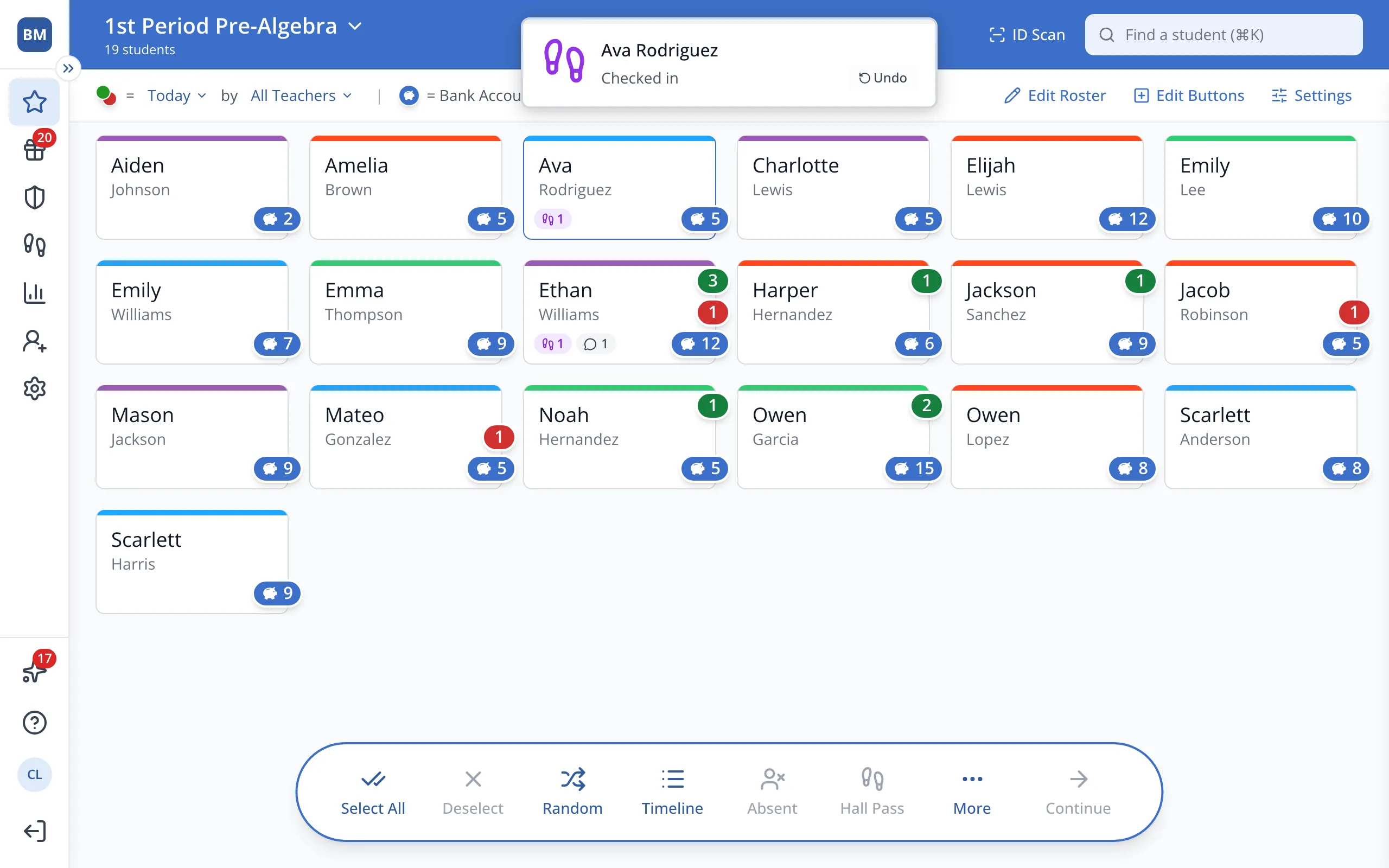
Checking in ends the pass and records how long the student was out.
Use the Left and Right arrow keys to move between steps, and Space to play or pause.
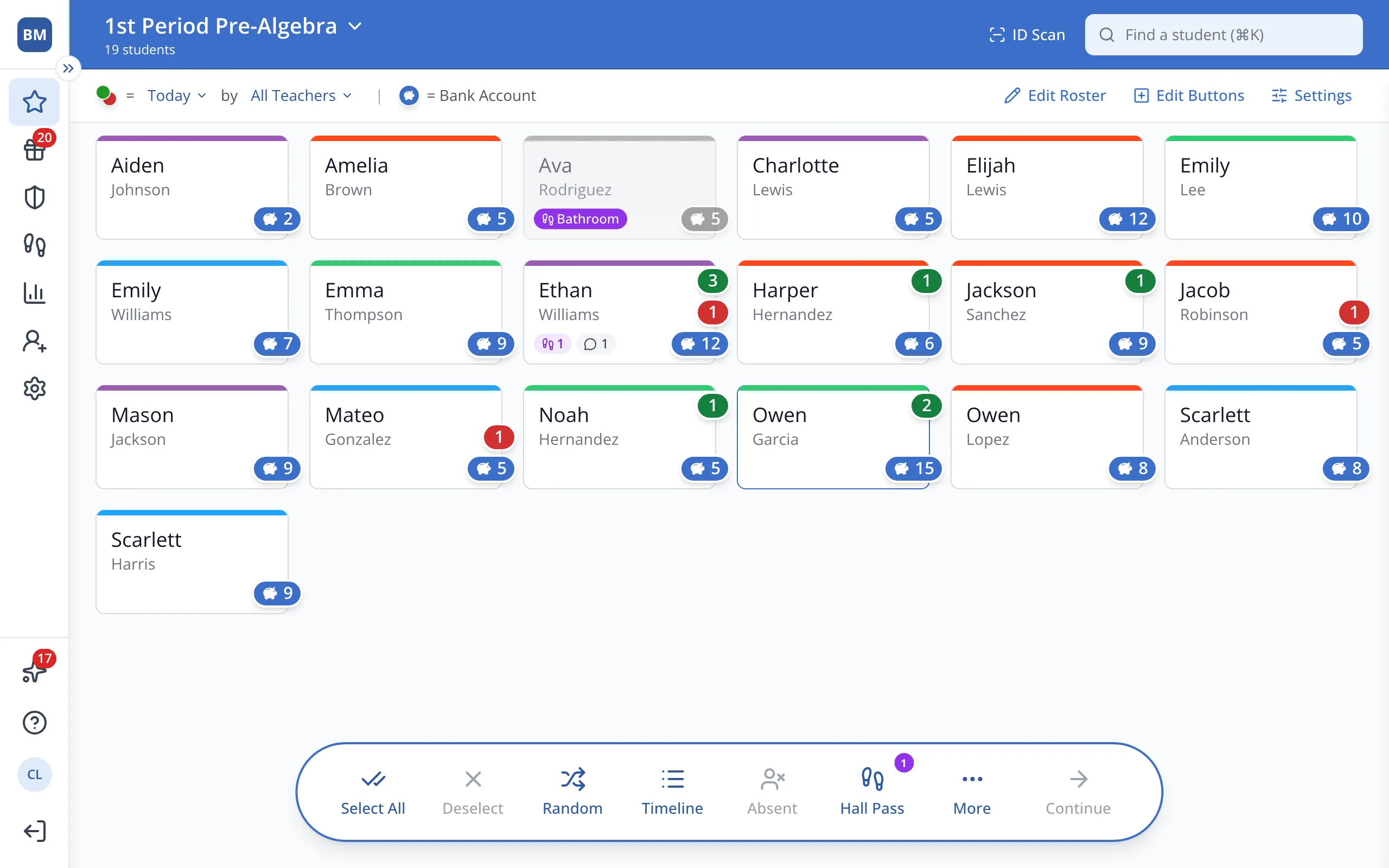
1.On the Points page, click the button of the student who's out on a pass.
Did you know? Click the number on Hall Pass in the bar at the bottom to see everyone who's out and check them in.