Create a pass type
A pass type is a place students can go, like the bathroom or the library. Each one has its own time limit and rules.
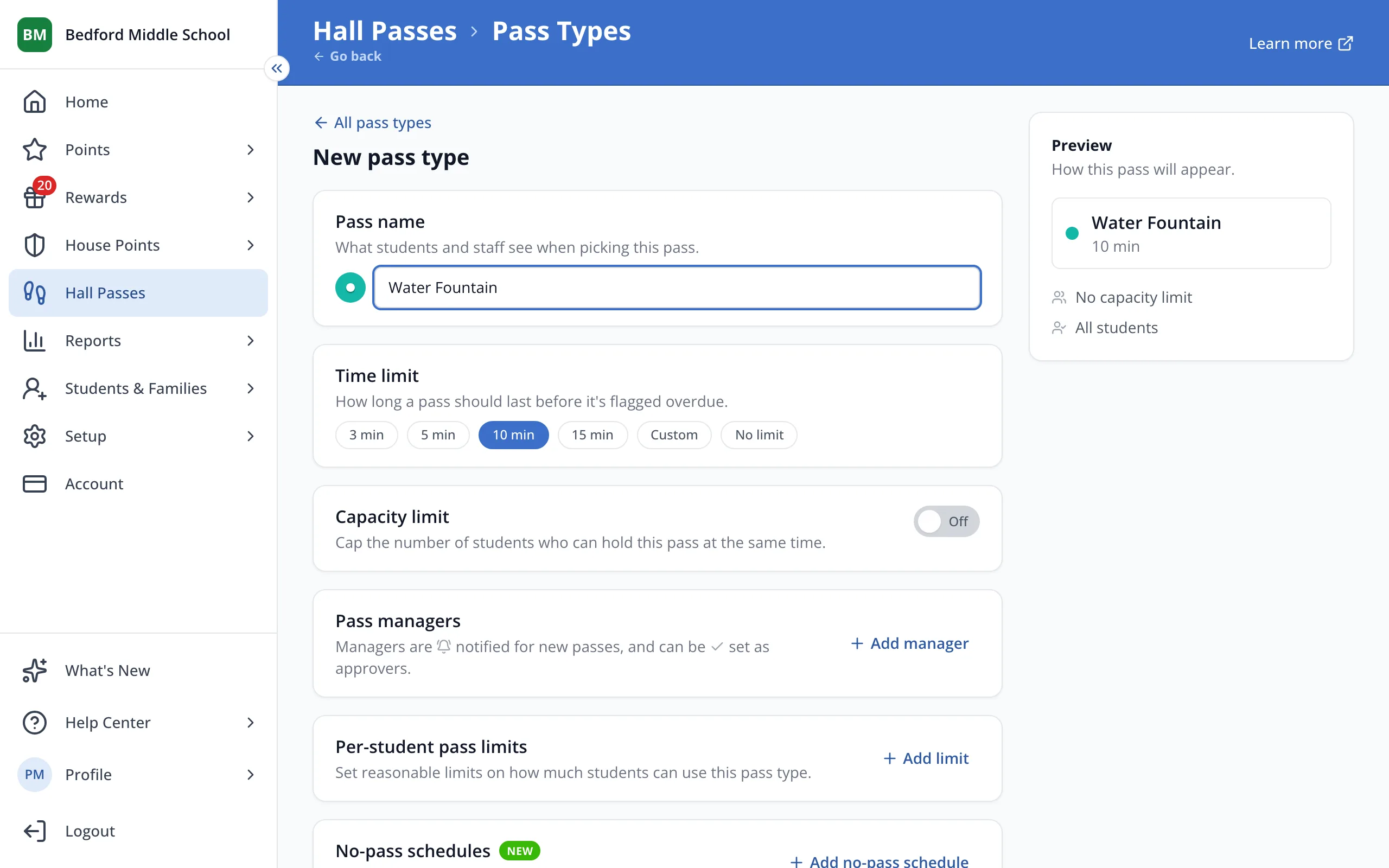
AdminSite Leader
Use the Left and Right arrow keys to move between steps, and Space to play or pause.
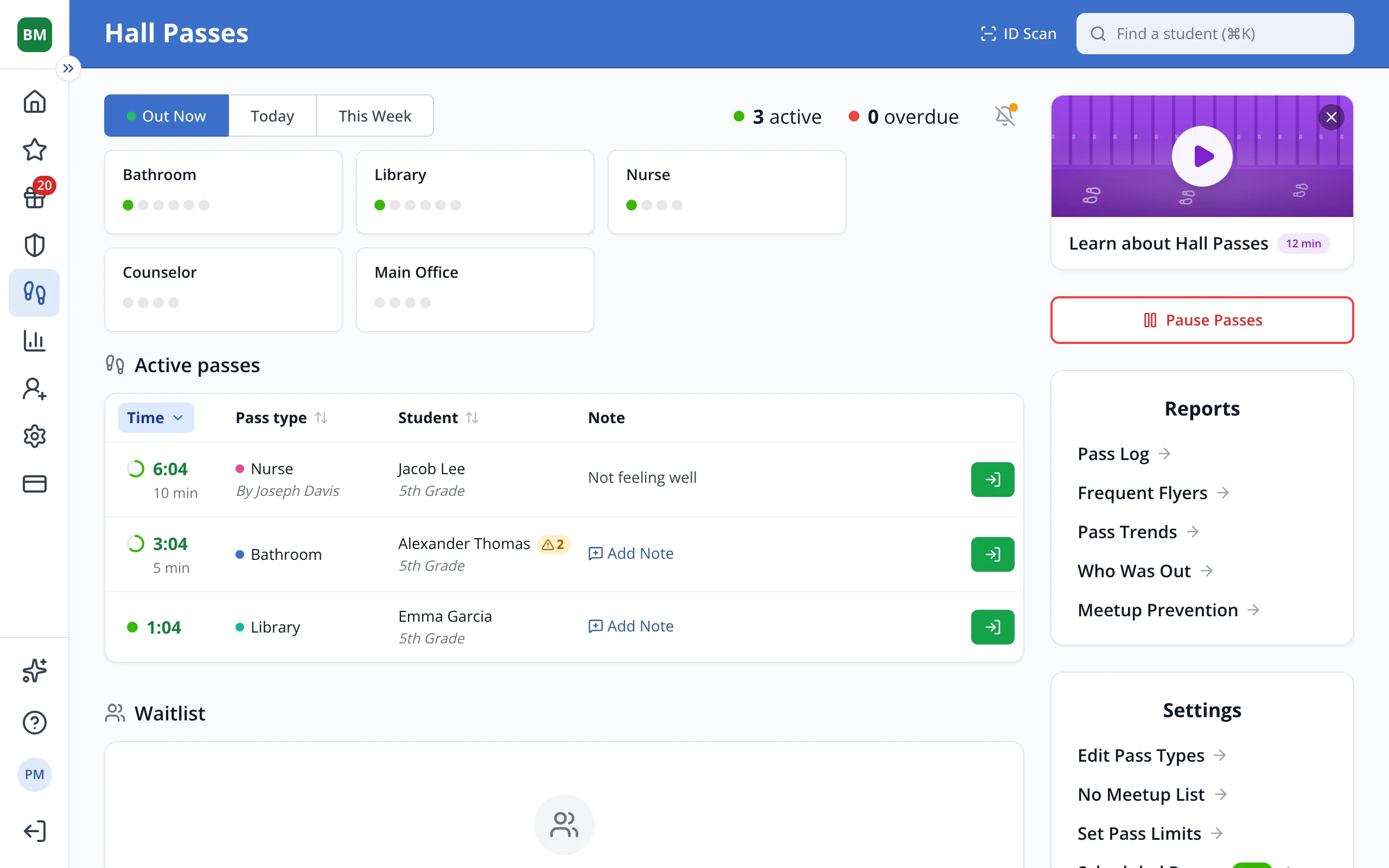
1.On the Hall Passes page, under Settings, click Edit Pass Types.
Did you know? On a smaller screen, click More to find these links.
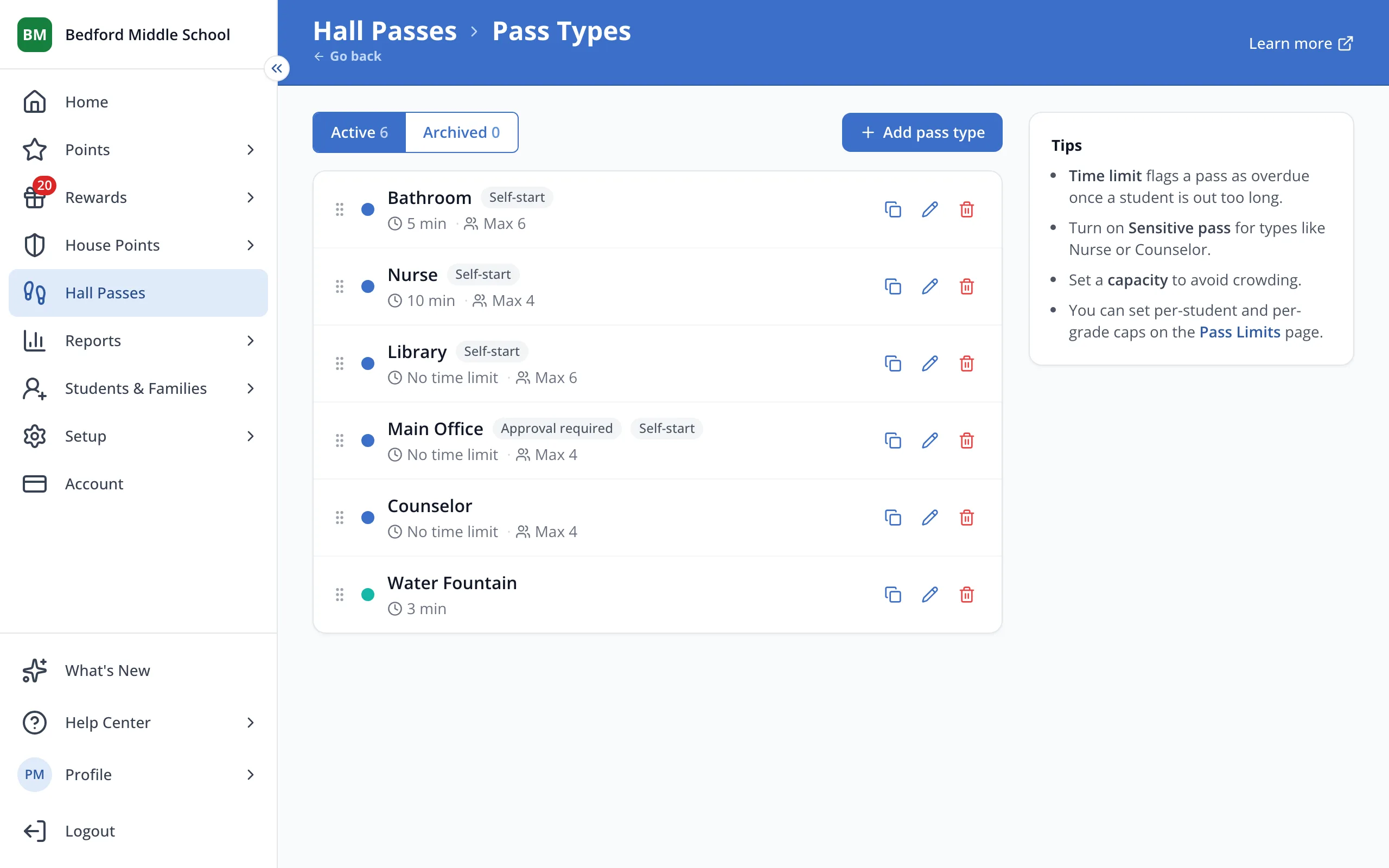
2.Click Add pass type.
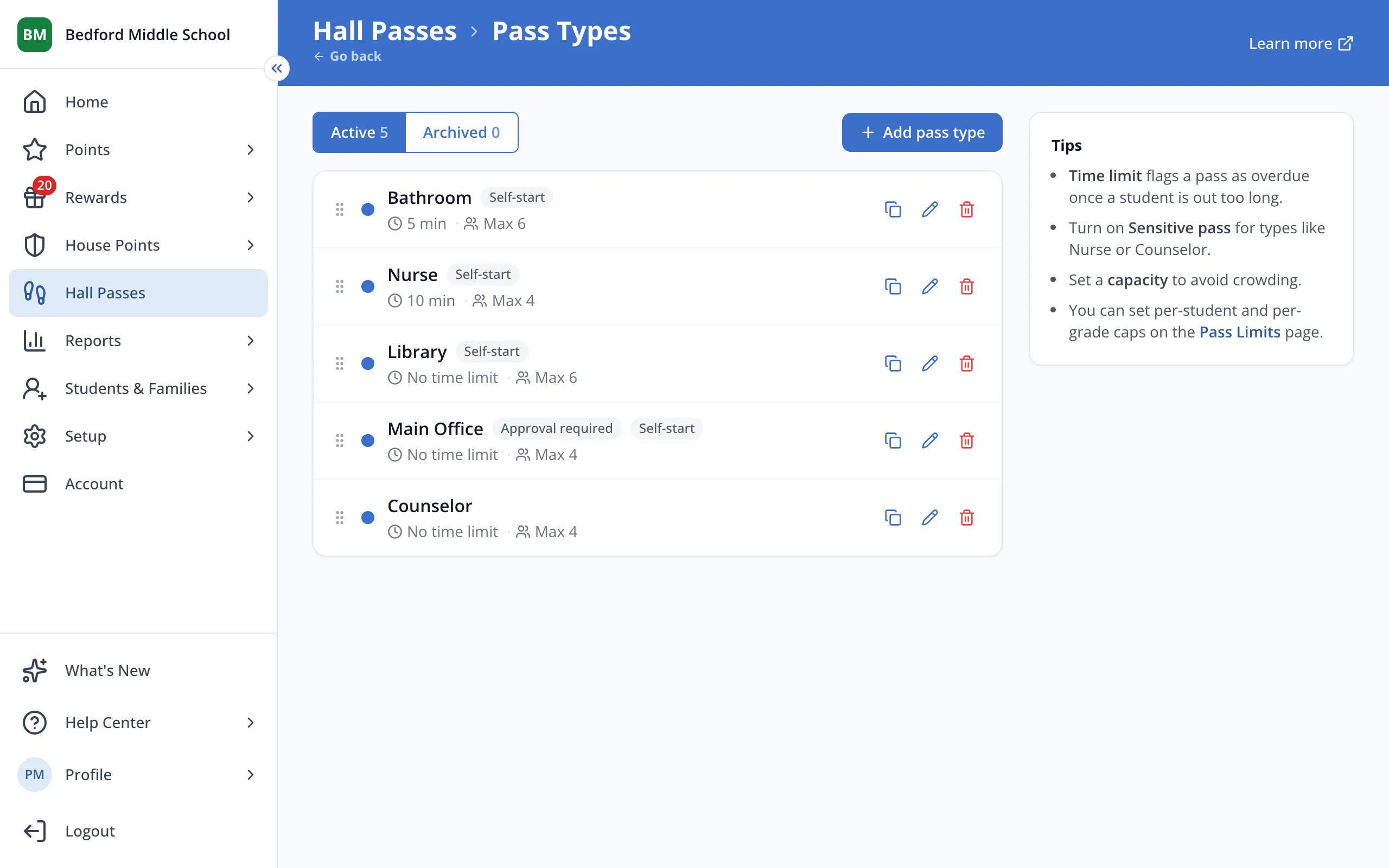
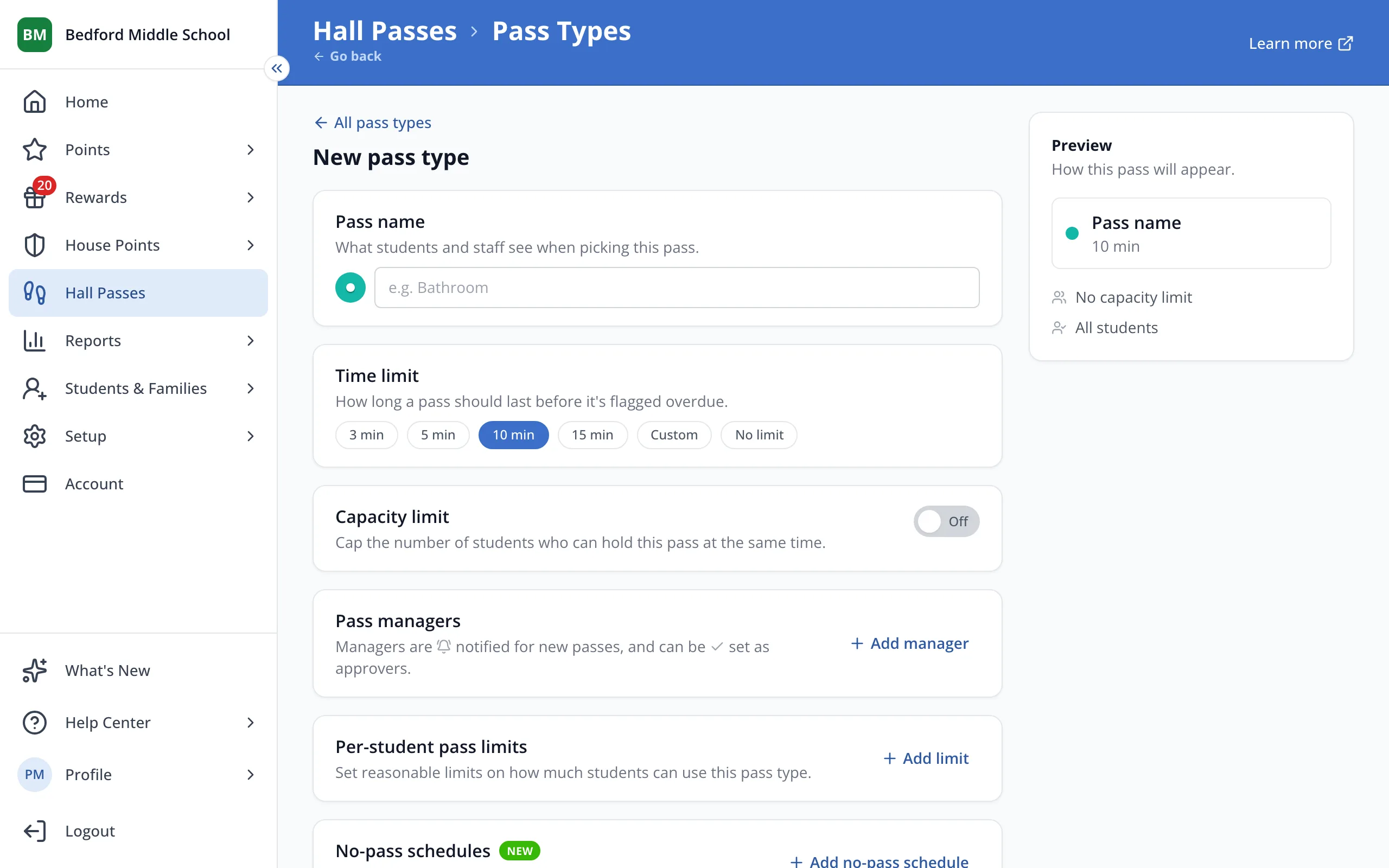
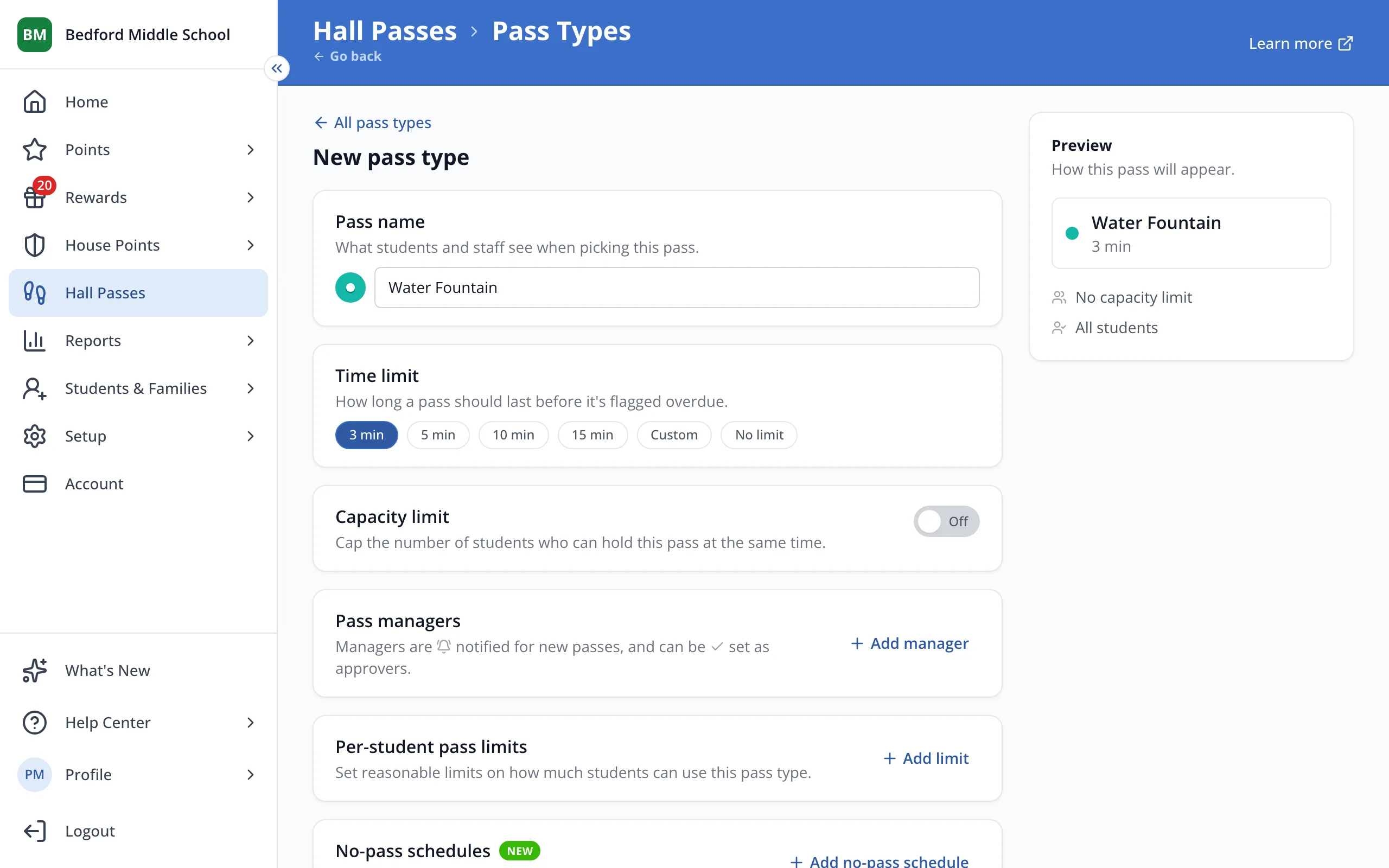
3.Type a name for the pass.
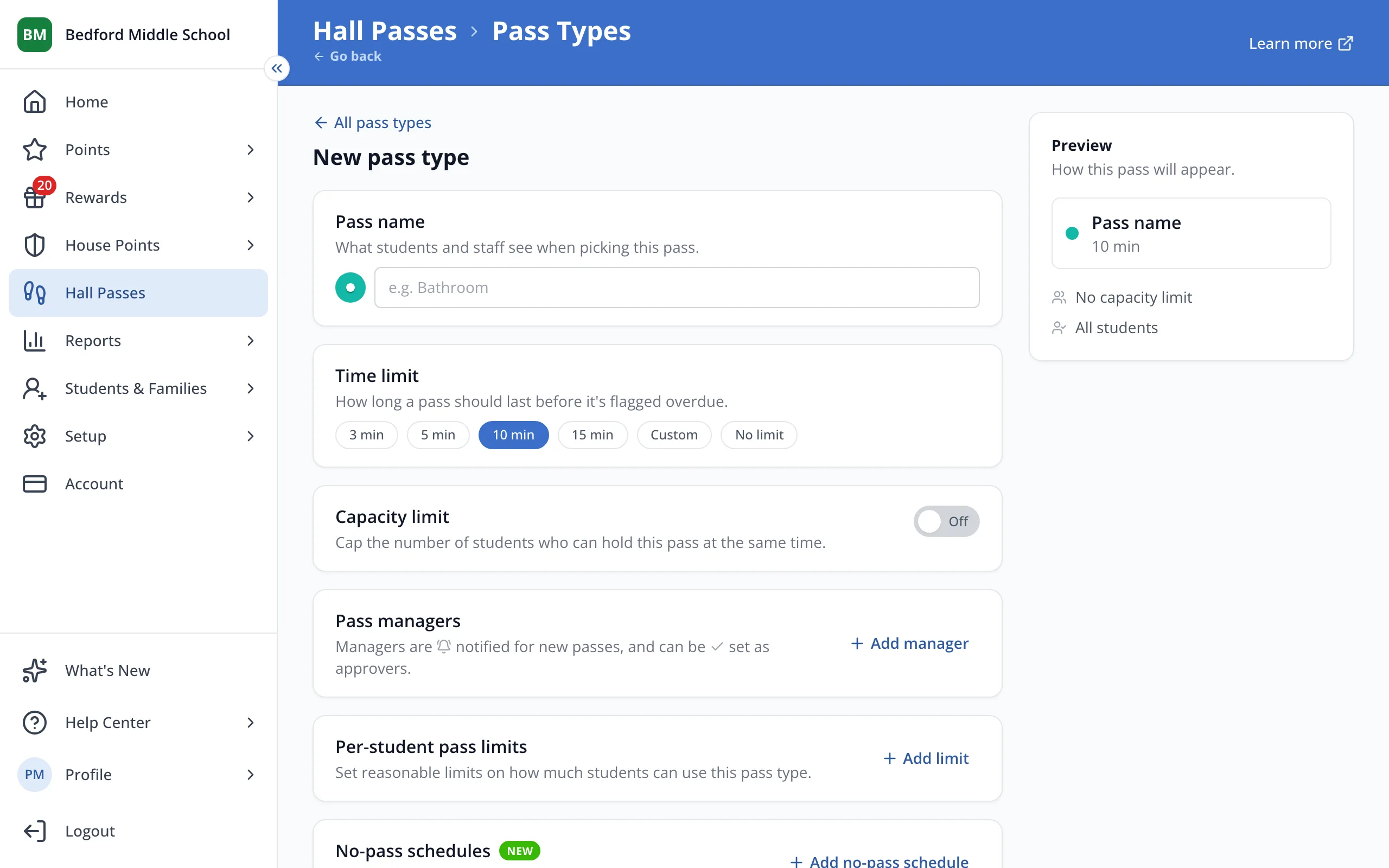
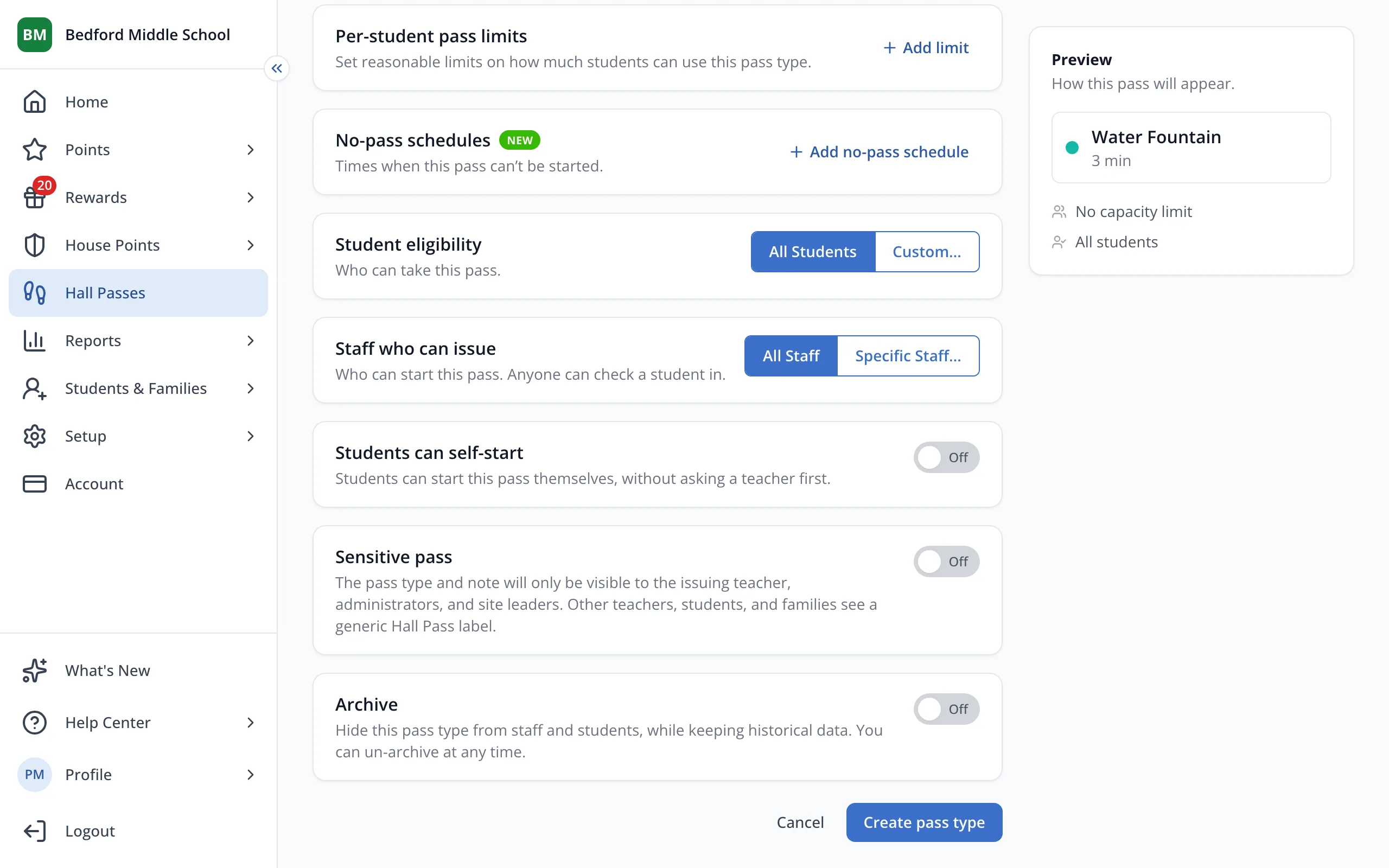
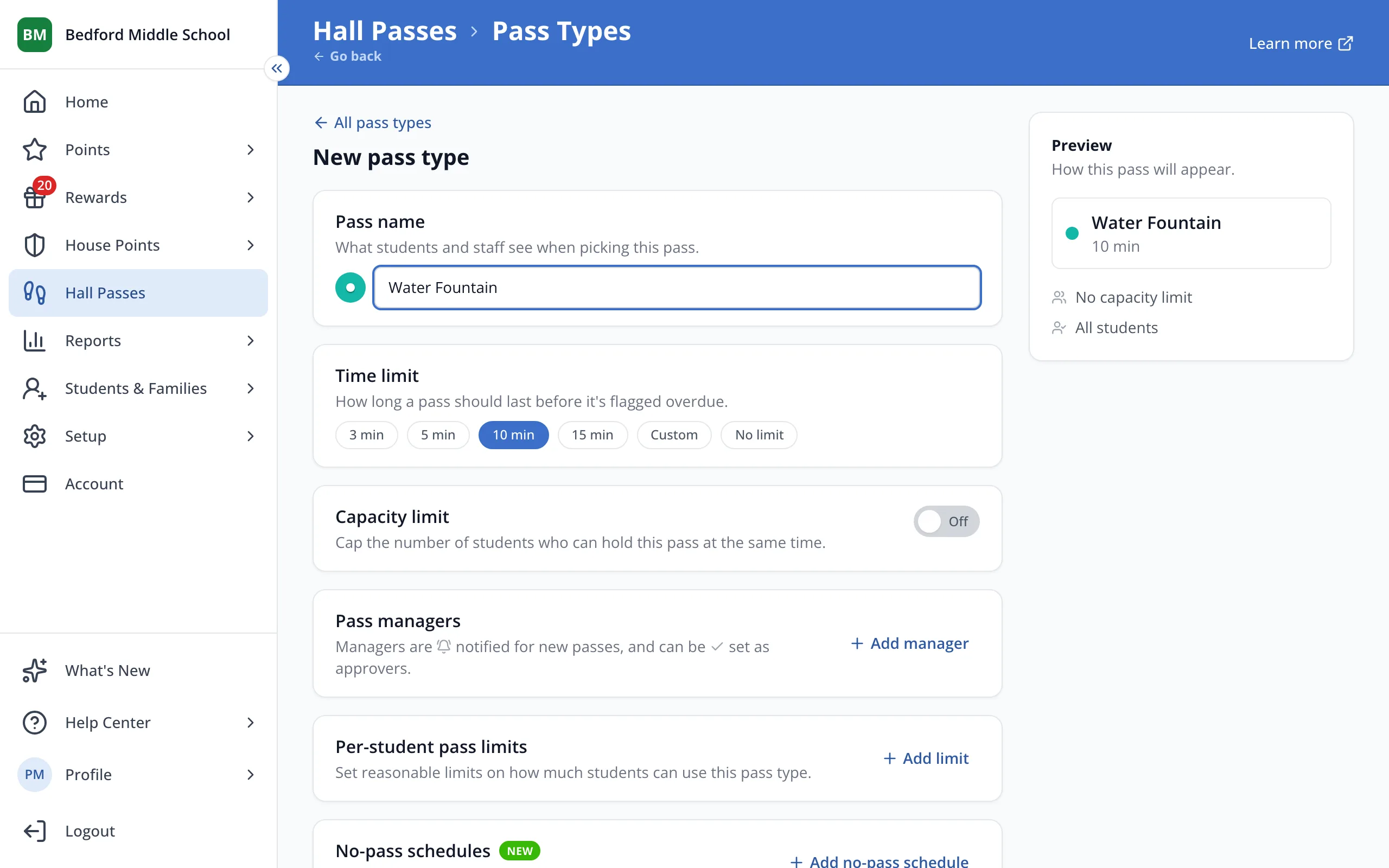
4.Under Time limit, click how long the pass should last.
Did you know? Turn on Students can self-start further down to let students start this pass themselves.
5.Click Create pass type.