
Choose whether students and families see passes
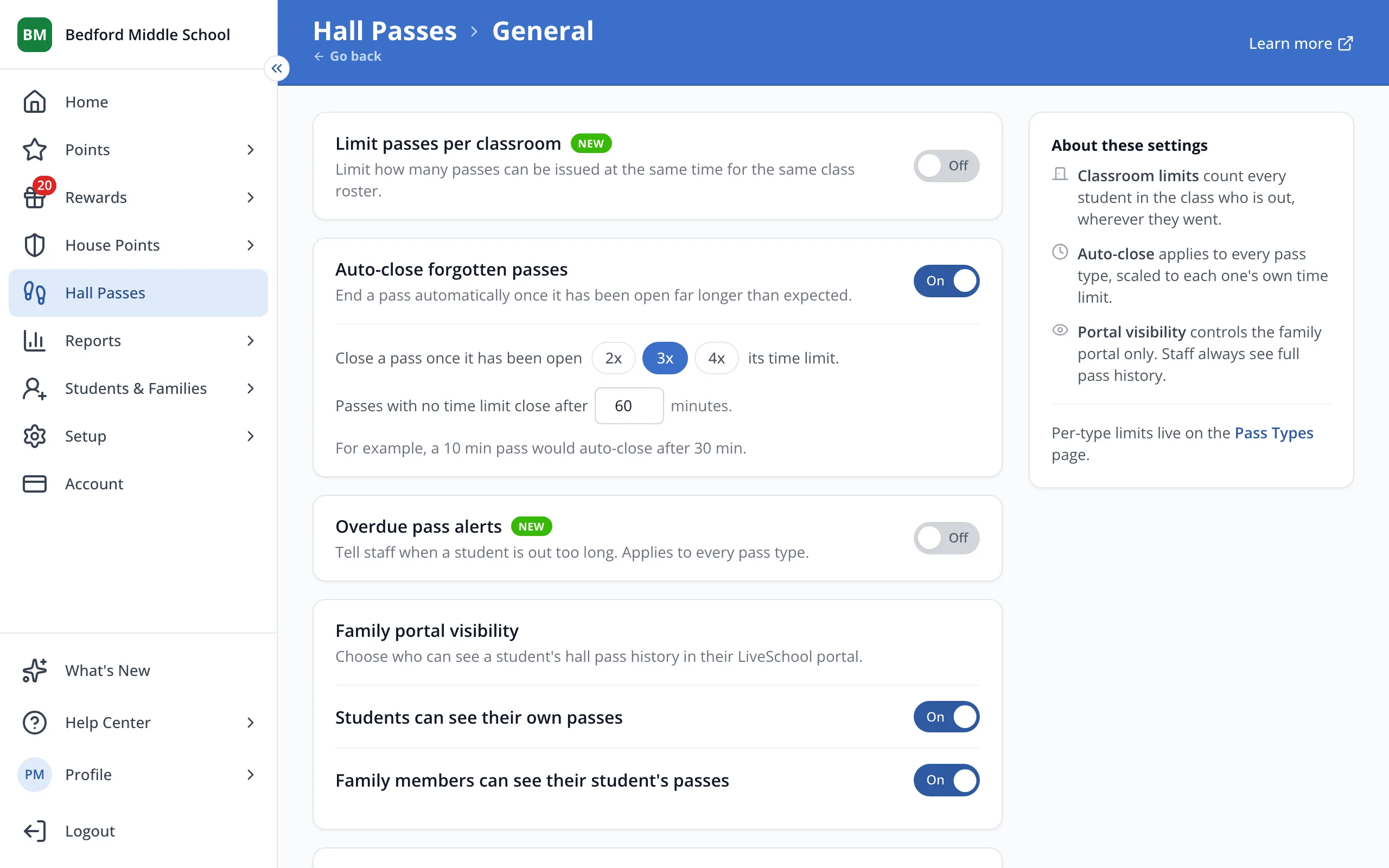
This only changes the student and family portal. Staff always see a student's full pass history.
AdminSite Leader
Use the Left and Right arrow keys to move between steps, and Space to play or pause.
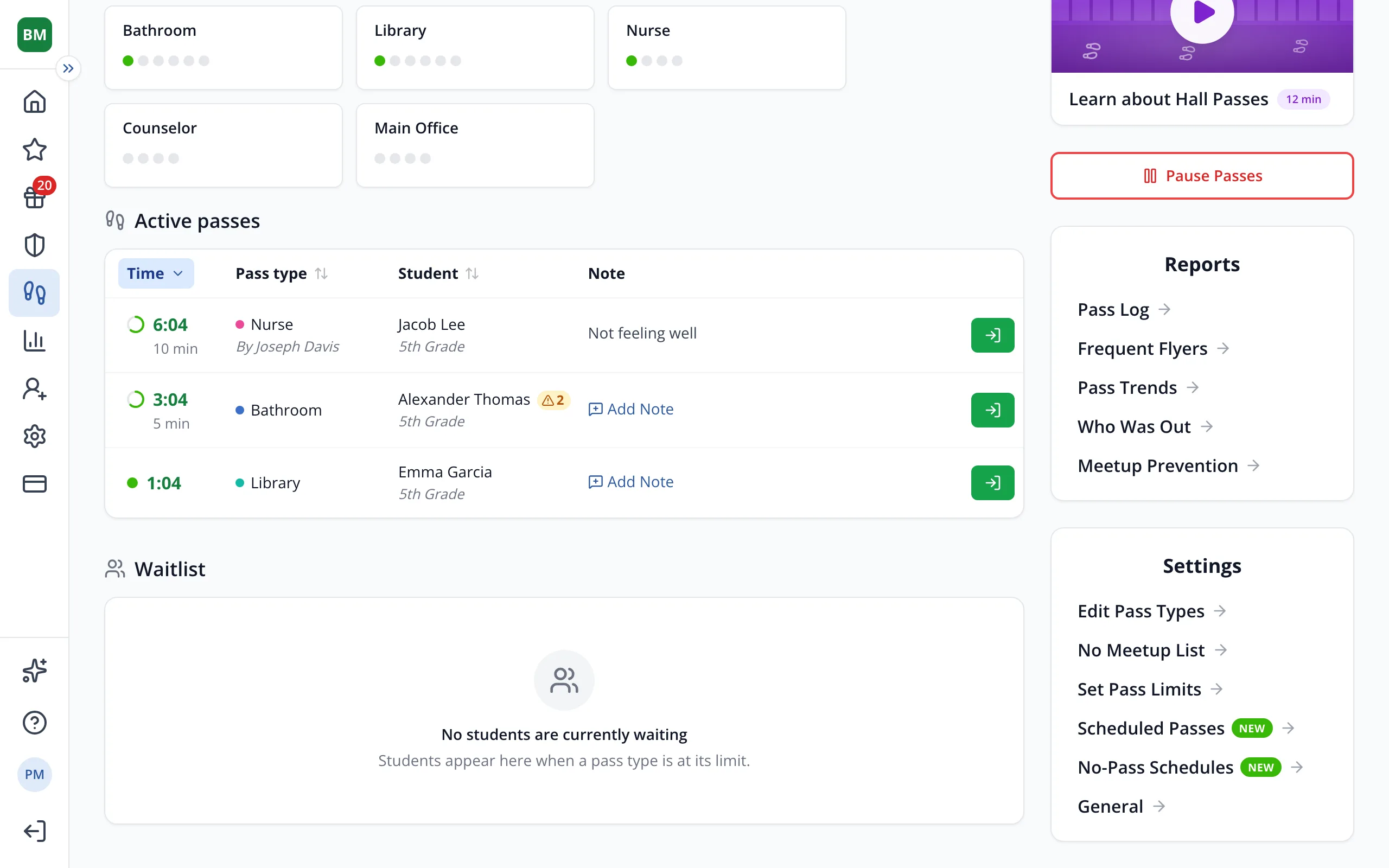
1.On the Hall Passes page, under Settings, click General.
Did you know? On a smaller screen, click More to find these links.
2.Under Family portal visibility, turn Family members can see their student's passes on or off.
Did you know? Turn on Sensitive pass for a pass type to show it to families as a plain Hall Pass instead.