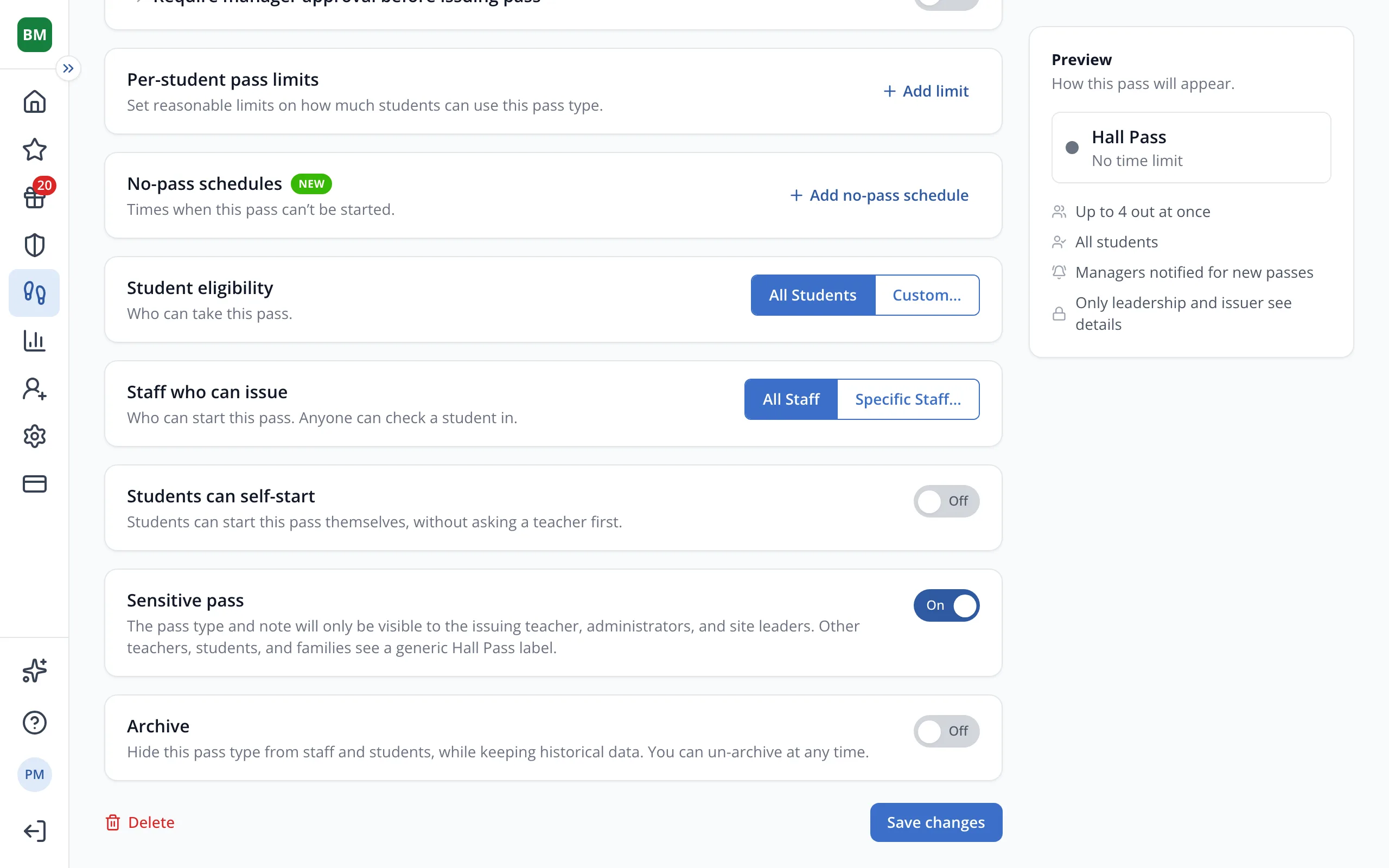
Make a pass type sensitive
Only the teacher who issued it, administrators and site leaders see a sensitive pass's type and note. Everyone else sees "Hall Pass".
AdminSite Leader
Use the Left and Right arrow keys to move between steps, and Space to play or pause.
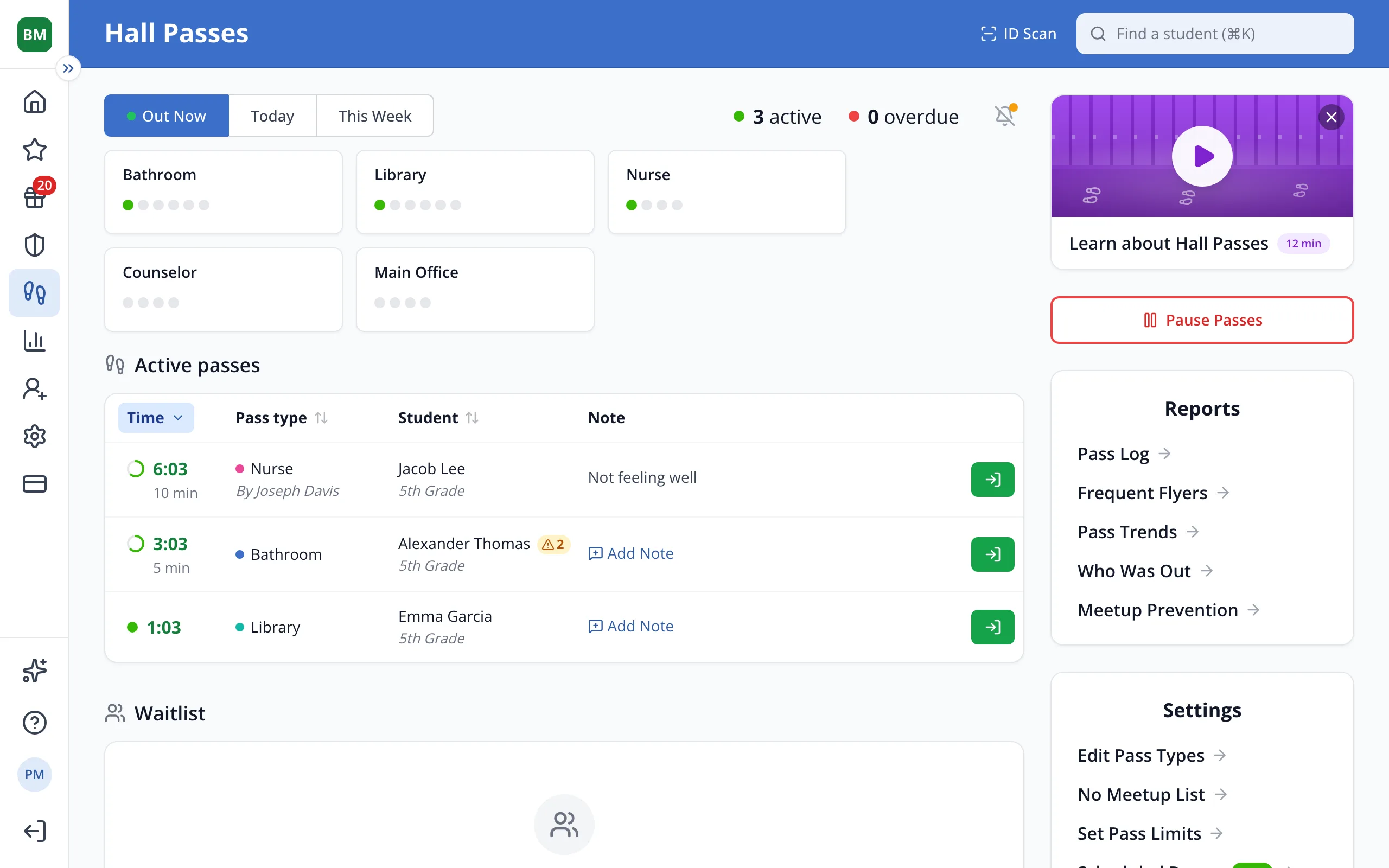
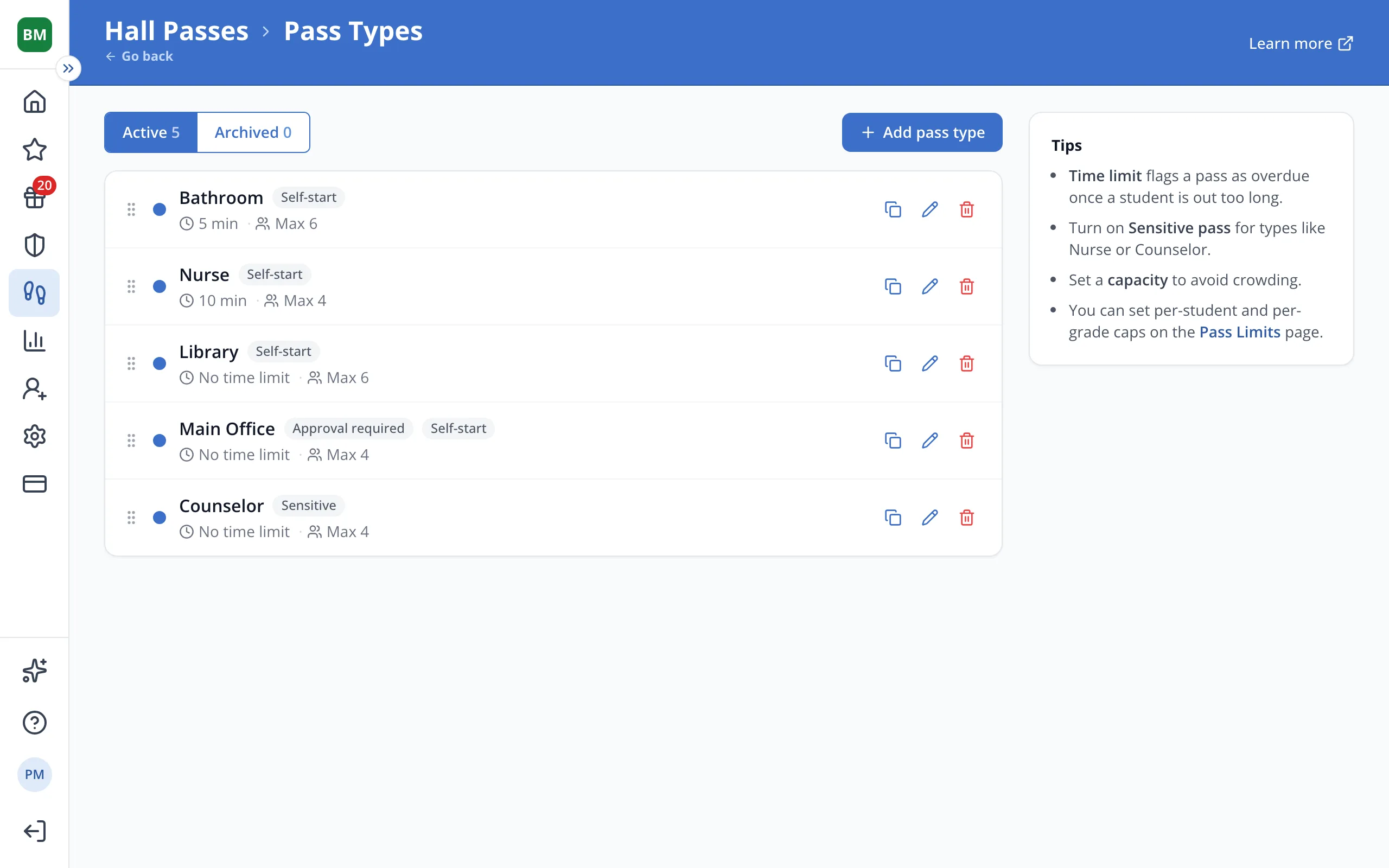
1.On the Hall Passes page, under Settings, click Edit Pass Types.
Did you know? On a smaller screen, click More to find these links.
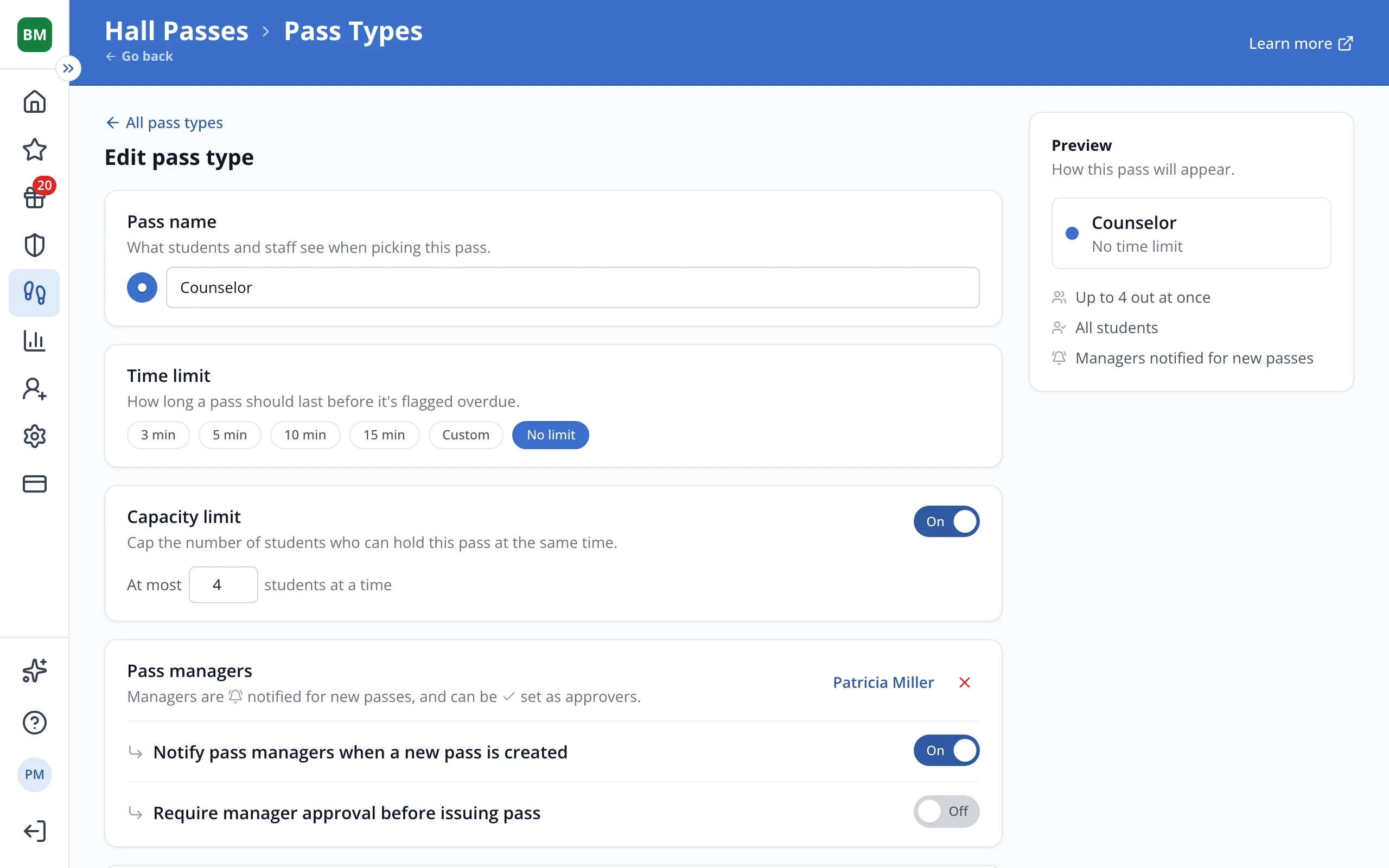
2.Click the pencil next to the pass type you'd like to change.
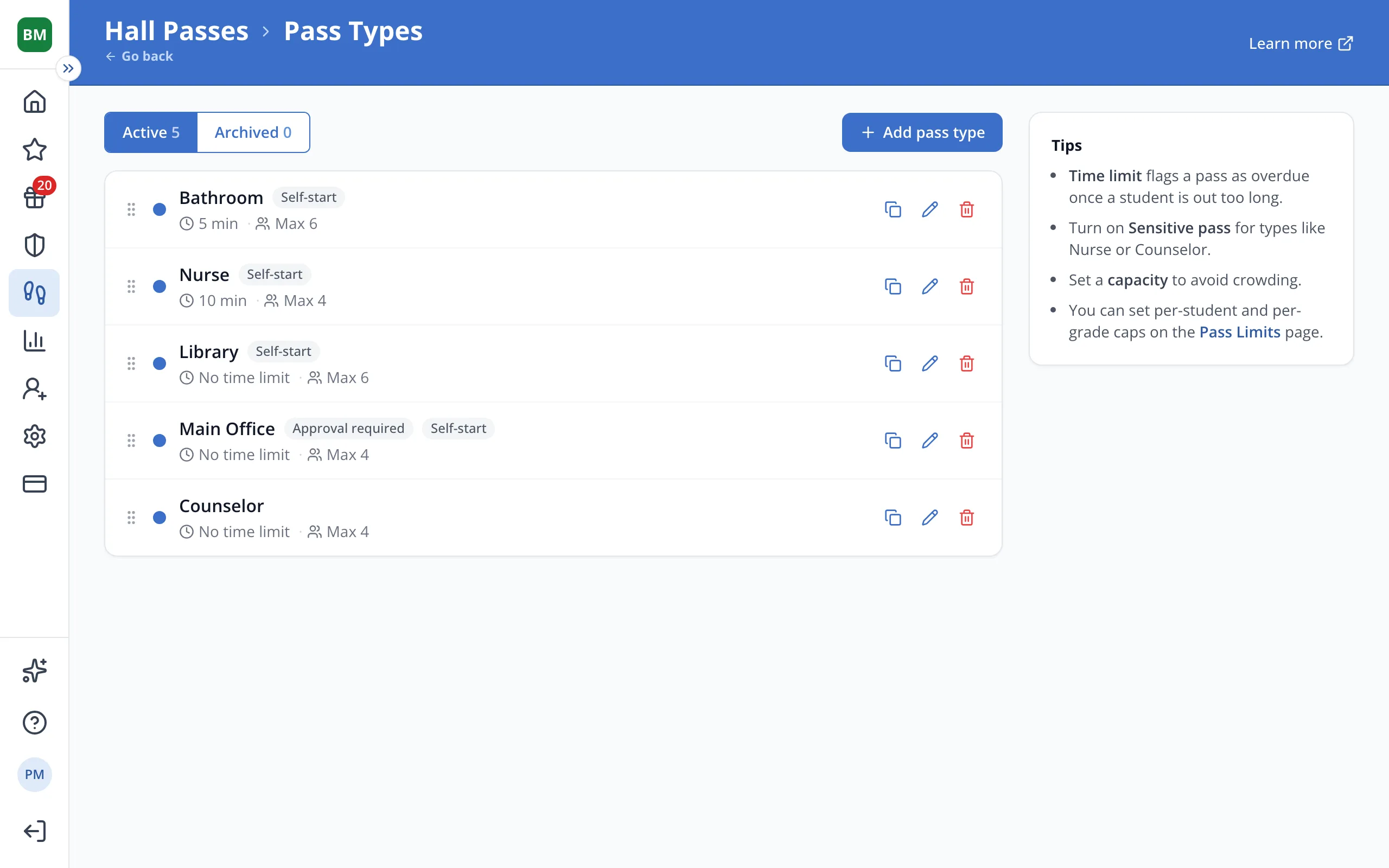
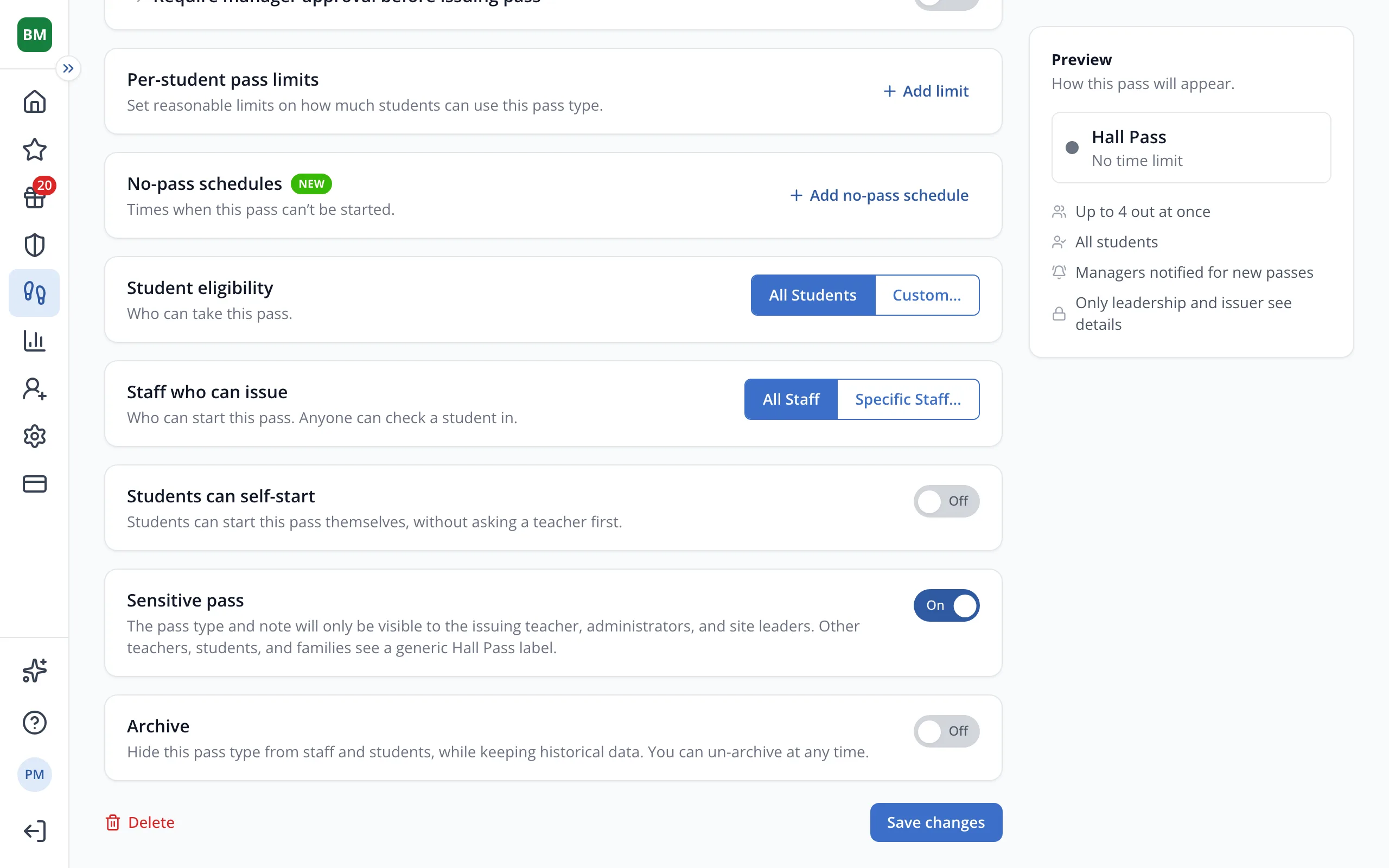
3.Turn on Sensitive pass.
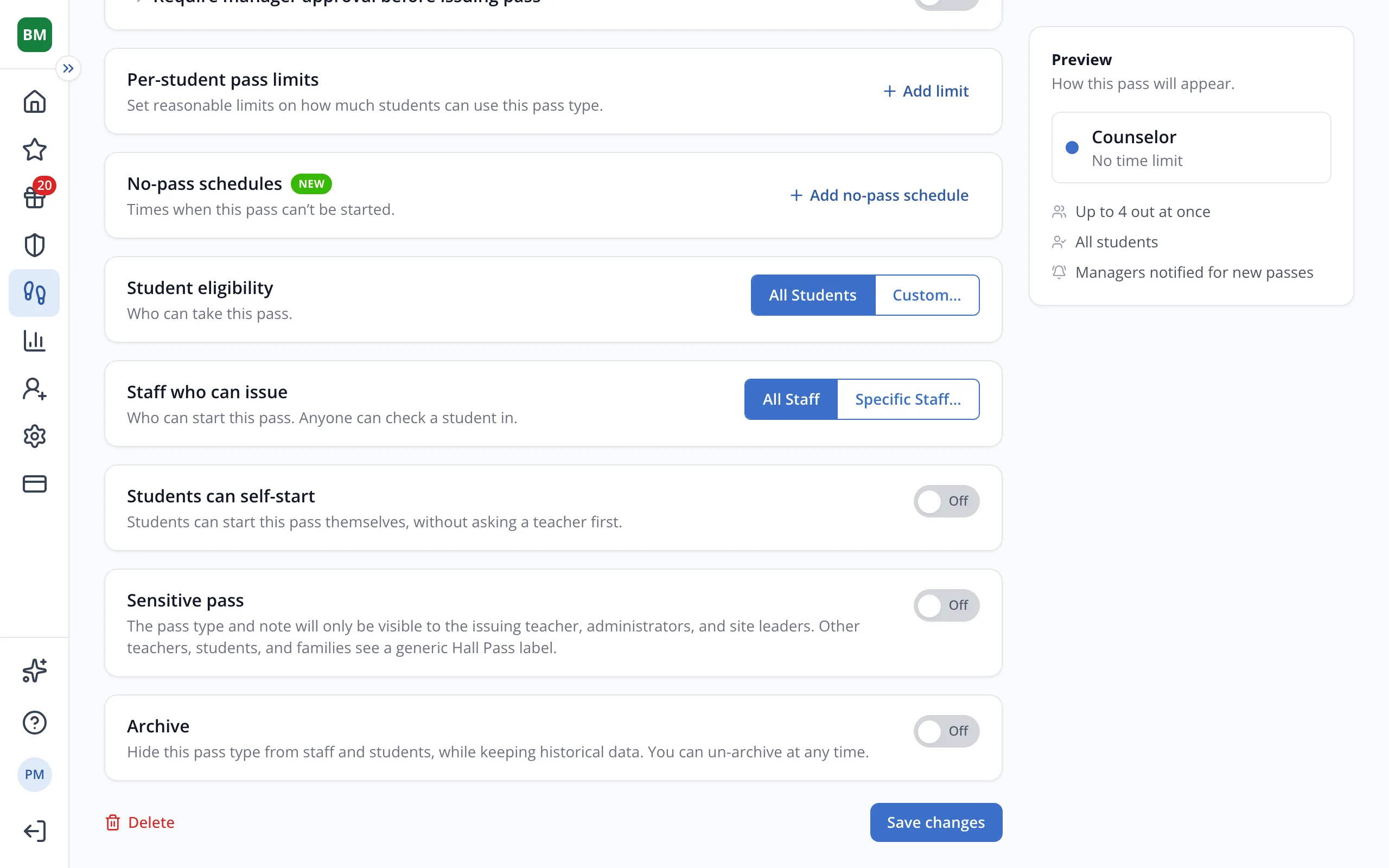
4.Click Save changes.