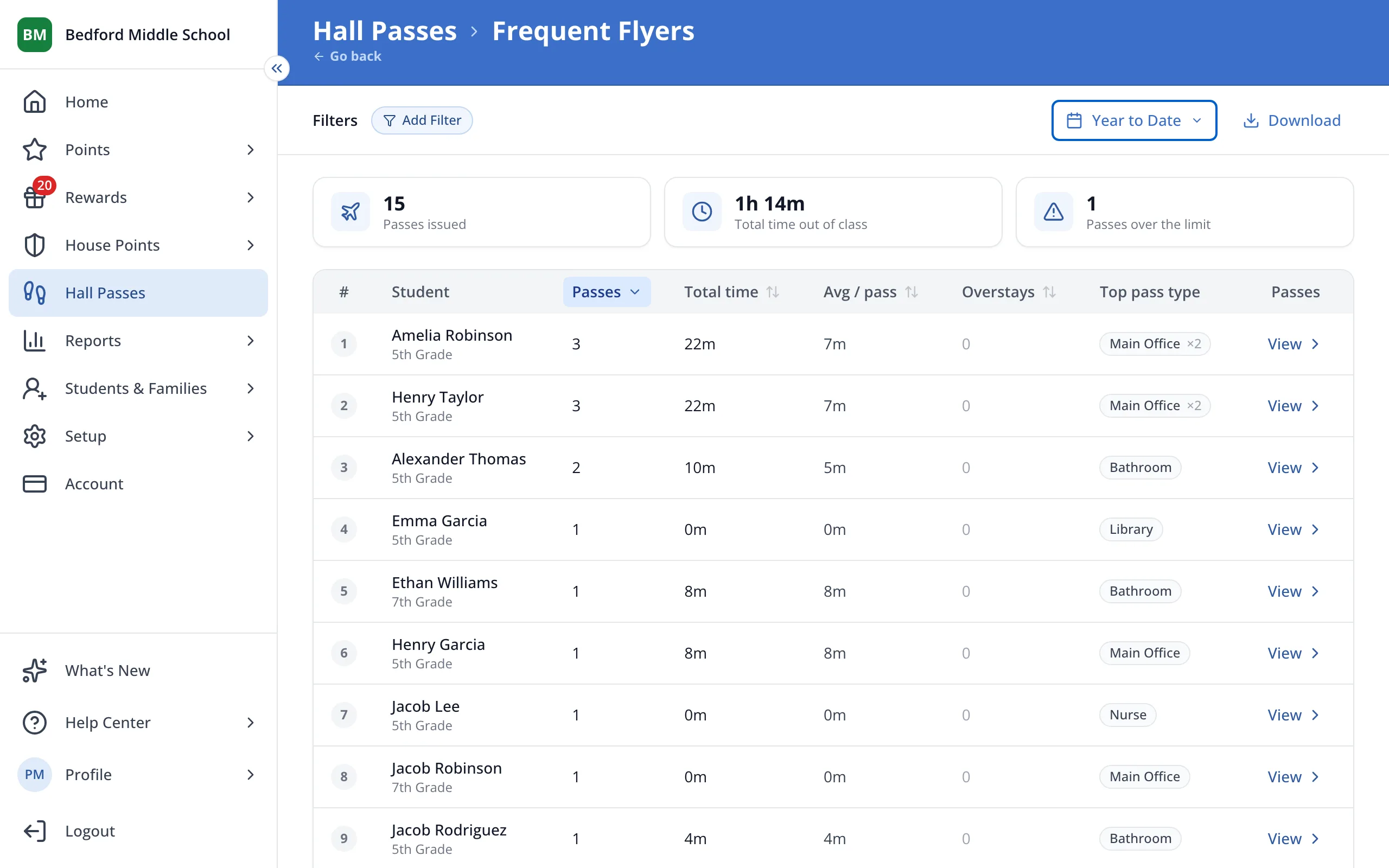
Find students who take the most passes
Students are ranked by how many passes they took, so you can spot who's out of class most.
Use the Left and Right arrow keys to move between steps, and Space to play or pause.
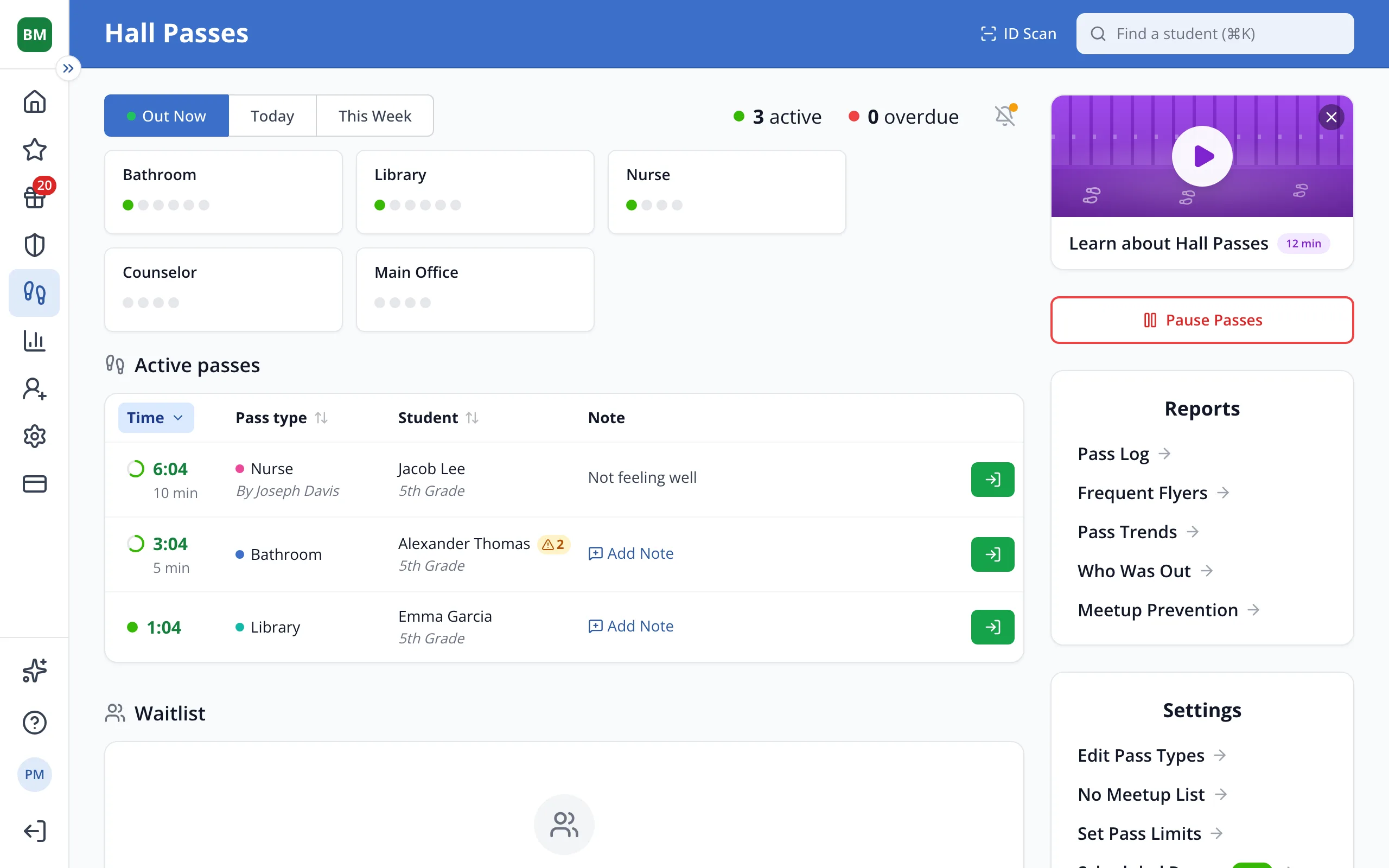
1.On the Hall Passes page, under Reports, click Frequent Flyers.
Did you know? On a smaller screen, click More to find these links.
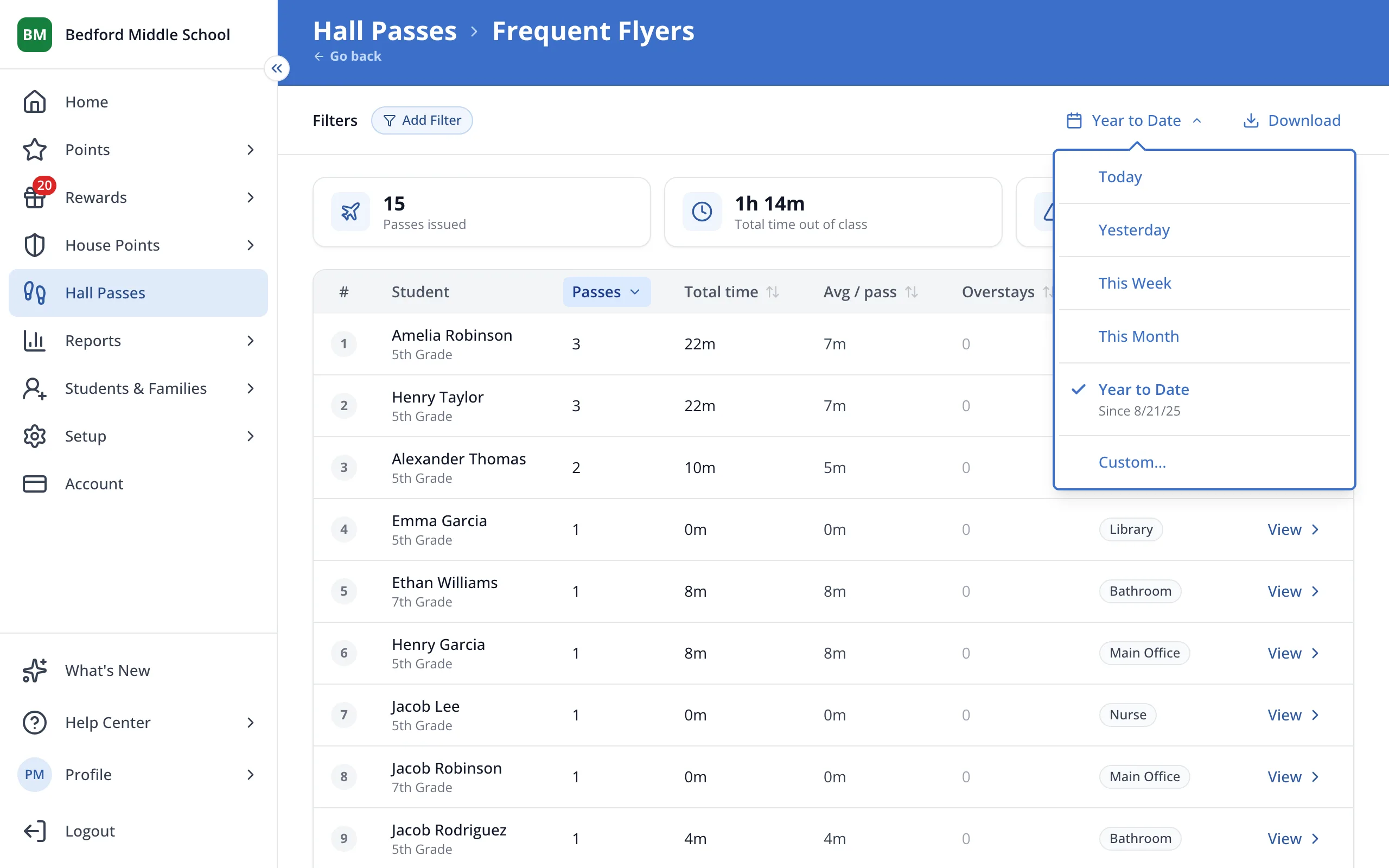
2.Click the date range to change the time it covers.
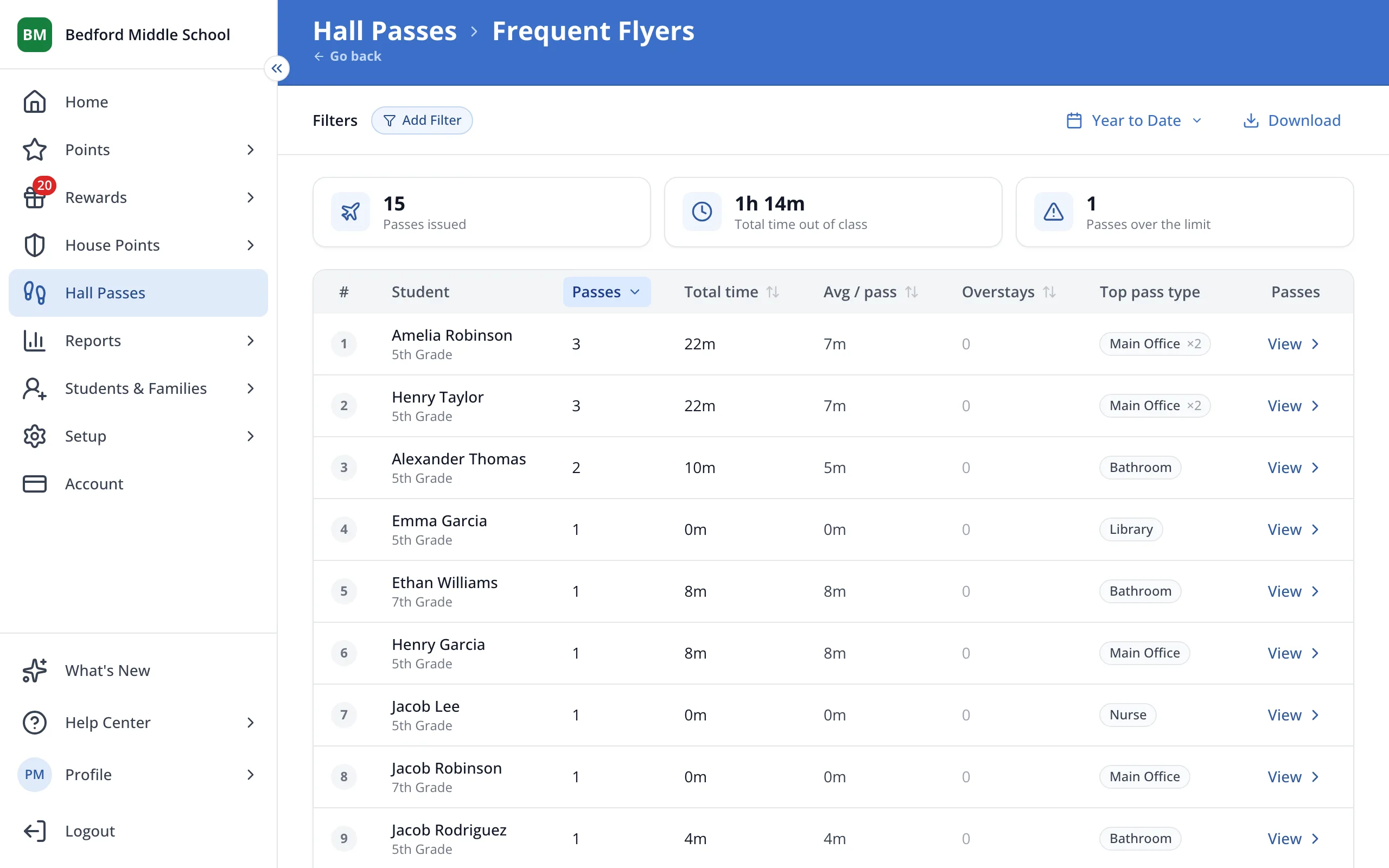
3.Click View next to a student to see their passes.