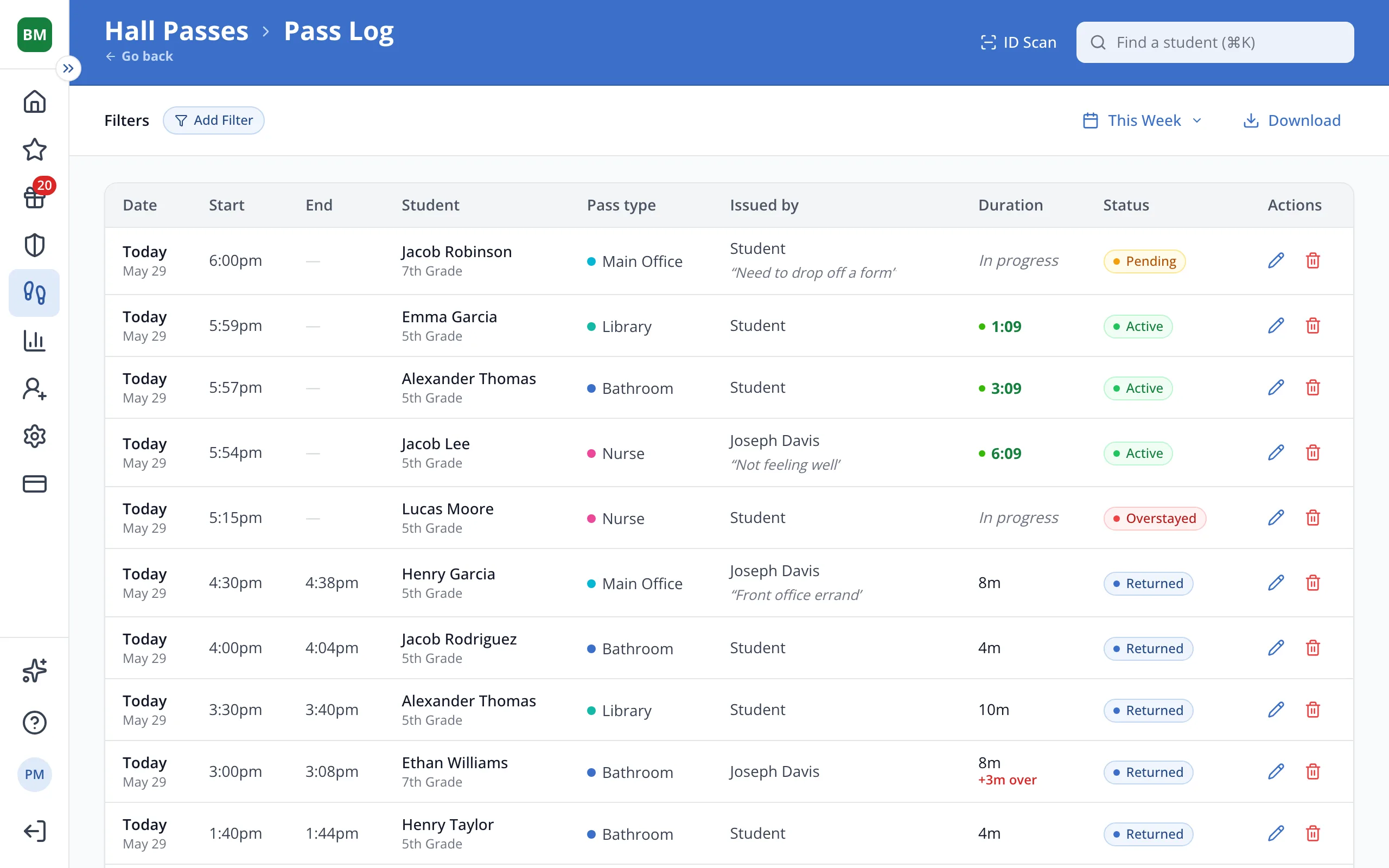
Search every pass in the pass log
Every pass at your school in one list. Filter it, then download it for a meeting or a parent call.
Use the Left and Right arrow keys to move between steps, and Space to play or pause.
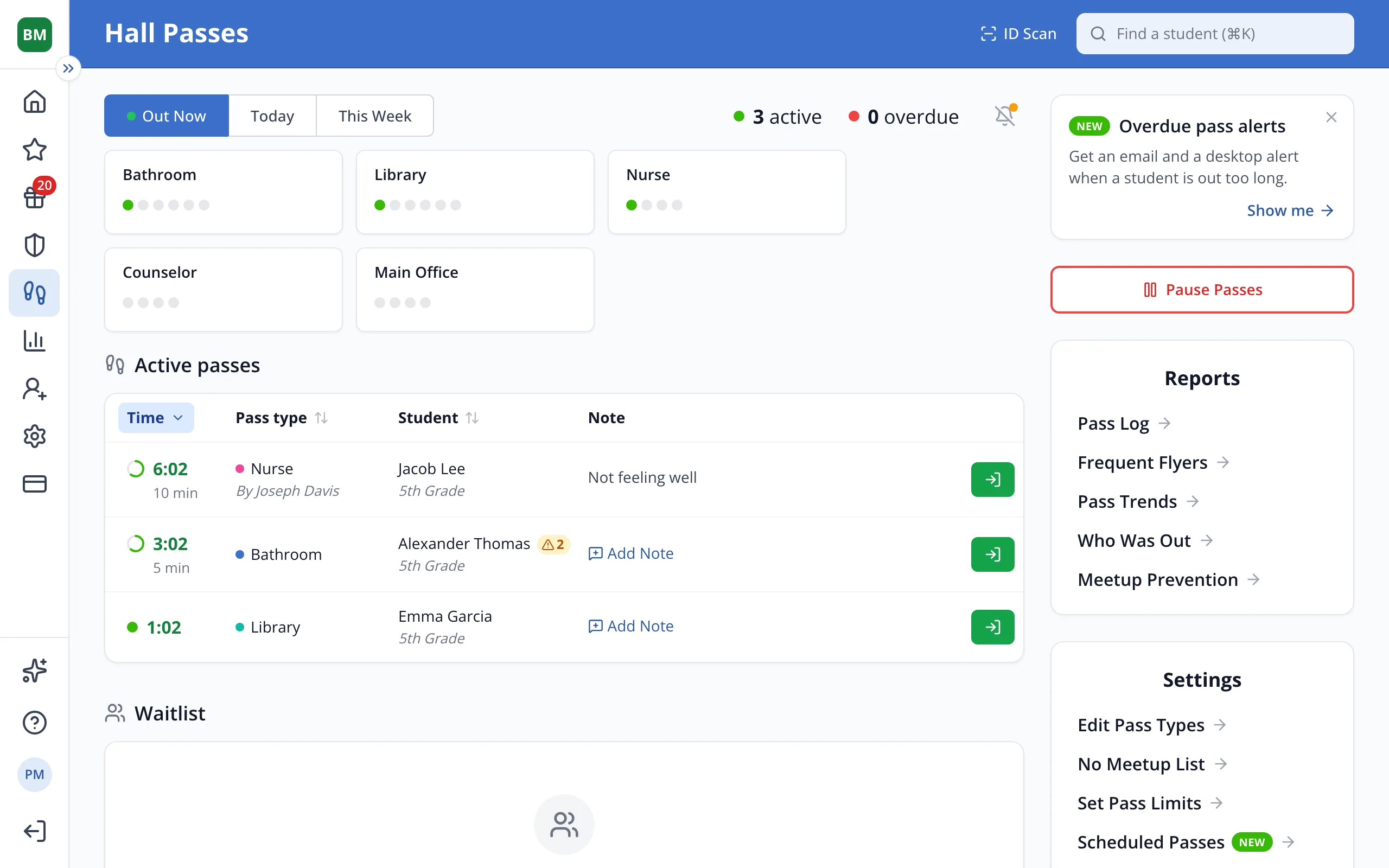
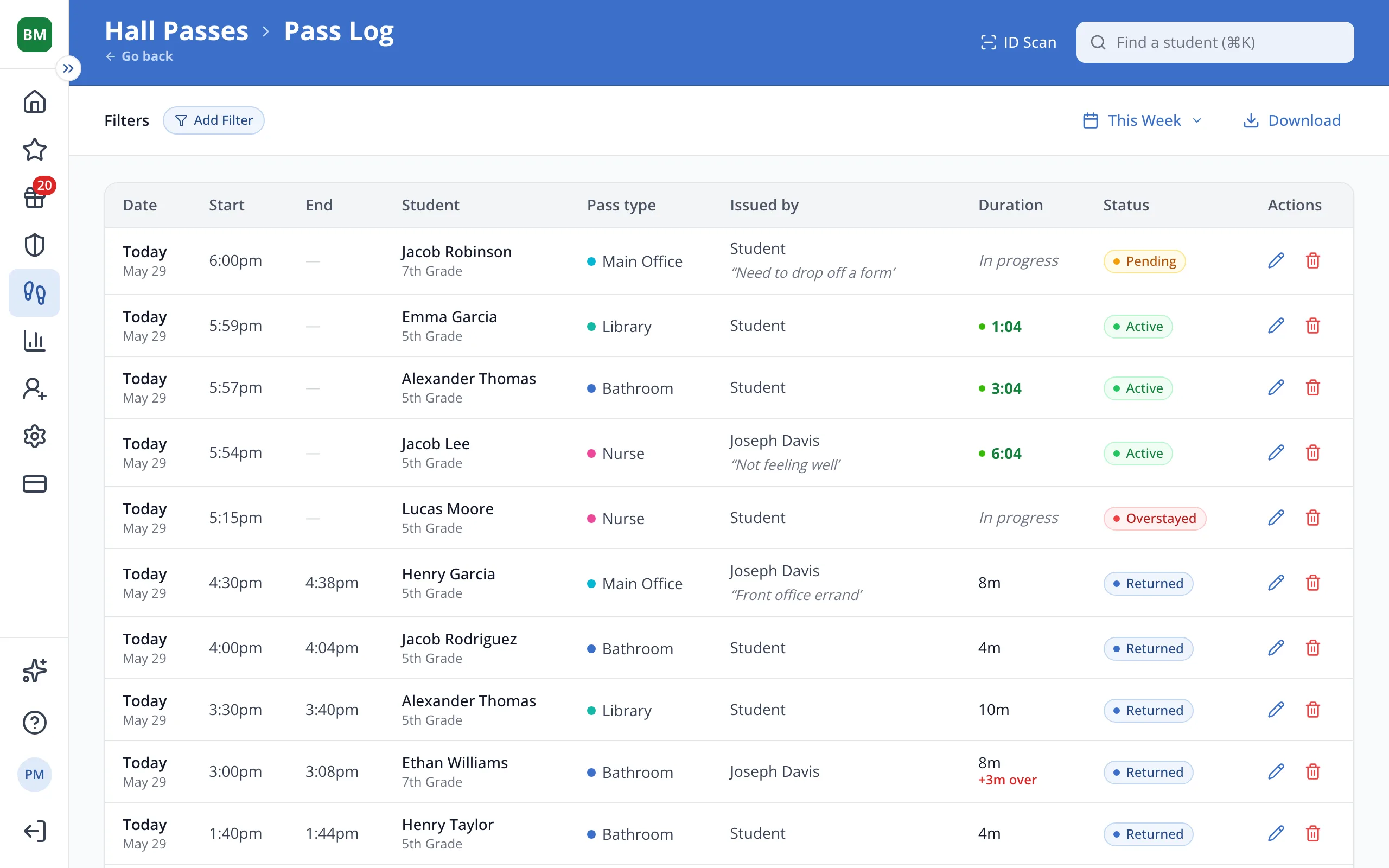
1.On the Hall Passes page, under Reports, click Pass Log.
Did you know? On a smaller screen, click More to find these links.
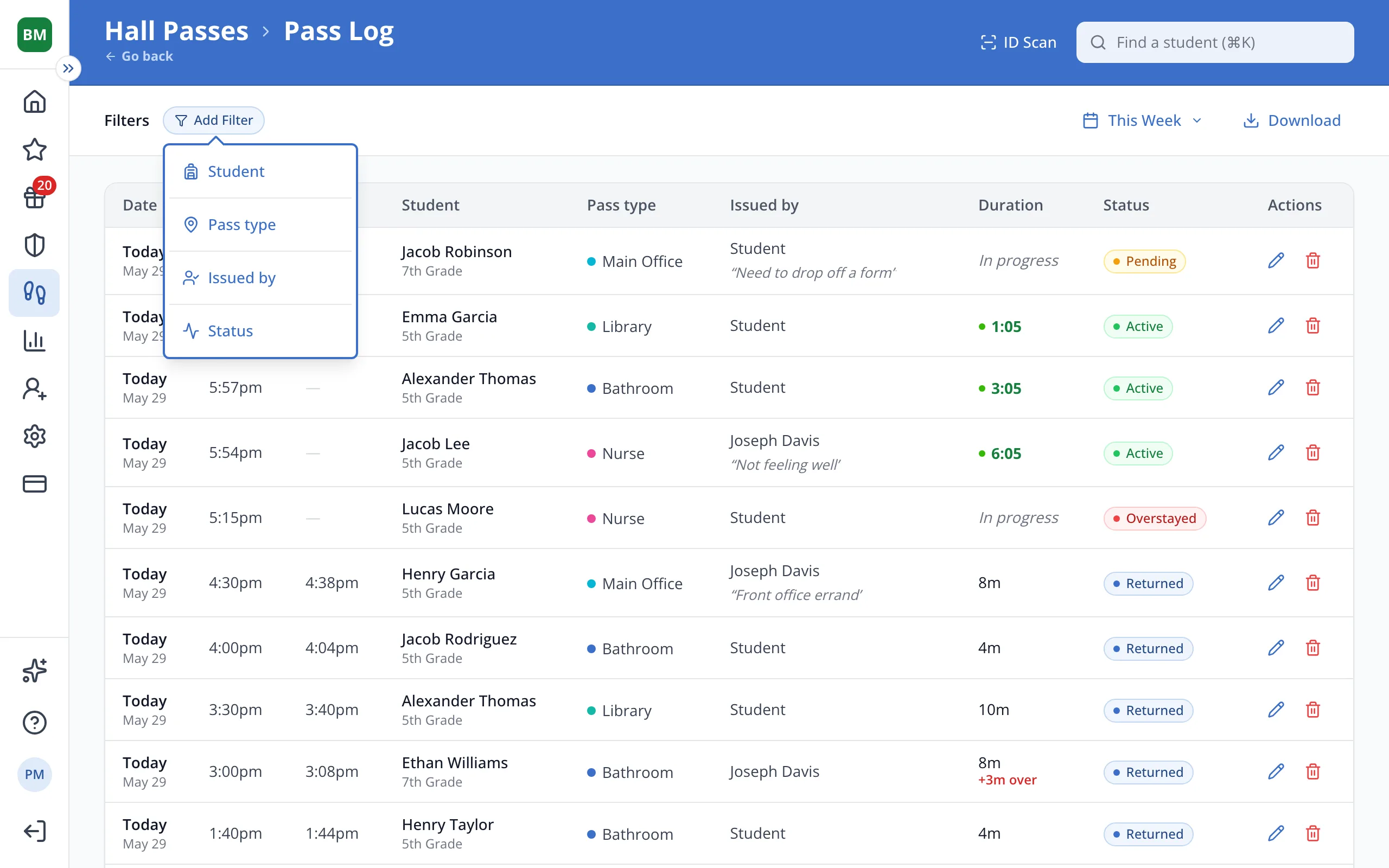
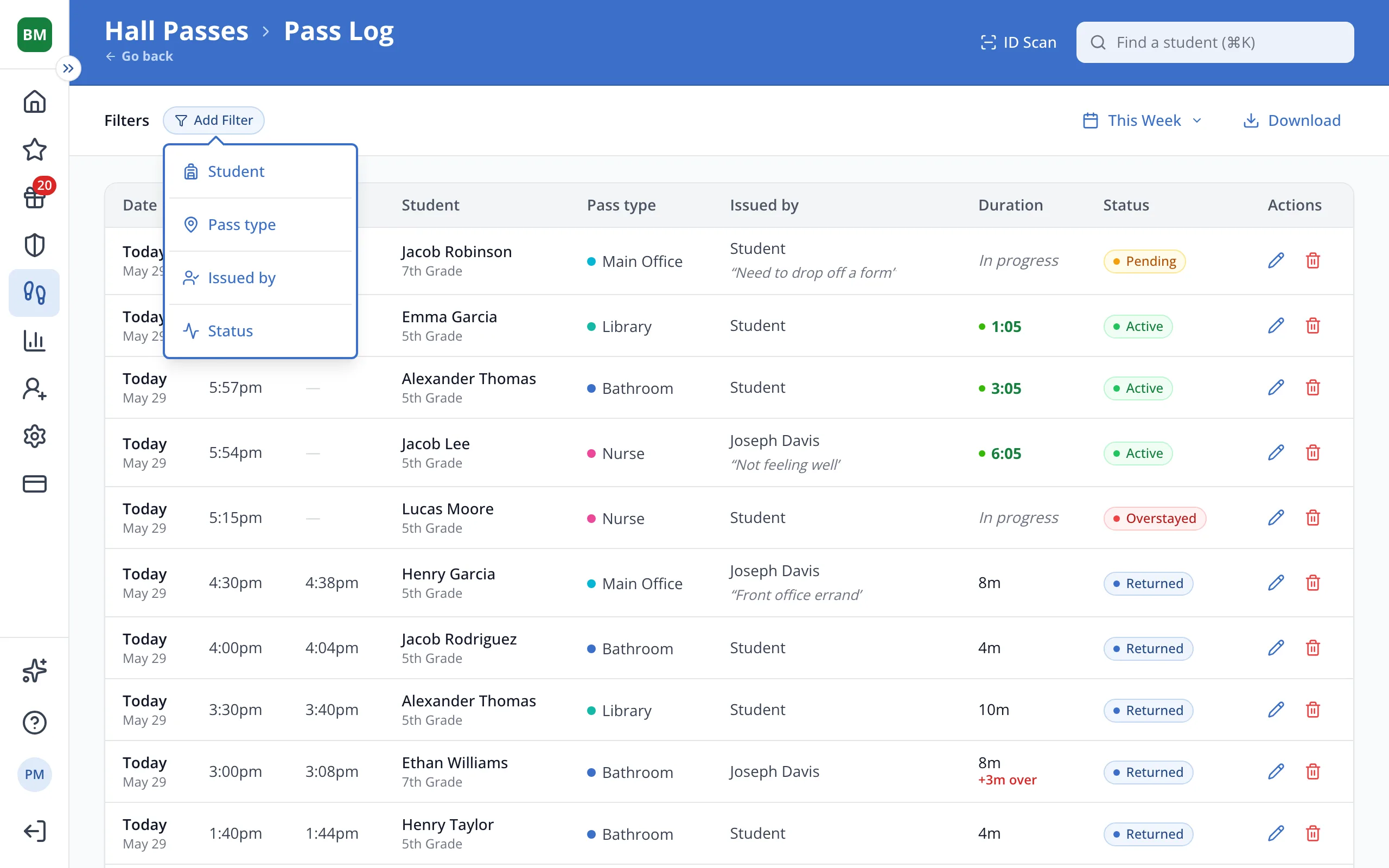
2.Click Add Filter to narrow the list by student, pass type, who issued it or status.
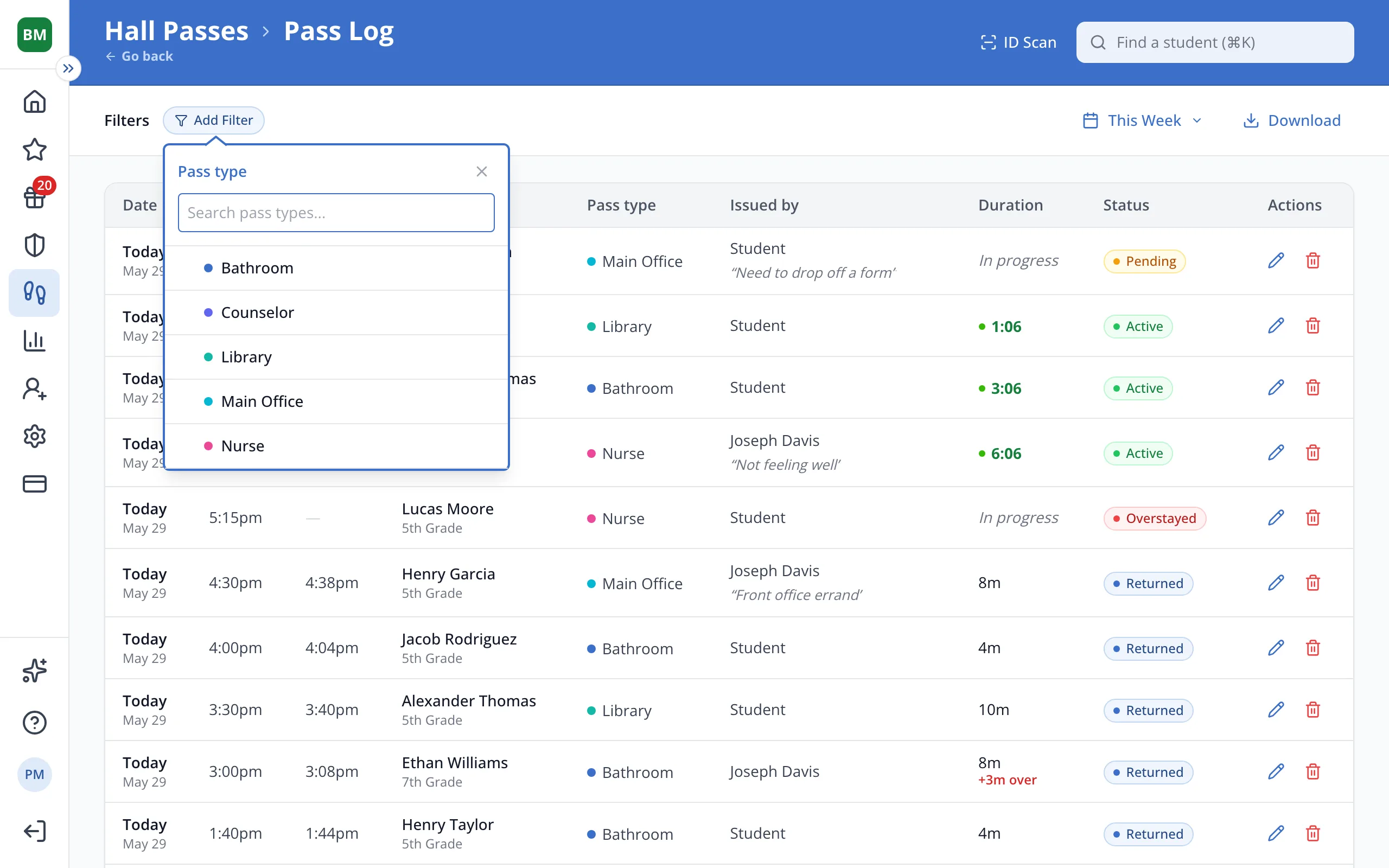
3.Click the kind of filter you'd like to add.
4.Click Download to save the list as a spreadsheet.