Give a hall pass to a student who isn't in your class

Give a pass to any student in your school, even without a class roster.
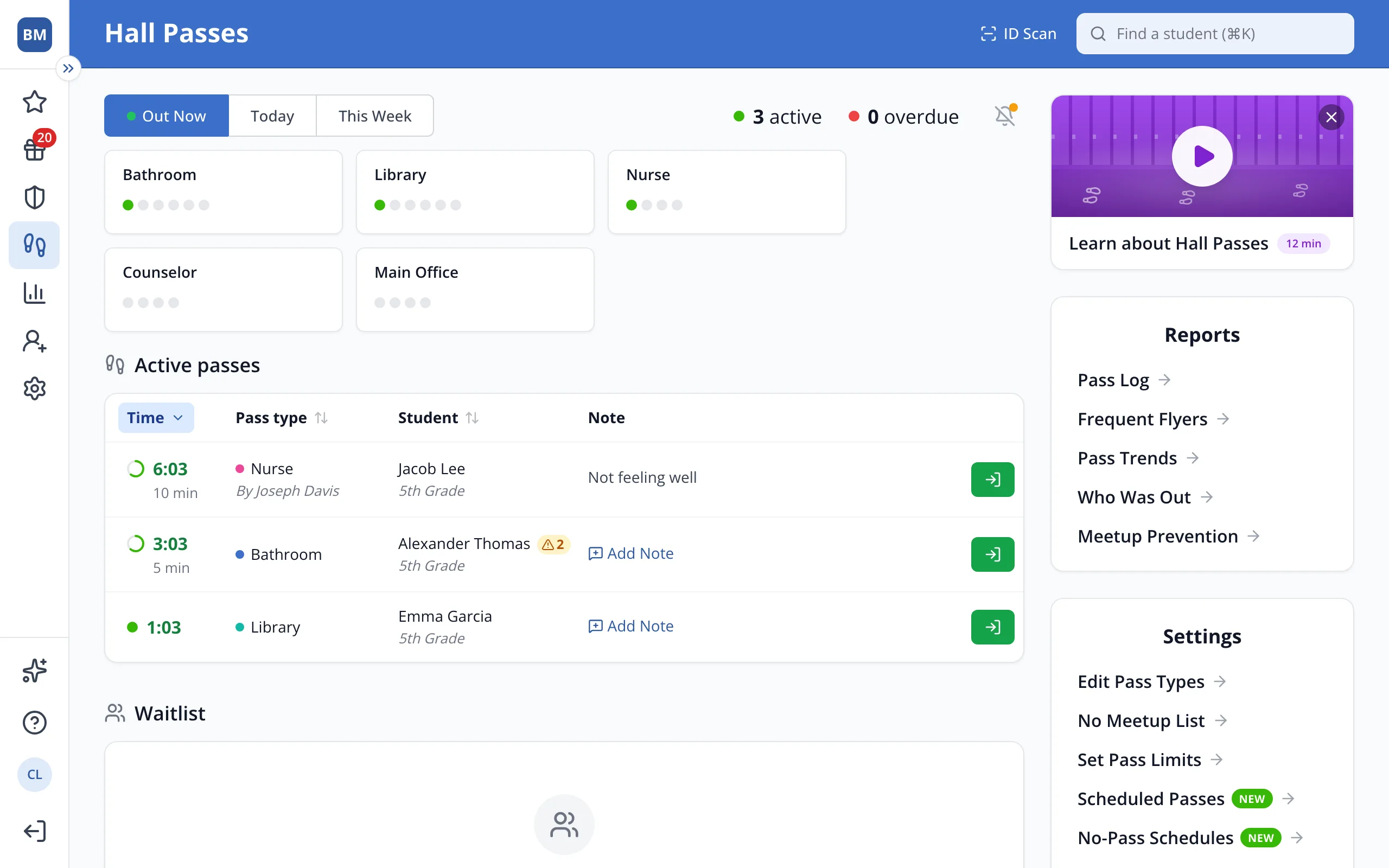
Step 1 of 4: At the top of the Hall Passes page, type the name of the student in Find a student, or click ID Scan to scan their ID.

Use the Left and Right arrow keys to move between steps, and Space to play or pause.

  1. 1.At the top of the Hall Passes page, type the student's name in Find a student, or click ID Scan to scan their ID.

    Step 1: At the top of the Hall Passes page, type the student's name in Find a student, or click ID Scan to scan their ID.
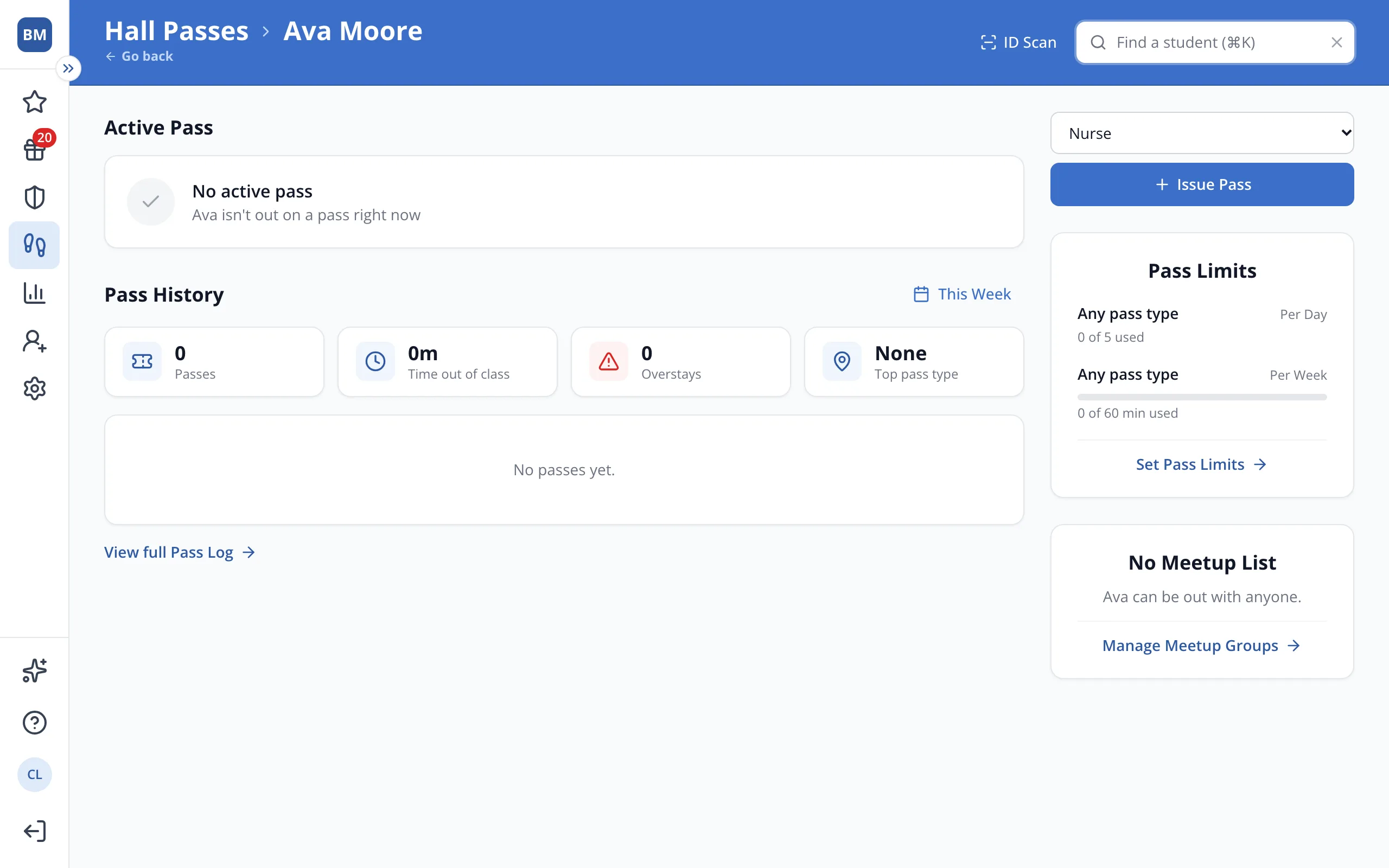
  2. 2.Click the student's name in the list.
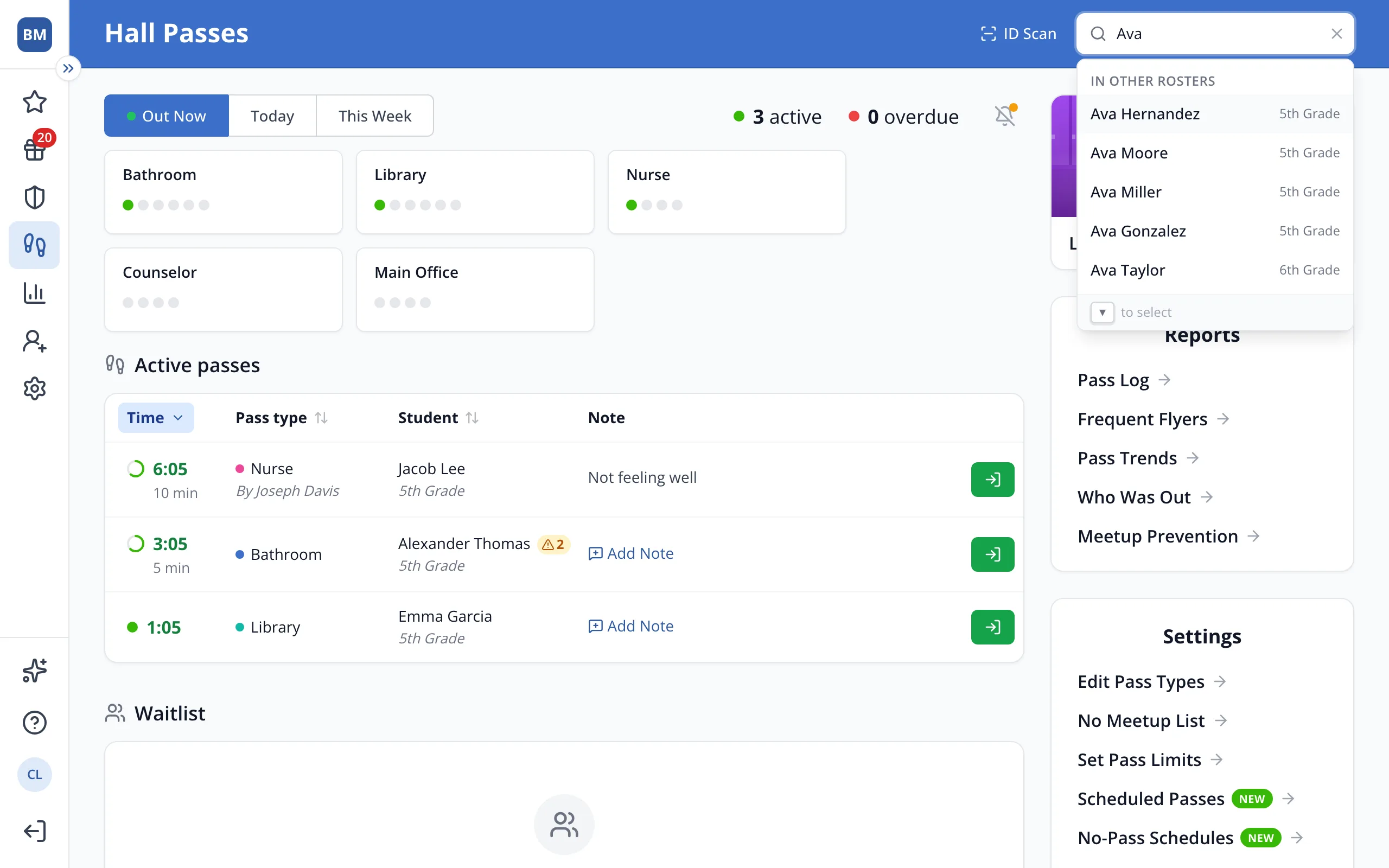
    Step 2: Click the student's name in the list.
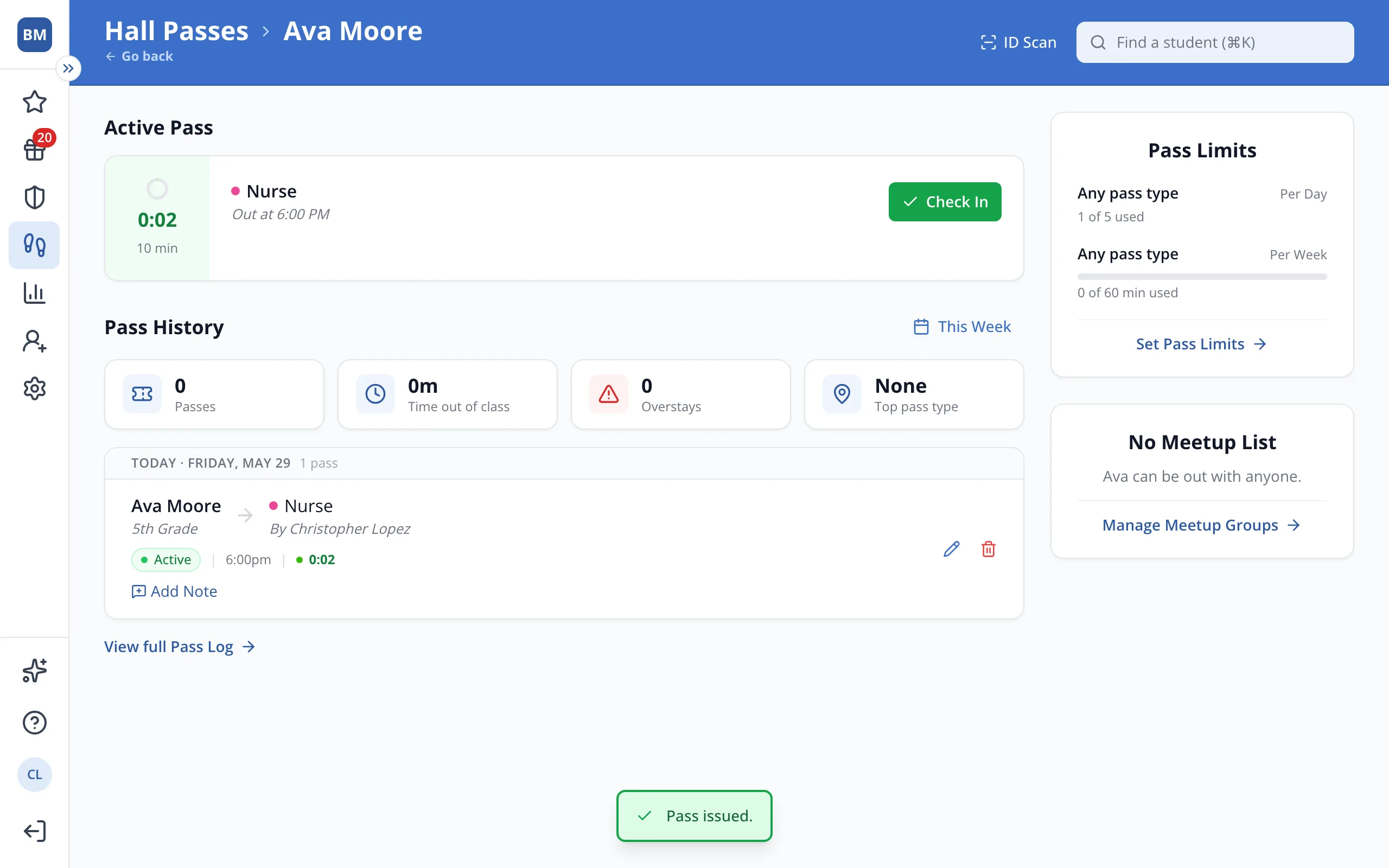
  3. 3.On the student's page, choose the pass type you'd like to use.
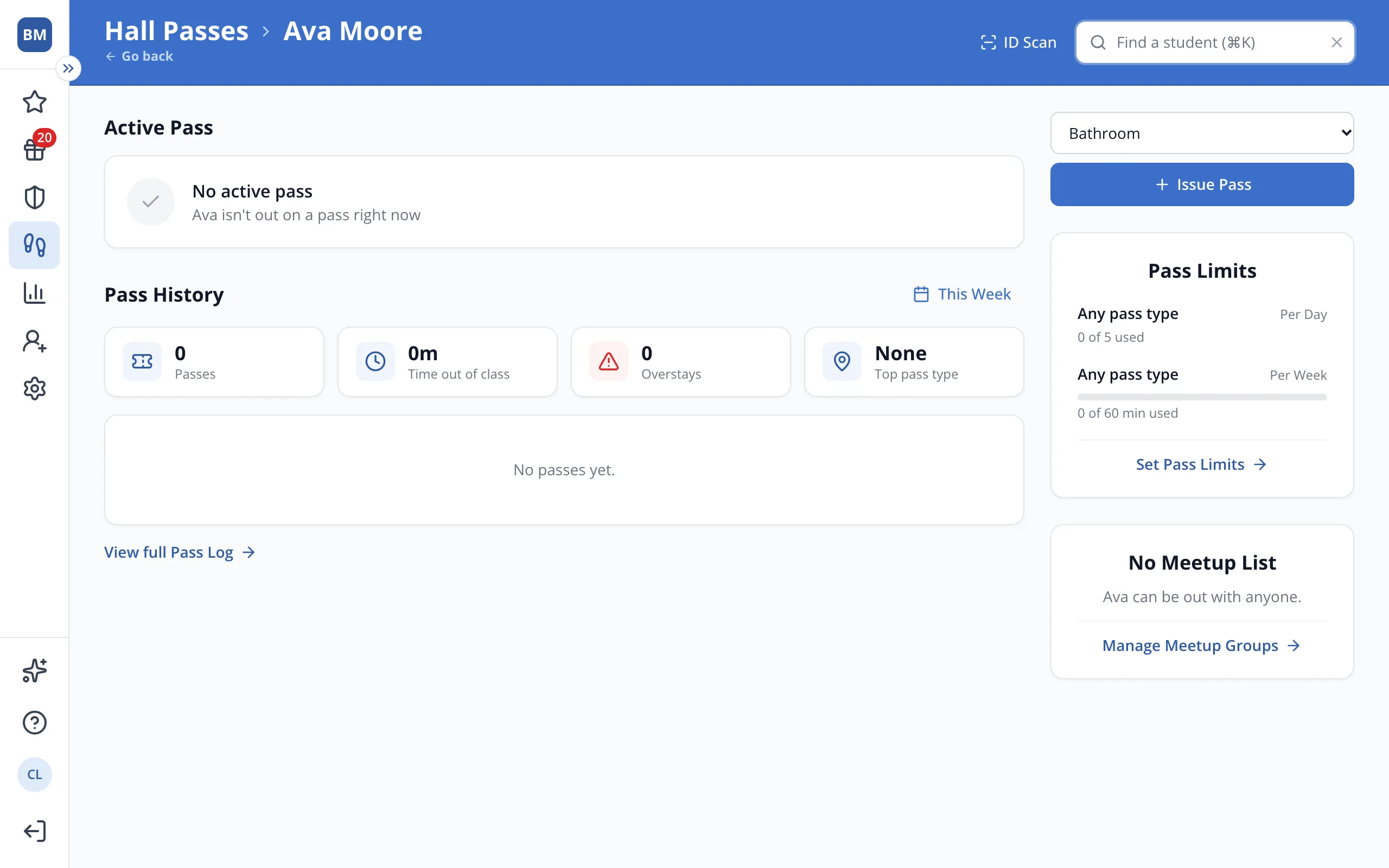
    Step 3: On the student's page, choose the pass type you'd like to use.
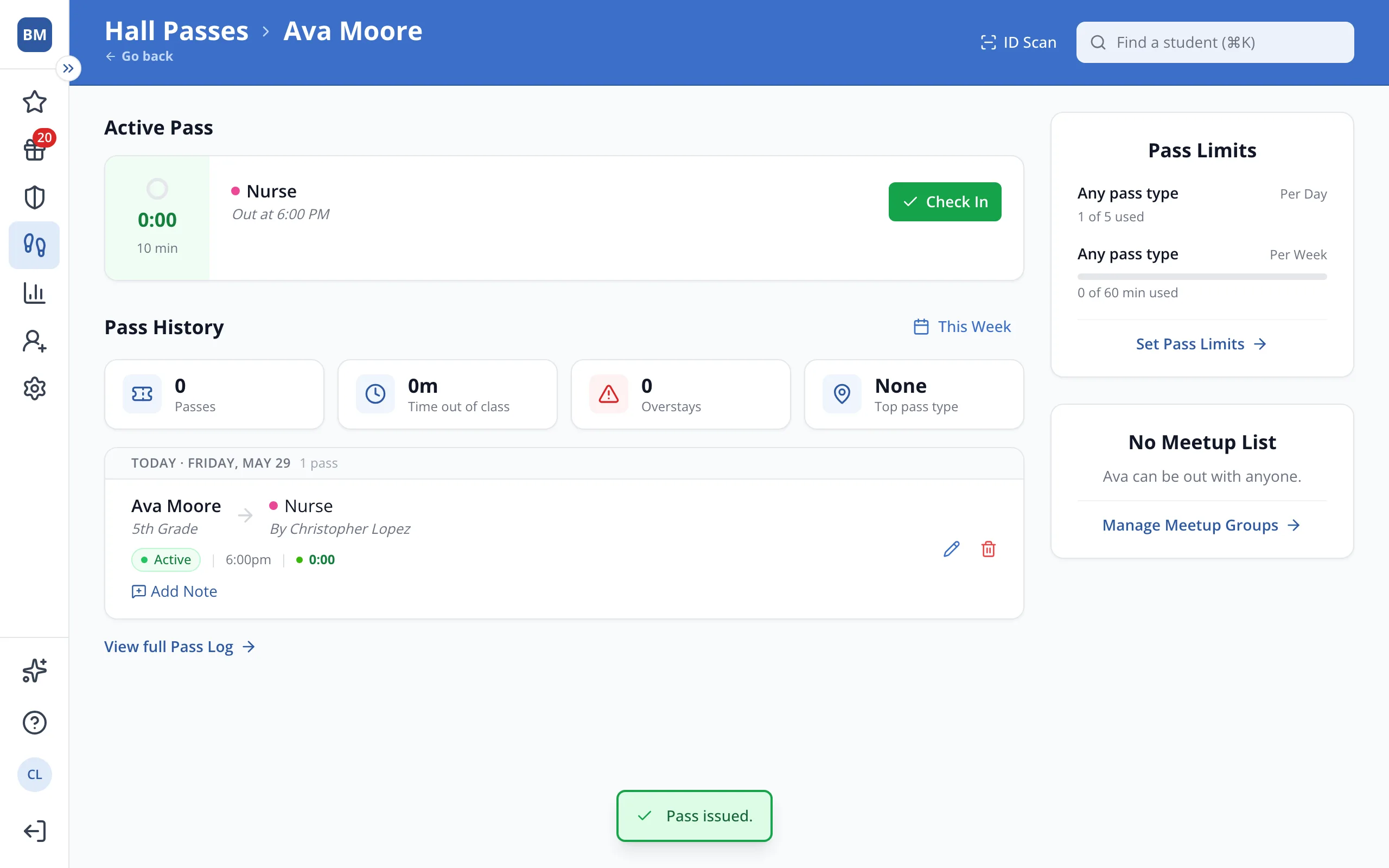
  4. 4.Click Issue Pass.

    Step 4: Click Issue Pass.

Is this what you need?