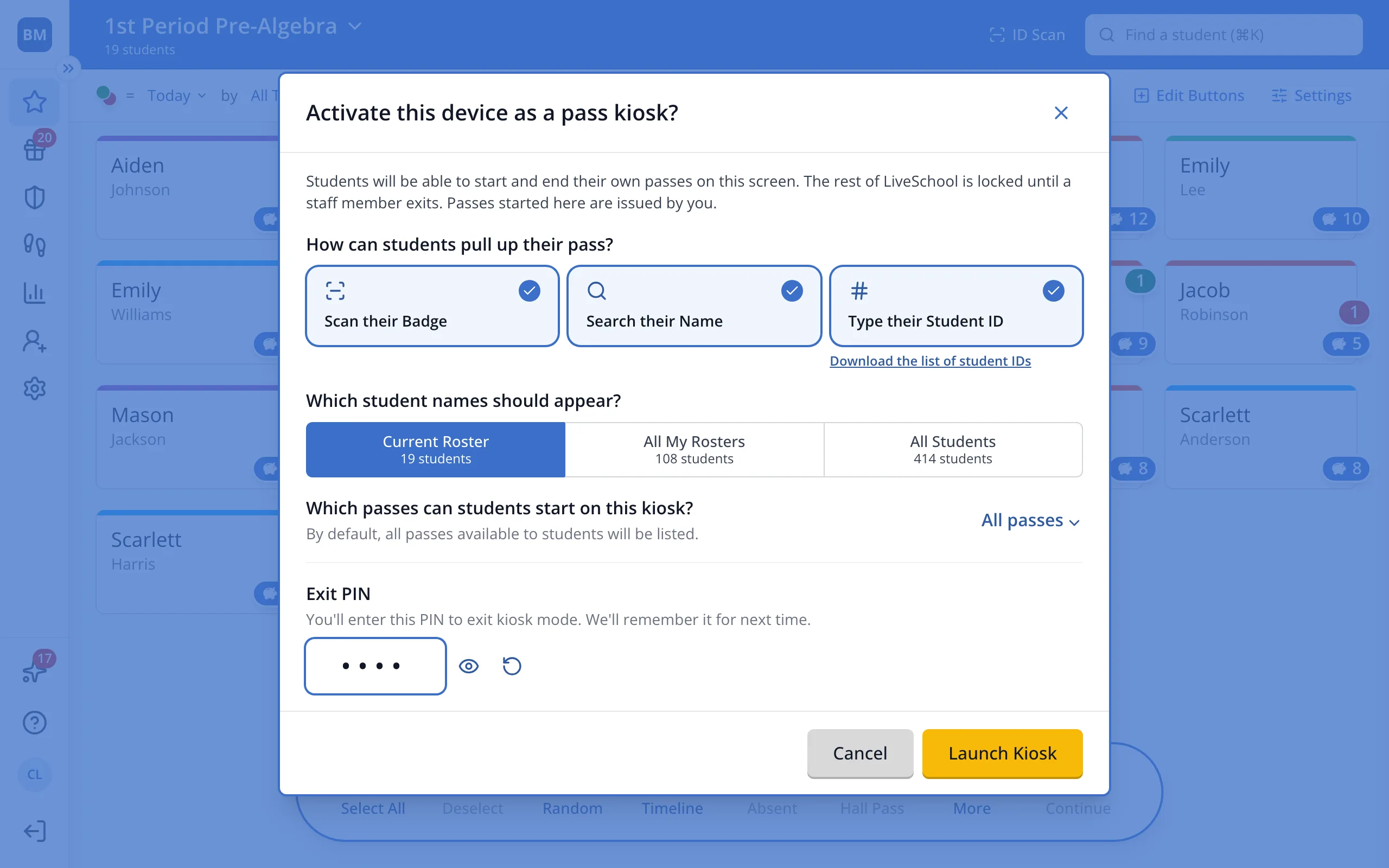
Choose how students find themselves at the kiosk
Scanning a badge or typing an ID stops students from picking someone else's name.
Use the Left and Right arrow keys to move between steps, and Space to play or pause.
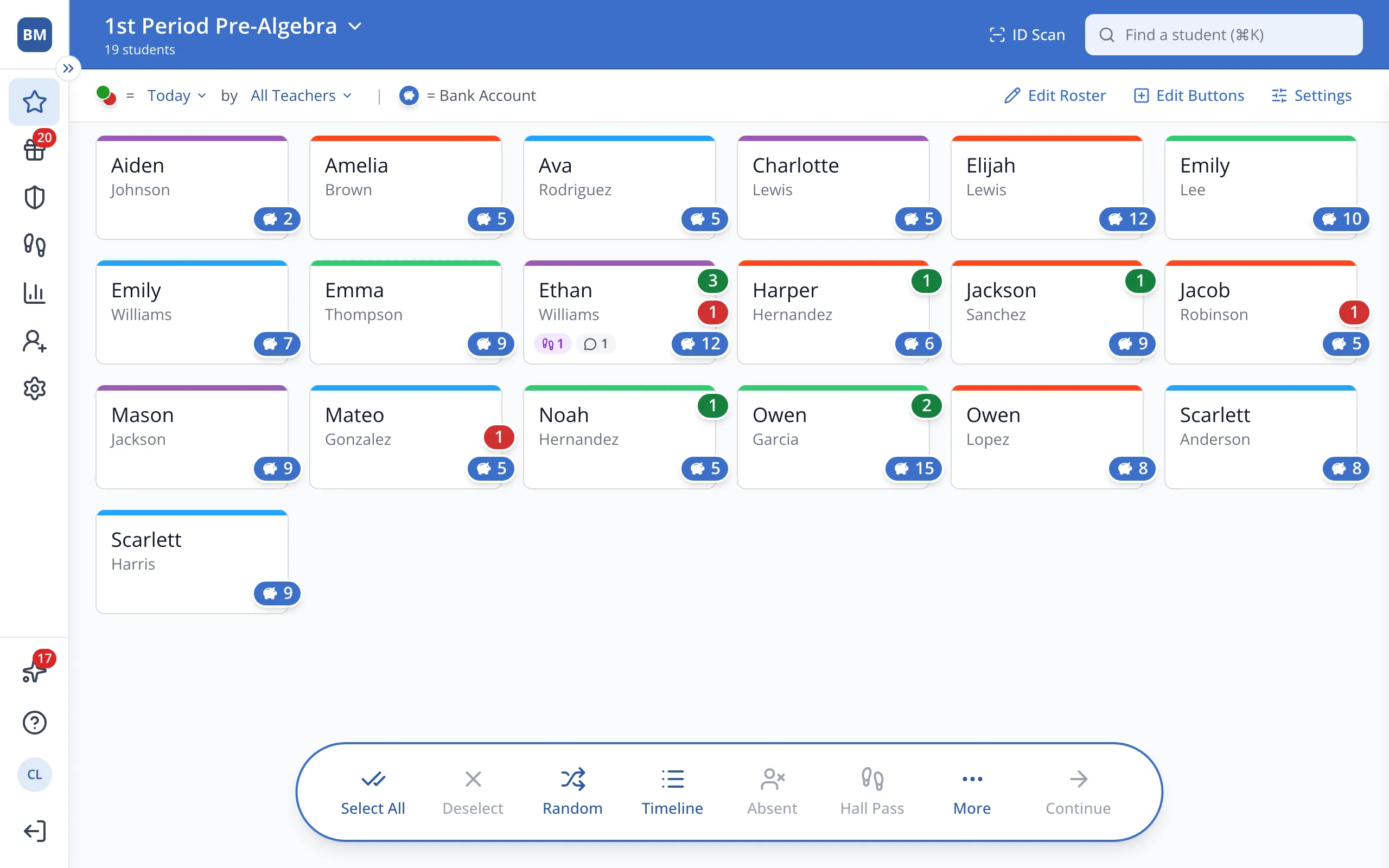
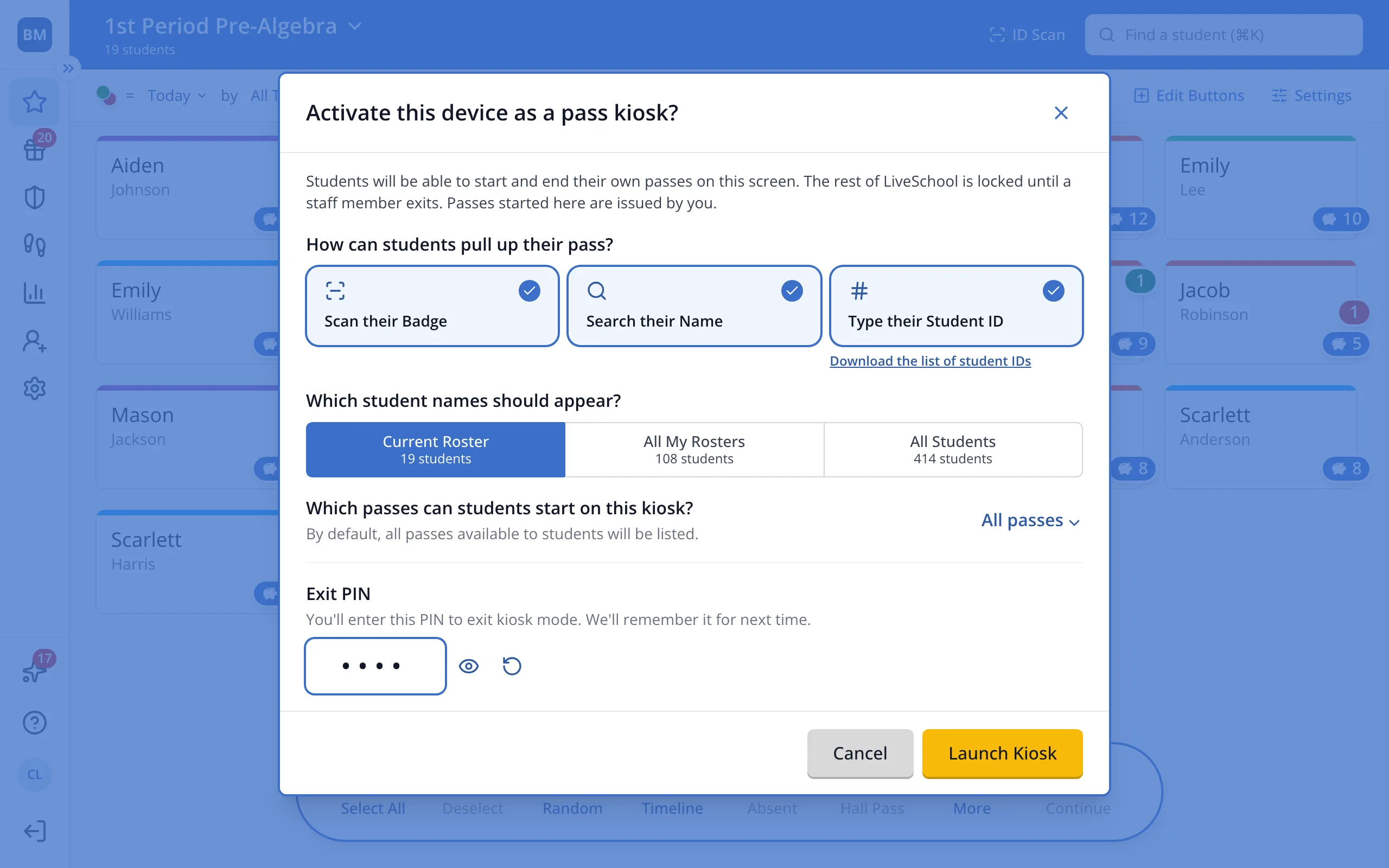
1.In the bar at the bottom of the Points page, click More.
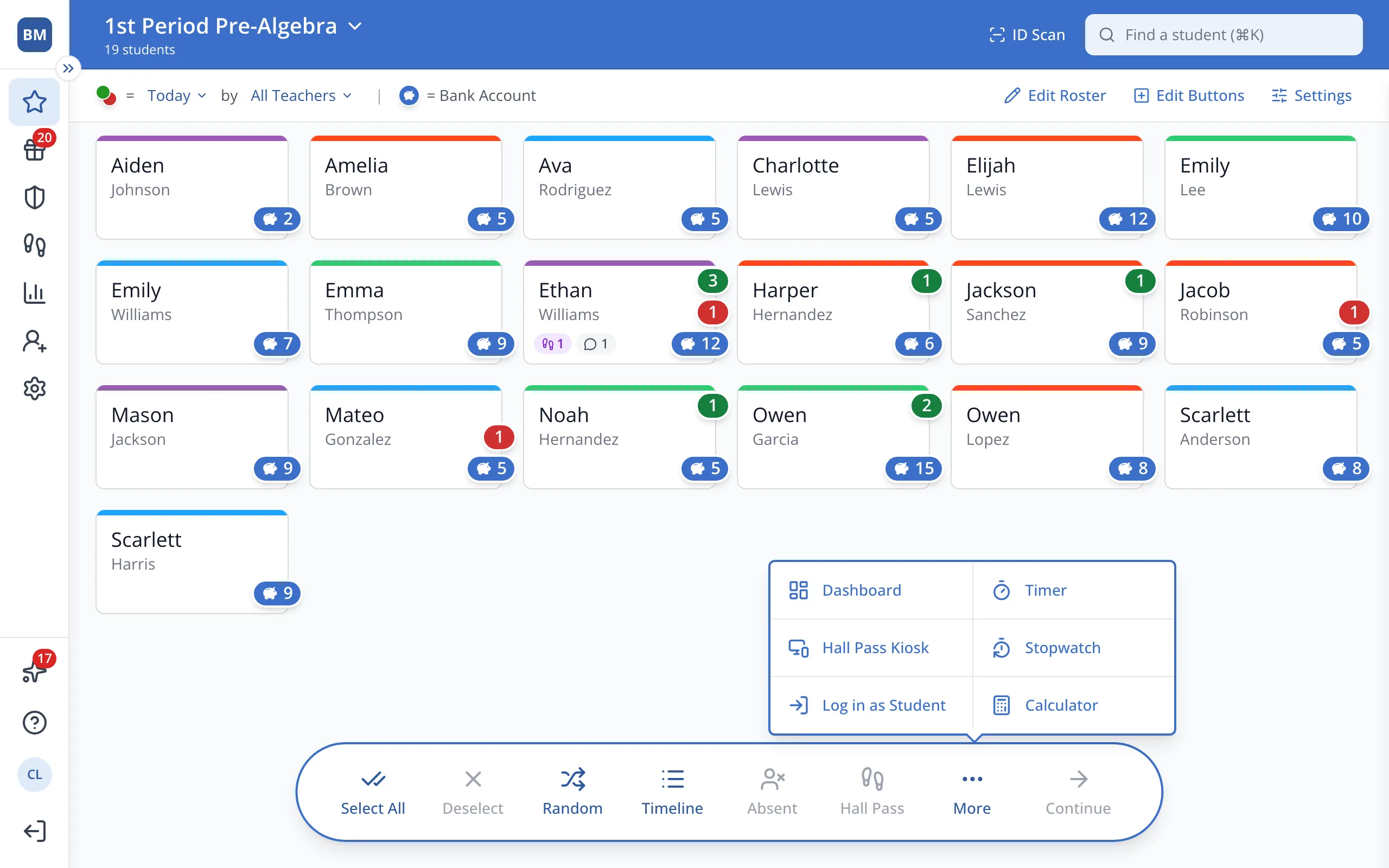
2.Click Hall Pass Kiosk.
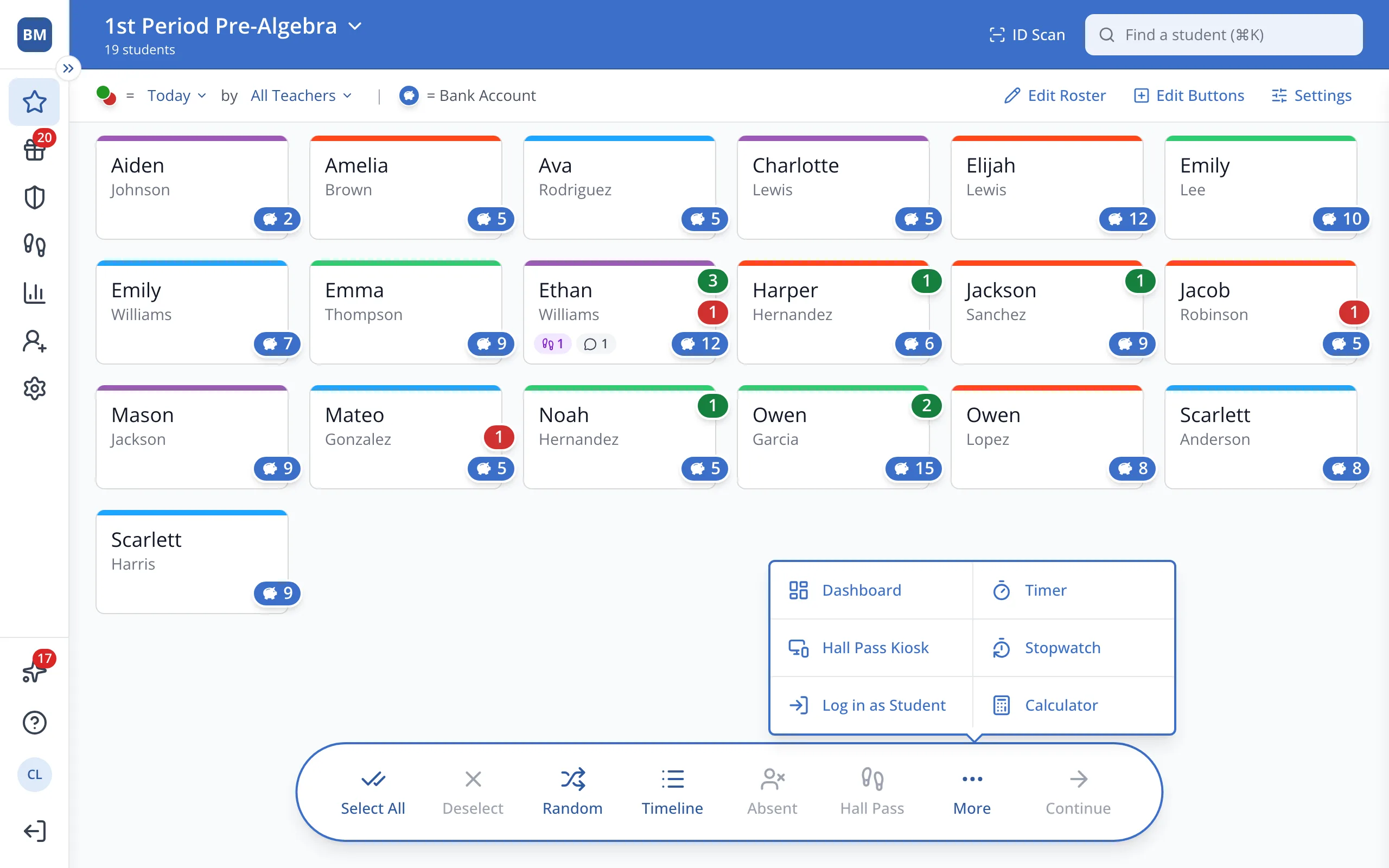
3.Under How can students pull up their pass?, click each way you'd like to allow.
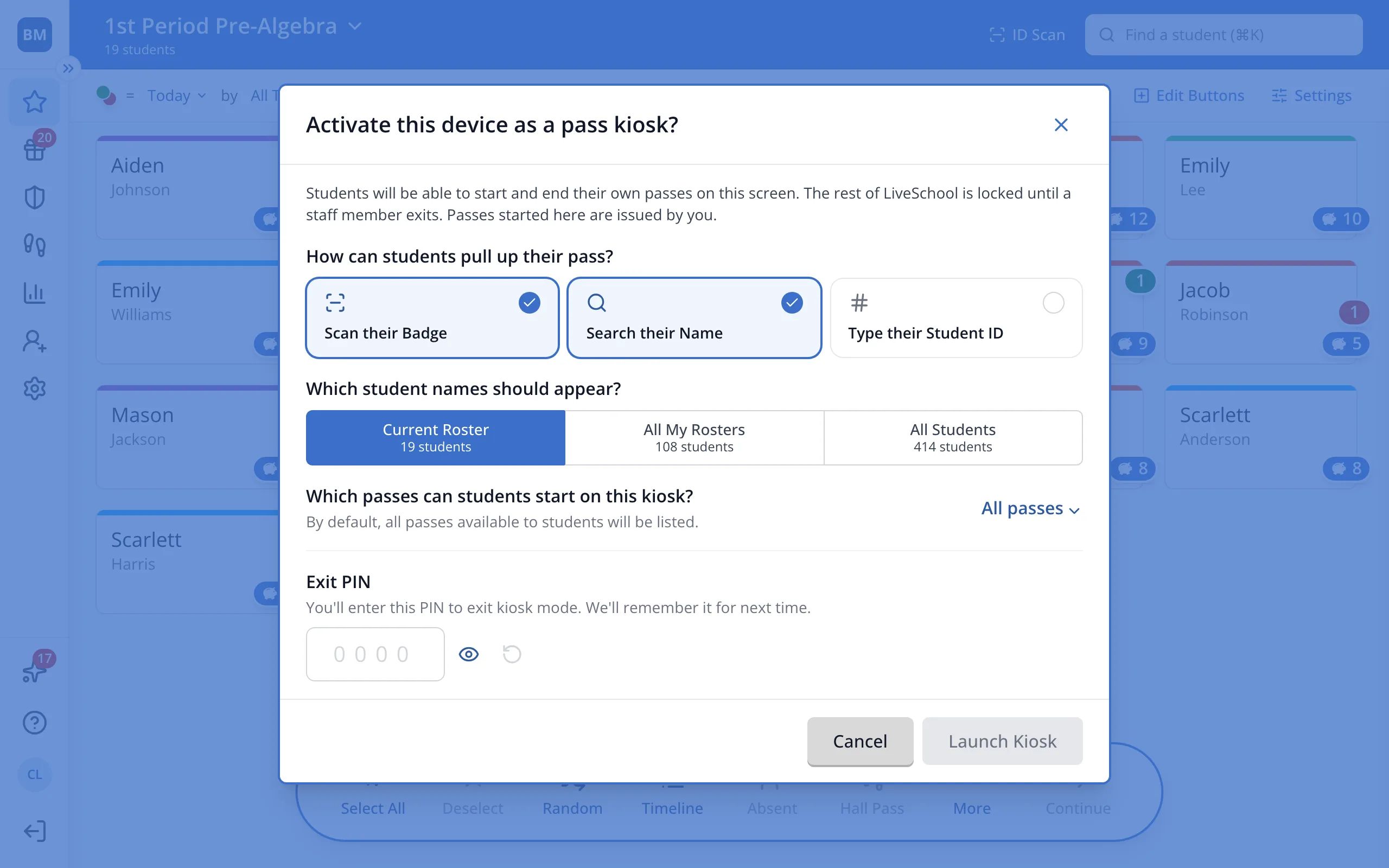
4.If you allow names, choose whose names show.
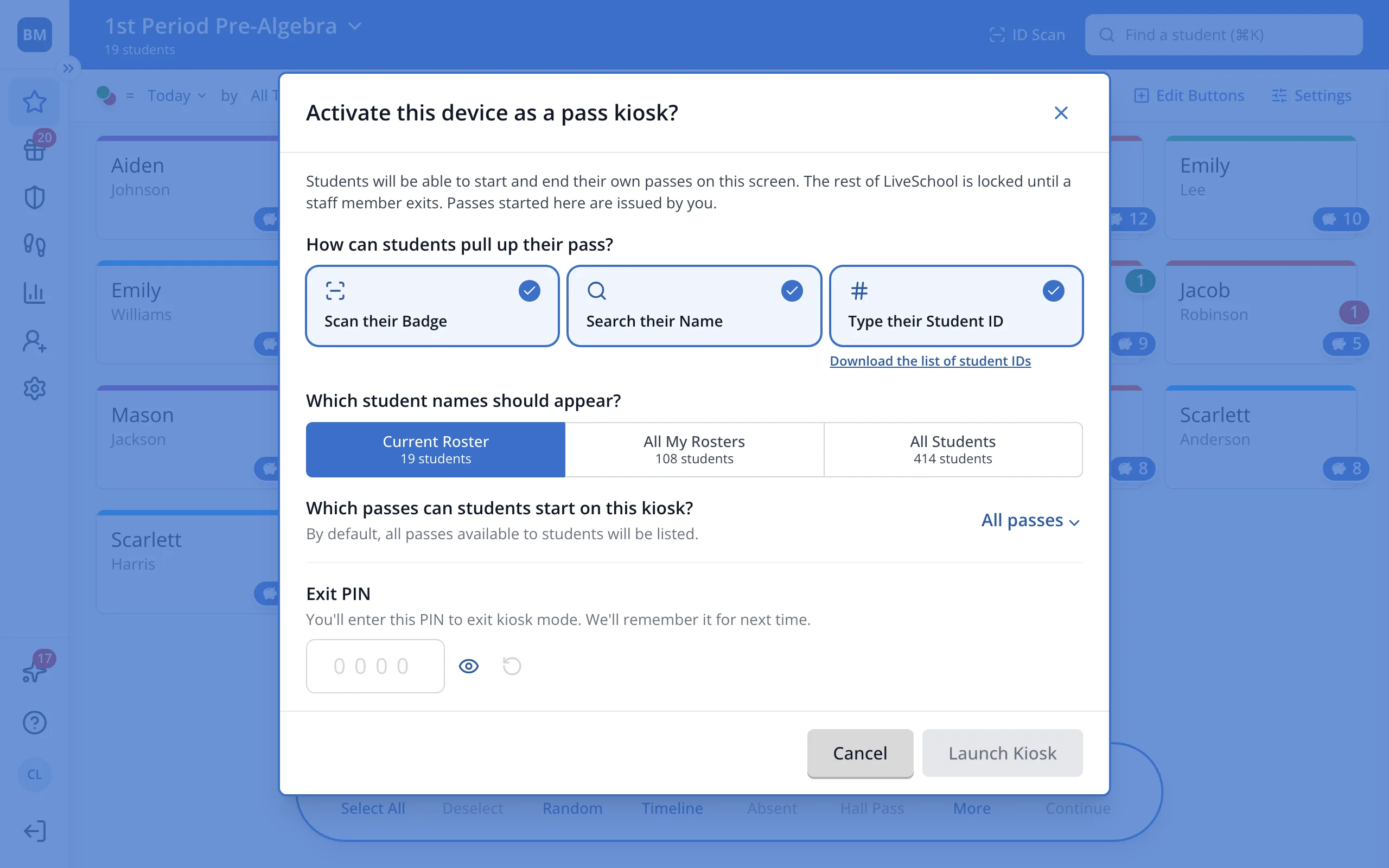
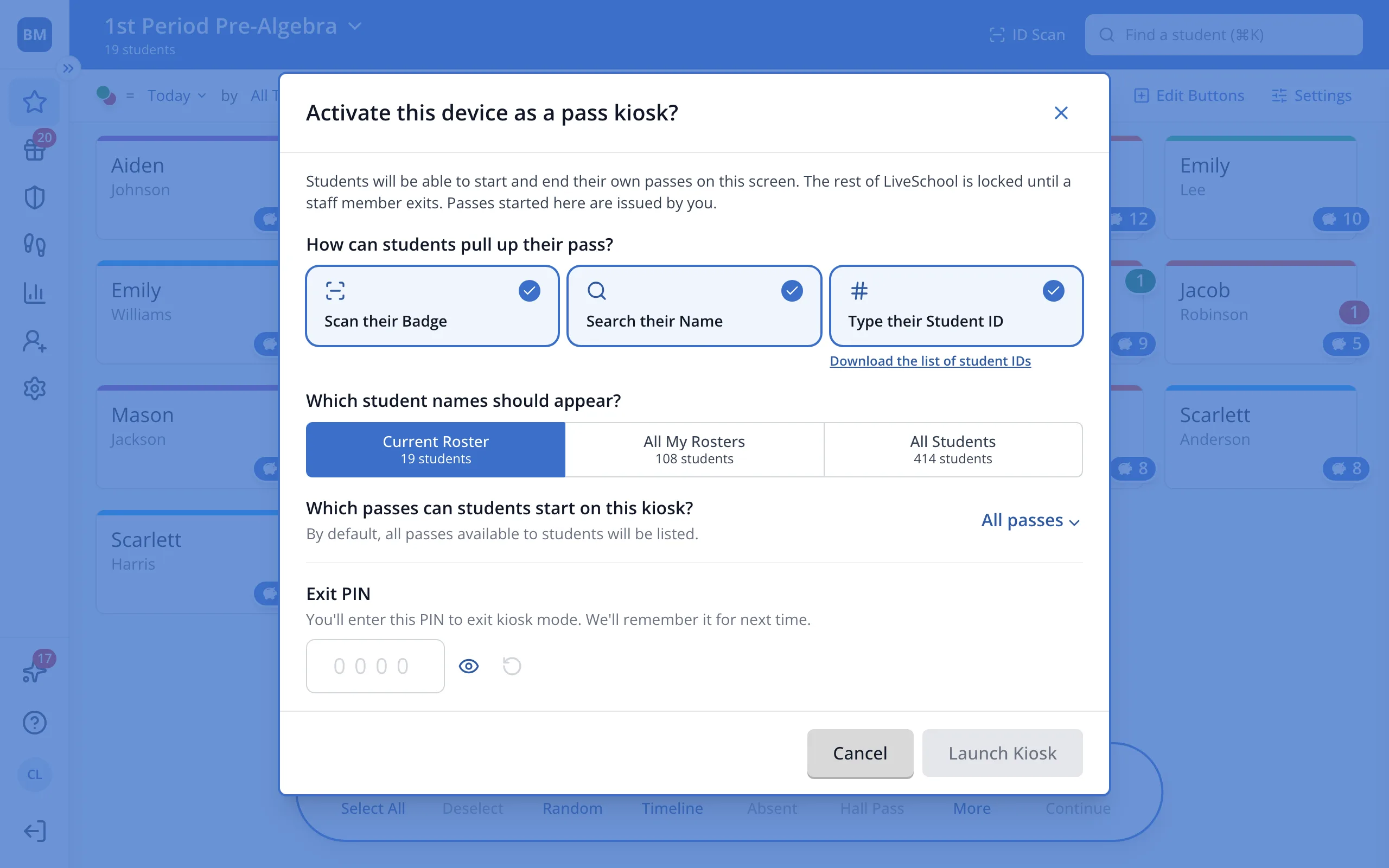
5.Type a 4-digit exit PIN. You'll need it to leave the kiosk.
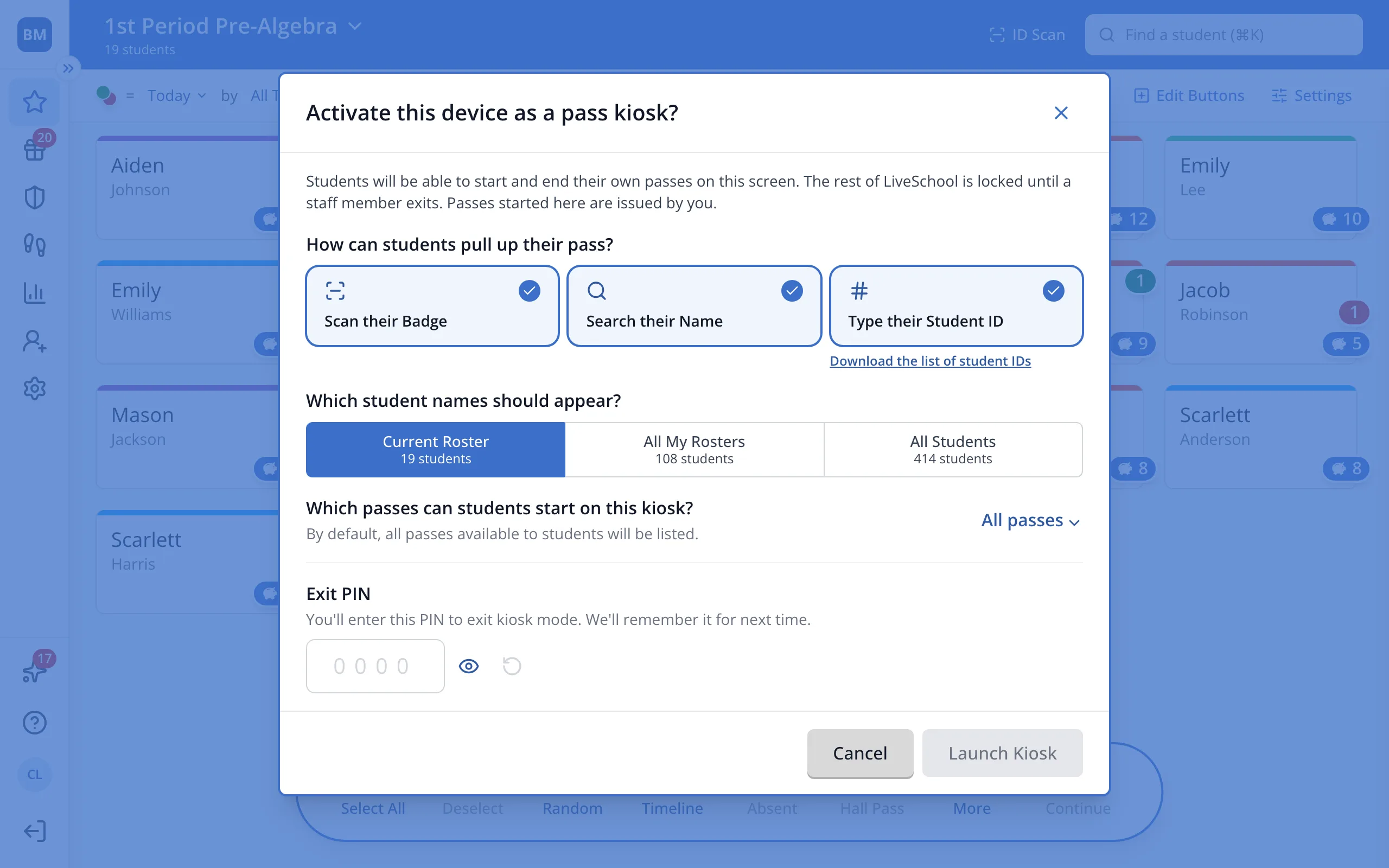
6.Click Launch Kiosk.