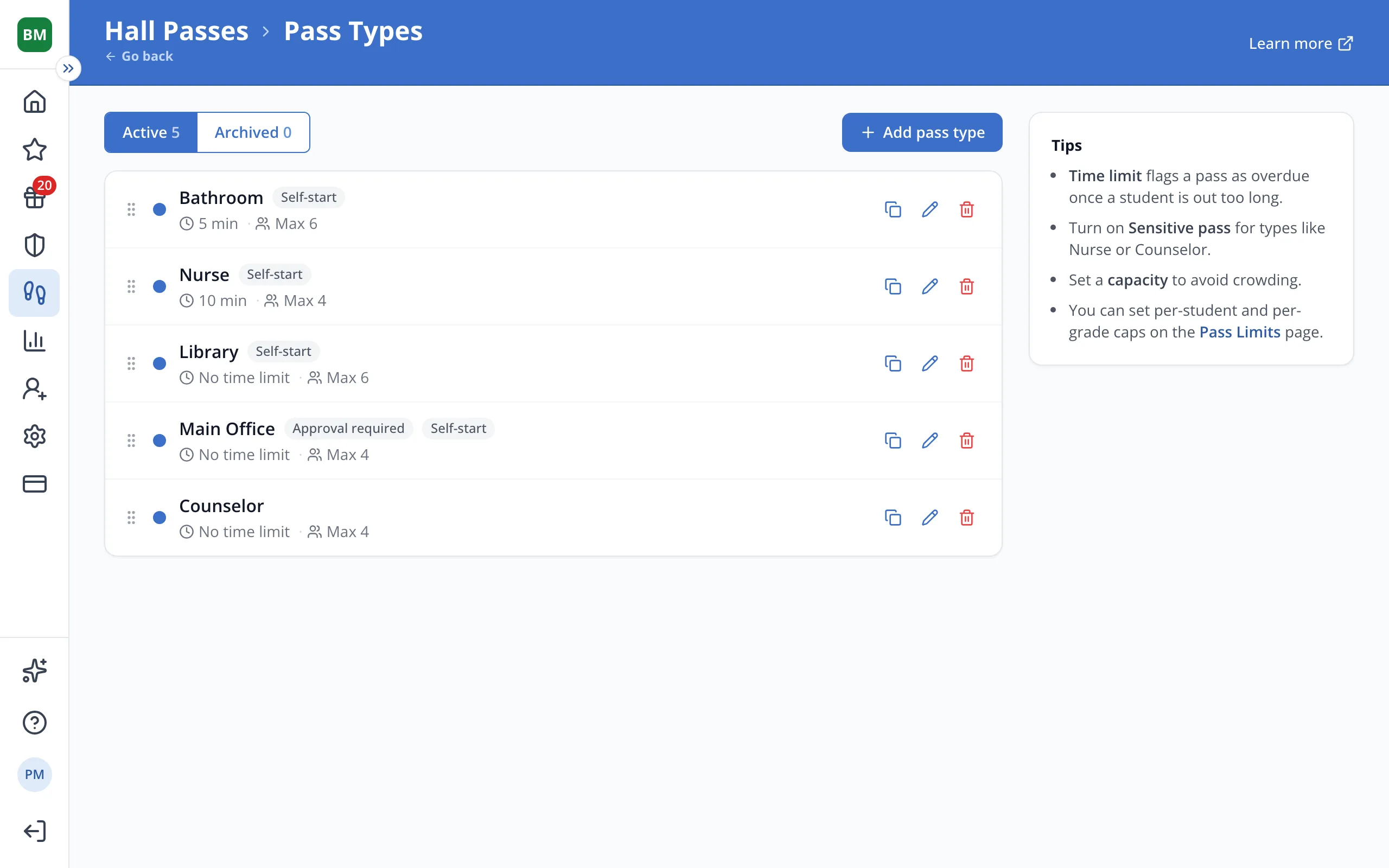
Change the order of how your pass types display
Your order is used everywhere passes are picked: the teacher list, the kiosk, and student self-start.
AdminSite Leader
Use the Left and Right arrow keys to move between steps, and Space to play or pause.
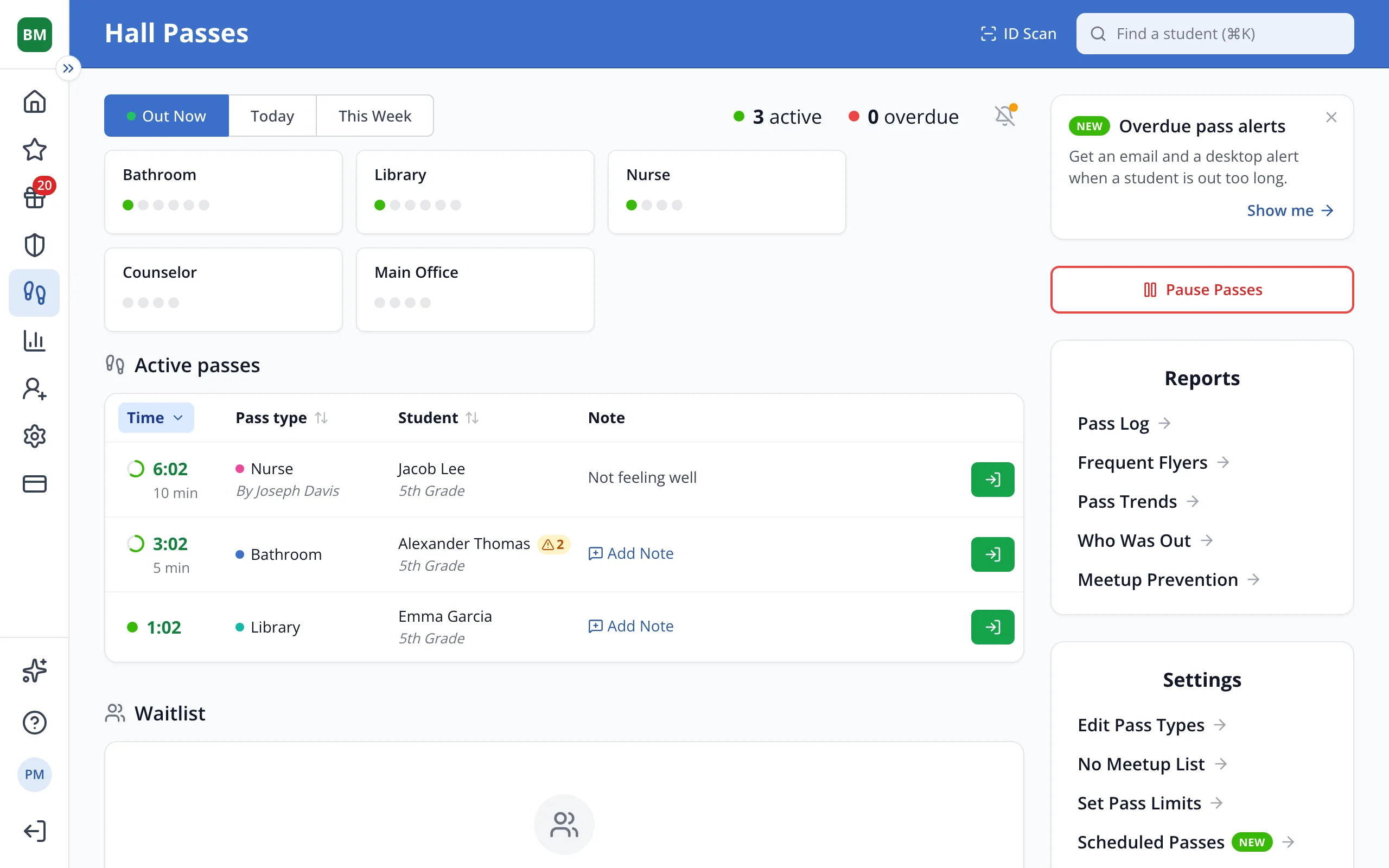
1.On the Hall Passes page, under Settings, click Edit Pass Types.
Did you know? On a smaller screen, click More to find these links.
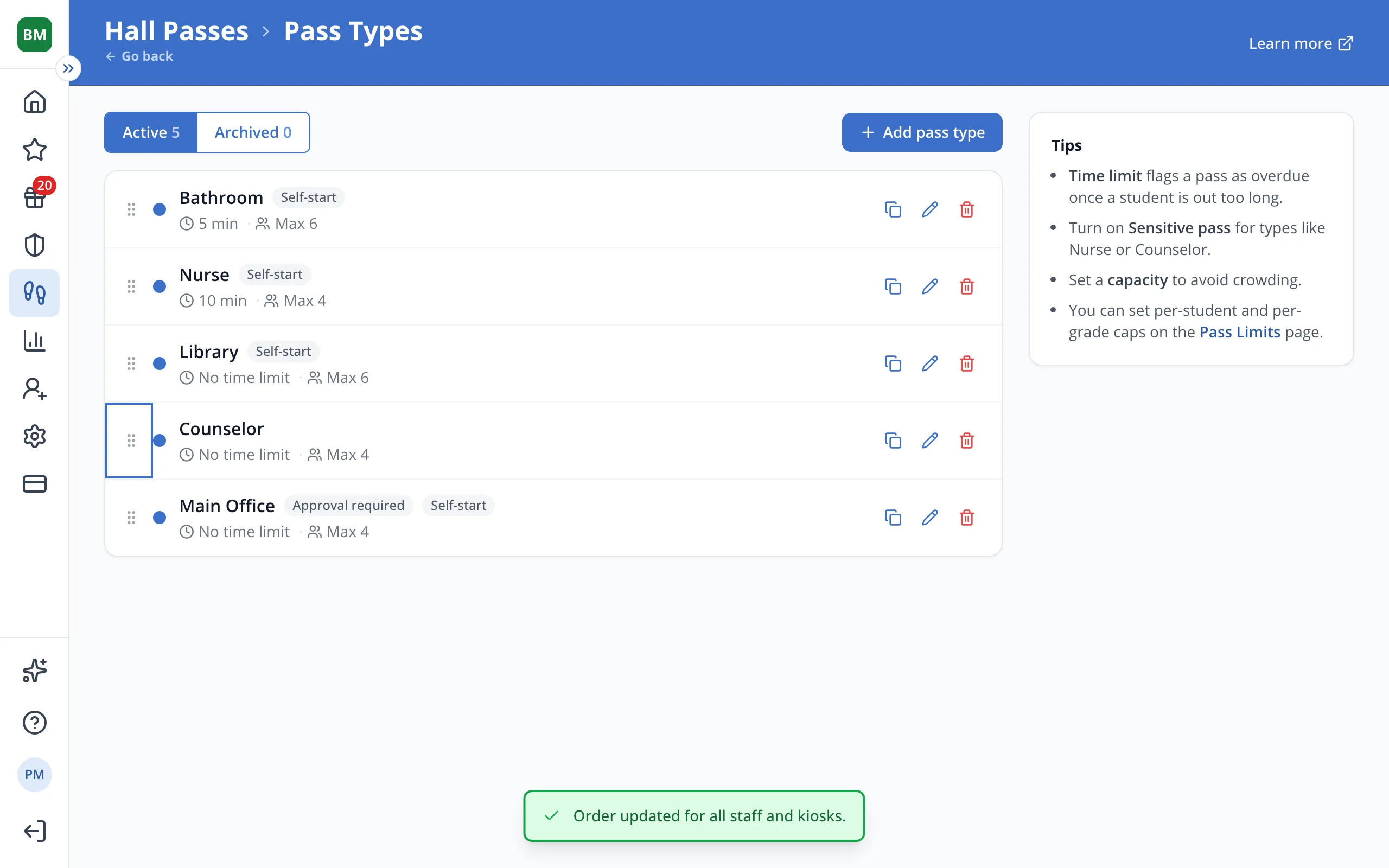
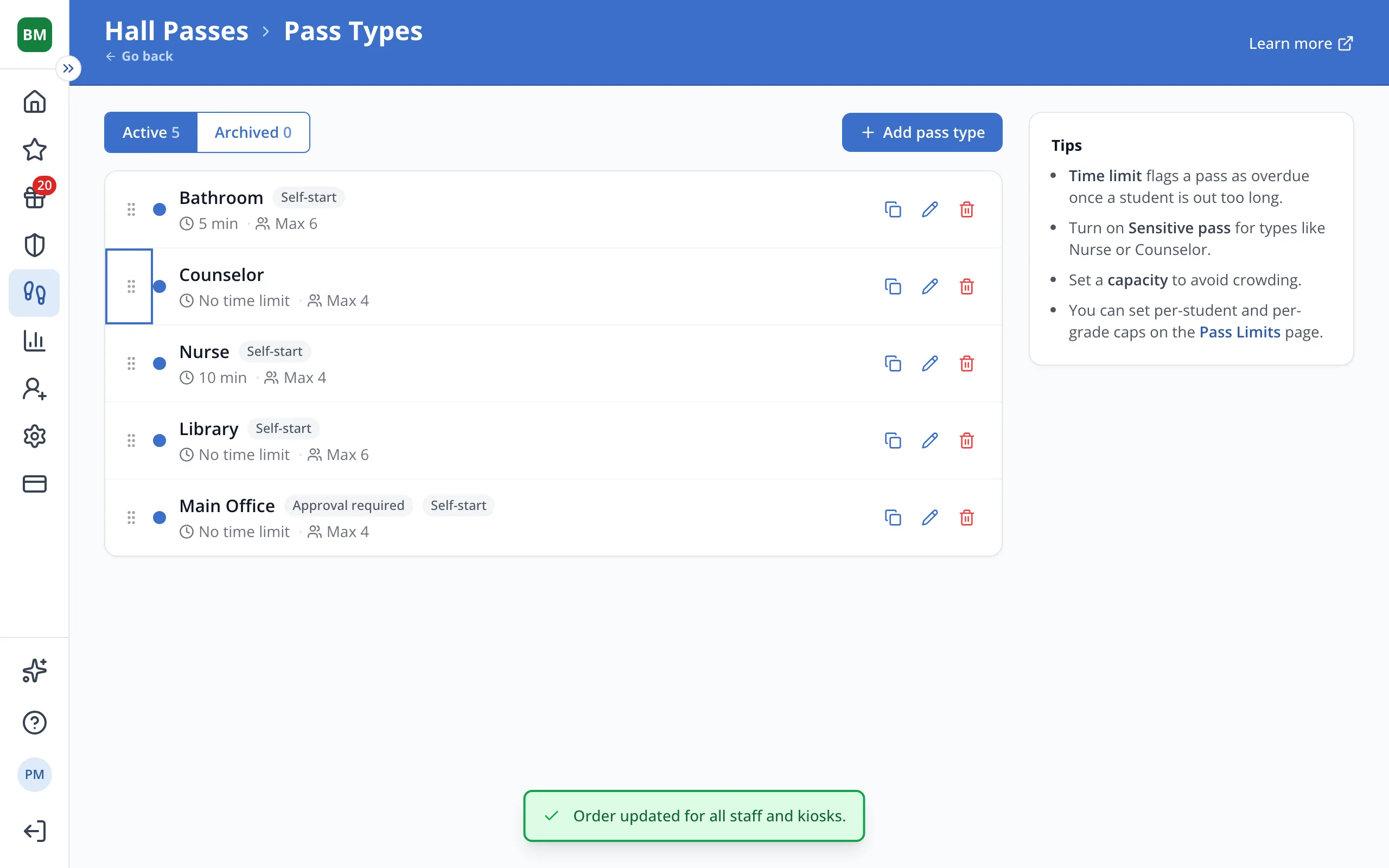
2.Drag the handle next to a pass type up or down. You can also use the arrow keys.