Choose whether a scheduled pass skips the line
Let a student leave on time, even when the pass type is full or passes are limited.
AdminSite Leader
Use the Left and Right arrow keys to move between steps, and Space to play or pause.
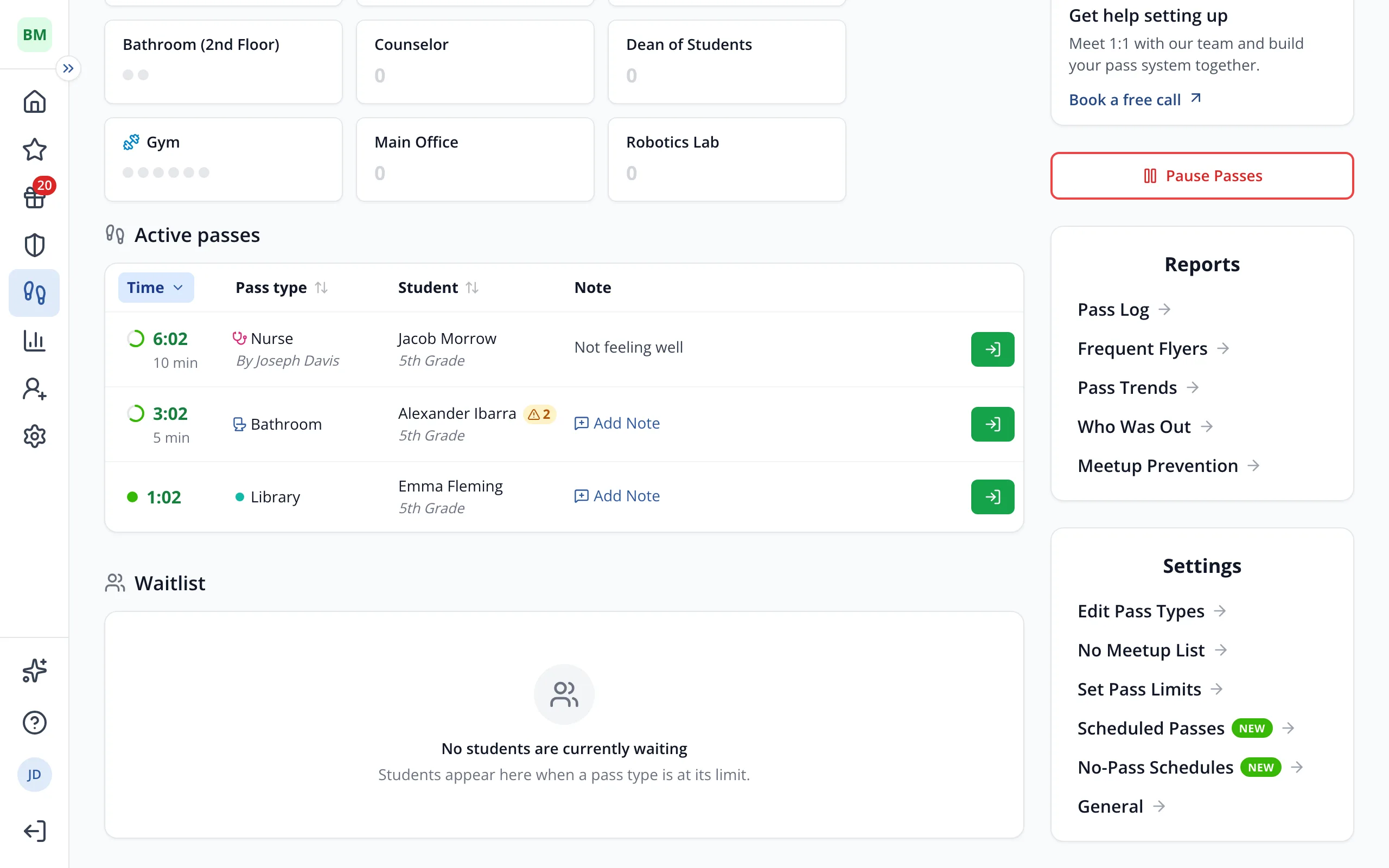
1.On the Hall Passes page, under Settings, click Scheduled Passes.
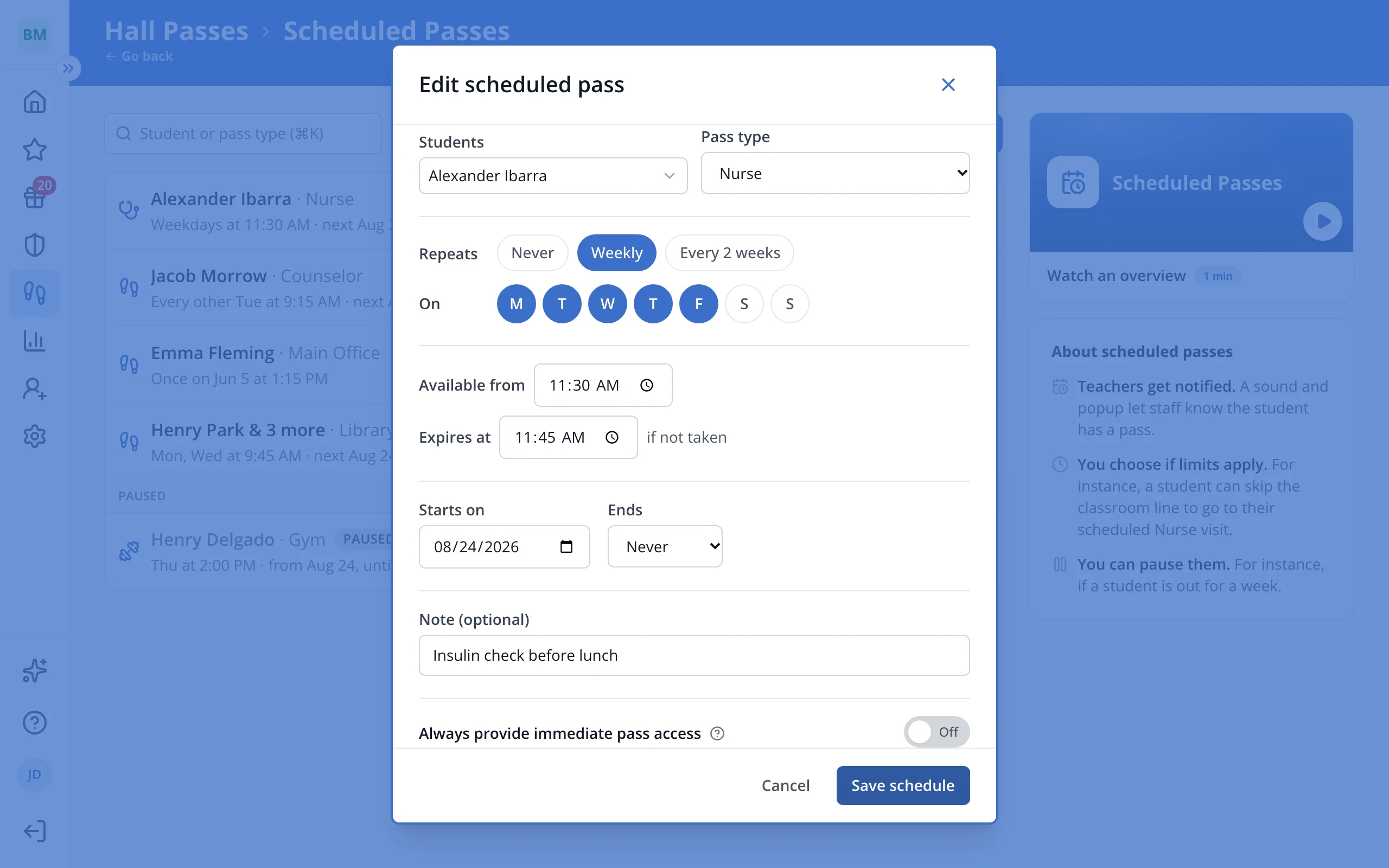
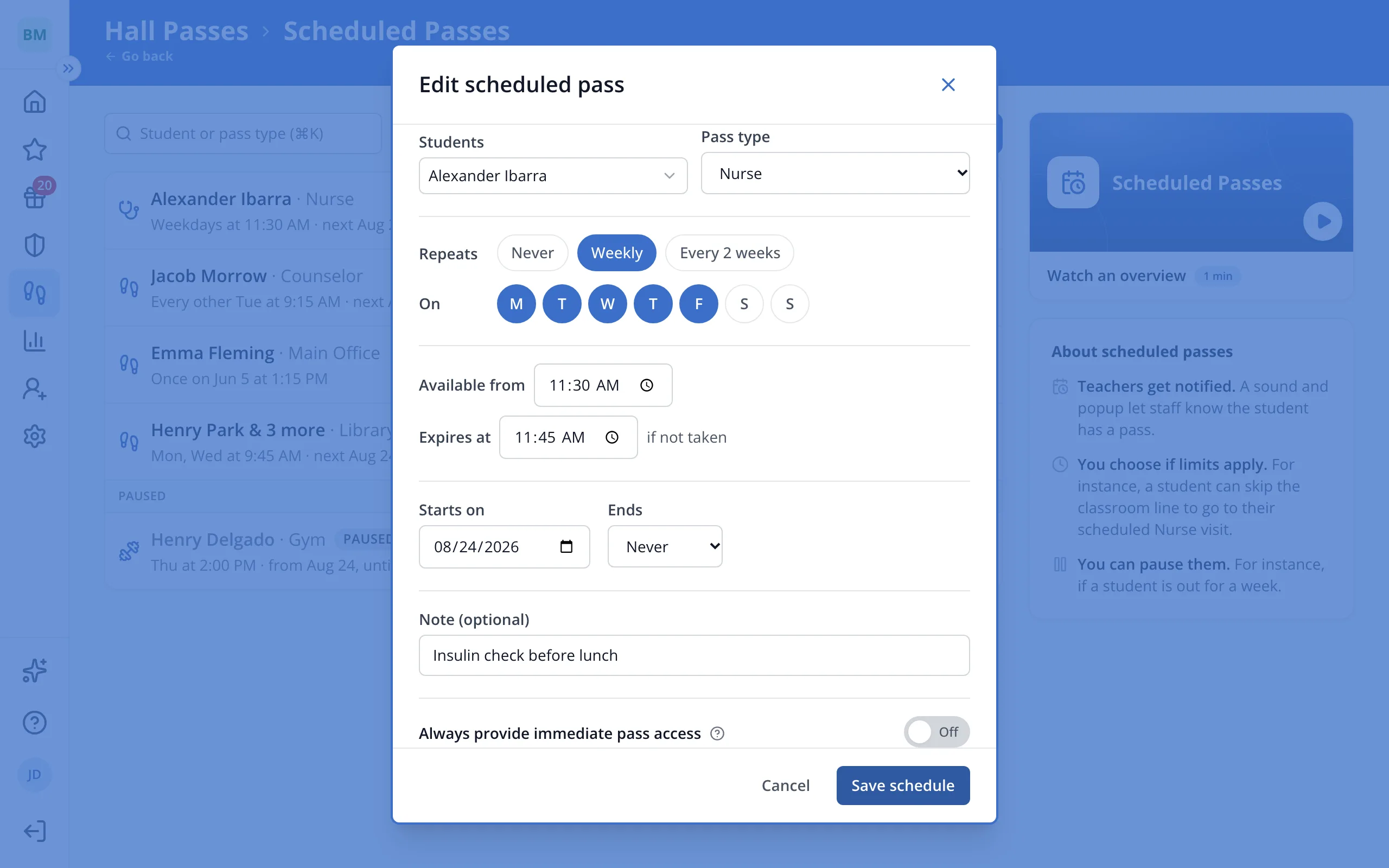
2.Click Edit next to the pass.
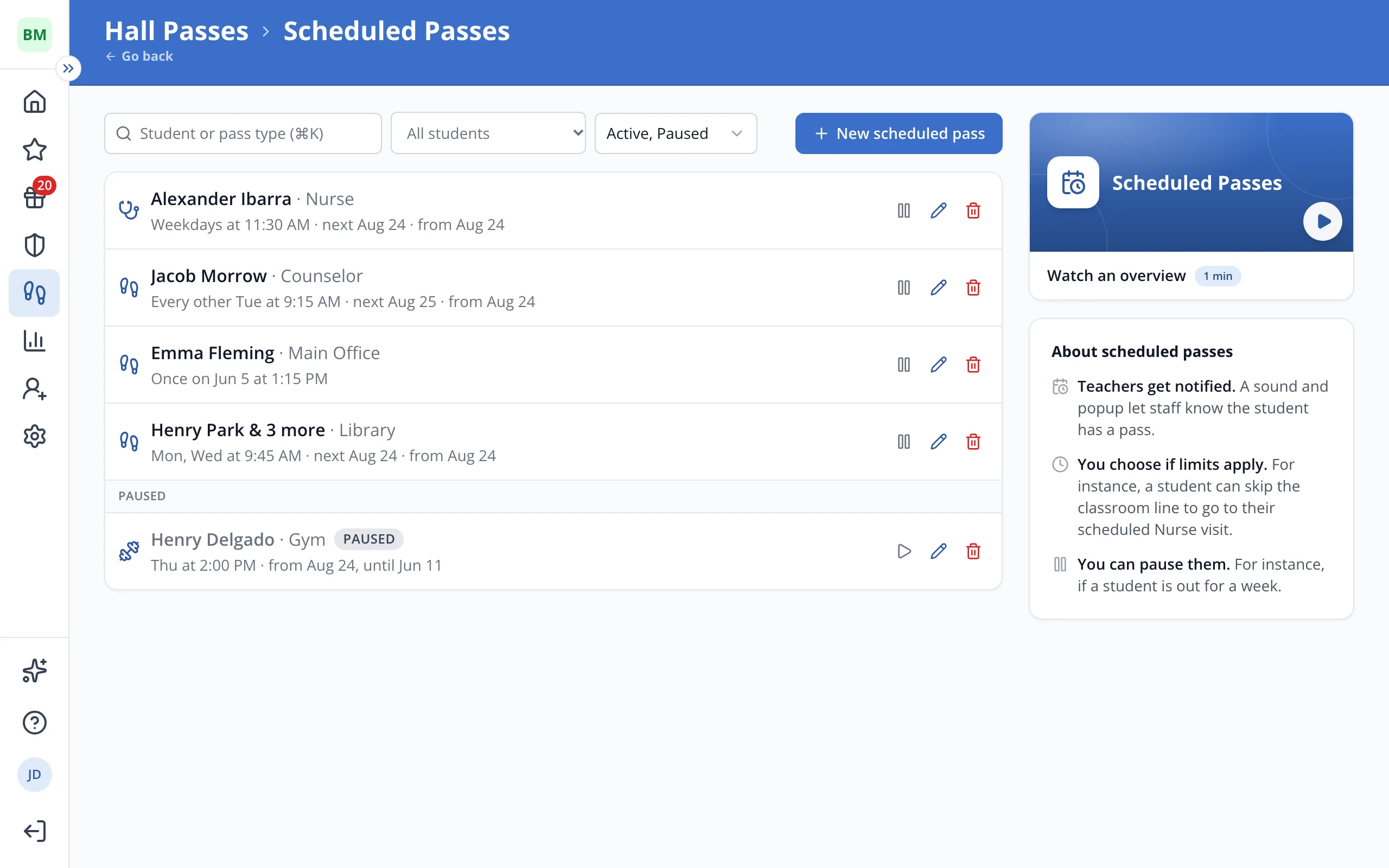
3.Next to Always provide immediate pass access, click the switch. On skips the line and pass limits. Off follows them.
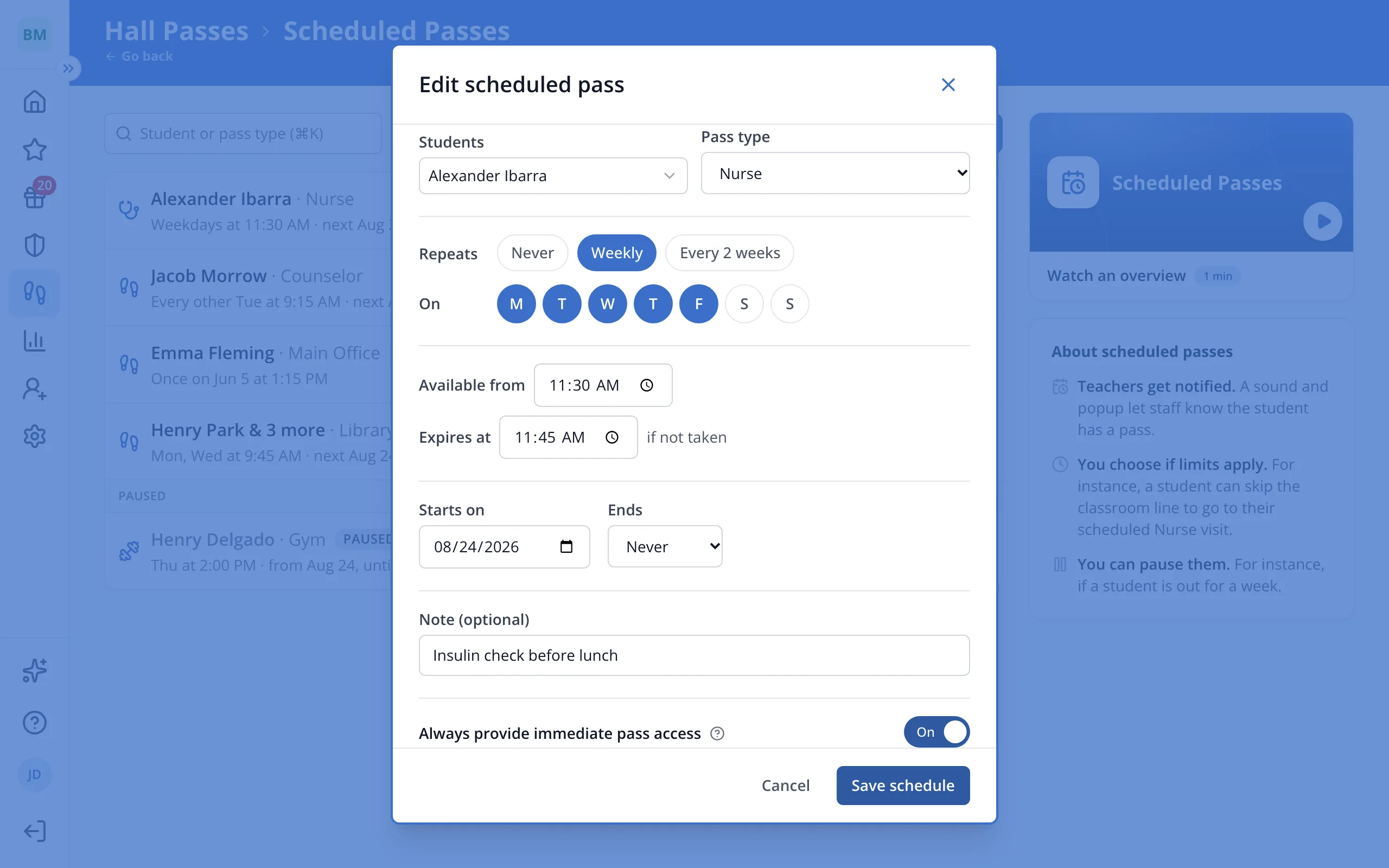
Did you know? New scheduled passes start with this switch on.
4.Click Save schedule.