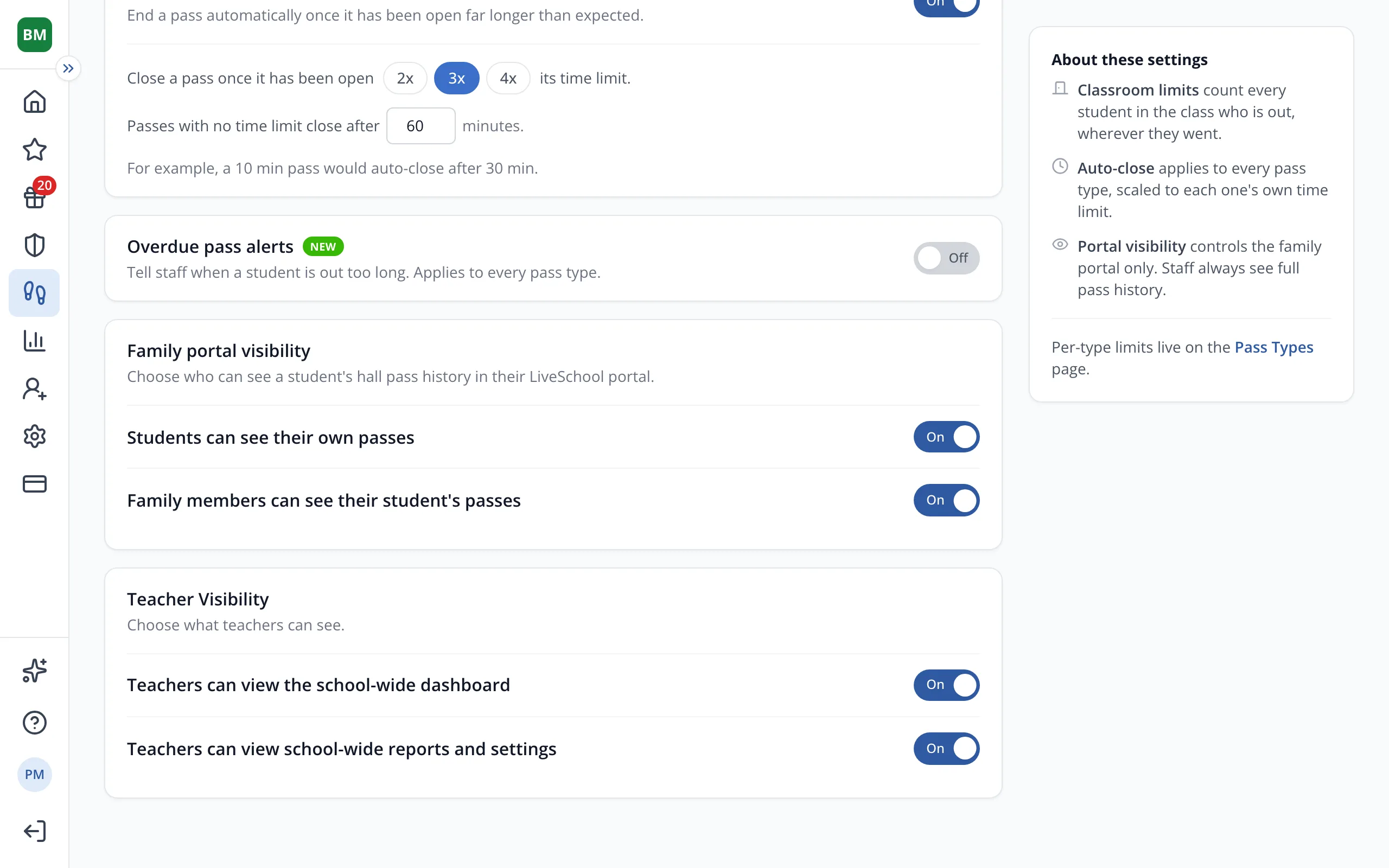
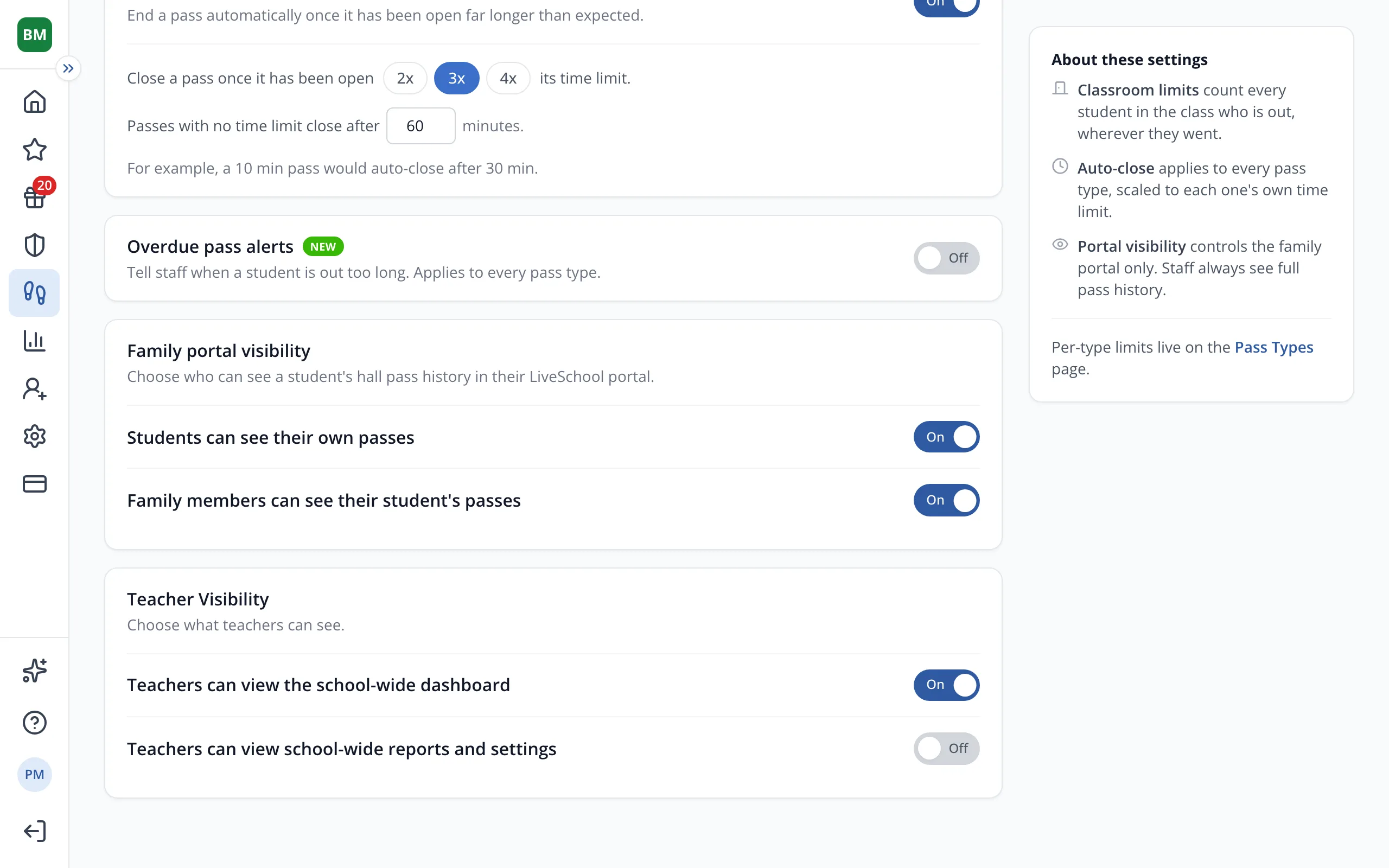
Let teachers see the school-wide dashboard or reports related to hall passes
Turn these settings off if teachers should only see passes for their own students.
AdminSite Leader
Use the Left and Right arrow keys to move between steps, and Space to play or pause.
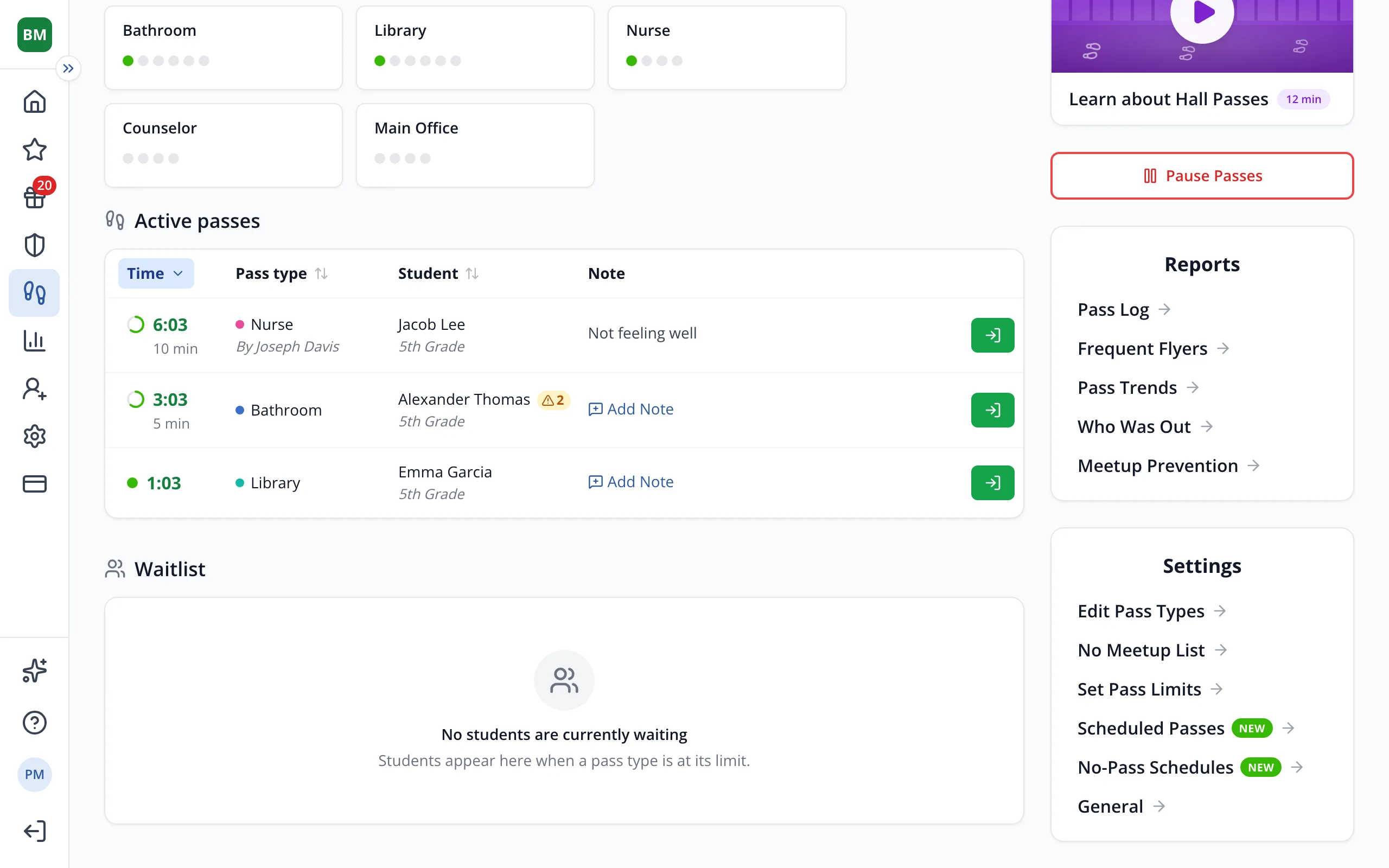
1.On the Hall Passes page, under Settings, click General.
Did you know? On a smaller screen, click More to find these links.
2.Under Teacher Visibility, turn each switch on or off.