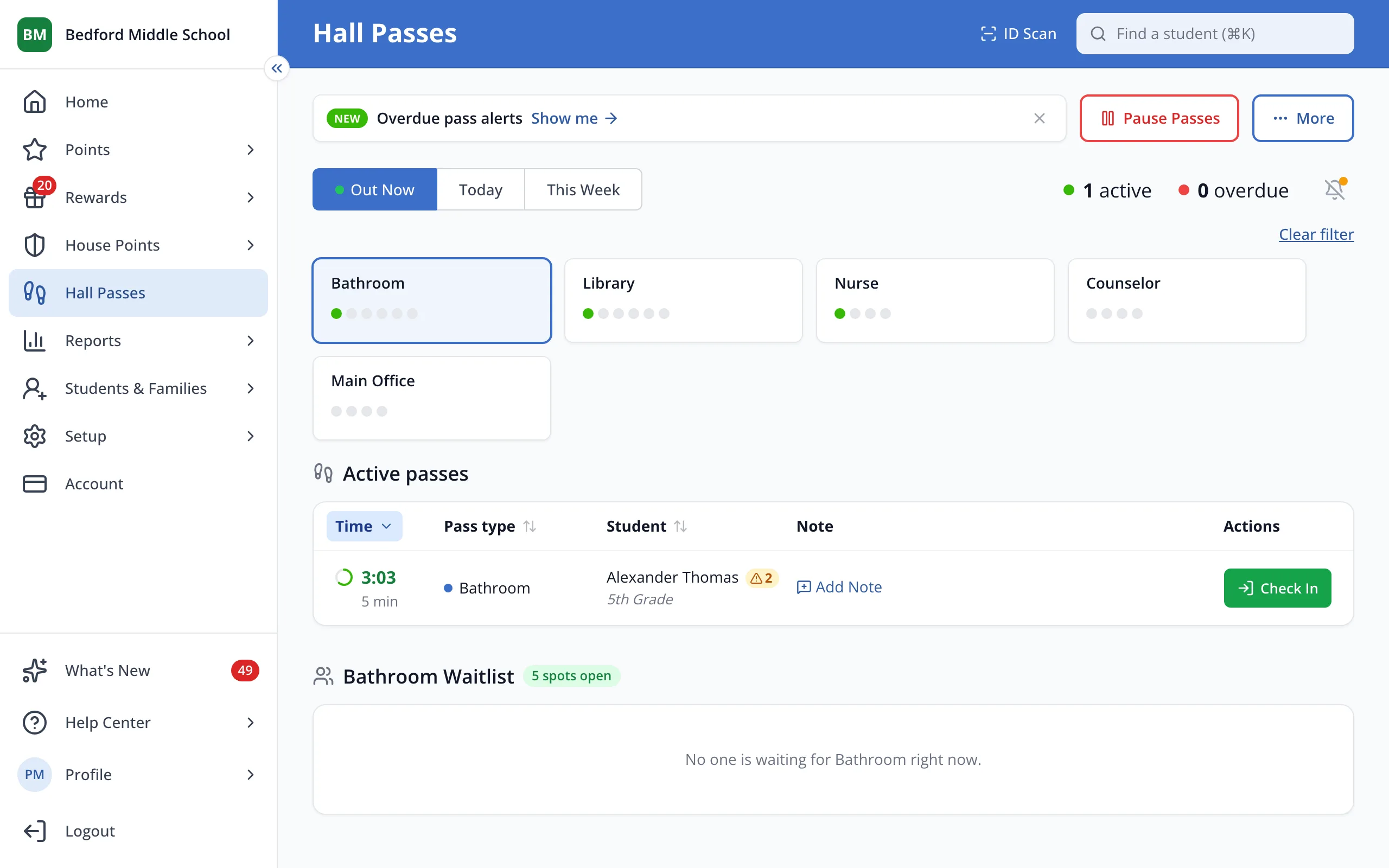
See who is out on a pass right now
See every student out right now, how long they've been gone, and which ones are overdue.
Use the Left and Right arrow keys to move between steps, and Space to play or pause.
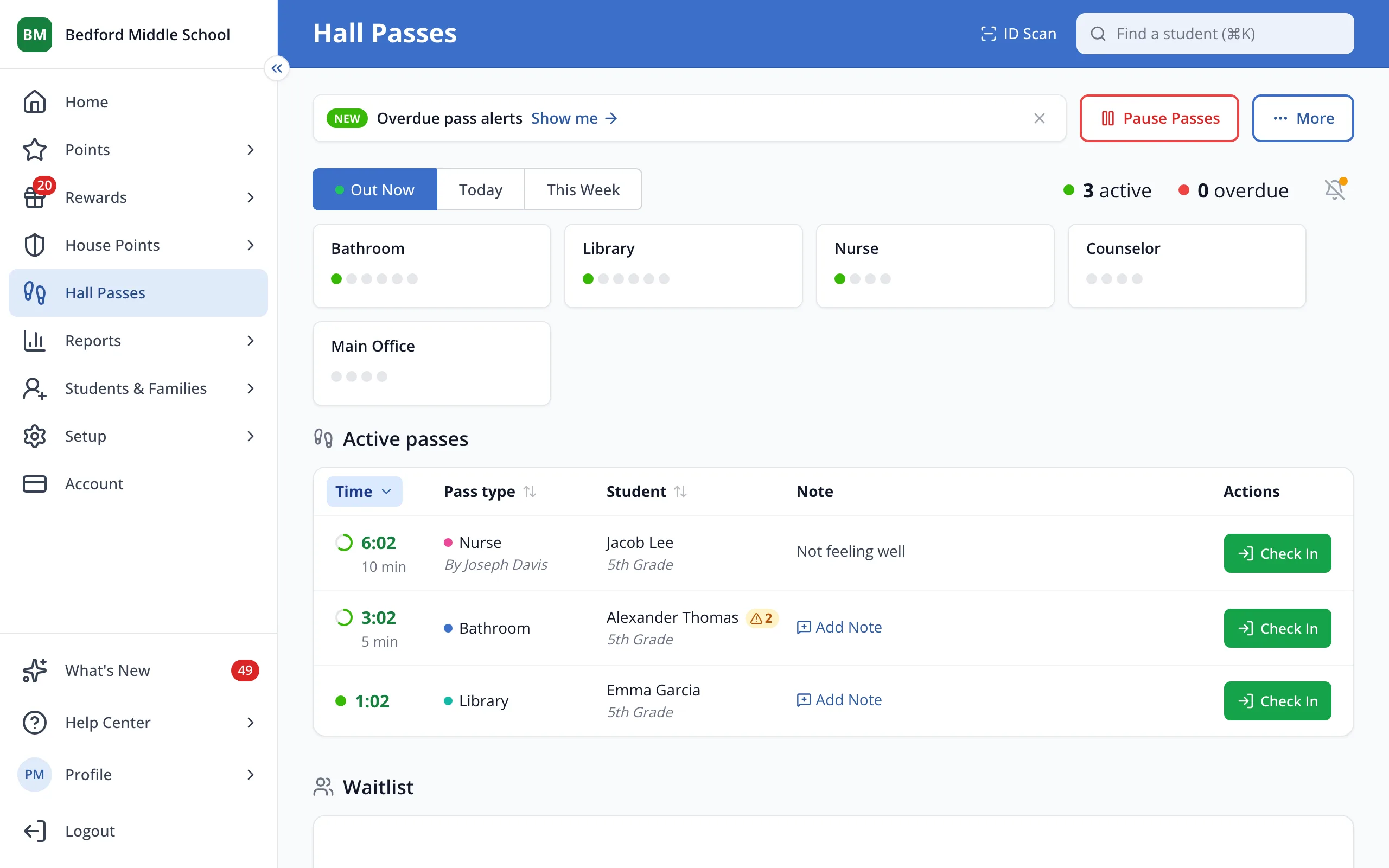
1.On the Hall Passes page, Active passes lists everyone who's out right now.
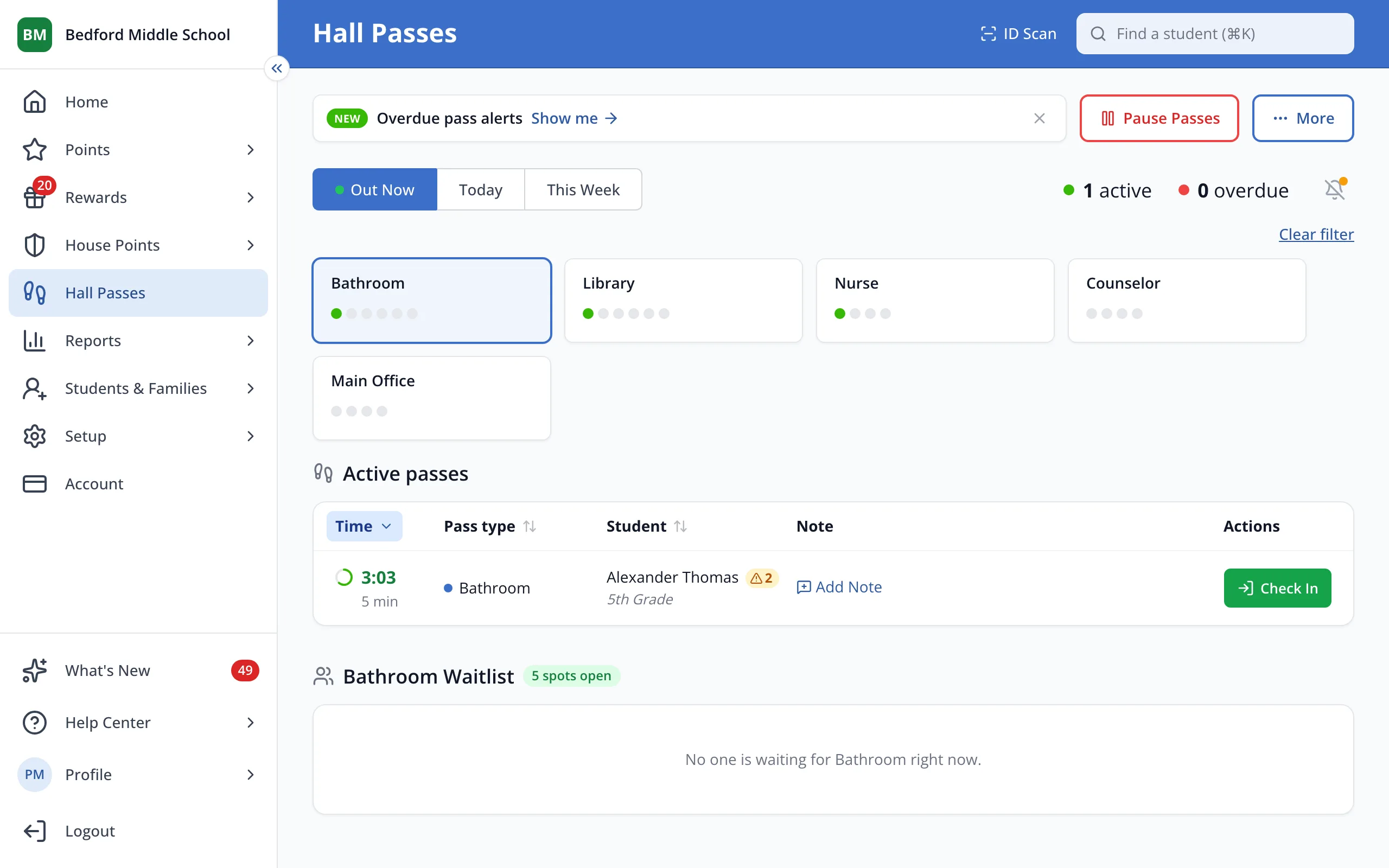
2.Click a pass type at the top to see only the students out on it.
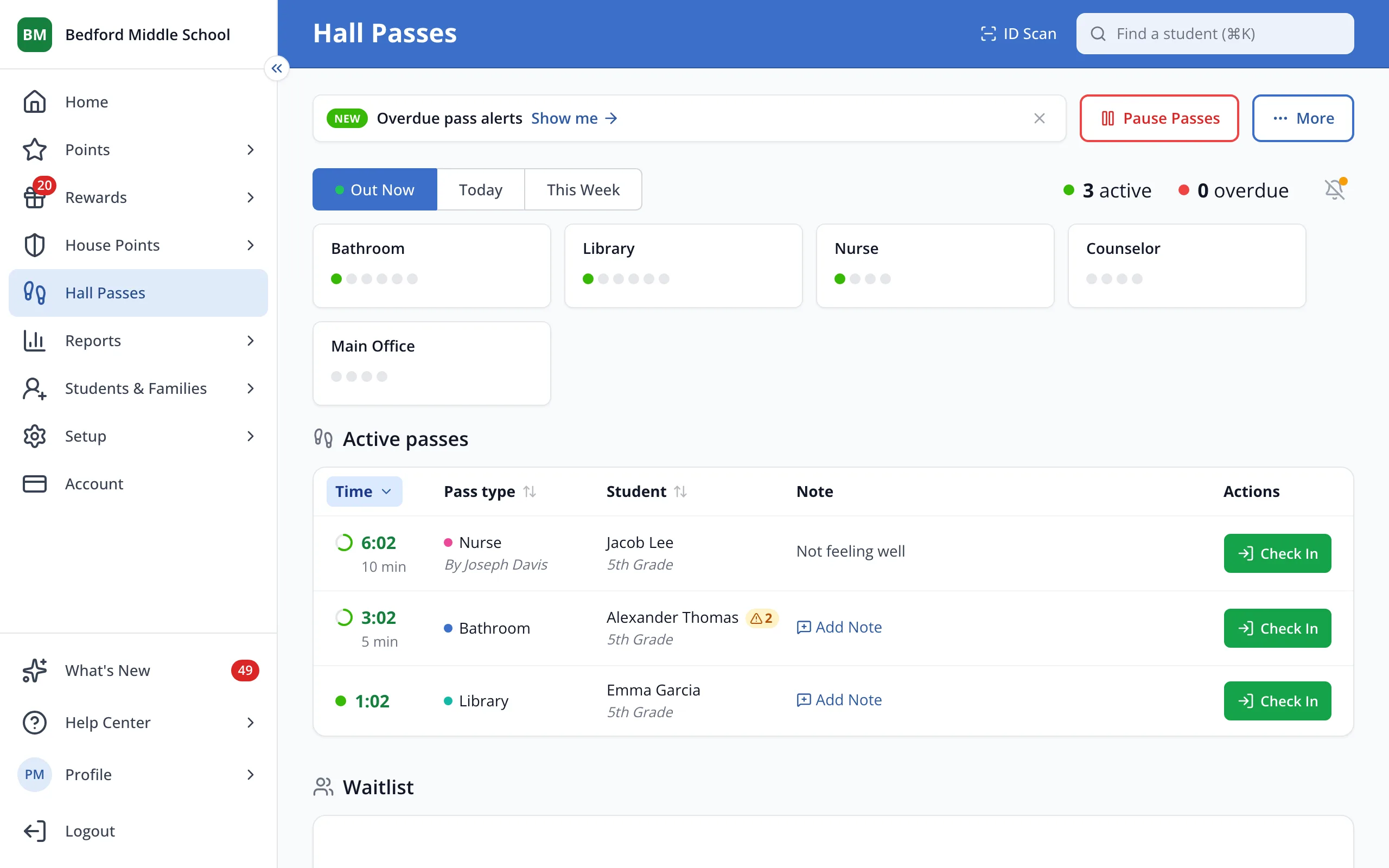
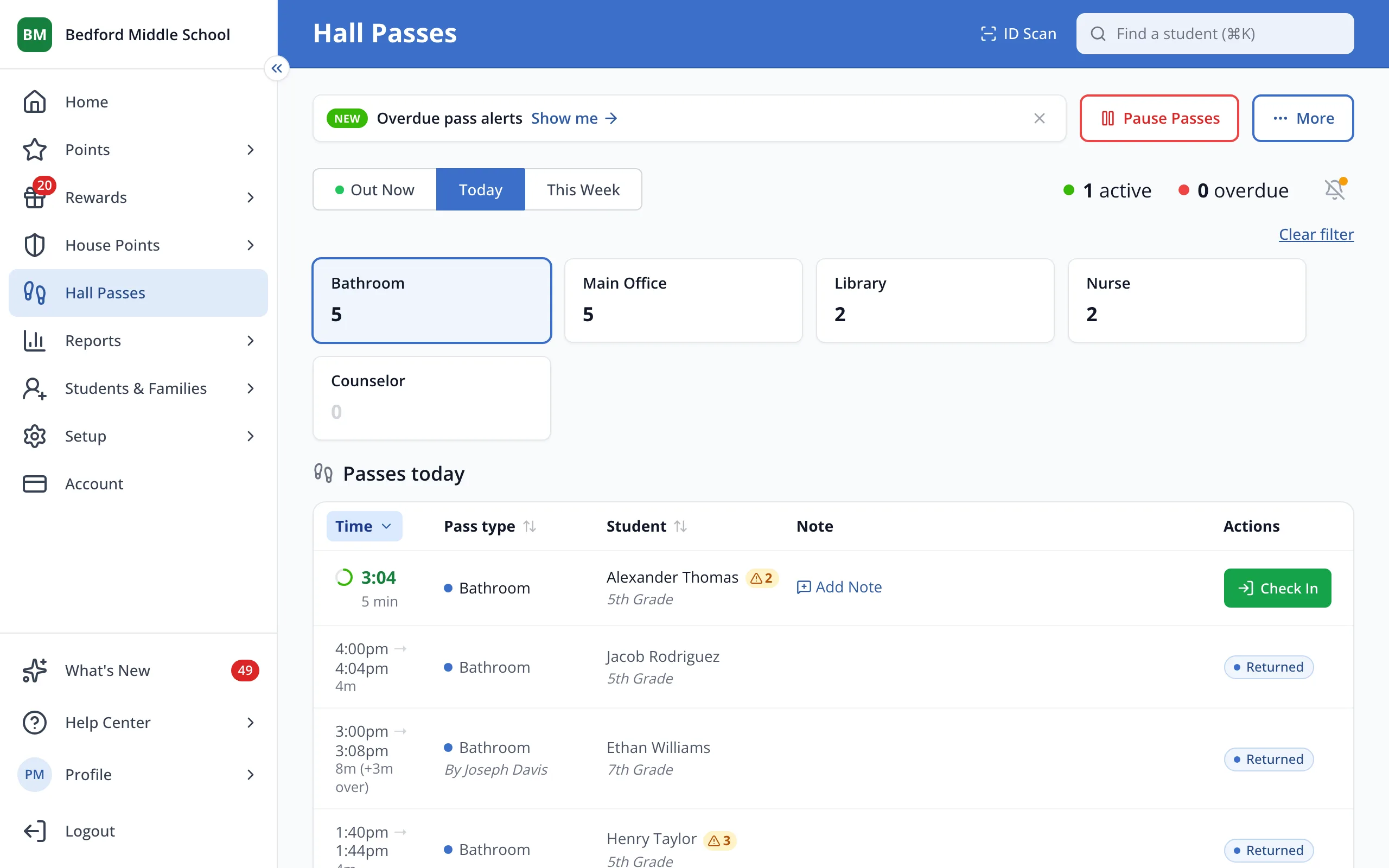
3.Click Today or This Week to see passes that already ended.