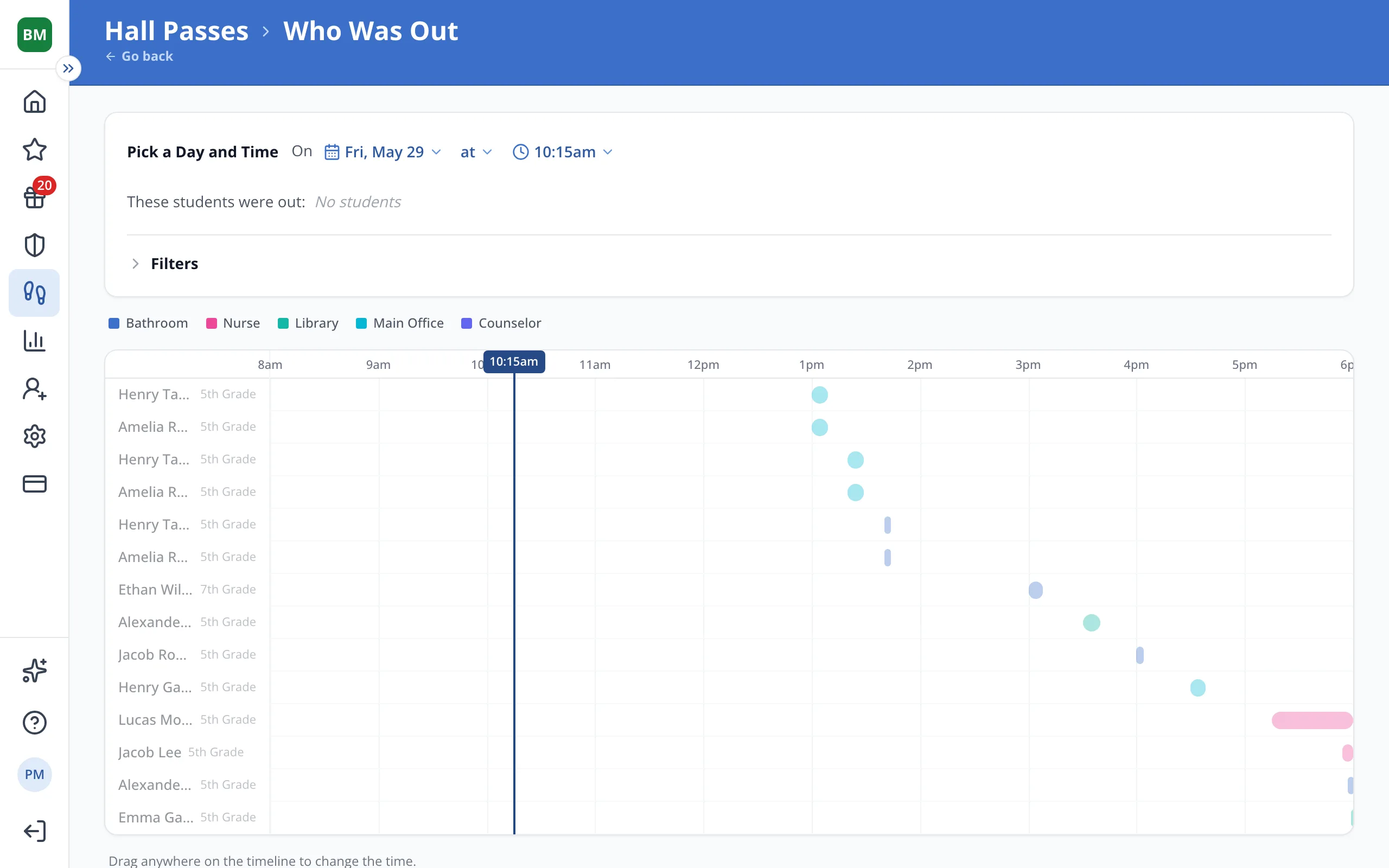
See who was out during a time window
Pick a day and time to see every student who was out on a pass then, like when something happened in the hall.
Use the Left and Right arrow keys to move between steps, and Space to play or pause.
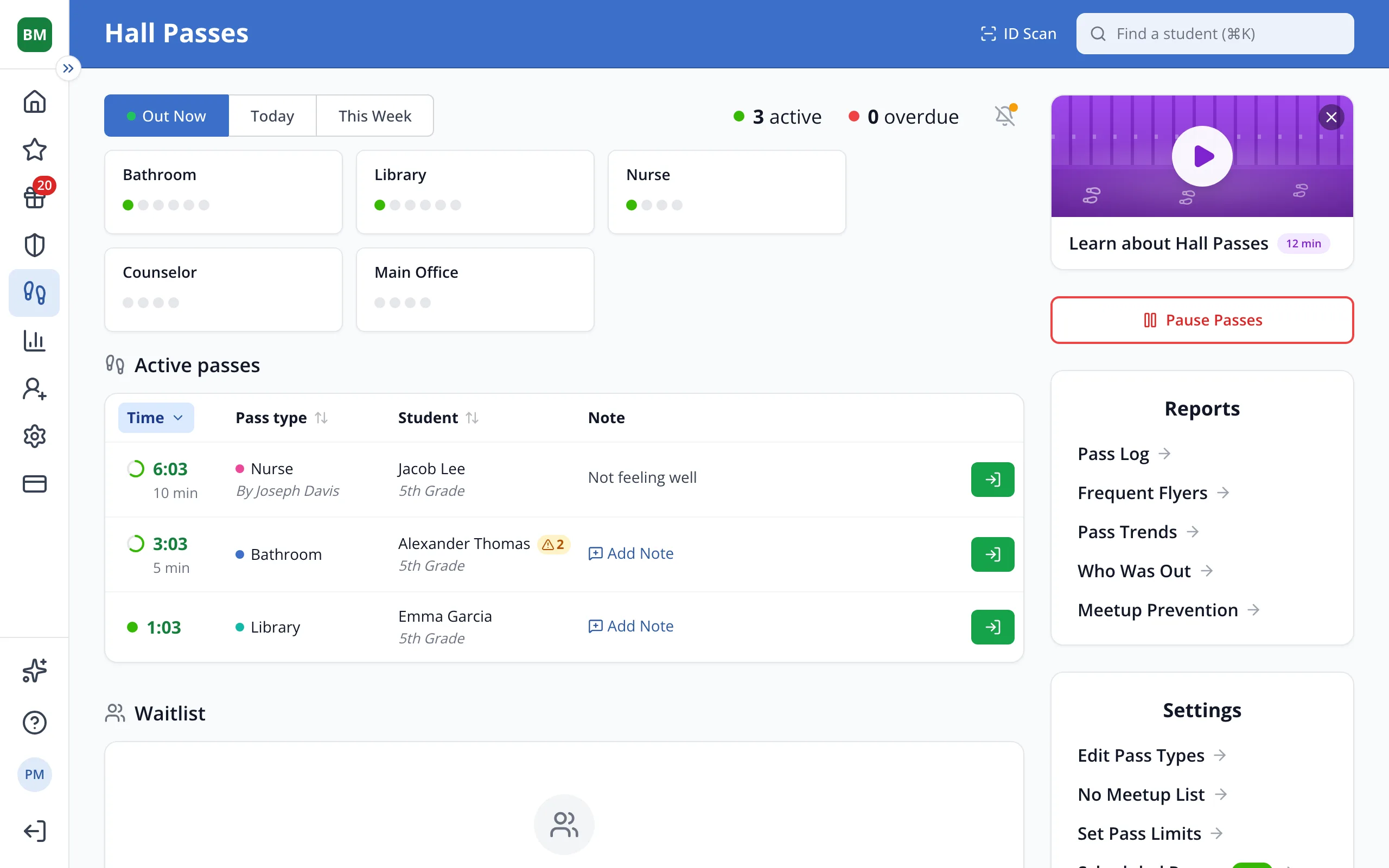
1.On the Hall Passes page, under Reports, click Who Was Out.
Did you know? On a smaller screen, click More to find these links.
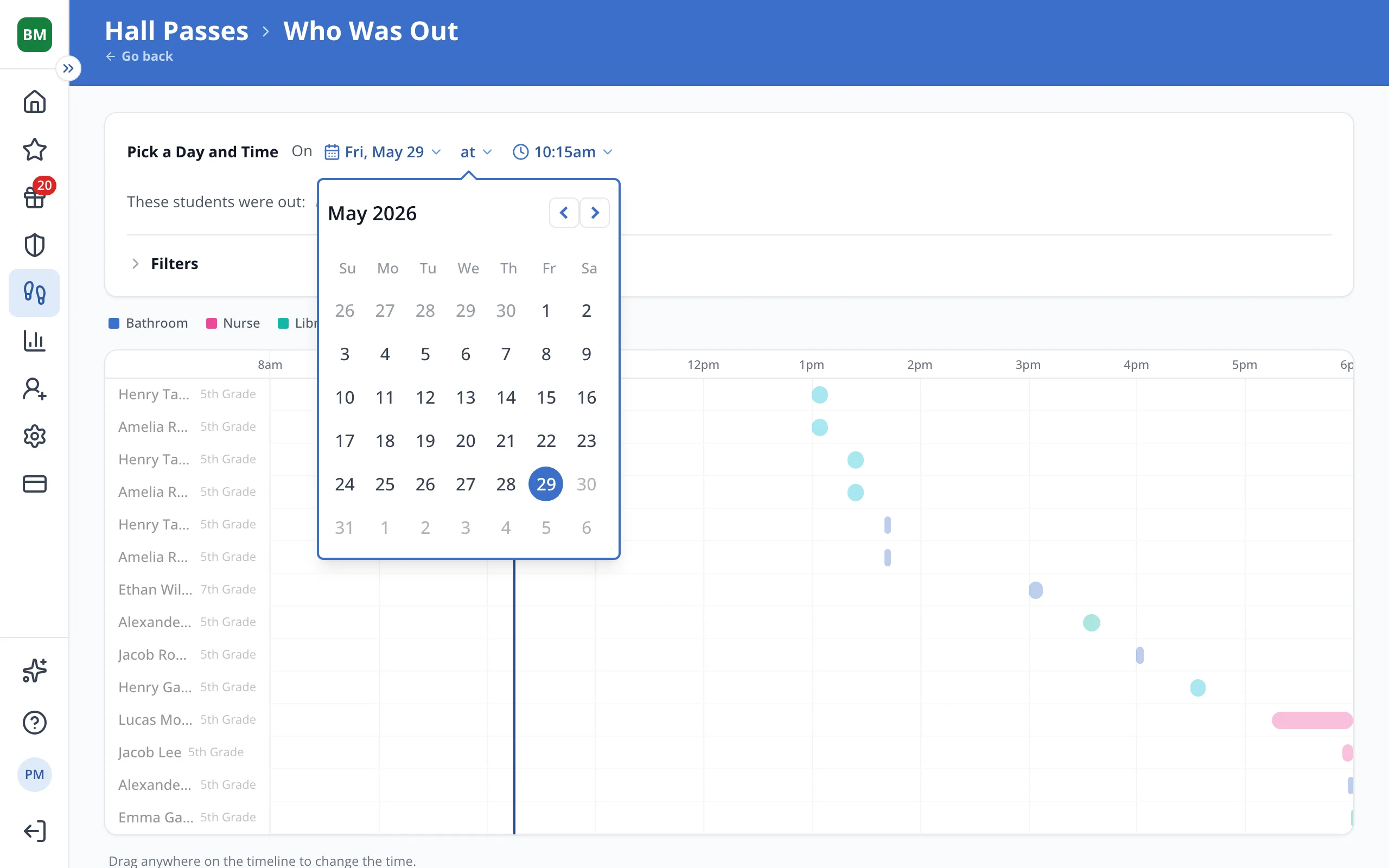
2.Click the date to pick the day.
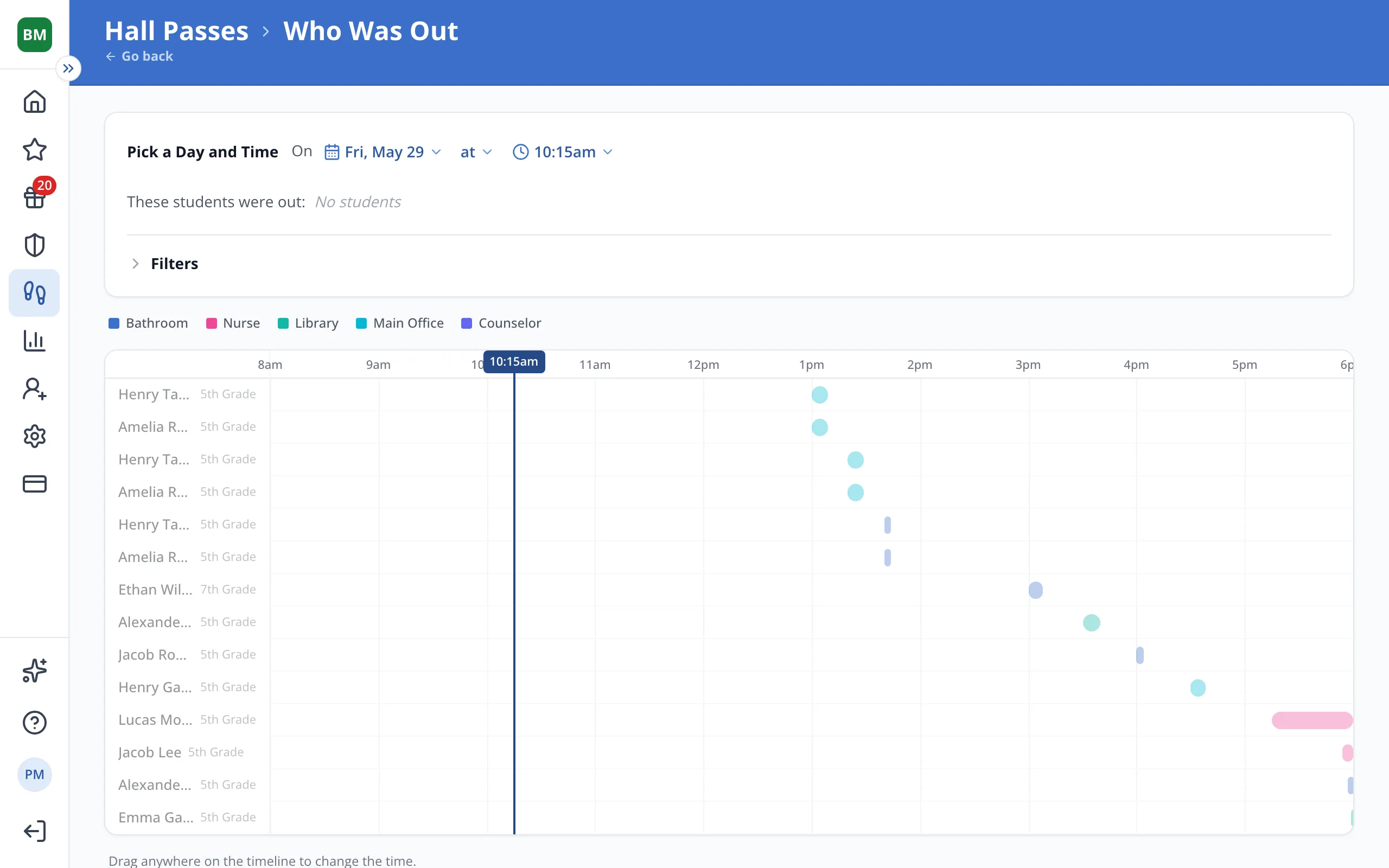
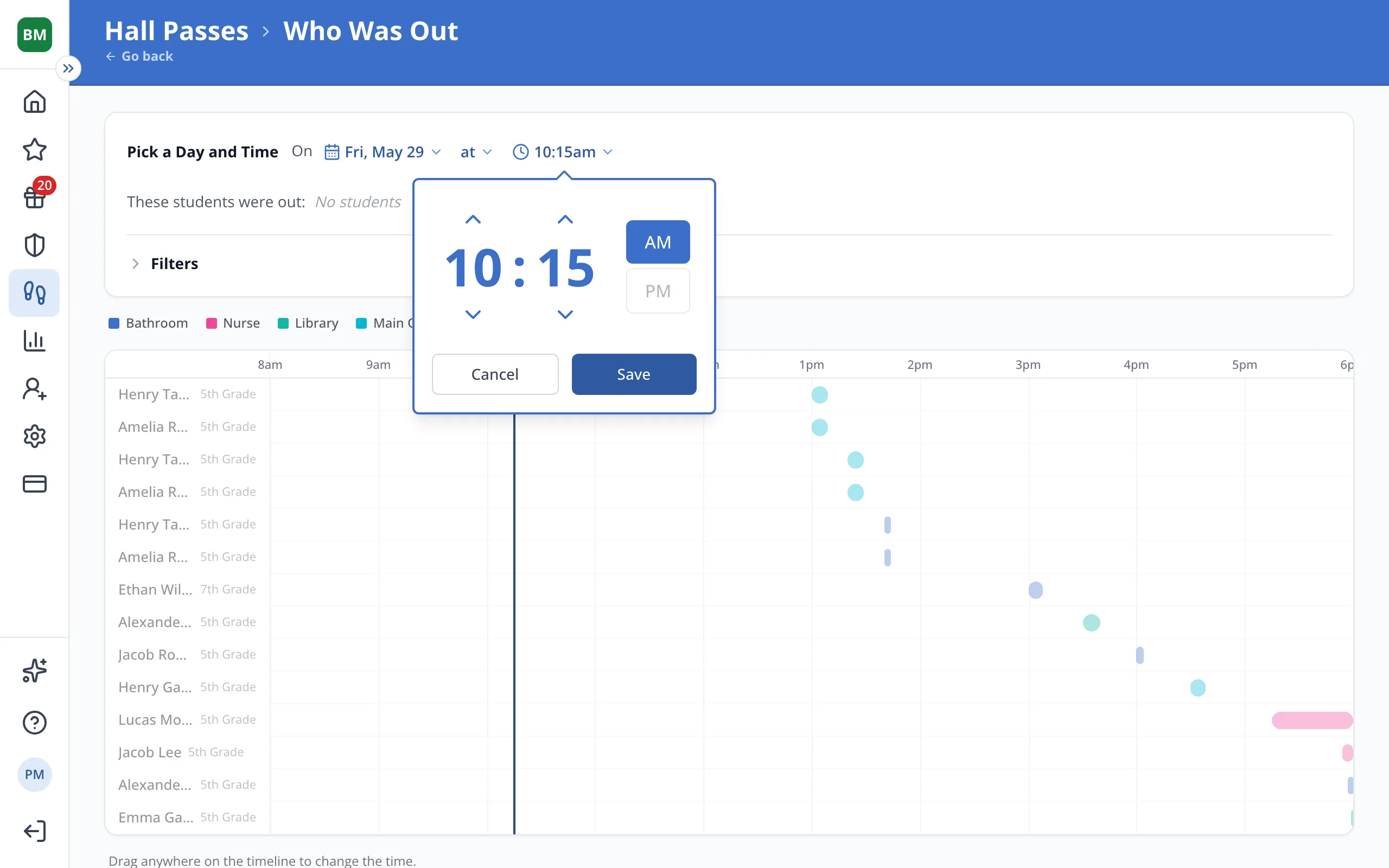
3.Click the time to pick the moment. You can also drag on the timeline.