
Hide point totals on the Points page
Hide totals you don't want on screen, like when your Points page is projected. It only changes this browser.
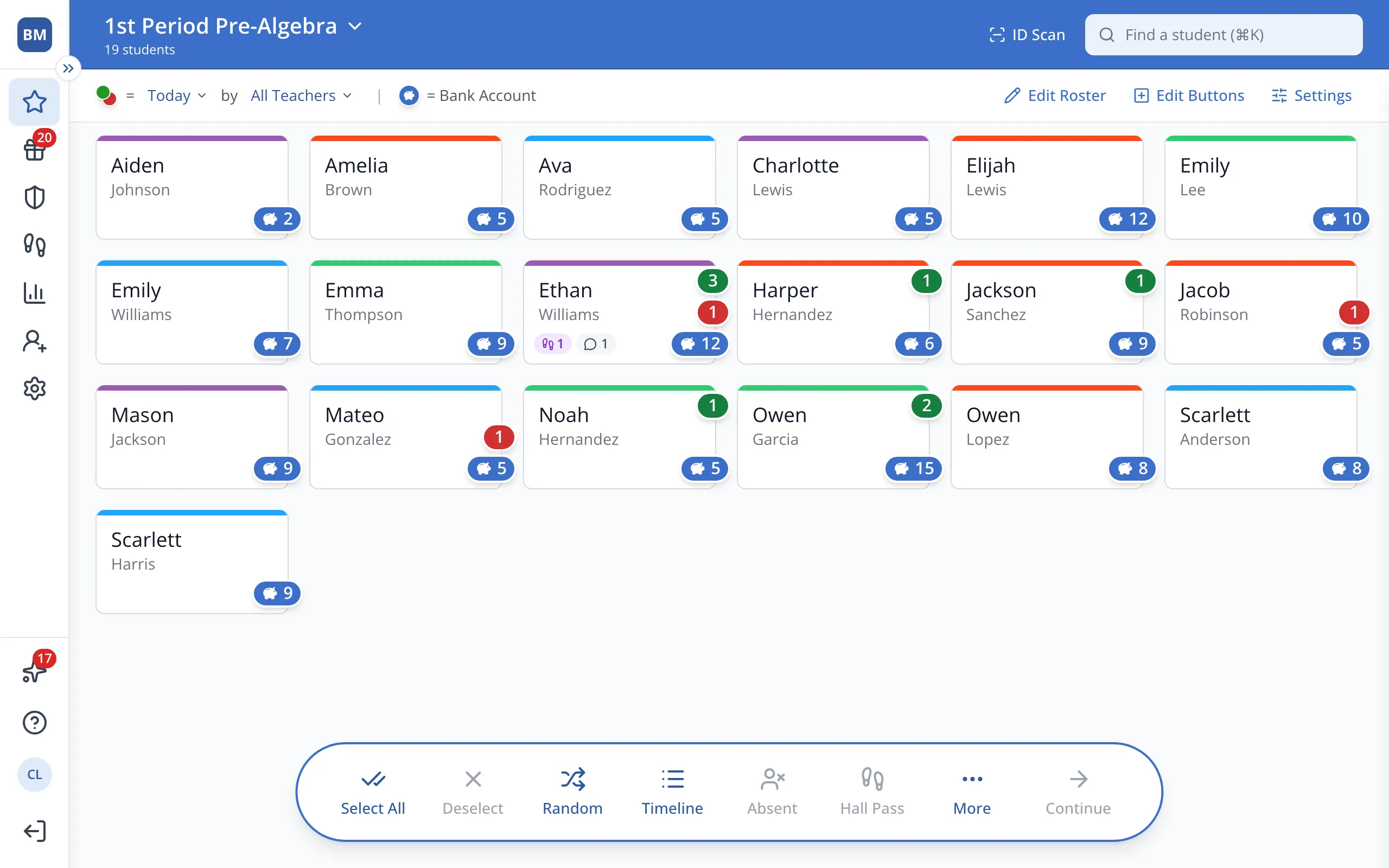
1 / 4On the Points page, click Edit Buttons at the top.
1.On the Points page, click Edit Buttons at the top.
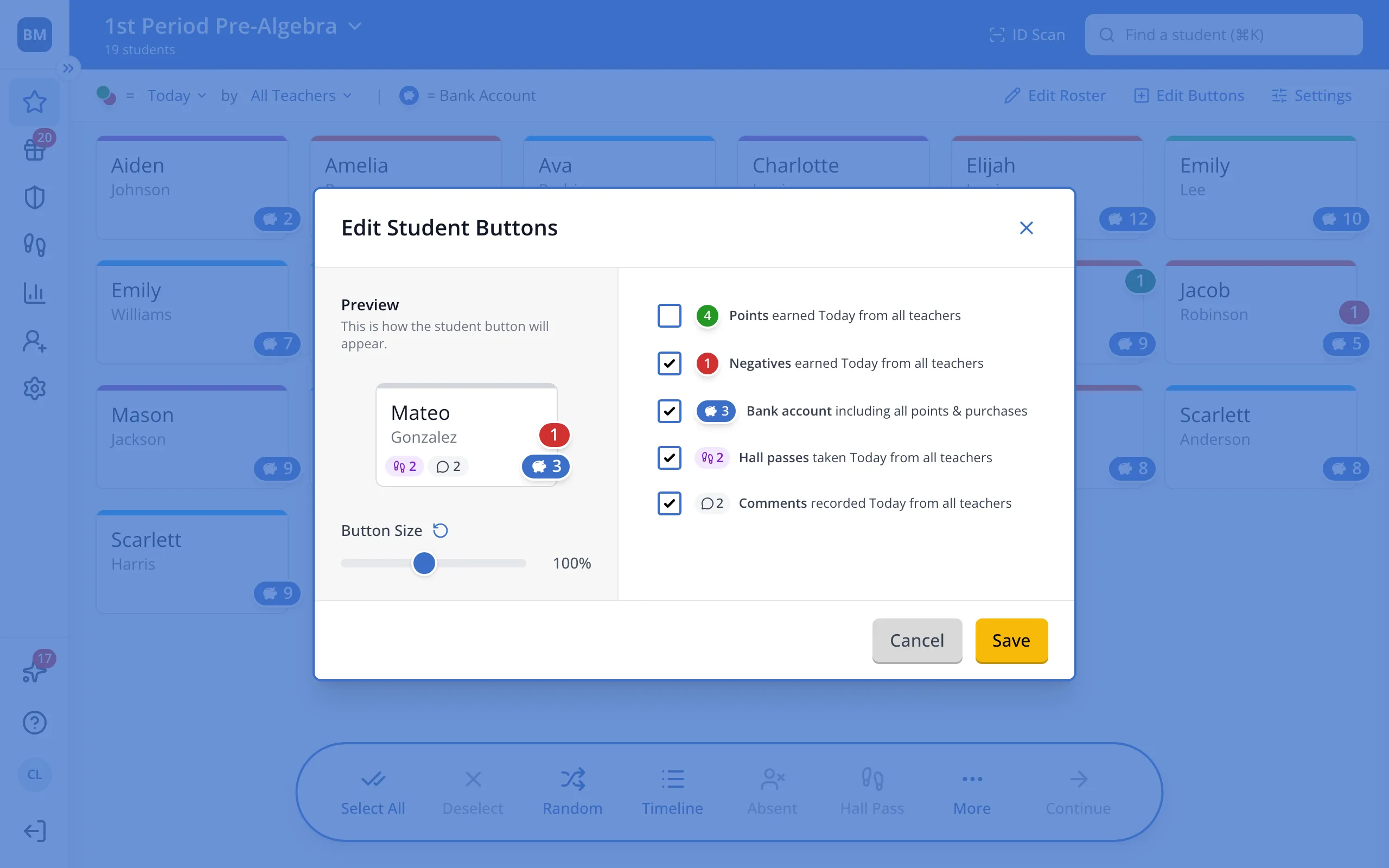
2.Uncheck each total you'd like to hide, like Points.
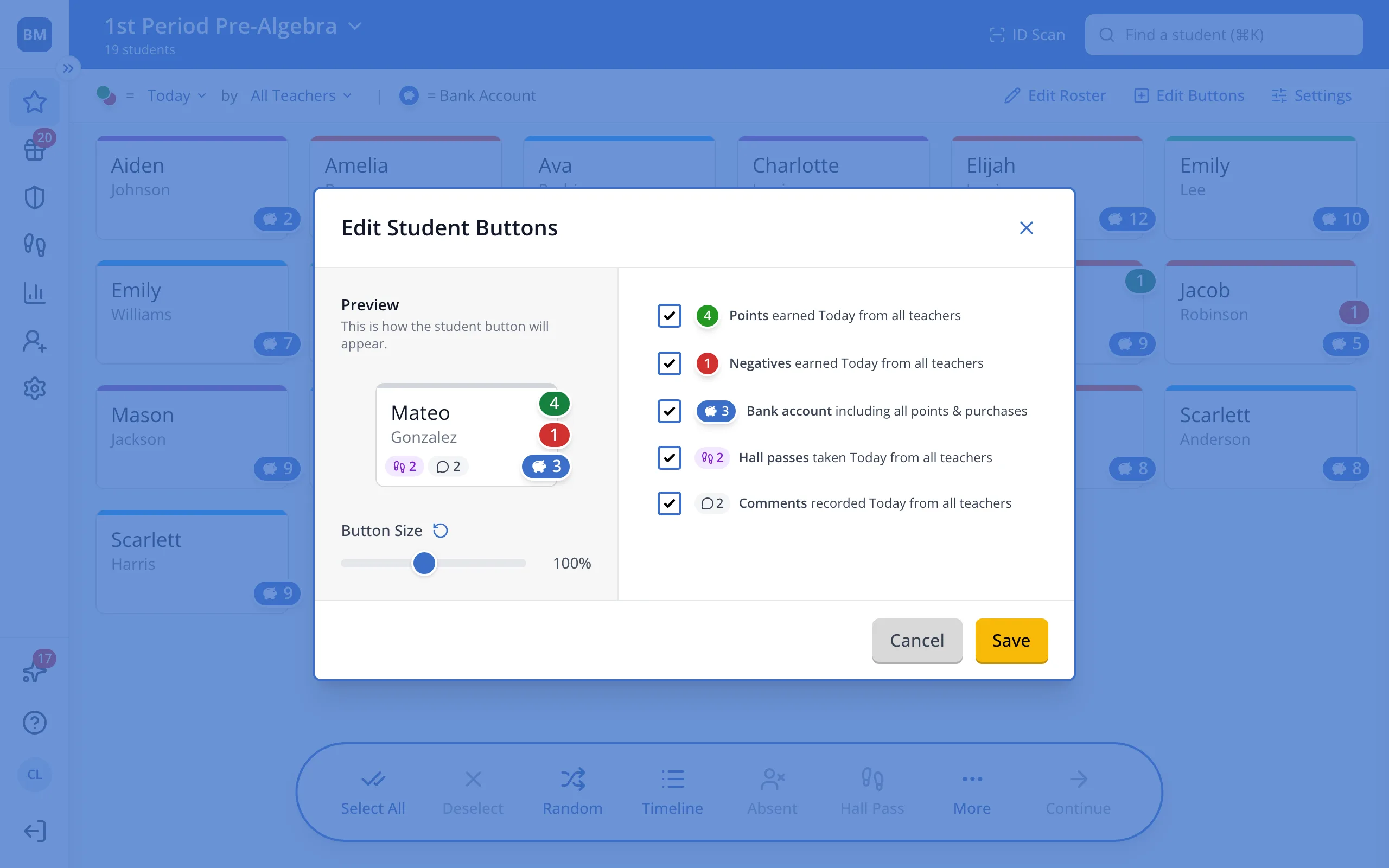
Tip: This only changes the Points page on the device you're using.
3.Click Save.
Was this helpful?