
Disconnect a roster or grade from a house
Remove the Rosters that make up a House. Students who were in that House are now removed from it, but they are not removed from LiveSchool and the Roster itself is not deleted.
AdminSite Leader
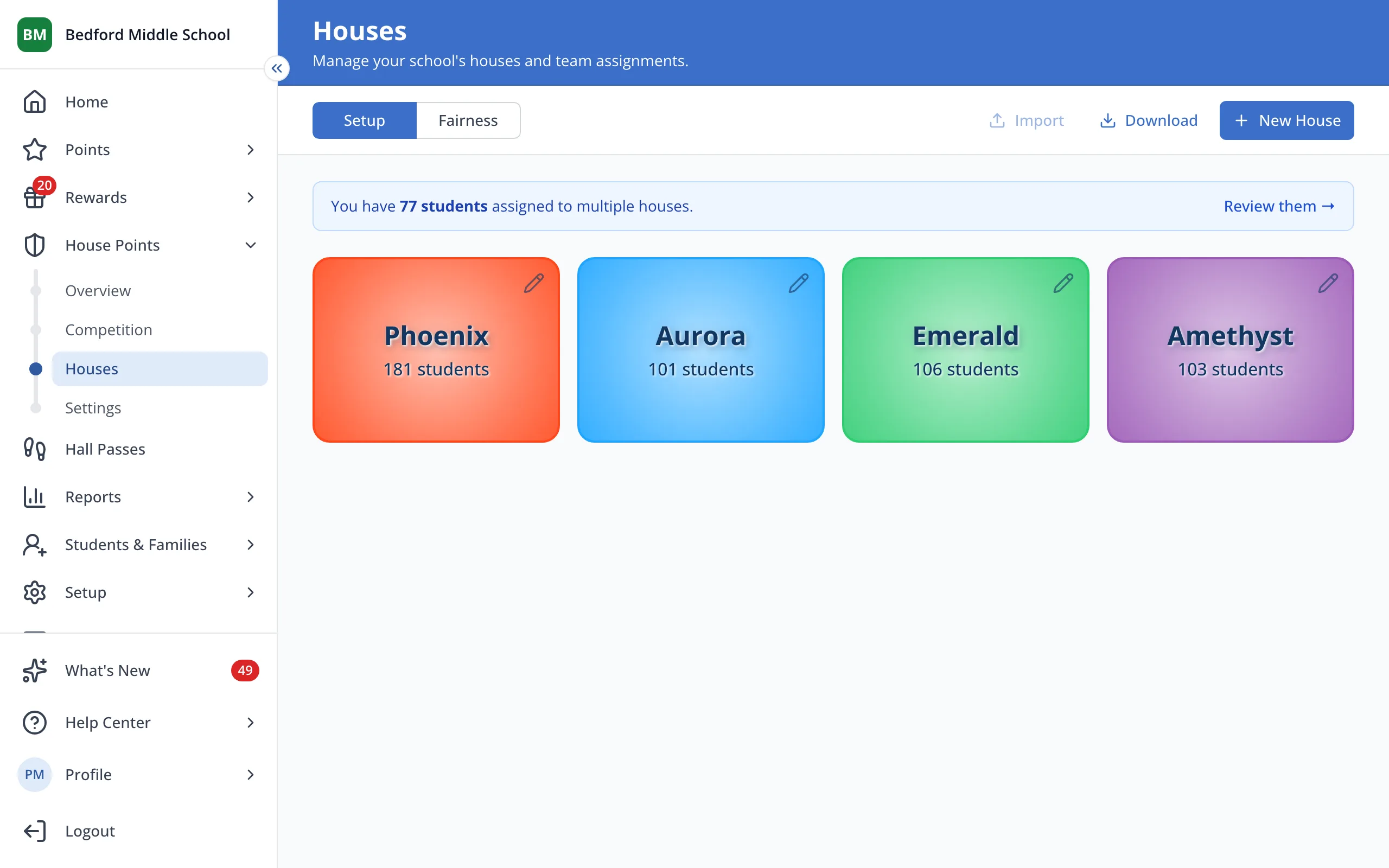
1 / 3On the Houses page, click the House.
1.On the Houses page, click the House.
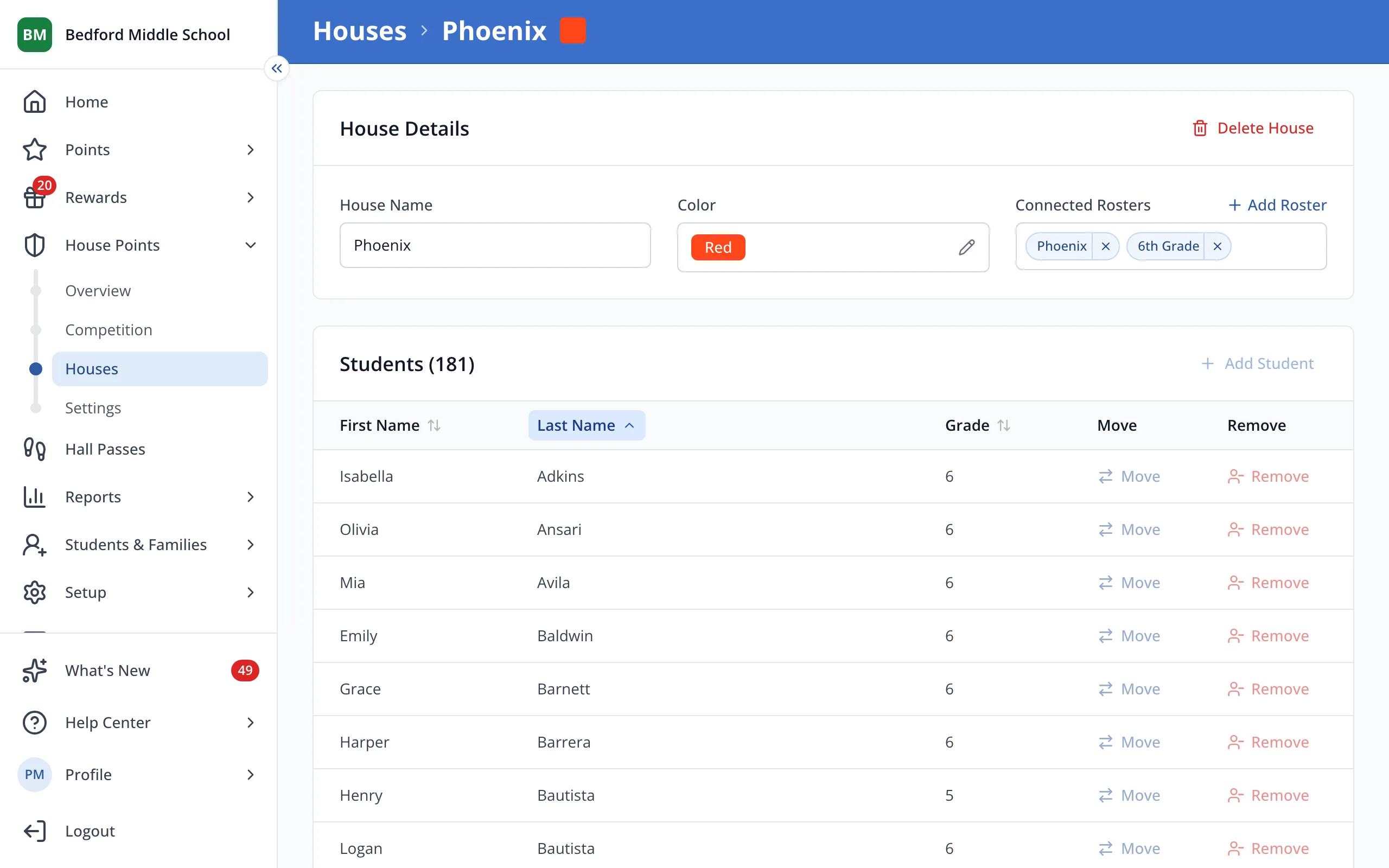
2.Under Connected Rosters, click the X next to the roster or grade.
Was this helpful?