
Sort unassigned students into houses randomly
Students are spread across your Houses to keep them even. It only works when every House is managed in LiveSchool.
AdminSite Leader
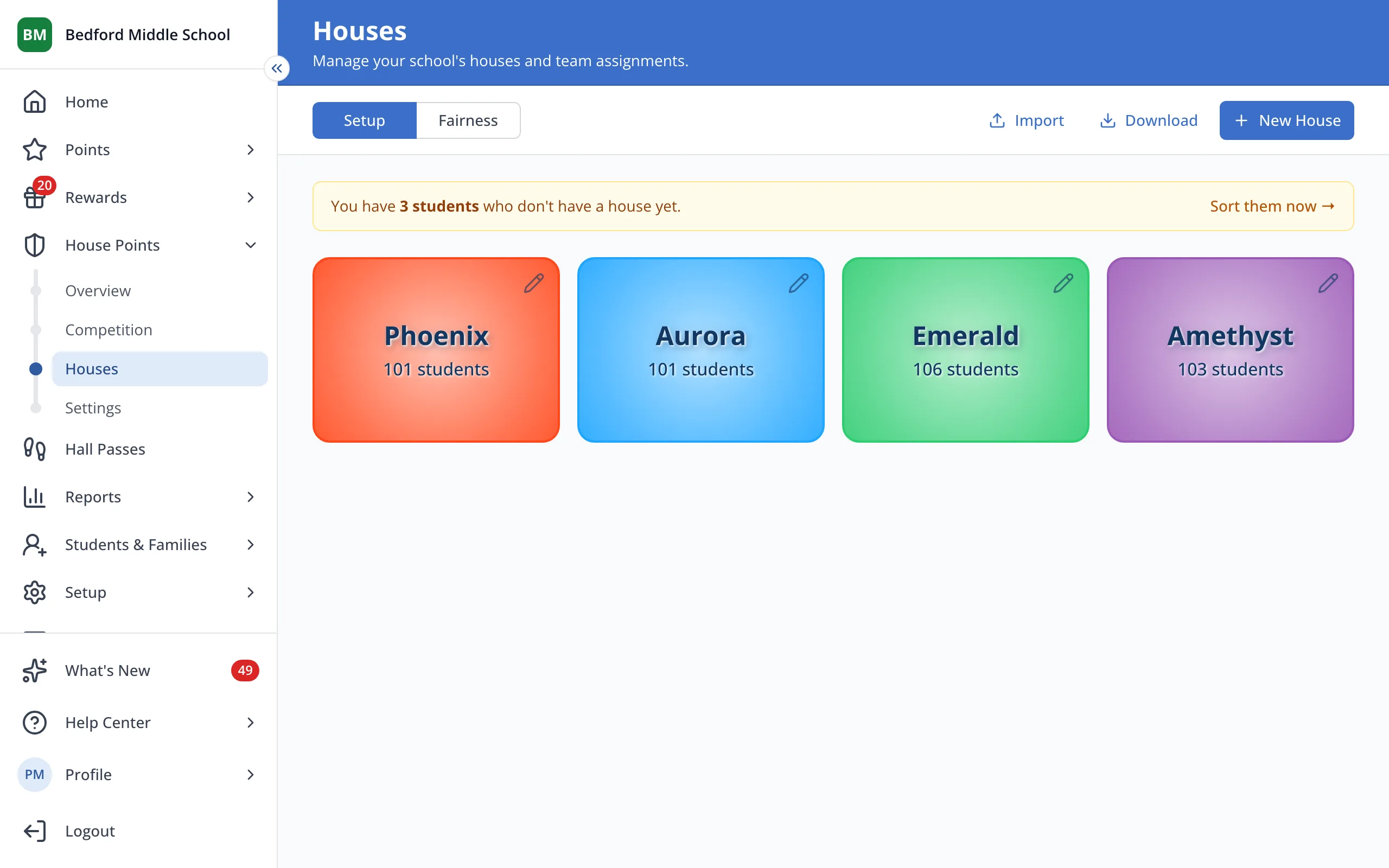
1 / 4On the Houses page, click the yellow bar that says how many students don't have a House yet.
1.On the Houses page, click the yellow bar that says how many students don't have a House yet.
2.Click Randomly Assign.
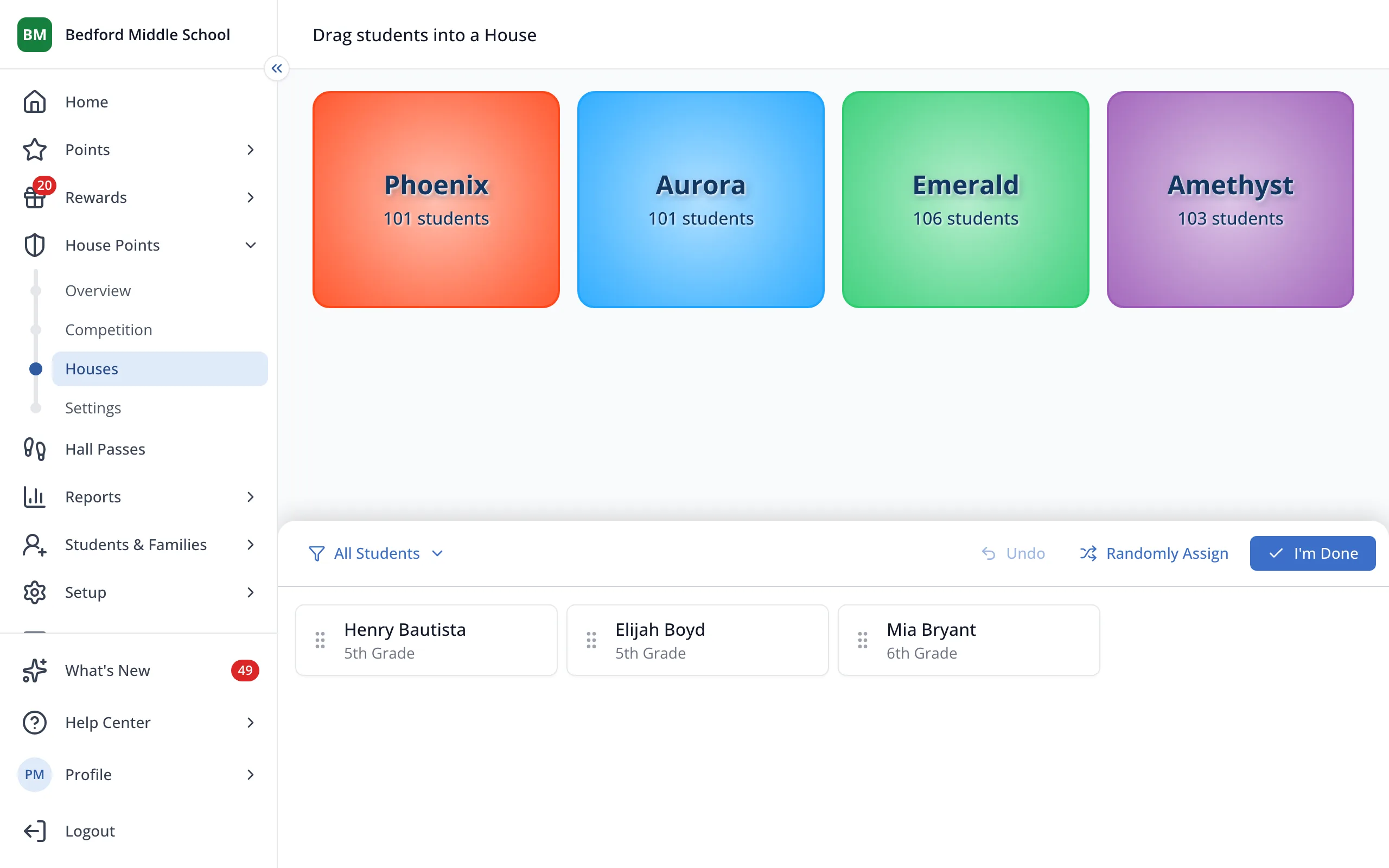
Tip: To choose a student's House yourself, drag them onto it instead.
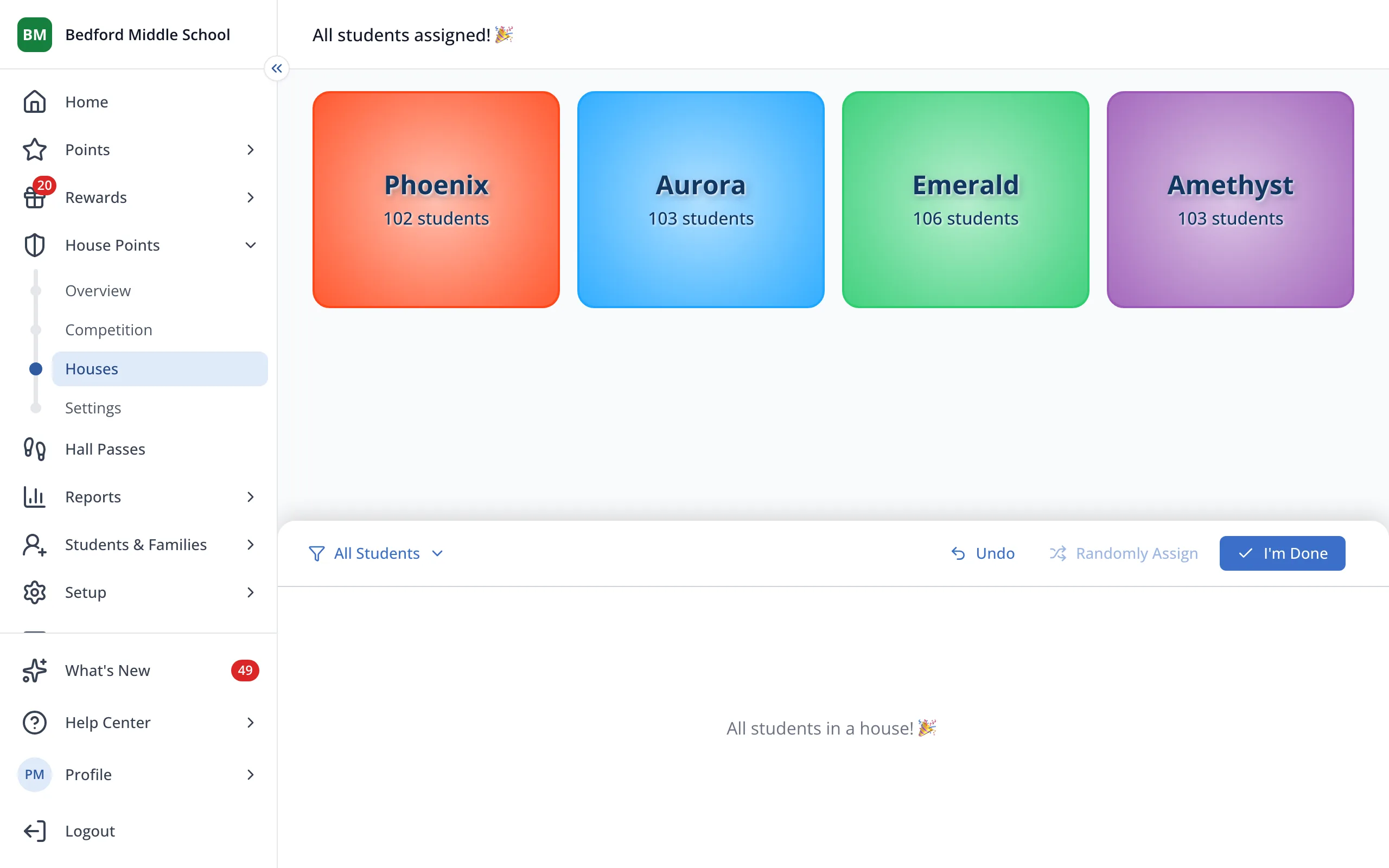
3.Click I'm Done.
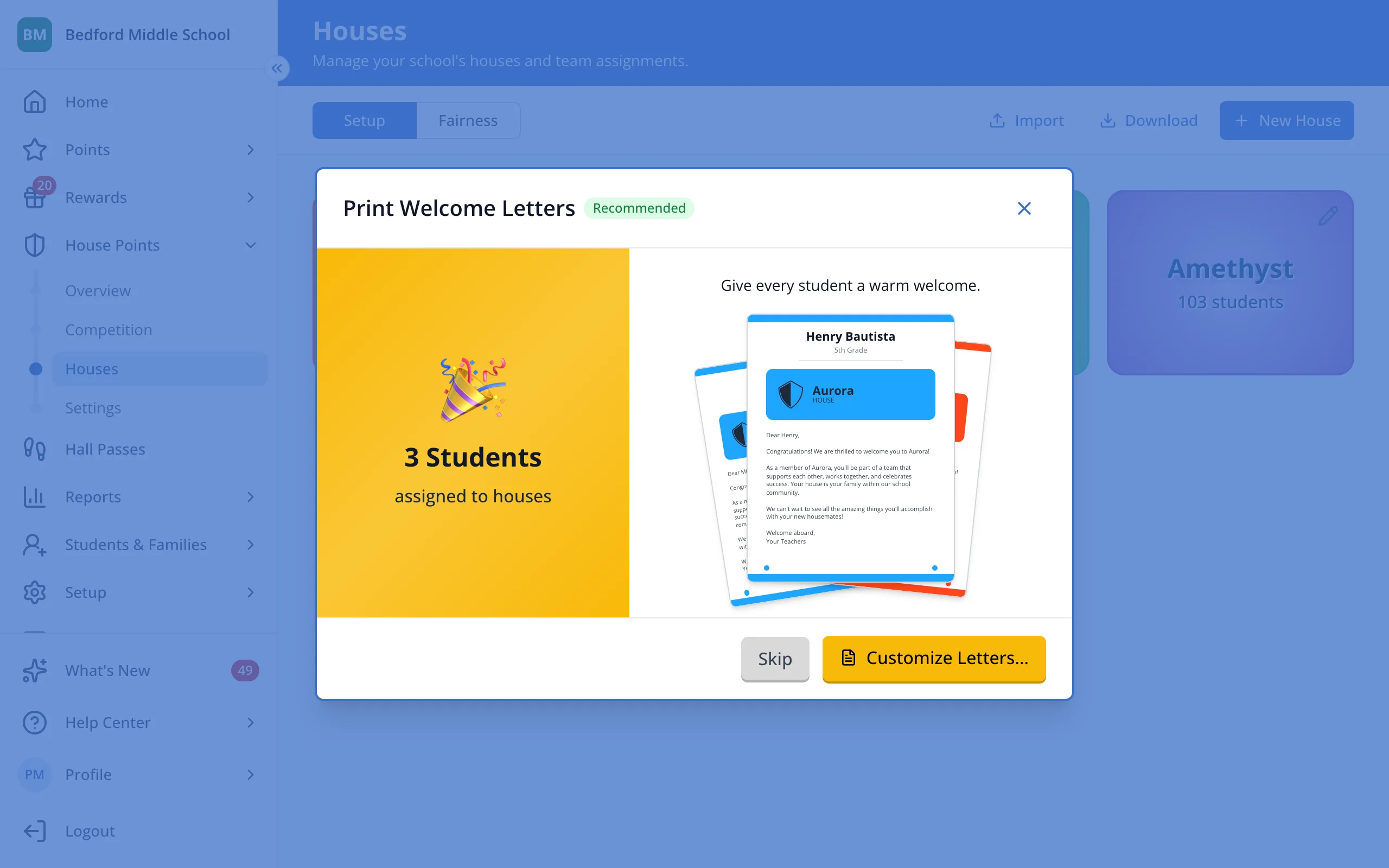
4.Click Customize Letters… to print welcome letters for these students, or Skip.
Was this helpful?