
Choose the bank account icon on student buttons
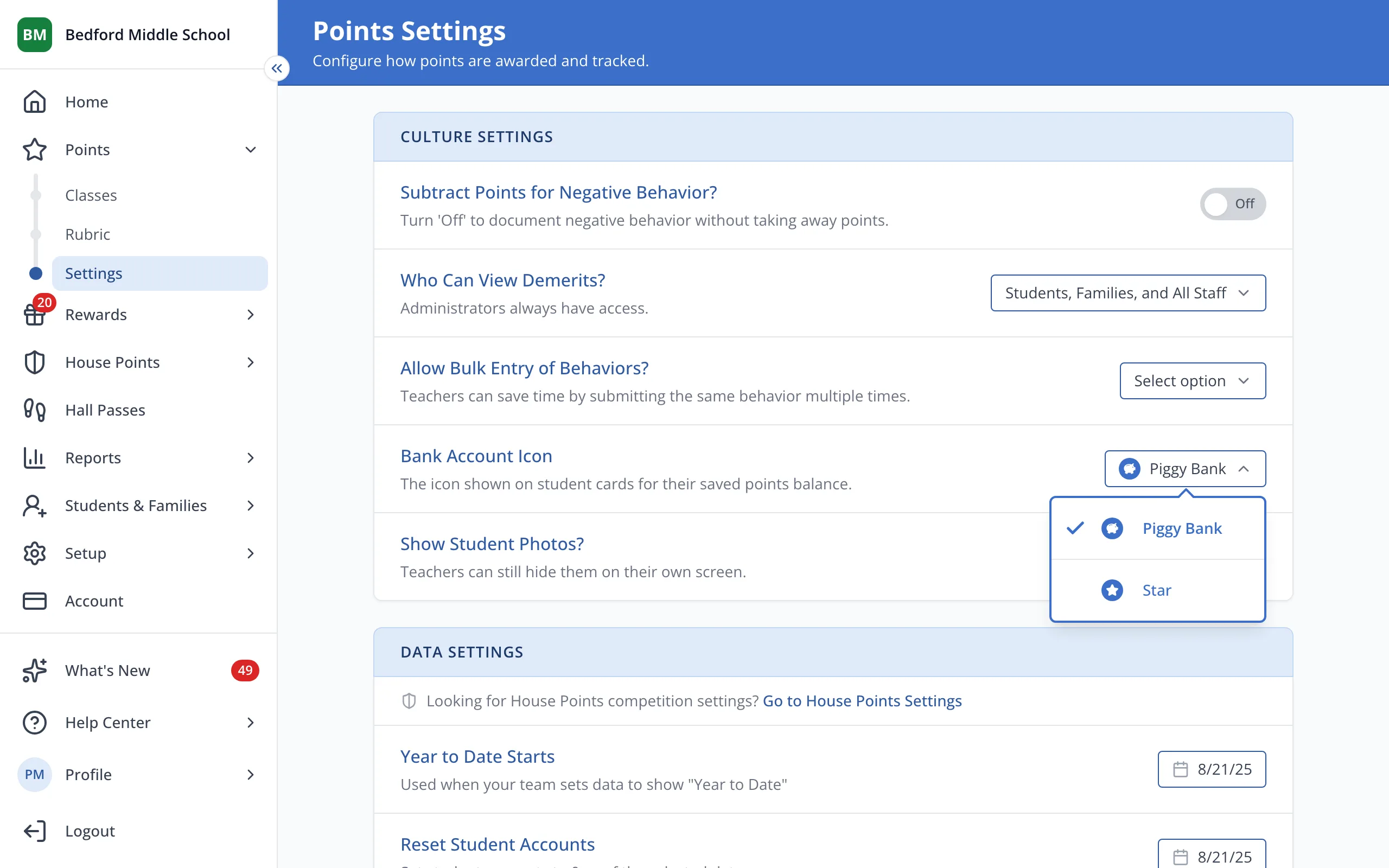
Pick the icon shown next to each student's Bank Account: a piggy bank or a star.
AdminSite Leader
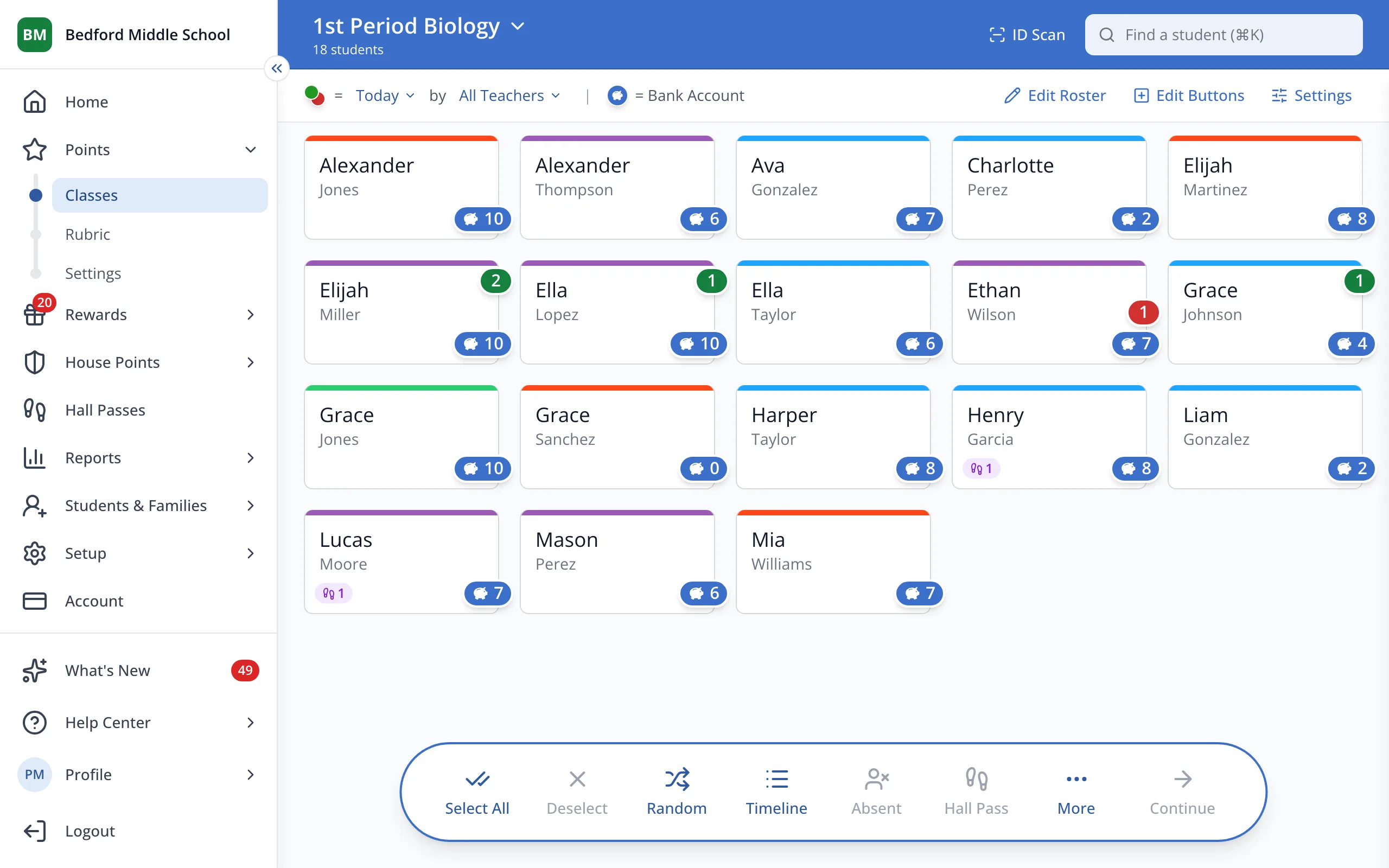
1 / 3In the sidebar, under Points, click Settings.
1.In the sidebar, under Points, click Settings.
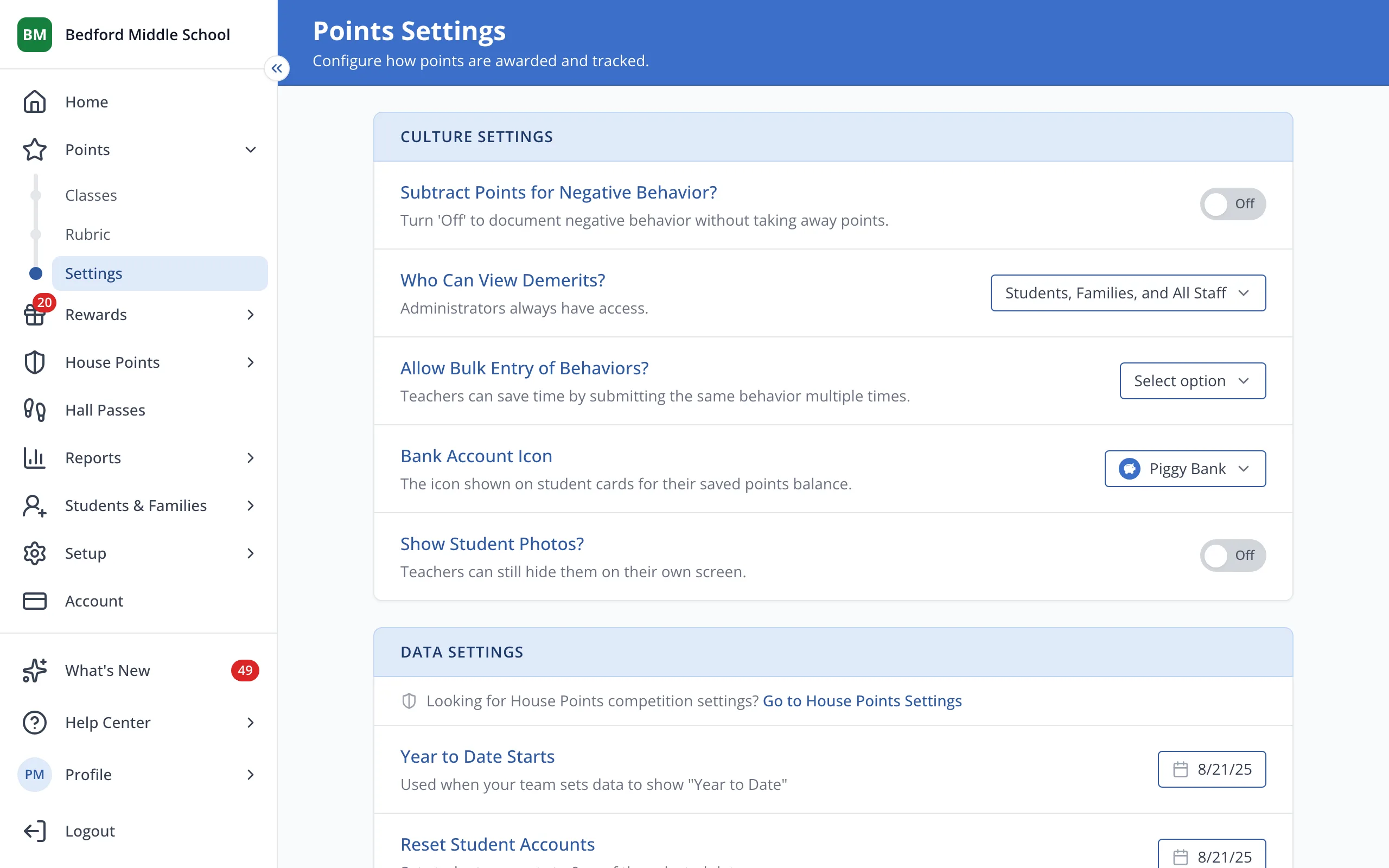
2.Under Bank Account Icon, click the current icon.
3.Click Star or Piggy Bank.
Was this helpful?