
Show or hide houses on student buttons
Each student button shows a colored stripe and icon for their House. Turn it off to hide them.
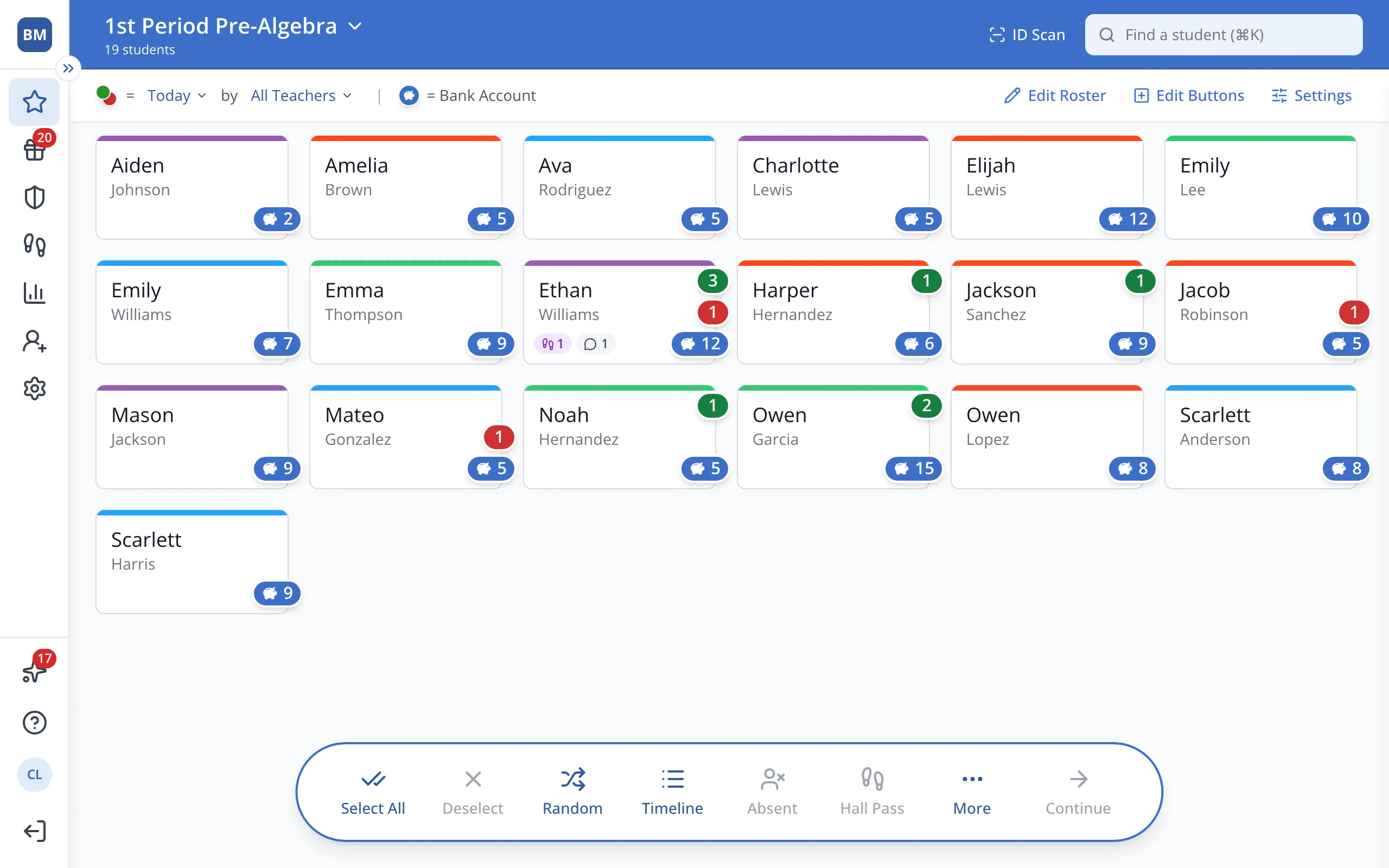
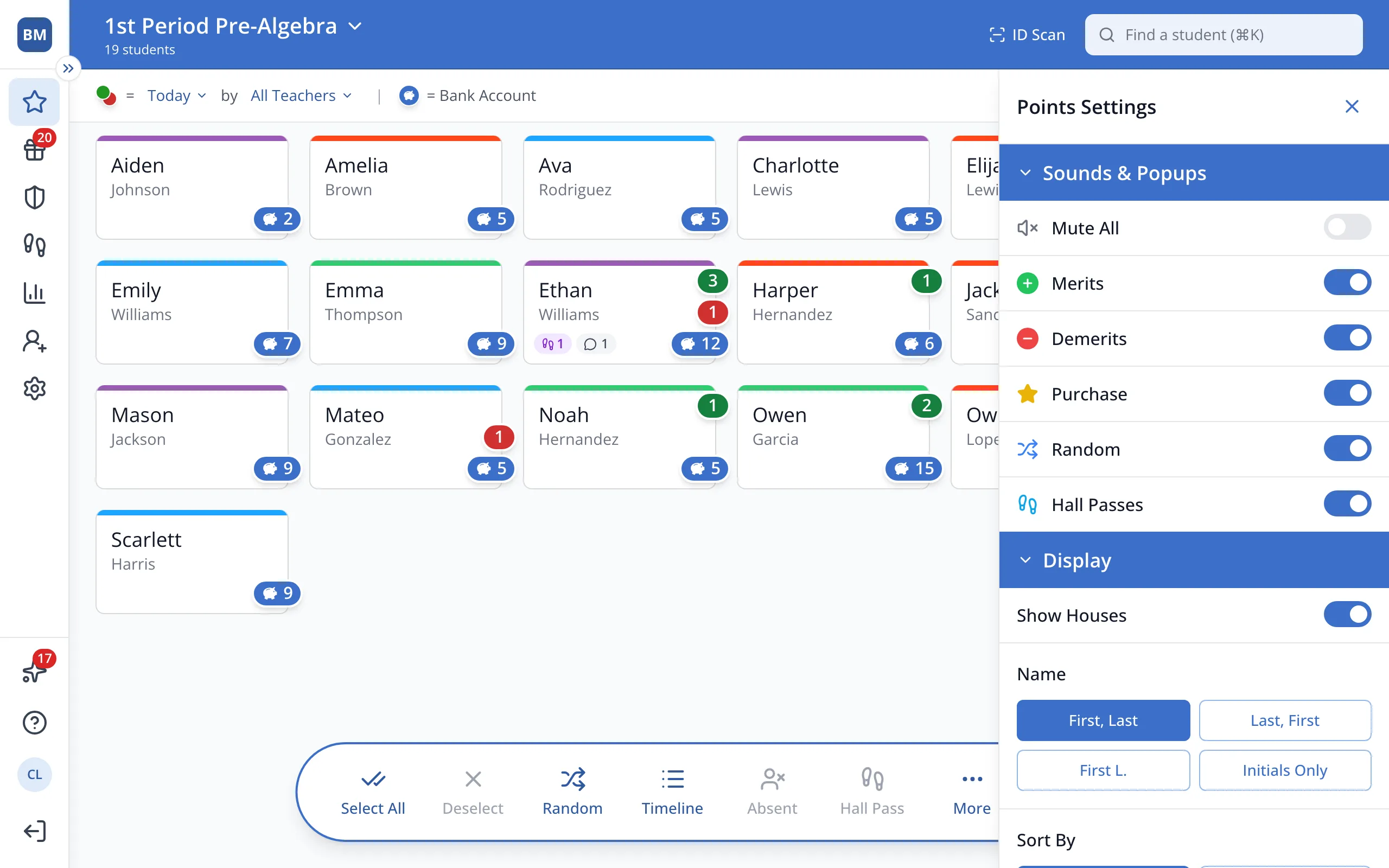
1 / 2At the top right of the Points page, click Settings.
1.At the top right of the Points page, click Settings.
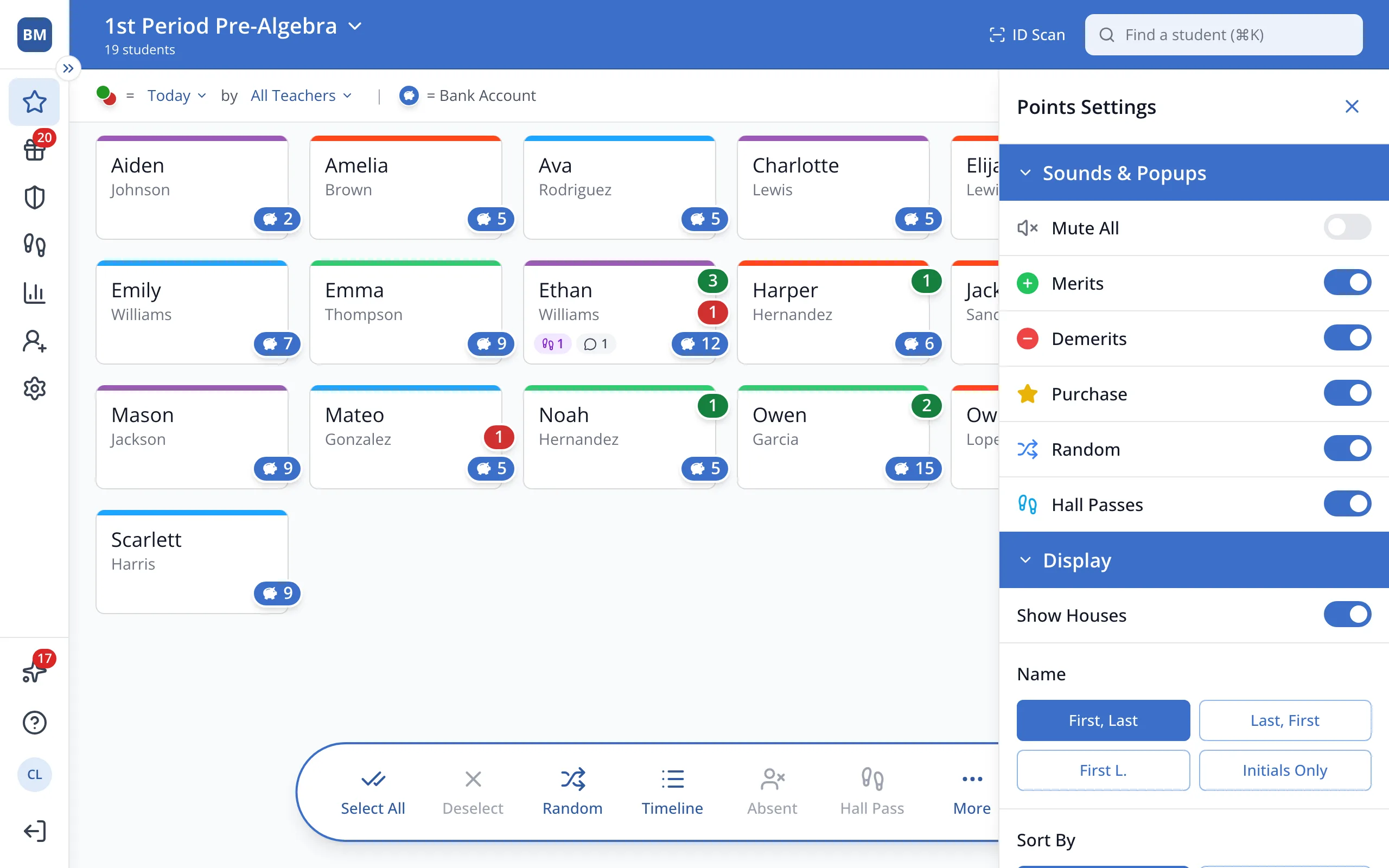
2.Under Display, turn Show Houses on or off.
Was this helpful?