See the points behind a number on a dashboard
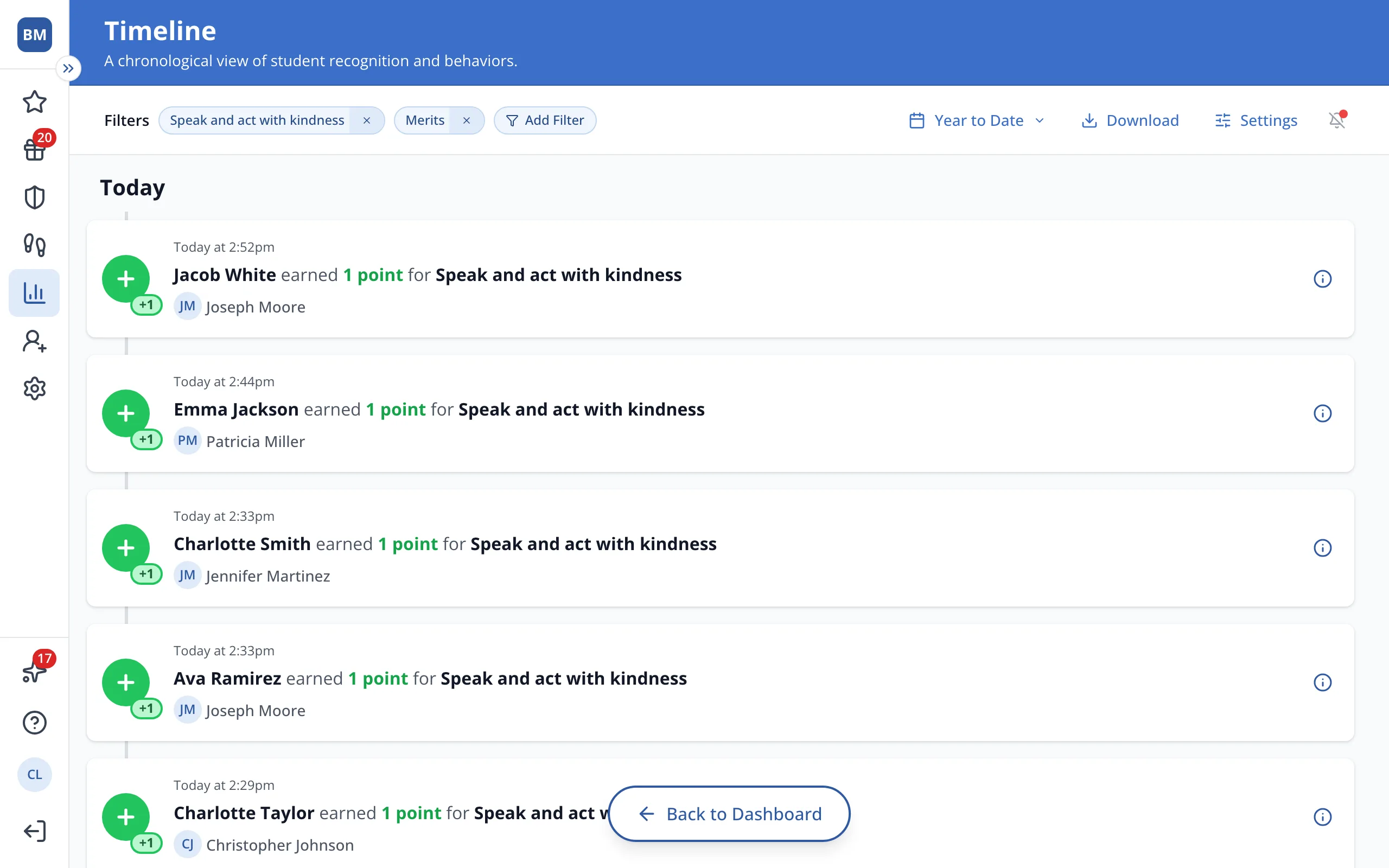
Each number in a dashboard's top lists opens the Timeline, filtered to the points that make it up, so you can see who gave them and when.
Use the Left and Right arrow keys to move between steps, and Space to play or pause.
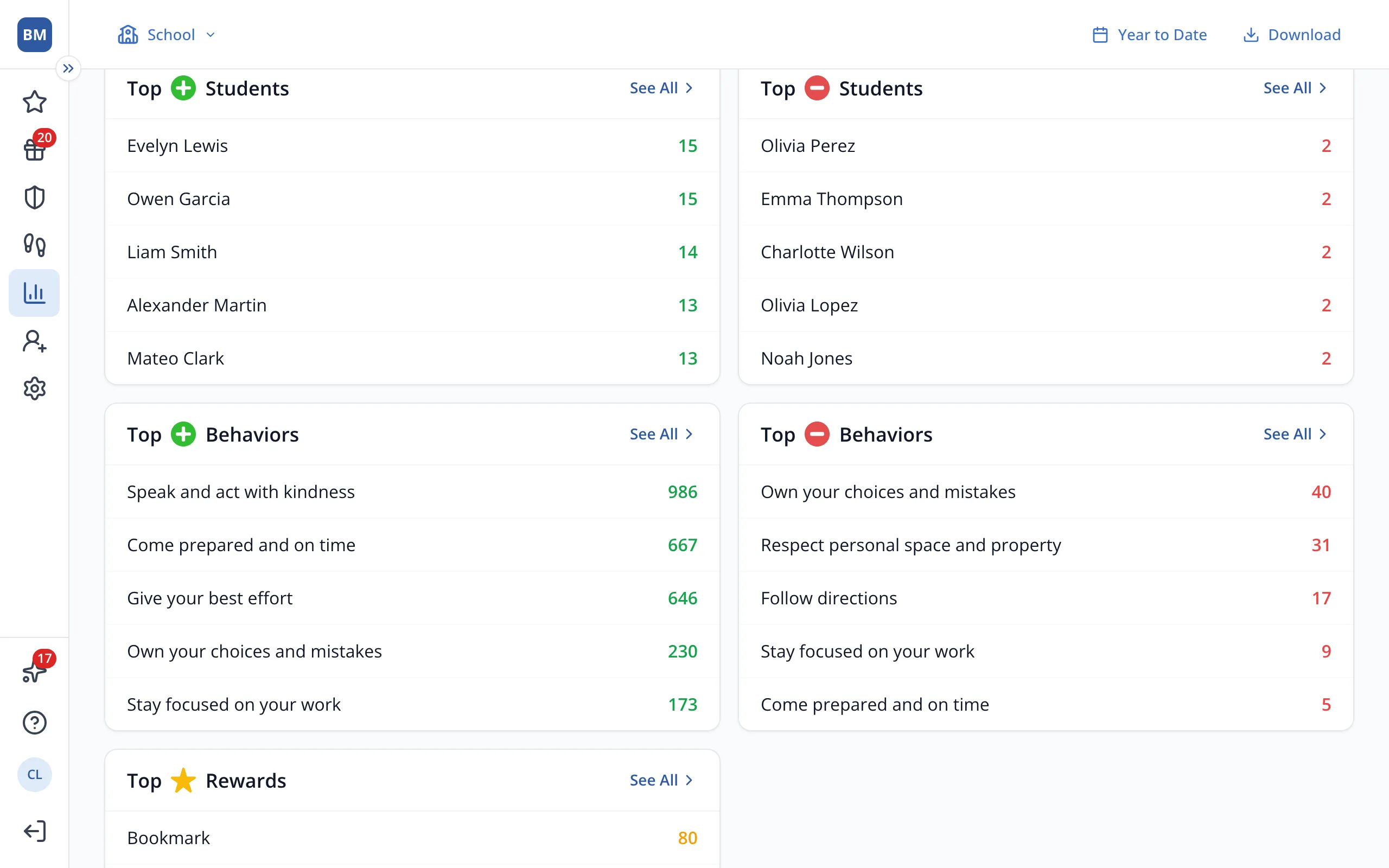
1.In a top list below the chart, click the number next to a behavior.
Did you know? Click a student's name instead to open their dashboard.
2.Each entry shows the student, the staff member who gave the point, and when.
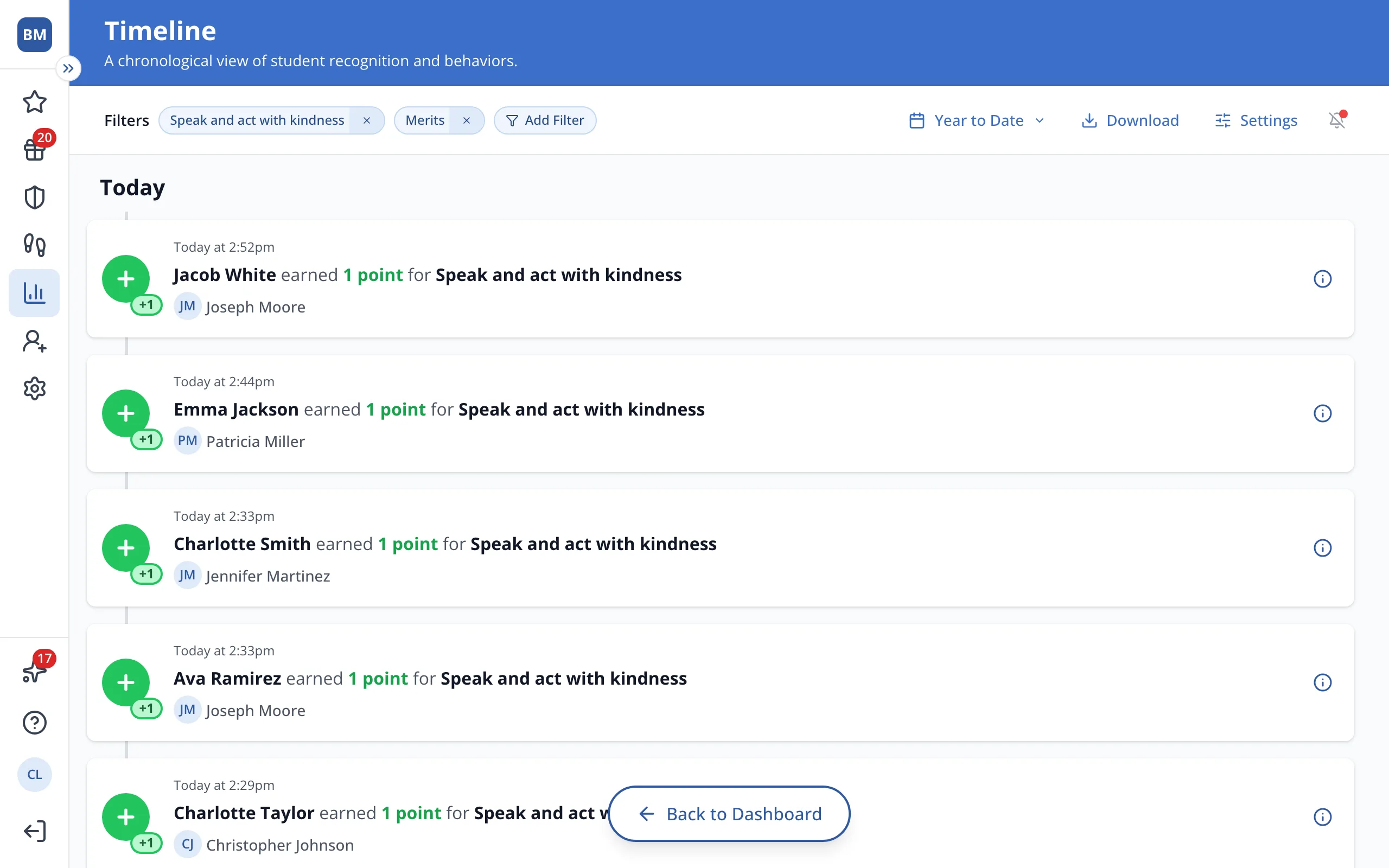
3.Click Back to Dashboard to return.