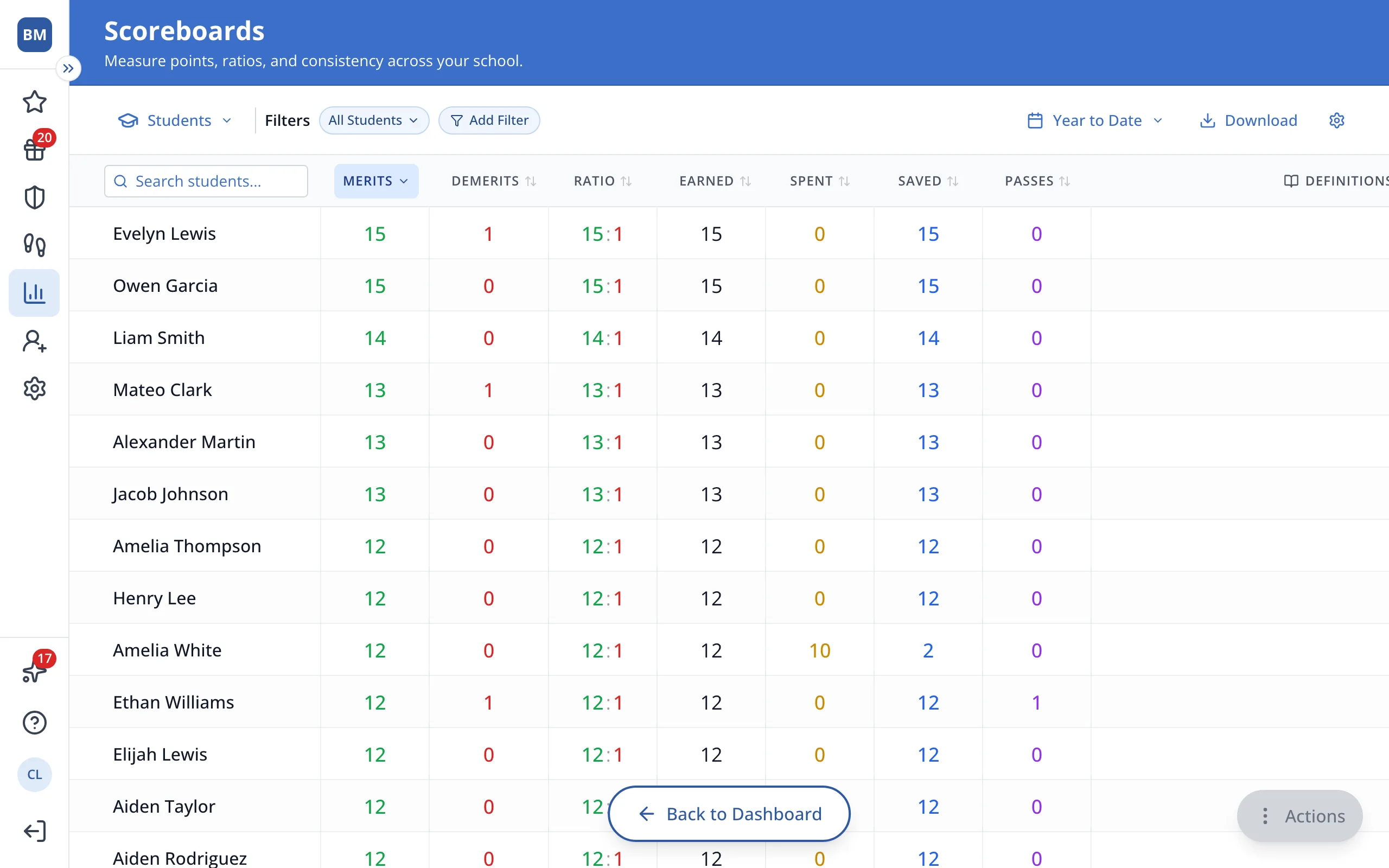
See the full list of top students, behaviors, or rewards
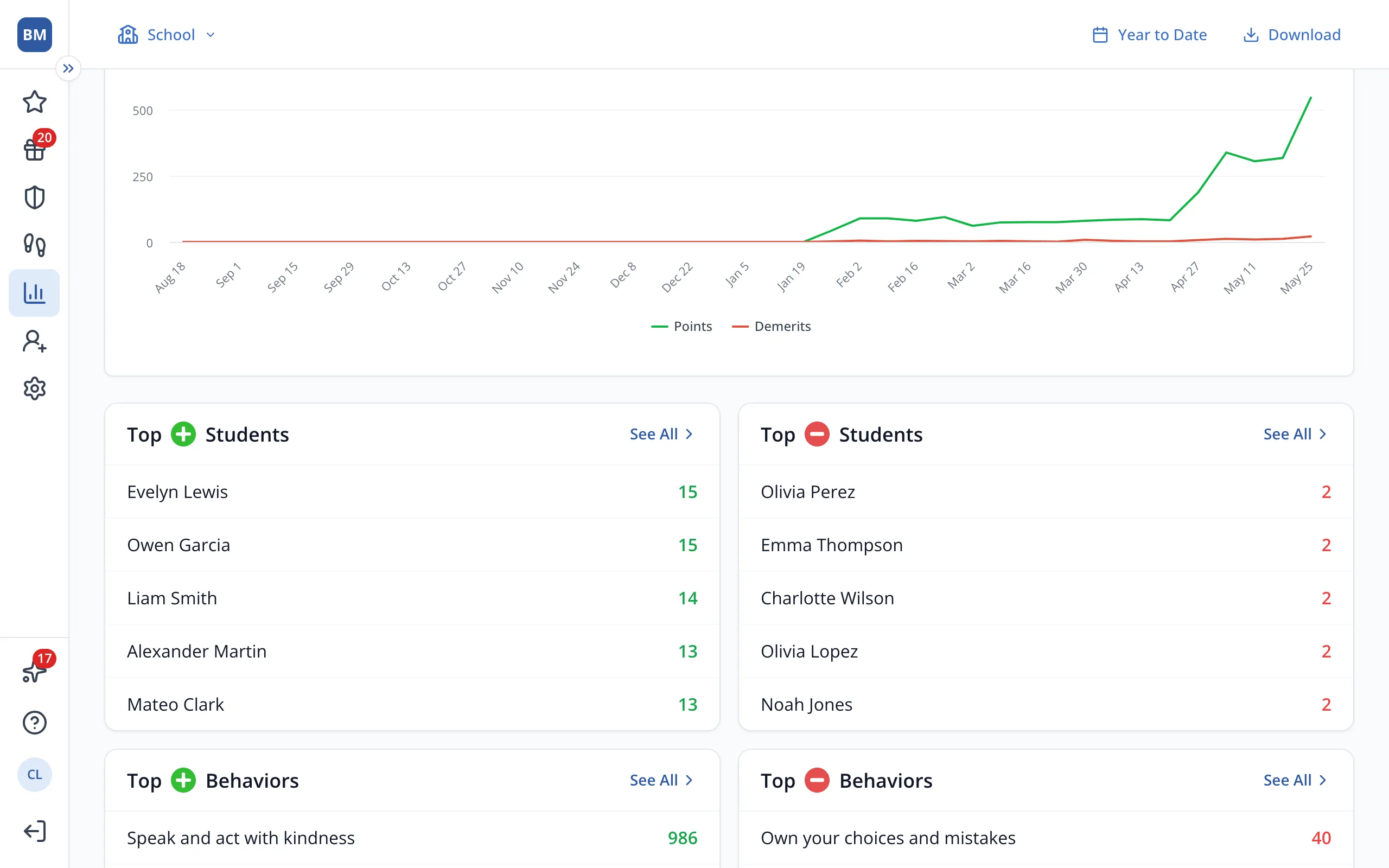
Each list on a dashboard displays the top 5 results, but clicking See All opens the full ranking for the same dates.
Use the Left and Right arrow keys to move between steps, and Space to play or pause.
1.Below the chart, click See All on the list you'd like to see in full.
2.Click another column heading to rank by it.
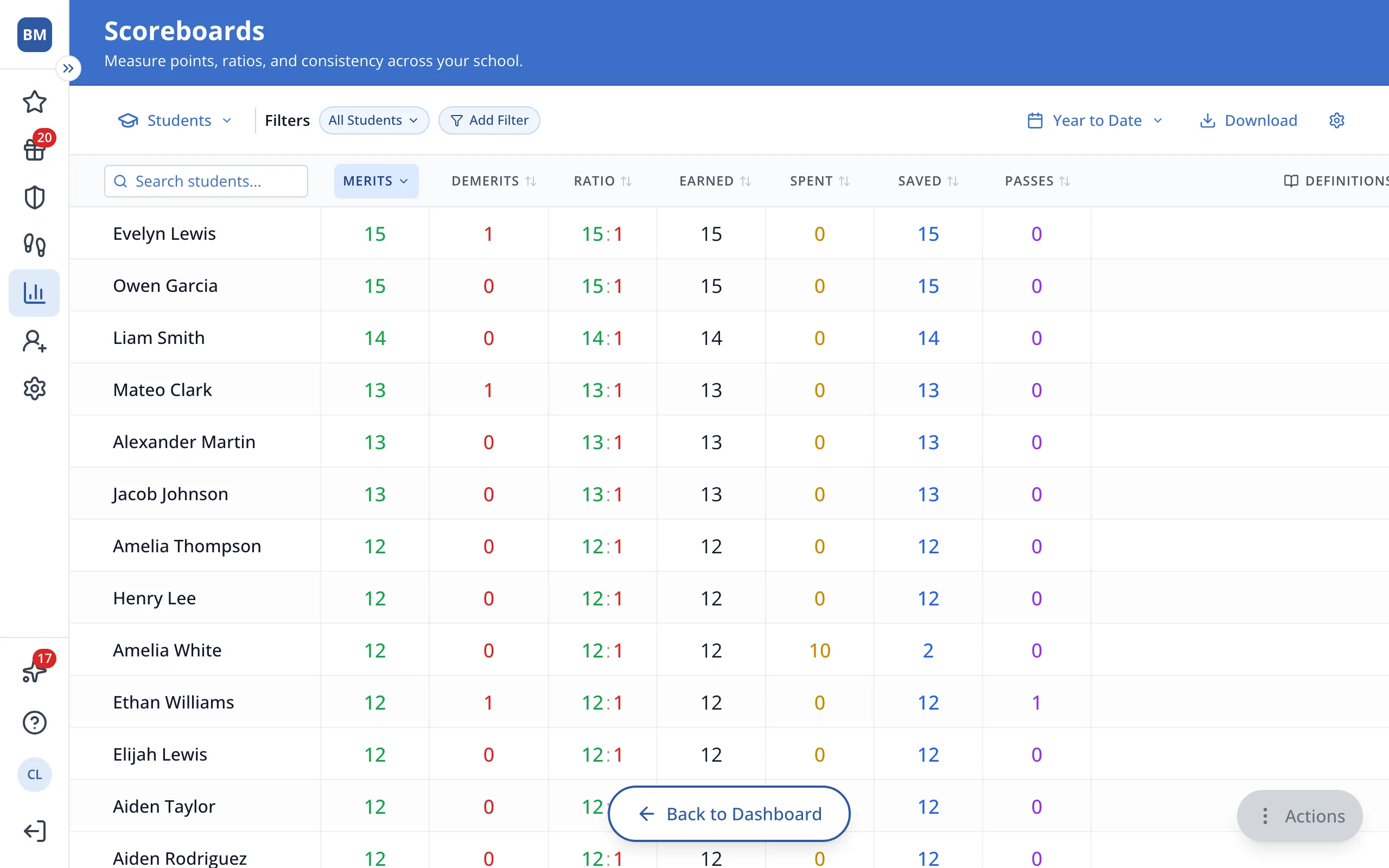
3.Click Back to Dashboard to return.