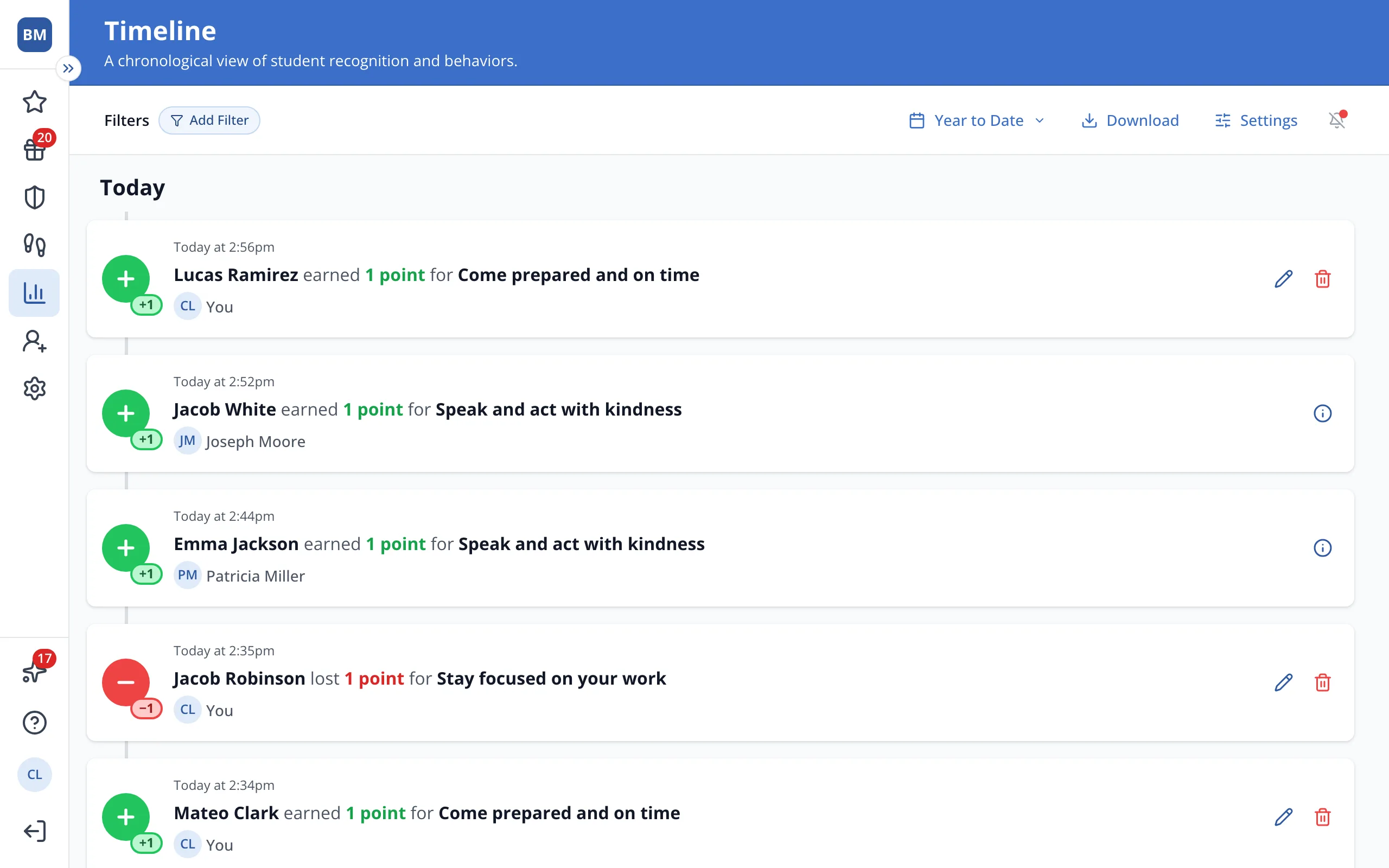
Download timeline records as a CSV
The spreadsheet lists every point the Timeline shows, so set your filters and dates first to download only what you need.
Use the Left and Right arrow keys to move between steps, and Space to play or pause.
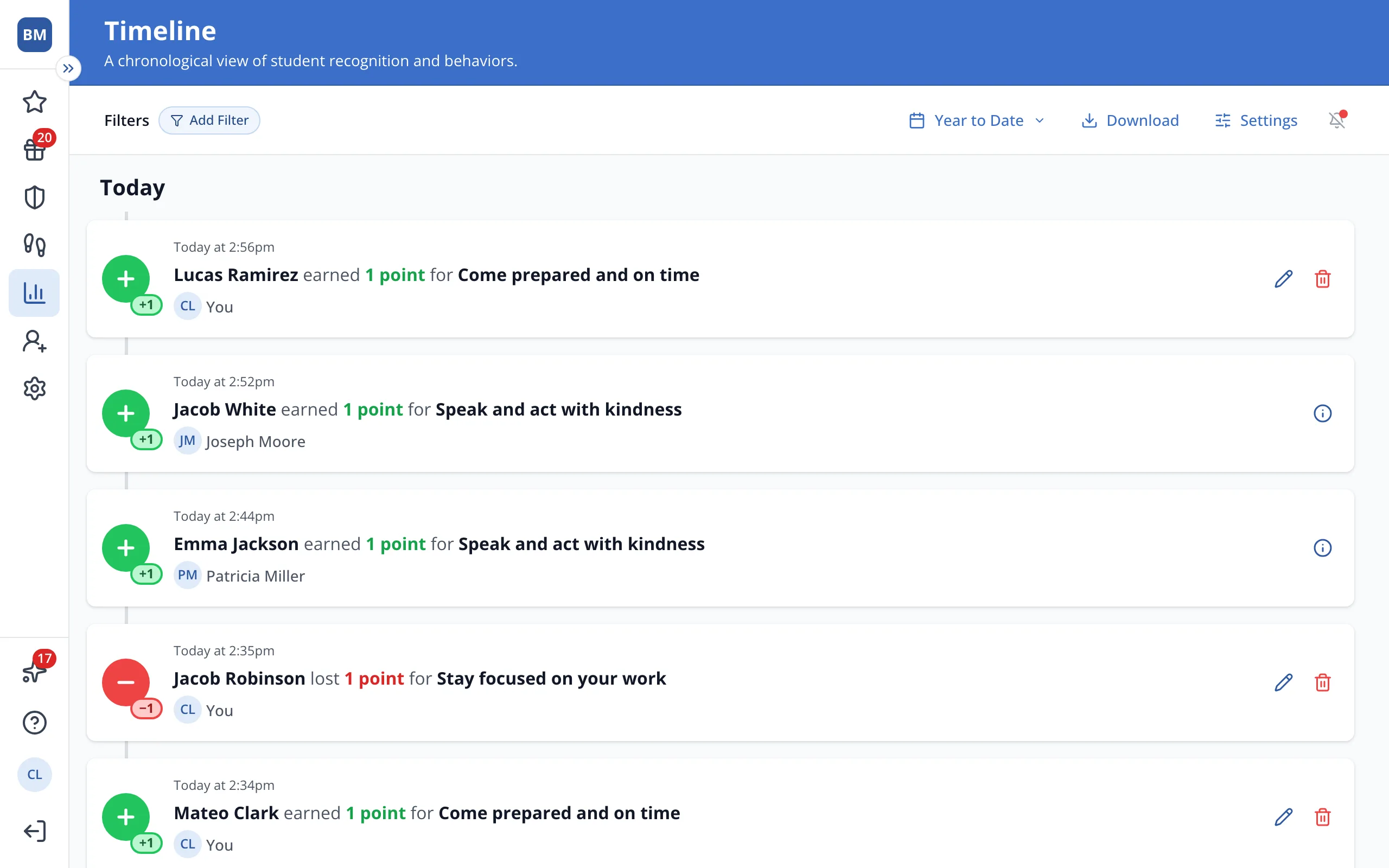
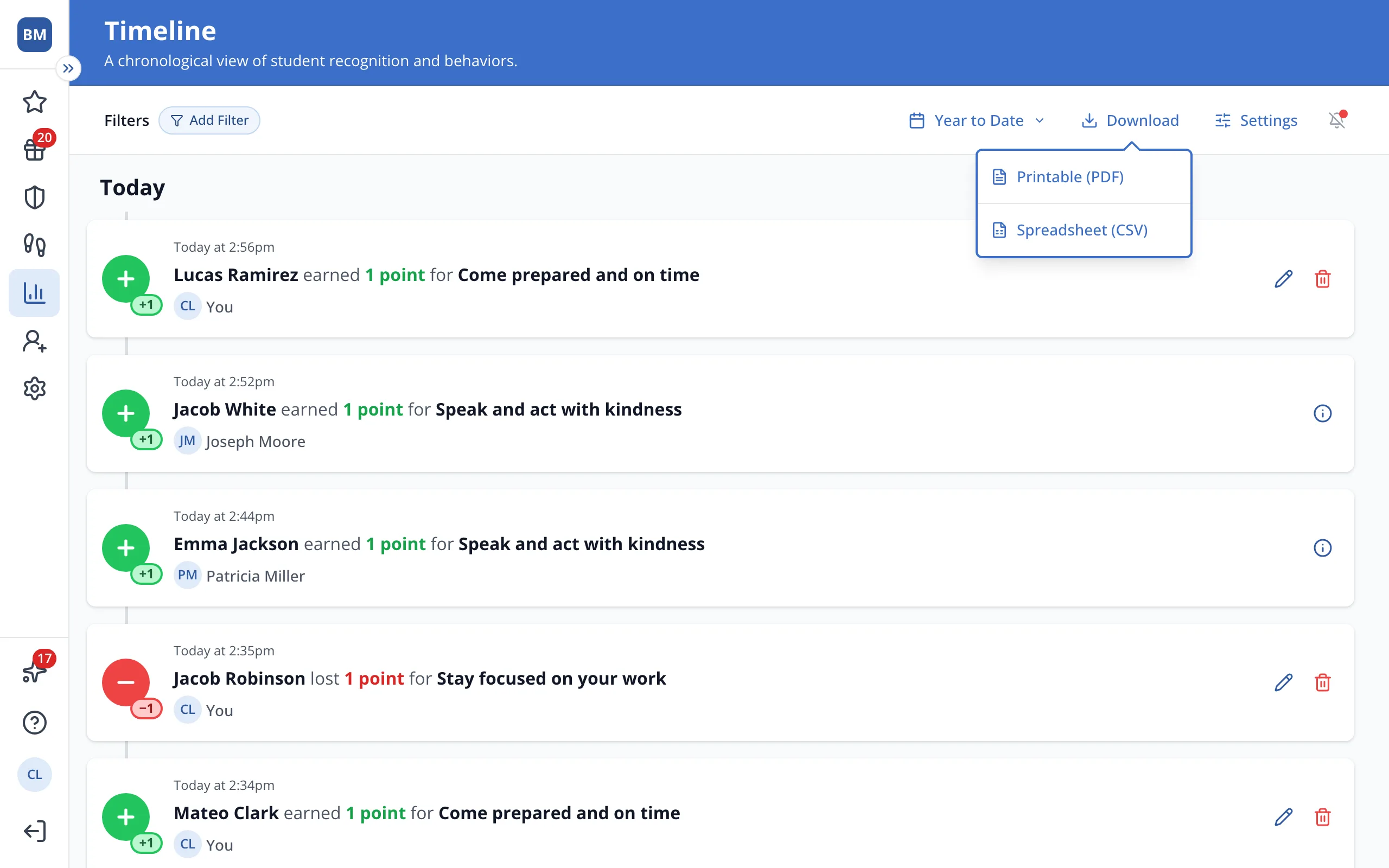
1.At the top right of the Timeline, click Download.
Did you know? Filter the Timeline and set its dates first to download only the points you need.
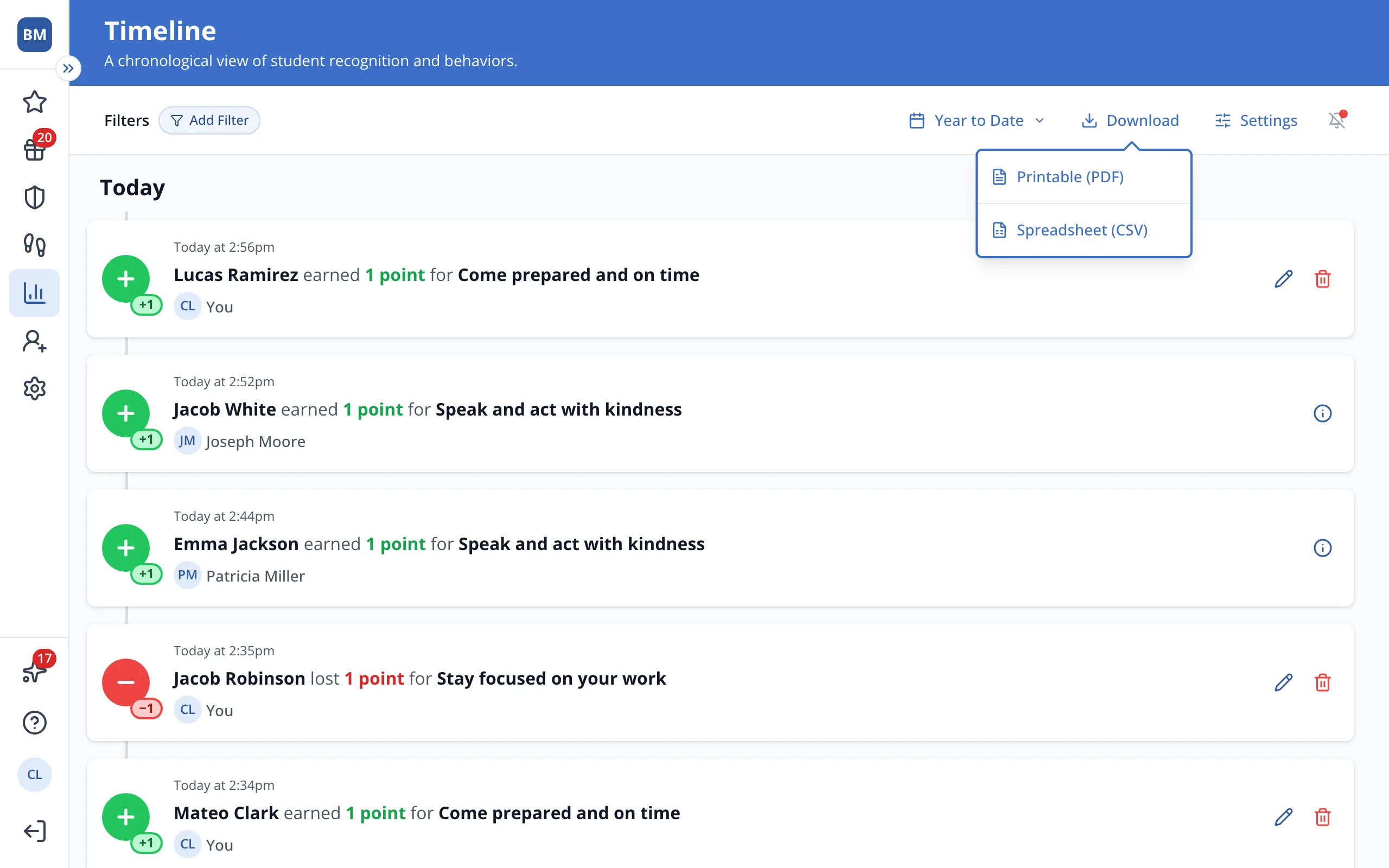
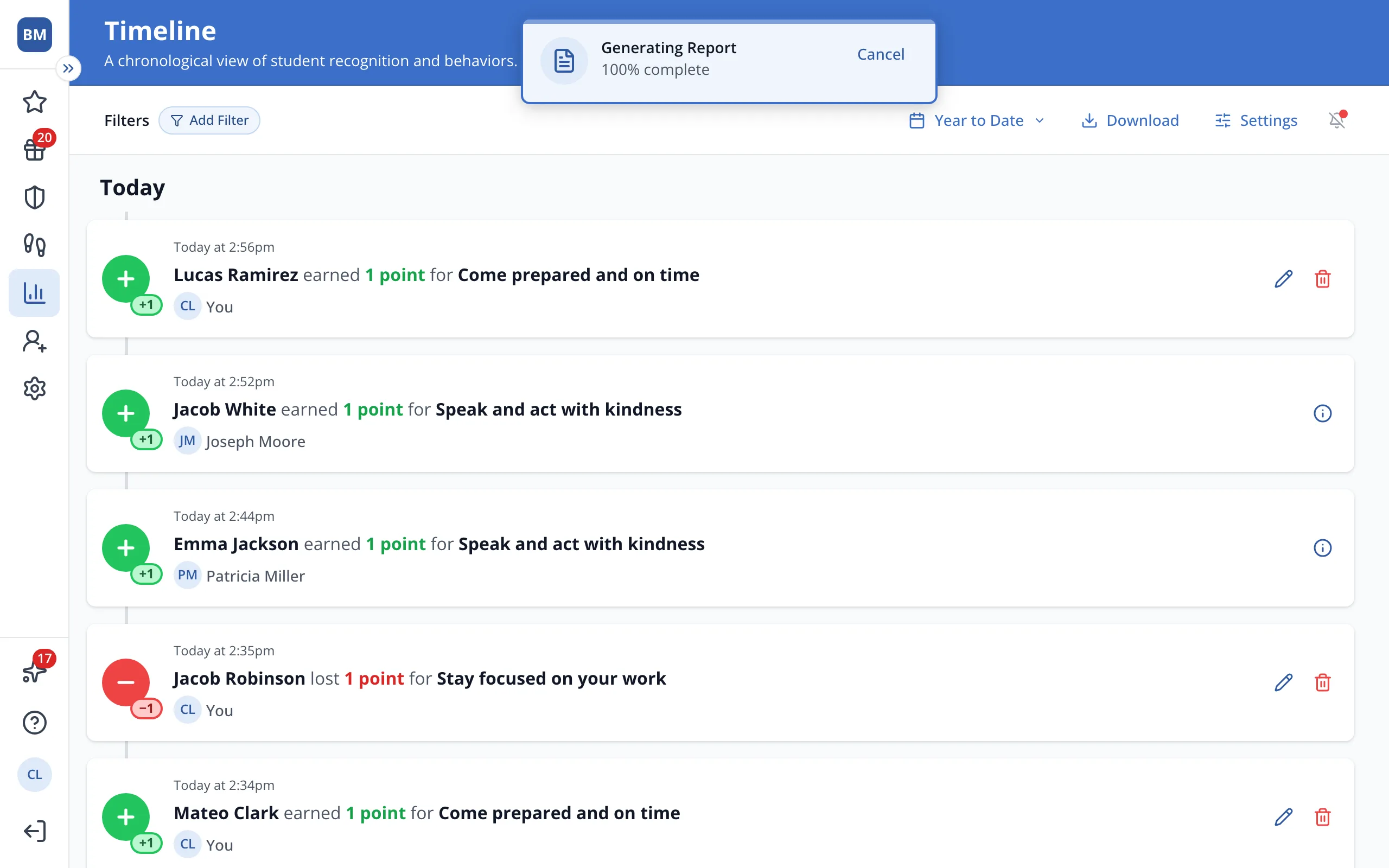
2.Click Spreadsheet (CSV).
3.To change which columns the file has, click Settings, then Customize.