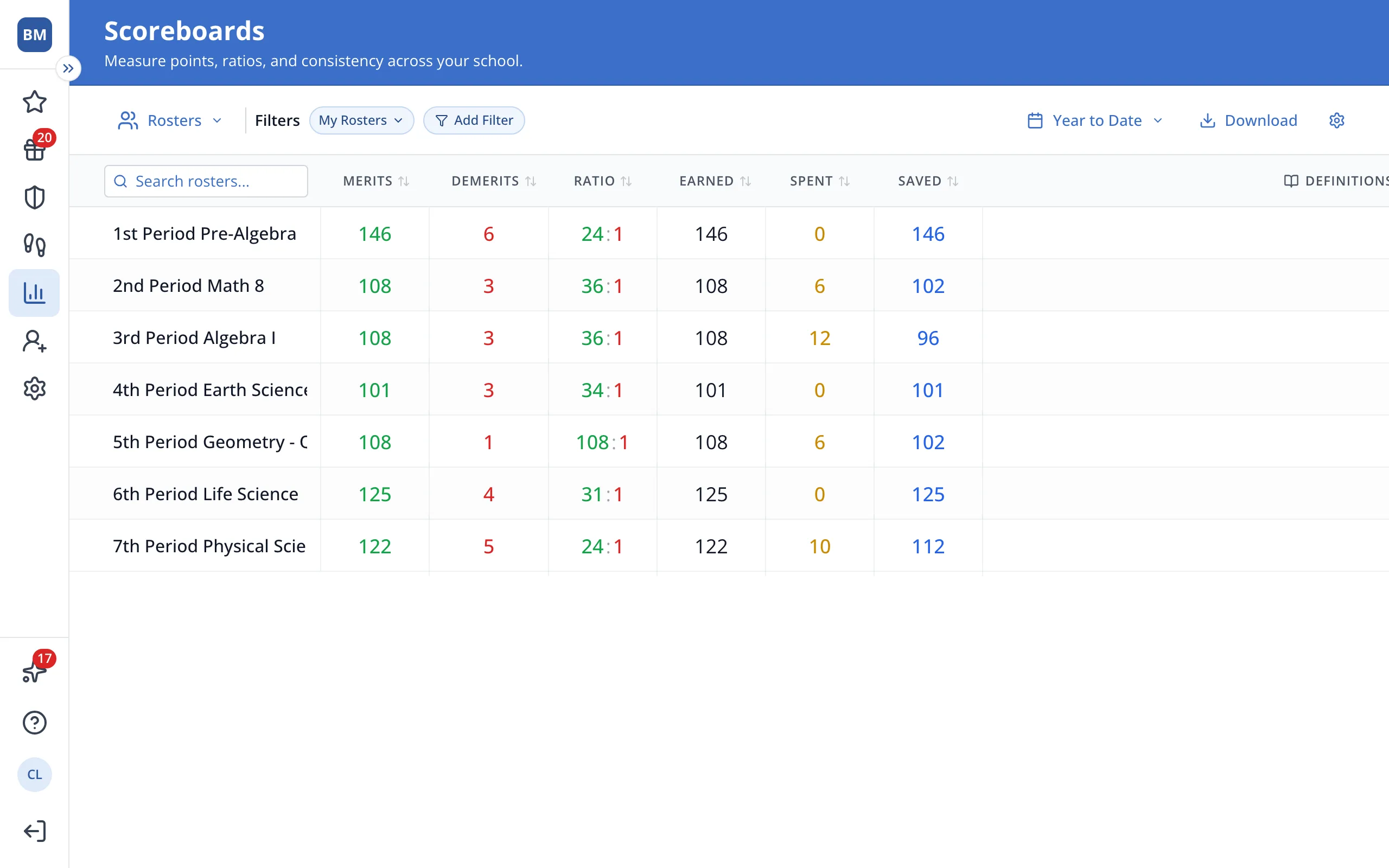
Show only your rosters or homerooms on the rosters scoreboard
Adjust the scoreboard filter to only display the classes you teach or only the school homerooms.
Use the Left and Right arrow keys to move between steps, and Space to play or pause.
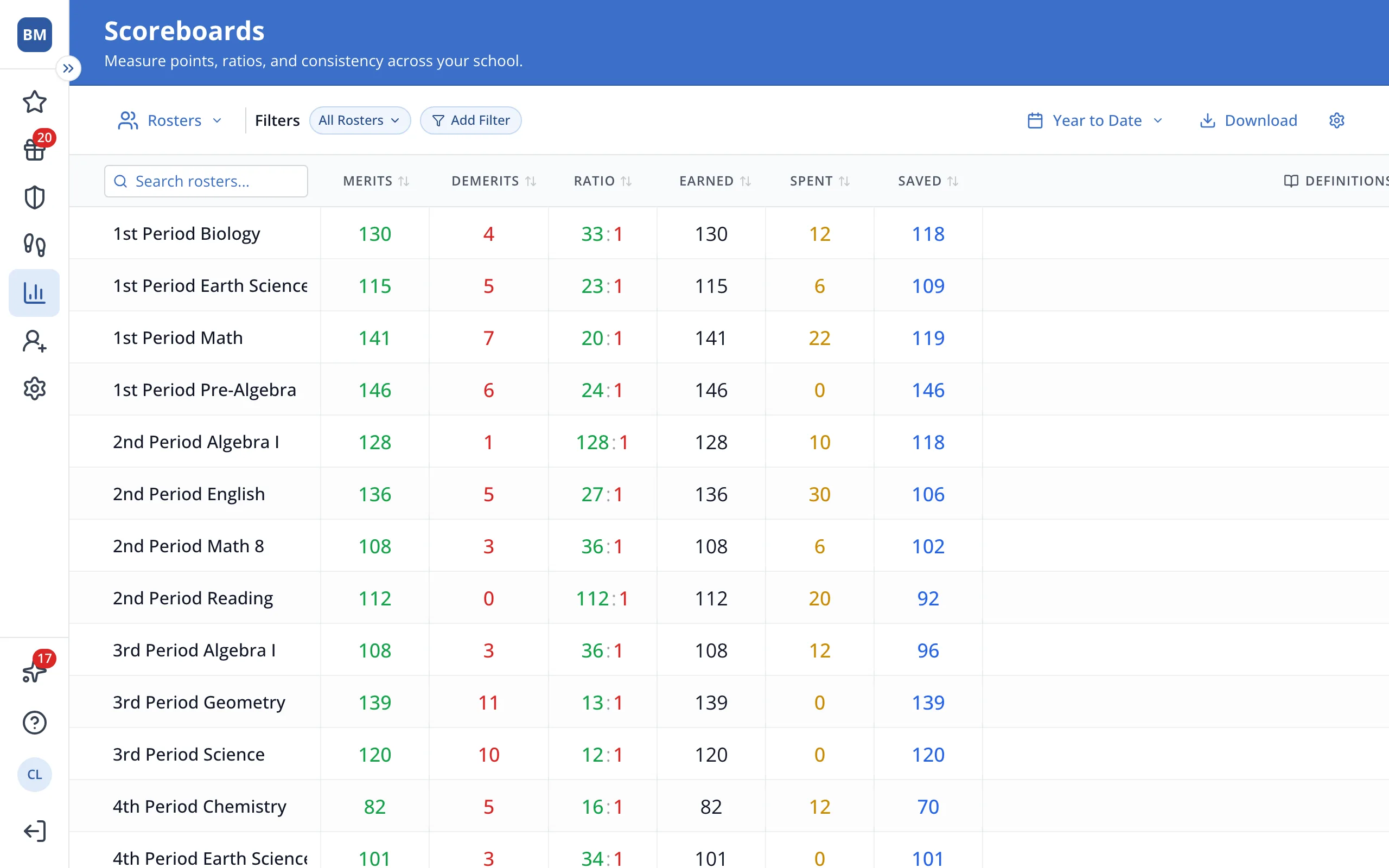
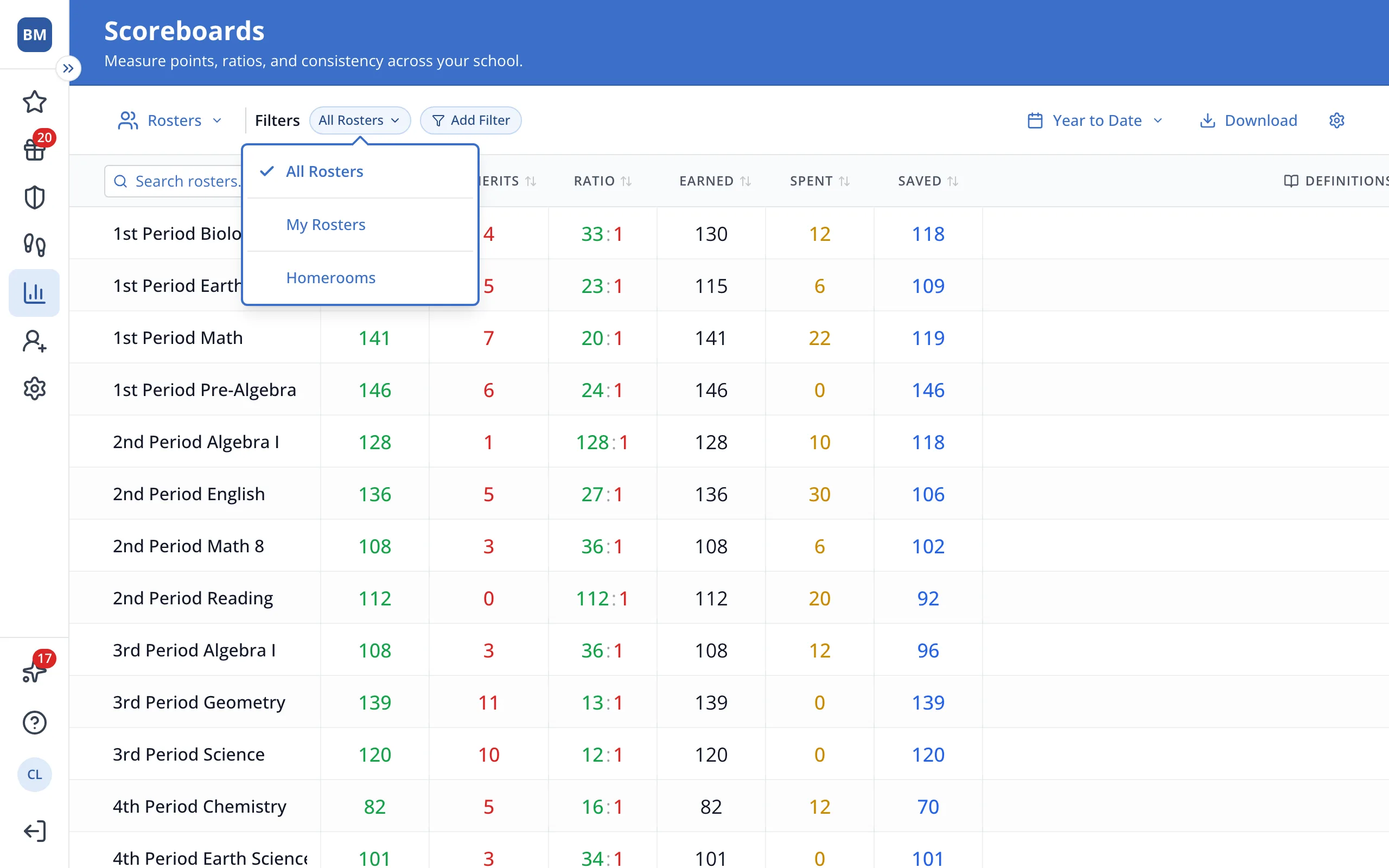
1.On the Rosters scoreboard, click All Rosters next to Filters.
2.Click My Rosters for the classes you teach, or Homerooms for every homeroom.
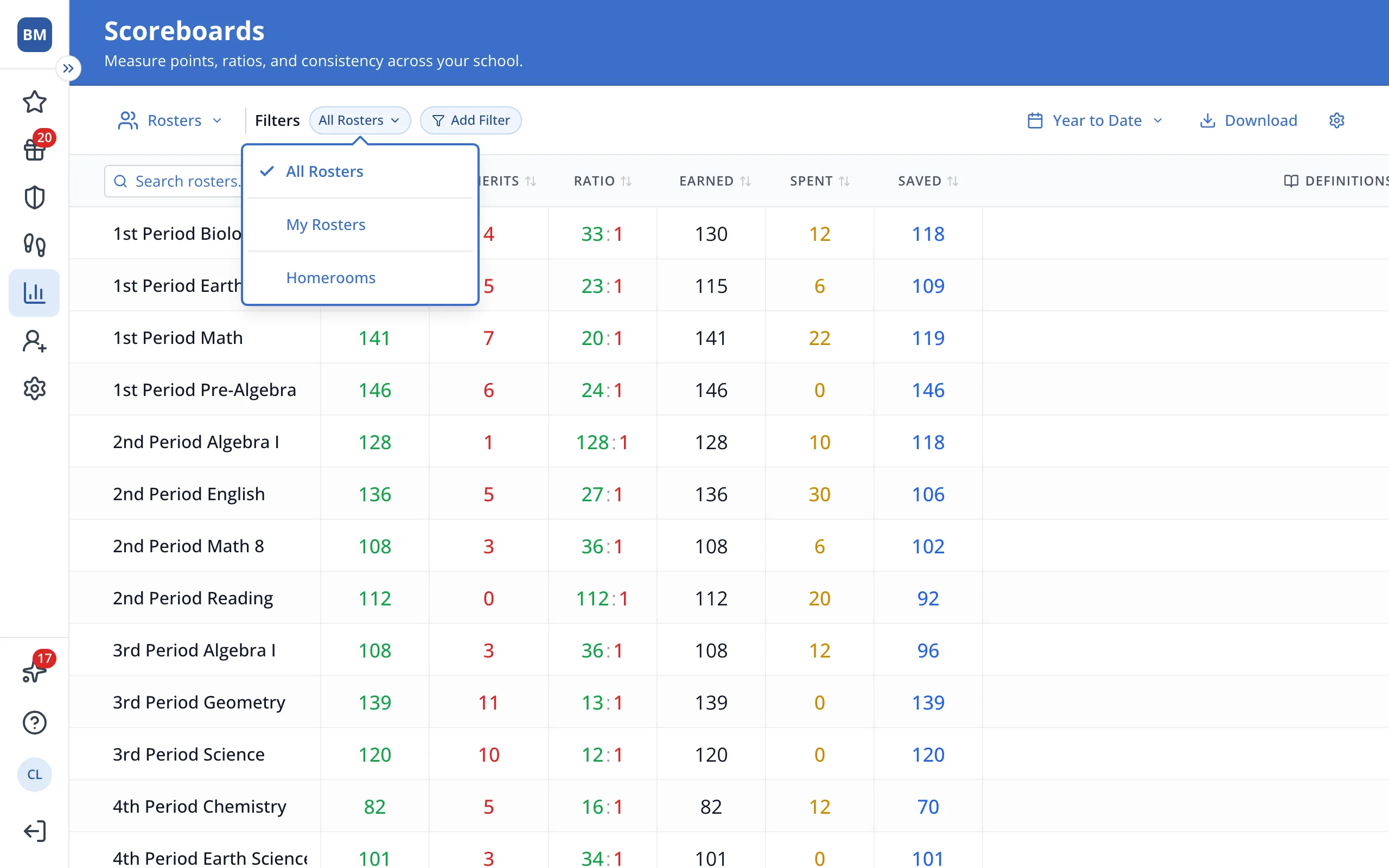
3.Click the same button to switch back to All Rosters.