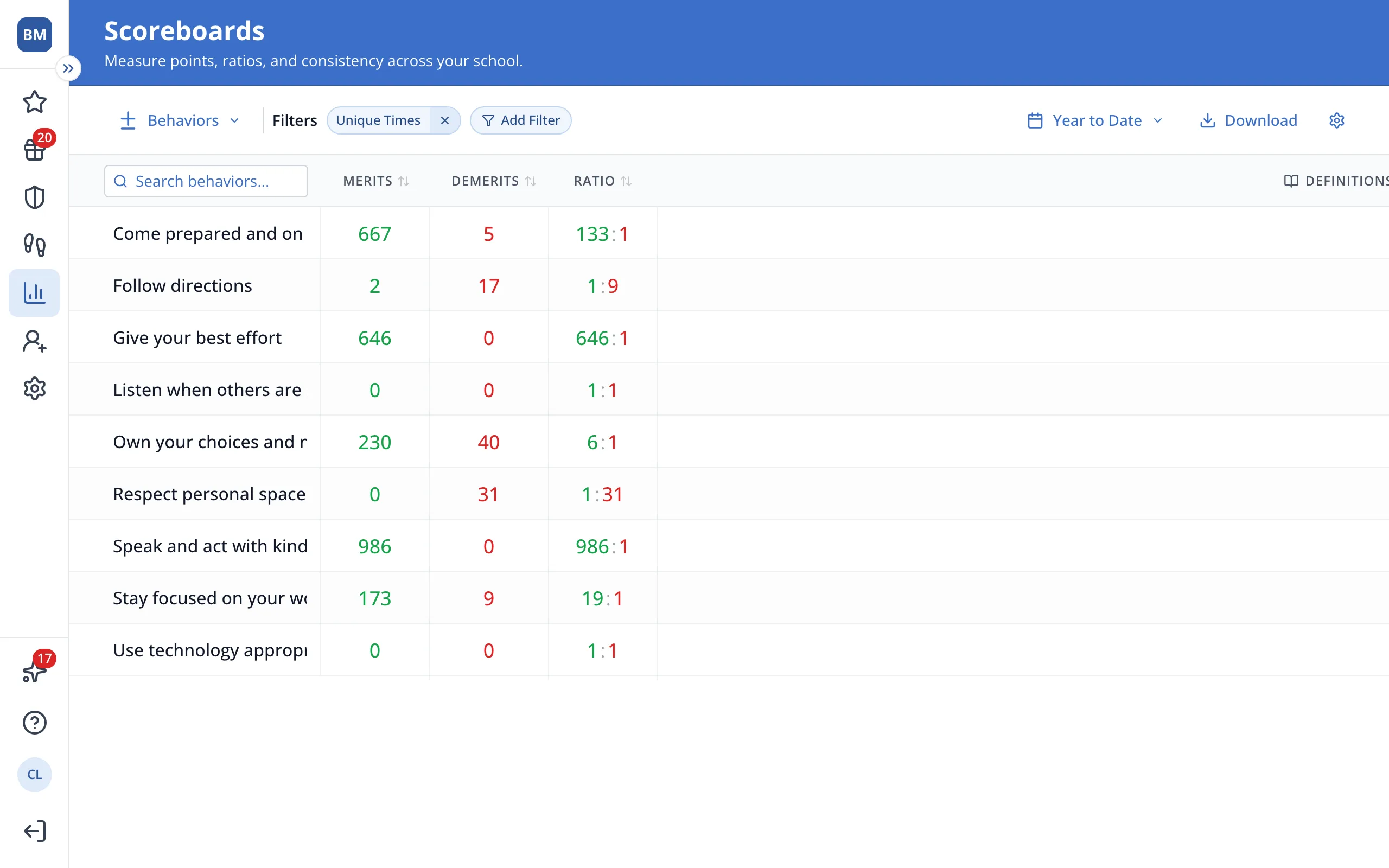
Count how many times a behavior happened instead of points
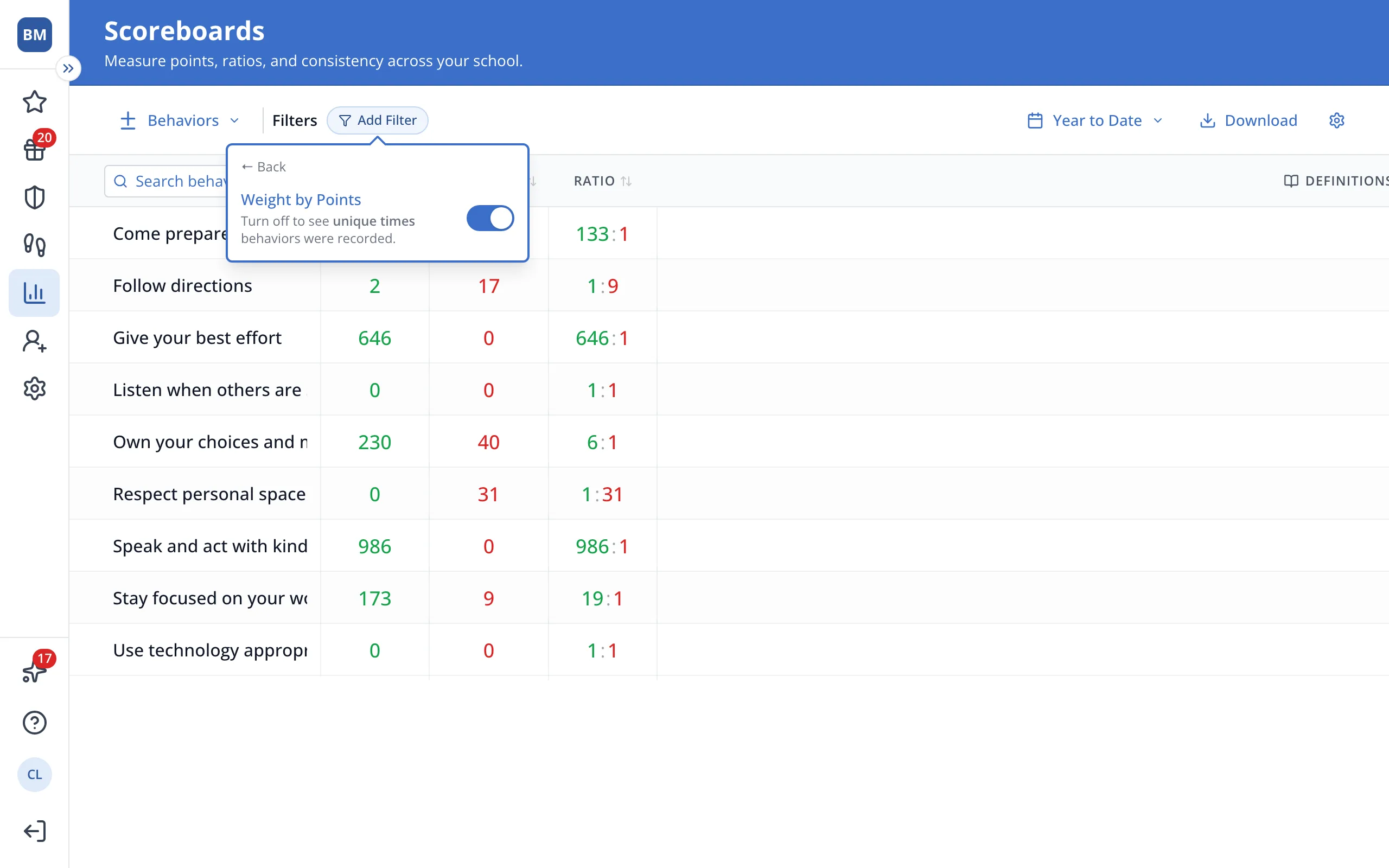
Scoreboards display the total number of points earned, so one behavior might display multiple points. Turn off Weight by Points to view the count of behaviors instead.
Use the Left and Right arrow keys to move between steps, and Space to play or pause.
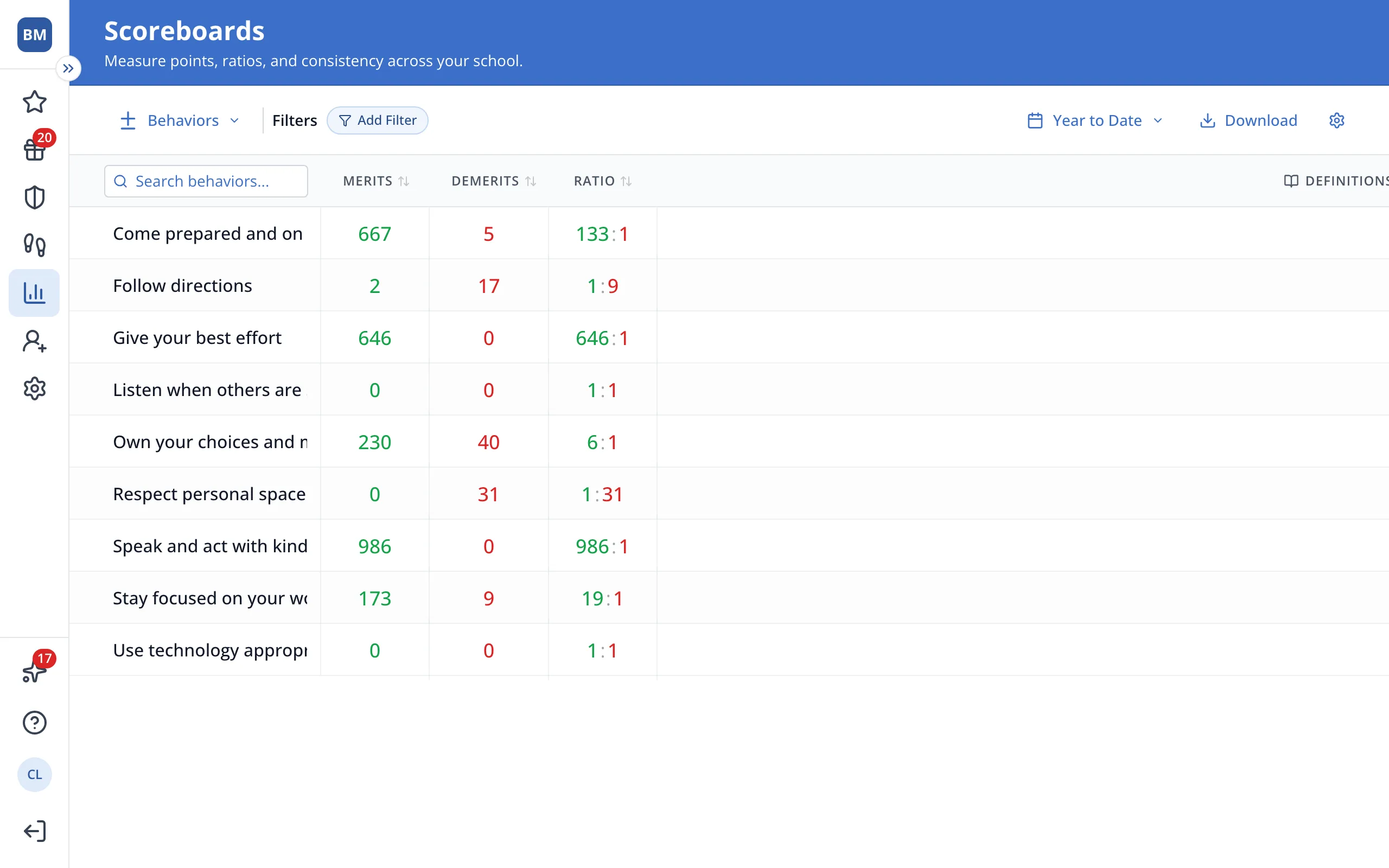
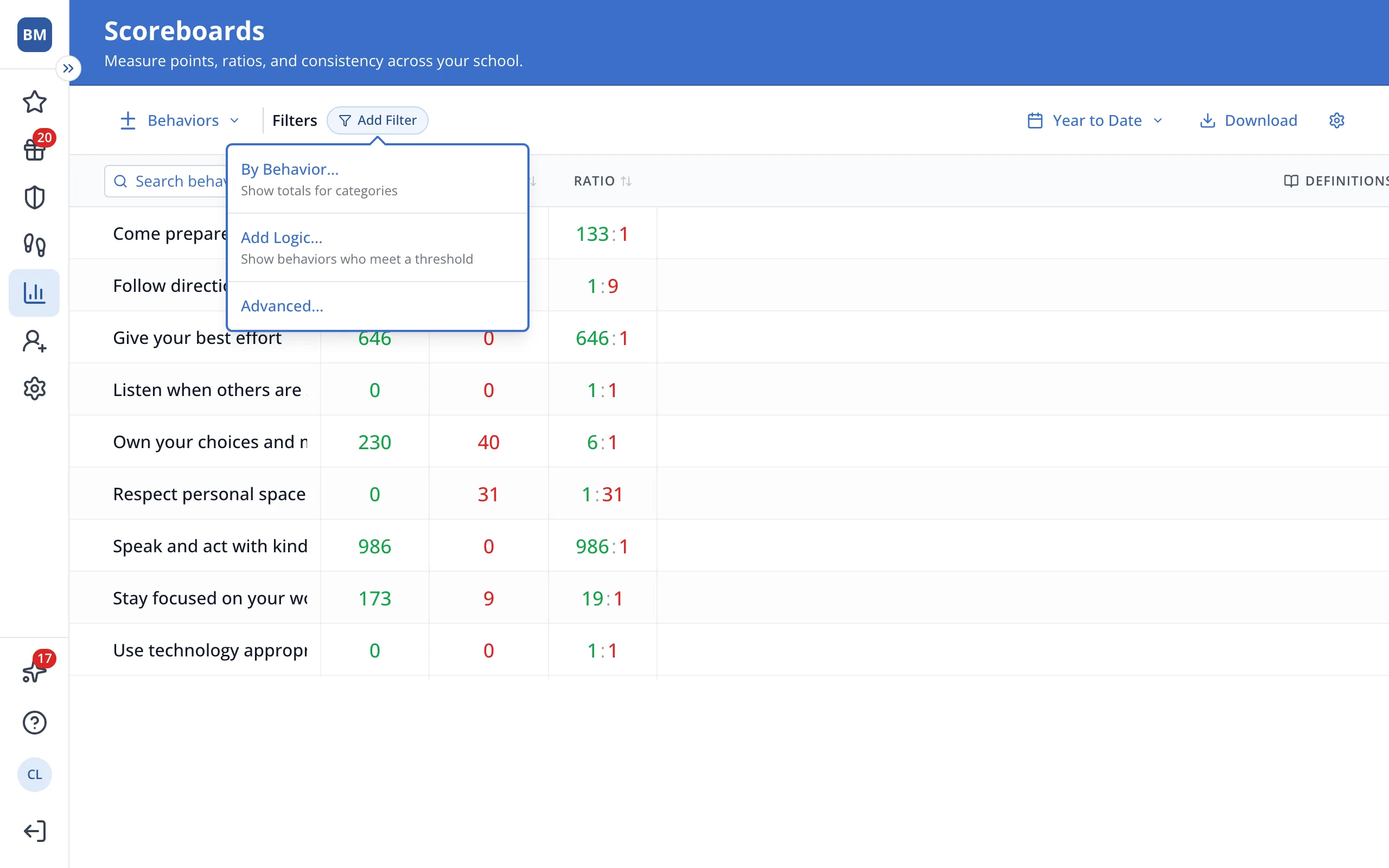
1.On the Behaviors scoreboard, click Add Filter.
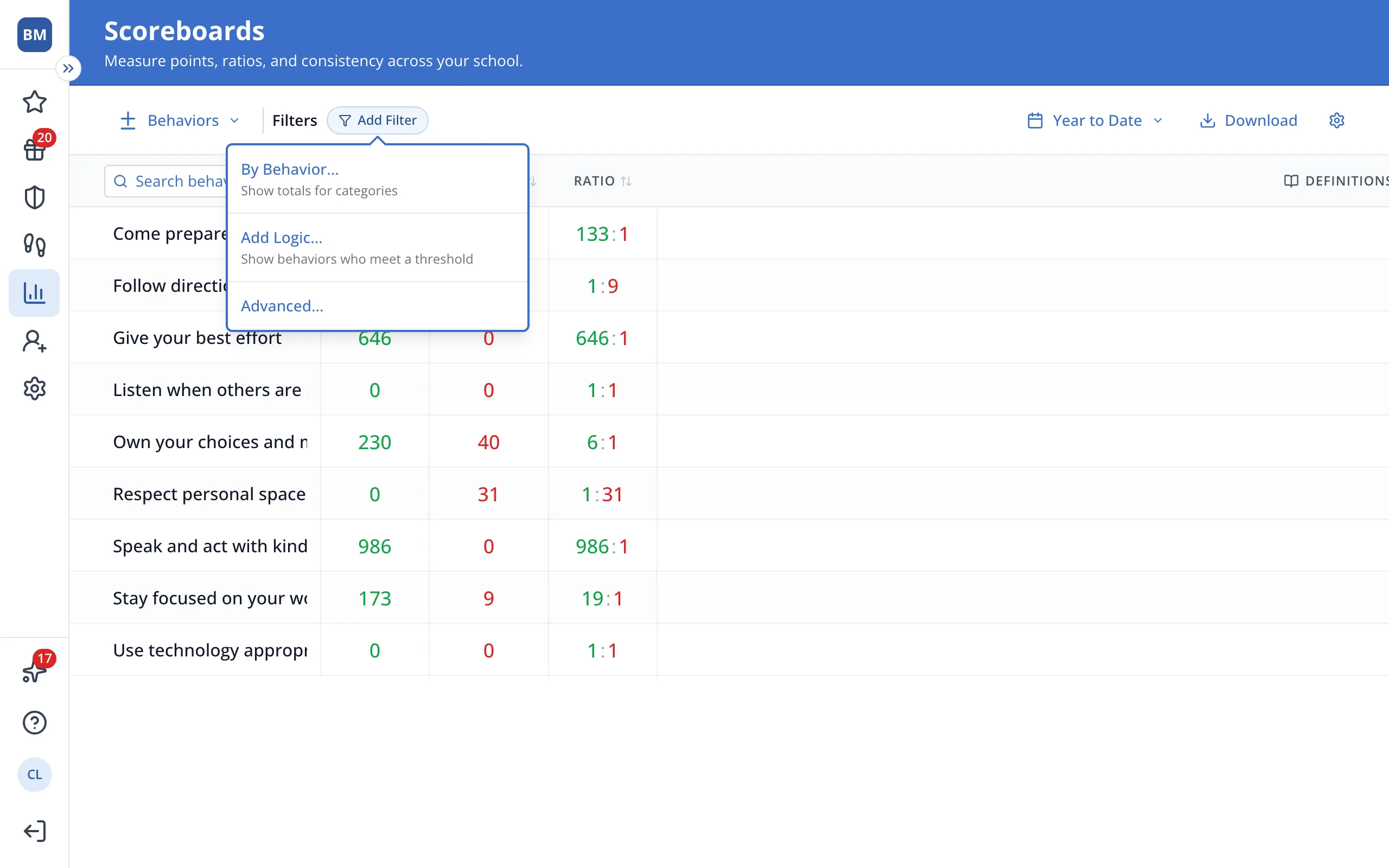
2.Click Advanced....
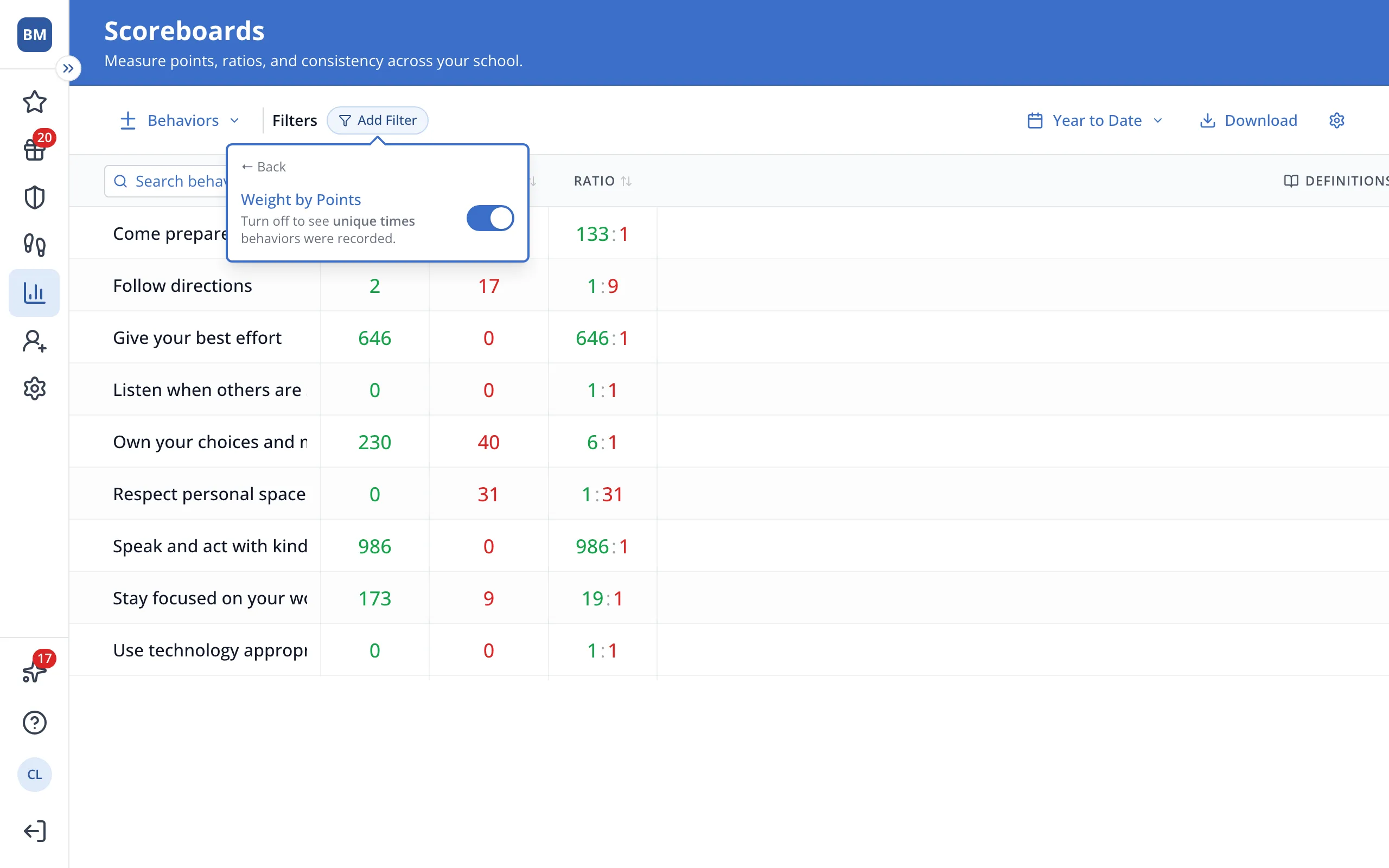
3.Turn off Weight by Points.
4.Click the filter's X to go back to counting points.