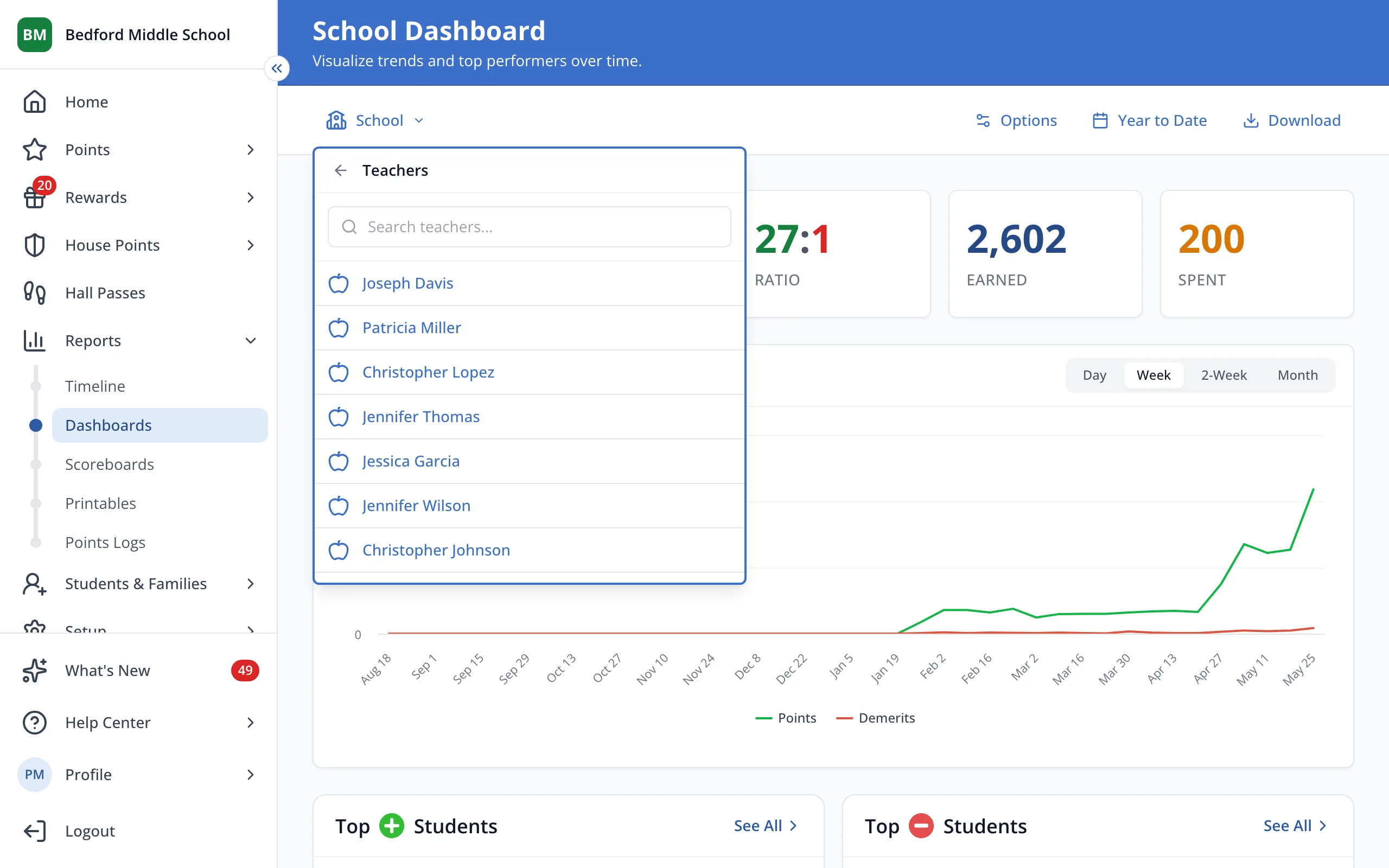
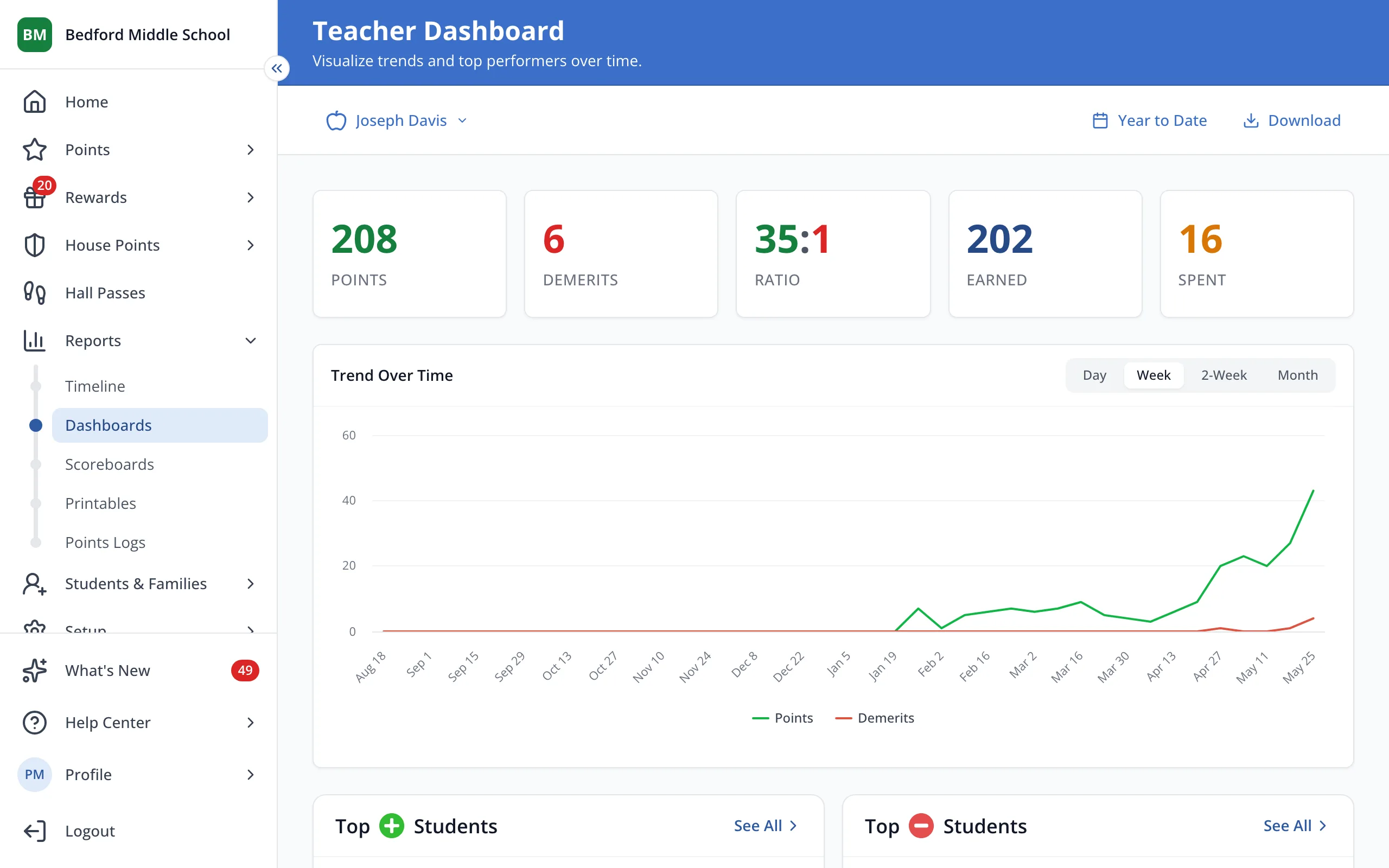
See a teacher's dashboard
A teacher's dashboard shows only the points that staff member gave, how they trend, and who and what they recognize most.
AdminSite Leader
Use the Left and Right arrow keys to move between steps, and Space to play or pause.
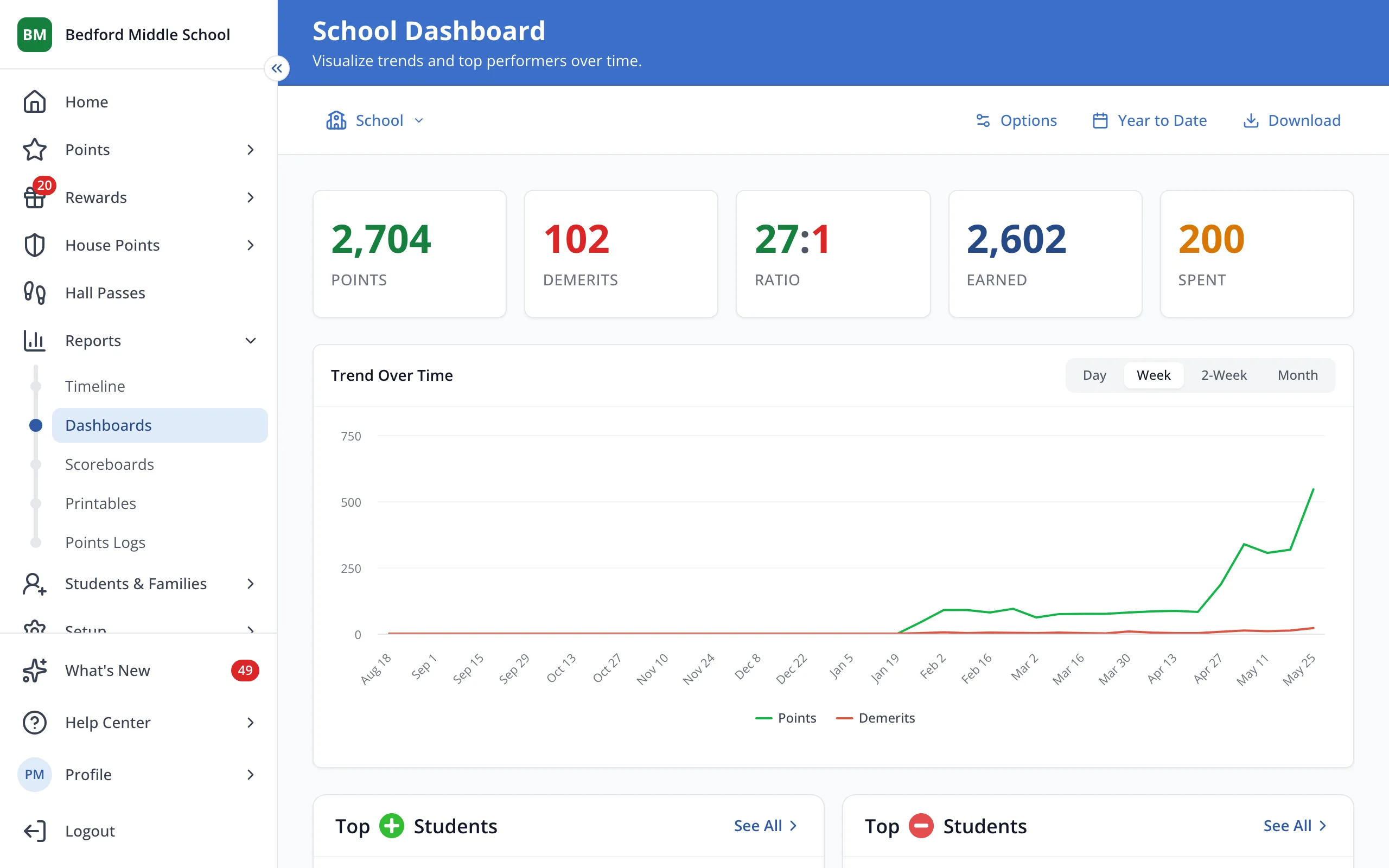
1.At the top left of the Dashboards page, click the dashboard name, like School.
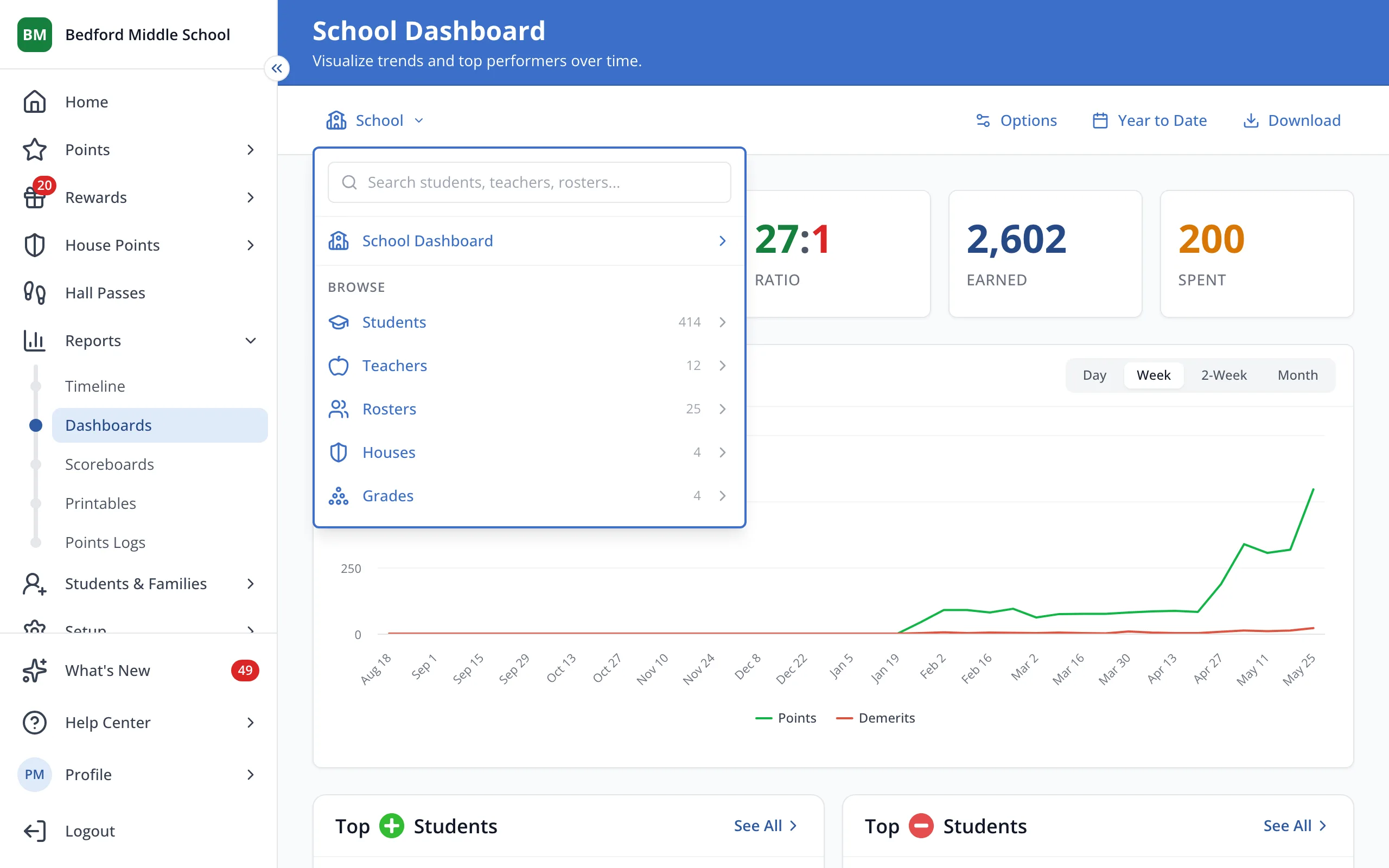
2.Under Browse, click Teachers.
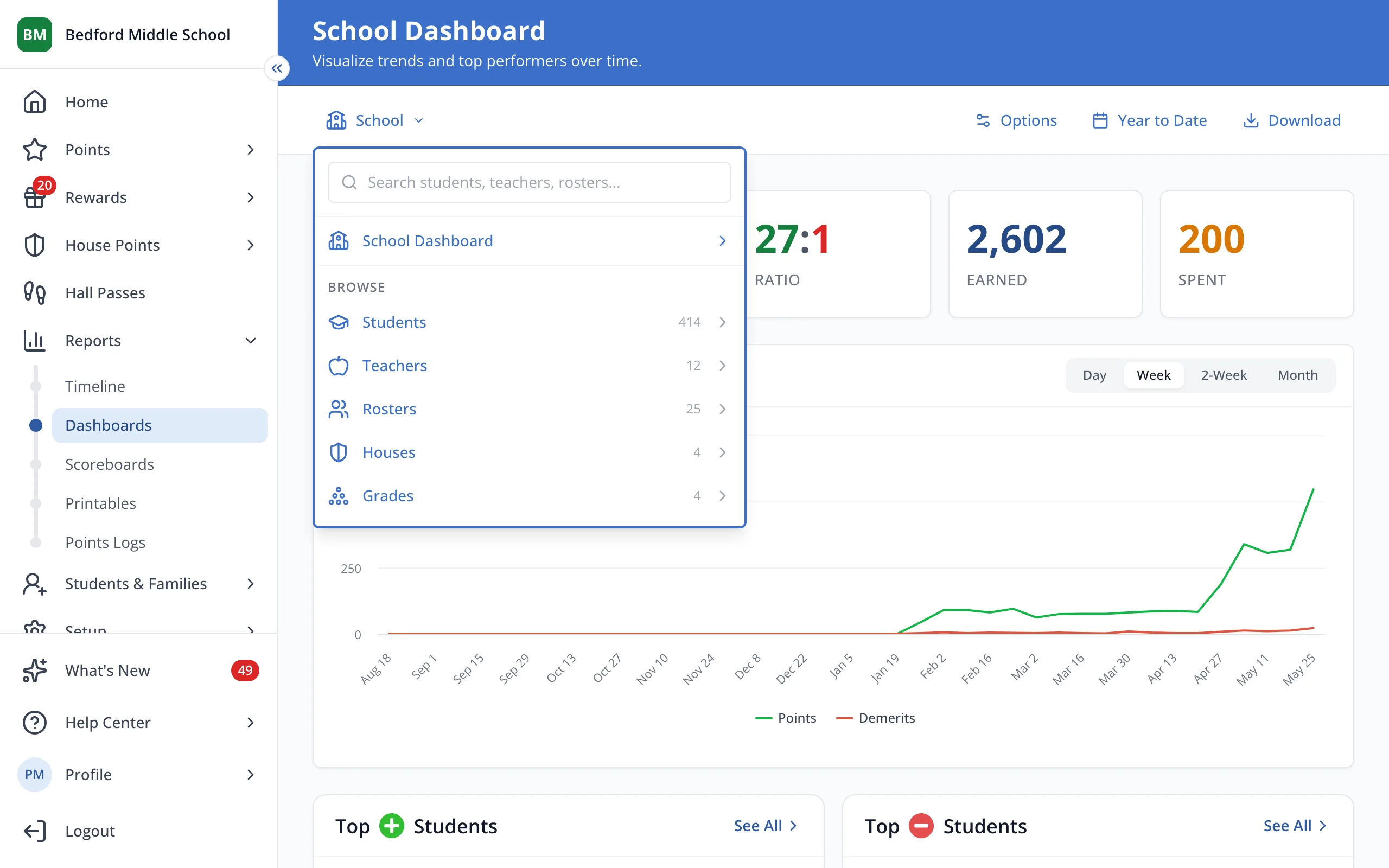
Did you know? Or type the teacher's name in the search box.
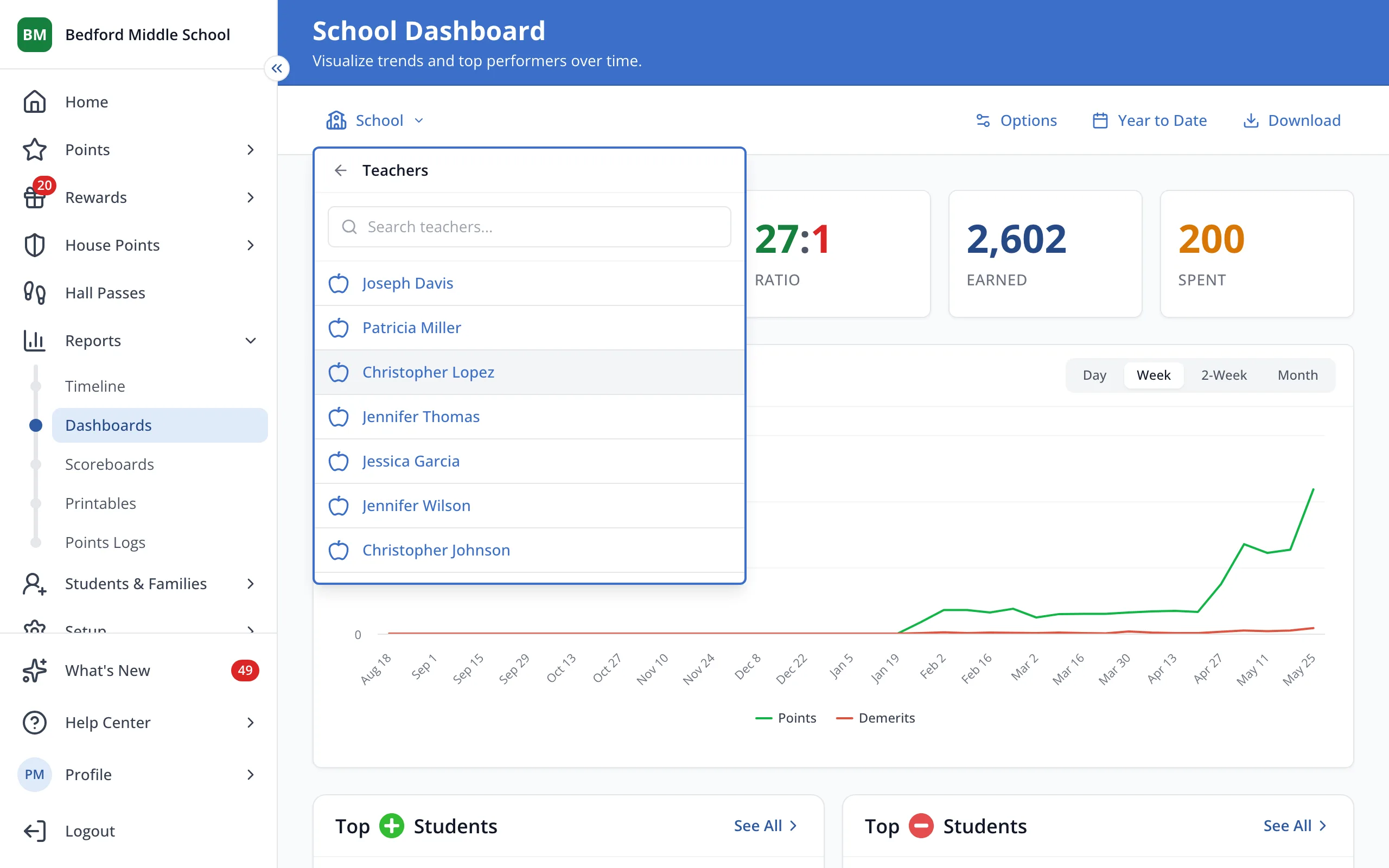
3.Click the teacher you'd like to see.