
See how many points each teacher gives
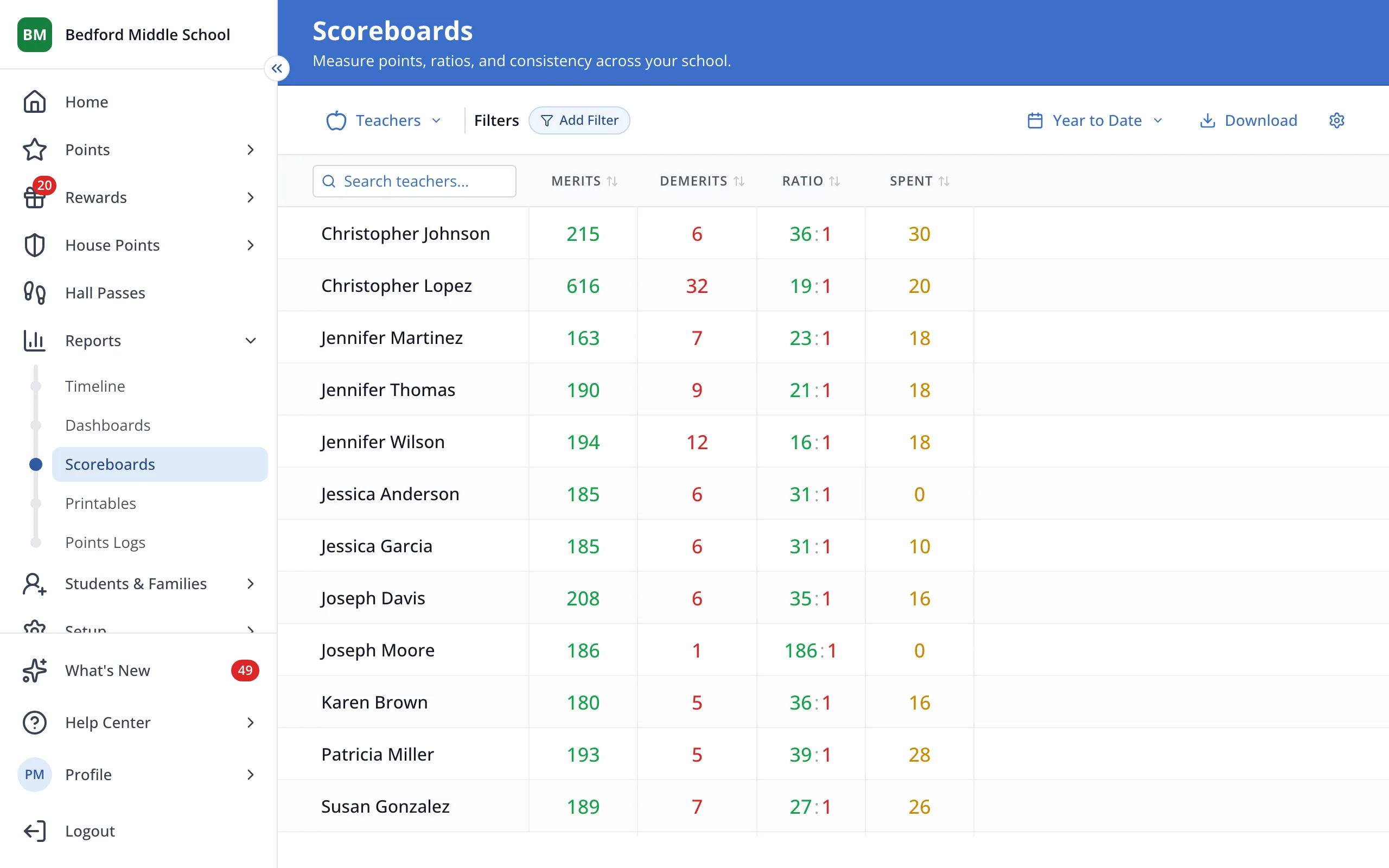
The Teachers scoreboard counts the merits and demerits each staff member gave in the dates you pick, so you can see who's using it.
AdminSite Leader
Use the Left and Right arrow keys to move between steps, and Space to play or pause.
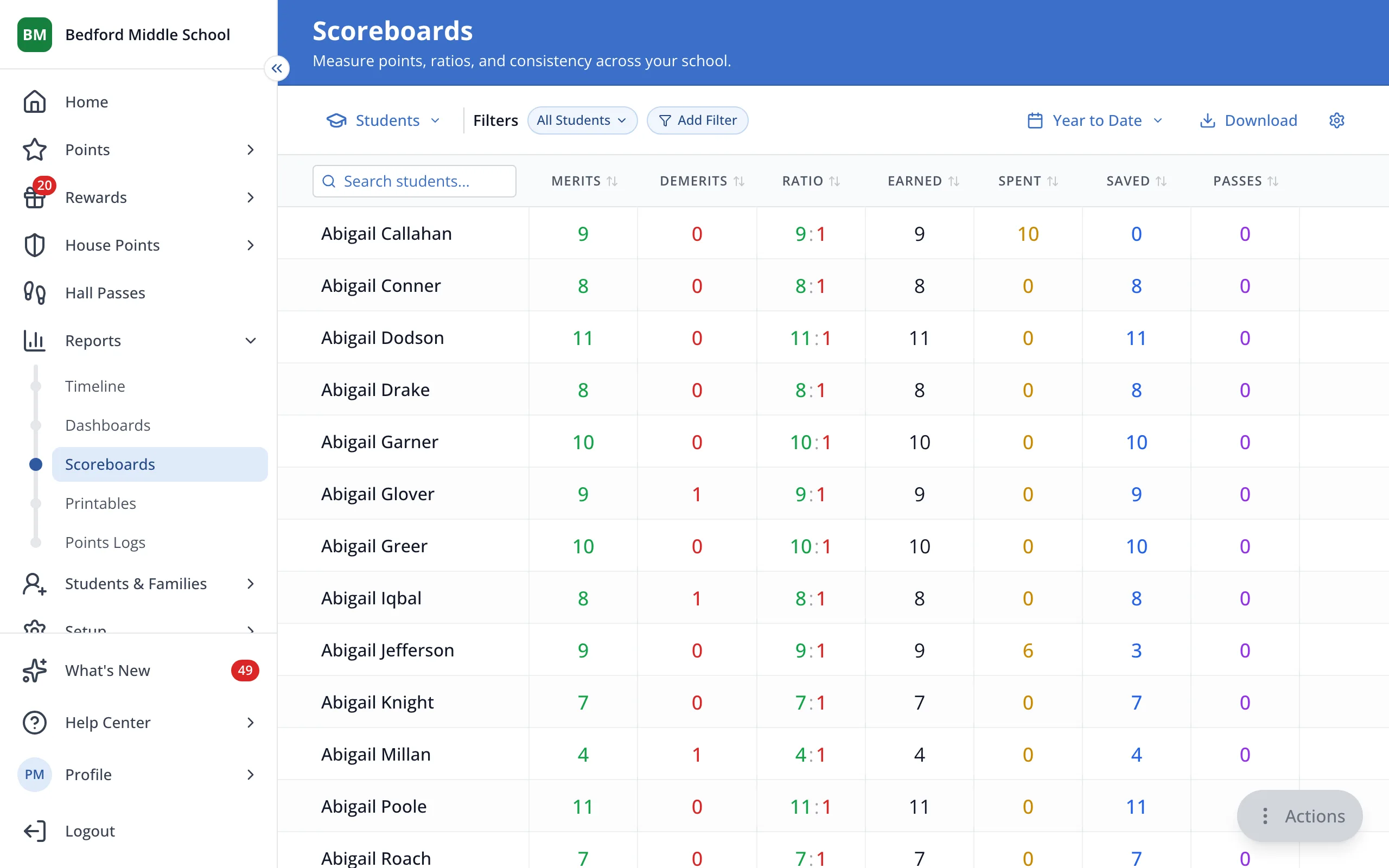
1.On the Scoreboards page, click Students at the top left.
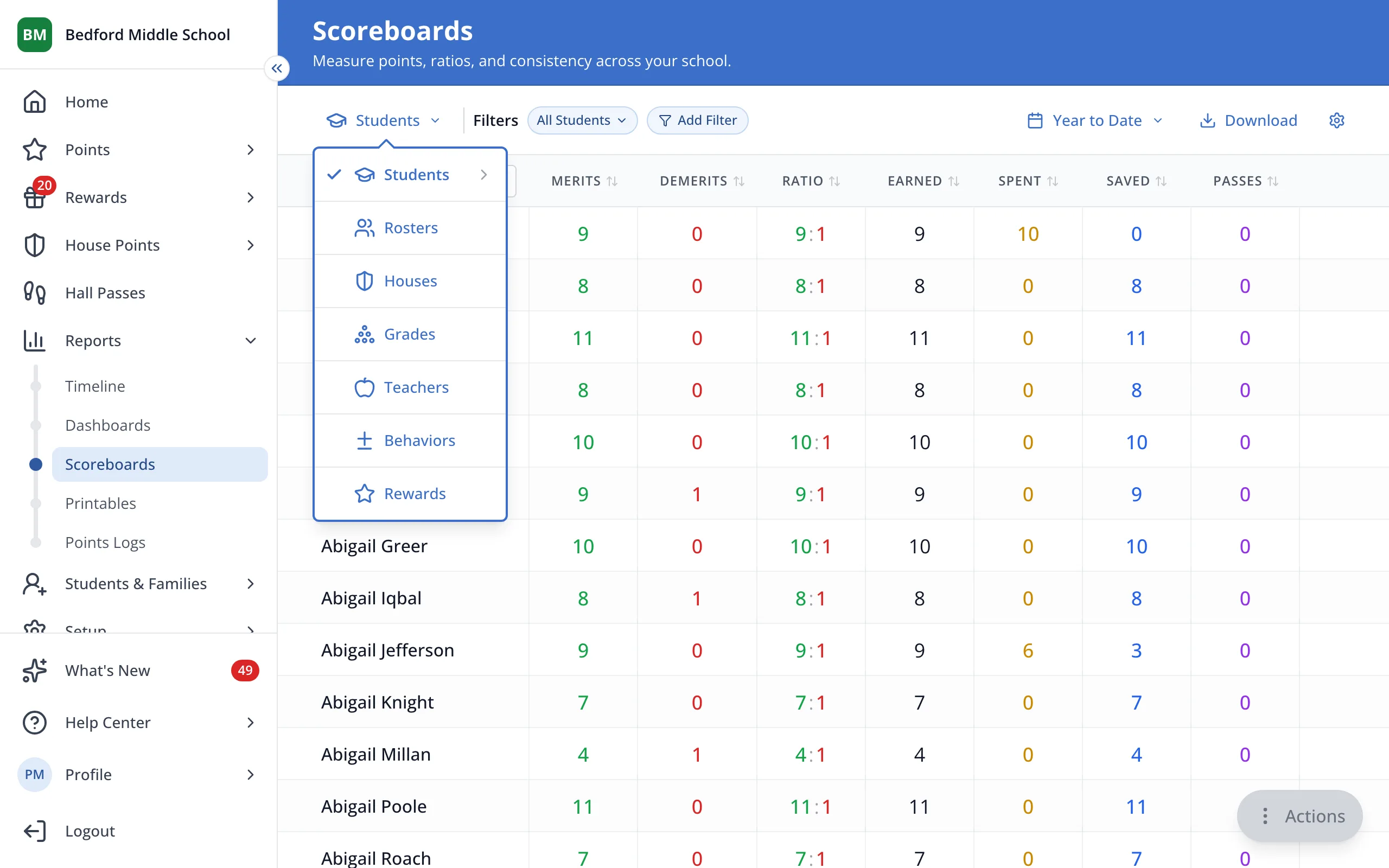
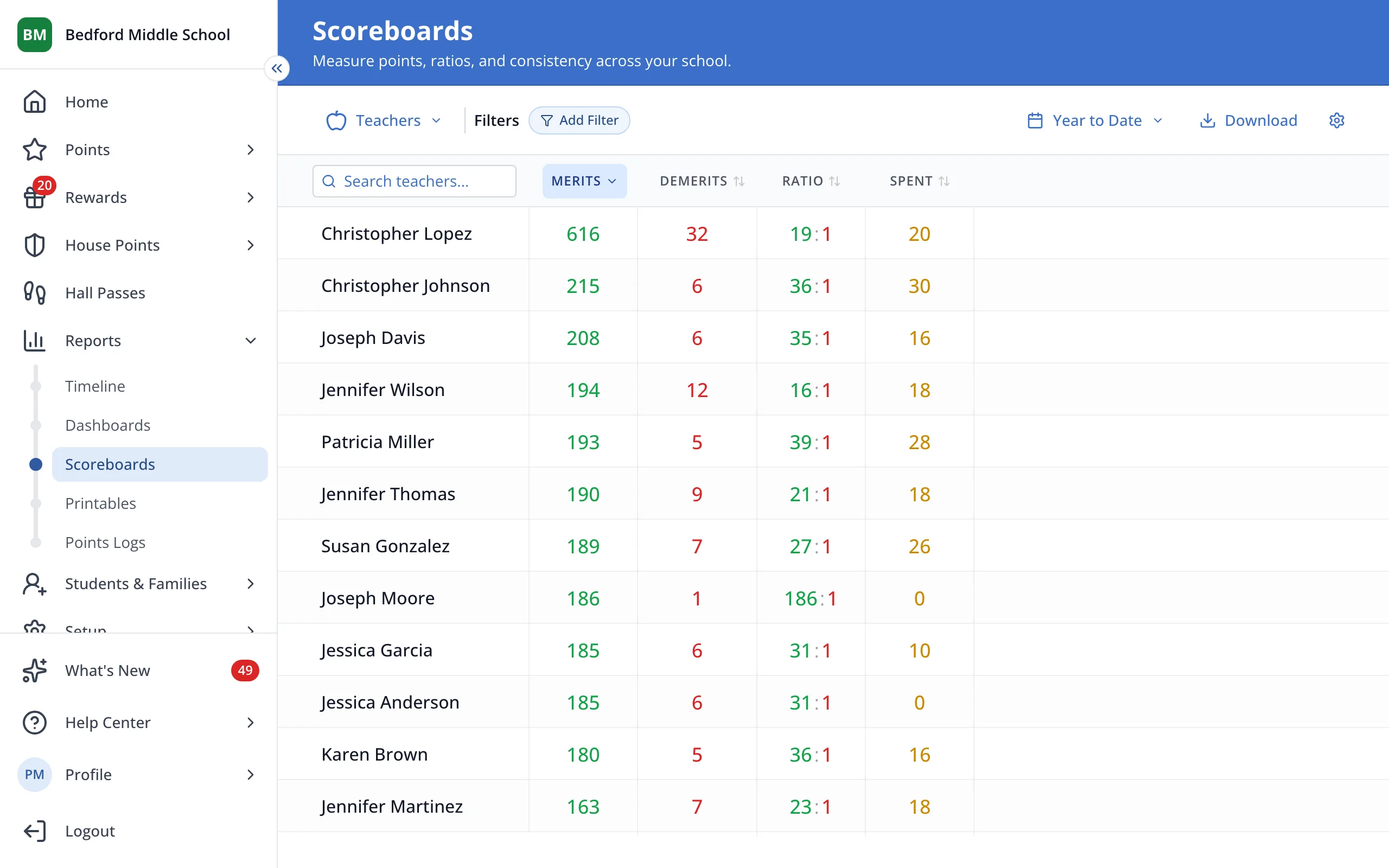
2.Click Teachers.
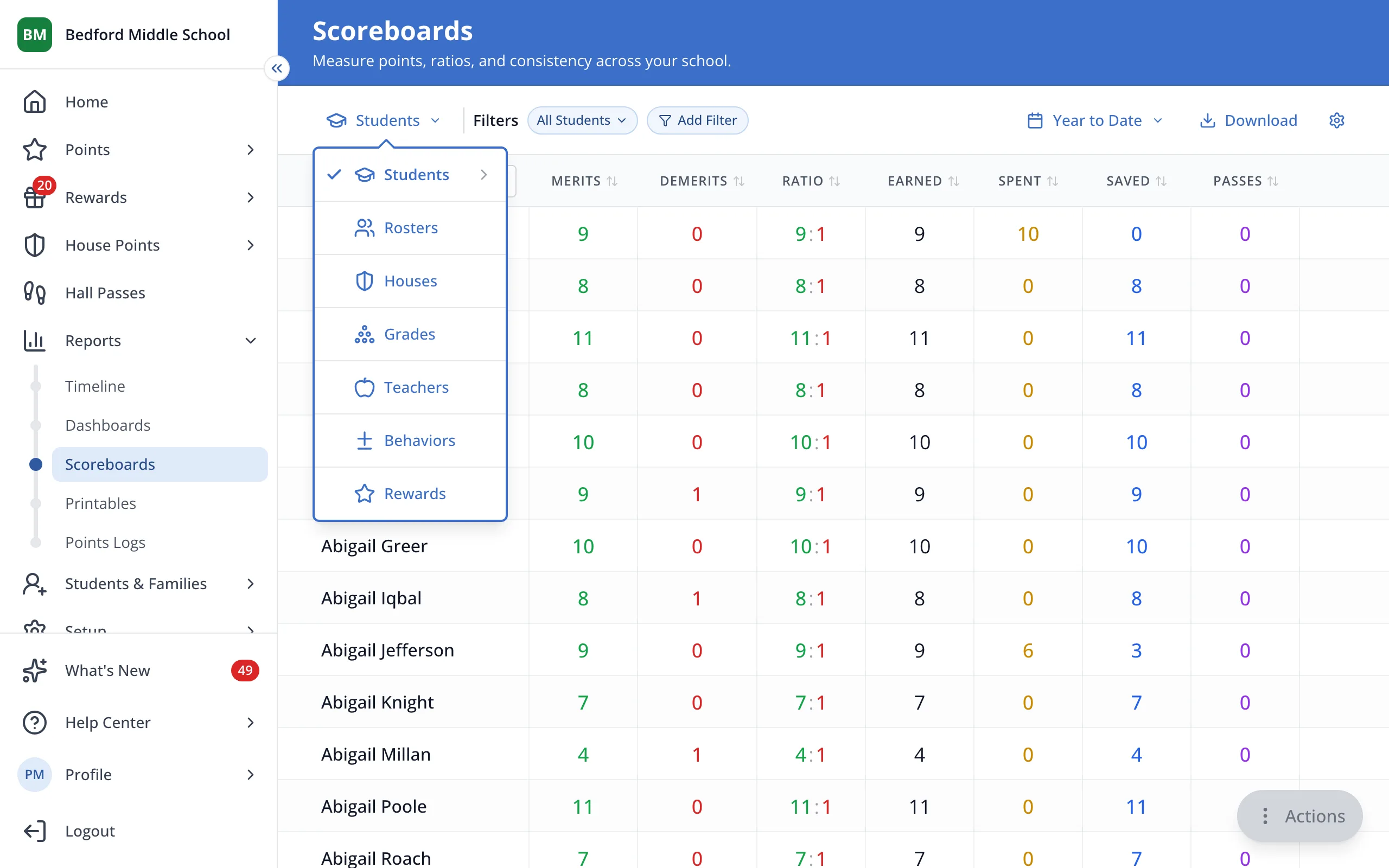
3.Click Merits to rank teachers by the points they gave.
Did you know? Change Year to Date to see a shorter period, like this week.