Delete several points at once
Clean up a batch of mistakes in one go. Teachers can delete only points they gave; admins and site leaders can delete any.
Use the Left and Right arrow keys to move between steps, and Space to play or pause.
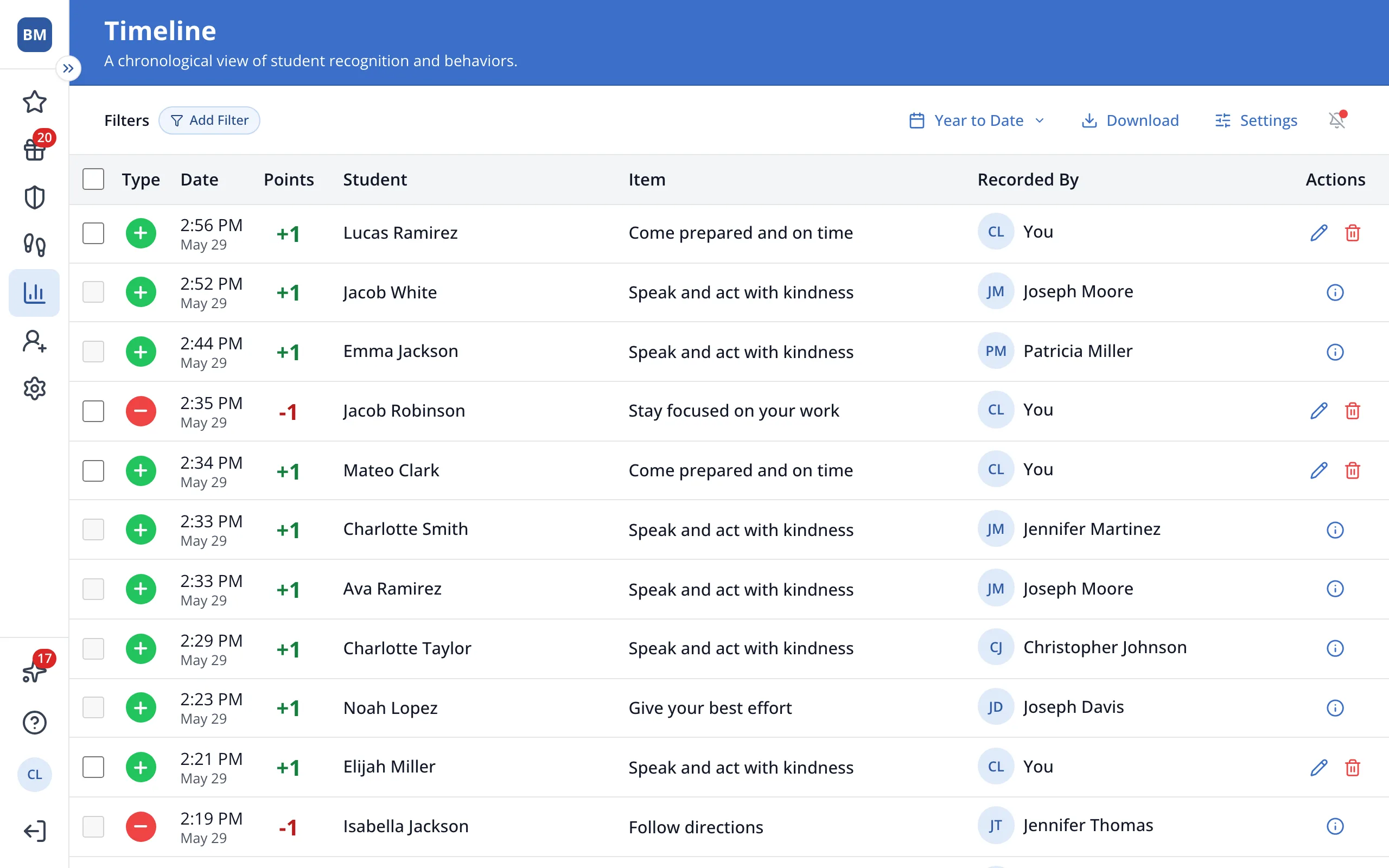
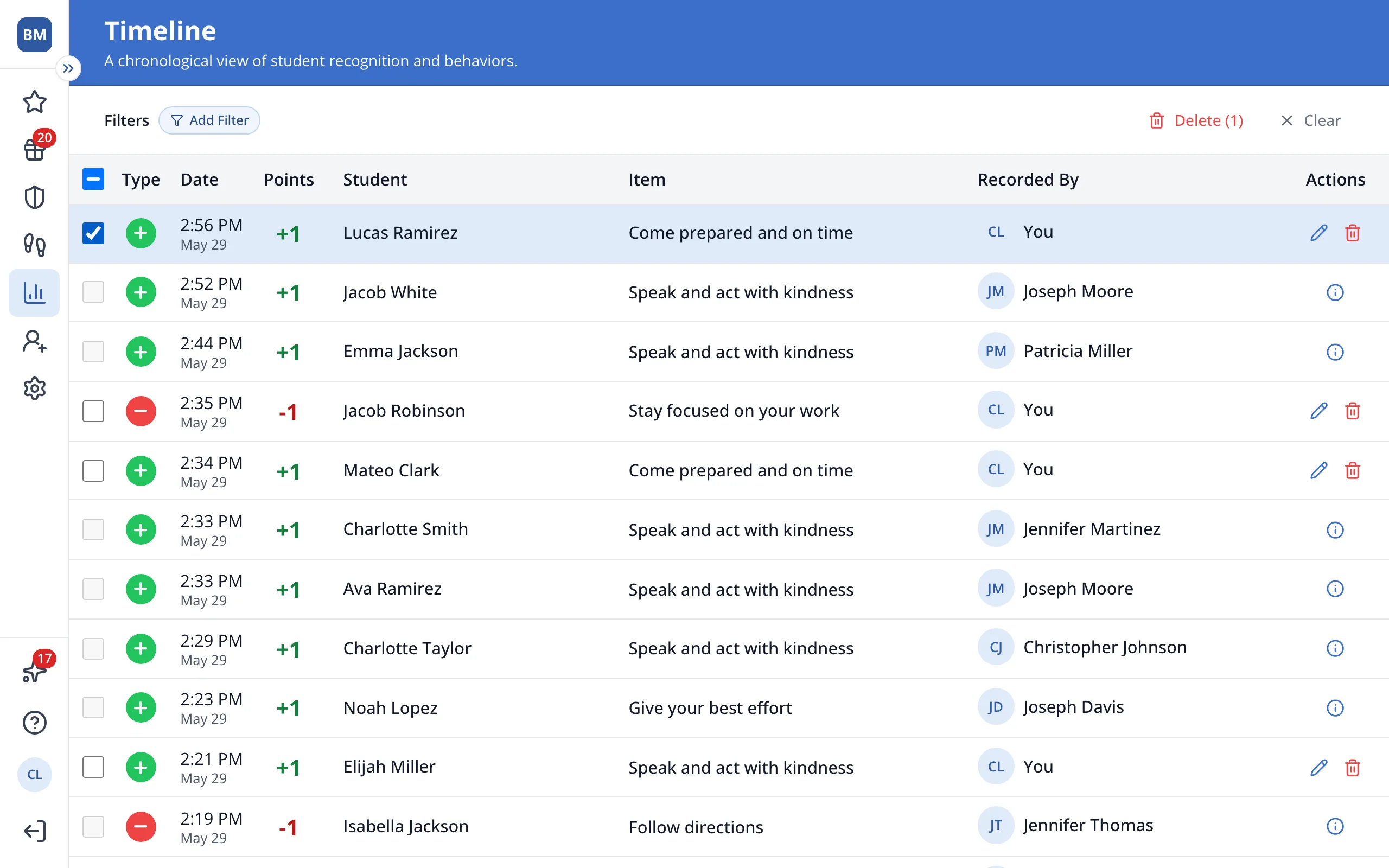
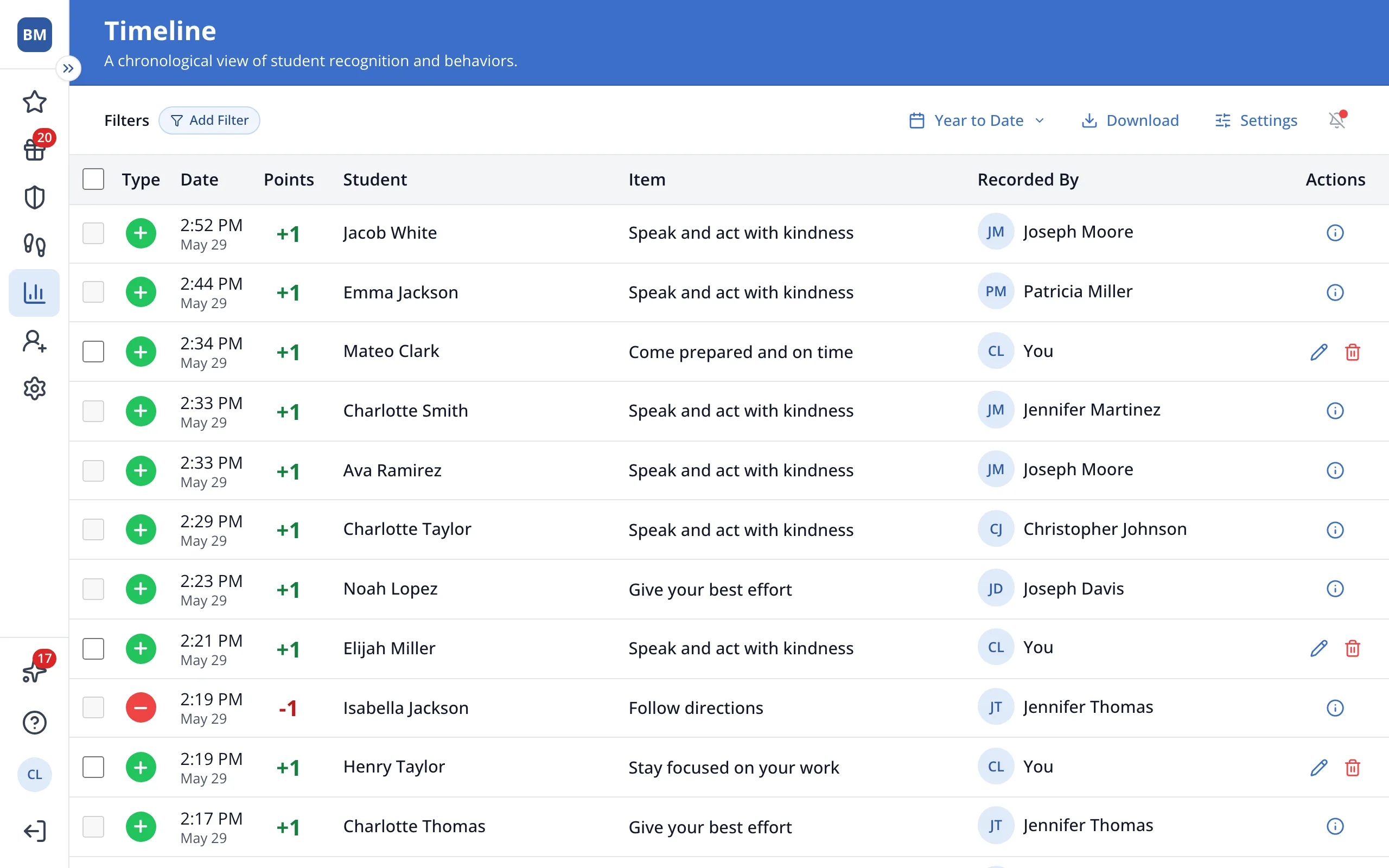
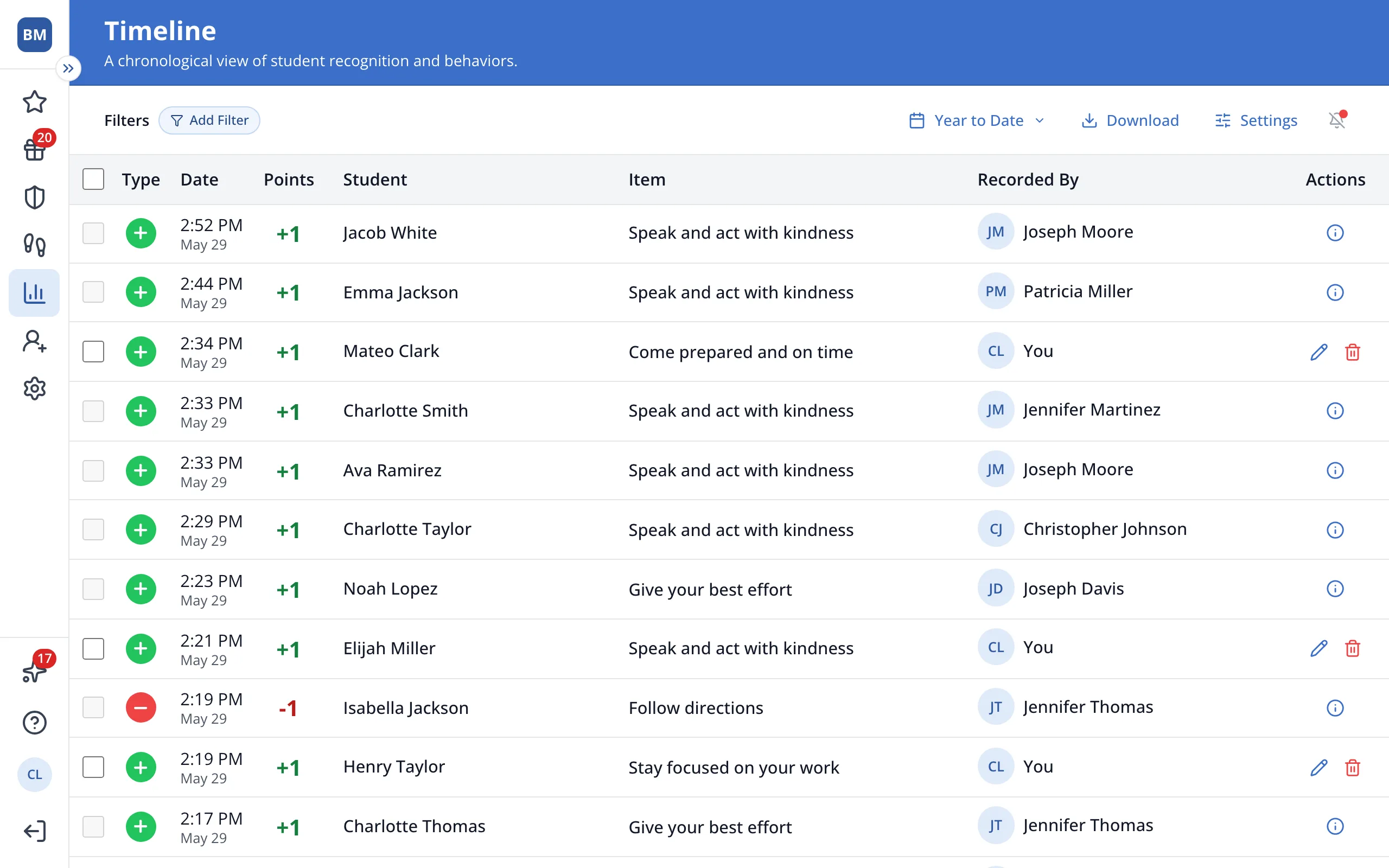
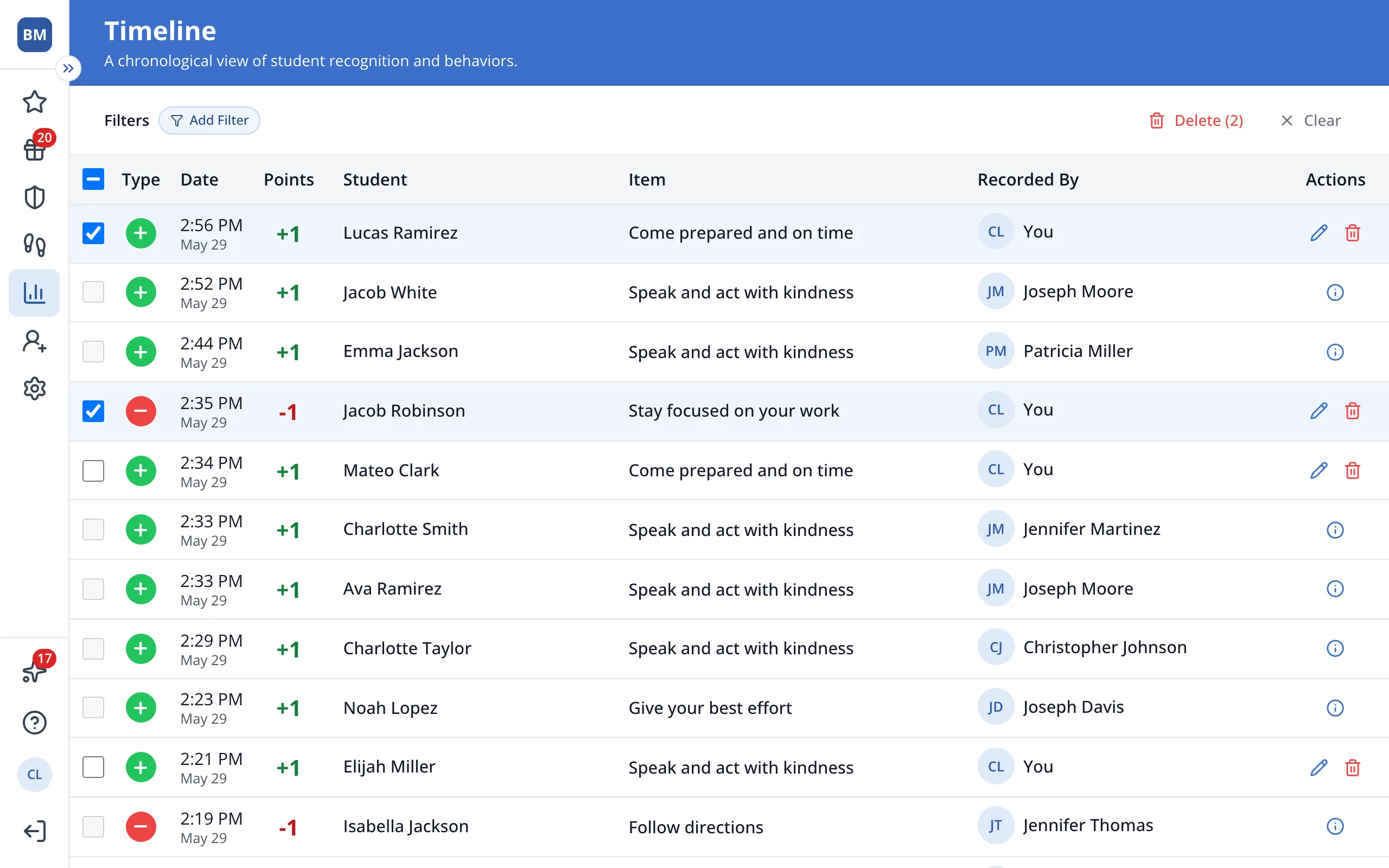
1.In the Timeline's table view, check the box next to a point you'd like to delete.
Did you know? Boxes are grayed out on points you can't delete.
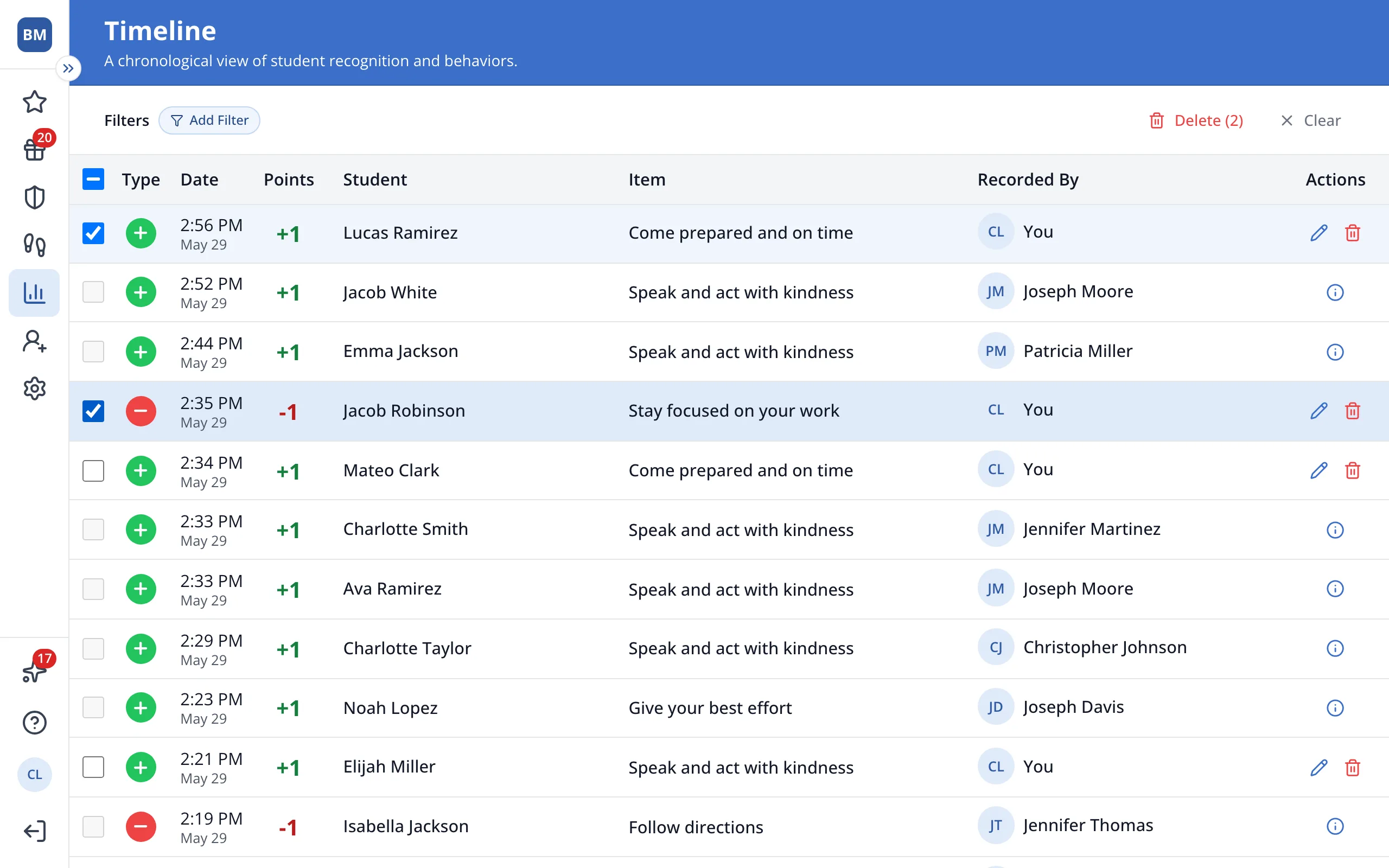
2.Check the other points you'd like to delete.
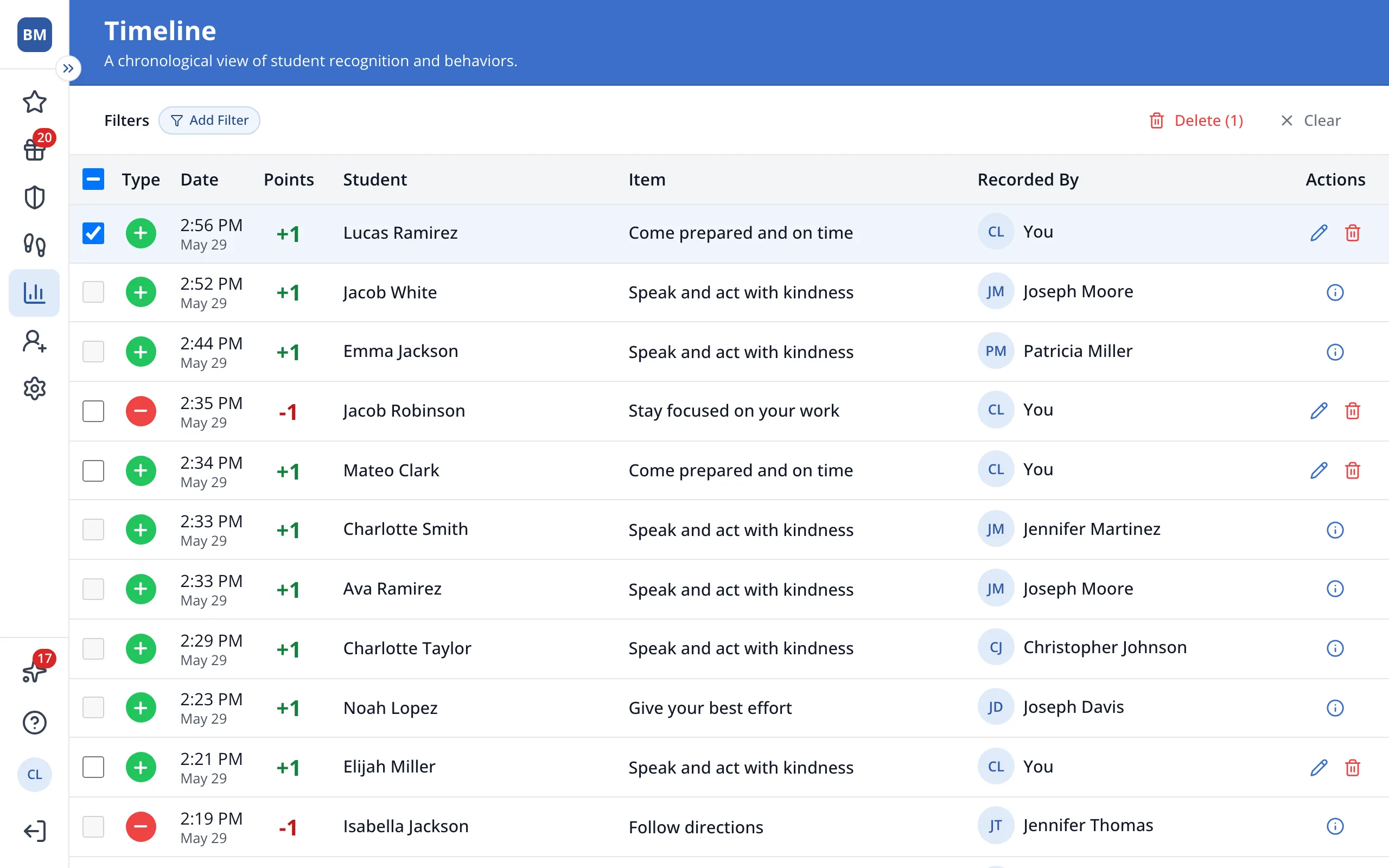
3.At the top right, click Delete.
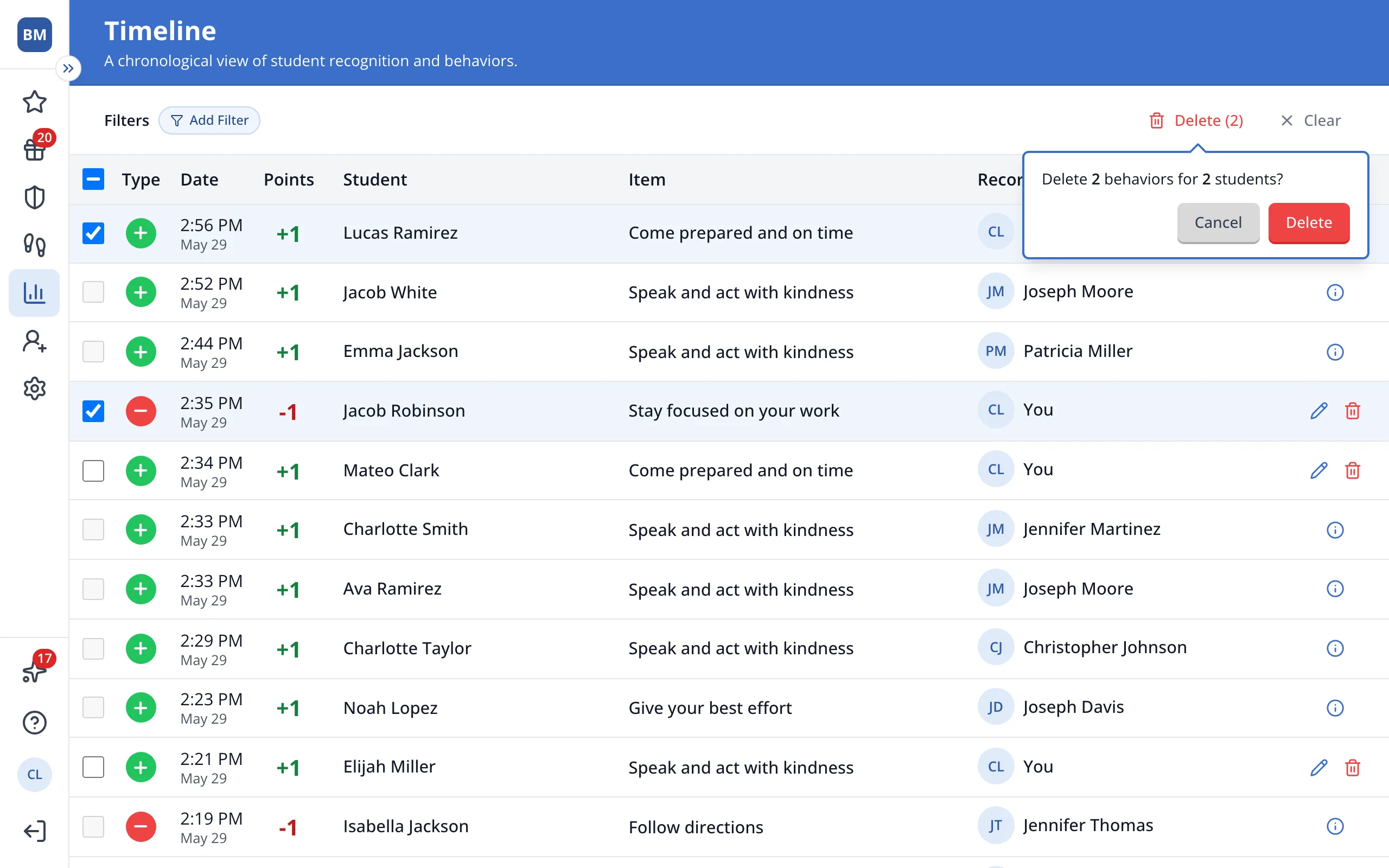
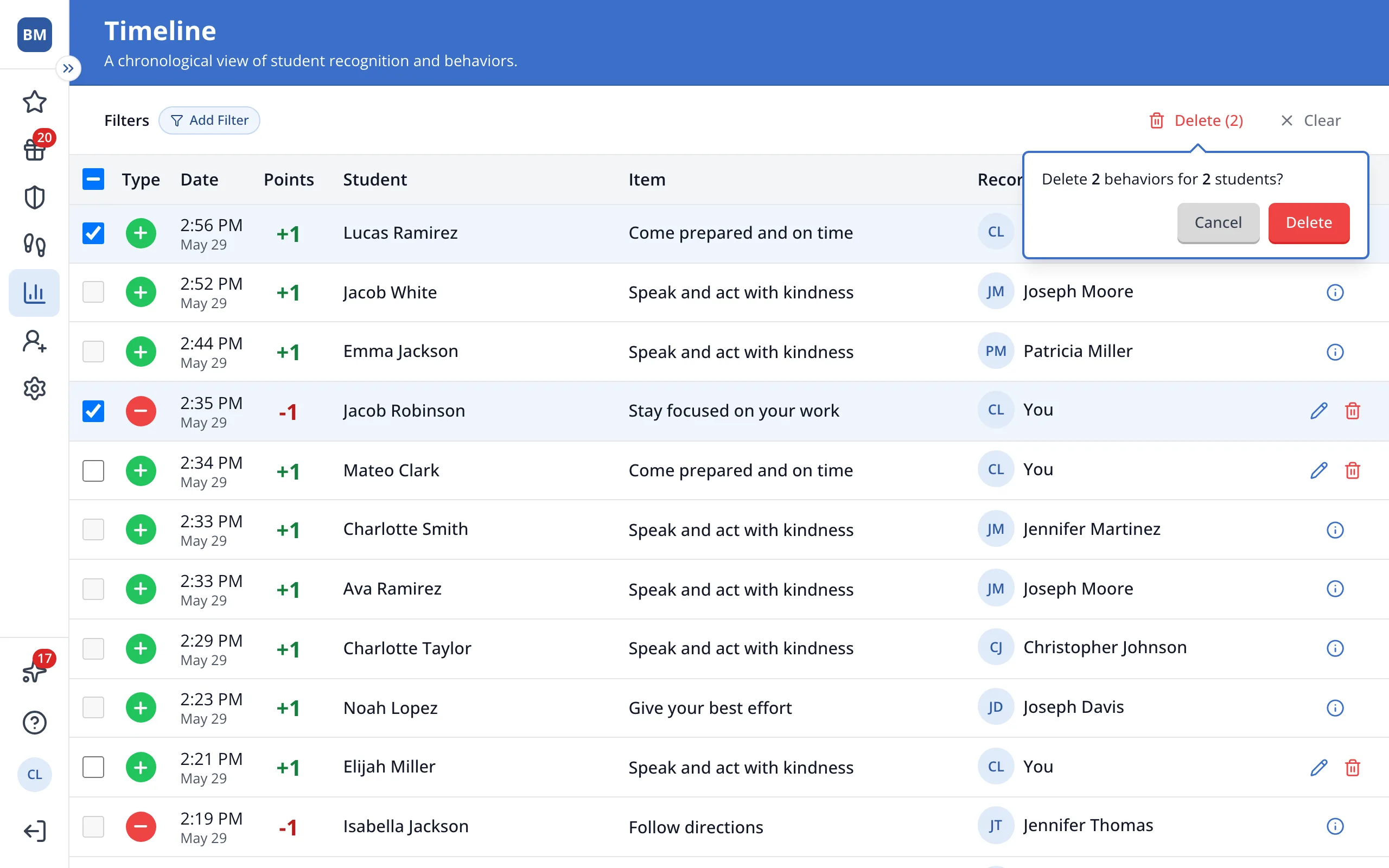
4.Click Delete to confirm.