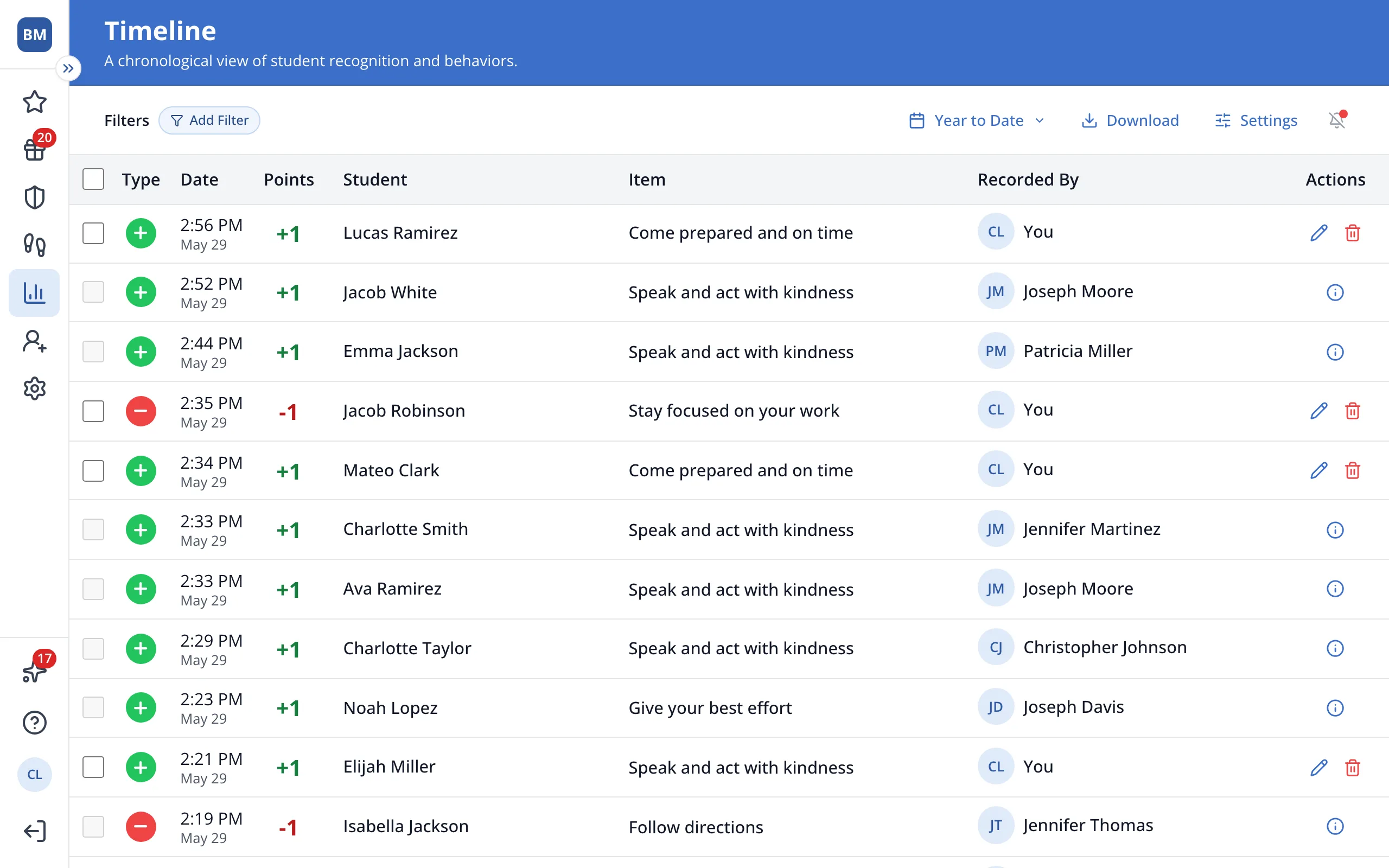
Switch the timeline between list and table view
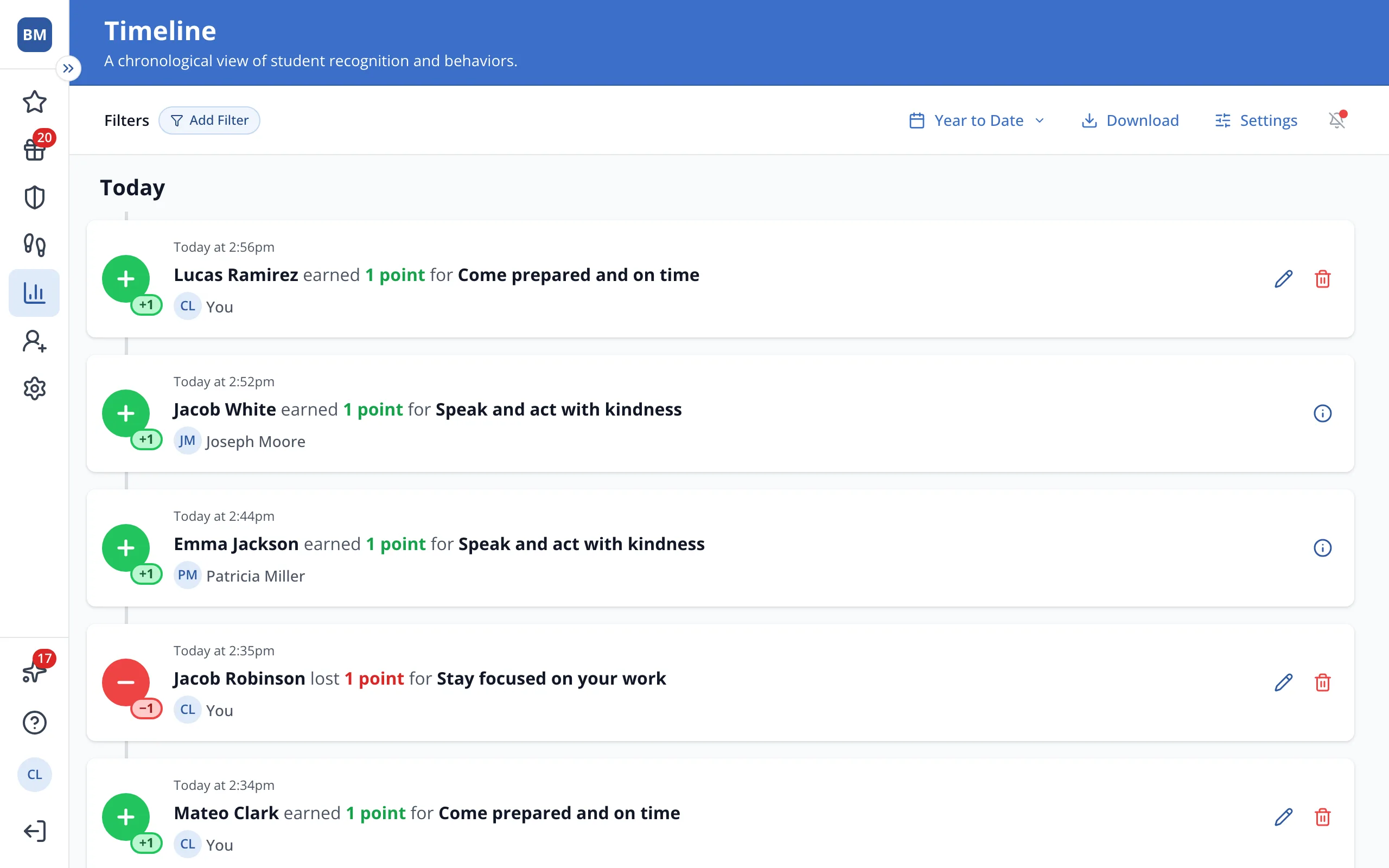
The data on the timeline is available in two different views. Review both to find your preferred layout.
Use the Left and Right arrow keys to move between steps, and Space to play or pause.
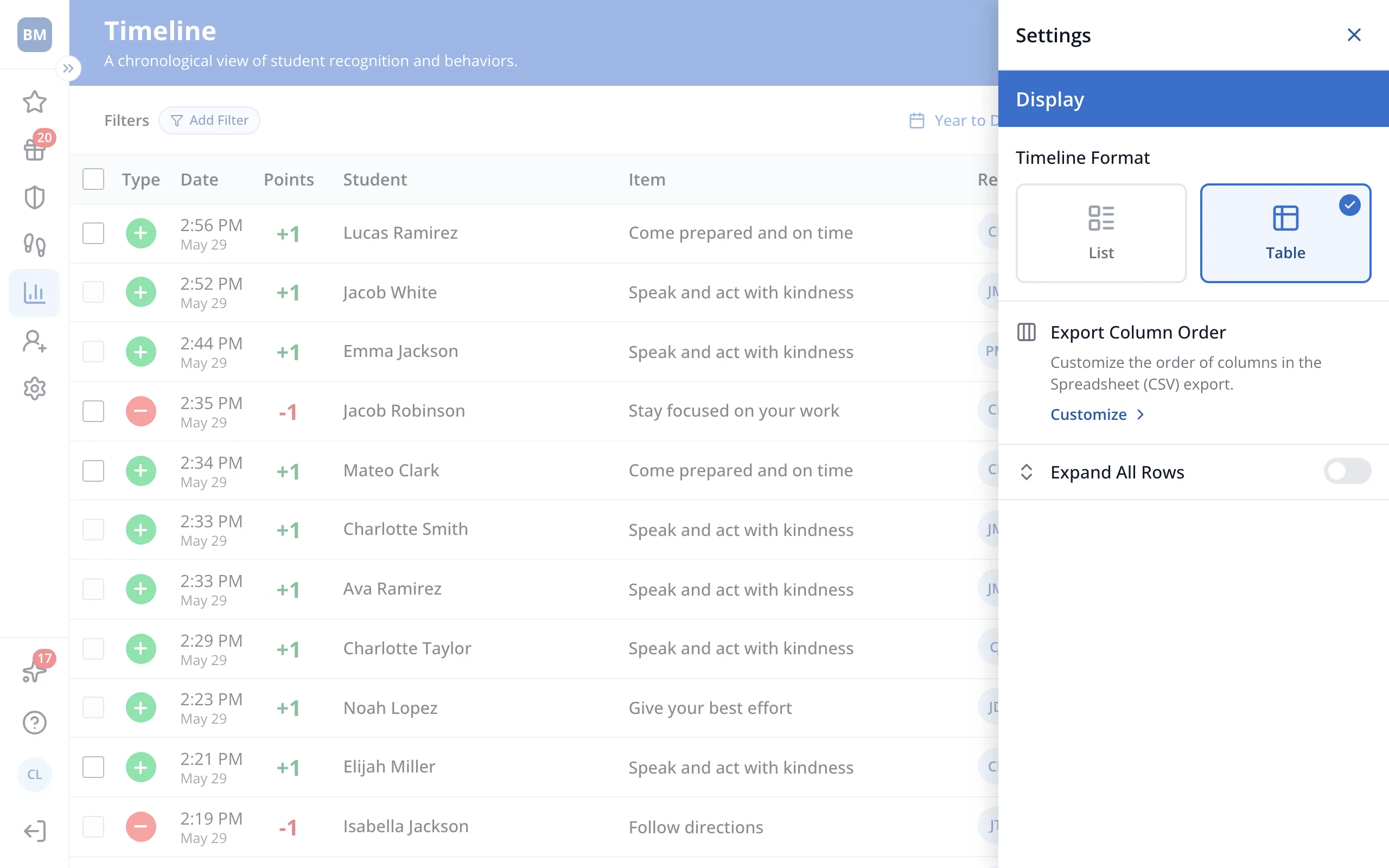
1.At the top right of the Timeline, click Settings.
2.Under Timeline Format, click Table.
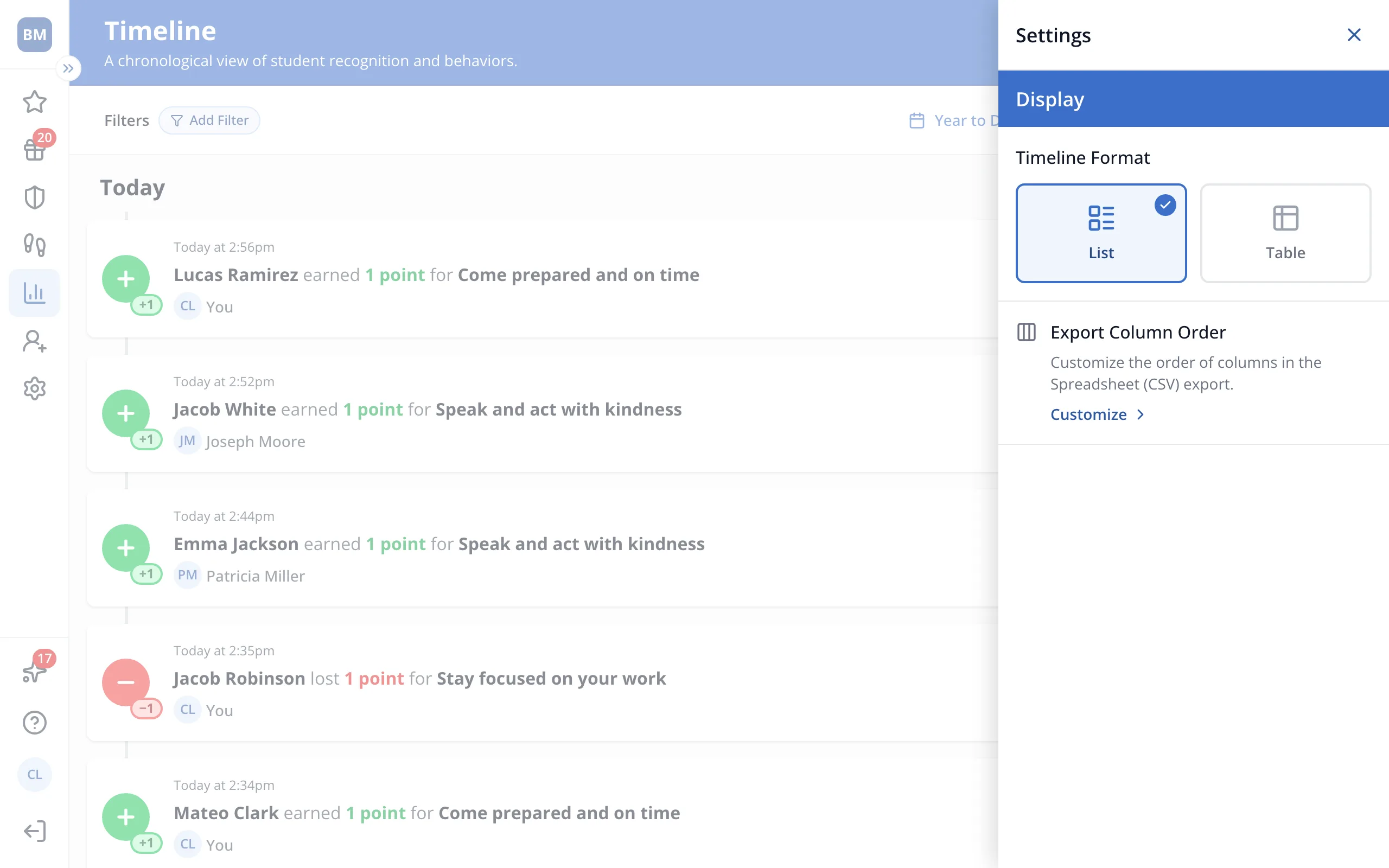
3.To go back, open Settings again and click List.