
Delete a reward or category
Deleting removes it from your store for good. Archive instead if you might want it back.
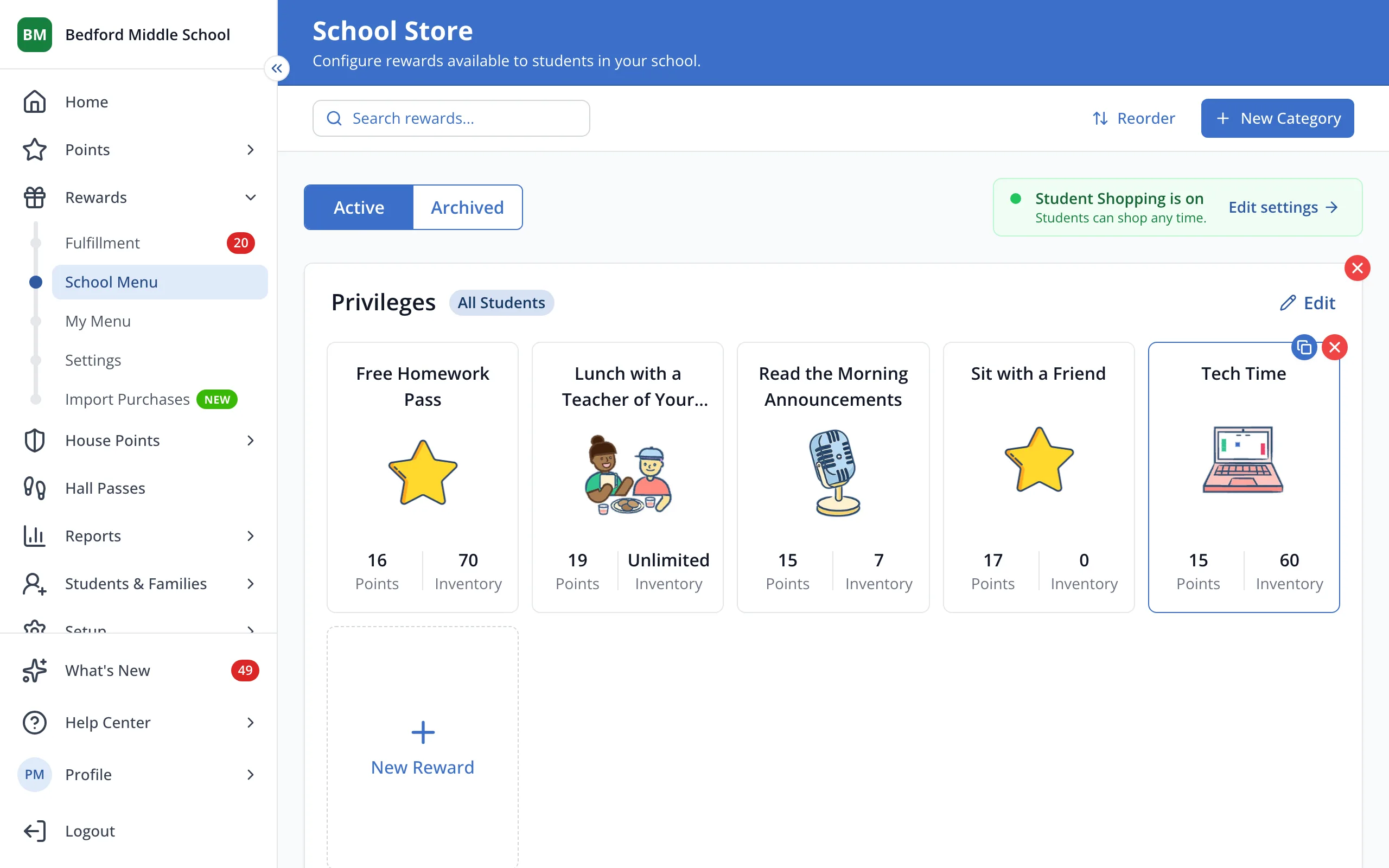
1 / 2On your store page, click the red X on the reward. For a category, use the red X next to its name.
1.On your store page, click the red X on the reward. For a category, use the red X next to its name.
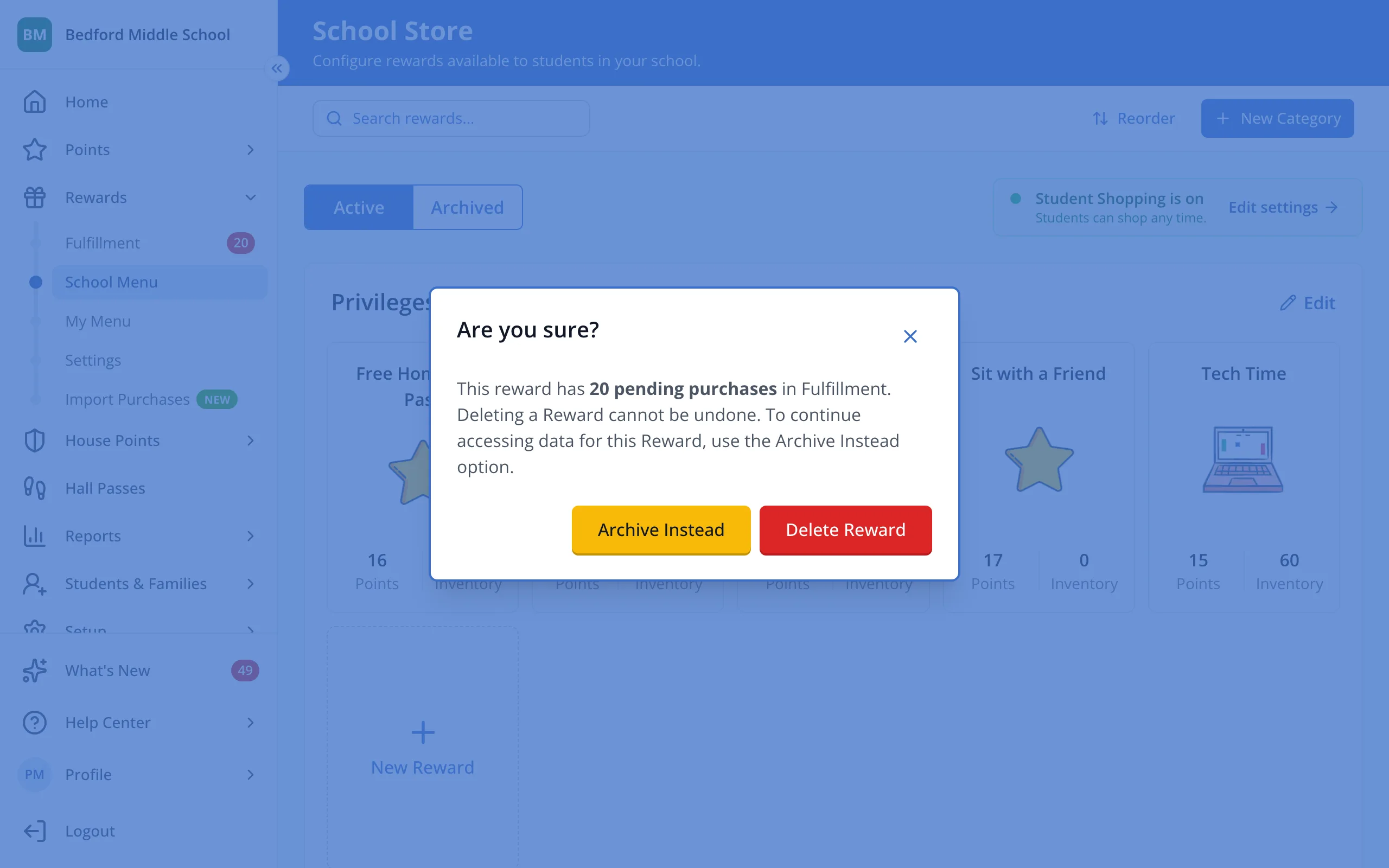
2.Click Delete Reward, or Archive Instead to keep its history.
Was this helpful?