Print or download the fulfillment list
Take the list with you when you deliver rewards, or share it with the staff handing them out.
Open in LiveSchool
Already signed in? Open this guide inside LiveSchool.
Use the Left and Right arrow keys to move between steps, and Space to play or pause.
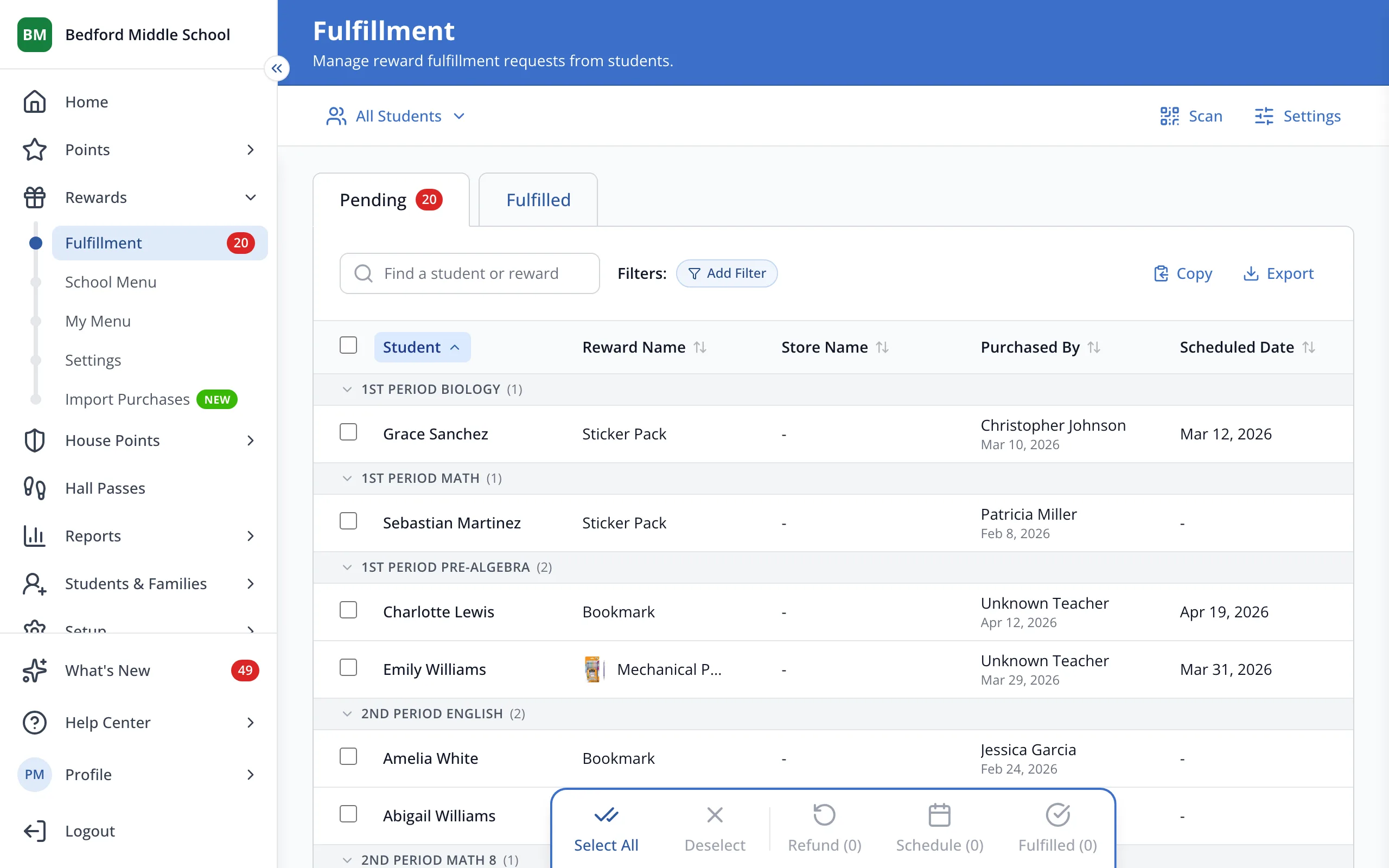
1.On the Fulfillment page, filter the list to what you need.
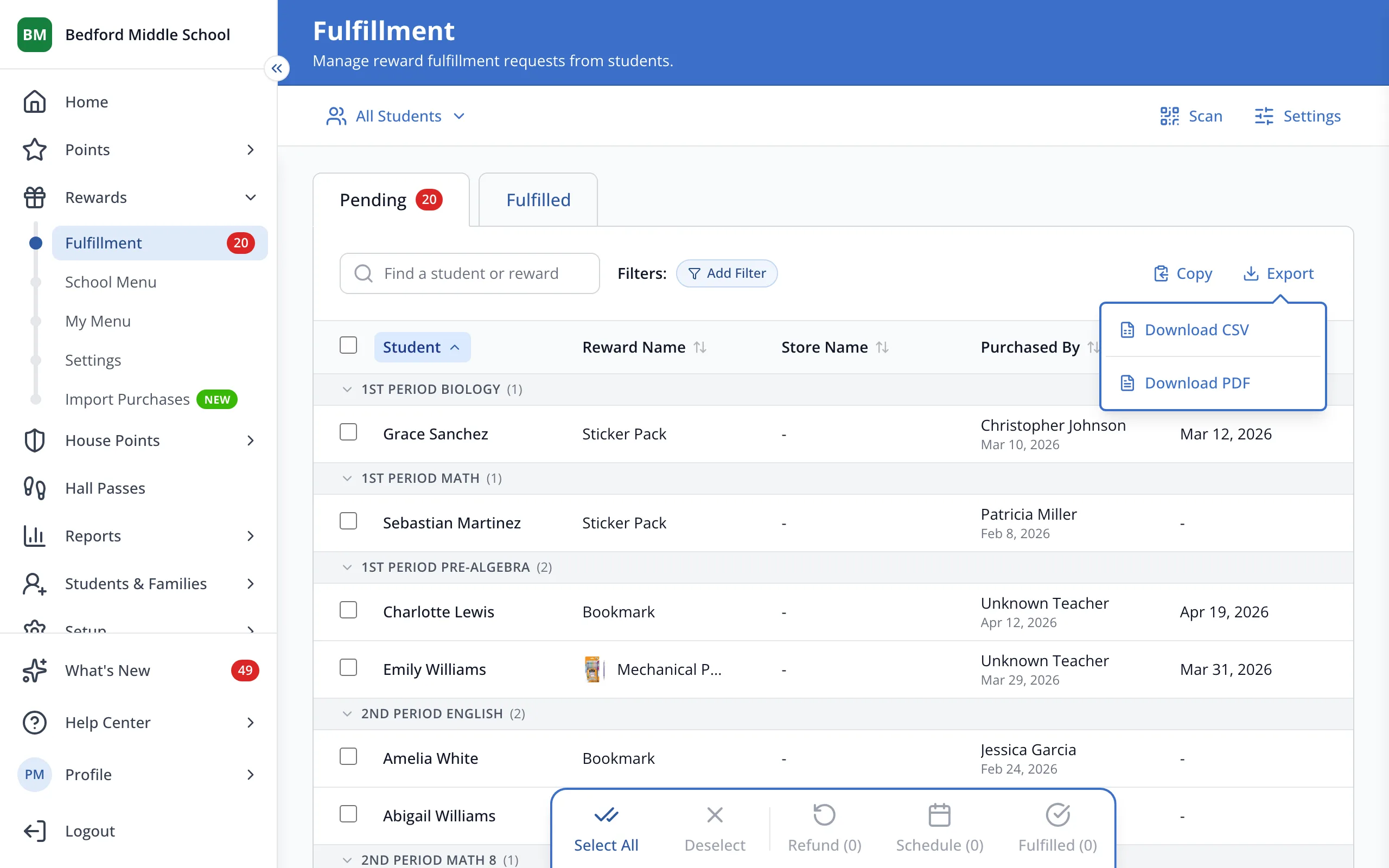
2.Click Export to download it, or Copy to paste it somewhere else.