
Filter the fulfillment list by homeroom, grade or store
Narrow the list to the students or rewards you're handing out right now.
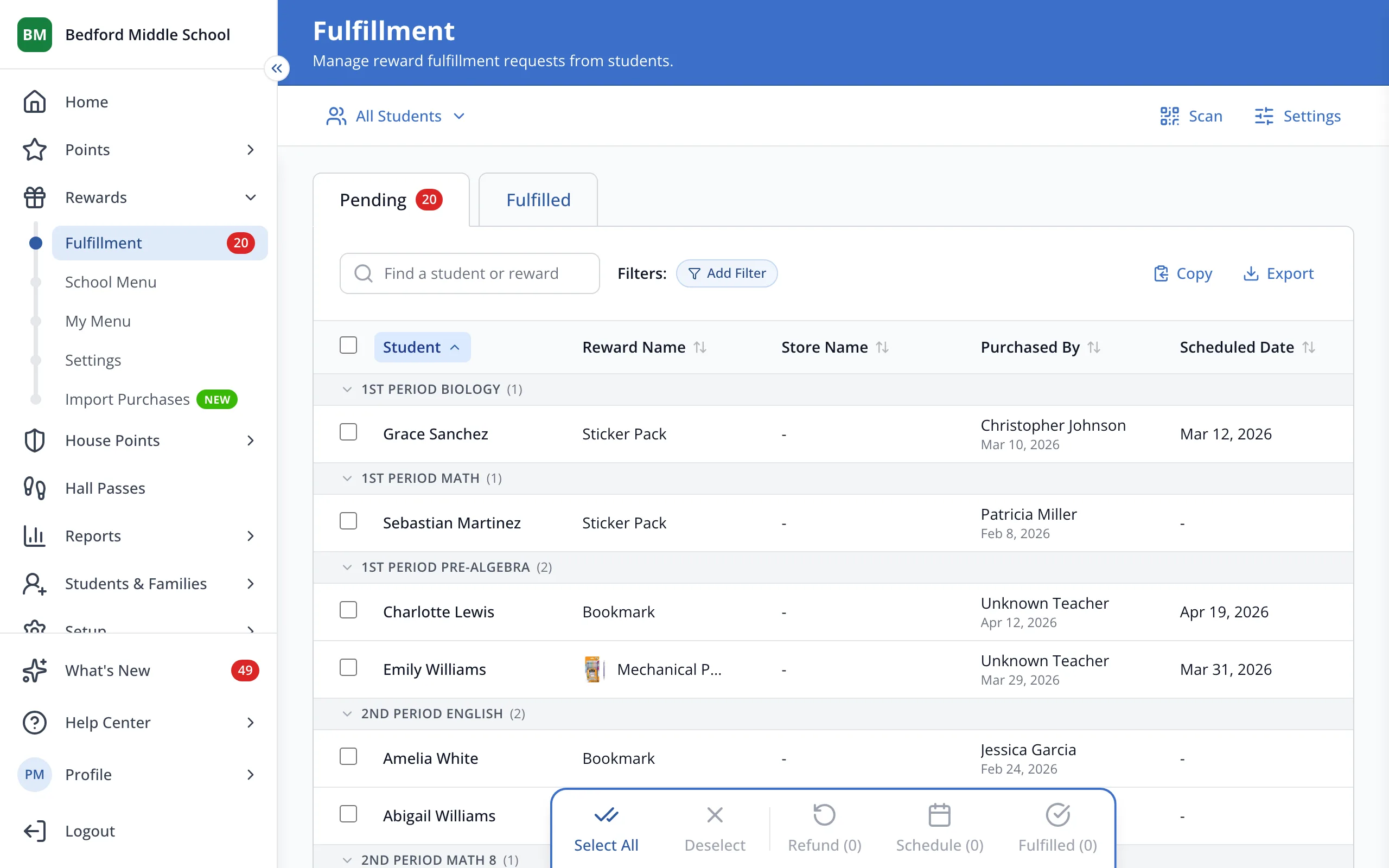
1 / 3At the top of the Fulfillment page, click All Students.
1.At the top of the Fulfillment page, click All Students.
2.Click Homerooms, Grades or My Rosters.
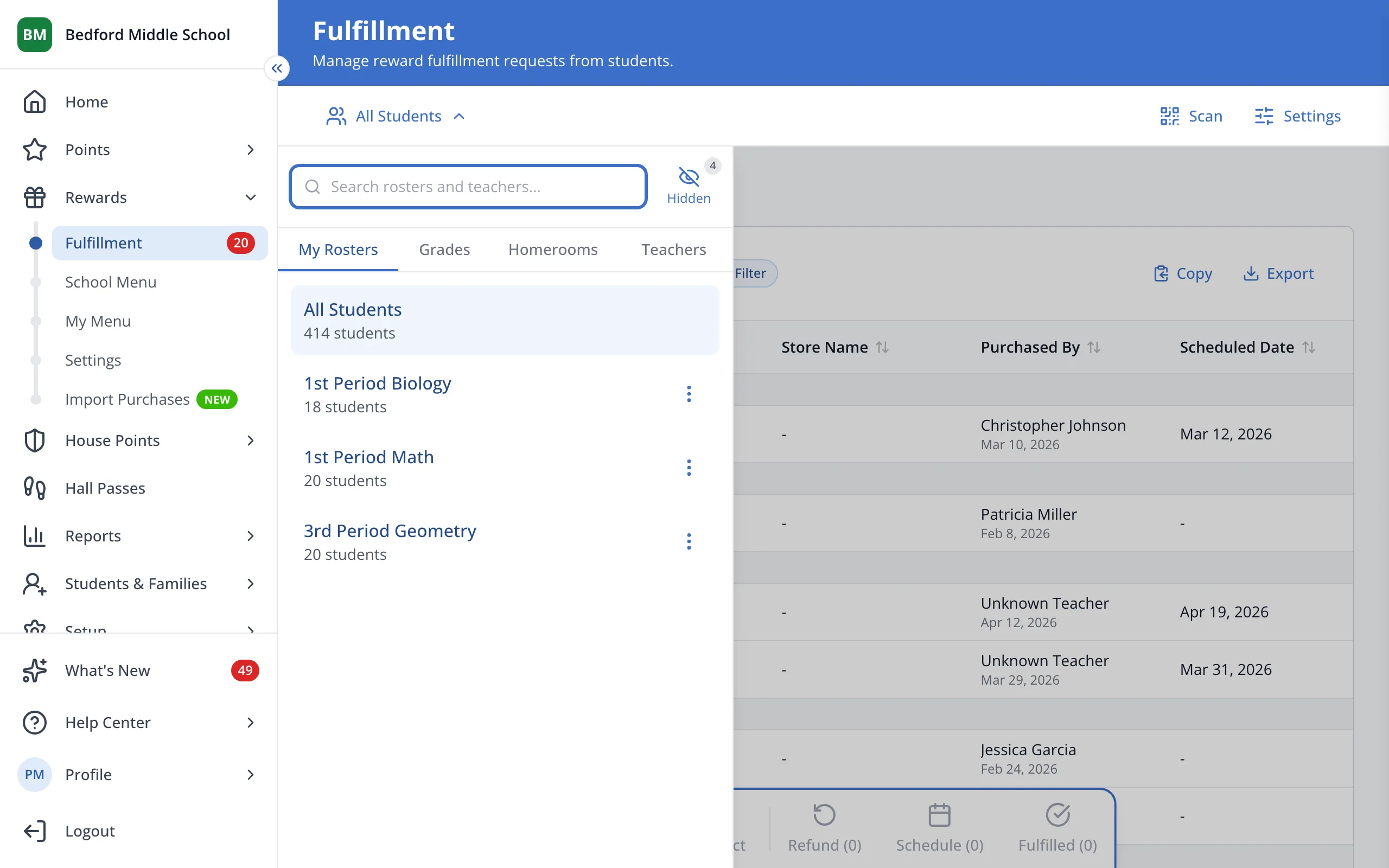
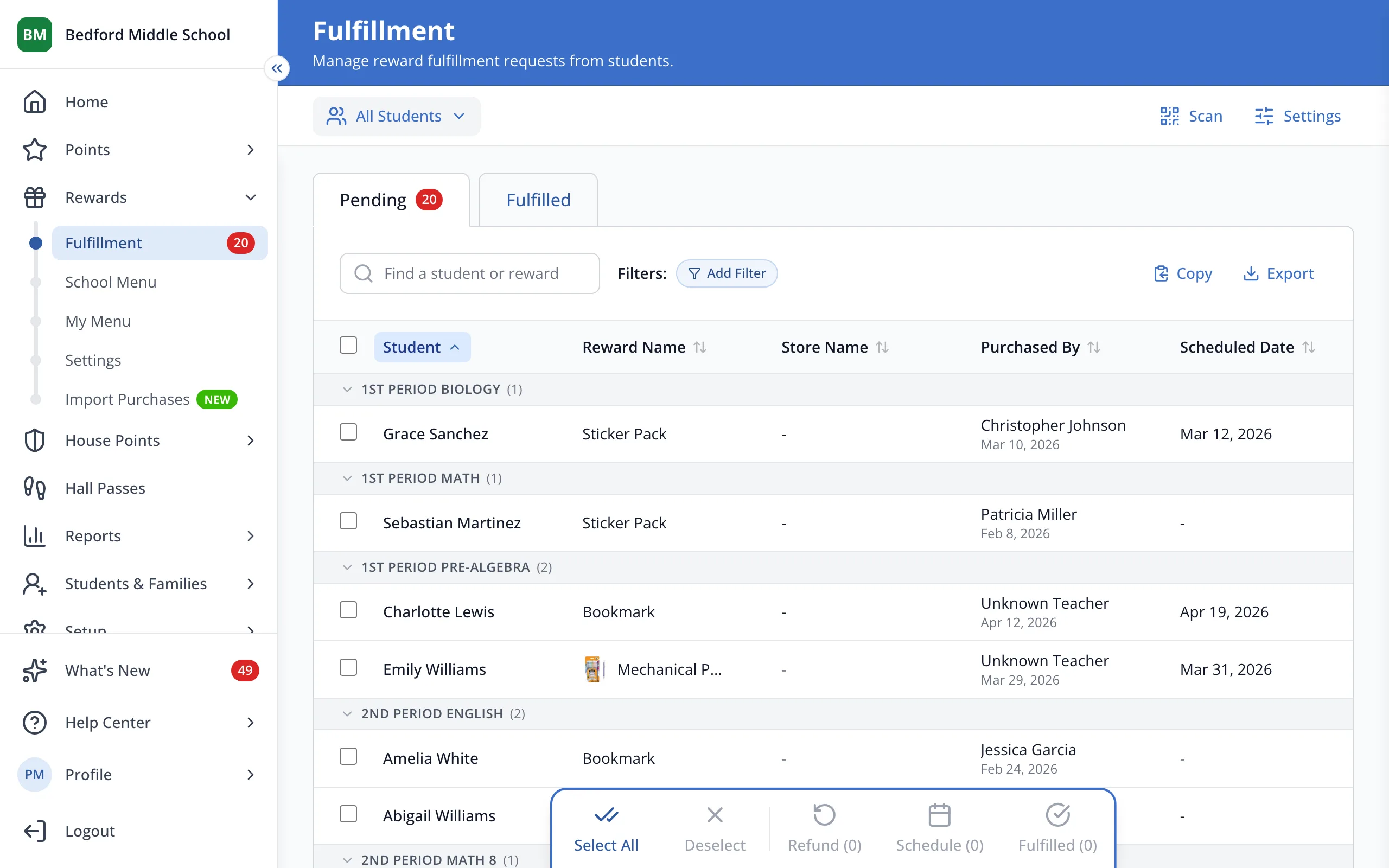
3.To filter by store, reward or date instead, click Add Filter.
Was this helpful?