
Group the fulfillment list by homeroom
Grouping puts each homeroom's purchases together, so you can deliver one room at a time.
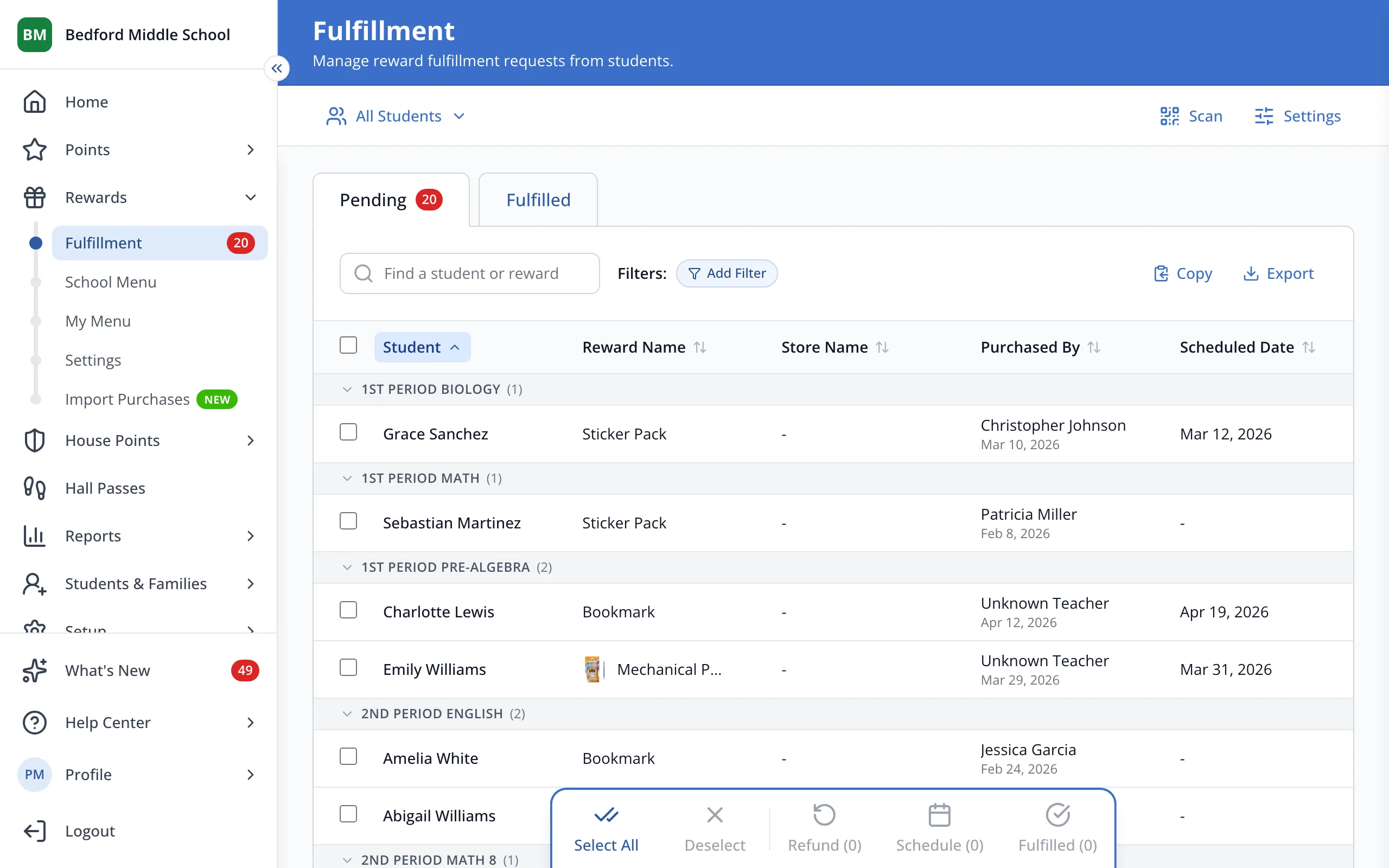
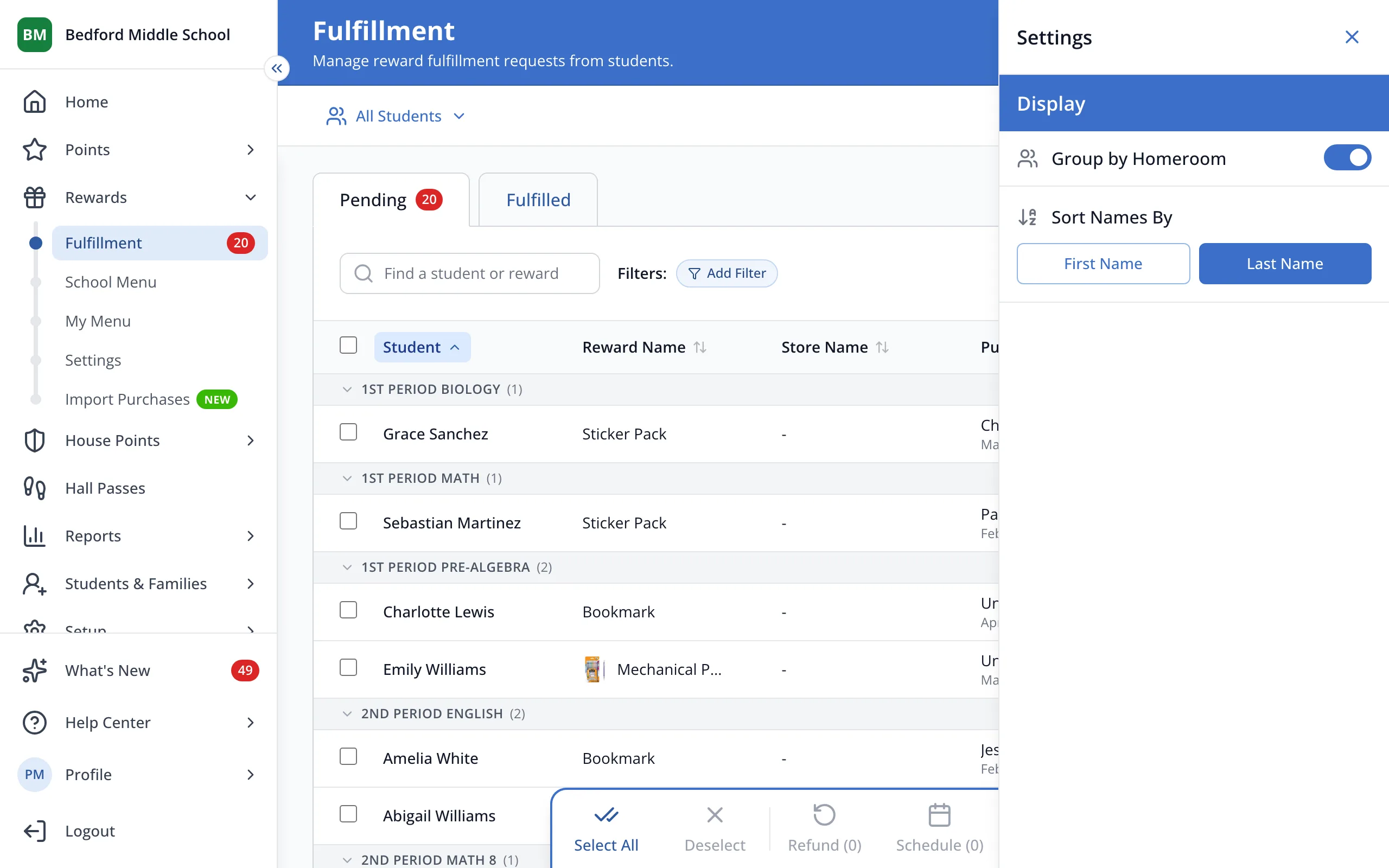
1 / 2At the top right of the Fulfillment page, click Settings.
1.At the top right of the Fulfillment page, click Settings.
2.Turn Group by Homeroom on or off.
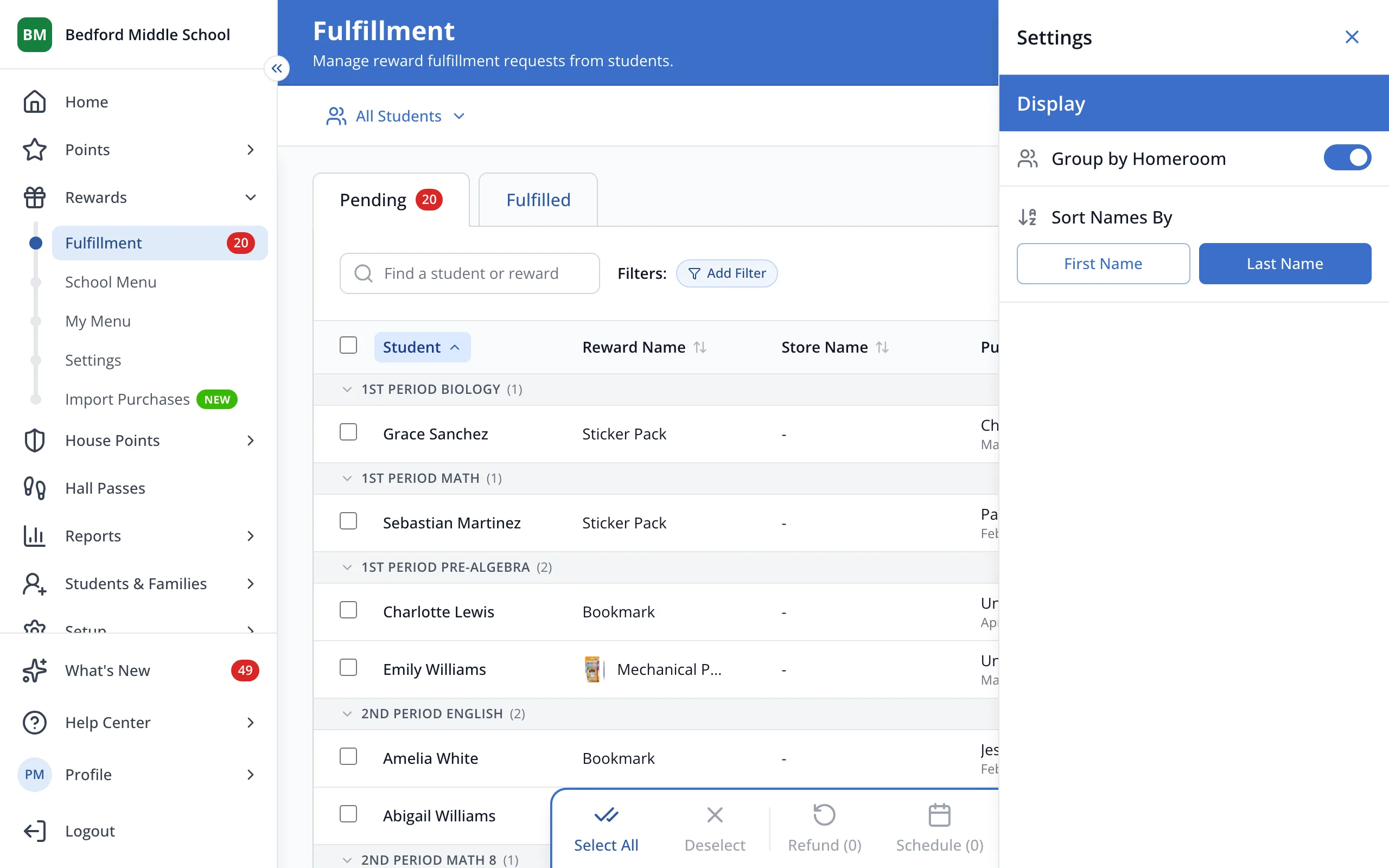
Tip: Under Sort Names By, choose First Name or Last Name.
Was this helpful?