
Import reward purchases from a spreadsheet
Charge a whole list of students for one reward at once, like a field trip sign-up sheet.
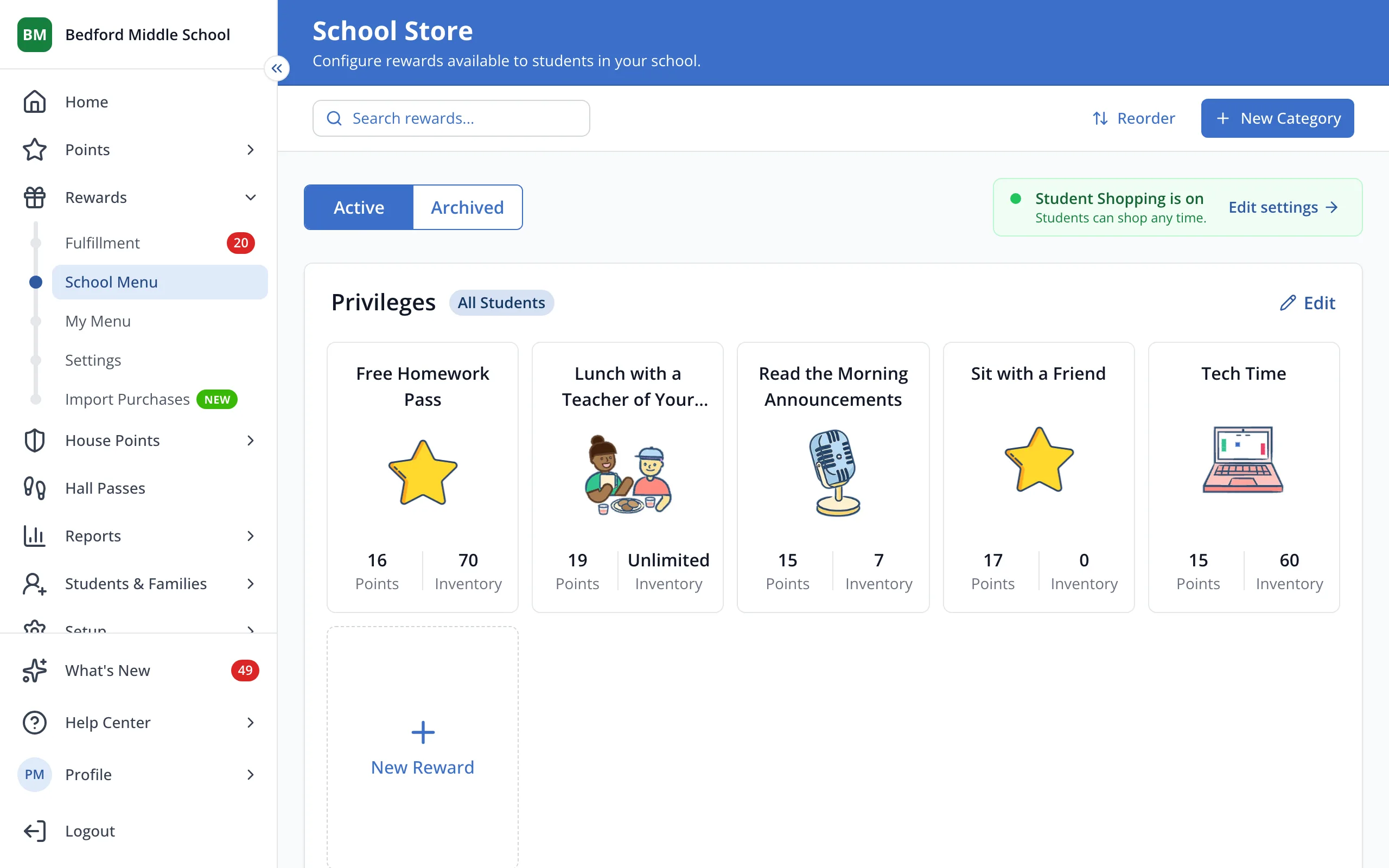
1 / 7In the sidebar, under Rewards, click Import Purchases.
1.In the sidebar, under Rewards, click Import Purchases.
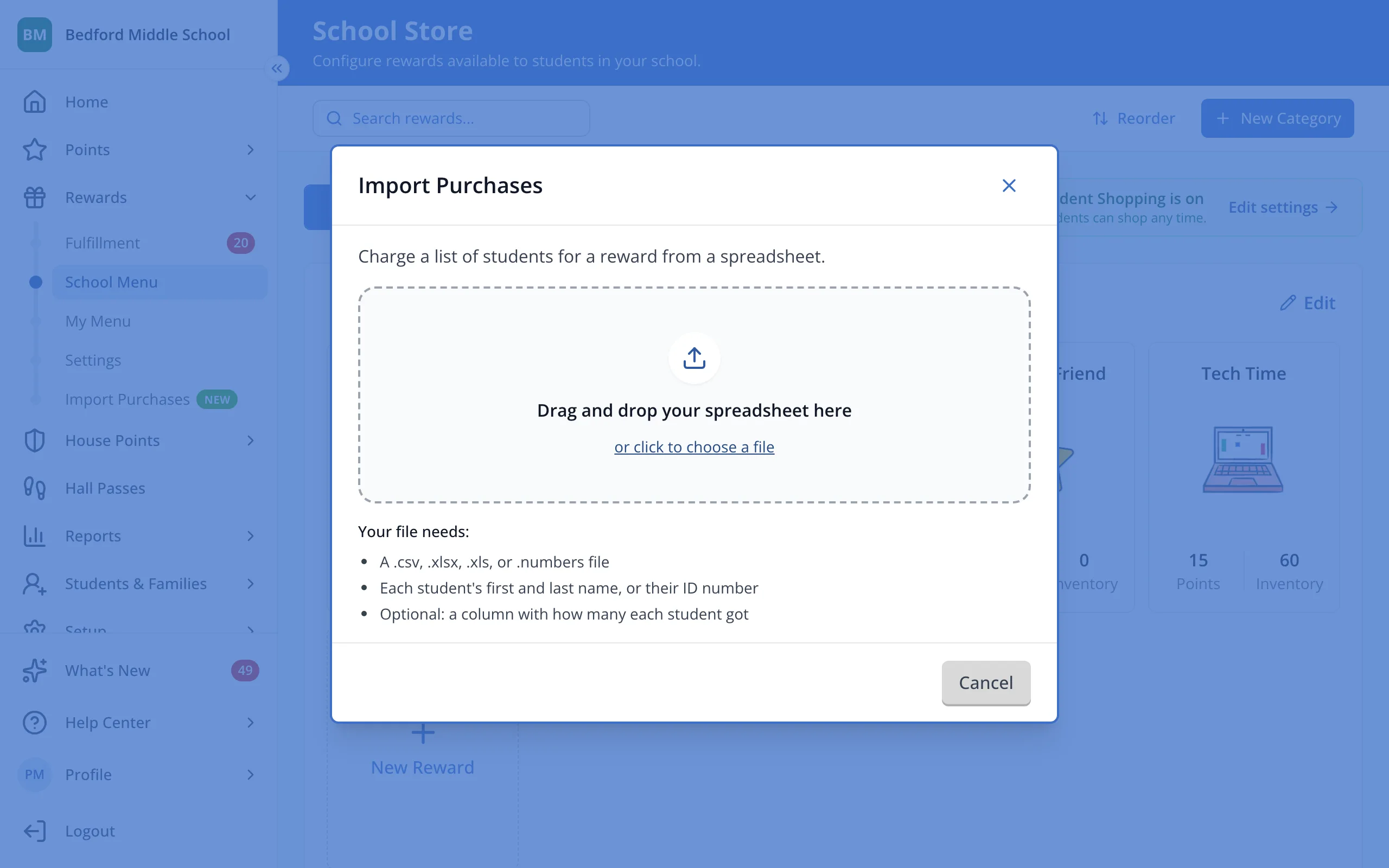
2.Drop your spreadsheet here. It needs each student's first and last name, or their ID number.
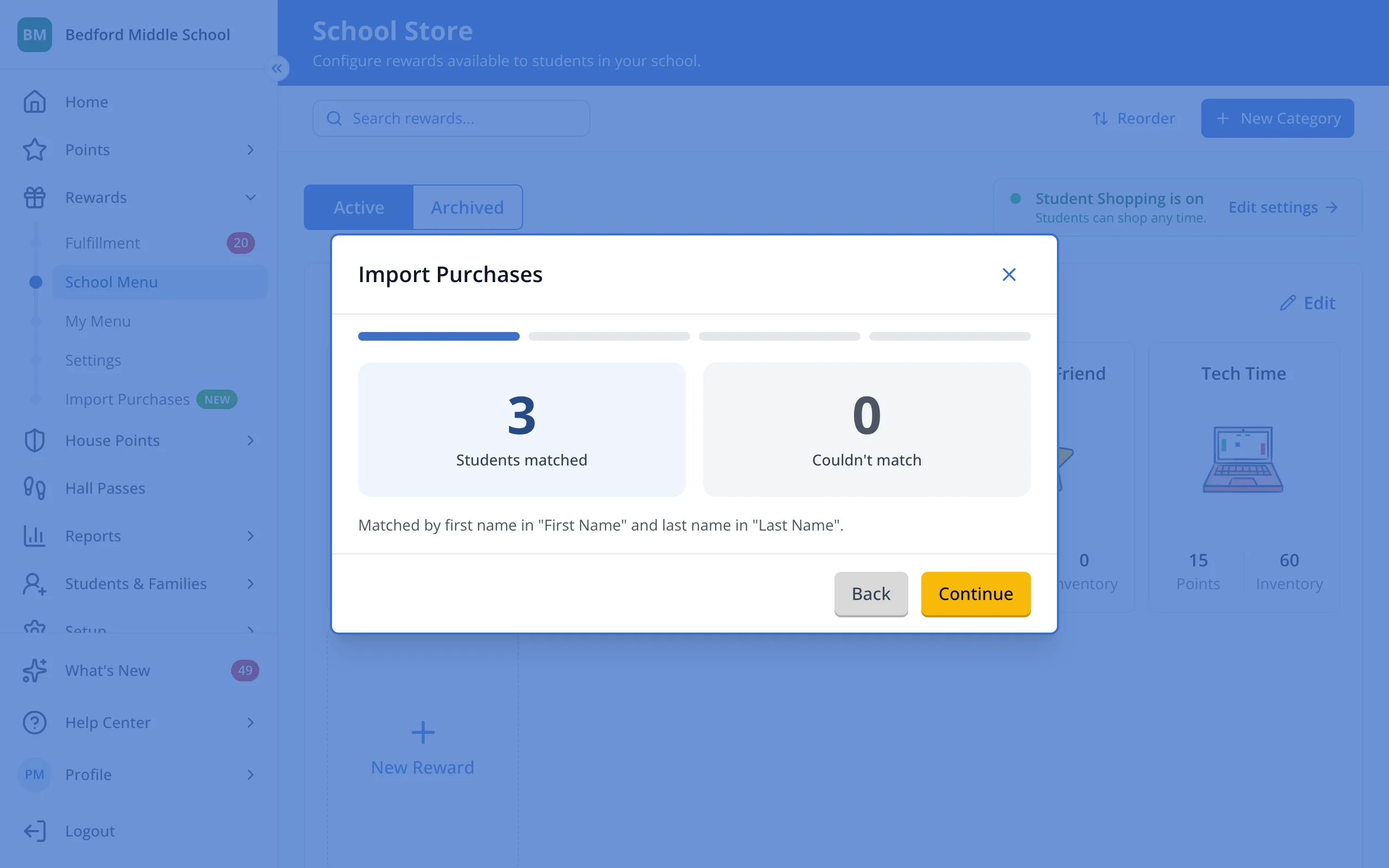
3.Check how many students matched, then click Continue.
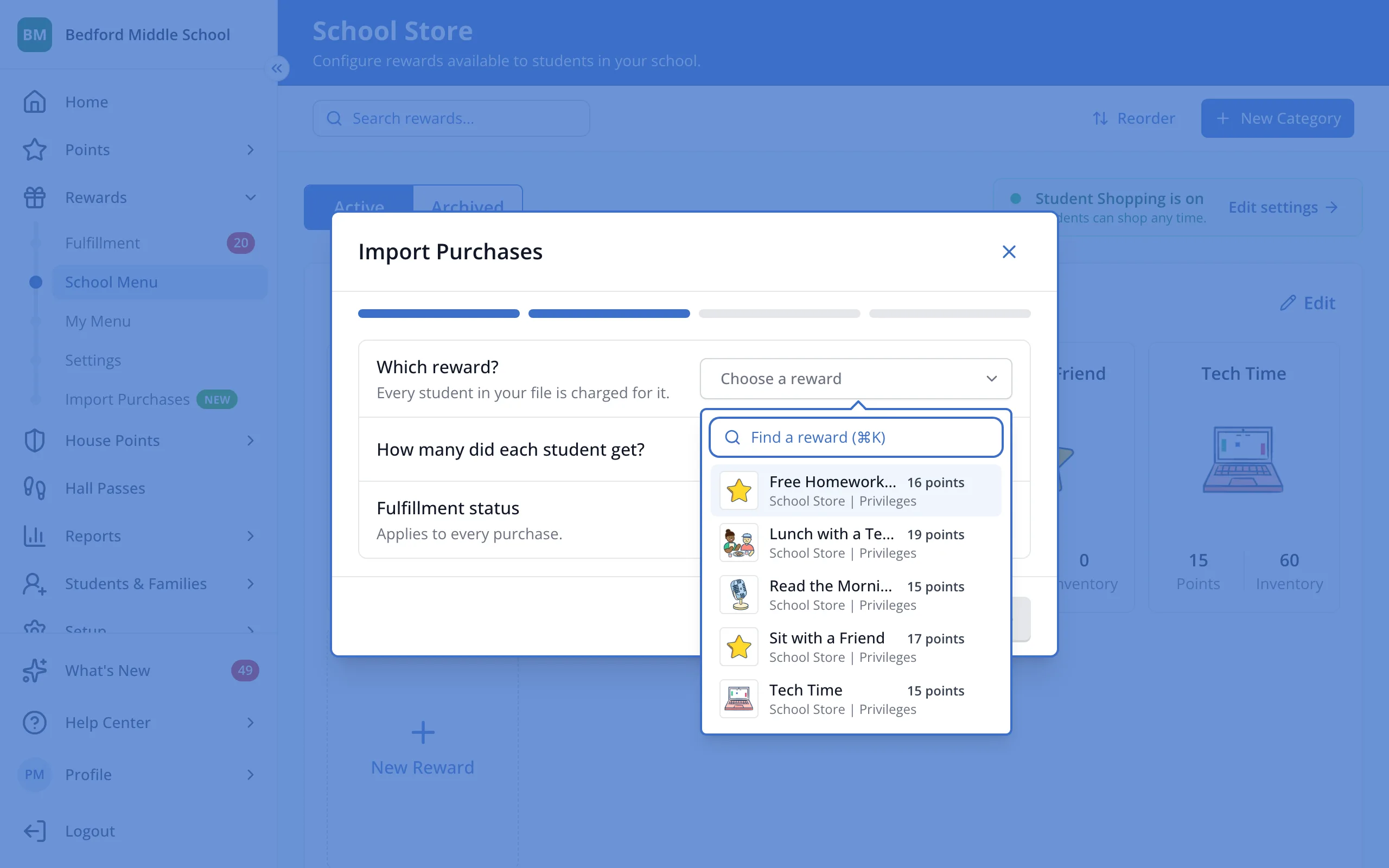
4.Under Which reward?, click Choose a reward.
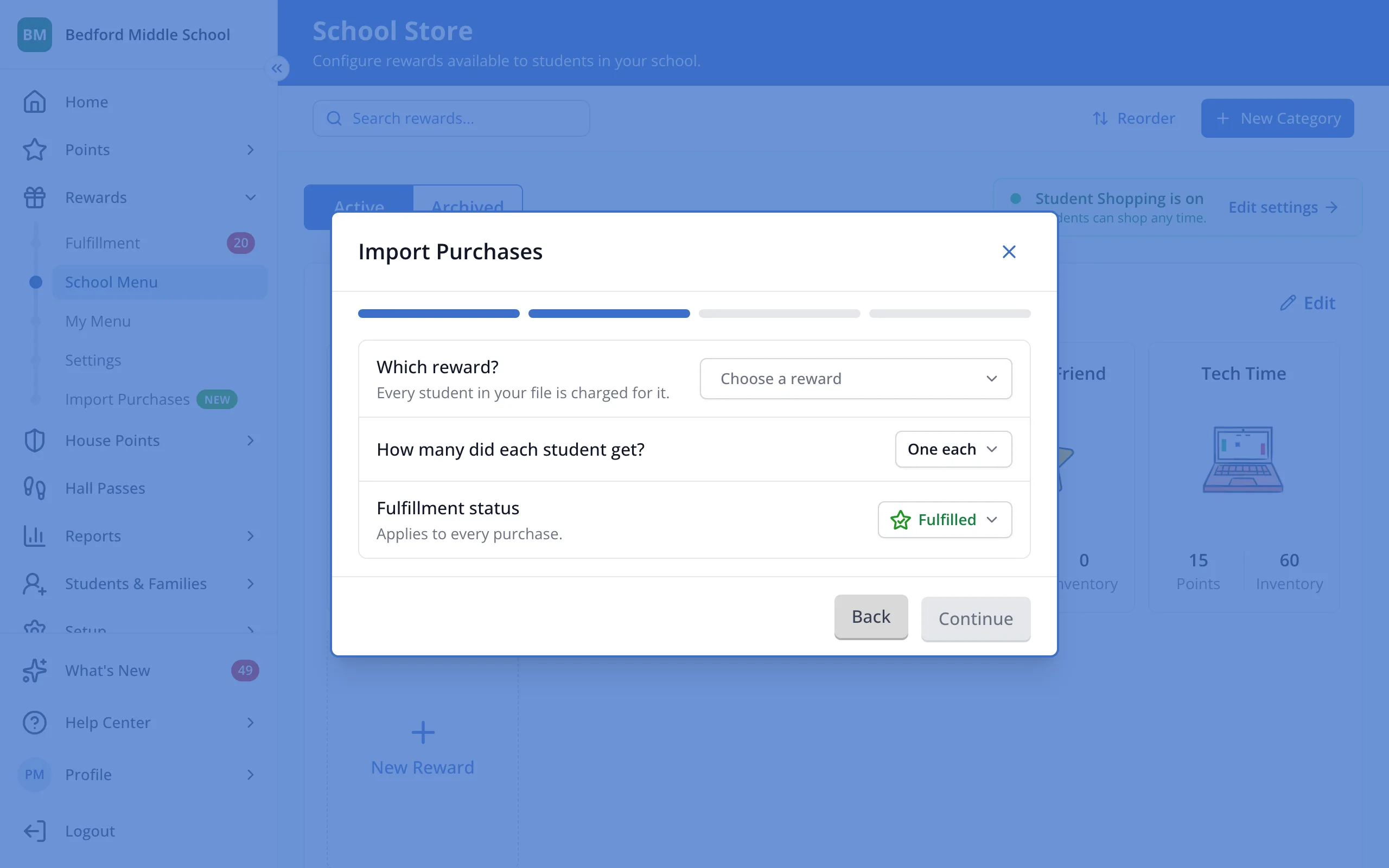
5.Click the reward.
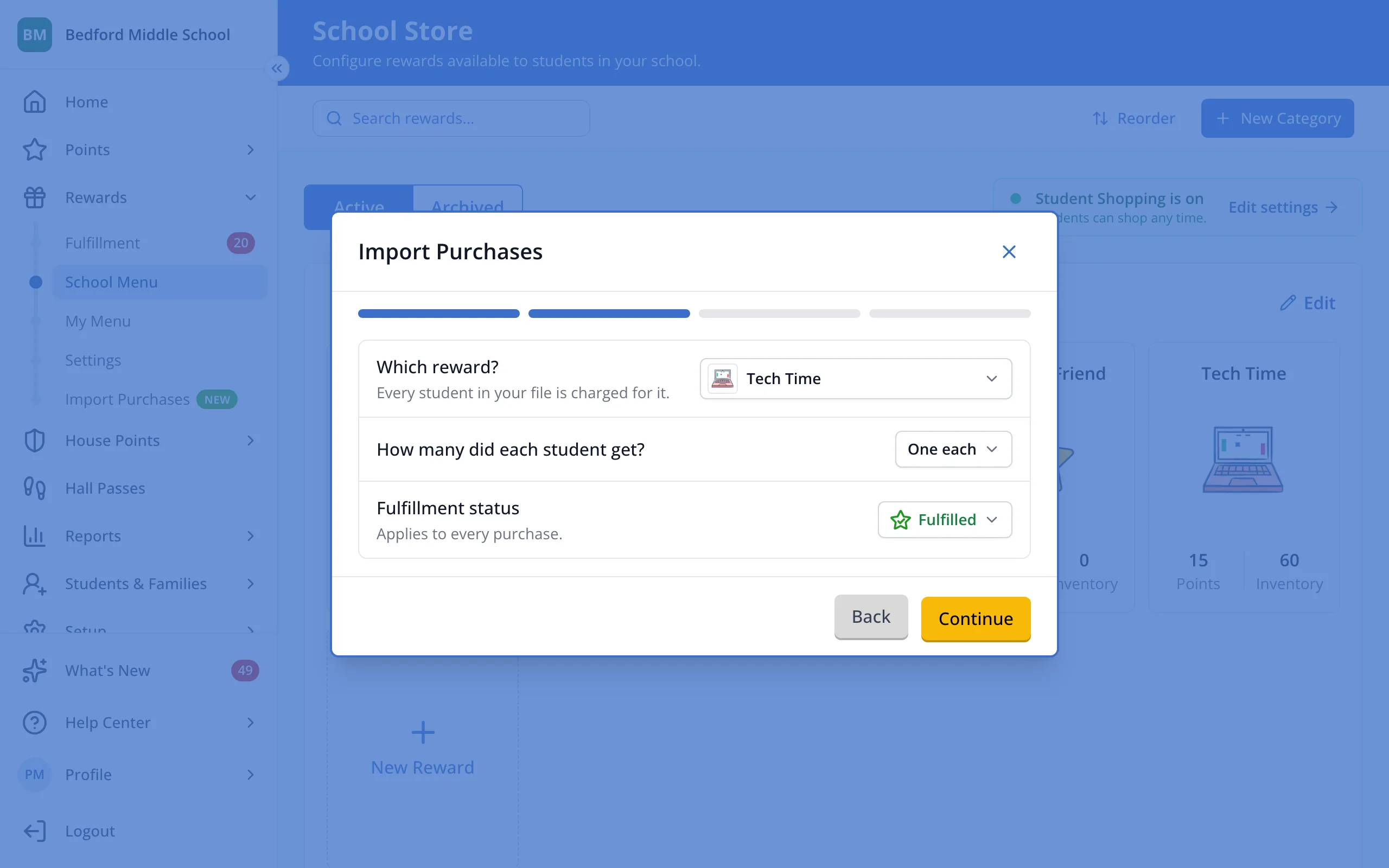
6.Choose how many each student got and the fulfillment status, then click Continue.
7.Review who will be charged, then click Charge.
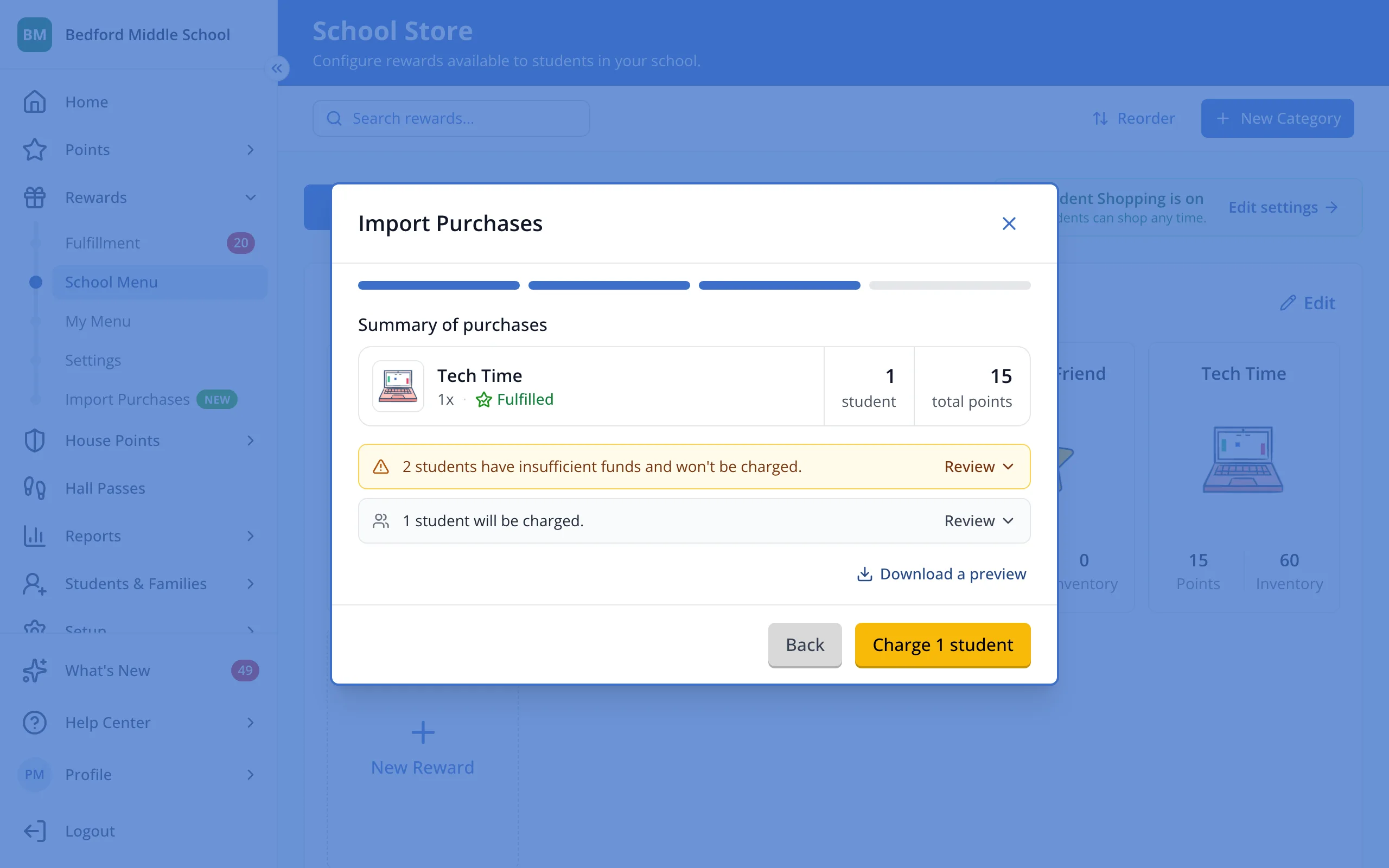
Tip: Students without enough points are left out and listed under Left out of this import.
Was this helpful?