Move a fulfilled reward back to the pending tab
If a Reward was marked fulfilled too soon, it can be moved back so it shows on your Pending list again.
Open in LiveSchool
Already signed in? Open this guide inside LiveSchool.
Use the Left and Right arrow keys to move between steps, and Space to play or pause.
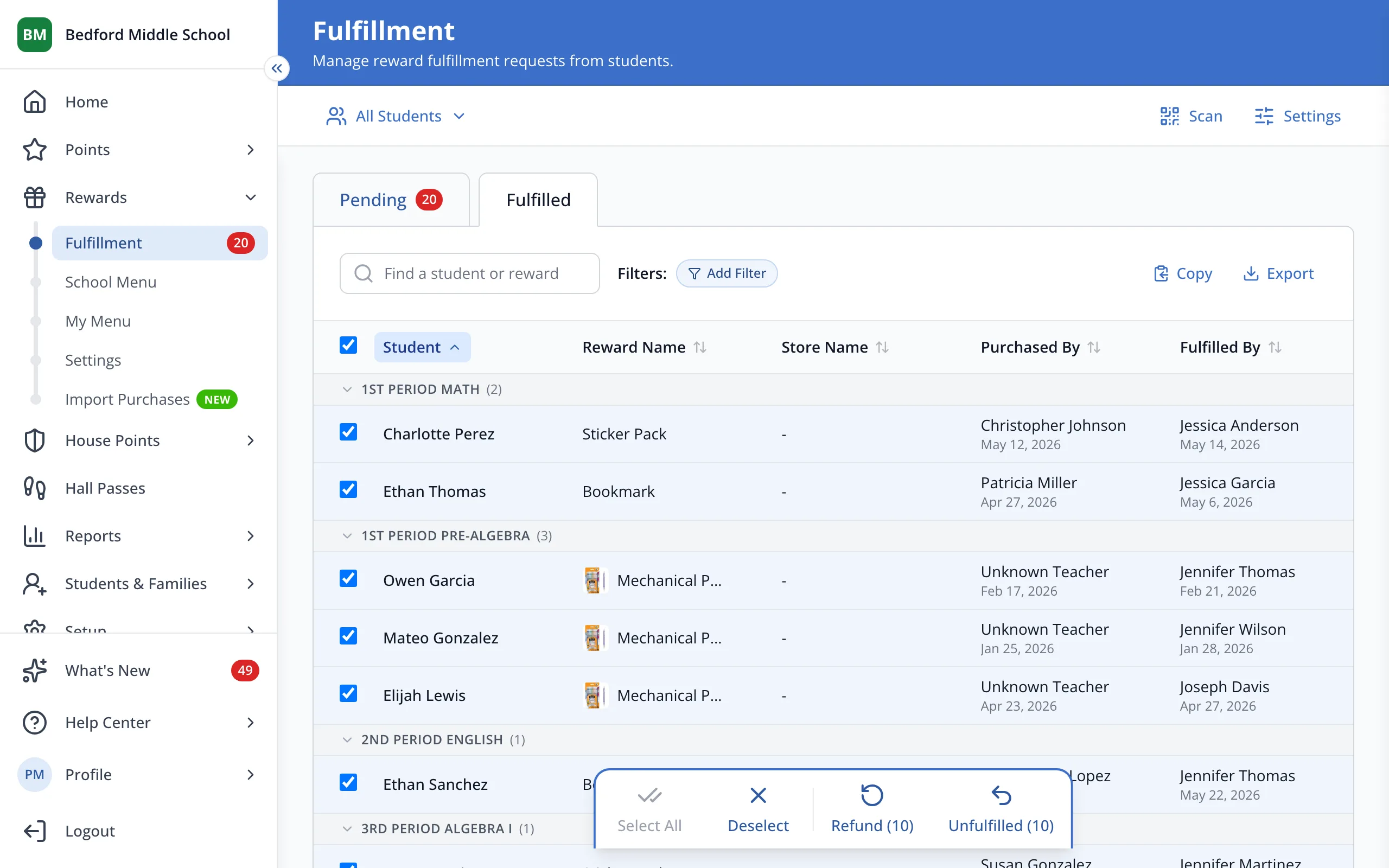
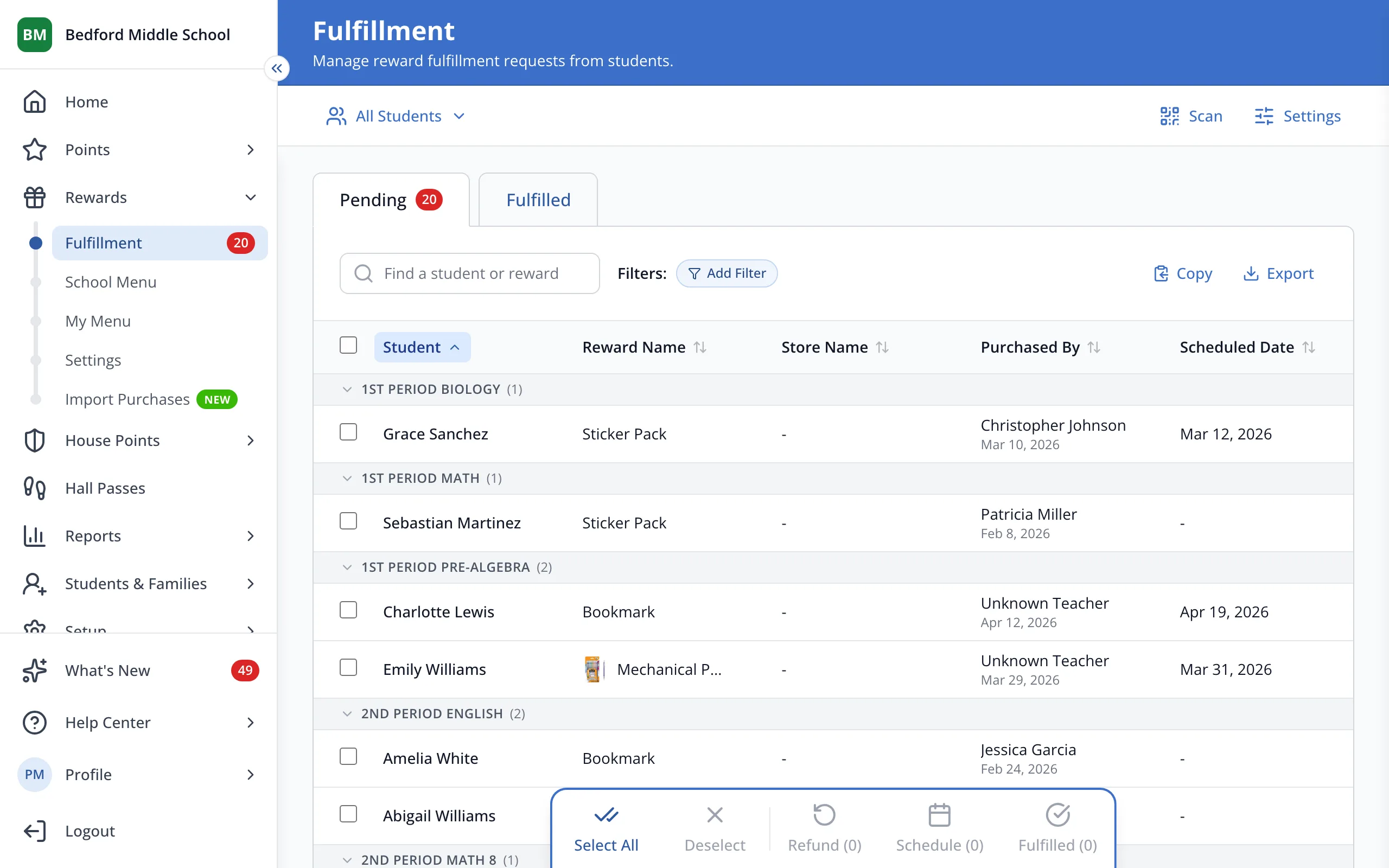
1.On the Fulfillment page, click Fulfilled.
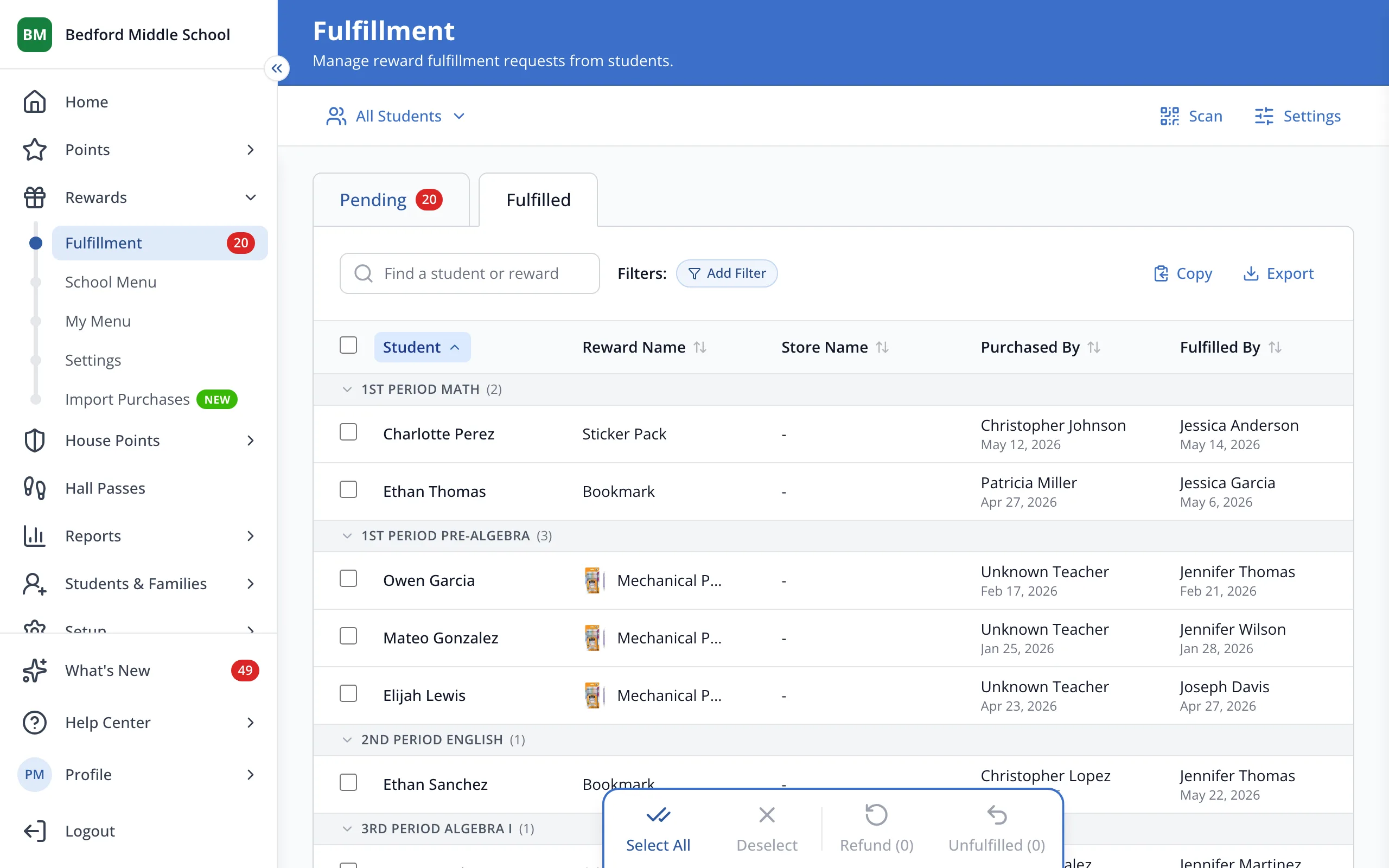
2.Check the box next to each purchase to move back.
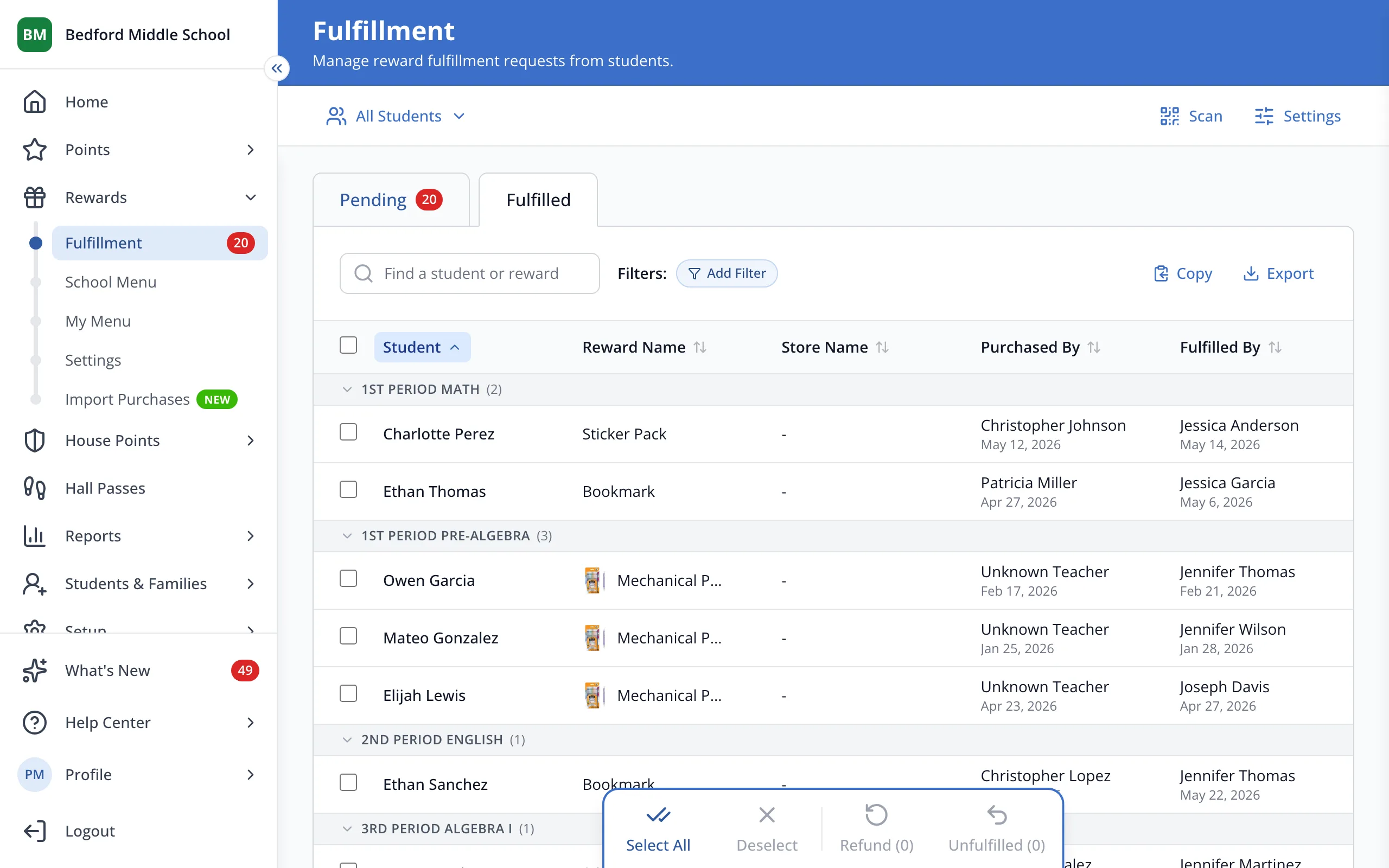
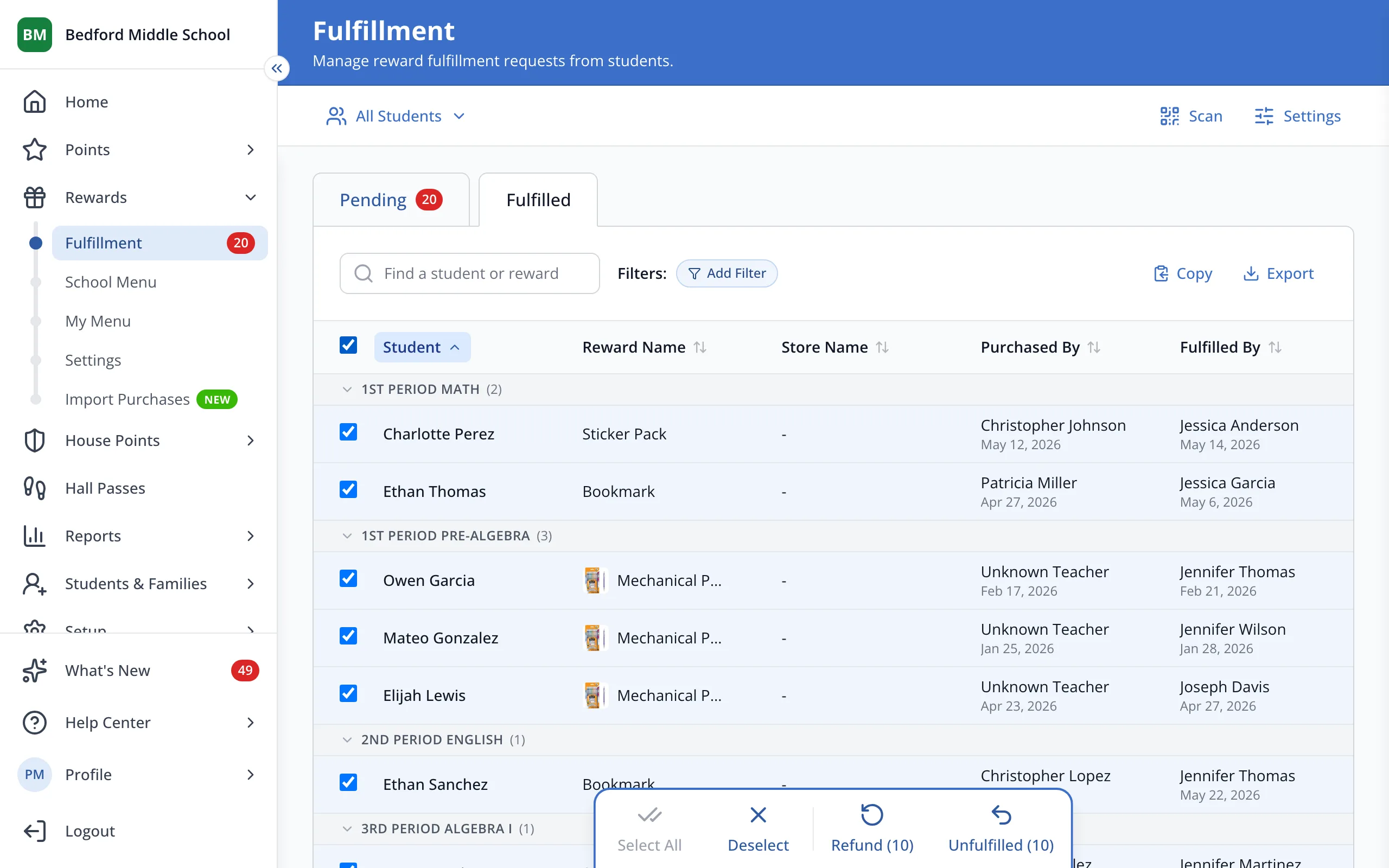
3.In the bar at the bottom, click Unfulfilled.