Refund a student's purchase
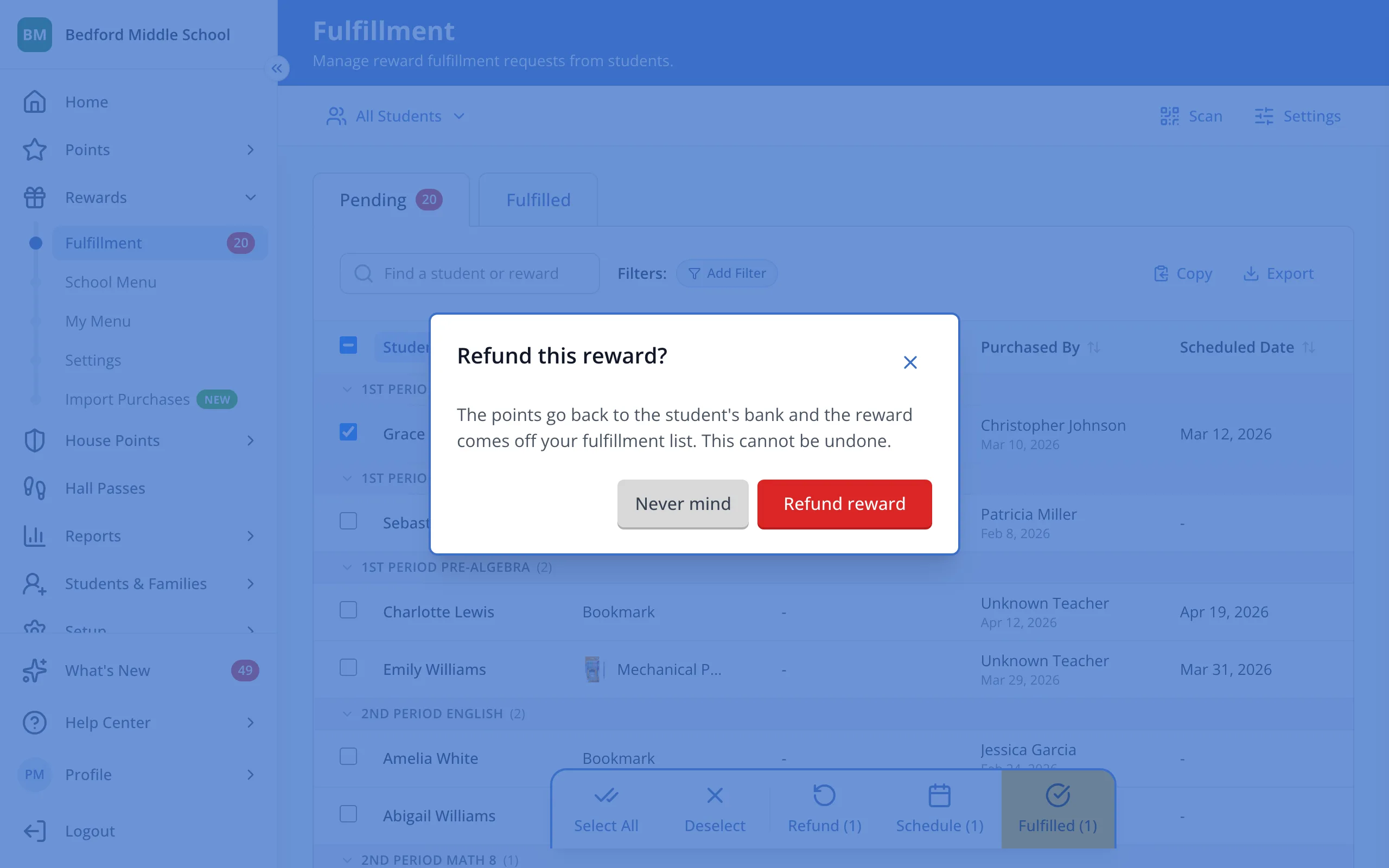
Reverse a student's Reward purchase. This returns their points back to their Bank Account and removes the Reward from the fulfillment screen.
Open in LiveSchool
Already signed in? Open this guide inside LiveSchool.
Use the Left and Right arrow keys to move between steps, and Space to play or pause.
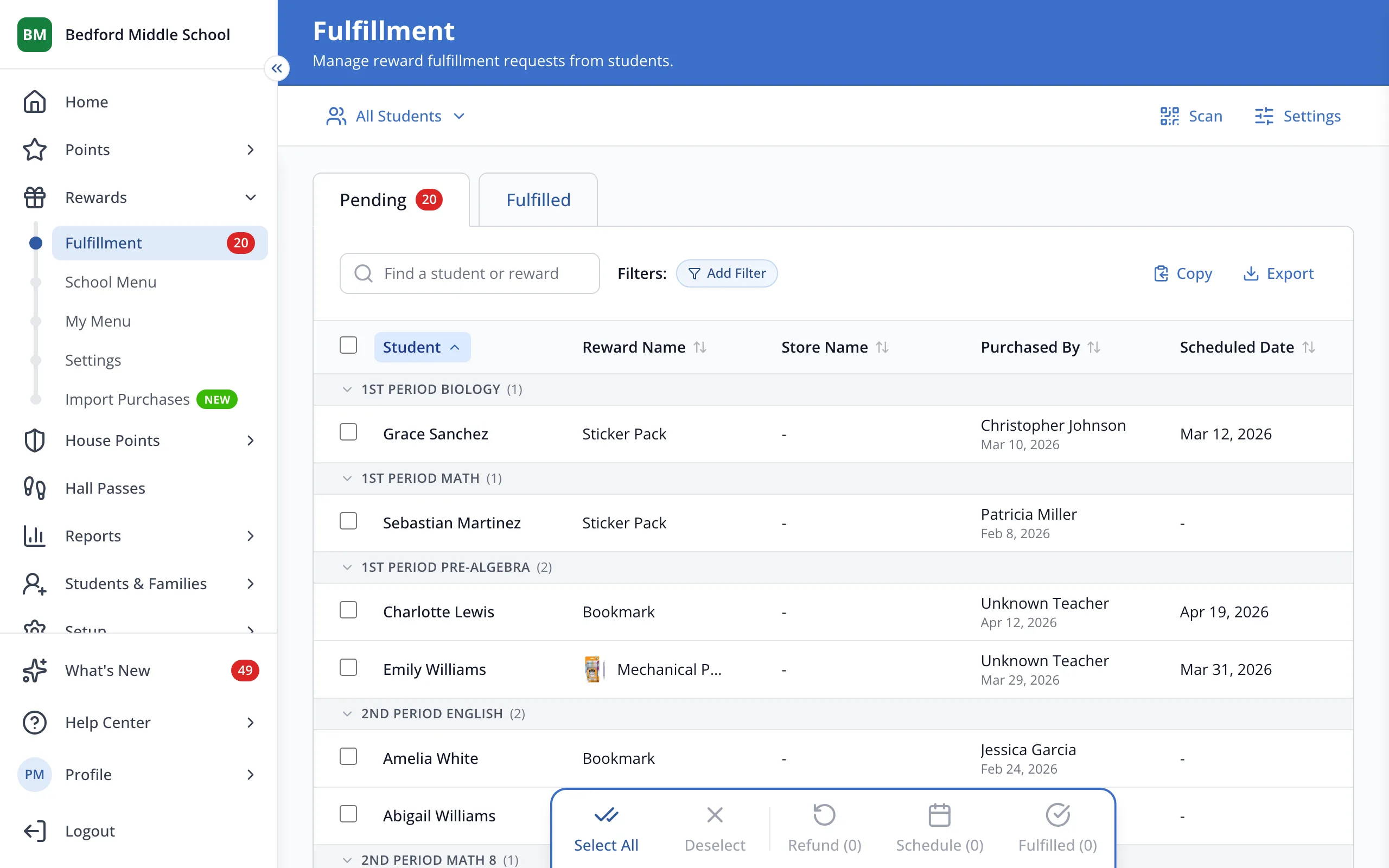
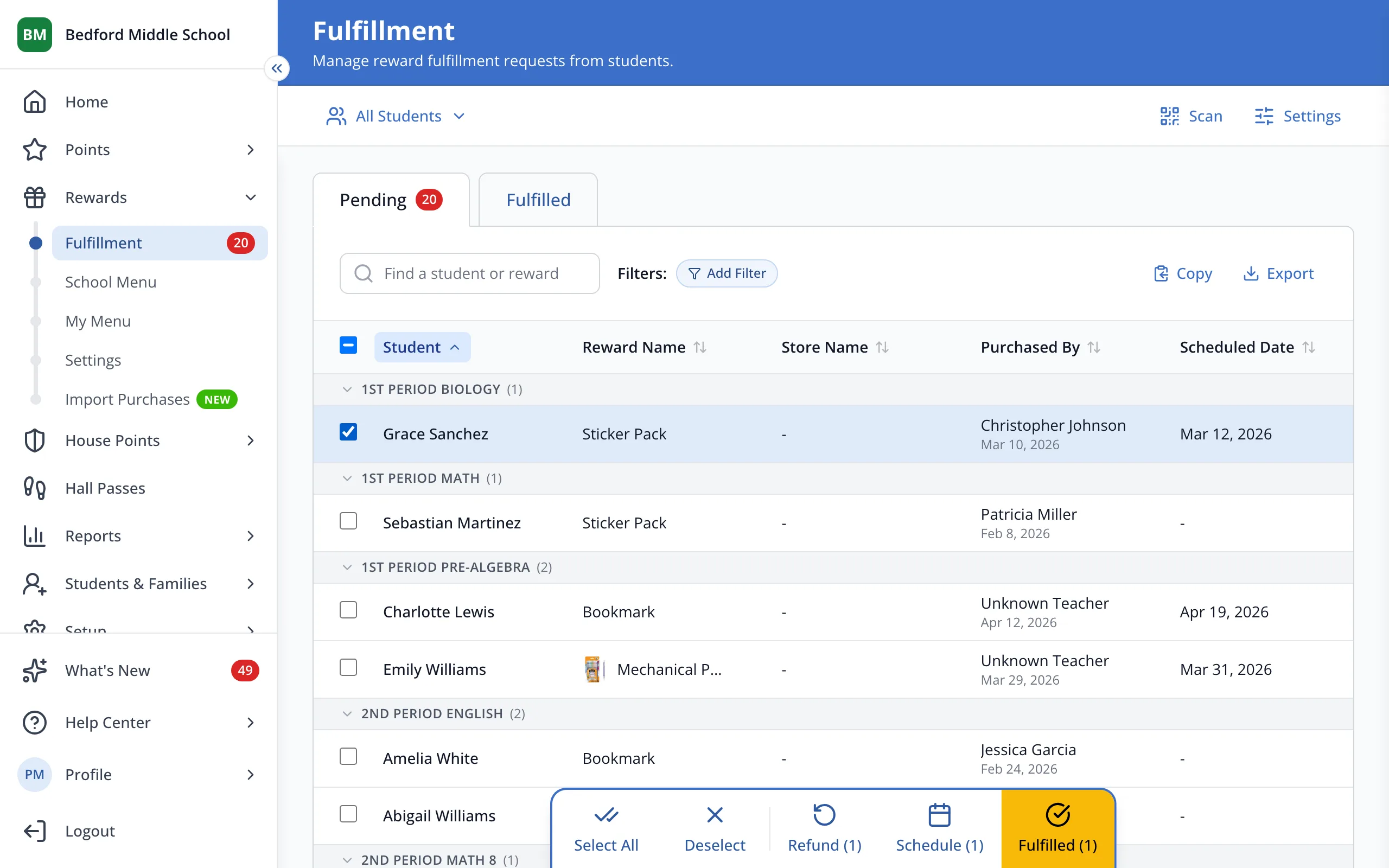
1.On the Fulfillment page, check the box next to each purchase.
Did you know? Check Select all at the top of the list to pick every purchase shown.
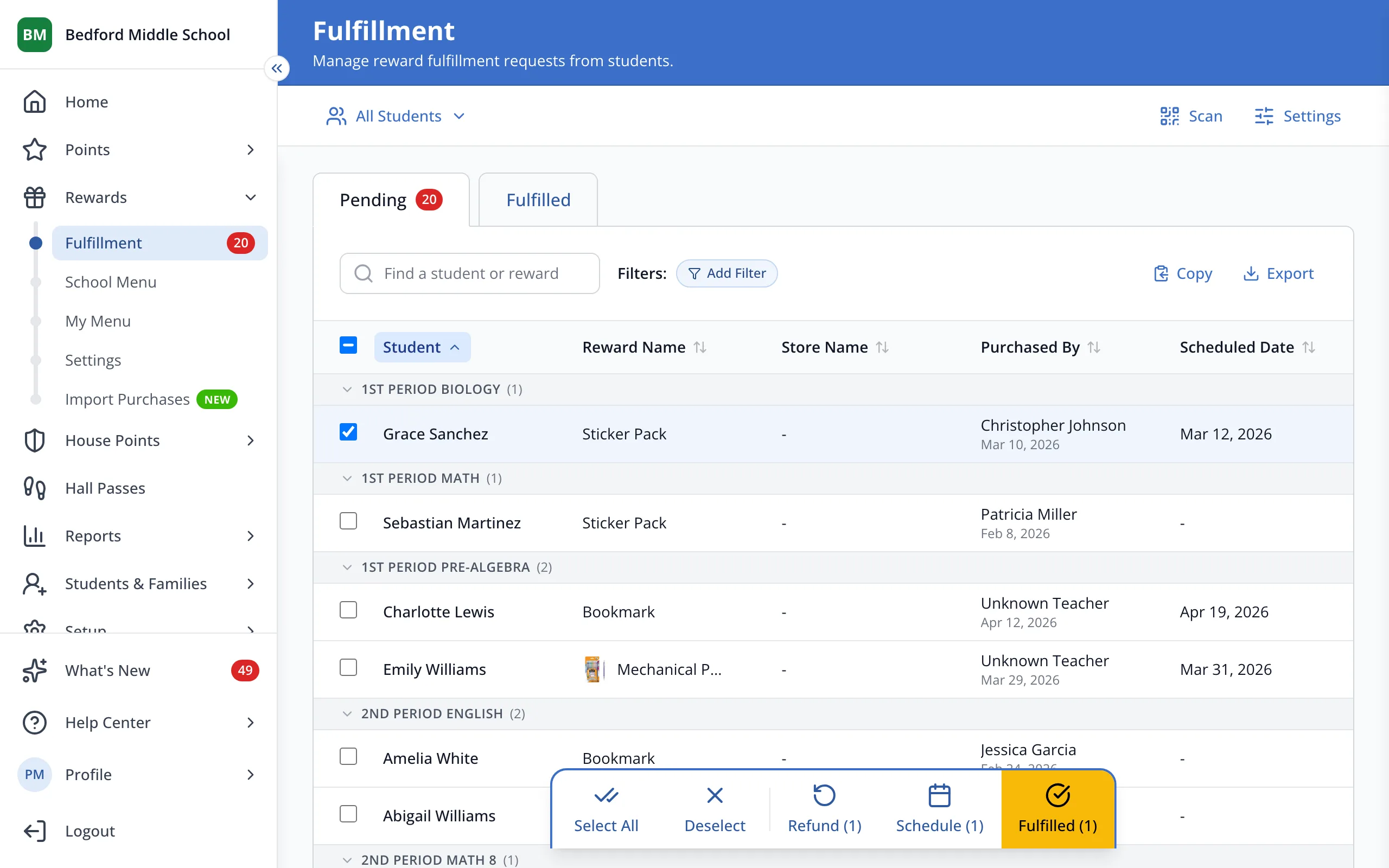
2.In the bar at the bottom, click Refund.
3.Click Refund reward.