
See only the points you gave
Count only your own points in the green and red bubbles, useful when you share students with other teachers.
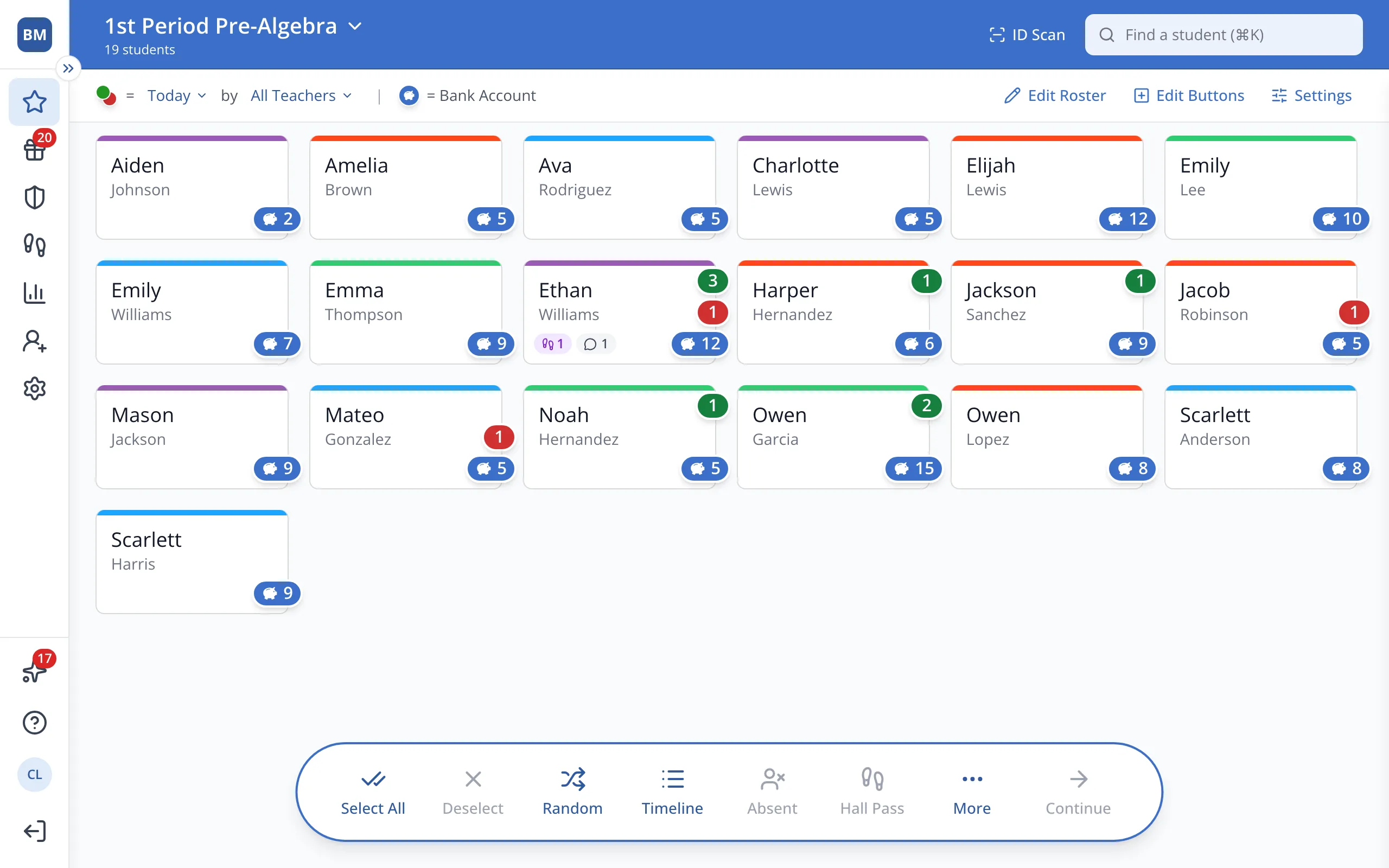
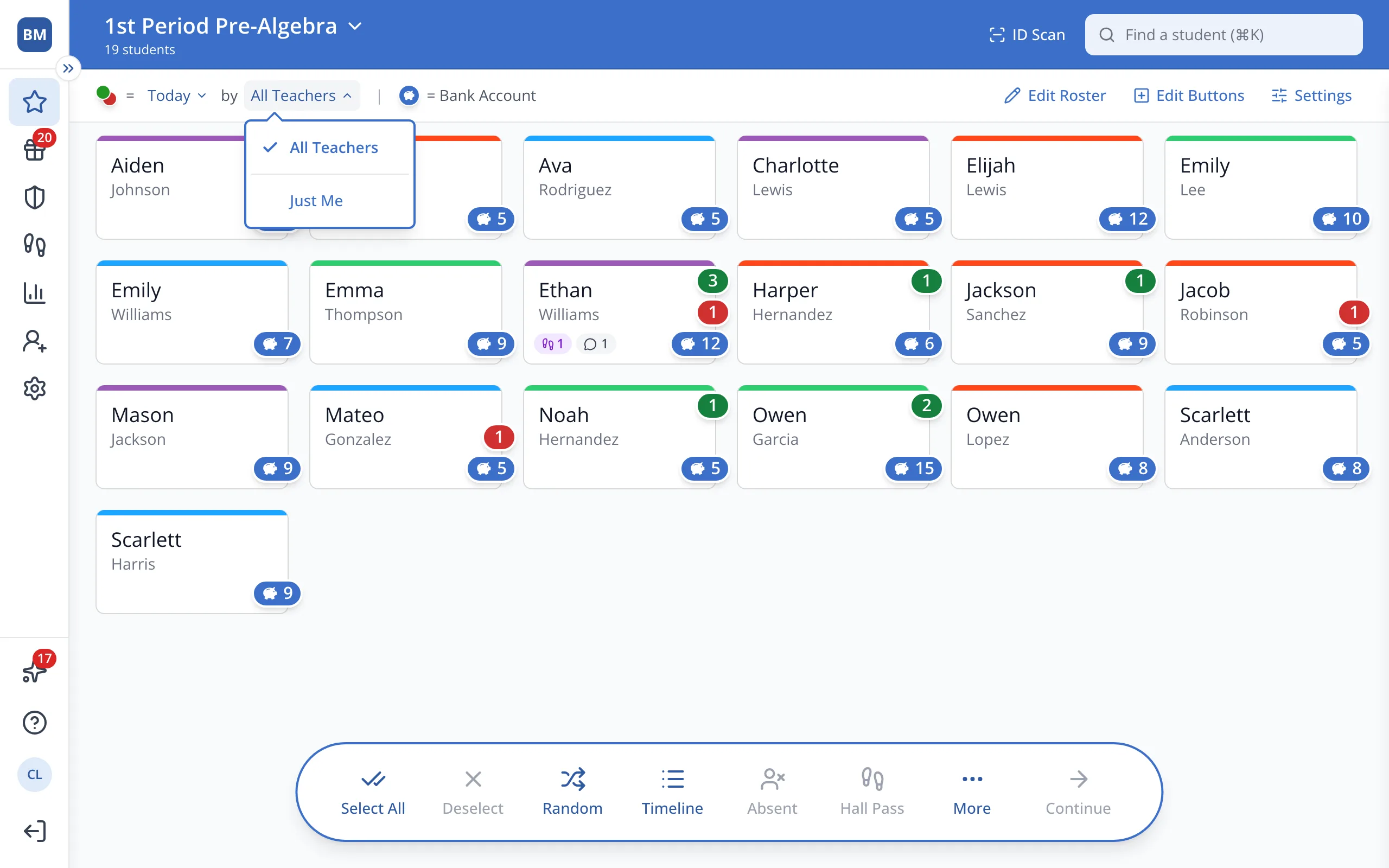
1 / 3On the Points page, click All Teachers at the top.
1.On the Points page, click All Teachers at the top.
2.Click Just Me.
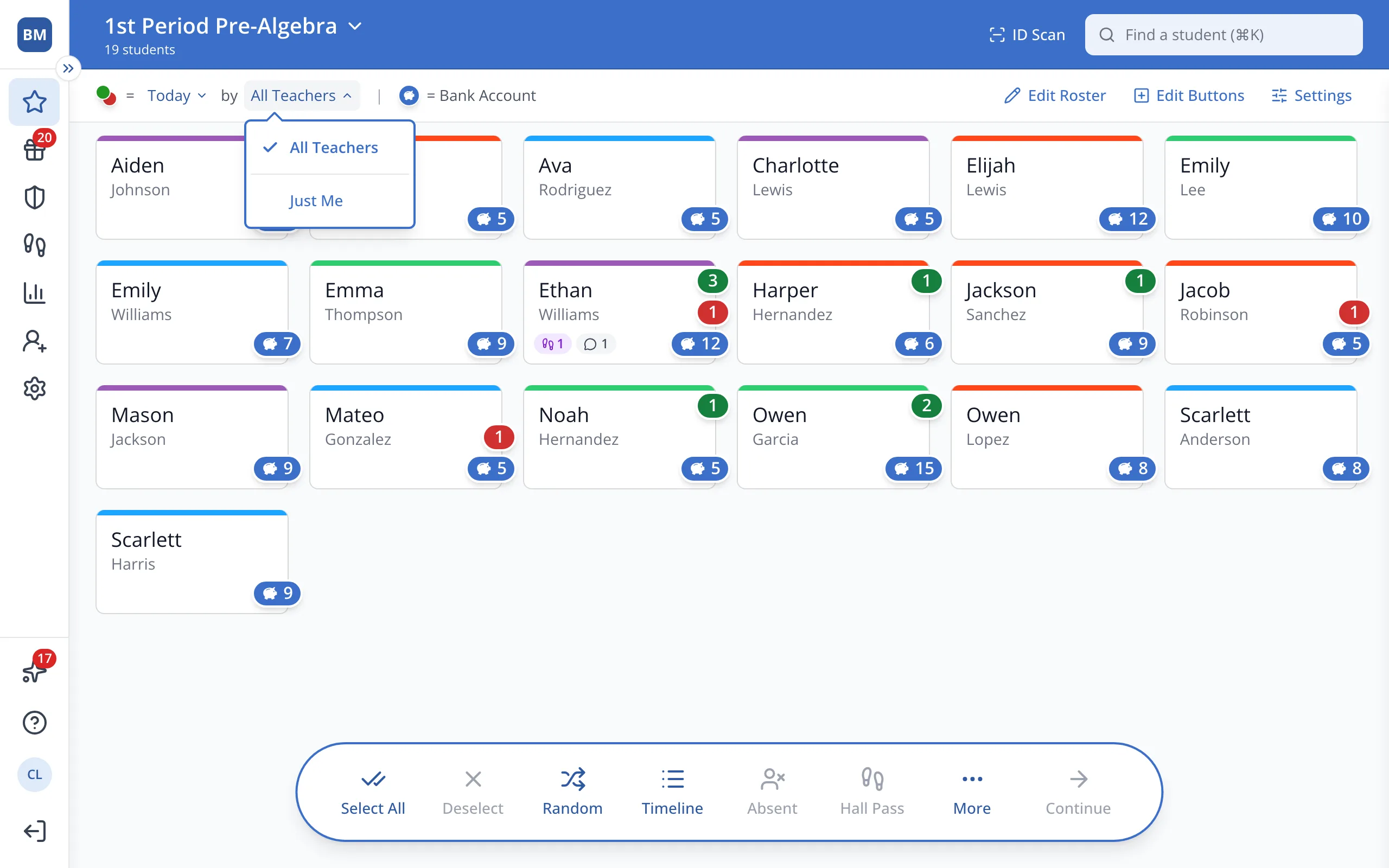
3.The green and red bubbles now count only the points you gave. The blue Bank Account bubble doesn't change.
Was this helpful?