Keep held-back students in their grade

Pick the students who are repeating a grade, and everyone else moves up one grade with your new-year import.

AdminSite Leader
Open in LiveSchool

Already signed in? Open this guide inside LiveSchool.
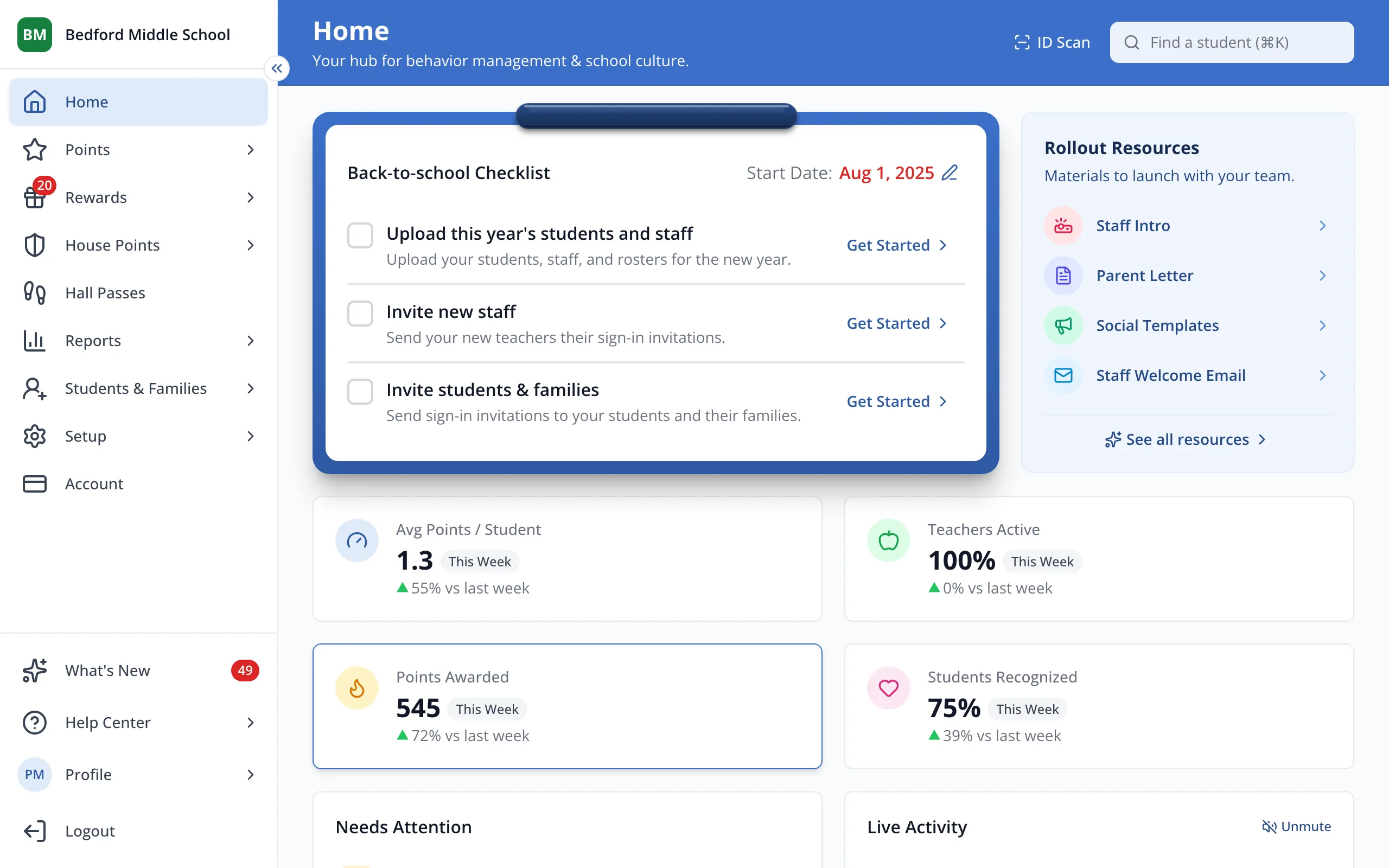
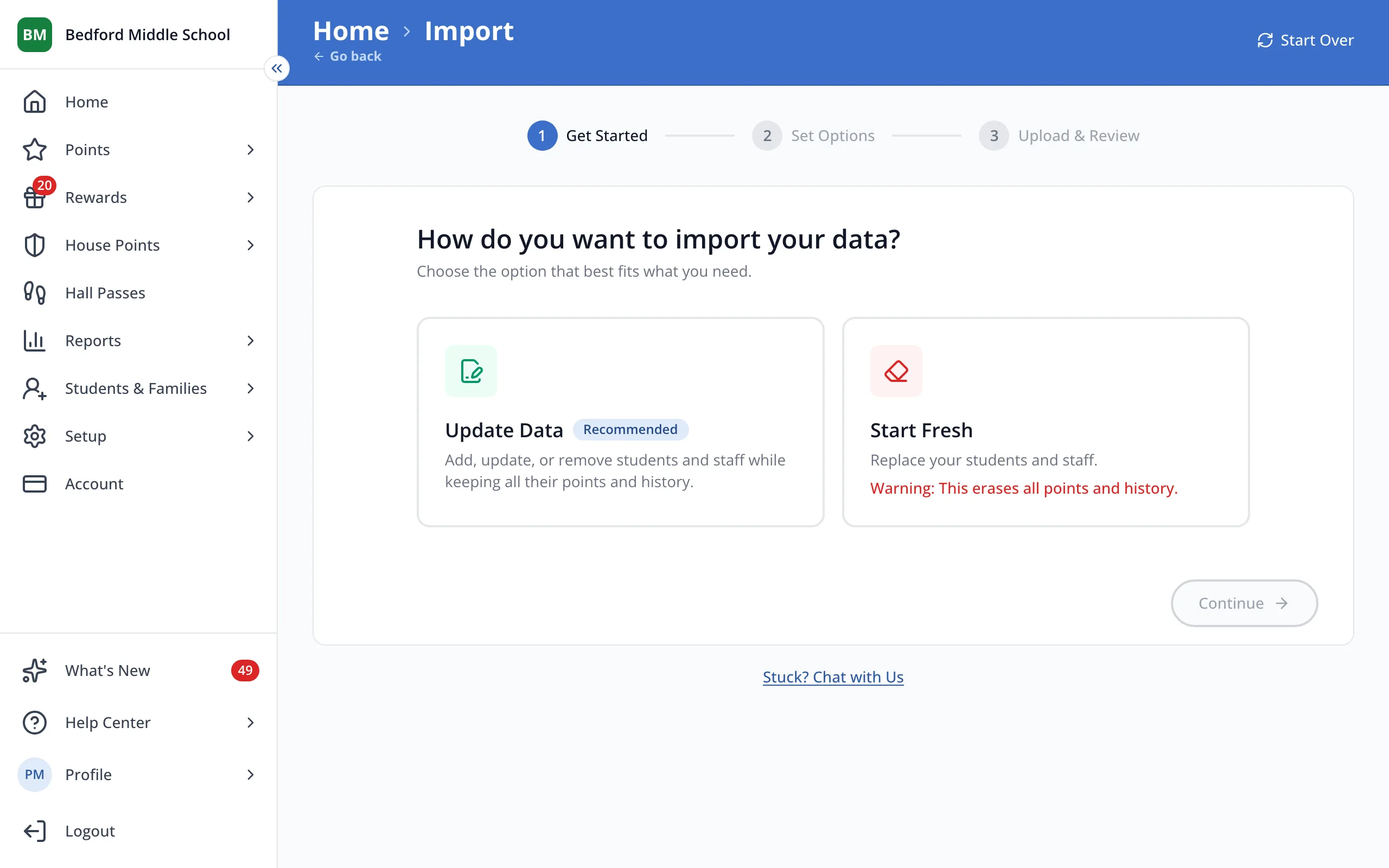
Step 1 of 14: On Home, click Get Started next to Upload this year's students and staff.

Use the Left and Right arrow keys to move between steps, and Space to play or pause.

  1. 1.On Home, click Get Started next to Upload this year's students and staff.

    Step 1: On Home, click Get Started next to Upload this year's students and staff.
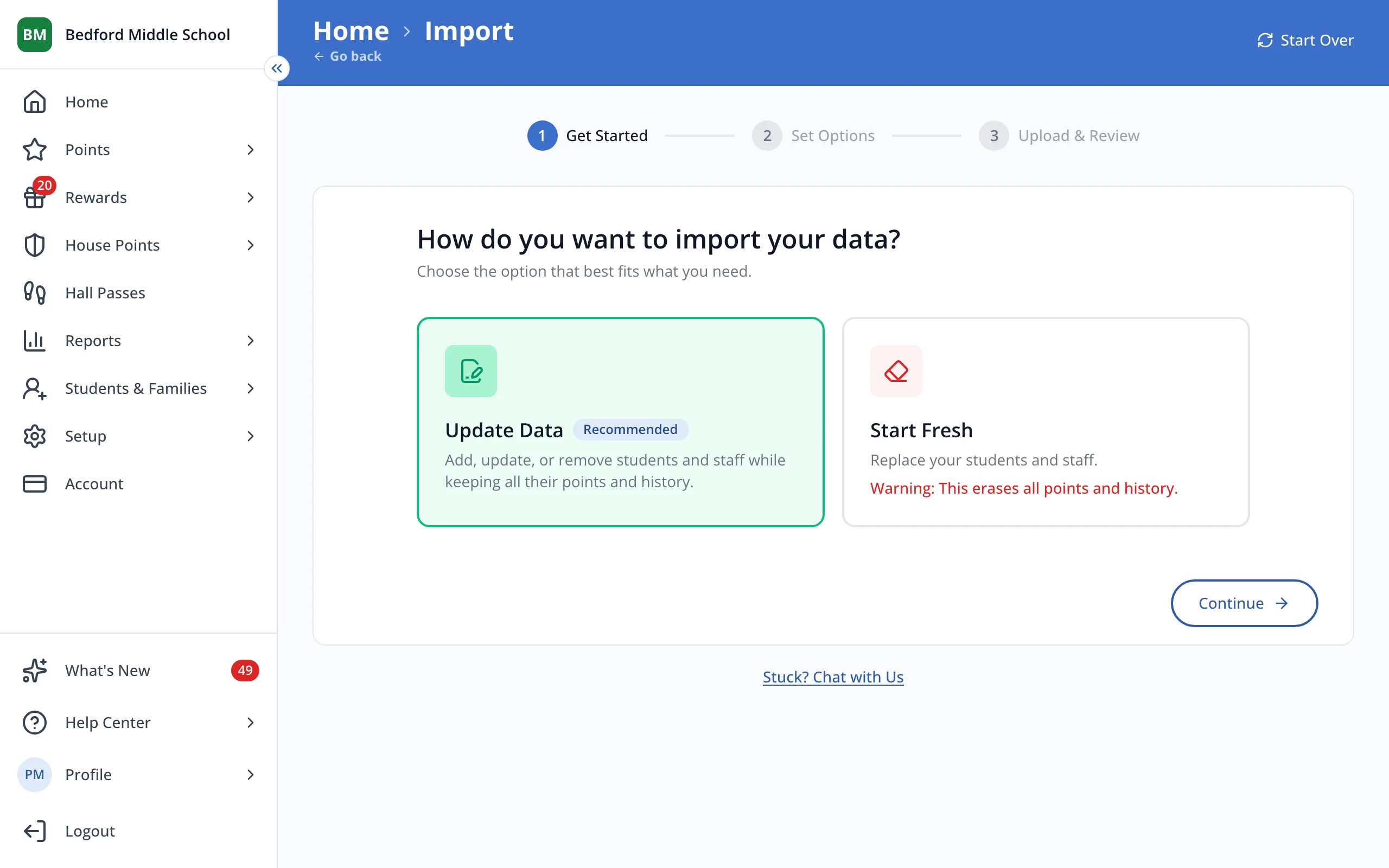
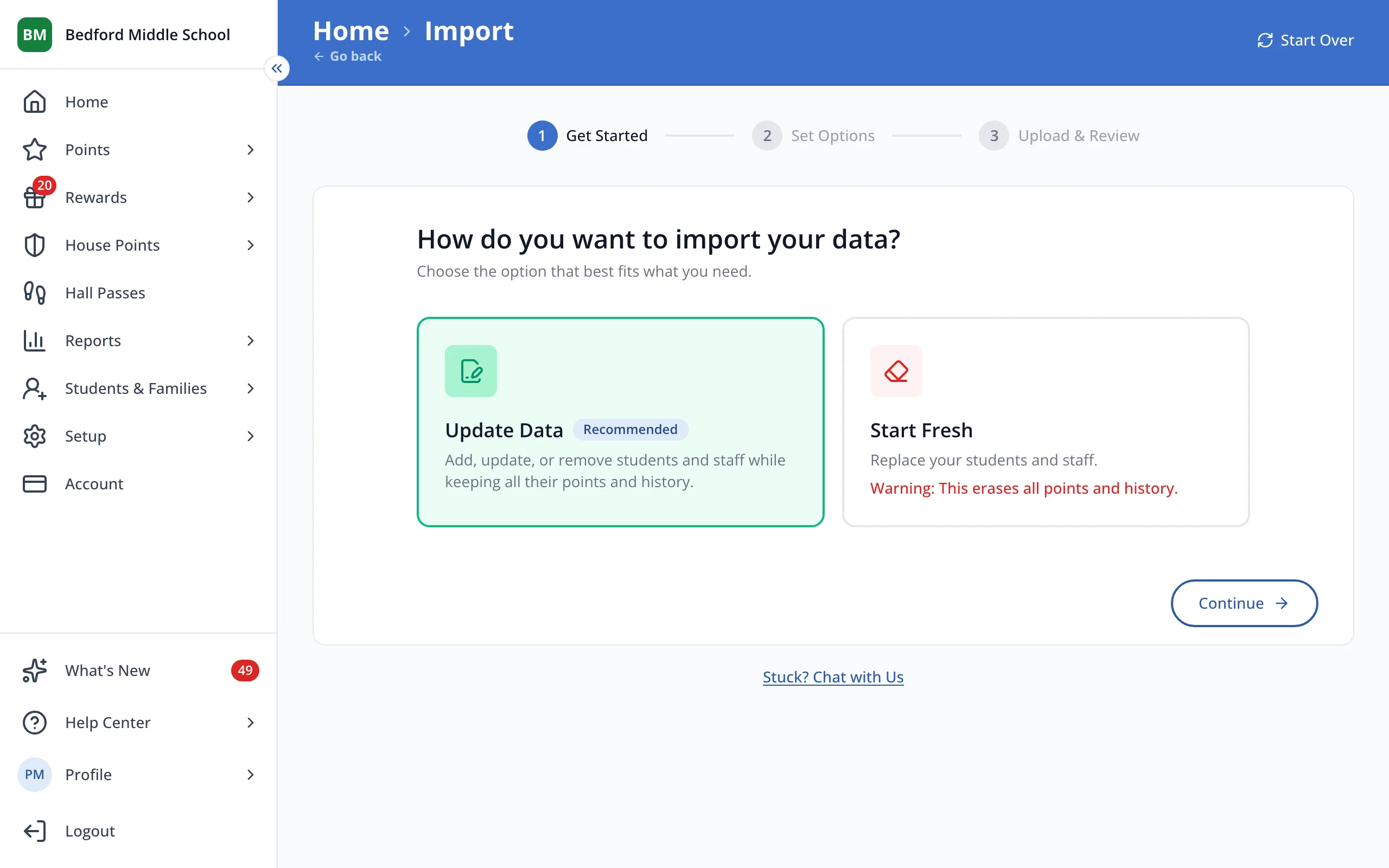
  2. 2.Click Update Data.

    Step 2: Click Update Data.
  3. 3.Click Continue.

    Step 3: Click Continue.
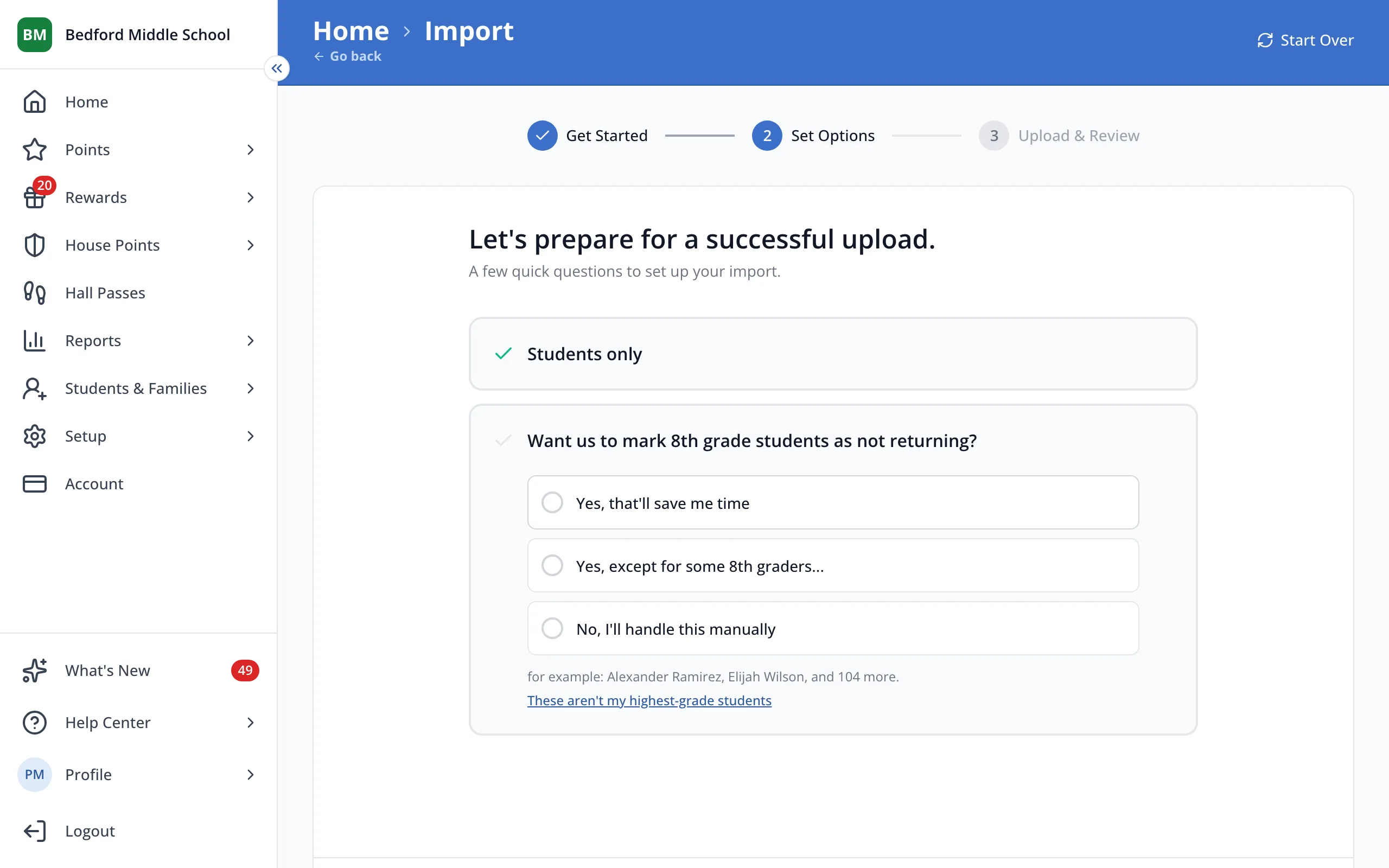
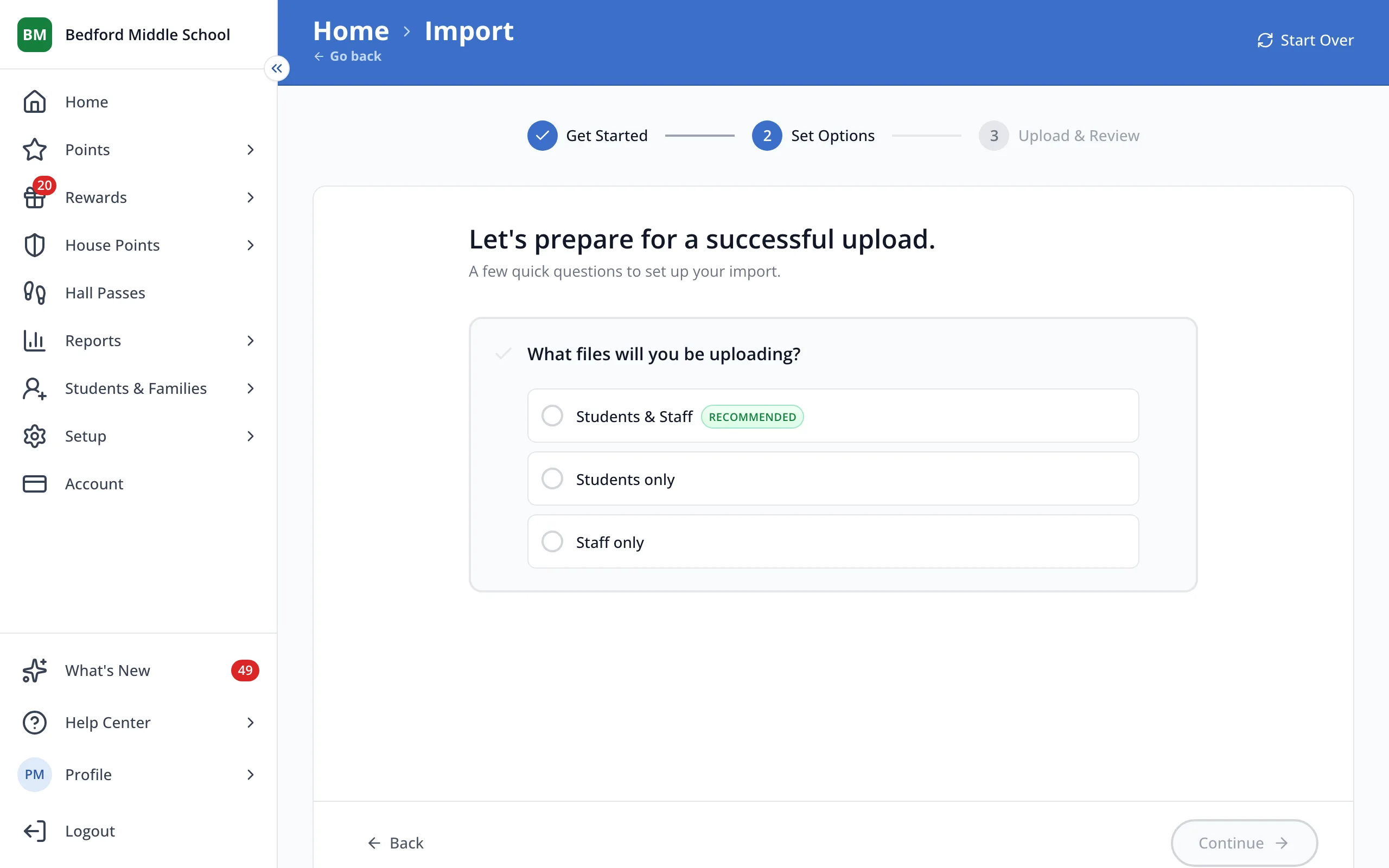
  4. 4.Click Students only.

    Step 4: Click Students only.
  5. 5.If your top grade is leaving, click Yes, that'll save me time.
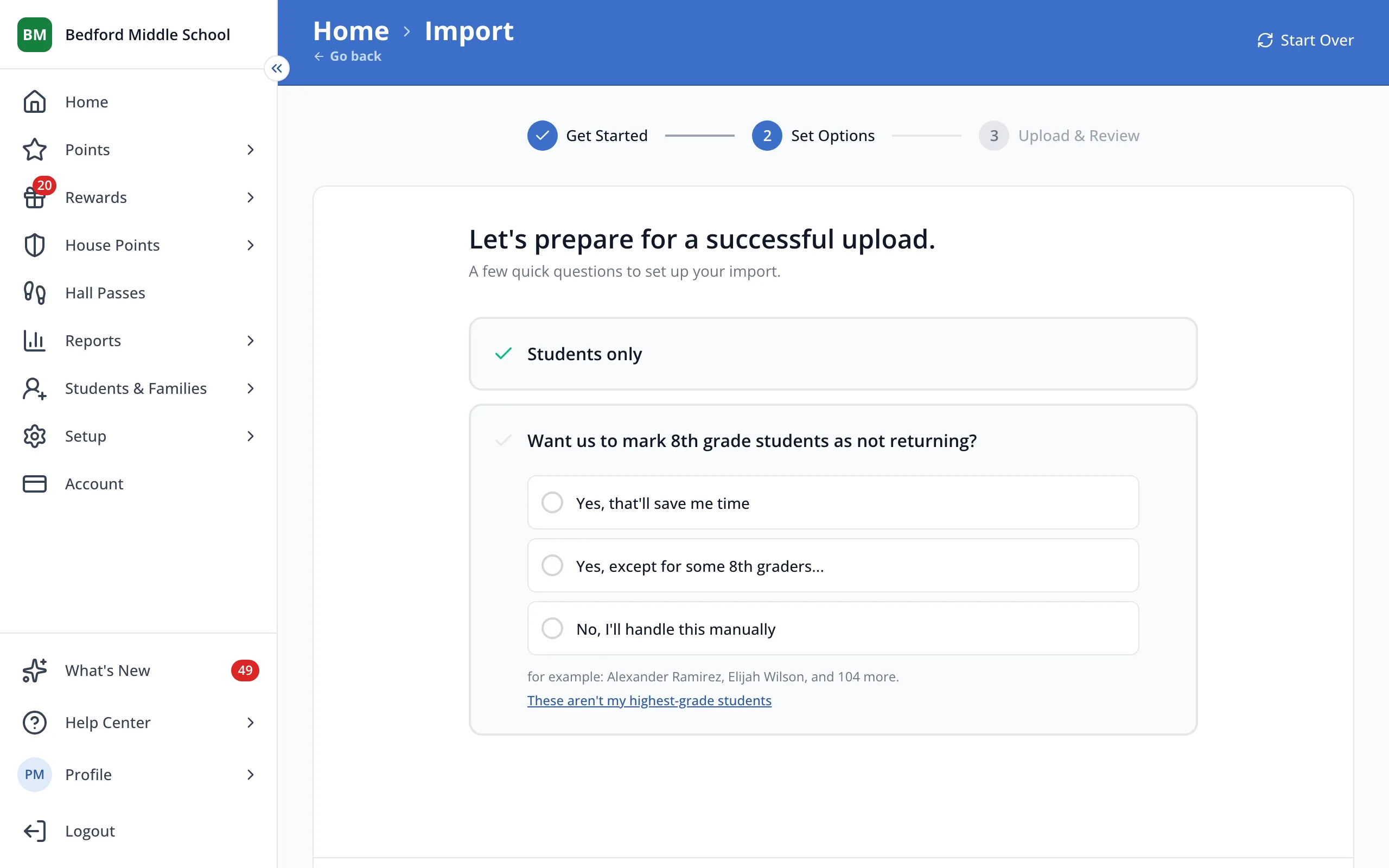
    Step 5: If your top grade is leaving, click Yes, that'll save me time.
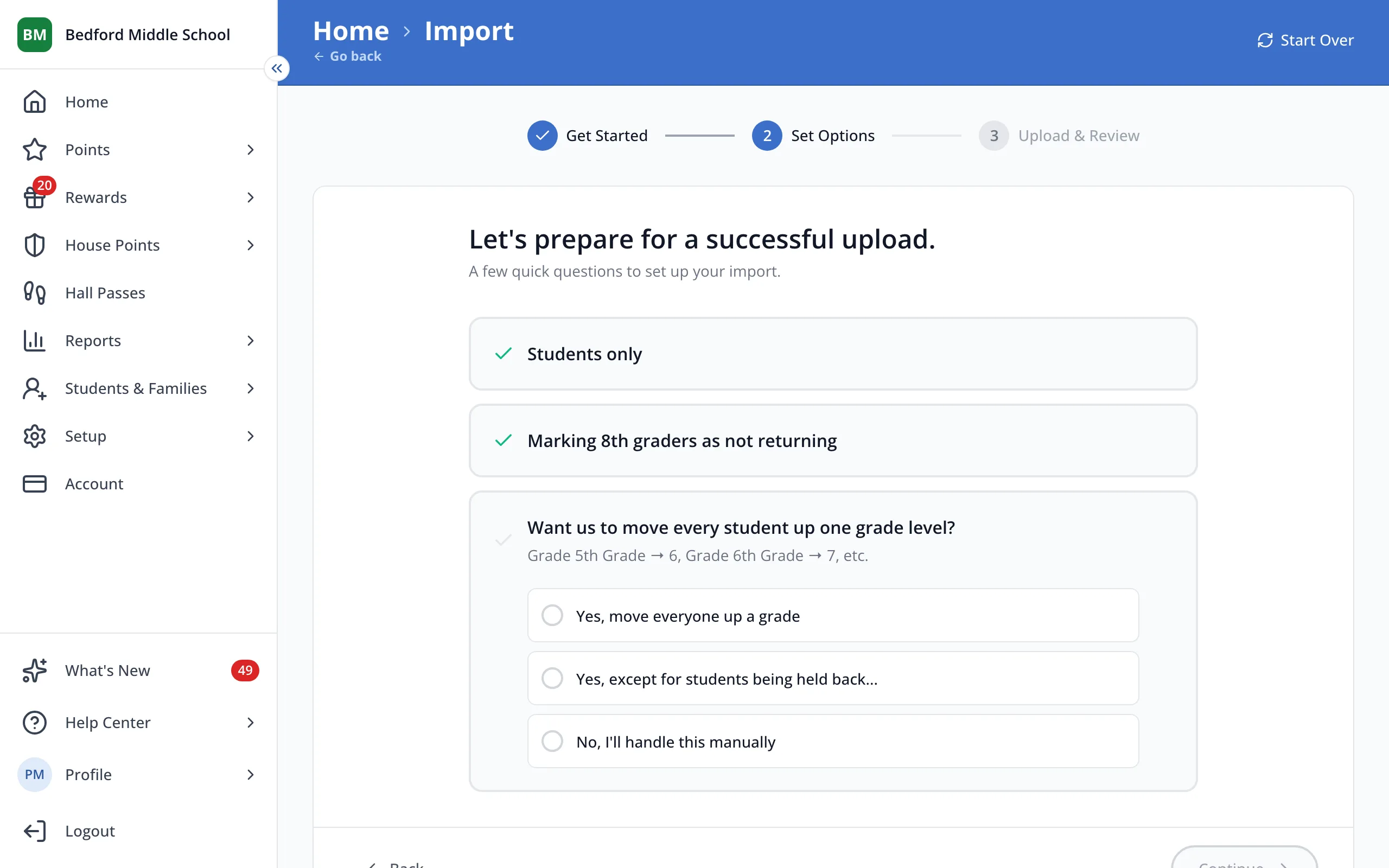
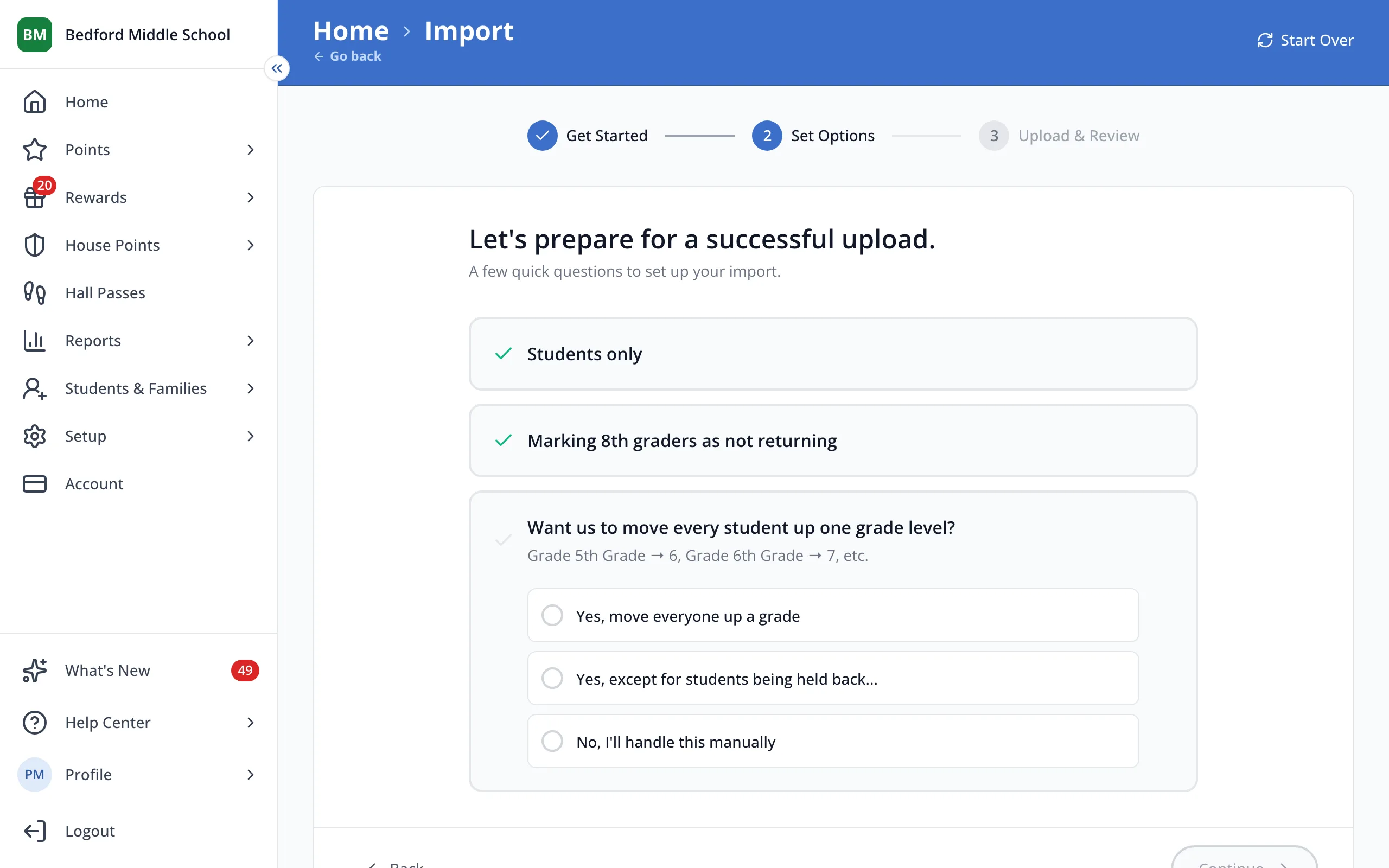
  6. 6.Under the grade level question, click Yes, except for students being held back...
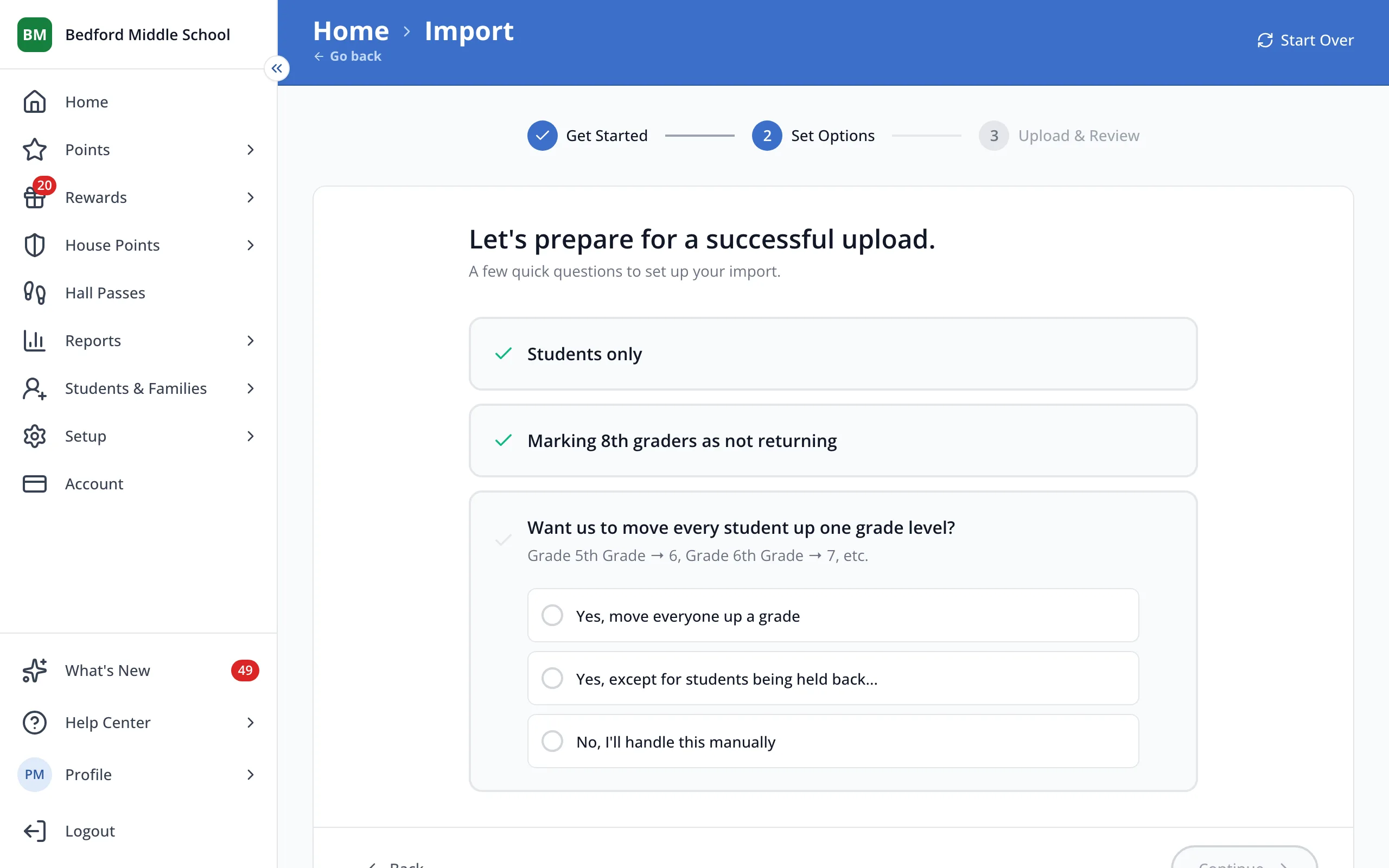
    Step 6: Under the grade level question, click Yes, except for students being held back...
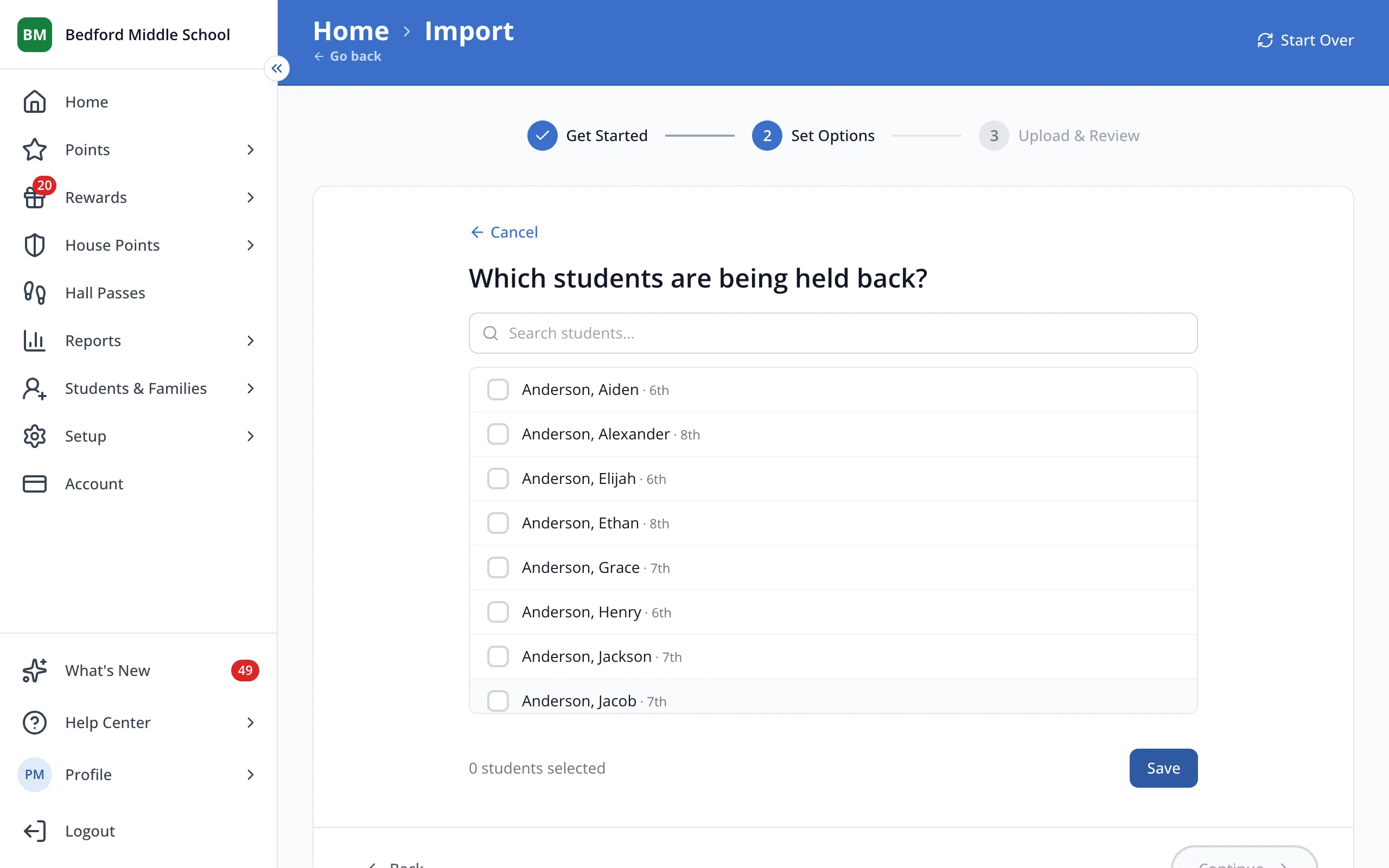
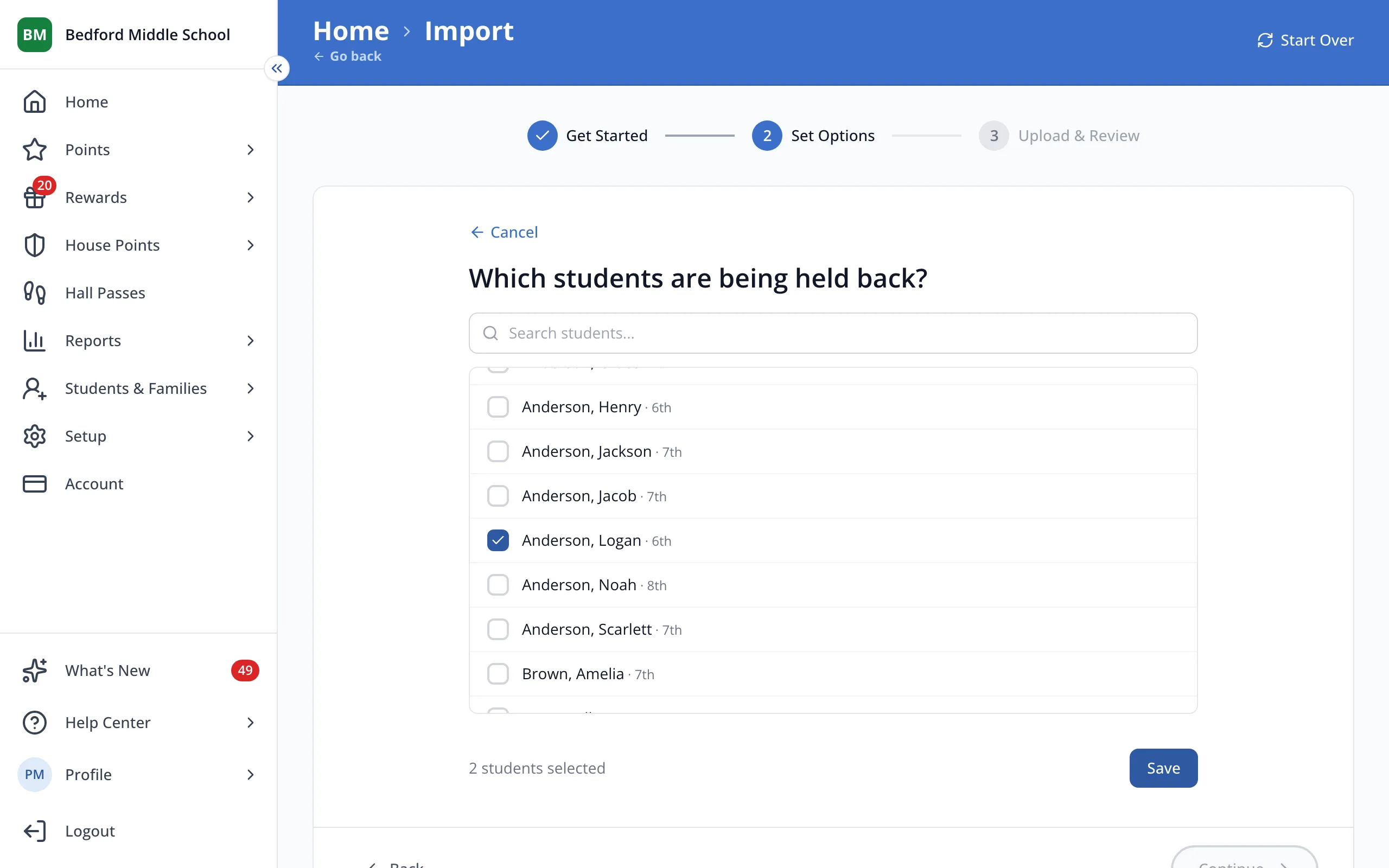
  7. 7.Click a student who is staying in their grade.
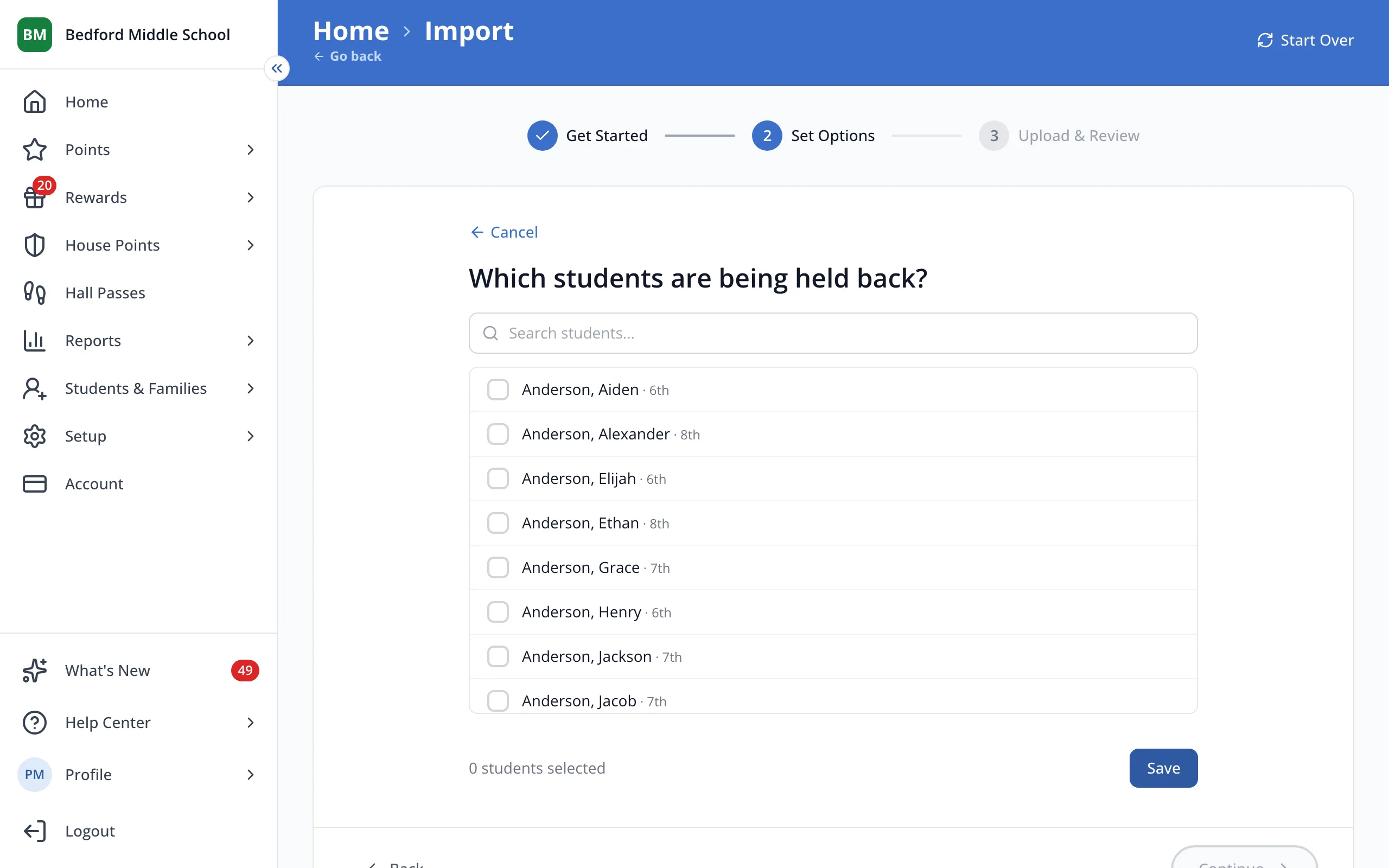
    Step 7: Click a student who is staying in their grade.
  8. 8.Click the other students being held back.
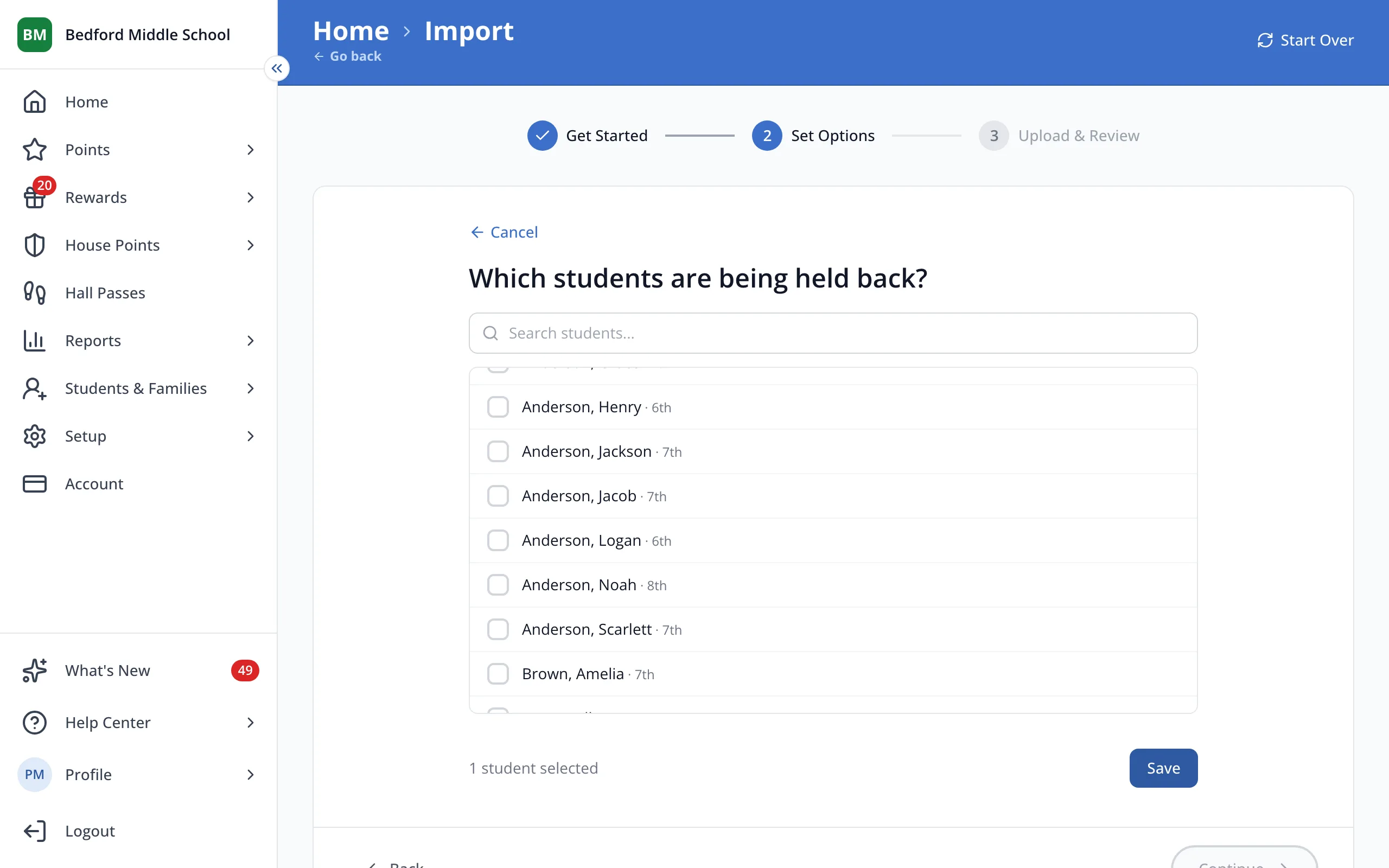
    Step 8: Click the other students being held back.
  9. 9.Click Save.

    Step 9: Click Save.
  10. 10.Click Continue.

    Step 10: Click Continue.
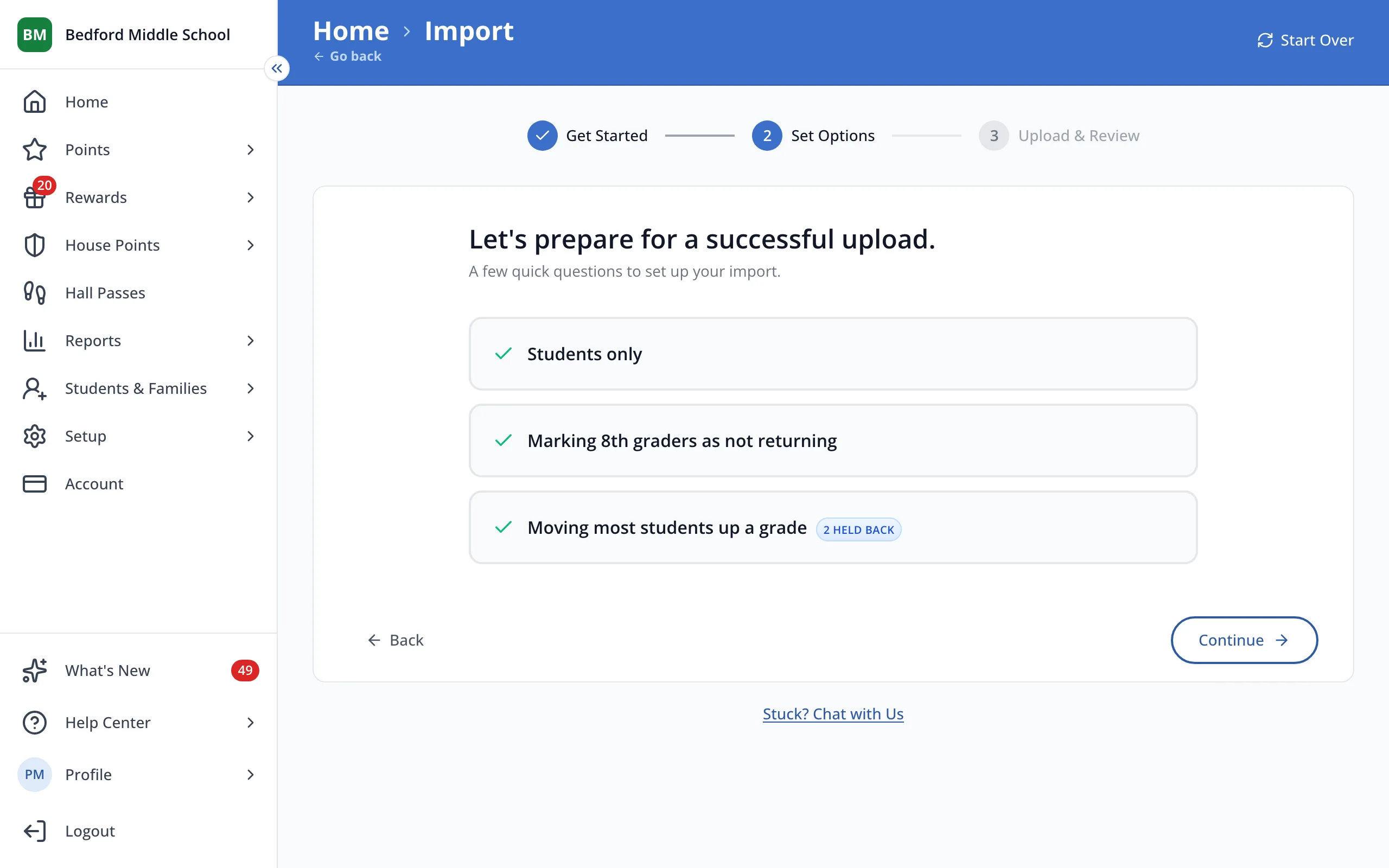
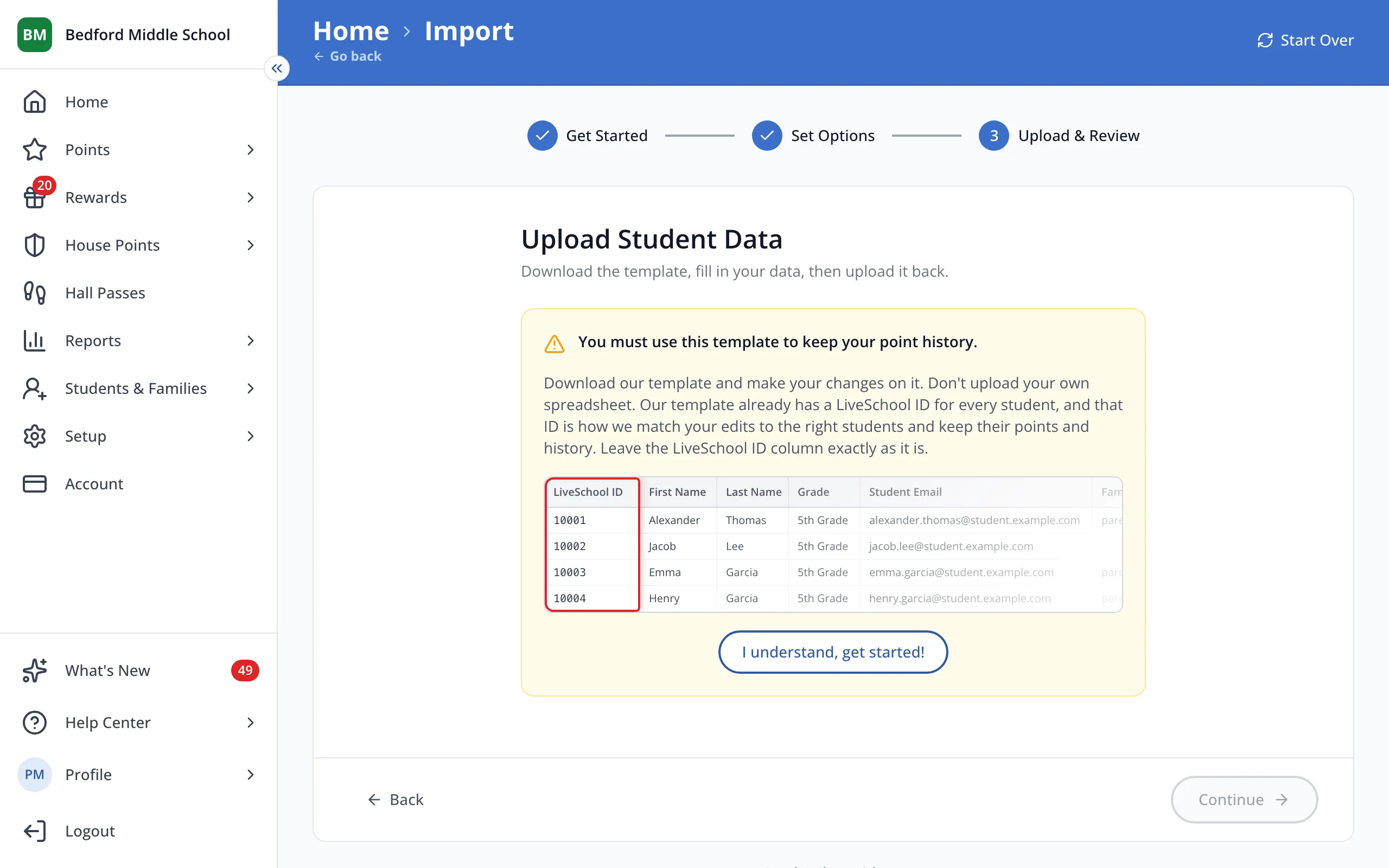
  11. 11.Click I understand, get started!

    Step 11: Click I understand, get started!
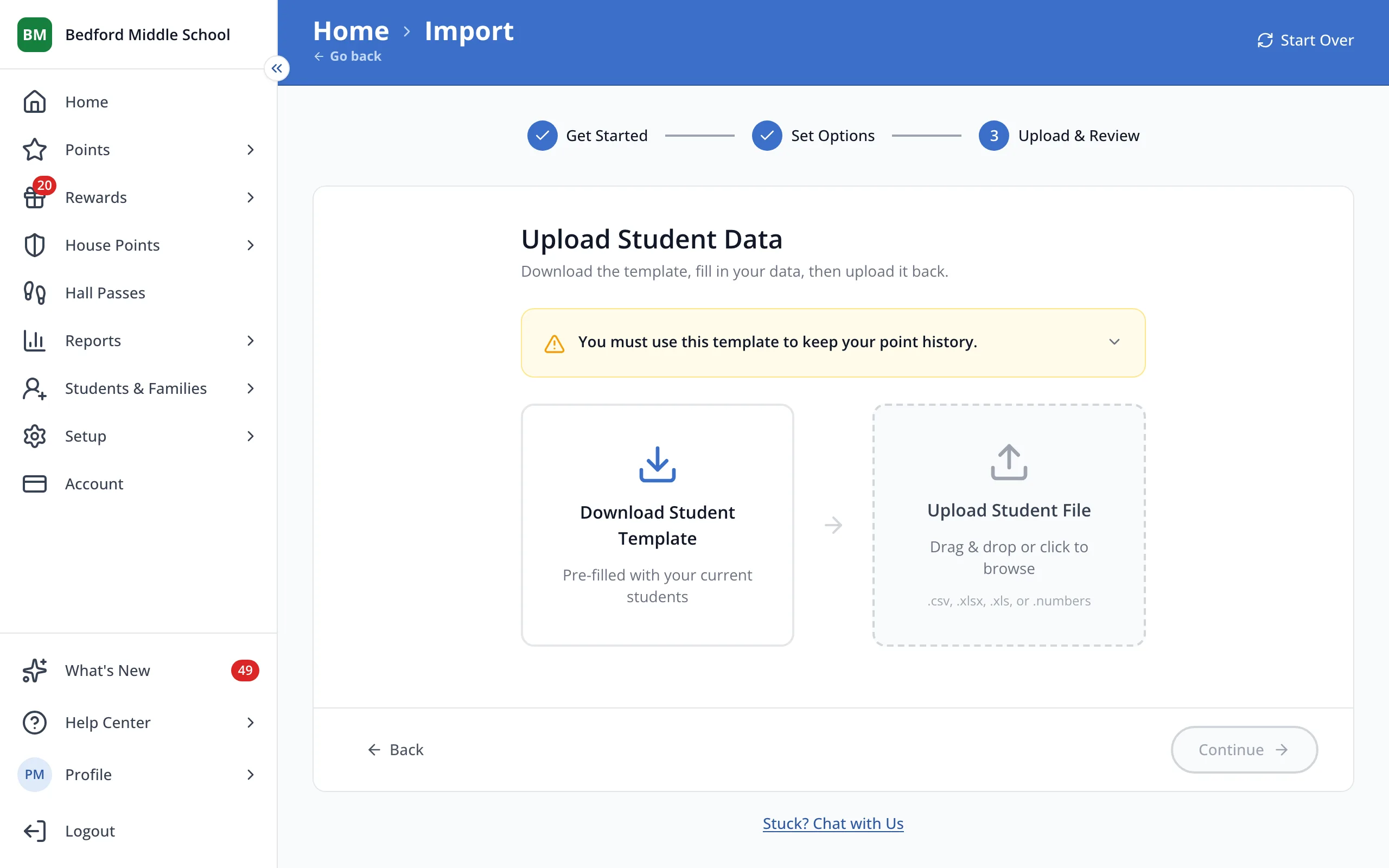
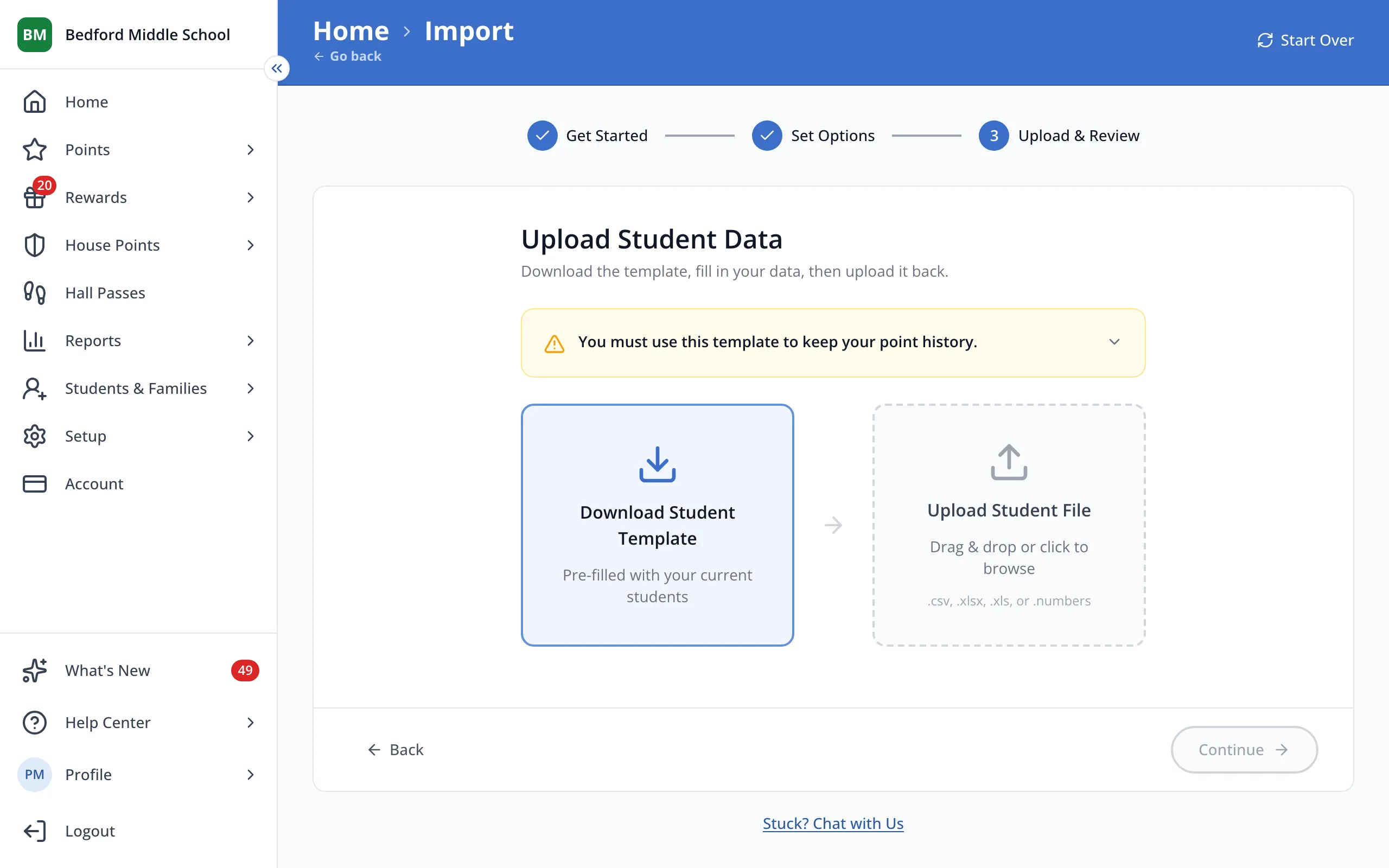
  12. 12.Click Download Student Template. Held-back students keep their grade in it, and everyone else moves up.
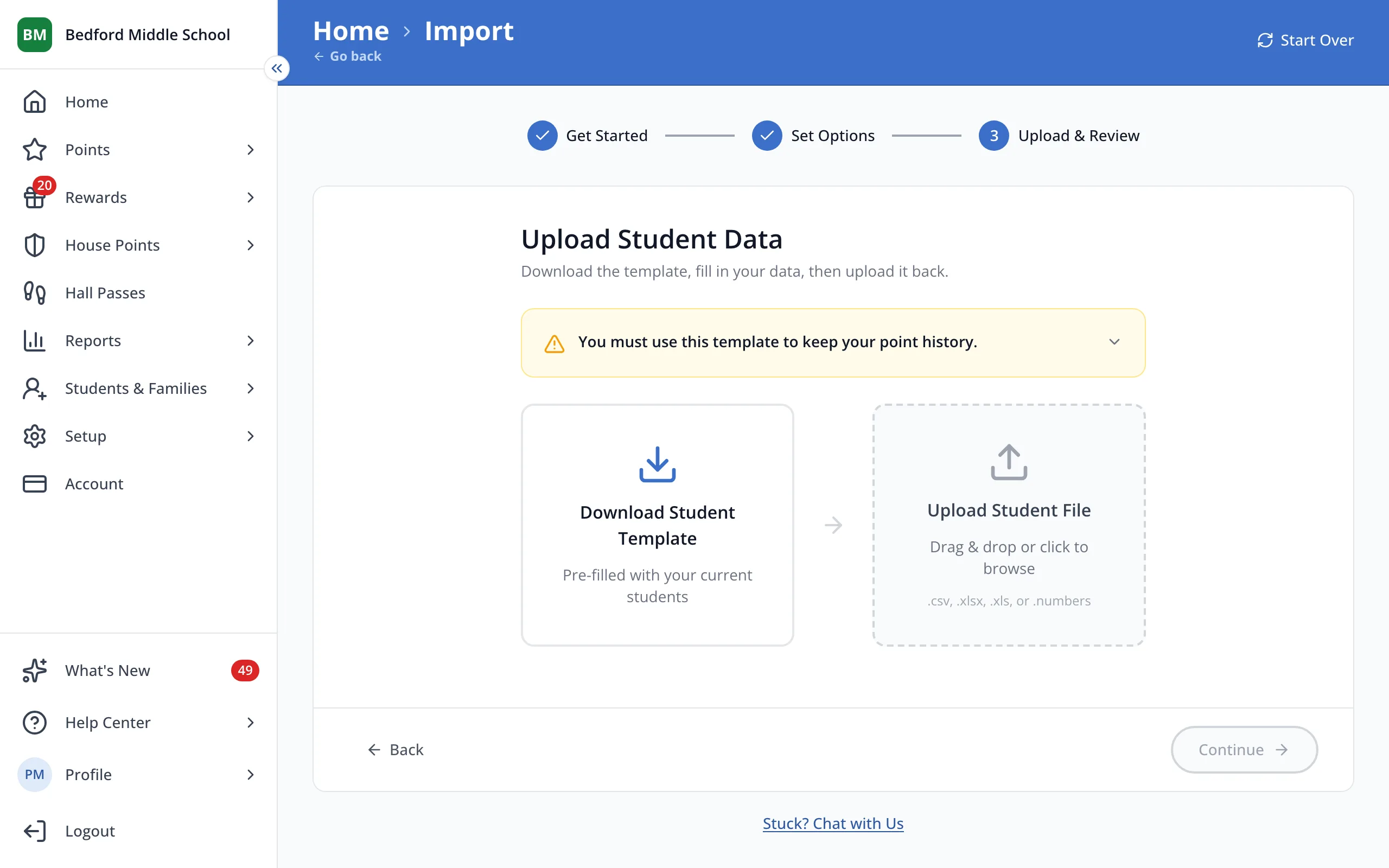
    Step 12: Click Download Student Template. Held-back students keep their grade in it, and everyone else moves up.
  13. 13.Make any other changes you need, then drop the file here.
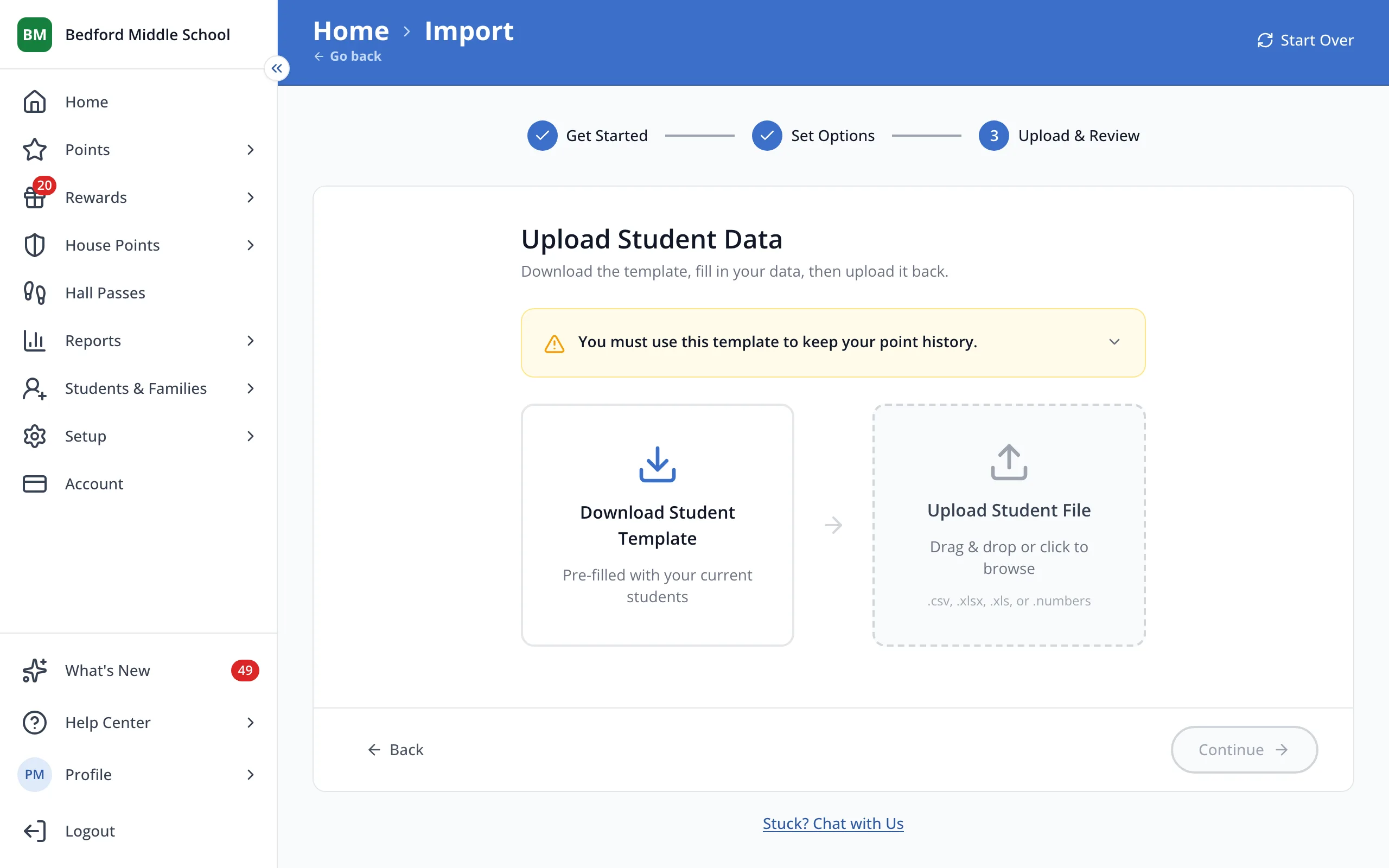
    Step 13: Make any other changes you need, then drop the file here.
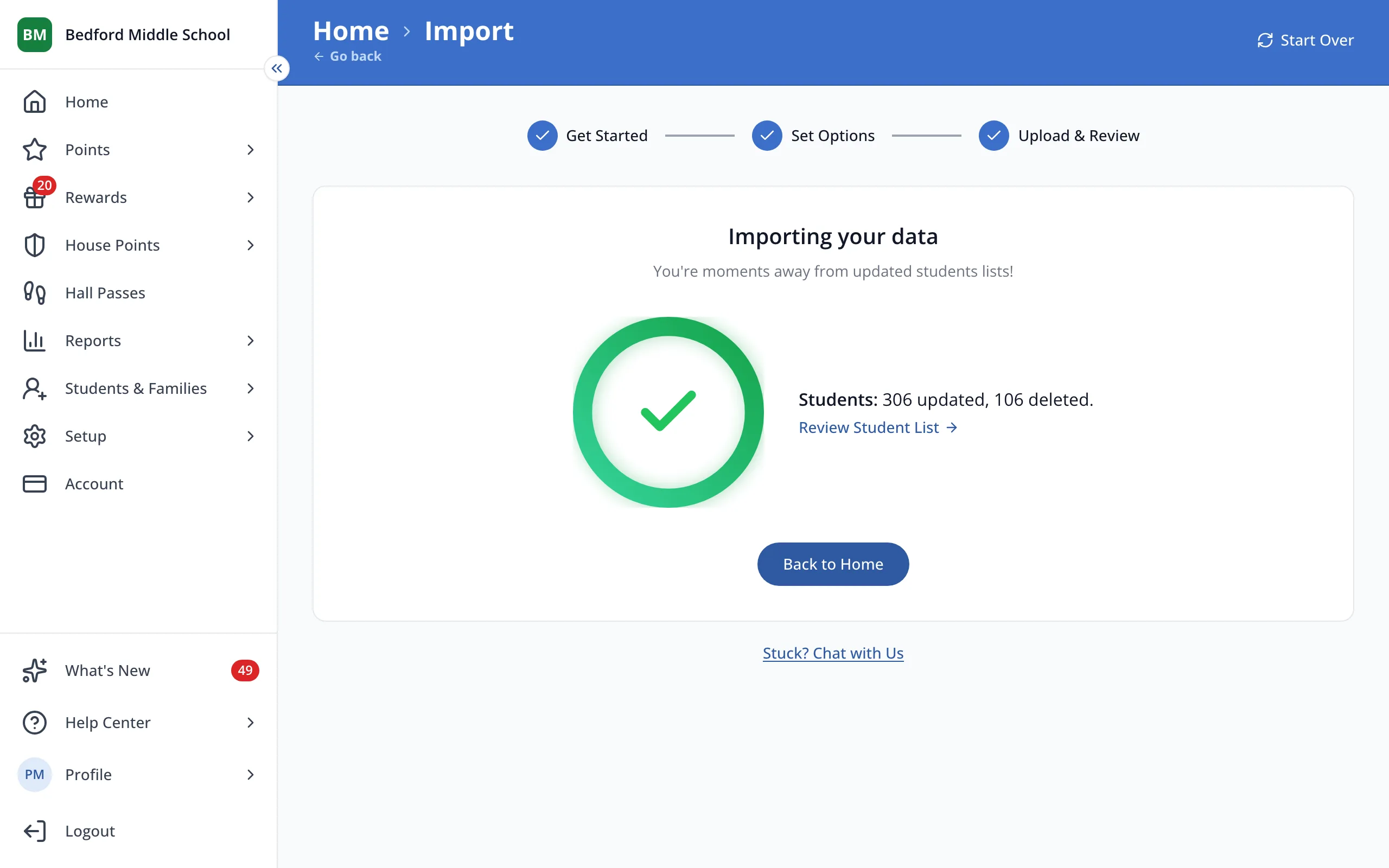
  14. 14.Check the summary, then click Submit Import.
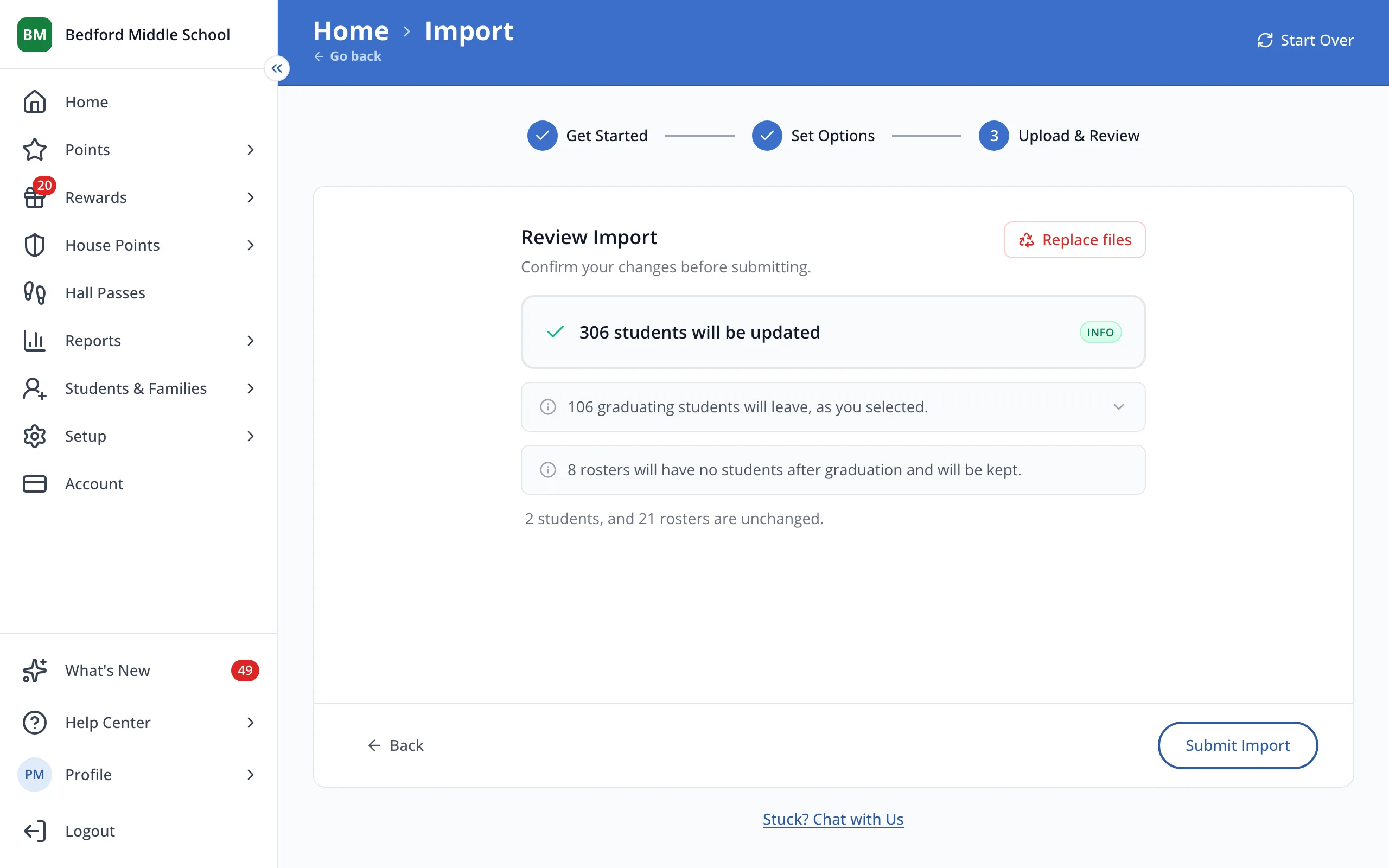
    Step 14: Check the summary, then click Submit Import.

Is this what you need?