Remove students who have left the school
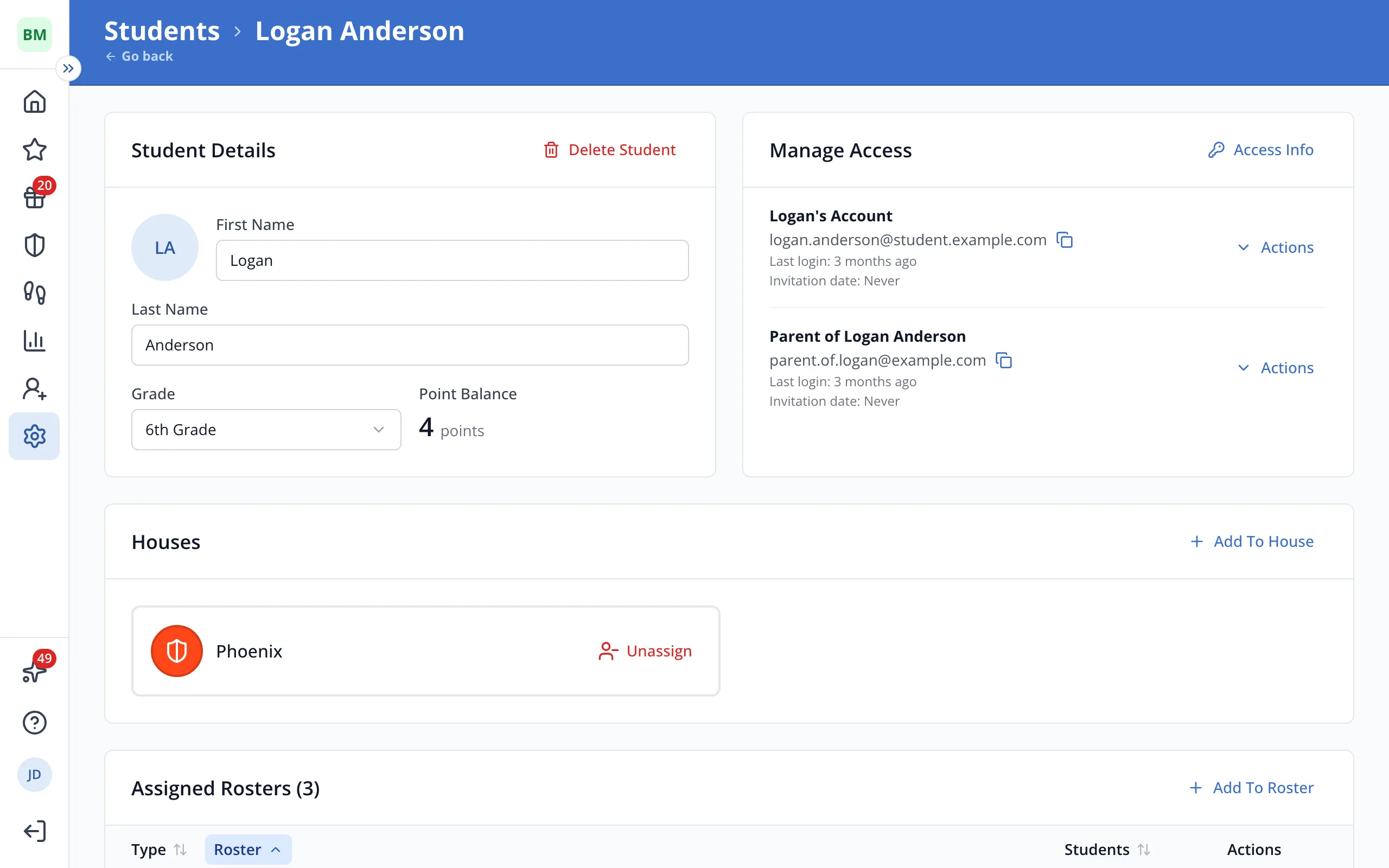
Only manually added, non-syncing students can be deleted. Deleting a student takes them off every roster and out of your school, and it can't be undone.
AdminSite Leader
Open in LiveSchool
Already signed in? Open this guide inside LiveSchool.
Use the Left and Right arrow keys to move between steps, and Space to play or pause.
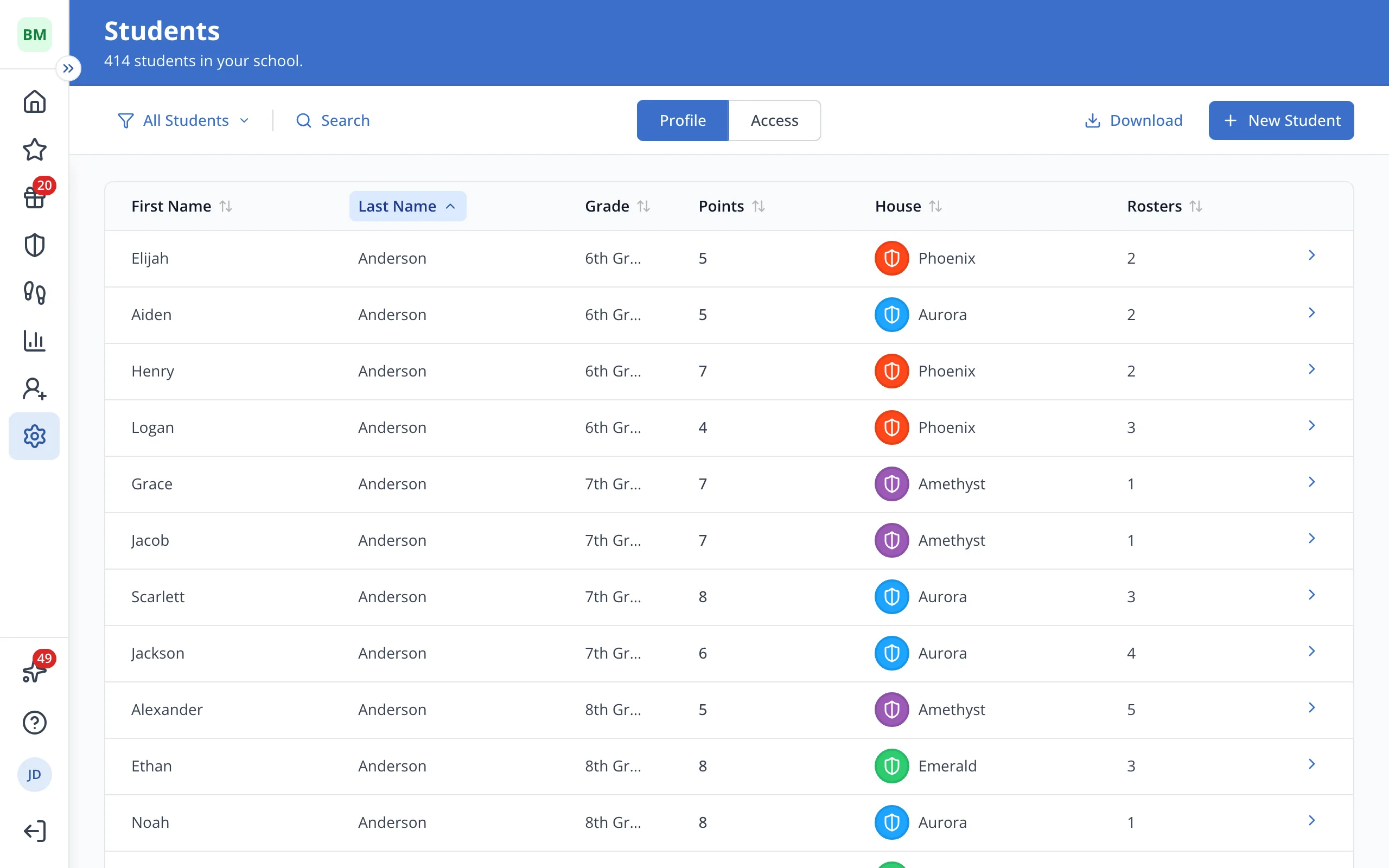
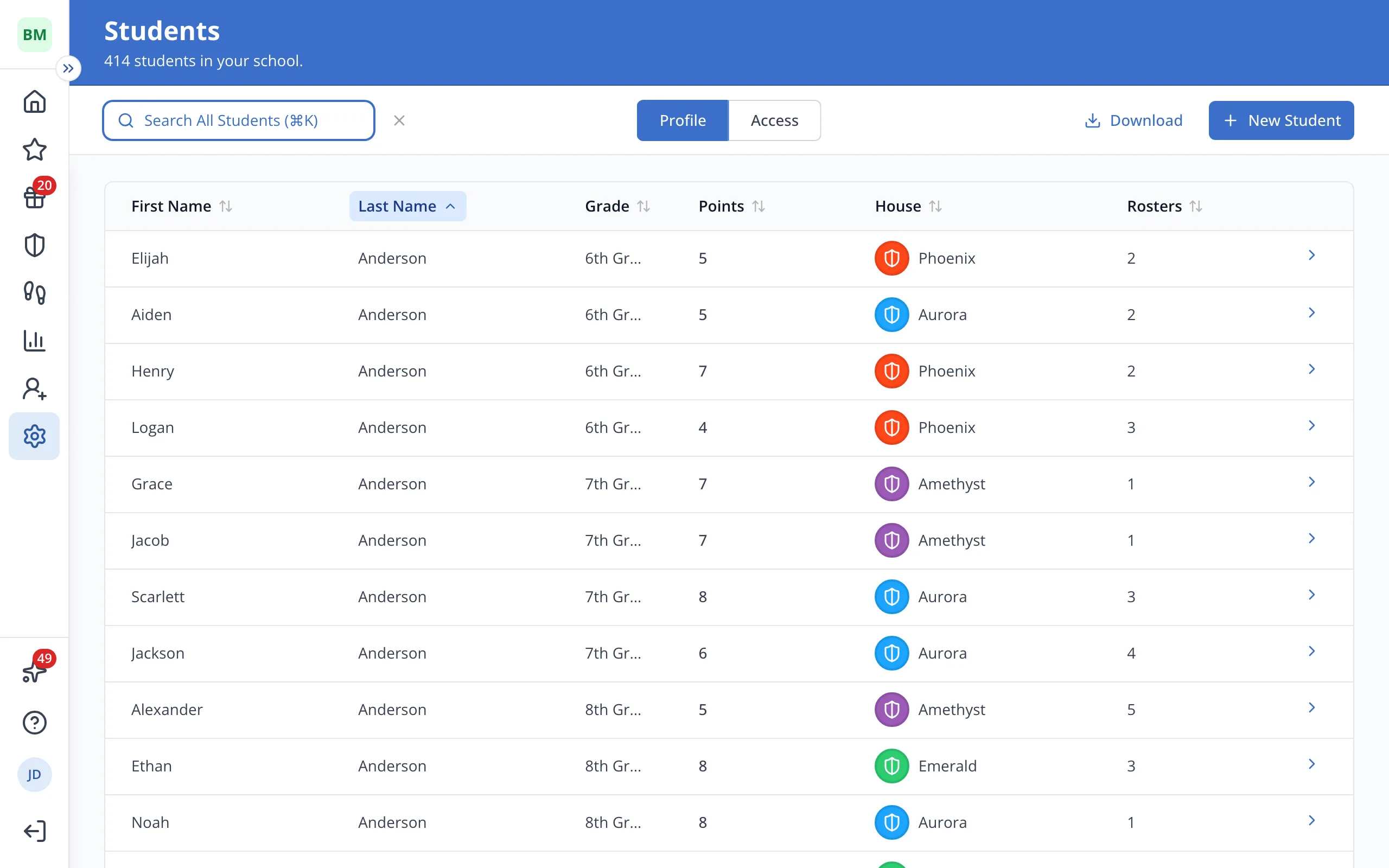
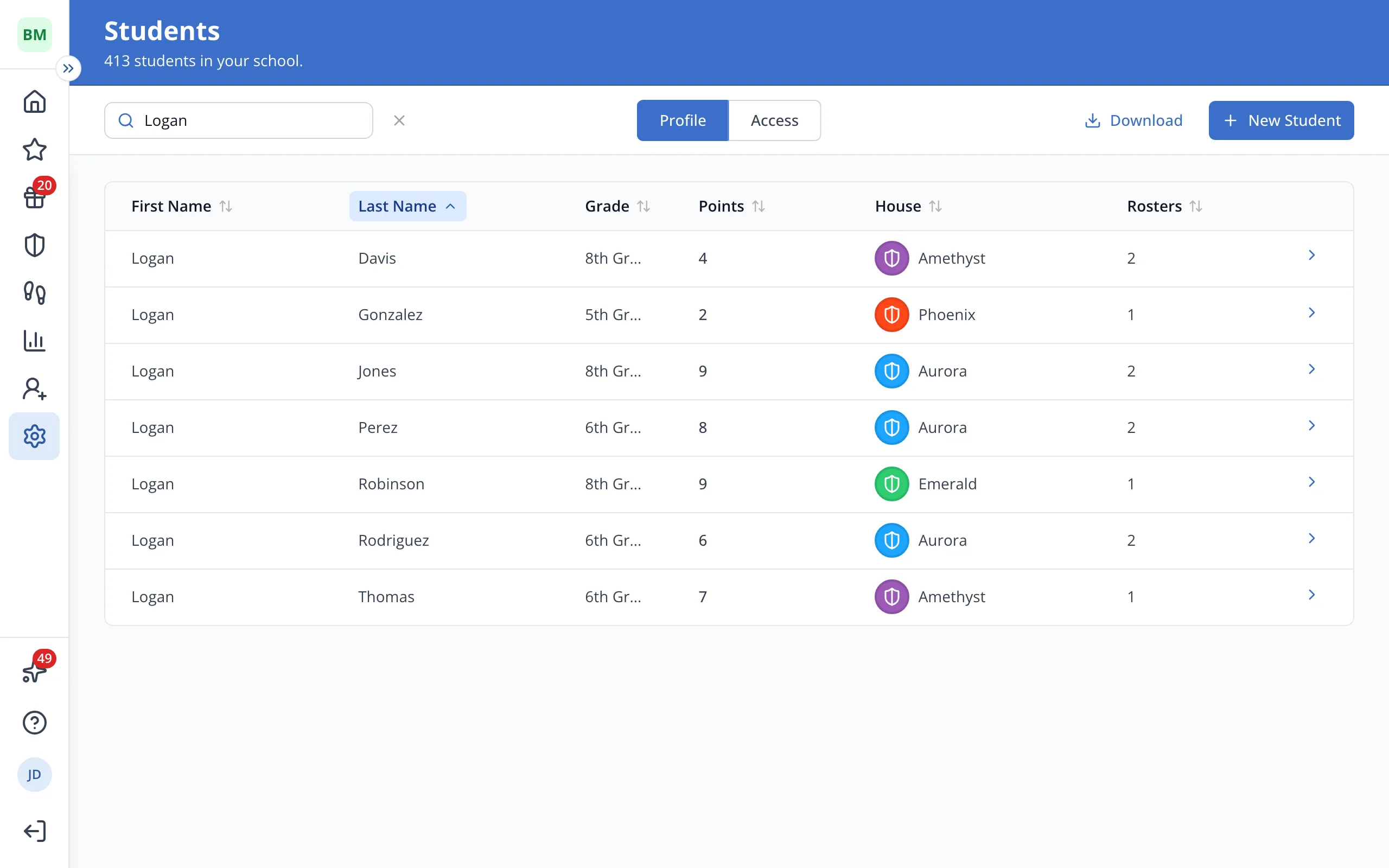
1.In Setup, on the Students page, click Search.
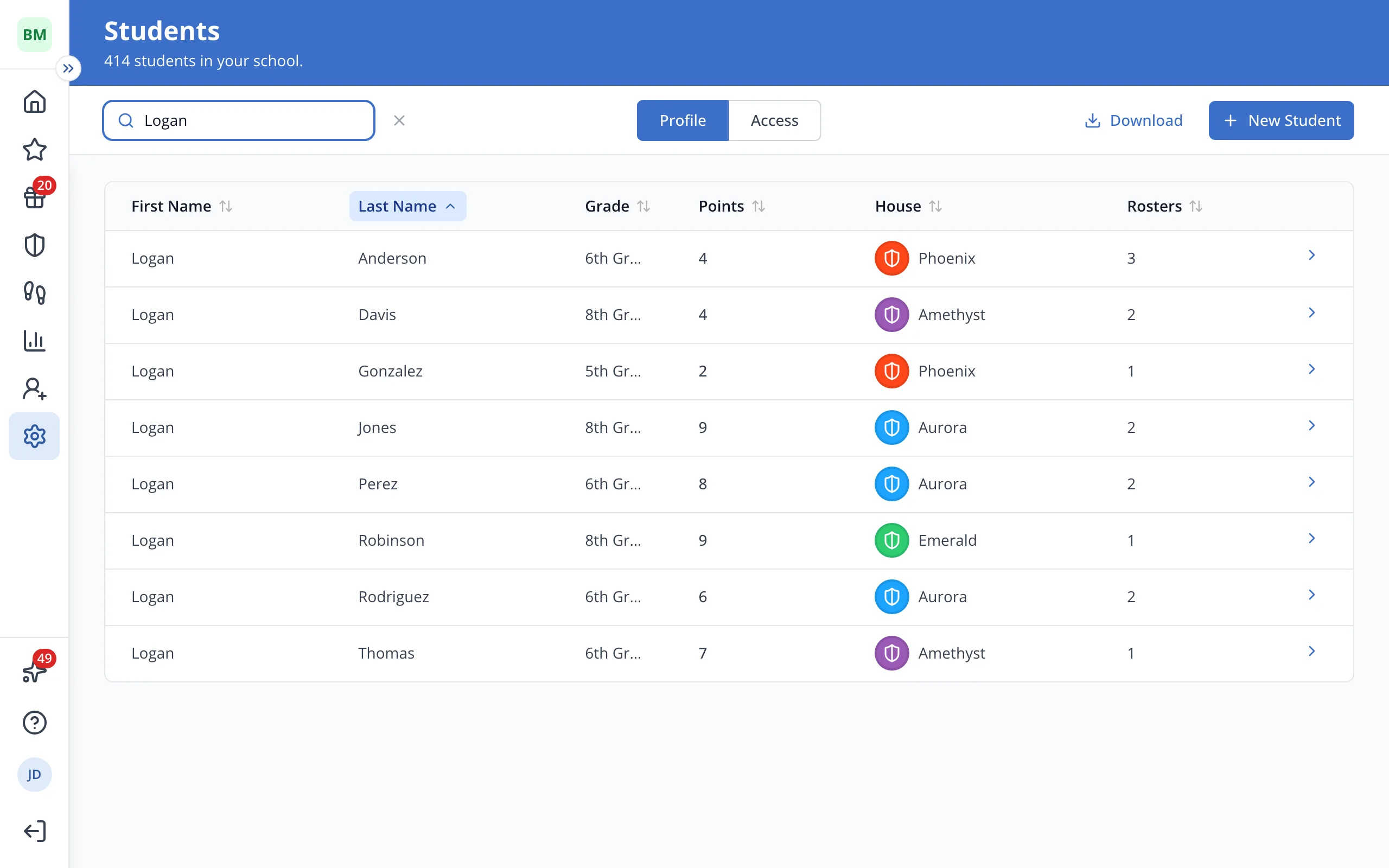
2.Type the student's name.
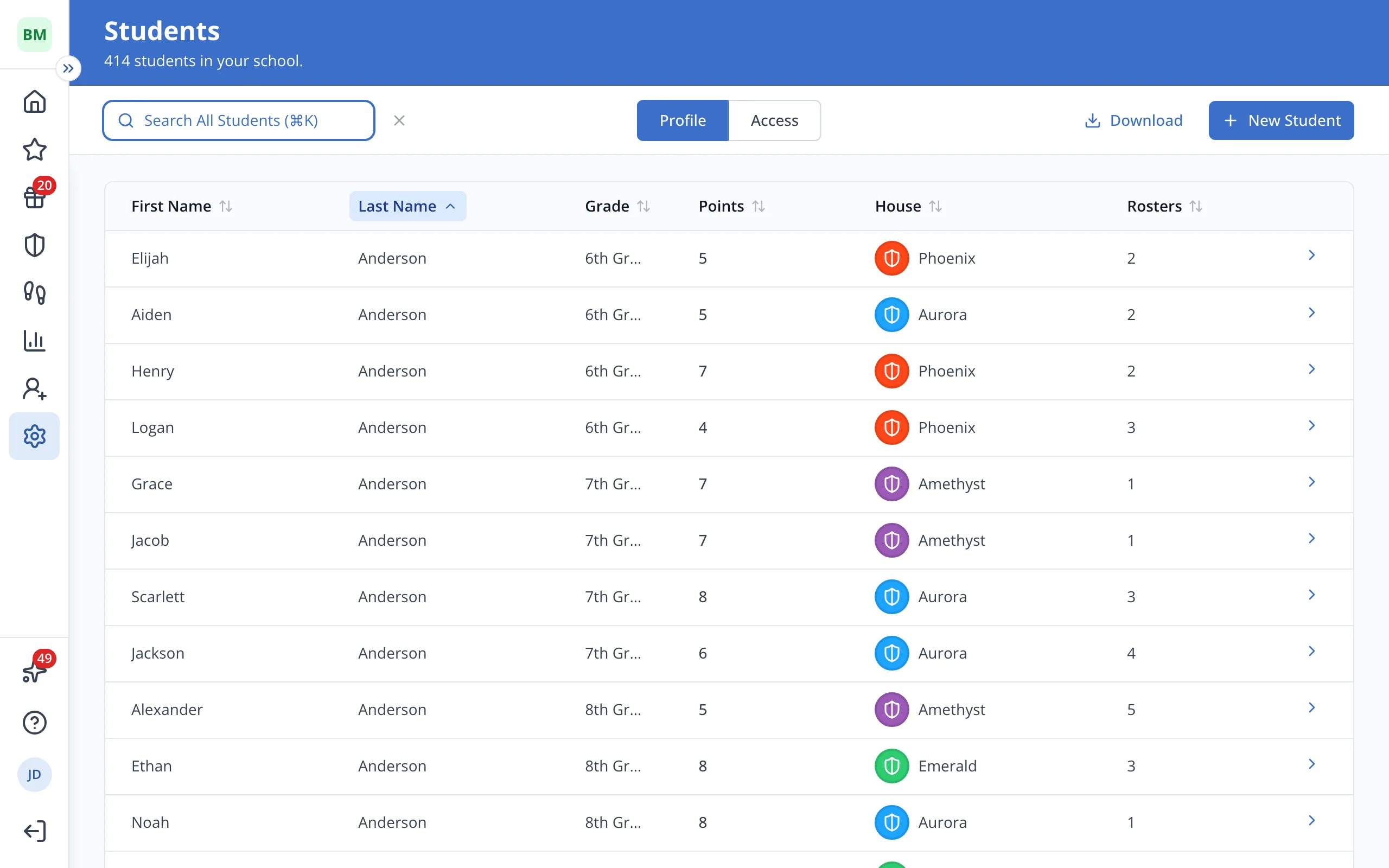
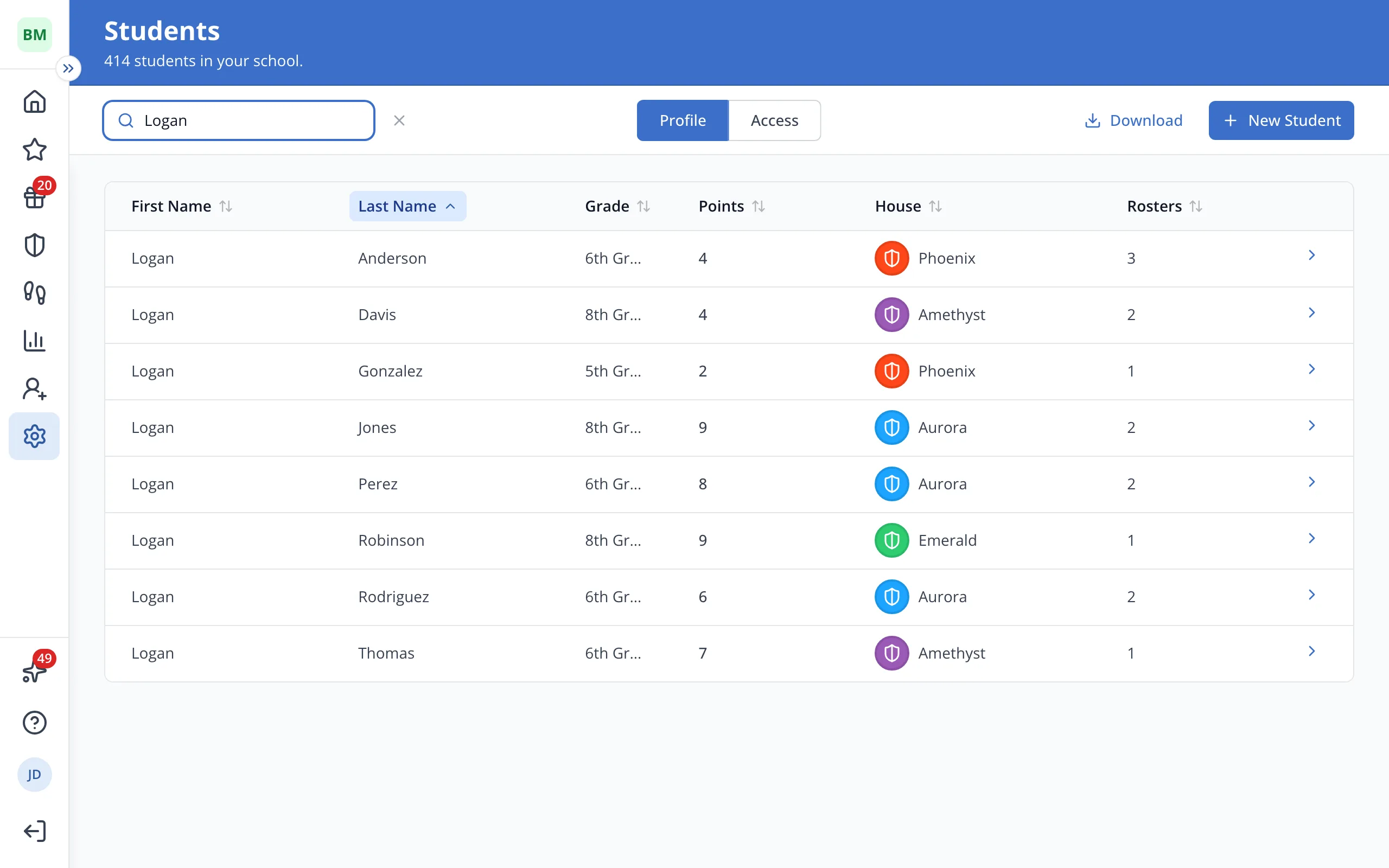
3.Click the student's name.
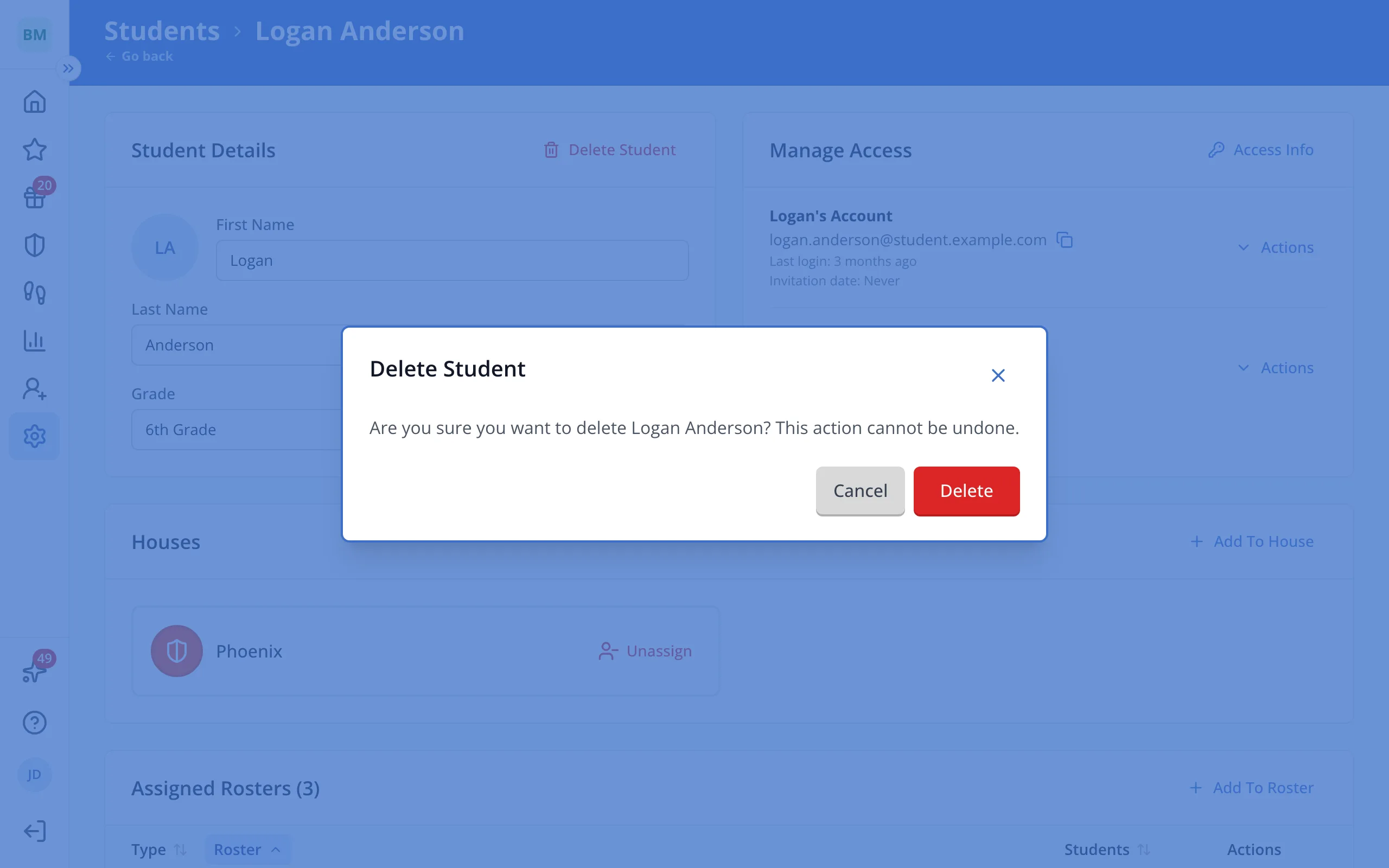
4.Click Delete Student.
5.Click Delete to confirm.