
See a student's point history in the Timeline
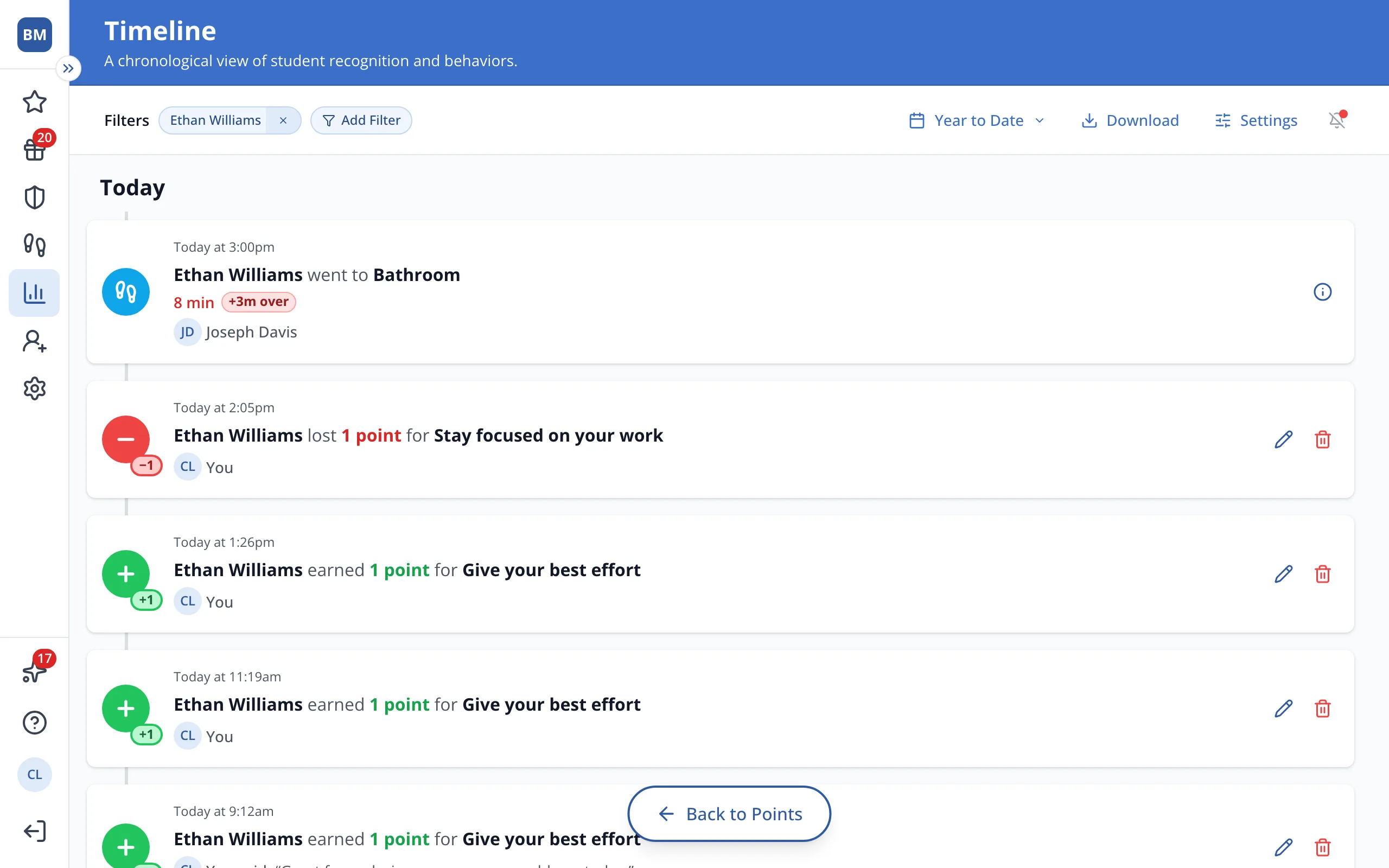
The Timeline shows the student's points from every teacher, not just the ones you gave.
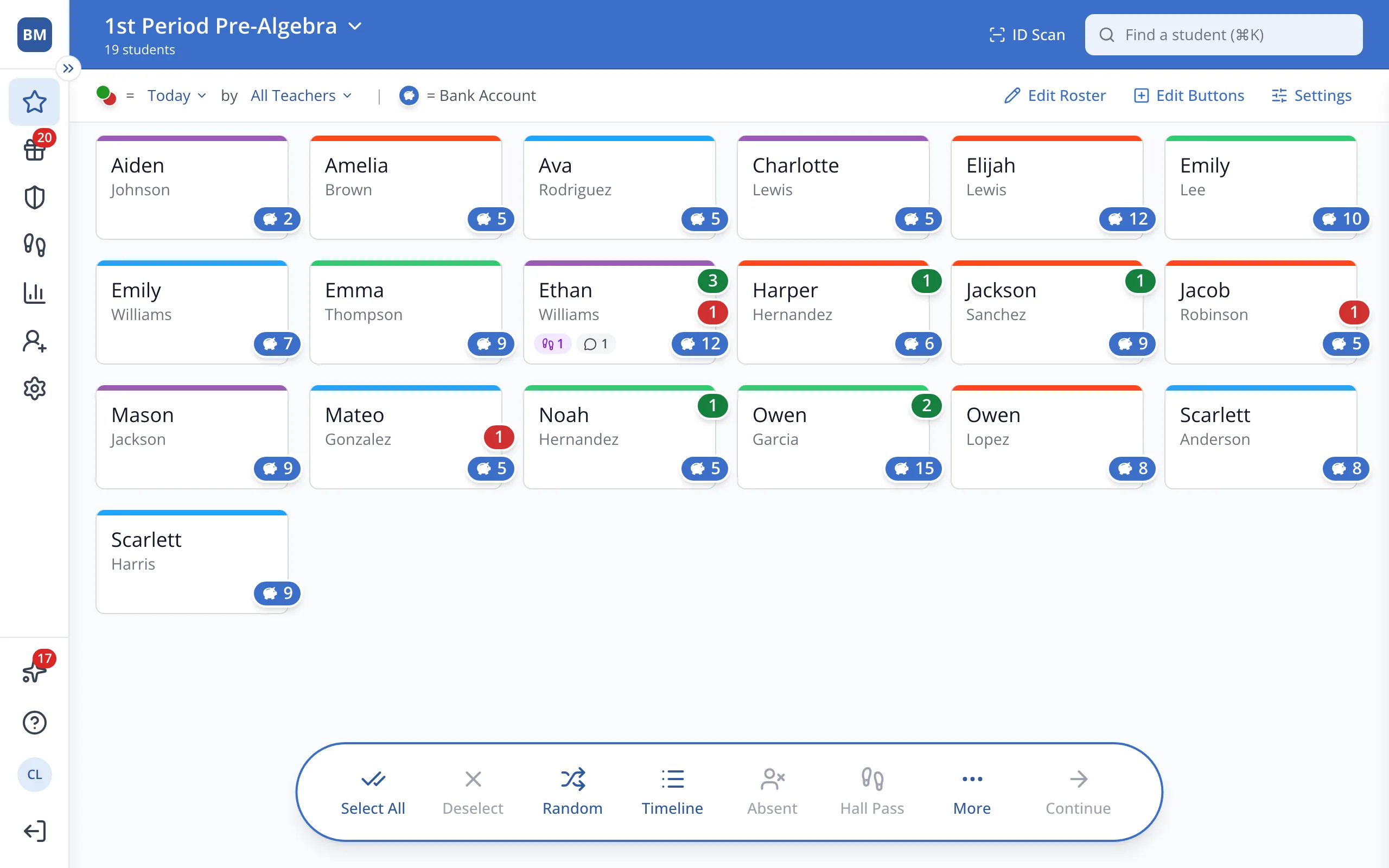
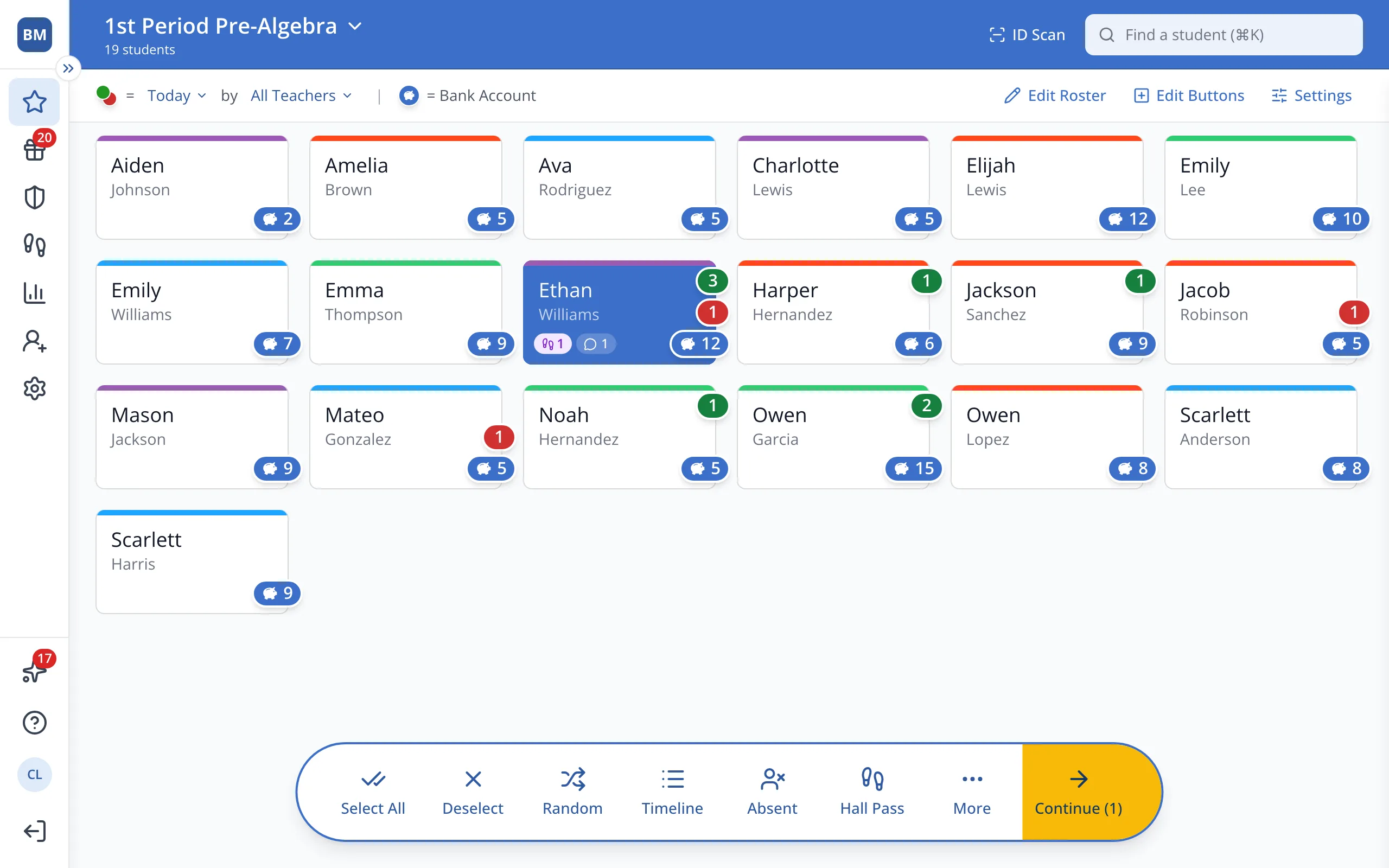
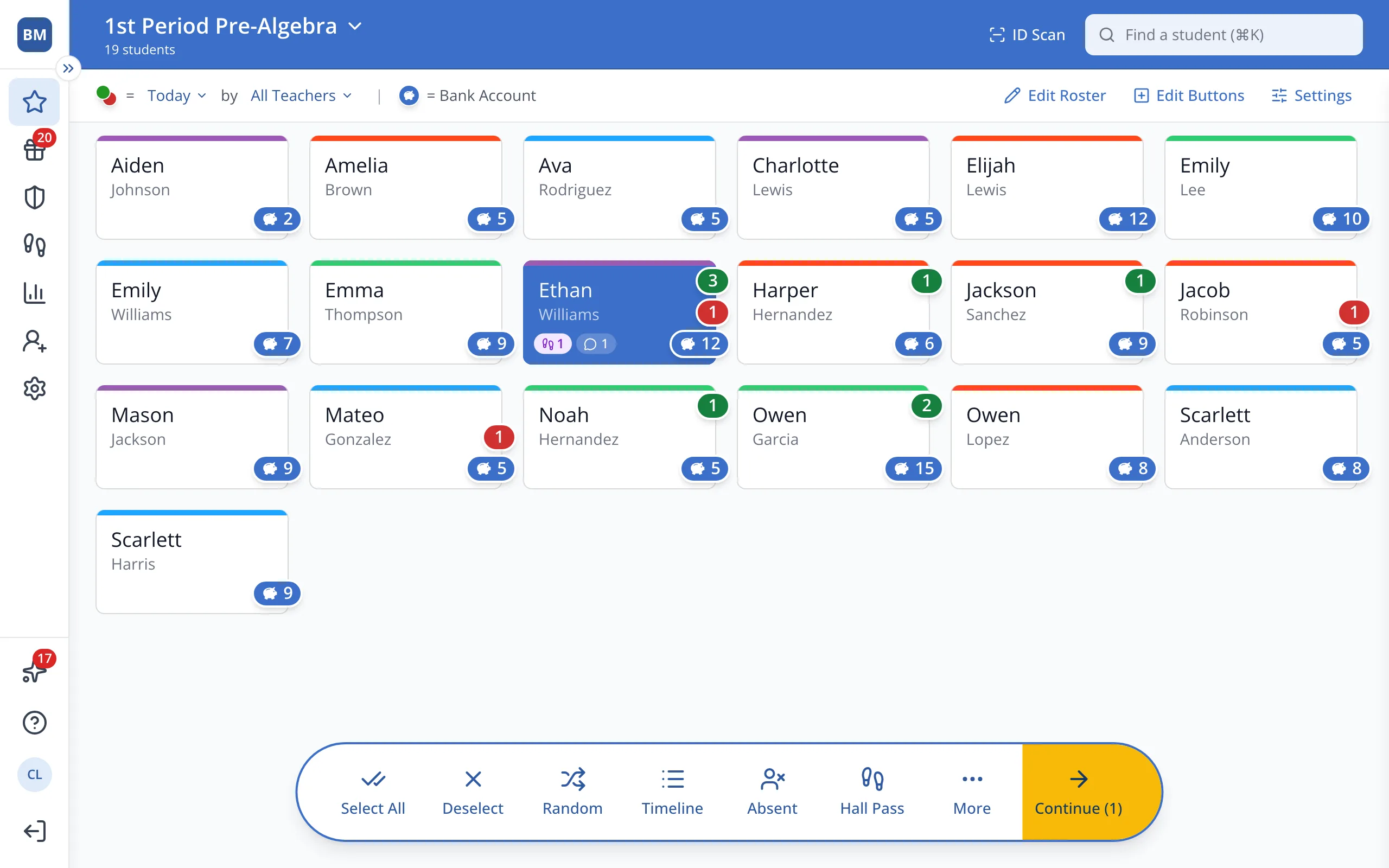
1 / 3On the Points page, click the student.
1.On the Points page, click the student's button.
2.In the bar at the bottom, click Timeline.
3.Click Year to Date to see a different time period.
Was this helpful?